Q1 Reflections and a few new GrowthDay App Highlights
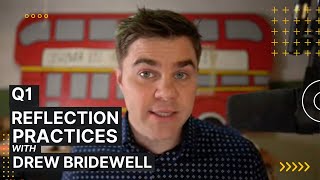
Drew Bridewell walks through Q1 wins and new GrowthDay app features, including encrypted journal search and expanded Learn content. A Growth Group hosting add-on launches at $149.99 annually with 120 sessions included. He demos the Plan tool for Q2 roadmaps and invites people to Growth Day Live in Austin, April 20-23.
Questions this video answers
April 6, 2023.
Drew Bridewell (Head of Product & Design at Growth Day).
$149.99 per year.
120 sessions per year.
Pro and All Access members: 10 free sessions; Starter members: 5 free sessions.
Chapters
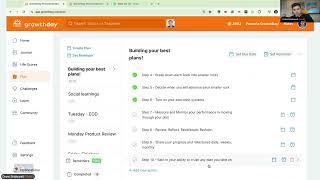
Let's go. Let's go. Super excited to catch up with you all today. We had a really exciting release here on the Growth Day app. So I'm going to talk a little bit about that today. I'm also just going to talk about kind of closing down Q1 and thinking about Q2, thinking about some things that we got to get excited about and going to give you some tips along the way to help with that. If this is your first growth group, then please let me know in the chat. I would love to know if this is your first growth group. If you've been in my previous growth groups too, I'd love to know that you have been hanging out with us before as well. And then we'll get this thing going. So as we get started, I'll just kind of kick it off because we have 27 minutes. We'll get this going. So welcome to Growth Day. This is. If this is your first time getting introduced to me, my name is Drew Bridewell. I'm head of product and design here at Growth Day. So I typically host weekly growth groups and getting just been traveling quite a bit recently so had to take a. I went on like a 12 or 13 week sprint where we are doing growth groups every week. If you want to see some of my old growth groups and just go into the community, which is the icon on the desktop app where there's all these, all these like people and then you can search for me and you can see all my past replays and you can also just catch me anytime. I typically have quite a bit cause I'm training on how to get the most out of the tool. But also I also host growth groups for this. So awesome. Oh nice. Margo, thanks for joining. Thanks for taking the leap of faith with me. So y', all, I've been literally building and growing Growth Day since, since it was conceived. So been a part of literally when there's like five people working on this and have helped kind of bring it to life. So if you have any questions, comments, any things that you want to learn about the app, then I would be happy to answer any of your questions within this growth group. Absolutely. My pleasure. My pleasure. So really fun, really fun way to start off today is we had a release today. So Thursdays are really good days for releases. Well, actually we were on a two week sprint. So you're in, you're getting to experience the April 6th release. So if you're inside the app or the mobile app, let me just bring some more people in. We have A very, very new. I'm just going to dive right into it. I'm going to share my screen. And let me all know when you can see my screen, which I'm pretty sure you can see it, because I can see it right here as well. And what I'm going to do is head over to the journal. Hey, Kelly, welcome. Hey, C.W. so what I want to do right now is what you're seeing here is the journal. So one of the newest releases for us today is we now have the journal search. Now, I love the journal because I've been writing in here for, like, you know, we keep going back. You can see, like, almost. I. I typically don't miss any days. So it's like, really just going back through my history, and you can see all the days that I've been journaling. And I'm gonna hit command plus, just so you can see this a little bit bigger. And we just introduced a journal search. So let's just say I was going to write in and search for confidence. Now, when I search for confidence, I can see, for example, the highlighted word of my confidence. And I don't want to scroll through my entire private journal. However, it's pretty cool because you can see just like, for example, on Wednesday, February 15, 2023, I was writing notes on, you know, confidence, and I could see it in its highlighted word. This is a huge deal because the journal is a private. It's very private. It's only you can see it. But what we did was, you know, we can search that encryption of the. Of the journal that's encrypted, and you can actually go through a little table of content or a little, like, you know, 1 and 2 clicker here to see it. It's sticky as well, which is kind of nice. So as you scroll through, you'll be able to see your. Your keyword search there. And we just released that today. Pretty cool. A pretty cool new feature. And let me just come in. Okay, awesome. So you guys see it? Yeah, absolutely. Absolutely. So, Terry, that's a really important thing. So if this is your first day, Terry, let me know what membership you are as well, so I can make sure I talk to some of the new features that you're going to get inside the tool. Oh, Kelly. So definitely use this and let us know what you think and share your feedback in the community. We. Or share it just by going over to the feedback tool and then give us some of your feedback. Like, just be like, hey, I love that. I love the new feature. We Would love to hear that from you. And Terry, I'd love to know what membership that you signed up with so I could walk you through some of that tools today. Pro user. Not getting the video feed on desktop. Not getting the video feed. Oh, is that just because you're not seeing my video feed at all on desktop? Hmm. We'll look into that. All right, so. Oh, that's, that's quite interesting. Maybe just do a refresh on your browser and then just jump, jump right back into the growth group if you're not getting a feat of my video feed into the tool. So we'll come through there. So as a Pro member, just as a heads up, if you're a Pro member and you come over into the Learn Pillar, y', all, we've been really busy over here on the Learn pillar as well. So we now have about seven or eight different replays. So we just had a replay last. Well, actually we just posted it today. Oh, cool. Nice. Terry, welcome back. So what we have here is if you go to Learn Pillar of the, of the, of the tool and then you come over into. We just also released a new Managing Others at Work. So if you're a leader, which we all are leaders here at Growth Day, but you got to do self leadership, but you also need to do people leadership. This is an incredible replay where Brennan's talking about his framework around this. Talked about. I mean there's so just the notes alone in this, in this readout right here that the team put together is phenomenal. So I want to encourage you all to check this out here. I'll put the link in the chat just so you guys can check that out at a later time. This is for Pro members. Pro and All Access members. So that was a really nice new release. The other thing for All Access members, which All Access is when you are trying to come in and see some of our other courses that we release every single month. We now have a boundary setting Master Class. So I'll scroll down a little bit here. I'm going to move this over to the right and if you hit view all on the Master Class series, you'll now see I'm going to zoom out a little bit. It was a great session, Heather. I'm glad you got to attend it. So now we have all these master classes that we're starting to introduce the system. These are the older, older past replays that we've repackaged and, and basically made them into really good courses. And that way when you come into these boundary settings or any of these other courses and you're taking and you're watching and you're. Let's just say I'm watching this content here. I can't watch it because I'm in a growth group. But the really cool thing about this is if you're. You can take notes and while you're watching this, there'll be timestamp notes now that they're a course. When you're doing a live event. We don't have timestamp notes as a live event because you're in a live feed at that time. But you can also still come back in here and do comments with your community and, and, and get a value out of that. Now, Terry, since you're new, one of the biggest, kind of the coolest things about Growth Day, on top of being able to journal search now, which was one of our top features requesting, is you can now go to the note section after you attend. So even if you're taking notes in this live session, you can go over to your notes. Just gonna let some more people in. You can go to your notes in the very top and you can see the notes from your last sessions. So just even this session right here, I'm seeing like, okay, well, in my agenda, I want to talk about top three goals. Like, these are things that I asked you to come prepare with, but if you didn't prepare for them, I'll still talk through them. Just want to set you up for success because we're jumping into Q3. I also want to share a couple ideas of how I think about it. But, but all in all, like, we're here to grow. We're here to learn. And you can access your notes from any of the past things that you attended, which is also a very popular thing as you get into the tool. All right, all right. Thanks, Kelly, for that. Cool shout out. All right, cool. So, Terry, another big thing. Since you're new to the tool every day, Brennan has a new Daily Fire. Sometimes he has like a repeat. Like he had a repeat today. But the thing is, like, you can still, you know, it's just like hearing, hearing the message. You can still get something out of it, even if you have heard it before, because we still got to practice these things. But today you can tap into the Daily Fire and you can share this daily Fire, but your dashboard's really like your home for coming in and just learning about all the new things that are happening in the tool. On the right sidebar, too, you can always see the next, next upcoming growth Group that's happening next week. We have Lori, Mel and Jonathan. Awesome. Yeah, same here. Terry. Every day, Every day it's kind of like just a part of the morning routine. And then you can see the past replays where you can tap through those. And then you can also see the last course that you're watching and then you can come in and I see that I'm live here. We got 13 people that have RSVP'd and I sent this RSVP pretty late, but I'm gonna start revving these things up again too. So to give you support every single week on how to get the most out of the tool, but also just to learn some frameworks along the way too. It's like kind of like your Thursday follow ups too. If you are attending the Wednesday workshops, I'll be there for you to support you. Also, Terry, if you're new to the tool, to the daily, weekly and monthly life scores. These are things that you can typically do your daily life score at the end of the evening or you know, during the afternoon or whenever you have a good moment in time to do this. The thing here is like don't beat yourself up over the 10 scores. The really the 10 categories that you're scoring about, it's really just about getting a benchmark. We really don't need to overanalyze, like did I got a higher score or lower score today? Just really do the, do the work, do the benchmark. The key is to look at those prompts every single day and just be like, hey, how am I doing in my energy? How am I doing in my influence? How am I doing in my courage? And then going through those high performance habits, that is really what the whole product is built around. So want to encourage you to check those out too while you're here. And the weekly reviews, most drivers in our platform like to do these on Sundays. And then the monthly reviews is just things that you can do at the end of the month. Right on, right on. And as we keep going through, you know, we have plans and challenges. We are working on two new big challenges which we're going to be dropping pretty soon. And if you haven't yet heard, we do have a, a growth day live event coming here soon. So if you do want to experience, meet us all in person. I'll be there. I'll be there personally. We're going to be in Austin at the end of the month, literally April 20th through the 23rd. That's going to be a ton of fun. And maybe we'll see you guys there and we can, we can chat. That's going to be super fun. All right, so I just gave you a quick little crash course of the tool. You know, I'm gonna. Yeah, it's gonna, it's gonna be pretty cool. And I'm looking forward to meeting all of you too. So I'm going to come back into the. The group here and I kind of want to dive into this training, the training that I prepared for this and the way that I'm thinking about it, because we just shared with you all that this. Today was a release day. We released the journal search, which was a huge project. And it might seem like just a small thing to be able to search a journal, but the absolute, the absolute like, fact that this took a lot of time. This was a pretty big feature that we introduced and we are going to be pursuing other search capabilities inside the tool. But these things take time, right? So we're building these up from the ground up. But the thing is, over the first quarter of the new year, we have January, February and March. The thing that I was just talking about on my Instagram was like, we typically like in product and I'm a product and design pro professional, so I'm typically thinking about things in quarters. And I know that you all probably, maybe you don't keep track of things in quarters. Maybe you keep track of things in weeks or months or maybe like the first half of the year or the second half of the year. The key is to basically create your window of time where you want to get things done or you want to keep track of something. And I like to do that by quarter. So right now, like I said, we just finished Q1 results and now we're moving on to Q2. In Q1 for growth day, we delivered a quite a bit of things behind the scenes. But one thing that you might not be aware of, if you wanted to be a coach or you wanted to do one to one coaching and you wanted to host growth groups, we now have a add on plan. A growth group add on plan. So if you literally are going in and Pro members get 10 free, Starter members get 5 free for the first year, Pro members and All Access members get 10 free for the first year. But now you can actually buy an add on of growth group hosting. So you can do what I'm doing right now, but host mastermind groups. You can host growth like you can host growth groups where you facilitate specific topics that you care deeply about and that you with that add on plan, it's 149.99. So it's 150 bucks a year. And then you get the hosting capabilities so that you can host these sorts of sessions. You'd get 120 sessions a year. So you know the same thing that I'm doing, like I have a regimen, I have a routine where I host these things. But I also, you know, I share tips and tricks about the tool, but also some practices about how to get the most out of the tool like planning. And if you go back and look at a lot of my old growth groups, you can see like I really dive into the systems thinking and the systems systems design of the plan tool and the fact that the plan tool is not just like a to do list, it's actually a growth system that you get to define and design. And I just love the plan tool because you can build it, you can build reminders and set it up any which way you want. And that can actually show you that too. If you haven't yet really tapped into the plan tool and you don't really know how to use it yet, I can just let me know in the chat if that's something that you're interested in seeing. So what I want to do, if you get anything out of today, I want to encourage you to start thinking about what you accomplished in the first quarter. So what did you accomplish in January, February and March? What were some of the things that you did? Maybe you, you know, maybe you moved from somewhere, maybe you kick started a new project. Maybe you advanced one thing to another thing like what did you actually accomplish? So the first thing that I want you to do and journal about this like later today is I want you to think about what were your top like in April or actually not, not in April, but in January, February and March. What were some of the top things that you accomplished in that, in that time span? The other thing I want you to do and I'm, I hope you all, some of you just do these things. I'm just going to paste them in the chat. These are some things that I want you to start thinking about if you haven't yet done this too. Like you can the plan tool to write these things down. But I want you to start thinking about like, well, we already are three months into the, into the new year. Like what were your top, what are your top goals for this year? What are you trying to accomplish? What do you need support on? Who are you going to ask for some help? You know, you can, you can reach out to the community. You can reach out to me, you can reach out to other people. But, like, what are you trying to achieve? If you don't talk about it or you don't, like, write it down or you don't put it inside the system, in your growth system, then it's gonna be really challenging to benchmark it. It's gonna be really challenging to keep track of, you know, how you're progressing it or advancing it. So I want to encourage you to do that as well. Now for Q2, we're, like, just getting the ball. Like, we're really heating up right now at growth day. Like, we're building more people. Like, more people are joining our staff, and you're gonna start seeing, like, kind of like we're. I mean, we're forming a tech company, right? We're about two years in, and every single two week, Sprint, we are introducing new things that improve the product experience, but also make it overall just a better place for you to grow. So to that point, we take feedback all day long, anytime you have it. So if you do have feedback, find the question mark in the left sidebar. If you're on the web browser, if you're on the mobile app, then just tap your face avatar, and then it'll open up the sidebar and essentially, like, if I was to. If I was to open the app, if I was to open the app, and you can kind of see the app here, just tap your face in the sidebar, and then you'll see your face slide out, and then you can click feedback. And then that lets us know, too. You can just give us the feedback there. Would really highly encourage you to just to give us feedback every now and then, let us know what you want, what you're thinking about, what would be better, and that would just be really helpful for us. So alongside of all those things, right, I was talking about, where do you do this things, right? You can do it in the plan tool. So if I was to go to the plan tool right now. Let me just share that with you, because I know we only have, like, 10 minutes left. Just want to give you guys some super value today. Talking about the tool. If I go over to my plan tool, I'm sharing my screen right now. And I think last. The last time we went live, cw, we went. We went. Actually went and. And walked through a business, like, just a. A business plan, and we were going through the different types of things that you could use to kind of get yourself started up. Cw, do you remember that? You let Me know in the chat. Yeah, yeah. Cool, cool, cool. So we were talking about different ways to do this. So I want to remind y', all, like, if you are trying to create a. A system for yourself, it could be for anything. Anything. You first want to come in and start, like, you know, build a. Build a little intention about what it is you're doing. Why is it important? You can do that in your plan tool by just adding that in the top section of a plan. So if I was to come in and I'll just create one from scratch, and I'm going to call this my Q2 plan. Boom. And I know that my Q2 plan, I want to be done. I'm just gonna say I want it to be done by next Friday because I'm already in Q2, and I want to be reminded about it on a weekly basis. On Sundays at 4:00pm okay. On Sundays at 4:00pm I'm gonna get reminded about my Q2 plan of 2023. All right. I'm going to create this plan, and now that it's created, I'm gonna see it poke in here. So the first part of this is I have my due dates and I have my reminders. I want to encourage you to have reminders and due dates when you're creating a new plan, because this is going to be holding you accountable, right? Nobody else is going to come in here, hold your hand, and tell you to do it. But this is a reminder and a trigger for you to actually jump back in and do the work. Okay. Then you can describe the purpose of the plan or add notes. So for Q2 plan, it's like, oh, okay. Well, my number one purpose is to stay intentional and focused on what matters most. Okay. I also want to. I want to have. I want to elevate my leadership, execution, and communication this quarter, and I want to elevate my systems, rituals, routines, and habits. Now, these are the things that are really important to me. And if you have. If you have, like, Grammarly installed on your computer or any other, like, spell check words, it'll just spell check it for you, because I'm not the best speller. But here we go. We got an intention for this plan. Now that we have intention for the plan, what am I going to put inside of my Q2 roadmap? What am I going to put inside of my mind? Well, okay, great. And I typically do this at the beginning of the month, but I'm just trying to give you an example of how to set this up for any time that you Want to use the plan tool. So again, what are some things that I want to be able to do? Well, I need to be able to understand what are things that I'm starting. Like new starts, your projects, new relationships, new ambitions. So anything that's new, I have a new bucket. Like, okay, so I have these new things that I need to start, things that I need to like, build some momentum around, build some energy up around. That's super important to me. The next thing that I need to be able to do is I need to think about the things I need to maintain. So the things that I'm maintaining, which might be like relationships maintaining, it might be projects I'm maintaining. I could just write, I could just instead of doing that, I could do relationships projects. And maybe another one would be like, I don't know, it might sound weird, but meal plans, like so in Q2, this might be like personal, it might be like for work, whatever. But I have new things that I'm doing and I have like things that I'm maintaining. Right? Projects, relationships, meal plans, whatever. Then for these new things, these things I'm maintaining, then I need to think about things that like our far future, like I'm still, you know, for Q2, I have literally, I have April, May, June, so three months to do something. So I have an April, you know, I might have April things, I might have May things. Do some vacations up in May and then I have some June. So I'm just showing you this because you can actually create this plan and think about it as themes, Think about it as higher level systems so that when you go in, you can have a little bit more direction of like, what's the theme of April? Well, what are new things that I'm starting in April? What are things I'm maintaining in April? And then maybe there's also like future planning. Like, even though, you know, I am making a Q2 plan, there might be projects and things that I need to do for that future. And Terry, as you just saw, because you're a new member, I just hovered over the list item and I was able to drag it up or up and down. And that's because I have this little handlebar that shows up when I hover over these sections. So just another tip that you have for this. So again, so I have my future planning might be like new, like future projects, vision projects and maybe, you know, vacations, different things that I want to do. I know we have the Austin Live event in April. We also have like some new feature. Saw this Right. Features. Because I'm not going to, like, I can't disclose, like, every single feature and new things that we're building, but we have new features coming out. We have the Austin Live event. We have like some, like, weekly live, new weekly live workshops. And just so you all know, this whole month is about managing people at work or managing employees at work, or you're managing people. So if you are a leader in your company or if you're a coach or if you are trying to become a manager or a leader, these sessions are going to be world class for you. And even though the one yesterday with Brendan, it was just so impactful. It was just so incredibly impactful because, like, the frameworks of just, you know, remembering that, you know, we, we have to support each other, we have to empower each other, enlist each other and encourage each other. And he just shares a really solid framework for how to do that. So I want to encourage you all to check that out too. But. But just as you see here, really short, sweet way of coming in into a plan. So may, I'm going to be like, let's see, in May we have. I'm going to actually be taking vacation and we'll be doing more features, more things that we're doing. And then June, we have some new MVPs of some releases coming and features, traveling, work, travel. So. So I'm just sharing a little example, right, of the things that you can kind of do. But what I. What I typically do for all of these things, I mean, I have different plans for a lot of different things. Like, you have a weekly meal plan where you have, like, core staples, snacks, things you prepare, maybe the budget. And each one of those items can have, like, different items inside of them. You can also have development plans where you can create, you know, different elements of, like, how do you build a development plan where you need to build clarity? Okay, well, how do you build clarity? Well, you answer these five, six questions, like, how to. What are my priorities? What are my purpose? What are my opportunities? How do I identify, like, with myself? Like, who am I and what does success look like and how do I want to interact with other people? Like, you can build a growth system inside of your plan tool for pretty much anything. And if you want to dive super deep, you can check out a lot of my older replays of using the plan tool and you can learn a ton about it. This is not going to be my new time with growth groups. I'm kind of playing with a couple new times, but because I'm also traveling. And because I'm traveling, I don't want to reschedule a recurring growth group quite yet because I'm just traveling in my schedules, and we're bringing on a lot of new people. So I'm doing onboarding and other things. But please keep an eye out, and I'll be sure to try to. To post it as soon as I can. When I do have these growth groups, I have some really fun ideas for some growth groups in the coming. In the coming weeks. So just bear with me on that. I'll work. I'll work on. I'll work on it. Okay, cool. So I know there's only, like, two minutes left, so. Yeah, yeah, yeah. Cool, cool, cool. All right. Two minutes left. If any of these plans look interesting that I have up in here, like, let's just talk about it again. Like, you know, you could have mentoring plans. You could have, you know, just a lot of different concepts for that. Again, we're going to have some challenges, new challenges coming up very soon. And what else could I tell you about this? So you now have journal search, which is amazing. Get your life scores in. And what was I going to tell you about our live events? Let me just quickly go back over here. You can always schedule a growth group by the big giant CTA that says schedule a group. If you need support there. We have the new content that's coming out every. Every other week, and we come back to you over here. And I know this was, like a super rapid, fast growth group, y', all. And I know there's a lot of things that I just, like, went through, but overall, like, before you head into your, like, the next week, be sure to do a reflection and integrate some of those wins that you had from Q1. What did you accomplish? January, February, March. Take those accomplishments, journal about them, and then think about, what did you learn? What could you do better for this quarter? Q2, three months, 90 days. You know, you got four. You got four weeks in a month. Let's go 24 hours in a day. We all have the same time windows. And what can we do? What can we accomplish this quarter? And y', all, I hope we can spend more time together in the next one. I really appreciate you spending 30 minutes with me. I really appreciate you so much. And go get after it, y'. All. Go get after it. Appreciate you. See ya.