2024 HomeZada Overview for Media
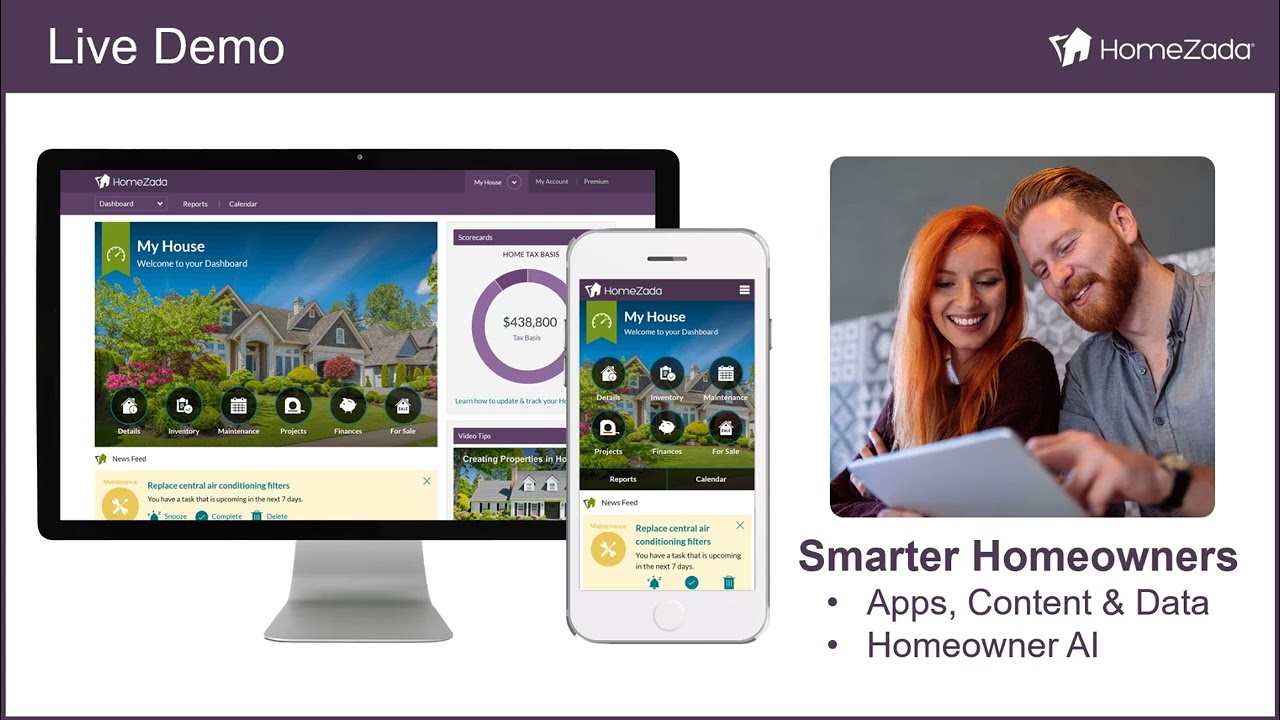
Beth Dodson presents HomeZada, a platform that helps homeowners track home inventory, maintenance, and costs through AI. The company also offers a co-branded version to real-estate agents, insurers, and lenders to engage their customers. The demo shows AI-powered features like automated maintenance scheduling, repair advice, cost estimates, and forecasts for future maintenance needs.
Chapters
Hi, I'm Beth Dodson, co-founder of HomeZada. Today we're going to talk a little bit about the real estate industry, the problems that some homeowners face, the solutions for those homeowners with a product called HomeZada. We're also going to talk about the value that they can receive and also give you a demonstration of some really cool functionality within HomeZada that I think you're going to find extremely valuable. Let's get started. HomeZada has 2 sides to the same platform. First, we're an AI-powered digital home management platform for our consumer or homeowner customers. We also are a customer engagement and marketing platform for our partner companies in real estate, insurance, mortgage, home building, property management, and so many more. Let's first talk about real estate in itself. Residential real estate is the largest asset class in the United States at $44.5 trillion. Very significant and very important to this, this country. There are 120 million homes in the United States, and that's growing as more and more homes are being constructed. There's an AI boom that's happening right now. AI helps us create efficiencies in all areas of our life, and in fact, to the tune of $340 billion per industry in real estate, finance, insurance, etc. There is going to be more efficiencies that are created through AI in the residential real estate industry. For those of you who have owned a home or maybe are considering owning a home, we tend to buy and we sell a home. And that's kind of documented, and we understand how to work through that process. However, the ownership phase of a home is the most significant and longest phase of a home, and oftentimes we are running into challenges. One of the first challenges we run into is that we have to work with so many different entities in order to operate our home. You can see here we've got to get policies from insurance, we've got to find maintenance contractors if we don't know how to do things ourselves. We oftentimes have to find services like utilities and security services to make sure, you know, We are properly running our home, and so on and so forth. But oftentimes, we're faced with challenges during this ownership phase of our homeownership journey. We have data scattered everywhere. Clearly, we're dealing with a lot of different entities. We oftentimes lack home financial visibility and understand the total cost to run our homes. We're over budget on our remodels. We have unexpected repair costs because. We're not taking care of our homes properly, and when it comes to being insured, we don't always have the proper insurance because we don't know what we own because we haven't documented it anywhere. Homesat is the tool that's going to help solve this for all homeowners everywhere. We do this through our all-in-one suite of apps. We start off with a dashboard that sends reminders and alerts to when things need to be updated on your home. Most things are time sensitive, like maintenance. We then move into inventory. So when you can document what you own, you can understand not to buy extras of the same thing. You can know where those are located to create some efficiencies. And then you can also make sure that you're properly prepared in case there is some damage to your home and you need to file a claim. In addition to that, HomeZada creates a maintenance calendar that helps you stay on top of your home. That helps homeowners get in front of preventative maintenance tasks to avoid any expenditures that may come due to lack of maintenance. Not to mention the maintenance area of HomeZilla can help also track repair tasks, which is also really important because you can understand exactly which areas of your home have been repaired. We talked briefly about projects being over budget. In fact, 50% of all projects in the United States are over budget, which is Painful for a lot of homeowners. So with Homesota's templates, we can help you select the items you need to select for your project, help you with the tasks you need to perform during that project, also to save you money on the project, help it come in budget but also on time, and to provide a better working relationship with your contractor. When it comes to finances, our homes are our largest asset for the most part, and they are our largest expense. We spend 33% of our annual income on our homes, which is per the Consumer Expenditures Reports. But there's no one central picture that will bring all of this information in one central location to give you this financial view. HomeZada does that. We do that by tracking your expenses, the equity that you have in your house, when your mortgage will be paid off, the estimated value of your houses, and so on. When it's time to sell your house, HomeZada becomes a tool to help you market your house and therefore differentiate it. Now, managing one home is complicated. HomeZada has found a way to make sure managing 2— multiple homes is even easier. Having one system to manage multiple homes makes life so much easier for all homeowners. So what is the value to homeowners? Well, first of all, if you have a documented inventory, you can determine whether you're properly insured or not. If you have a home that you are performing regular maintenance on, not only do you save money because you have an efficient home, but you also have a healthy and safe home for your family to live in. Managing your finances is really important. We talked about the fact that homes are our largest asset but our largest expense, so staying on top of that makes us more educated and more financially responsible. With all this information in one centralized system, We are better organized as homeowners ourselves, and we can have better time management. And this eliminates the clutter in our homes, even from the paper perspective. Our projects can be on plan and on budget, as we talked about. But depending on the state that you're in, if you've done certain projects before you sell a home, then you can actually use that to your tax advantage against any capital gains. I would consult an accountant just to make sure of that. And as we discussed earlier, you can differentiate your home as well. when you wanna sell it, 'cause a well-maintained home and a documented home will go a lot farther with a home— a new buyer than let's say something that hasn't been documented. Now, we do see societal impacts to using a system like HomeZada. Let's face it, we do have disasters in various locations, wildfires, hurricanes, tornadoes, floods, et cetera. If you can get ahead of that by tracking a home inventory and understanding what maintenance needs to be covered on your home prior to these situations occurring, you can better protect your home. And report back to your insurance company. Keeping your home regularly maintained keeps your home running efficiently, but more importantly, it's good for the health and safety of your home. You want to make sure that all of your detection systems like smoke, fire, carbon monoxide detectors are all running properly so that you can remain safe. Financial awareness: one of the things that we believe in at Homes Audit is financial literacy, but if you You can't be financially literate if you don't know what's going on in one of your largest expenses. So consolidating that information in one system makes it even better. When you can actually understand what's going on in your home, you can create a home that's energy efficient, and that just helps Mother Earth and everyone else to help us make sure we're managing to the resources that we truly need and not using more than we need. 75% of all homeowners want to stay in their homes. Doesn't matter how old they are. So making sure you can track the appropriate maintenance, set up the systems for a homeowner to age in place— HomeZada can help with that as well. And then when it comes to estate planning, knowing what you own from an inventory perspective, knowing how your home is cared for, knowing the value of your home makes it easier for your heirs and your legacy to process the information about your home, making estate planning super, super easy. Now we're going to get into the live demo, so I'm going to turn it over to John so that we can show you more about AI and how it's making a difference with our customer base.
Thanks for the great introduction, Beth. Let's jump right into HomeZada and look at its digital home management platform features and all of the new homeowner AI features. Here's a sample account that shows everything all about your house in one place. I'm demonstrating this off a desktop, but Many users can access their private and secure account with any device they want, a mobile, tablet, or desktop, and many consumers will actually do that and interchange different devices. So it becomes a great, amazing experience no matter how you access your HomeZada account. Here you can see the dashboard of icons over how to navigate all the things you need to manage your home. Below that here, as you can see, is a newsfeed, and here's the first place where you can interact with Homeowner AI, a great chat box here that you can basically start to ask any questions. And we even come up with some default questions down below that. Below that newsfeed item, you can see here we're also creating personalized proactive recommendations specific to your house. So we're reminding you of preventative maintenance tasks. We're updating you on the estimated value of your home. We're forecasting how much your home might appreciate in the next 36 months. And even giving financial education, for instance, on the loan-to-value ratio here and helping educate people over how much of a home equity loan they might be able to qualify for. Now, when you first sign up for HomeZada, you're going to enter in your address, and just based on that address, HomeZada is going to get information about the home, specifically the year it was built, the square footage, and the lot size, and some other information. And that becomes an important aspect over why Homeowner AI is so useful, because it's personalized and specific to your house, and you'll see that here in a few minutes. So if we jump to the inventory, why do you need to create a home inventory? One, you want to document your personal property. Make sure you're properly insured. B, we're faced as a society with more climate issues around wildfires, hurricanes, tornadoes. If you need to file a claim, you're going to need a home inventory. And there's a lot of fixed assets of your house— equipment, appliances— that need maintenance. So here, when you first come to HomeZada, HomeZada is going to predict all of the rooms both inside your house and the exterior spaces. For instance, like the front and backyard. And then all you have to do is go through each room in the house and start taking photos and/or videos. You can create as many spaces as you want. And then if I click here on the kitchen, you can track paint colors. But we also provide different ways for users to track their home inventory. Some users literally just want to go into each room in the house and take a 3 to 5 minute video where they are essentially narrating the objects that they find in the video. And this is a great, simple way to create a home inventory in case something happens to your home, even whether it's a water leak or your home unfortunately may, you know, experience a fire, you've got a home inventory recorded and safely stored. But some users will click on the Items tab and they'll take individual photos over individual items. So here you can see you can track your fixed assets in the kitchen like all the appliances, the granite countertops, or your personal property like the espresso machine. The system allows you to store unlimited photos and documents so you can take photos of the machine itself, the barcode, even the serial receipt if you just bought it and have it. Process that even by AI to detect all those objects. And Homesota is a full-blown document management tool, so you can upload owner's manuals and receipts and those kinds of things. Now, many consumers can use Homesota without using any of the AI features. They're just basically taking photos and uploading them and basically creating a home inventory. But here's an example of how Homeowner AI by Homesota really facilitates this process much easier and quicker. So here I've created a room called the Great Room. I've got 2 photos here of the living room on the right and the dining room on the left, and notice the Items tab— there's no items there. The user can basically process every single photo using visual AI. As soon as you do that, notice that the photo gets pushed into the Homeowner AI chat window, and the system is automatically basically going through and identifying all the objects that it finds inside that photo. It's categorizing them as a possession or a fixed asset, categorizing them as furniture, even providing an estimated value and a description. Now from the lower right, you can hit Save Items, and here you can make quick easy changes. Again, think about the amazing amount of data entry we've saved you. In less than 30 seconds, you've created a great home inventory for that particular room, and now you can go back and process that for the other photo in that particular room. Now, to give you another example of how great homeowner AI is, that was personal property. But here, maybe you're a first-time homeowner and you've got all this equipment on the outside of your house and you're like, what is that and what do I need to do to all that? All you have to do is again process that via visual AI. And again, for a first-time homeowner, it's telling you, oh, you've got a pool pump, a pool filter, an electrical control box, the heater, all of that information. Becomes great information for you to basically know how to manage and maintain your home. Now, if I go to one other example on the home inventory, if I go to this example here of items, you could take, again, remember how I said individual photos of an item? So here's an example of a water heater and you've got 2 photos, one of the broad water heater and one is a closeup of kind of like the barcode or label. Now, when you process those via Homeowner AI, It's not going to detect the object. It's going to basically try to determine the specificity of the brand and the information. So you can see it's essentially reading that serial number, telling you the estimated value, the brand maker, you know, the serial number and the size. And all of that information then allows you to basically, again, save that item, make any changes. But now notice one other thing. You get another message that said, oh, I want to find the owner's manuals for those items. I click Find Owner's Manuals, and now again, the, uh, we're executing another Homeowner AI search where it's basically going off and based on that make, model, and serial number, it's come back with the owner's manual, the user care documents to the actual manufacturer site. You can click on these links if you want to verify all those things, and again, you can come now in here and hit Save Links in the lower right-hand corner And now again, within less than a minute, you've identified that object that you need to maintain in terms of the water heater. It's done its search as it relates to the value, and now we're going to save all these links. And now you can see I've already saved all those in my water heater. Pretty amazing stuff. Once you do all that, all you have to do is click on Reports. You can get on-screen reports over the value of your home inventory by category. A lot of people will basically create a PDF that allows you to send it to your insurance company and say, hey, review this to make sure that I'm properly insured. Now let's jump over to the maintenance section, and again, it's got its own dashboard here. Most users will click on the task list, and here at the top, I'm going to click on this tab called the recurring schedule. At signup, HomeZada automatically creates about 50 preventative maintenance tasks And lays them out seasonally on a calendar that's going to remind you of all the preventative maintenance tasks that you should do. And some of these things are going to help you maintain your home. They're going to be maintaining safety, make your home more efficient. You can delete the tasks that are not relevant to you, or you can add new ones. Go back to the individual task and you start to see it's automatically created all this information for you. You didn't even have to create Your own maintenance calendar. It's done it for you, and now you're going to get push notifications of all these things. So now imagine you're a first-time homeowner and you're like, oh, I need to remove the lint from the dryer exhaust duct, but you don't know really what that is. You can see here's another way of executing HomeZada AI, homeowner AI, where you say ask Zada how to. So this becomes educational information. Not only did we tell you that you need to do this preventative maintenance task, But now the AI tool basically gives you a step-by-step instruction. But notice below that it even says, hey, you might need to buy some specific materials like a duct cleaning brush or vacuum attachment. Oh, if you're going to hire somebody to do this for you, what it's going to cost. And oh, by the way, if that duct is damaged, how much is it going to cost you to replace? All in one sort of AI interaction, you get all of that information. And you get that essentially, you can see, on any individual task that you want. Now many homeowners will also track what I call fix-it and repair tasks, right? So you can see here I've got one where I want to— I've got, you know, storm damage some gutters. I want to fix the garbage disposal. Here you could even use this for claims where you— I personally had a water leak and I started taking photos of it for my insurance purposes. But the benefit here is again with the visual aspect of you could take a picture of your garbage disposal and you're like, oh, I want to click on that. I want to process that. And now you can see down below that is you've got different questions. You can say something is broken, provide suggestions on how to fix it. Again, now you're basically taking specific pictures of the things that are in your home and basically asking Homeowner AI to basically help you determine what is the sort of process over how I can sort of go about fixing it. Pretty amazing stuff. Now also here, a lot of users will document when they complete tasks, especially if they're hiring an outside contractor to help them with those things. So you can document all those tasks. If you make that a habit, the real value is if you're a homeowner, you could always go back to these reports. And now look at this. You imagine you lived in the same home for 10 years and now you know your complete maintenance history over how much it's costing you to live in that particular house. And that's basically looking backwards. Now, one other benefit here of Homeowner AI is what I call insights, looking forwards. In the upper right-hand corner here, you can see this Actions and Discovery section where these are simple insights that, that even for experienced homeowners to give them data that they hadn't ever considered before to help them become better and smarter. The first one there says forecast future maintenance costs. Click on that. And now look at the insights that you get from Homeowner AI. It's basically giving you a 5-year forecast from, from this year, 2024, for the next 5 years. And again, this is unique to your house because remember when I said the home was in Wilmington, North Carolina, it was built in 2008 and it's 3,000 square feet. This uses an algorithm to figure out, as we all know, As your home gets older, things tend to break more often and you end up having more preventative maintenance costs and more repair costs. Again, as a first-time homeowner, depending on what age of home you bought, you need to be able to budget for these things. Instantly you get this kind of insight with one click of the button, which is an amazing amount of personalized information that's specific to your house that becomes extremely, extremely powerful. Now let's jump over to the remodel project section. Again, this section is more catered for people that are managing larger renovation projects, not fix-it-and-repair. You can see here on the kitchen remodel, I can come in here and again, the system tracks all the items that you're going to need to shop for. You can track all of the individual action items. You can store all your before, during, and after photos and any documents. Now if you want to create a new project, HomeZada already has templates over about 50 common home improvement projects. So you want to do a bathroom remodel, you click our template over on the left-hand side, you kind of give yourself a high, medium, or low estimate. Let's say I'm going to give myself a median estimate and hit Create Project. Now the value of HomeZada is look at the items table here. It's automatically identified all the typical materials that you're going to need to select. Even if you're going to hire a contractor, you still as the homeowner need to select which all these items you want. So now you can start creating yourself almost like a mini little spreadsheet to track budgets and price. But notice the third column here where it says budget price is left blank. Now in the upper right-hand corner, let's initiate another fantastic example of Homeowner AI. You say, I want to create a budget for this. And now we're basically going in and basically saying, for your particular bathroom, for all those particular items, and your sort of moderate estimate, it's come out and said, hey, we think it's about, you know, $6,000 for that particular budget for that item. But now you can do multiple interactions. You can say rebudget as a high-end bathroom that is 15 by 20 feet wide. Oops, kind of had a little bit of a typo there. So Homeowner AI allows you to interact and have an ongoing conversation with essentially, in this case, a home improvement expert, because now what it's doing is it's basically taking your dimensions and it's calculating the quantities of, for instance, floor tile, and it's based on a high end. It's basically coming up with different unit costs for what these particular items are, and now you can see your budget is $36,000. So you can continue to have this ongoing interaction with Homeowner AI to figure out exactly what budget you want. Think about how much time you've saved compared to trying to do this with a simple web search, right? You're going to go to so many different sites to try and figure all this stuff out. Now you've got 2 different budgets for 2 different sets of parameters on your bathroom. You're much better prepared to basically figure out what's my next step in the process. Again, you want to come in here and hit Save Items. Hit Save, and now come back, review your budget estimates, and notice that that column is automatically filled in all that information. Another fantastic example of AI, homeowner AI, for instance, the bathtub. You can see here that link, it says Zada AI Research. Many people have never done a bathroom remodel before. So what are the different types of bathtubs I need to be considering? Again, think about many people have never done one before. They don't even realize, hey, I can get an acrylic bathtub or a cast iron one or a fiberglass one or porcelain enamel steel one. And each one of those product selections is going to have a different unit price because, well, let's face it, in the home improvement world, all products have so many different choices. Which one are you going to choose? Think about how much research time Homesada has saved you by basically giving you all this information and giving you links now that you can actually go to those manufacturer sites and start to research those items and even save those items as shopping choices within Homesada. Pretty, pretty amazing information that you can get from Homeowner AI. Now let's look at again in the upper right-hand corner, the Insights area. Right. So, we've got predefined insights around, I want to figure out which remodel projects have a higher return on investment, or I want to know how to close out my projects. But many people are both energy and environmentally conscious. They want to do good for our energy and our water environment, but they also want to save money. Again, click on this, and again, specific to your home, because if the home is in Minnesota, versus the home in North Carolina, you may have a different set of recommendations. Everybody instantly jumps to solar panels, which is clearly one option, but think about all the other things that you could do. Put in high energy efficient HVAC units, do an insulation upgrade, put in some low-flow fixtures to reduce water usage in your bathrooms, and from here you can click on the New Projects button and basically go through that process that we just did with the bathroom remodel. Again, one click of the button, instant advice around your specific home around how to make it more energy efficient with an estimated budget for that particular item. Now let's go to the Home Finances section. Again, it's got its dashboard here with lots of information. Down in the lower right-hand corner, you can see these visual scorecards. It's very simple presentation of financial information. It's basically saying your home's currently worth $700,000. You've done some remodels, so your home is actually worth more than what you could get from third-party sites. We've calculated your loan balance and how much equity you have. All of that data is automatically created for you at signup. All you have to do is enter in your address. Homes.com gives you high, medium, and low ranges on the value of your home. We will even get the property tax information to know what county you're in, what your property tax assessed is. How much your property taxes are. We're giving you the forecast value, and you can see we've even calculated the equity. And these get automatic updates because we know real estate market conditions are constantly changing. You get continuous updates, again sent to you via push notification and email, that basically constantly keeps you aware of what your home's worth. You can come in here to the mortgage page. All this data got filled in for you, but you could upload your mortgage documents and or insurance on this other link here. Last here, I want to go to the household expenses section here. Again, at signup, based on where your home is located, the size, and the age, HomeZada has automatically created a full budget over what it thinks is your total cost of ownership. Again, so all you're looking at here is, okay, your home is about $50,000 to own every year based on your mortgage, your insurance, your property tax, all your electric utilities, and this, that, and the other. But we also know that some people either have full rental properties or maybe they're generating rental income by renting out a room by, you know, an Airbnb-style. You can even track rent payments and you're essentially getting like a mini little P&L for your home. Now this is an instant budget that was created. You can obviously modify that budget, but if I click on the payments, some people will actually connect their HomeZada account to their bank where they actually pay for their expenses, and you can basically sync all that information. So you could go back and basically say, well, it cost me $44,000 in 2021, and you can go in and basically look at all your previous utility bills. Again, this is you doing an online bill pay to paying this. You didn't have to do any of that data entry. All that information gets brought into the system, so you instantly get to see the real expenses on your individual home. Now let's look at another example, 2 fantastic examples of Homeowner AI as it relates to Insights. Again, upper right-hand corner, Forecast Future Replacement Costs. When you click on that, again, your home is in Wilmington, North Carolina. It was built in 2008. As we all know, as homes get older, you reach what I call the natural useful life over the major materials in your home. Your roof may only last 25 or 30 years, your windows, your siding, your HVAC equipment. Again, with a single click of the button specific to your house, you're getting AI, Homeowner AI, giving you a list of all the major items that you might need to consider, the replacement cost budget, how many years might be left, when you might need to replace all these things. And now you could go off and create projects for these in the future. and essentially use this as part of your financial analysis of like, hey, should we stay in this house because we like it but we know we're going to have to invest it in the future, or should we sell it now and perhaps move into a different home? Again, even experienced homeowners, much less first-time homeowners, will find extreme value in this level of insights as it relates to understanding the financial perspective of their home. Now, one last piece I want to show you, which is, I think, Amazing. Again, another what I call get home investment analysis. You click on that and we're always told that your home's your largest asset, biggest expense, but nobody gives you a single sort of click to sort of see your home from an asset perspective. So this is an example where maybe you bought your home in 2008 and you bought it for $521,000. Again, Homes.com already collected that at signup. Now, if you sold your house for what it's currently valued today, right, what would be your ROI and what would be your annual ROI and what's the tax basis? Again, you've done investments in some aspects of your home and your accountant's going to want to know what the tax basis is. What are your estimated closing costs? How much capital gains and profit? Again, with one single click of the button, You're essentially getting the pure financial view of an investment analysis of your home. Again, helping you better make decisions not only over how you want to stay in your current home, but do you want to sell it and perhaps buy and move into a different home. So you can see that HomeZada's digital home management platform is so easy to use. Many people just figure out how to do it because it's so easy to navigate. They start with certain sections that may be important to them. They grow in their usage, but at the end of the day, when you think about everything about your home in one place, and then you layer on top of the insights that you get from Homeowner AI, the ability to create data to make your life super easy, the ability to get advice specific to your home, all that creates a massive amount of opportunity to use HomeZada's Homeowner AI to be a better, smarter homeowner, to increase the value of your home. And to save money. So that's the end of our demo. A few items left on our agenda was that Beth talked about predominantly consumers using Homesota, signing up to manage their own home, but Homesota has an opportunity to work with many different industries that service the homeowner as well. So you can see the screenshots on the right. We offer a co-branded version amongst many other sort of partner features. You could see it could be branded for an individual real estate agent Or an individual real estate brokerage or even the overall franchise. A number of insurance companies as well are looking to reduce costs on claims, whether those are preventative maintenance claims and/or— didn't get a chance to show you this, but HomeZada is also integrated with the National Weather Service that will send you weather alerts in your news feed for severe weather that could damage your home. The AI will actually process that to provide you guidance over the steps that you could take to minimize and prevent damage to your home. Also, the mortgage industry is looking to differentiate beyond the mortgage, looking for opportunities to keep you as a customer. And there's a huge home improvement industry, both products as well as services, as well as even the media that covers the home. And there are opportunities to work with Homes Auto where they could also get a co-branded version and/or even participate in an affiliate marketing opportunity. So in conclusion, the summary for these types of partners is they're all looking for ways to become a better trusted advisor. So think about any one of these companies could deliver this amazing homeowner AI platform that allows them to be engaged and really provide value-add to their customers. And that creates ongoing branding and loyalty because these consumer customers are using HomeZada. They're seeing your logo every time they log in, as well as all the outbound emails. That really helps these businesses differentiate themselves versus their other competitors, saying, I'm looking out for my homeowner's best interest over the entire journey of that lifecycle that Beth talked about. We all know that happy customers are more likely to do business with you, so you can offer new revenues and offer new products to sell. And then there's clearly also unique datasets that get created that could become valuable as well. So in conclusion, if you're interested in learning more about HomeZada or interested in actually signing up and starting to use it, just go to homezada.com and sign up. And if anybody has any questions, feel free to reach out and contact us at info@homezada.com. Thank you. Thank you.










