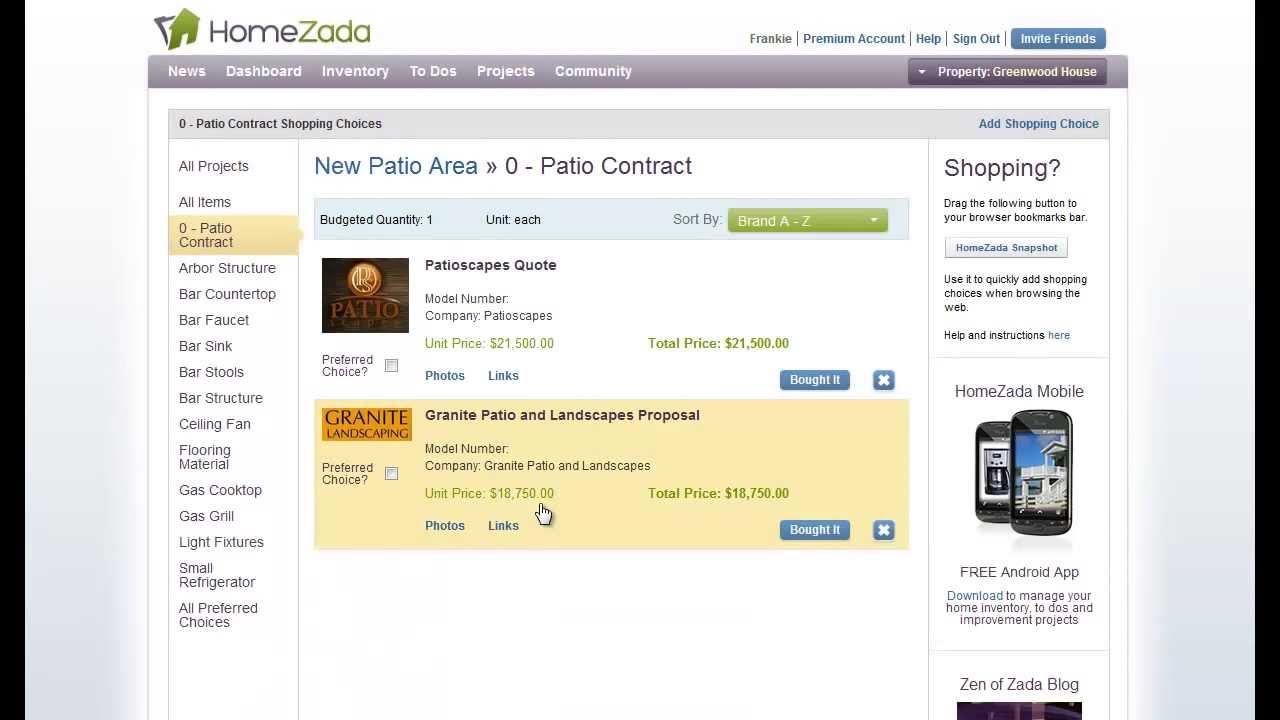
Beth demonstrates HomeZada's Projects module for organizing home improvements. You can create DIY or contractor projects, set line-item budgets, compare multiple quotes, and upload documents like proposals and permits to track everything in one place.
Chapters
Hi, I'm Beth with HomeZada. In our house, we actually can do a lot of projects ourselves. However, there are times when my husband nor I have the skills to perform the projects and require a contractor. Let us show you how you can manage all your budgets and all your projects with inside HomeZada.
The HomeZada projects module can be used for projects that you intend to do it yourself or ones that you intend to hire a contractor. So for instance, here we're looking at our office furnishings project. And from a financial perspective, if we go to the project items, you can see here that each item that I intend on purchasing for this project, I can go ahead and give myself a financial budget for each individual line item. Now, as an example, this would be a DIY project where you're going to purchase all these items yourself, essentially. But if we go to the New Patio Area project, this might be a project that you intend on hiring a contractor. And what you can do here is actually track both the contract as well as the individual items. So from a budget perspective, I've created a line item here called Patio Contract and given myself a budget where I intend on hiring a contractor to do all the work. But I can still keep track of all the individual items below that as it relates to if I want to shop for those particular items. If I go to the Shopping Choices now, what I could also do with the Patio Contract is actually keep track of perhaps multiple quotes. So I've got a quote from PatioScapes. Another one from Granite Patio. If I drill down into any one of those, I can also upload their proposal in terms of a PDF and track multiple contractors and multiple proposals. If I go back to the project summary page, and at the very top there's an item here called Documents. For some of the projects that are maybe more involved, like a patio, you can keep track of all different kinds of documents. So you can see here, you can keep track of patio design plans, County permits. You may even have a landscape contract, a contract with the contractor, and obviously these are PDFs or any kind of file that you can upload. And from here, you can obviously just click on that and basically retrieve the document as it pertains to your project. So as you can see, HomeZada is very flexible in terms of how you set up your projects for either DIY projects or contractor projects. So thank you very much, and we hope you enjoy the use of HomeZada Projects.