In this product demo, Elizabeth Dodson walks through how to build a comprehensive digital home profile for a client using HomeZada Professional. She shows how to browse and add seasonal or task‑type checklists from a library of 150+ recommendations, filter by season, month, or category, and place items on a property checklist. She then demonstrates creating custom checklists for unique home circumstances, assigning names, descriptions, rooms, frequencies (weekly, monthly, quarterly, annual) and start dates, which automatically generate to‑dos visible in list and calendar form. The demo also covers HomeZada’s home‑improvement project feature, including Pinterest integration, a library of 50+ project templates (major remodel, minor remodel, decorative, outdoor), auto‑populating required items (e.g., bathtub, tile, fixtures) and adding estimates, photos, and documents. Finally, she shows how to build a preferred vendor/contact directory for the homeowner, entering local service providers for easy reference. The overall narrative emphasizes how these tools streamline information transfer to customers, helping them manage maintenance, projects, and contacts in one digital hub.
Chapters
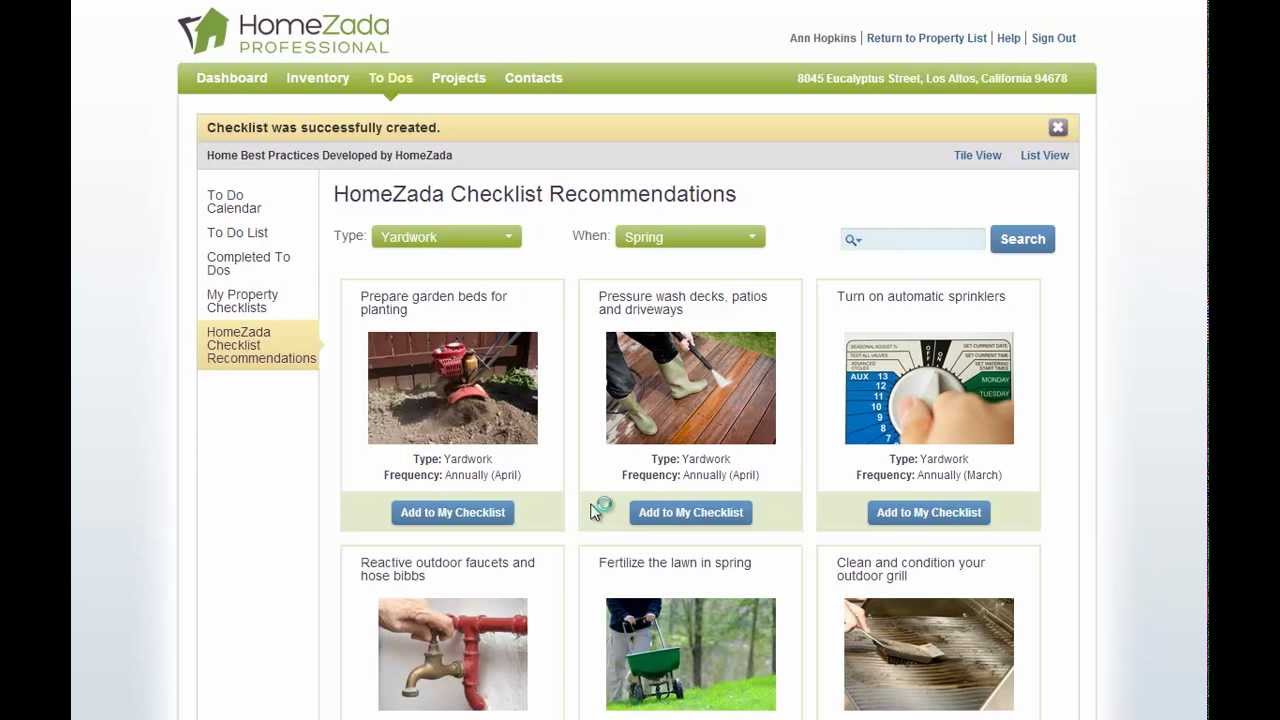
Building a digital home profile for your customer is very easy with HomeZada Professional. Here we're going to create a property calendar of tasks and reminders for our customer. HomeZada comes with over 150 checklist recommendations that you can browse in our library, and you can browse by the 4 different seasons of the year— spring, summer, fall, winter— as well as browse by recommended tasks by certain month. You can also browse by cleaning, maintenance, or yard work types of tasks. So for instance, if we look at cleaning types of tasks, perhaps steam cleaning the carpets is something that's usually done in the spring. You click the Add to Checklist button, you click Add, and now steam cleaning the carpets is on the property checklist for this property. If I change the filter and perhaps look at some maintenance tasks, what are some common maintenance tasks? Testing the GFI might be another thing that we should do on an annual basis. Click the button. You can even change the start date if you want to delay that to perhaps the April timeframe and select Add. And now you've got a second item on the checklist. And just for sake of demonstration purposes, we'll do one more. We'll go and select Yard Work, and pressure washing decks is usually done in the springtime, so we'll put that on the reminder and we'll leave that on the same day. And now we've got 3 different checklists built for this particular customer. Now where you can see the 3 that you've actually added is the My Property Checklists here, or if I change the filter now to show all, you can see that I've got my 3 different checklists here. And clearly, depending on your relationship with your customer, you can build a whole series of checklists for them by doing the— by looking at the library, or you can also go to the New Checklist menu here and actually create your own. Based on a unique circumstance for pieces of equipment or a unique geography or something that may be unique to that particular home that needs to be done on a regular basis. You can enter in the name, the description, you can categorize it for your customer, you can even link it to a room or specific item in the house. And more importantly, if you click on the schedule, you can determine the frequency. Is this a weekly, monthly, quarterly, annual task? Is well as determine a start date and time. And all of these checklists automatically create these individual to-dos where your customer will be able to see these to-dos in both a list as well as being able to see them on an actual calendar. So you can see here down on March 29th, our 2 items are already showing up on our calendar. Also, if you want to help your customer create home improvement projects, you can see here HomeZada's got an integration with Pinterest where we have lots of home improvement projects with lots of photos that might provide different style inspirations. You can also go to our Create Projects menu here and browse our library of, again, 50 common home improvement projects that are again categorized by major remodels, minor remodels, even decorative projects or design projects, or even outdoor projects. So for instance, if we click on Major Remodel, Perhaps upgrading a bathroom remodel is a project that your customer is willing to consider. You can click on that, you can give them an estimate if you want, or you can leave it blank and let them put in the estimate in the future. And when you select the Add button, the powerful thing that HomeZada does is if you go to the project items, it automatically includes all the items that a customer should be considering when it comes to a bathroom remodel. So a bathtub, countertops, faucets, tile, paint, sink, toilets, etc. All these things are now available to the customer to begin the shopping process, the budgeting process, and actually managing the overall project. You can also upload photos, perhaps before and after photos, and even documents as well. In addition, you can also build a preferred directory of contacts for your customer. So you might enter in a list of local service providers. Perhaps, you know, Bob Miller is the local landscaper that is recommended in the neighborhood, and you're essentially providing a directory for your customer to have access to when they move into their home. And we can save that. And again, all of this is the concept of building this digital profile of all this information that you're going to transfer over to your customer.