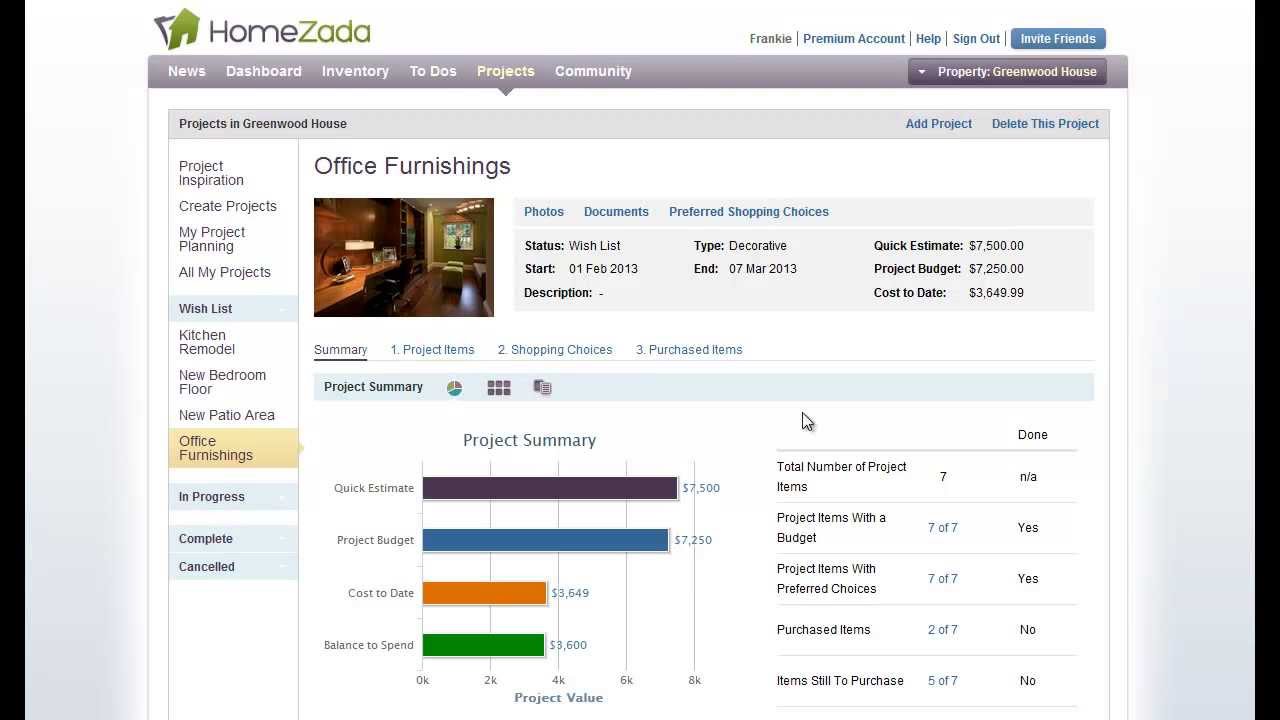
Beth demonstrates HomeZada's project tracking tool, showing how to budget a home improvement project, log purchases like furniture, and automatically add items to your home inventory with one click. The app recalculates your spending against budget in real time.
Chapters
Hi, I'm Beth with HomeZada. Oftentimes when I finish my home improvement projects, I always forget to update my receipts, upload them to my system, track my new inventory, let my insurance agent know that I've got some changes in my home and maybe my insurance has changed. Let us show you how HomeZada can actually track this process for you.
Okay, we're back at the project summary page for our office furnishings project. In the lower left, you can see our quick estimate what our project budget was, and in the orange bar we've got our actual cost where we've started to spend some money. And our balance to spend is basically the projected budget minus the cost to date. It gives us how much money we're going to give ourselves to keep spending. And then HomeZada tracks our actual expenses on the Purchased Items tab up here. And if you want to— if you've bought something and want to track that actual cost, for instance, you could just drill down into the television And in the center of the screen, you could basically just enter in some information, or in the upper right-hand corner, if you remember our preferred options, that's what our preferred option was. Or if you want, you could even go back to the shopping summary page and choose the television. And now you're going to see the 3 different choices that we had for a television. And if, let's say, you decided that you were going to buy the Samsung here, you could just hit the Bought It button. And that's instantly going to create the information for you to enter in the information. And just hit the Save Item. And you've now bought that particular item. And what you can also do with HomeZada is link it directly to your inventory. So all you have to do with one click is hit the Add to Inventory button and then pick which room this particular item is going to be in and hit the Add button. And I've automatically updated my inventory in HomeZada. If I go back to all the items and go back to my summary page, now you can see that our cost-to-date has gone up because now we've bought that particular television. And HomeZada is always keeping you up to date on what your actual costs are versus how much money you've got left to spend based on your budget. But it also does give you a lot of flexibility in terms of adding costs to your projects, and it really depends on how you want to use the system in terms of how detailed But the, the big benefit is the automatic updating of your home inventory. Thanks for listening to this presentation on tracking actual costs in Homes Auto.