Build a recursive React tree where clicking any node adds a child. Uses useState to manage child nodes, styled-components for layout, and recursive rendering so each node can spawn its own children.
Chapters
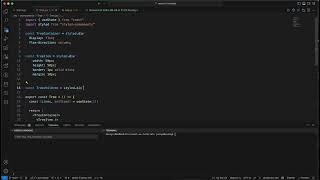
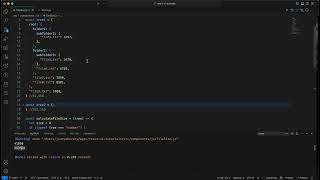
I want to go over interview question for a frontend engineer that is asked in 2023, but also I understand that it keeps getting asked in 2024. So let's see what we need to implement. We need to implement a tree that every time you click on an item it adds a child. So in this example, when I click on this item, it has a child, and then it has another child, and then it has— if I click twice, then I will create 2 children. If I click 3 times, this one will be created. So every time I click on one item, it creates a child. Okay, so, um, so this first item has 3 children, this item has 3 children, and this item has 3 children. Okay, so every time I click, it creates a new child. So let's go ahead and implement it. So we're implementing the tree. And our tree needs to have children, so we're gonna create a state for children. I'm gonna call them items, setItems, and it's gonna start with empty array. And now we're gonna return our tree. So what our tree contain? Our tree contain 3 items. 3 items. Yes, and it contains 3 children, 3 children, children. And here are our children, which is, which are items. Okay, and I'm gonna have a div, but I'm gonna have a 3, 3 container here, container here, yeah. And I'm gonna use it also here, 3 containers. I'm gonna use styled-components, uh, for to define all the items. So const TreeContainer is display flex and flex-direction: columns because my items and children are in a column relative to one another. Then I'm gonna create my TreeItem, which is— which has basically, um, it's a square with a blue border. So let's define width of, let's say, 50px. Doesn't really matter which width, height same. And I have a border solid, make it blue, okay, and blue. And I want to have a margin because it has some space between, between our items and its children. And now for the children, uh, why it makes— ah, because I made it with a small c. 3 children. Okay, I use it also here. 3 children. And the children is also going to be display flex. It's gonna be display flex and column because my children are in the column. And I want margin-left, but I want it 50px. Actually, it's not 50px, but it's more of a size of the item. So let's, let's define size here. const size I'm gonna define it as 50. And now we can use it everywhere. Okay, size. Okay, I'm just gonna replace it everywhere. Size. So this is my square and the margin. So I want the margin from the children will be of the same size as my item. Okay, and so let's see, you know, I don't have it yet, but let's see, npm start. So this is our item, and when I click, nothing happened because we need to implement onClick on our item. So let's implement onClick. I'm gonna call it onClick. I'm gonna define it here, const onClick, and Yeah, and onClick, I'm actually gonna use the function of useState. So it's items, the prevItems, and I put all the items, and I add another child here. Okay, so this is my onClick, and let's see how it works. So I'm clicking twice, three times, so it's creating children. I'm gonna click on this one. Creates other children. Looks like working great. So this is a great exercise showing how to use a kind of recursion tree in React. So I hope you enjoyed it and happy coding.