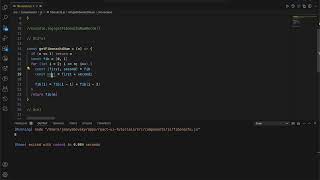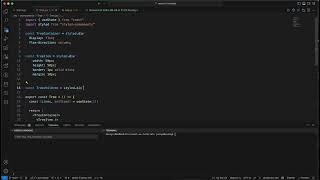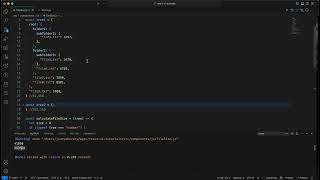
Build a to-do app twice: first with React class components, then with hooks. Learn why class components still matter for legacy code and interviews, see how useState replaces constructor and state management, and watch ChatGPT speed up the refactoring.
Chapters
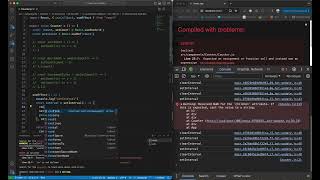
Hey guys, today I want to do tutorial on todo exercise. I know everybody is doing that, but I wanted to do one with React component and then with hooks, and we can see the differences. Sometimes it is important to know how to work with classes even though the new version is with hooks, but some interview questions are still asking about classes because there is, um, legacy code that may still use classes. Okay, so not everywhere that you will be using React there may be classes, and you can convert them, but we still need to understand how they work. Okay, so, um, this is our to-do app, so it's basic. So how does it work with classes? So what we need, we need to have an input. Okay, so I'm gonna create a div here, and in our div we will have an input. Yes. And the button Add. Here I don't need that. And in this collection we will have our items that we're gonna, um, go through our items and and display them. Okay, so for that, first of all, we're gonna define here a constructor. This is how it works with classes. So we define a constructor with props, we do the super, and we start the states with todos. But we don't have not only the todos, but we also have an input state, so it will be um, add input, add todo value, okay, which we're gonna start like that, okay. Um, so here we're gonna have the value will be this.state.addTodoValue because this is our value. And we're gonna have onChange. onChange gonna be this, and we're gonna create a function that, um, on AddTodo onChange, AddTodo. Okay, and here, so we're creating, uh, every— all the classes will be, uh, will look like that. And we're setting the state with our value. Okay, so this is our add button, and on add button is onClick. onClick will be this again, this addToDo. Here we're gonna be adding addToDo, which is gonna add. So we have in the value our todos, we will have a new value, but also What we need to set is, um, we need to set addTodo value to empty since while we're doing that it should be empty. This state todos and now we have todos. Okay, so todo in this case, uh, they are, um I would like to generate ID for every todo because ideally when you add an item, so the server will add it to the database and, and generate ID for that. So you will, you will have then ID. So in this case our todos will be todos plus the, the new item is, um, so I'm gonna be generating some ID and the value, and, and the value will call the text. So we have text and we have ID. So for this case, I'm gonna just, I'm gonna just have, um, Even, uh, how we're gonna have let countId, which is gonna start with 1. Okay, so we're gonna— here we're gonna do countId++. And this way it increases and we'll have different IDs. So now what we're gonna do is we're gonna go over all of our todos and we're gonna display them. And mapTodo return this, and then I need to first— like that, it should be closed. And then it will be this. Okay, let's see what do we have here. Um, okay, let's see. And okay, sorry, so I would, I would like to have some margins. Uh, I'm gonna be using styled-components. Import styled from styled-components. So I'm just gonna add some margin. const container, uh, it's columns, and I don't mind, but what I do mind is margin of like 20 pixels. I just really need this margin, and we're gonna do it here. Something, something is missing. Okay, do we have some margin? Okay, good. Oh, okay, now I can see another one. Yeah, and, and also what I do want to do is that I don't want to— we don't want to be adding the empty value. Okay, so the todo, I don't want to add todo here. So if it's equal or .trim. trim is equal empty, so I just want to return. It will be— you know what, we can just add the disabled state. Disabled. And our disabled will disabled. Yeah, uh, so if— okay, so if it is not equal this, it will be disabled. No, disable true if it is empty and disable is true. Okay, okay, okay. Now we're gonna add D. This is still disabled. See, uh, Okay, so this is our todos. Now, now what we can do more, we can remove todo. Okay, so let's add the button to every todo to do a remove for todo. Okay, so this is our todo generated, this is our item, so I'm gonna go grab it and like that. No, I don't want— okay, so we also want to make it done. We want to make it done or delete. So what, what would I like as UI? So would I like to do done on every one, or would I like to select? And let's, for simplicity, let's just add a button for to start. Okay, so just adding a button to start. This is our to-do. So here we're adding a button, onclick Yeah, but what does it do? So this button does delete, delete. This button does button onClick. Where does this— ah, this one is— there should be another one. Okay, delete. But also I want it to make it done, done. So what we're adding to our structure is a state of done. Okay, so onClick, I go through todos. So I go, um, so what I do is, um I go through todos, I find my todo, const current, currentTodo, and then And then, so I— no, so I want the to-dos, so I want to map them. Okay, let's do— I want to map them and no, I don't want to make it done, I want to do and done true. I want to put done true. Okay, so, uh, okay, there's this and this close and this I don't want. Happened, setState. There is too many setState, todos does map onto todos, then this— what is this? Then this is this one, and now we need to close on this, and Okay, okay, so I closing map, then I close on todos, and I close on state. This, and then Then I close on state, and then the function closes, and then this closes. Okay, okay, so now it is done. Now, so what I want to do is I want not done. So in the beginning, done is undefined, so not done is true. So it's work well. And so now we have our todo And here we will add style of todo. Just gonna copy paste it a little bit. Okay, const todo, todo, and What I'm gonna do is I'm gonna pass the property done, done. Okay, so now, um, text decoration. Yeah, exactly, this is what I want to do. StyledTodo. Yeah, this is not TypeScript, so okay, never mind. styledTodo, and then we have this, but we're passing done as todo Done. Okay, let's add some stuff. Okay, we want it in one line, so now this is my, um, this is my, uh, styled todo container. Okay, so this one is a display flex. This is what we need, and display flex is row by default, so this will work. Okay, should work. Okay, one To done, undone, done, undone, delete, delete. Perfect. Okay, so this is our to-do in class. And now let's do— I'm gonna do a copy of this, paste. Rename to do— rename, rename to do, um, to do hooks. So Okay, let's, let's see, um, let's see how do we convert this situation here and how fast. Okay, you know what, I will just take it out. Okay, const export const to the hooks. This is my hooks. Okay, let's ChatGPT do, do the thing. Looks like very successful. And close it. Export todo hooks. And now in my app, I want to do this and should be— hmm, I don't know why it is not exporting, but todo hooks from todo hooks. And let's see, it should be so, so should be the same style. Oh, you know what is missing? The delete. So done is done, but the delete is missing. Okay, so let's see Why didn't add the delete? Okay, so we go here and we take our delete and let's see how we update in this situation. And set— but in this case we just do setTodos. And we just do todos. It sounds so funny. We just do todos delete. Okay, so it was, uh, quite, uh, quite easy to convert with the help of ChatGPT. But in general, which is here, have hooks. And I feel like with the hooks it's shorter, a bit shorter because of the clasp, but not that much. Ah, it's quite the same. But just to remember that we have, uh, um our functions here and the class needs constructor. So, and that was it. Just remember to practice from time to time classes so you will be able to, to work with class and with hooks just in case if you need it. Okay, thank you, bye-bye.
More from Happy
Design System Interview - Design System for a kanban board , Fullstack developer, 2024