AI 101" Everything you need to know to start your AI journey 2026 webinar in Club Jam
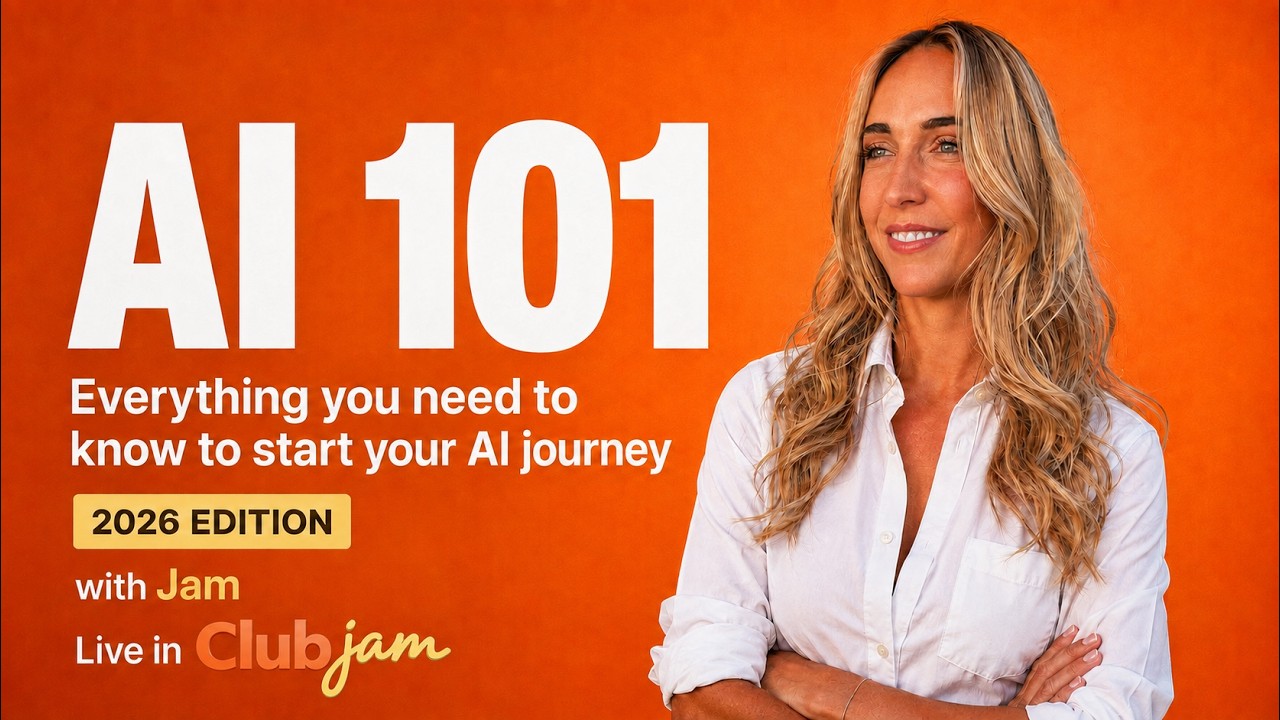
Robyn Anderson teaches small-business marketers how to use AI as a collaborative partner, not a threat. She covers major language models, building an AI brain in Obsidian, practical prompting techniques, and live demos of image, video, and music generation tools. The focus is on proactive workflows and teaching AI your voice and preferences.
Chapters
If you're new here, we've been kind of going super speed into Zero to Claude, and now we're in the Marketing Machine. And I just kind of wanna take a step back and do kind of a high level of where we are with AI and marketing with AI specifically. So I have a couple things for you guys today. I'm gonna do a presentation, do a couple live prompts and things that might be kind of fun with different images. I used Tony's WonderReel to generate a video, so I wanted to talk about that. So I'll go ahead and share my screen. Are you able to see my screen? Okay. Well, let's get into it. We're going to go over what AI is and what it's not. We're going to talk through the difference between ChatGPT and Claude and throw Gemini in there as well. We're going to talk about the AI brain. I'm gonna show you some prompts and then, like I said, some images and videos. So the first thing I want to make sure everyone feels comfortable with is AI is not here to replace you or take your job or hurt you in any way. AI is going to level you up. And so this is something that I talked about in my podcast that I recorded today is we're business owners and we've been doing our thing for quite a while, right? We've been actually writing emails. We've been actually building landing pages. We've had to approve websites. We've worked with graphic designers. We know what looks good for our business. And now we have AI to kind of enhance us. It's our megaphone. It's going to take what we're expert on and help us with these little things that just take so much time. So when you have your AI trained correctly, it's here to enhance you and be your friend. So I don't, I want anyone with any sort of fear to just kind of let that go out the window. And make sure that you are ready to embrace it and let it elevate you. So one thing I want you to think about is going from reactive to proactive. So if you are a reactive person using AI, a lot of people will get in there and they'll say, okay, uh, my friend or my colleague or this intern is using ChatGPT or Gemini and it made this great thing for them. I'm gonna go try to do it. Well, once you get in, you try it once, and of course it's going to give you something that you're not really happy with, right? So you'll just kind of give up. Or maybe you're treating it like a search engine and you're like, well, I'd rather use Google. Actually, that's one of the questions I get when I first start Keynotes is I say like, what's the difference between ChatGPT and Google? And a lot of people don't know because they're using it as a search engine and it's not as good as Google when it comes to a search engine for for a lot of reasons. So if you're searching like a score to a baseball game in Claude, well, that model may not have the answer and maybe you don't have web search on. So it might be faster to just go to Google and ask, right? And when you go to Google, you're now using Gemini and their AI search anyways. So we're going to learn to treat AI like a partner. And it's something that you'll hear me say a few times today. All right. So as of today, we're in August 2026 right now. AI has changed a bunch, right? And many people in ClubJam have actually been with me since 2023, and it's been so fun because I think back to 2023 when we were using ChatGPT, I think it was 2.5 or 3, and we were so excited because it could rewrite an email for us and make us sound more professional. Or we would say, act marketing director and take this blog and make it into an email newsletter. And just that was actually amazing for us. But now that's kind of boring, right? Now we are not prompting as much. We're having conversations with AI tools and we're describing the dream outcome we want, and then we help— we just ask them to do it. There's no more big long prompts most of the time for getting things done. And it's also come a long way with different platforms and tools and models. And so this year has been kind of the year of the AI agent and the skills. And we've seen things like OpenClaw and Hermes come into our lives. I thought this was really fun, so I put a note on my Substack today just saying, hey, describe or define what an AI agent is. Because every time I'm in a group with other AI consultants or experts, I love to ask them that question because people always have different answers. In fact, does anyone here want to define an AI agent? Raise your hand if you do, or just feel free to take yourself off mute. Okay, go ahead, Roya.
Uh, to me, it's kind of like the doing. So it's kind of like when you write a skill and then you give it a task to go do it based on what you wanted it to execute and implement for you. So that would be your agent, and it takes many forms, but it's all about having the— giving the hands to your LLM and let it do stuff. For you, like an employee.
I love that. That's a great definition and well said for sure. And I think like if Kevin was on the call today, he likes to talk through how things are actually built from like a technical perspective. So I'll be curious. I'll ask him in our comments in Club Jam, like what does he define as an AI agent? And I actually, and we're going to go through a couple tools today and I'll show you, but I asked this in NotebookLM., and I had it search all sorts of things around AI agents and define it. So we're gonna look at that together when I talk through different platforms. But to me, it's similar, Roya. It's like a, it's a workflow that you don't have to babysit. And the difference to me between an agent and a skill per se, which I'll get to, is that agents have the content and the context to get the job done without you. So that's really big. And where it gets that from, that depends on the platform and the model and the brain that you're giving it. So that to me is an AI agent. Let me check the chat here too. Quite a few chats. Chris says an AI agent is an employee that doesn't require pay. It doesn't complain about overtime and doesn't drink all your coffee, right? That's a good one too. Love it. All right. Now I have the chat so I can see it. Skills. So most of the platforms have come out with skills now. Actually, I'm working on a project with a consultant. We're going to Rhode Island next week and teaching Copilot and even Copilot has skills now, so that's, that's pretty cool. And a skill is basically like the prompt that we used to take except for it's saved. And so you can always have it do this one thing. And so it knows your voice, it knows your tone, it knows what files to look into, it knows that content and context, and then it can on repeat do the same thing every time. So I'll show you a couple skills today and then I'll also ask you if you have any new skills that you wanna share. If you were around last week, we did a whole skills to pay the bills, and we have a shared folder in our school community on skills that we all use. So then we have OpenClaw and Hermes, and I've been dabbling in both of these, and I saw just today David Farr posted that he's using OpenClaw, and I know a few other people are. Roya, did you say you are? I can't remember. Not yet, right? Yeah.
No, I'm not using OpenClaw.
Yeah. Okay. So this one. You've gotta have a separate computer, gotta have your files locked down. You have to be really sure that you're giving it access to the right things that it can have access to. Barbara says, too scary. Yeah. So it can basically go and you can give it a job and you can give it a description of what it's supposed to do. So I made one, his name was Kyle, and I told him he was in charge of growing and building my GoHighLevel sequences, and he actually did a pretty good job. He built out automations, he built out the platform, he branded it, he helped me get a domain, and I was very, very impressed with it. But then I got a little bit gun-shy because I just didn't like how much access it had, even though it was on its own separate computer. I just got a little, a little bit shy about it. Hermes feels a little bit better to me. I'm using that one as well. I'm using it for my personal life. So where I'm using Claude to build my business, I'm using Hermes to manage my home. Help me with my kids, help me with schedules, and it's been really fun. And I haven't given it anything that makes me feel nervous. It doesn't have like banking information or anything that I feel like it could harm me. All it has is like the other day, it helped me find camps because it's 2 weeks left in summer. I thought there was 1 week left in summer. So I had Hermes go find summer camps that still had availability and it actually worked. So that was pretty cool. So these are kind of the things and buzzwords that have come this year in AI. And if you're unsure what an LLM is, let's just kind of reset there. LLM stands for large language model, and it is basically the engine under ChatGPT, Claude, Gemini, and there's so many others that are popping up, but it is the engine, right? And then each one of those platforms has models inside of it, and each model has been trained on a specific set of data and time. And so you'll see Once in a while we get a new model. So we just got ChatGPT 5.6 SOL. That's the latest model. And it's been really amazing. Sorry, I have somebody in the waiting room. Okay. I wanna know, you can put in the chat here, what is your favorite large language model today? Mine is still Claude, but I do use ChatGPT quite a bit. And Codex is ChatGPT's like Claude code. It's a desktop app and you can do a lot of things with Codex as well that you could do With Claude Code. So nice. Roya says, "Soul is crushing Fable 5." Yeah. I saw there's a lot of information out there about how ChatGPT is using a lot less tokens. It's cheaper than Fable 5. So that's a good thing. Chris, yeah, ChatGPT has greatly improved. Barba's on Manus and NotebookLM. Love it. Yep. I still love Manus too. You know, it's funny. I have a couple consulting gigs that I do and a client of mine, he loves Manus so much. So I do all of his work in Manus and it's so fun to be able to be in Manus still for that project. And they've come a long way too. They have their own computer version. They have their own agents. It's pretty cool. James, ChatGPT, Claude, and Lumo, Proton for privacy. I don't know what that is. That's amazing. I'll have to check that out. And I know Rosalia loves Manus as well, and her husband loves Manus. All right. So just kind of in plain English, and remember, you don't have to pick one, but I do suggest that you pick one to be your main partner, and then you have reasons to use the other ones, right? So I I use Claude for my main content development planning. It knows me really well. I use ChatGPT for image generation. I use it for research sometimes. I'll just find myself using it kind of for like to sample things. So I built a website in Claude and then I wanted to see how ChatGPT would build the same website, right? So I had it do the same thing with the same prompt and ChatGPT, so it created a prettier website. And this one specifically was around selling peptides and like becoming like a reseller. And Claude would not do it. It said, uh, I don't want you to do this. There's a lot of legal reasons. And ChatGPT was like, let's build it, let's go. And it built it. Not saying, you know, ChatGPT doesn't have the morals Claude has. Claude knows me better. It knows my businesses and it's bringing all of that into mind when it's making decisions. ChatGPT doesn't have my entire brain behind it, my second brain. And so it's like, yeah, let's go. Gemini. Gemini is awesome. Not to be looked over. Many large corporations are moving to Gemini Enterprise, and it's a great move. They can use the entire Google Suite, and it's been nice to consult on those projects because everyone is so organized when they're Gemini Enterprise users. Gemini also has some really cool stuff out. So I'm gonna actually show you some of these platforms and why I like to use them. I'll go Gemini first, cuz I just talked about it. So I opened up Gemini and it had this little music thing. And so I said, I might as well try it. I said, create an intro to my podcast. It's called Just Jam. Make it '90s rap and maybe a little bit R&B style. Let me actually reshare with sound cuz you guys know I'm not good at that. One more time. I've got this. Okay. So here we go. Let's hear what it sounds like. Good so far.
Dusty crates and the city heat. Concrete heart under weary feet. Concrete heart under weary feet. Catch the spark in the quiet room. Watching culture start to bloom. It's a state of mind. It's a way we move. Just vibing in the thick of the groove.
Going to the end. We don't have a minute.
Just the city under a paper moon.
Just jammed.
Soul in the pocket.
Just jammed. Soul in the pocket. That's good. So that's kind of fun. But when you go to a new chat, you can click this plus button and there's so many things you can do here. I'm gonna show you guys NotebookLM. If you don't know, you can now import your notebooks and chat against them in your Gemini chat, which is amazing. You can hit more tools and that's where I saw the create music. So I just created that one. I could have prompted that a lot better. I didn't tell it what my podcast was about. But it's pretty fun that it created that entire song for just jam. Also, their deep research is really great. I just was on a project with a bunch of other AI consultants and we were hired to actually test the models on deep research and Gemini kept coming out ahead as far as the information it was giving the person when it came to especially planning trips and travel. It's so good at it. So definitely give Gemini a chat. A chance. The image creation in Gemini is great. They have Nano Banana inside of it. That's their image generation tool. However, I really prefer the Image 2.0 in ChatGPT. I thought it'd be fun to do this prompt together. I'm gonna see if I can share this prompt in our chat today. Hopefully it's not too long. There we go. So if you guys wanna try it with me, you just hit the plus button and you'll hit create image, upload a selfie of yourself or some sort of image and hit send. And this is going to create a, uh, like Keynote style photo. It's gonna show you on stage. And, uh, the cool part with this is you can change the prompt to anything you want. Like Chris, you may not want to wear a tailored orange tone blazer in yours, but who knows, maybe you do. I changed it. It said earlier like high heels and orange jewel tones, and I'm like, I don't, I'm 5'10". I don't wear high heels, so had to take that off. So these are really great. They are most of the YouTube thumbnails I make. All of our Club Jam classroom thumbnails are made in here. I create a lot of content in here for Instagram because it's so fun to do these types of prompts. And you can even put in different types of lighting and skin styling to make sure that you look real. I just saw a prompt come across the other day. Where it was like, keep texture, keep pores, keep the lines, right? Because we want these to look real. So let's see what it does. Is anyone else trying this one? I know Barbara is. Let's see, I had another one up while it was going here. So if you go to library, you can see some of the ones that I made today. I was making some YouTube thumbnails. I like uploaded this and then it like airbrushed me more to look like I'm 5 years younger, which is cool. YouTube thumbnails, easy. You can also go to another YouTube thumbnail that you like, maybe by another creator, and you can, uh, do a screen grab of their thumbnail and then add it and say how you want it changed. So here's this one. I don't like this one. I didn't tell it enough about how I actually look. Made me very small with a large head. But if you go to our school community classroom and you click in keyword and prompts, the social media keyword stuff. There's a prompt guide for images in here. And so you could check this out. There's tons of different styles that you could use. So make sure you're getting those in the classroom. The one I used was this one, but it didn't turn out as cool as hers, but that's because I'm doing this live and that's how that works. Right? So one other thing, just because we're in here, you can create skills in ChatGPT and you can create skills in Claude, let me show my desktop versions though. One sec. I know most of you know this, but we have to take a step back today. You know, we've gotta, we've gotta make sure everyone knows what's going on. All right.
Share here.
Okay. So skills are really great. If you are just maybe putting in a prompt and you really like how it turned out, so you maybe you had it create a social media caption for you. You can just go like this, backslash skill creator and hit enter. And once it turns blue, you can just say, read through this chat and create a skill so that I don't have to repeat this conversation again. Like literally just talk to it and it'll read through it and it'll create a skill for you. Well, I've done that a lot of times. So when I hit backslash, I have all these skills pop up and I posted on Monday to make sure that your skills are up to date and you've deleted all your old ones. We started Zero to Claude back in May, and I've been using Claude for a long time, but I just started Skills probably in April, May time, and I had to delete so many. Roundtable is still my favorite. It is a roundtable of advisors. You guys have heard me talk about this so many times, but, um, basically it's people that I look up to in the industry. So marketing professionals, experts. I have like Alex Hormozi, Amy Porterfield, Brené Brown, Gary Vee, and I need to add some new ones, but every time I write an email campaign or I'm planning my Black Friday stuff right now, I bring in the Roundtable to look at my content and it changes it every time. Claude Fable is an incredible model. We all know that. And I've been using it to help me create stuff. And by the time I get to a point where I'm like, wow, this is really good. I love bringing in the Roundtable and have them destroy it and then re-redo it. So probably not the best on my credits, but I'll tell you, it's been really, really good to just make sure that I'm staying on my path to getting more exposure, right? Because sometimes Claude will create great content, but it's not necessarily selling the thing you want to sell. So I'm going to check the chat. Any questions before I move on? Ooh, Chris, orange is my favorite color also. Barbara sent some pictures. Let's see, did you— nice, I love that. And did you make this a video? Oh no. Very good. Yeah, I feel like that could use a little bit more prompting for me around just how I actually look. Nice, Christopher. I love that. I feel like it needs like a prompt to make our background look cooler. Okay. One main partner, a bunch of consultants. You guys have heard me say this a bunch, but I use tons of AI tools every single day. Everything I create goes into my Obsidian folder, which is my file system. You can have a file system that is a Google Drive, a Notion document, files on your computer. It doesn't matter as long as you know where they're going. I like to choose one main partner of a large language model to really get it to know me, but no matter what I use across large language models, if I'm creating content, I put it in my Obsidian folder and it gets filed away to the right department. So I have executive strategy, I have marketing, I have sales, I have community stuff for Club Jam. I have managing my contractors, managing projects. So anything I create, it goes to the right place in Obsidian. And that way, when I open up ChatGPT or Codex or Claude, Claude Code, or maybe I'm using a different terminal, right? Like VS Code, then I can point it at Obsidian and I don't skip a beat. It knows what I'm talking about. It knows the projects I'm working on. So that's what I do. I— Claude is my main partner. It's my COO. And then I use Manus sometimes for research. I use— we kind of already talked about this, but I use different tools for different things. I'm going to see if I— okay. Kind of already talked about this. Let me just show you NotebookLM while we're talking about consultants. Yeah. Okay. So if you haven't used NotebookLM yet, you've got to get on the train. It's still good. It was one of my first AI tools outside of ChatGPT and Claude that I ever used and liked, and I'm still obsessed with it. So when we first got started, if you started late, I said one of my favorite things to do is to ask AI experts, consultants, and people who have AI agents to describe what an AI agent is, because I think in a lot of people's mind, they think they don't get it or that they don't have the right tool or platform because they think it's like one thing and it's not. And so what I did was I went to NotebookLM and in here you can add sources. So I added sources by searching the web. So I did a search that said, or what are AI agents? Explain AI agents. What are AI agents in Claude? What are AI agents in ChatGPT? And it came up with all these sources over here on the left. Just FYI, if you're using NotebookLM, You could upload any sort of files. You could put in YouTube videos and website links. You could add your Drive and you could just copy and text as well. If you're a Microsoft user and you're allowed to use NotebookLM, you can attach your SharePoint as well. So that's pretty cool. So once you have all the content in here, you can select which, which sources you want to basically be the brain behind the chat. So the chat here is basically when I said, explain AI agents to small business owners that use Claude and ChatGPT, but they're not developers. So it went through all these websites, PDFs, YouTubes, and came back with the answer. And this is different from putting this into ChatGPT or Claude or just Google, because it's only going against this information. It's not going out to the web. It's not searching a model's knowledge. It's only this information. So this gets really great if, say, just to simplify it, I took my dog to the vet on Monday. I could upload his report from the vet and it's one source and I could come to the chat and I could ask questions just about that one PDF. So if you wanna get deep into one source of information, this is a great way to do it. Over here in the Studio, you can create lots of different things. They've added a few new things for those of you who haven't been in here for a minute. They have data table now, so it can generate data from your sources, which is really cool. I did a podcast and of course I didn't share sound again. There we go. So if you haven't seen this podcast thing, this is so cool. It's such a good way to learn. If you're trying to learn something that's super niche, go create your own podcast in NotebookLM and listen to it while you go on a walk, because it is so great. So listen to how great this sounds.
Right now, businesses across the world are taking workflows that used to eat up, you know, 8 hours of human labor and they are shrinking them down to just 1 hour.
Yeah, it's honestly staggering when you look at the numbers.
It really is. And I mean, if that time savings isn't enough to grab your attention, the financial data in our stack today shows companies seeing a 24x return on their investment.
Right.
And that's in the very first month.
Exactly, in the first month. And they are doing all of this using something called AI agents. So welcome to the deep dive.
Glad to be here. We've got a really fascinating stack of materials.
So that's 25 minutes long, so we won't listen to it, but how good is that? It sounds great. It's not annoying. Some of those AI voices are so annoying. So it's great to learn this stuff, whatever it is you need to know right here. We just did a training a couple weeks ago., and we made a podcast out of this company's governance and policy. So it's private, it's on their specific platform, and now their people don't have to read this long thing. They can listen to 9 minutes of these guys talking about their governance and policy. Back to what an AI agent is and how it works. So let's see what it says. An AI agent represents a fundamental shift from micromanaging a chatbot to delegating an independent assistant. Instead of reacting to every single line you type, an AI agent is given a high-level goal. That's true. And then it works in a 4-step loop.
Goal.
You give the agent a specific goal or objective. The AI thinks step by step, breaking your goal down into smaller logical subtasks. Act. It selects the tools such as searching the web, reading local documents, or creating and editing files. It observes and reflects. So it reads the results of what it just did, checks it, it sees if it accomplished the goals, or it'll keep working if it made a mistake. So how many of you here are using AI agents based on that definition? You can raise your hands or put in the chat. Nice. It's a complete game changer for sure. If, if you haven't done it already, it's— Suzanne is, Barbara is. Nice. I love it. All right. How to start without being a developer. So it shows you how to use— oh, that's funny. Custom GPTs and gems, which I believe there's no longer custom GPTs. So this needs to be updated. I'll have to tell, but it wouldn't know, right? Because it's using these sources of knowledge that are published on the web. So I bet if I unclicked the ones that weren't from 2026, it would not give me that information. Yeah. So that's interesting. I, I really love NotebookLM. I want to show you guys, like, look how many notebooks I have. It's really ridiculous. I hope that yours looks like that soon because we need to never stop learning. It's the best thing.
All right.
So one thing that I always teach is to find your time drains. One thing that I recommend people doing is they're like, okay, I want to use AI, but I don't know where or how or where I need it. Right? So there's a few things you can do. The dream hire exercise. So I always like to do these away from the computer, actually go think about it. If you could hire anyone tomorrow who could really change the way your business works, who would it be? A marketing manager, salesperson, who would it be? I want you to write down what their title would be, what they would do every day. And then the important part that's not on here is what would they need to be successful? So what content do they need? What access to tools in your business would they need to be successful? And once you have that, you can actually take that Take a picture of it, transcribe it into Claude, and just say, I want an agent that does this. And it's amazing how it comes together. The other thing, if you're just not sure who you would even hire, is you could audit your day. I actually like to have people go through their day and just have a little notepad or NoteUp, or maybe you're using Granola for notes, and just kind of say what you're doing every 15 minutes. What were you doing? I know it's really annoying to think about setting a timer for every 15 minutes, but if you have that data for 2 days, you'll have an amazing place to start of what you're spending your time on that maybe you could automate. Was it reading and replying to emails for 3 hours? Were you searching hashtags for your posts? Were you— sorry, were you writing blogs? You just don't know until you actually write it down. And then the best thing is to circle your top 3. Don't try to make 10 new automations in one day. Just start with the basics and go from there. Chat. Have Claude analyze your notes and determine what you need help with. That's an awesome way to do it too. It's great.
All right.
So one of the things that we teach is build your AI brain. So we used to start with this thing called the AI Business Manifesto before 2026. That was probably like early to mid-2025. We had this big long prompt and it was kind of like this that you see here. And it was research your company name and your website. And then create an analysis of the business. So this is where we used to start. I'm going to show you where we are now, but this is still a great place to start if you're brand new and maybe you don't want to deal with agents or you don't have much created at all from a second brain standpoint, like a document or folder system. This is a great place to start. And then the new hire test. So a great way to look at using a large language model is as a new employee. So when you hire a new employee and they walk in, you don't expect them to know everything about you, right? And you also don't trust them 100%. And so that's the same way you should act towards a large language model. Make sure that you explain to it who you are, what you want, who your audience is. And the biggest thing is what does good look like? Again, we know this because we've been running our businesses for a long time. We know what good looks like. But AI doesn't know. It, it might think that, you know, a 1-page document is all you need for a proposal, but really your proposals are 20 pages long and you're very verbose. It doesn't know that because you didn't give it the context. So you always want to make sure you're prompting or giving the information that you need. So the prompt has changed. Like, we don't have to do these huge long prompts. We can just speak to it, but it needs this information. So it needs to know who you are. It needs to know what it's supposed to be doing. Is it creating an email newsletter? Is it creating a blog? And what does it look like? What workspace does it actually have? Is it working on your— like, what access does it have, right? What context can you give it? So does it have information like a blog or an email newsletter? Does it have access to your Google Drive? What does it have to work with? And then what is the expectation for the format, tone, and length? You have to give it all this at first, and then the requirements. This is the thing that skills replace. So you have to do all this to create a really good caption for your Instagram post, right? But if it does it and you like it, you can create a skill out of this, and then you never have to do this prompt again. You just do backslash skill Instagram caption. So there you go. Custom instructions and preferences. This is something I spend a whole day on in our Zero to Claude training. It's super important to train the AI on your custom instructions, and it's really important for you to know the difference between custom instructions and your MD files, which is the memory that Claude has on you. You may not wanna put too much in your custom instructions because that governs your entire platform, whereas you may just have rules and regulations around ways that you speak that are general, that could be kind of light. And then you could have your MD files for specific agents or for your platform that will go more in depth. I know we've had a lot of conversations on this in our community, so it's very important to know the difference. Any questions before I move on? Check in the chat.
Awesome.
All right, so prompting was really cool, right? And that manifesto's cool, but the, my favorite thing is to have AI interview you. And this was day 4 in our Zero to Claude training, and this is the one that made people laugh and cry. And this is not the prompt from our training, but it's just kind of an example, right? So if you're opening up AI or a new AI tool, you can train it by saying, hey, I'm the CEO of this business. Ask me 5 questions to understand what I do and then suggest 3 ways you could help me. This is just a great way to get to know how AI works, but this is not what I would do to actually train it on who you are and what you do. We have a lot more of that. So this one I really like is the executive assistant, right? So there's a lot of ways to create executive assistant skills, but if you don't have skills set up and you're brand new, the best thing you could do is open up ChatGPT and you can actually do a new chat. And they have this little microphone here that says dictate, and you can just start talking. So it will listen to you. It will just write down everything you say. So I suggest you just brain dump everything that you have on your plate. And then you could say, lay out a realistic Monday to Friday plan that leaves breathing room. I have about 4 hours of working time each day. So that's a really great place to start. And then again, if you are not in AI 101, you create an executive assistant type skill that has connectors to your email, to your calendars, and then it, you don't have to brain dump. It knows what's going on. But in addition to that, right? You can brain dump on it. So my Claude, it knows so much about what's going on in my life, but it also doesn't know a lot, right? So I could say, map out my week based on my calendar and my email, but it doesn't know that my mom's here. I have camp pickup. I'm packing for a road trip. Like it doesn't know that stuff. So that's where you can go and turn on the dictation and just talk to it along with your skill. And the most important part, which we're doing in our AI marketing machine this week, is to teach it your voice. So we've all seen the articles and the complaints about AI slop out there. And AI slop just means that people look at it and they were like, uh, that was straight out of ChatGPT first draft. Nobody even tried to take the em dashes out. Right? So we wanna make sure that you teach it your voice, how you speak. Mine is like so on point when I ask it to, that it does typos and I think it's rude. I actually am a little bit offended. So, but I don't try to do all my grammar and nice typing when I'm typing to Claude. So it's kind of mirroring back to me what I do sometimes. So one thing we're doing this week in the AI Marketing Machine is we're creating our brand voice, but I've helped people create their brand voice for years without AI. And this is kind of taking that old school mentality back into AI. So this prompt's actually pretty fun. You say, act as a brand strategist and help me identify my ideal brand archetype. So then here's information about your business. You can put in, hopefully you have a whole agent file on it, but if you don't, you could put in your website. You could put in, um, just a description. And then you could say, analyze and identify my primary brand archetype from the 12 Jung archetypes. Then write my voice as a percentage formula, like 50% expert Authority, 30% trusted advisor, 20% practical guide. I'm always the sage. It always comes up. So you guys should try this. I'll put it in here. And I have a little giveaway for you guys with all these prompts as well. But those of you who have gone through Zero to Quad and who are doing Marketing Machine, this is outside of that, but I still think you should try it. It's pretty fun. Quality control. What I like to do is read stuff out loud and it's like, if you wouldn't actually say that, don't send it. So make sure you're doing more than one round of feedback unless it nails it first time. Once in a while it does, but add your specifics. You know, like I said, AI only knows what we give it and you still are you outside of it. You could add more color, more references, and just make it more yours. So along with the photos I showed you earlier, there's brand photos that we could do as well. And also some really cool video tools. One of our Club Jam members and one of our experts is Tony Rocklin. And he's launching Wonder— WonderReel. I always say Wonder Wheel. WonderReel. And so I wanted to show you that today. So photography or video, he's using, or he's building WonderReel. And I just did a video today, so I just clicked on video and I uploaded this image and I said, she waves hello and says, hi friends, my podcast is live. Let me know what you think. So let's see how it turned out. I haven't watched it yet. Hi friends, my podcast is live. Let me know what you think. Well, hopefully she's more annoying than I am in real life, but you know, it worked out really well. The one thing I didn't do is my own voice, which I usually like to do in any sort of AI video content, but this is great for, you know, something little like this. There's also, like we said, Gemini, you can use Nanobanana to create images and video. I know Barbara in our group, she loves using Gemini for video, which is great. But you can do things like product placement. I did a whole webinar with you guys about product placement photography, and it was really cool to see what Nanobanana can do. So let's just do one where we create an image. I'm going to upload— one second. I have Barbara's picture. Sorry, Barbara, I'm using you. Have her hold a can of Diet Coke. It's pretty cool how they can do this. That looks like a pretty real Diet Coke for sure. But Barbara, I think I like some of your other pictures better, but this is a great start. So if you have a product that you use that you sell, it would be interesting to see how you can use it throughout AI tools and which one you like best. Infographics, we kind of talked about naming the lighting and always just have fun. I think there's, there's so many fun ways to use AI. I'm going to talk through this a little bit, but NotebookLM for research. If you have a presentation you have to create quickly, NotebookLM is awesome. Perplexity is also amazing. I use Perplexity quite a bit for when I'm working on stuff in the finance world. It's one of my favorite tools for research. And then Manus does really great research as well. I have Agentic Research in here, but at this point, Perplexity, ChatGPT, They all use agentic research, which is where it's going out to the web on its own and choosing which websites to go read without you telling it exactly where to go. So all of these industries that you guys are in can apply AI to them in some way. Obviously there's a lot of rules and restrictions for some of our industries like finance or like pharmaceuticals is what I'm doing a project in right now, but even with those walls and gates, there's so many ways to use AI to make your day easier. So I'm going to share with you guys this little AI 101 playground. I'll put it in the chat. Hi, any ideas or questions you want to share? Hey, Christopher.
Yeah, I'm just going to throw out, and you covered it a little bit, so I don't want to, I don't want to like go too far deep, but a lot of times if you're not sure where to go, instead of figuring out what you have to tell it to do, use the world around. And point to things you like and tell AI to get you more of that or do that. And it's amazing how AI is so good at that. And so you don't have to be an expert to give it what you want to do. You can really harness the power of AI, which is, hey, this is a voice I like. Well, you know, tell it that's a voice you like or the way that person writes.
Totally. That is such a great That's a great point. And even just from a design perspective too, I've seen a lot of people say, I love the look and feel of this website, recreate it for my landing page. So don't recreate the wheel. I actually just did that with the Granola website. I think the Granola website looks so good. And I asked it to mimic it for a page I'm building.
And one other tip I would give is use meeting notes. If you have meeting notes that you capture during your meetings, conference calls, or whatever, feed that into your, your AI agent or your, your prompt. And it's amazing how much context that will give to something you're asking it to do related to the meeting.
It's amazing. No, you're right. I feel bad for people at companies who can't use meeting recorders. It's so sad. So yeah, those are so nice to have and they have saved me multiple times when chatting about a project and getting to know the person. And then later on I'm like, oh shoot. Oh, when, where, where am I going? What dates was this? It's nice to have that. Thank you so much, Christopher.
Mm-hmm.
Does anyone else have any tips or questions?
Trust the process.
Trust the process. That's right.
I love that.
Well, thank you all for taking an hour out of your day. I hope you found some of this helpful and beneficial. See you soon. Bye.
More from Robyn



What the Biggest Brands Learned About AI Content (and How Small Businesses Can Use It This Week)






