Robyn Anderson walks through five free or low-cost AI tools she uses to run her solo business: Custom GPTs in ChatGPT, Claude, Make.com automations that auto-post to social media, Ideogram for images, and Google Flow for AI videos. She shows concrete workflows like automating Instagram content creation and pulling RSS feeds to generate and post marketing materials hands-free.
Chapters
Let me show you how small business owners are using these free AI tools to look like they have a team of 10 when really they're on their own. But first, my name is Robyn Anderson and I teach small business owners how to use AI to power up their sales and marketing strategy. So let me show you the 5 tools that are always open in my browser.
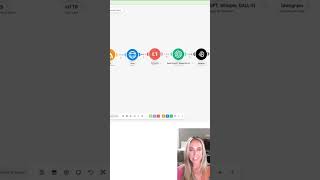
And the first one is obviously ChatGPT, but for me it's custom GPTs. So these are GPTs that are trained on a very specific thing. So for instance, this one, VO3 Video Creator, is only trained on how to write amazing scripts and descriptions for VO3. You can see I have a bunch of knowledge documents around VO so that it's really trained and amazing on this one specific thing. Next up is Claude, and I'm showing you this example because I love doing things that are just out of my league, and I get stuck a lot, and I will just upload a screenshot and say, now what? Cloud will tell me step by step what I need to do to fix the issue. So I use it for not only all of my content creation, but pretty much as my work bestie that helps me through the entire day. The next tool I love is make.com because I'm all about real hands-free automations. In this one, I have an RSS feed that grabs all different types of blogs and articles about— oh, that's just bringing you there— about ChatGPT prompts. And then this is an HTTP grabber, so it pulls the URL from here, and then the text parser will take the data. But the most important part is then it's fed into my ChatGPT AI assistant that's trained on Instagram, and then it sends it to Ideogram to make an image. And then when it's all done, it goes to Facebook and posts that image and the caption, and it looks something like this. So, um, This is one that we just posted last night, nail your financial goals with AI, and then it gives you these prompts for AI and your personal finance. Speaking of Ideogram, that's what this is. You can use it free up to a certain amount, and if you click in on something, it'll actually show you the prompt. So if you see something like you like, you could just take the prompt and rewrite it just for you. Finally, I'm really loving Flow by Google, and it makes the most amazing videos. You can see here. They're so realistic, but also amazing and things that aren't real. I'm using these on my website. I'm using it in my marketing services, um, we're Jam AI. So I made, uh, an entire office and the desks were made out of jelly. So that's fun. If any of this is helpful, give me a follow. Again, my name is Robyn Anderson. My friends call me Jam, and I teach business owners how to grow their business with sales and marketing powered by AI.