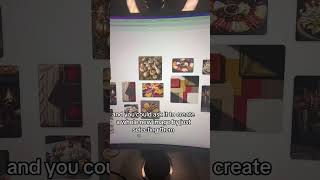
Robyn Anderson shows how to use Google's Mixboard, an AI tool that generates images and lets you combine multiple ones into a single scene. She searches for "plan a party," selects four images, and merges them into one composite with decorations and snacks. It's useful for creating social media graphics and visual content quickly.
Chapters
Welcome to Things You Didn't Know You Could Do with AI. Today I'm going to show you how to use Google's new Mixboard. It's kind of like a mixture between Pinterest and Google Search and is a great way to create social media content. So come with me. So here it is, Google Mixboard, and it's just labs.google.com/mixboard. Once you get in here, there's a prompt suggestion, but just says explore ideas. And let's do plan a party. So it's analyzing our prompt. Now it's kind of just creating like a Pinterest-style mix board. These are all AI images, so they're all new images being created. And then the fun part is you can kind of take these and mix them around, and you could ask it to create a whole new image by just selecting them. So I'm going to select these two. Let's do these four actually. So I selected these four images and I'm going to ask it to put those decorations and snacks into this room. So it's taking all four of those images and it's gonna put them together in one image. It came up with, it put those gold pumpkins on that living room and then it also put the dip on the table, but then it put the meat and cheese on the floor. I would eat that snack off the floor. Here's one more that I did yesterday. So I had this image and then I had this image and I asked it to put them together. So there I am creating my affiliate program.