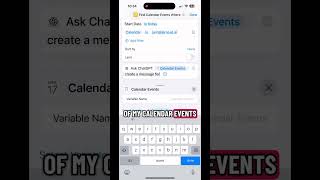
Robyn Anderson shows how to build an Apple Shortcut that pulls your calendar events and uses ChatGPT to generate a daily message reviewing your schedule, offering prep tips and confidence boosters. Set it to run automatically via Automations so your phone actually helps instead of distracting you.
Chapters
Your best marketing assistant is sitting in the palm of your hand. Let me show you how you can set up your phone to be your AI assistant. So this is an app called Shortcuts and I have my calendar event set up and now I'm going to find an action called ChatGPT. I'm going to type in Ask Chat GPT and it's going to take my calendar of events if I select it there. And then I'm going to tell ChatGPT to send me a message where it's reviewing all of my calendar events. It's gonna tell me what I have for the day, how to prepare, and sometimes I like to have it. Give me a few little confidence boosters as well. Tell me why you like me, tell me why I'm still running this business. Then you'll click on Automations and this is where you can have that shortcut run at a certain time of day, every day, or whenever you want it to run throughout the week. And who wants their calendar stuff on Saturday and Sunday? So again, it's called Shortcuts. It's an app in your Apple products. Give it a try.