Meta Muse AI Review: The Free AI Agent That Actually Does the Work
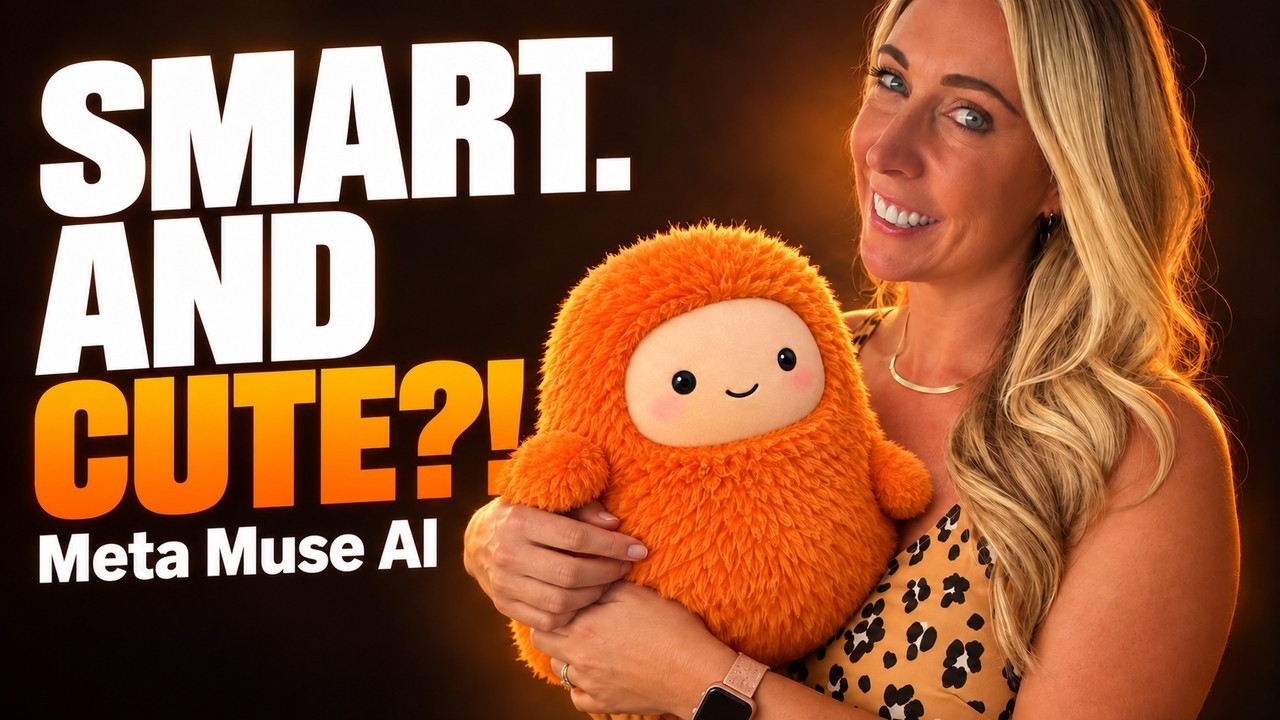
In this video Robyn Anderson (Jan) reviews Meta's new personal AI agent, Muse. She explains that unlike traditional chatbots, Muse operates as an autonomous agent that can open browsers, fill forms, make bookings, shop, and perform tasks across devices from a single continuous conversation stored in a private cloud VM. The review covers setup (login, SoulMD personality, MemoryMD personal data), cross‑platform availability (iPhone, Android, WhatsApp, Mac, browser, future glasses), pricing tiers (free with 100 M weekly tokens, $20 Power, $100 Maximum, referral bonus), and Meta’s security architecture (private Secure VM, Sentinel guard, password vault, Stripe Link one‑time cards, activity log). Anderson demonstrates real‑time demos: planning a date night, shopping for a ring light, creating a recurring Instagram posting goal, and reviewing daily activity logs. She highlights limitations such as site blocks (Amazon), CAPTCHAs, occasional mistakes, and questionable phone‑call implementation. The video then discusses the connector ecosystem (currently 39 live connectors like Gmail, Notion, Shopify, with a developer marketplace launching), and the implications for small‑business owners: AI agents can find, understand, and book services for them. Anderson offers practical advice—use Muse for planning and research, approve all monetary actions, monitor activity logs, and treat the agent like a new employee. She invites viewers to join her community Club Jam for deeper AI implementation help.
Chapters
Meta just launched an AI that doesn't just answer your questions. It goes and it does the actual thing. It books a table, it fills out the form, it turns your recipe that you saved from that Instagram story into a grocery list, and it keeps working after you close the app. It's called Muse. It came out on September 8th, and in about 2 weeks it had 2.8 million downloads and passed ChatGPT as the number one free app in the App Store. So today I'm going to show you what Muse is, set it up with you on my screen, and show you what it's really good at. And I'll tell you where it falls flat, because it does fall flat in a few places, and I want you to know that before you hand over your credit card. And if you haven't met me yet, I'm Jan. I help everyday business owners use AI to get real work done, no code required. All right, so let's get into it. So what is Muse? Muse is Meta's personal AI agent. And that word agent is the whole story. A chatbot like ChatGPT or Claude in its basic form gives you an answer. You ask how to book a dinner reservation and it tells you in the steps. But an agent, it actually opens the browser and books it for you. Muse has its own computer in the cloud with its own web browser. It can click, type, fill out forms, and go all the way to checkout. It runs on Meta's new AI model called Muse Spark. Here's how I like to think about it. A chatbot is a friend who gives you directions. An agent is a friend who drives you there. I'd, I'd much rather have that. I don't know about you. All right, so let me show you where it lives. One of my favorite things about Muse is that you can talk to it in the iPhone app or Android if you're an Android person. You could use it in WhatsApp and there's a Mac app. You can also use it just in your browser window as well. But the cool thing is that it actually stays as the same chat through all the devices. But I'll talk about that more later. But you'll be able to actually talk to it through Meta's glasses as well. And Muse is getting its own email address, so you'll be able to forward it a thread and say, hey, I want you to handle this. Here's the part that I love. It's one continuous conversation. You can start something on your phone in the car and pick it up in your laptop or on the desktop. Same chat, same memory. That's because Muse lives on its own computer in the cloud, not on your phone. And honestly, that is such a huge win because people are getting so upset with ChatGPT and Claude having all these chats all over the place. So it's really nice that Muse is just right there in one spot at all times. You get one main chat and you can open a side chat when you want to keep a project separate, and it keeps working in the background. So you can close the app and it'll message you when it's done, or it'll send you a message when it needs your input or okay. Right now it's US only and you have to be 18 or older to use Muse. Let's talk about the price. This is where it gets interesting. There's a free plan, and Meta says most people will never need more than that. The free plan gives you about 100 million tokens a week. A token is just a small chunk of text that AI reads or writes, and 100 million is a lot for everyday errands. If you need more, the Power plan is $20 a month, and the Maximum plan is $100 a month. Quick tip, if a friend sends you an invite code and you use it within 48 hours of signing up, You both get a billion bonus tokens. So if you know somebody who's already on Muse, ask them for that code before you sign up. Meta says currently there are no ads inside Muse. Their plan to make money is actually by taking a small fee when you buy things through it. So keep that in mind because that's exactly where this platform is going to go. They want Muse to be the one place where you shop. Now the big question everyone asks me, is it safe to give AI my accounts? Here's how Meta is built, and I'll keep it really simple. Number 1, every person gets their own private computer in the cloud. Meta calls this the Muse Secure VM. It holds your agent and your data, and it's walled off from everybody else's. Number 2, sitting next to it is a second AI called Sentinel. Think of Sentinel as a security guard at the door. Nothing leaves that computer. Nothing goes out to the internet unless Sentinel approves it. Number three, when Muse needs to be logged in to a website, you type the password into a secure pop-up and it goes into a vault. Muse itself never sees your password. Number four, when it buys something, it uses Link by Stripe, which creates a one-time card number, so the store never actually gets your real card number. And number five, before it sends an email or buys something, it stops and it asks you. Everything it does shows up in an activity log that you can check. Is it perfect? No, nothing is, but it's a lot more careful than just handing your AI your login and hoping for the best. Okay, enough talking. Let me show you. I'm going to share my screen and get this set up with you. So I have it here on my browser window, but I also have the desktop version and I have it on my phone. But to log in, you can simply just log in with your Meta account. It was super easy, especially if you're already logged into the browser. So I'm just gonna go ahead and do that. All right, so when you get in, what I love is that you can just have one continuous main chat. So I have this main chat that's pretty long, and then if you wanna start a side chat, you just click right here and you select side chat. I did a couple of these and it's been really interesting to see. But the other really cool part is that it creates like a SoulMD, which is its personality. So when you first get in, you should paste in a prompt that says, open your SoulMD and rewrite it for me. You're my upbeat, no-fluff assistant. Keep answers short and use bullet points. Always ask me before you spend money, send a message, or book anything. Show me the file when you're done. So I'm gonna go ahead and send that. All right, so it's already done. It created this SoulMD file. So here it shows exactly how it shows up. Its name is Rio and it gave itself a little persona. So that's saved here at all times. So that's pretty cool. So it keeps kind of like the SoulMD for your assistant. So the Soul ID is all about Rio, who's my little assistant there, but you also wanna put in your memory ID. So you want to fill in these little instructions. You can put in where you live. You could put in your diet, what you like to eat, your hobbies and interests, and then you can go ahead and send it and it'll update your memory ID. So I'm just going to ask it, what do you have for my memory.md file currently? And then it'll bring it up and it'll show you. All right. So it brought up some facts about me, which is great. So if you want to edit your MemoryMD, you would just ask it right there. The other cool part is the connectors. So if you go to settings and then click on connectors, you can see I have all of these things set up here and there's a lot of available connectors as well. So I'll show you how to set this up. If I wanted to set up maybe my Stripe or my Link, I would just hit connect and then you hit connect. And then it brings you to a third-party access situation, just like all the other chatbots and personal agents that you've been using. So you just give it access that way. And remember, the security does feel pretty good since it's on its own personal computer and it's protected in the cloud. All right, so this is a fun prompt. It shows how great it is at actually planning things in your city. So I'm gonna say actually plan a date night for next Monday night in Denver. And I'm gonna say, I'm gonna get rid of this in the prompt. I'm putting these prompts in the description, by the way. Find things like restaurants and things to do that would be fun for a visitor coming from Panama, and we will be around from 5 to 8 PM. All right, so I customized that prompt. I have a friend coming into town and she told me it's up to me to plan the night. So let's see what Muse can do. Okay, so it came up this little plan for my friend and I, and it feels like it knows me. Um, I love uchi, I love sushi, and this sounds perfect. Home by 8:00 PM. I love it. All right, so the next thing we're going to do is show you how it can do shopping. So I'm just going to put in the chat here that I'm looking for a ring light with at least 4.5 stars at Best Buy or Walmart. Add the best one to cart and stop before checkout so I can approve it. This is the way that Meta thinks they're going to create all their income. So you're going to see a lot of shopping opportunities with Muse as you continue to use it. So let's see what it does. All right, so it found it. I'm opening the browser inside Muse, as you can see, and it will actually add the thing to the cart when it finds the best product for me. So that's pretty interesting that it's right in the platform. I know a lot of these other AI tools are bringing you out to your Chrome tabs and you're actually having to go to the URLs to buy the site or to buy the product. But here you don't leave the interface of Muse, which is pretty cool. It's pretty interesting to just watch it shop. Now I know how I'll be buying presents from now on. This is awesome. Next task is more about creating a goal. So I'm gonna tell it a goal like I wanna post on Instagram 4 times a week for the next week, and it'll actually build the plan and check in with me. So you can see here I'm giving it my Instagram goal and asking it to check in with me every Monday morning. So it's working in the background here. So while that's working, I'm opening up my phone so you can see Muse is here. Probably can't see it actually. Muse is here on my phone as well. Don't mind my cracked screen. If you'd like to help me, please join Club Jam and I'll buy a new one. But anyways, you could see it's the same exact conversation here that it is that you can see on my desktop. And that's, I I can't even explain to you what a huge deal that is. It's so awesome. All right, so now we have a scheduled task where every Monday morning it will check in with me. And this is really cool because it'll send me texts from the app on my phone. It'll remind me here if I'm sitting here at the desktop. And if you're looking for some sort of accountability coach, this is it. This is such a great way to do it. Then the last demo I'll show you is for people like me who are constantly doing different chats and running different requirements. This one says, show me everything you did today step by step, including anything you're waiting on me to approve. I know Claude Code does this as well, but this is something that I require in any personal agent. So I think this is pretty cool. Shows me everything it did today, all the things it's waiting on me And then also what is set and running. So that is a pretty cool situation. I also just want to show you here over on the left side in the navigation, it has chat. You can search your chats. It also has a feed, so you can customize the feed that you see and interact here. I just changed mine to women in tech, just kind of interested in seeing what it would do from that perspective. I also love this. So you click the ideas and it's super custom to you based on your MemoryMD file and also the chats that you've had. So these are all the ideas it has, and if you like the idea, you simply just click on it and it'll go ahead and get going. So this is where it already created my funnel audit document, and I'll show you what it came up with. And then here's some goals you can set, personal goals. So that one I just showed you is post on Instagram 4 times a week for 30 days. A really great place to add your goals and actually stay accountable to them. And then finally, there's the library. So I had it create this, um, how to set up Muse without the headache. I'll put the link below. And there's also really some other fun stuff in here. I also created podcasts. So if you wanna create a podcast, you just hit create a podcast. It's literally that easy. You put in the topic, the frequency, and where it's going to go. You could publish this to your favorite podcast platform, or you could have it just for you. I just made, you know, 3-minute episodes on things that are happening every day in AI. Welcome to AI Jam, the 3-minute show for small business owners who want AI to save them time and make them money. No theory, no hype, just things you— So I like that because I like to learn while I'm tying my shoes. That's as much time as I will give an AI podcast like that. I haven't created a video yet, but you can. I tried a little AI image. Not sure how much I love that yet, to be honest. It looks pretty AI-ish. And then that web artifact is what I showed you here. So you just saw a few things that Muse can do. I showed you in real life. Here's some other things that we didn't talk about yet. So things that it could do is handle your email with your calendar. I haven't done this one yet, to be honest, because I'm set up in Claude, but, and I just don't want like all the AI in my email, but I heard it's very good at it. The other thing that I'm very interested in is number 9, call you US businesses for you. So I'm very interested to see how that comes out. I know we didn't talk about that one yet. The other thing you can do is book tables and tickets. I talked to you about how it could shop. And then, yeah, I, I didn't do this one in the demo, but how you can take a saved recipe from a Reel and have it create a grocery list. So I think that's pretty cool. All right, so here's the reality check that I promised you, and it's an honest opinion. So first, a lot of websites don't want AI agents shopping on them. Amazon blocks Muse completely at this point, which is why I did the Target and Walmart and Best Buy situation in the demo. So Muse can't shop everywhere, and that's a big deal for a tool that's trying to be your shopping assistant. And you also know those CAPTCHAs, those things where if you click it, is like a puzzle. You have to answer it or type in the letters. They stop Muse. It cannot get by it. A reviewer at Slate spent 30 minutes trying to get Muse to book a flight, and it could not get past the CAPTCHA, so he got kicked out and never booked it. He probably could have done it himself in like 2 minutes. Third, it makes mistakes just like many other AI tools. So the calendar events are a good example, and that's why the approve button is such a good idea. I never have my personal AI send emails or buy things without my eyeballs on it. And fourth, the phone calls. I'm looking forward to that, but a publication called 404 Media reported that during the beta test, some calls looked like AI calls were actually placed by real people in a call center. So Meta pulled back after those reports. So I'm not telling you that to scare you, but it feels a little bit Theranos, if you know what I mean. It's not actually the AI making calls, so why would they even say that that's an option? And fifth, it asks for a lot— your email, your calendar, a way to pay— but that's the price of an agent that does things. So only you can decide if you're comfortable giving that information to Meta. Bottom line, it's day one software. It's impressive. It's changing every week, and it's not ready to run your life on autopilot yet, but I think it's an incredible tool, especially for those of you who are beginners in the AI space. This is just one platform that is so easy to use. Now let's talk about connectors, because if you own a business, this is the part to pay attention to. Connectors are how other apps and businesses plug into Muse. So think Think of it like the App Store, but for AI. There's currently only 39 connectors live right now. You saw them: Gmail, Google, Notion, Calendly, Shopify. And there's going to be a lot more. Meta opened this up to developers September 18th, and they got more than 1,500 applications in the first week. So that tells you exactly where this is heading. And here's why it matters for you. For years, customers found you by searching Google or scrolling Instagram. More and more people are going to say, hey Muse, find me a dog groomer near me with an opening on Saturday and book it. The agent does the searching and the booking. So ask yourself these 3 questions: Can an AI agent find my business? Can it understand what I sell? Can it book me or buy from me without talking to me? If the answer is no, that's your homework because this is what marketing is Now, so what do I really think? Here's my rule: let it plan, watch it buy. Muse is genuinely good at planning, researching, building a plan for a goal, and doing the busy work around your week. Try it for those things first. For shopping, bookings, and anything that costs money, keep your hand on the wheel. Read before you approve, always. And for your first week, approve Every single action and check the activity log every single day. That's how you learn what it's good at and what you trust it with. It's the same way you would with a new assistant or a new in-person employee. This is the first time a giant company has put a real AI agent in front of billions of people. So whether you use Muse or not, this is where AI is going: assistants that do the work, not just talk about it. The people. who learn how to give an agent good instructions, those are the people who are going to be ahead. If you want help actually setting up AI so it does real work in your business, your marketing, your emails, your content, come join us in Club Jam on Skool. It's my community where we learn this stuff together step by step with people just like you. The link is in the description, and I hope to see you in the club.
More from Robyn



What the Biggest Brands Learned About AI Content (and How Small Businesses Can Use It This Week)






