Robyn Anderson shows how to build custom ChatGPT assistants by uploading your company materials through NotebookLM, then feeding that content into a GPT. You don't need perfect prompts; just ask it like you would an employee in that role.
Chapters
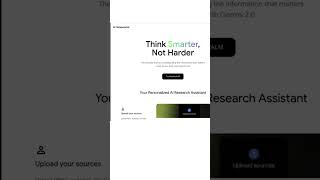
Did you know that you can create a bunch of AI assistants just using ChatGPT? They're called GPTs and they're trained on anything that you wanna train them on. I was shocked last week when I was doing my webinar and people were still not using these. So let me show you how to do it. It's super simple. And you're gonna go over and you're gonna click on your little icon and go to My GPTs. You can see here I have like a billion. I create GPTs for everything I do. Because it's smart. Okay, so the thing you do, let's say you wanna create a MarketingGPT for your company. You would just do marketing assistant. And then here's the cool part. You can upload anything you want about your business. So what I would recommend doing is going to NotebookLM, create a new notebook, and what you do is you just Create new. You can put in Google Drive docs, Google Slides, websites, YouTube links. You can really create this whole big source file about your business, and then you could use that content and information to create, um, an FAQ or a briefing guide. You can see there's some prompts over here, and I would create that and then download it and then go back and upload it into your knowledge base. Also, you don't have to have like a really amazing prompt now to instruct it. You can just have a conversation with ChatGPT on what you want your GPT to do. So I tell all of my clients, who would you hire in your business and could you create a GPT for those instead? Give it a try and report back.