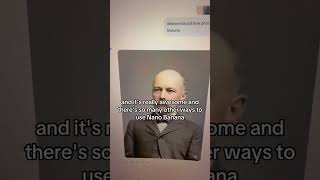
Robyn Anderson shows how to use Nanobanana, an AI tool accessible through Google Gemini, to restore and colorize old photos. She walks through the process with a vintage family photo, then checks Etsy listings where sellers with thousands of reviews are charging for this service, suggesting it as a potential side income.
Chapters
Welcome back to Things You Didn't Know You Could Do with AI. Today I'm going to show you how to use Nanobanana for photo restoration. This came up in one of my recent webinars where I was talking about how to make money with AI. This is such a cool idea for a side hustle, but also just really awesome in general. And I think there's some great ways that you could use it in business as well. So let me show you. So if you aren't using Google Gemini yet, um, you're crazy. It's great. There's a new one that came out. It's 2.5 Pro and Flash. All you do to get to Nanobanana is just go to the prompt and click, click here and hit tools and hit create images. And now you're ready to use Nanobanana. This was an old-timey image I got from my aunt of my great-great-grandpa. And all I did was say, restore this old-time photo and color it to match his true features. And here's what it came up with. And it's really awesome. And there's so many other ways to use Nanobanana, but this is just one quick, fun idea. Let's just really quickly see what people are charging for this on Etsy. So you can see this is real people doing real business. I mean, this guy has 2,000 reviews. So think about how much money you can make doing this. This is why I'm so passionate about teaching you all how to use AI. It's not hard. It is the future and it's changing the way that we generate income for ourselves. So follow me for more tips and learn how to use AI.