005 LinkedIn Live 2024 with Joe Apfelbaum // evyAI.com Tutorial
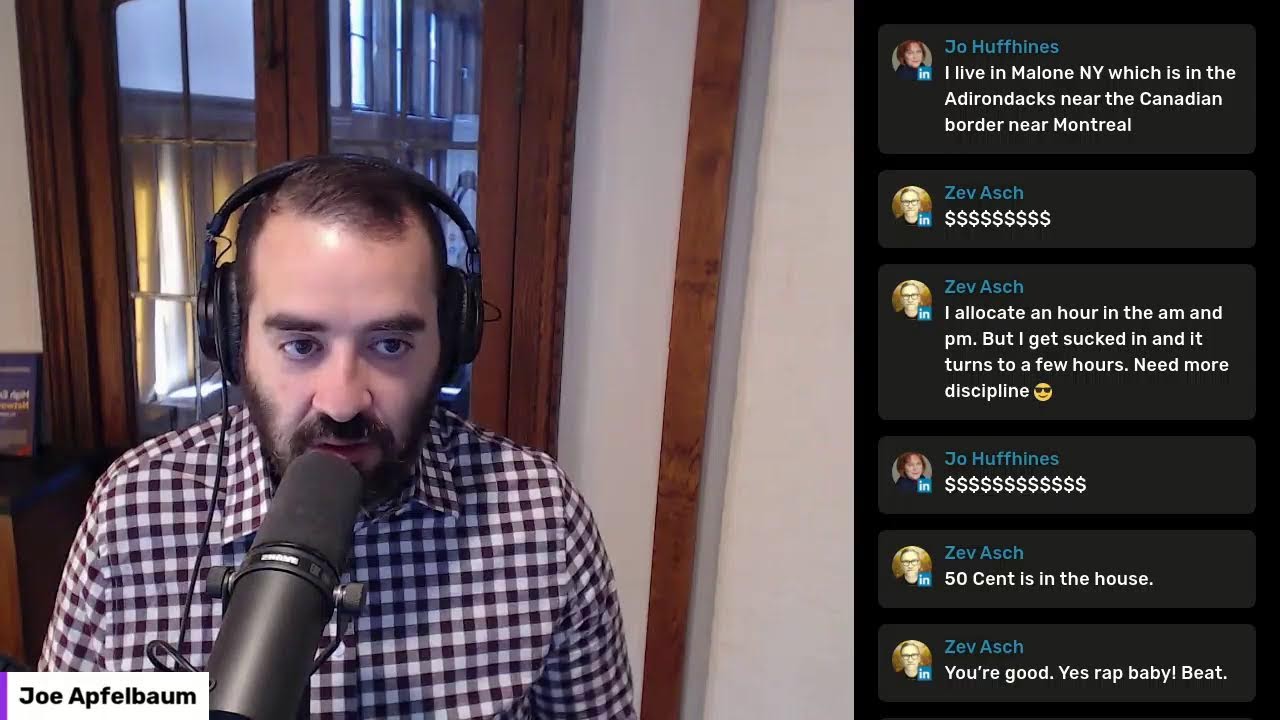
Joe Apfelbaum, founder of Ajax Union and Evvy AI, walks through a framework for LinkedIn success built on posting, engaging, messaging, and relationship building. He demonstrates the Evvy AI Chrome extension for generating posts and comments, managing connection lists, and contributing to collaborative articles. His 2024 goal: 244 LinkedIn Lives and 1,000 conversations a year.
Chapters
This is another LinkedIn Live. It's a lesson on how to leverage LinkedIn with artificial intelligence. I am your host. My name is Joe Applebaum, and I'm going to be talking about posting, engaging, messaging, adding new connections, building relationships, and getting exposure on LinkedIn. A quick introduction about me. Hi, my name is Joe Applebaum. I started a digital marketing agency 15 years ago called Ajax We've serviced over 1,100 clients. We're featured on the Inc. 500 as one of the fastest growing companies in the US. And when the pandemic hit, we lost 75% of our business. So we had to change the game. We used LinkedIn to win back dozens of clients and save our business. And then people started asking us, Joe, how is it that you're using LinkedIn? So we created a training course and a coaching program. Called Evergreen Networking. We've taught over 1,000 companies how to leverage LinkedIn. Individuals who want more clients, want more exposure, but don't necessarily have a lot of time. So we gave them a framework and a strategy, and many of them have seen 6-figure and 7-figure results from the trainings that we've taught them. But the general population doesn't have enough time. So when AI came out, we decided to create a software That helps people be able to 10x their productivity on LinkedIn called Evvy AI. And our AI software currently has 3,000 users. Hundreds of people from all over the world are using Evvy AI every day. My goal is to have thousands of people from all over the world using AI every day. And I'm excited about showing you the details of how these things work. So I'm gonna be sharing my screen today and I'm gonna be sharing with you Exactly how this tool works, how I use LinkedIn. And this is LinkedIn Live number 5. I'm gonna be going live on LinkedIn every day. My goal is to go on LinkedIn Live 244 times and count them. If you see on top of this video, it says 005 because this is the 5th time that I've gone live in 2024, and I want to go live 244 times. I'm gonna count each time. Till I get to 244, and then I'm gonna stop because consistency is what creates results, not just doing one thing one time. But I wanna show the audience that is watching me how I am consistently adding value, how I am consistently showing up, and how I'm consistently creating results and building relationships on LinkedIn. So if you have any questions, drop them below. I'm always happy to answer any questions that you might have. And if you wanna join in with me and you wanna be part of this conversation, because this is not a one-way conversation, this is a LinkedIn Live. This is a way for us to communicate and build relationships. So smash that like button, maybe give it a round of applause, maybe give it a heart. And in the comments, let me know where you are dialing in from. Right now I'm in New Jersey. I don't know if you know this about me, but I grew up in Brooklyn, New York. I say I was raised and grazed in Crooklyn. I grew up in Brooklyn, New York. Where did you grow up? I'd love to get to know you. I'd love to build a relationship with you. LinkedIn is about building relationships, true meaningful relationships. A lot of people are hoarding connections on LinkedIn. I'm not a fan of hoarding connections. I have. Over 29,000 connections and over 46,000 followers. But for me, it's about building relationships with those people. And I can't build a relationship with all of them. I can only build with the ones that are actually active, that are the ones that are showing up. And your question is, how many people are actually active? Well, on LinkedIn, there are 60 million people that are logging in every single day for 17 minutes a day. 60 million out of a billion people. So if 100 million would show up every day, that would be 10%. So 6% of the people on LinkedIn are showing up every day. My question to you is, how often do you show up to LinkedIn? In the chat, let me know, are you a daily user, a weekly user, a monthly user? And chances are that if you're live right now with me and watching this, you're probably a daily user. You're probably one of those 60 million daily users. And my goal is to figure out who are those daily users and how can I make their life easier? And how can I help other people become daily users of LinkedIn? Because LinkedIn doesn't just happen on its own. It's not something that you just set it and forget it. A lot of people think, oh, I'm just going to treat it like Twitter and I'm just going to tweet at people. Good morning, Joseph. Thank you so much for sharing with me here today. Good morning, Dale. Thank you for coming on today. Good morning, Zev. I haven't seen you in some time. Good to see you. Good morning, Jonathan. Good to see you as well. So I'm having a real conversation. This is, this is gonna get real today because a lot of people are faking it. They say fake it till you make it. It's okay to fake it sometimes, but let's get real once in a while. Let's be authentic. Let's really share. Are you doing amazing right now? Or are you kind of struggling? Let's get real. There's certain parts of my life where I'm doing fantastic. I'm doing amazing. I feel like an amazing father. I'm doing really well as a father. I'm a single dad. I got 5 kids. My kids live in Brooklyn, New York, but I just moved to New Jersey. So I'm kind of struggling with that just a little bit, that I'm a little further from them than I used to be. I have to travel a little more. than I used to travel. So although I feel like I'm an amazing dad, 'cause I show up for my kids, I listen to them, I spend time with them, I make time for them. I speak to them every day. I build relationships with them. I'm struggling 'cause I'm physically further away from them emotionally. I feel like I'm much closer to them than I've ever been. I feel like I have a better relationship with them, but I'm a little further. In every area of your life, whether it's your business, whether it's your relationships, Whether it's your purpose, your community, whatever you have, you have some areas that you're going to feel really, really successful and some areas that you're not necessarily going to feel so successful. And looking into them and defining those areas will help you be able to excel. So when it comes to LinkedIn, do you feel successful or do you feel like you're struggling? There might be some areas of LinkedIn where you feel really successful, but some areas of LinkedIn where you feel like you're struggling a little bit. So share with me in the chat and I'll be happy to engage with you. This is my recent activity on LinkedIn. So if I'm gonna refresh over here, you're gonna see my recent activity on the top where it says all activity. You're gonna see it says posts, comments, videos, images. And when you click the more dropdown, you're gonna see articles, newsletter events, documents, and reactions. I want you to pay attention to that when you're looking at people's profiles, in particular, the people that are engaging with you. So I'm gonna click on Zev's profile right now. I'm gonna control-click on it. When I control-click on something on Chrome, it opens up in a new tab. So I'm gonna pull up Zev's profile right here. Now, as you can see, Zev is a first-degree connection of mine, but he is not paying for LinkedIn cuz he doesn't have the gold badge. So I'm assuming he's not paying for LinkedIn. I do see he has 3,871 followers. I'm going to save his profile. Once I save his profile on the top right into Evvy AI, Evvii AI allows me to put him into a list. So I'm gonna put him into a list called Engaged 2024 LinkedIn Live Users. You see that? I put it into a list like that, and now I'm able to go into that list and see all the people's posts with a click of a button that are in that list, and I can support their posts. So Zev, you might not know this, but you posted in the past 2 months only 1 time. You haven't posted in the past 2 months. And this post that you posted over here hasn't received any reactions yet, any comments. So what I'm gonna do is I'm actually gonna drop you a comment over here. Now you do have thousands of followers, but you're not consistently posting, and that's a missed opportunity. And with Evvy AI, we allow you to be able to create posts in literally seconds. Really, really powerful. So I'm gonna show you how to create a post today, Zev, in a way that will make your life much easier. So how do you create a post with Evvy AI? I just showed you how to comment. But if you click on the Evy AI Chrome extension and you click on write a new post over here, it'll open up the Evy AI platform. Can you guys see the Evy AI platform here loaded on my screen? All you have to do is tell it what you want to write a post about right here in the prompt box. So for example, if I have a persona called Joe Apfelbaum and I say, tell the story of Joe Apfelbaum in third person, person, and I press GPT-4 and generate, what it's gonna do is it's going to read my goal to provide value, read my tone, which in this case it's analytical, and then read my persona, which actually has my information there. It has my first name, my last name, my company name, what I've done, all that information. So if you just tell ChatGPT, for example, or any AI, Google Bard, Or Claude from Anthropic to create a post, you're not gonna— it's not gonna really create one that's relevant to you. But look at this. It says, meet Joe Applebaum, a man who wears many hats. Joe, CEO of Ajax Union, founder of Evergreen, creator of Evie AI. Joe's a marketing maestro and an entrepreneur par excellence. His journey from studying to be a rabbi and becoming an SEO expert and building hundreds of websites by hand is a testament to his relentless pursuit for knowledge and growth. Joe's passion for marketing strategy is ignited from a deeply personal experience, watching his mother's business struggle due to lack of strategy. Today, he's on a mission to ensure that no business suffers from the same fate. His core values, creativity, curiosity, and levity, are reflected in his innovative marketing strategies and his knack for reverse engineering algorithms. But Joe's expertise doesn't stop at marketing. He's also a personal development enthusiast, having lost over 100 pounds and written a book about his journey. His mentors include Tony Robbins, Dale Carnegie, Jim Rohn, and he's attended hundreds of hours of personal development training. As a Google— guys, hang on a second. Just write wow in the chat if you're wowed by how quickly this AI knows all the intimate facts about my life and has written a third-person post that I am now going to take this post, copy it, go into LinkedIn. I'm gonna close this tab 'cause I don't need it open. Go into LinkedIn, click on the LinkedIn homepage. Click on start a new post. Click on this little add to media here. I can add a video. I'm gonna show you how I add a video in just a moment. I'm gonna press upload to computer. I'm gonna go to my downloads. I'm actually gonna add a conversation that I had with a connection right over here. I'm gonna press next and I'm gonna paste this in. Okay. And I'm gonna write, I just had a conversation with a LinkedIn connection. And he asked me to show him how Evvy AI works. I created posts, commented, and did a ton more with the LinkedIn assistant. I even just asked the AI to write a third Person overview story of Joe Applebaum. And here is verbatim. Here is word for word. I'm gonna write word for word, word for word what the AI said about me. Wow. Okay, I'm gonna quote this. I'm gonna scroll down. I'm gonna quote the end. And I'm gonna, and I'm gonna write, let me know if you would use a tool. Let me know if you enjoyed watching my conversation with— boom. Okay. And I'm also gonna write, my goal is to have 1,000 conversations like this each year. What is your goal? Okay. And I'm gonna press post. So what I just did was I had the AI write most of the post. But then I added a 15-minute video and I added some information before the post, some information after the post. I actually read the whole post, make sure it made sense and it was real and accurate. And I'm uploading a video to LinkedIn. Then later you can go to my profile and watch this video. Now, this video was a conversation that I had with this guy yesterday. He was introduced to me by a fellow LinkedIn connection. Because that's what my LinkedIn connections do. They make introductions. That's literally what they do. I'm going to stop sharing my screen for a second. How many conversations do you want to have every single year? The key performance indicator for LinkedIn or networking in general is how many conversations you had, because conversations lead to conversions. So if you're not measuring how many conversations you have, how are you supposed to be successful on LinkedIn? Do you just want likes and comments? Let me know in the comments how many conversations you wanna have every single year. Set a goal, set an aggressive goal. My goal is 5 a day, 20 a week, 80 a month, 1,000 a year. That's what I set to do. I can do more than 5 a day, but if I did 5 a day, I know I had a good day because you can do as much as possible. Sometimes I ask business owners, what is your goal? And they say, my goal is to make as much money as possible. As much as possible is never gonna satisfy you. You're never going to know if you did well or didn't do well. You got to set specific, measurable, attainable, relevant, and time-bound goals. SMART goals. S-M-A-R-T. If you don't set goals that are specific, measurable, attainable, relevant, and time-bound, you're not going to be able to know if you're successful or not. And you're not going to feel like a success. Say this in the comments, right? I want to feel like a success because feeling like a success will drive you to take more success actions. And success actions gets you to success, gets you to results. You're not just gonna get to results from hope. Hope is a great thing. It's just not a great strategy. So I want you to consider that if you don't define success, you cannot get to success. You cannot get to a place that you don't know where that place is. 'Cause if you're trying to get somewhere else, who knows if you even got there? Who knows? You gotta be specific, not general. Does that make sense? If it makes sense, put a dollar sign in the chat. I wanna build a relationship with you. I wanna get to know you. I wanna know what makes you tick. In order for me to do that, I gotta have a conversation with you. You gotta call me on my cell. You gotta WhatsApp me. You gotta text me. I build real relationships with people, friendships that turn into business. AI is one of the most incredible things that has ever happened to my life. Good morning, Brad. He's a daily user. Good morning, Joe, a daily user. Good morning, Jim. Always provide value info. My goal is to provide massive, massive amounts of value, to add value to people's lives, to help them be able to attain that top voice badge. If you look at yesterday's LinkedIn Live, I shared how the AI does the top voice badge. You guys know what a top voice badge is? LinkedIn has a feature called Collaborative articles. Have you heard of collaborative articles? Collaborative articles is AI-written articles by LinkedIn that allows LinkedIn to, uh, uh, have users contribute to those collaborative articles with their perspective. What industry are you in? Put your industry in the chat. I'm curious to hear your industry. By the way, the more you chat with me, the more exposure you have even in this conversation. So if we even have like 10 people here, 15 people here, and you're in a room with them live together with them and you're not talking, you don't exist. You know, I recently heard a comedian on a podcast talk about how the audience is also performing. Write this down in the chat. The audience is performing, right? I am performing. If you want to get exposure, you need to perform. You need to take action. You need to be part of the conversation. So, right, I am performing because you are performing. Every comment is a performance. Every comment will get you exposure, even to one other person that might be your next client. So leave a comment. I'm not letting you— I'm telling you, leave a comment because this post is gonna go out further if you leave a comment, because LinkedIn Live doesn't work that way. If you leave 1,000 comments on LinkedIn Live, it's not gonna make the LinkedIn Live go further out. It doesn't work that way. If you leave it on regular posts, maybe. If you have lots of people liking a post, maybe. Let me show you collaborative articles real quick because a lot of you are curious about it, about the top voice badge. And let me also just give a shout out to Brad. I'm going to be talking for Brad's organization called OMA. O-M-A. O-M-A. Office Moving Alliance. And you see he posted 4 days ago. You see that? If I want to see What he's up to, I just click on save profile. I save his profile into my Evvy AI account. Then I click on add to list and I add him to the engaged 2024 LinkedIn users because he said he's daily. He's coming in every single day. So I add him to that list. I can also save him into my Apollo, which is a form of a CRM, and I can also add him over here to another list. I could also send him an email directly from my Gmail just like that. I click on this little button. And then I can load templates. I can have the AI create all this really, really powerful. I'm going to be talking about how to use tools like this at the conference. He has a sales conference at 150 sales reps. I'm going to be talking about this in Florida. I'm going to fly down on Sunday. I'm going to talk on Monday and I'm going to fly back on Monday. Uh, I think Tuesday I'm going to fly back. So I'm excited about it. So if I want to see his recent posts, I just click on see recent activities. And I just can comment on his most recent activities. You see that his recent activities load over here, and now I can drop comments on his most recent activities. It makes my life so much easier. So I don't have to go looking for stuff. You see, I believe I already may have left a comment for him. You see, I already left a comment, so I don't have to leave a comment now. But if I go to his post, I notice he doesn't have a top voice badge and he can, all he has to do is go to linkedin.com/advice. Linkedin.com/advice. What is your expertise in 2 words? Write your expertise in the chat. My expertise is marketing or digital marketing. So I click on marketing on the top right. Under marketing, my expertise is digital strategy, social media marketing, brand strategy. You see that all these are, are, I could find the ones that I really, really like. If I click on see all topics, it shows me every single topic. You see? So it's linkedin.com/pulse/topics/browse/a, and you can go through every single topic and find the topics that matter to you that you want to rank for. So go ahead and go through this list and identify 2 or 3 topics that you want to rank for. And then what you can do is you can bookmark those topics. So for example, if I want digital marketing, I go to D and I go down to digital marketing. You see digital advertising, digital direct marketing. You see that digital strategy, digital marketing. I click on digital marketing and now I can bookmark this digital marketing collaborative articles. You see it says topics. So I want to rank for it. I just bookmark it. I can put it in a specific folder called LinkedIn, press save. And now I have this collaborative article folder that I can just load every single time I want to find the digital marketing articles that are available. You see that? And it shows you how many contributors there are in each one of these categories. So these are articles that are written by artificial intelligence and it wants people to contribute to them. So if I see that an article doesn't really have any contributors, I'm going to go in and start contributing to that article. Now there are other categories that have less people contributing. Do you see how many people are contributing to these? But I'm going to go in here. I'm going to go to the most recent one all the way on the top. I'm going to click into it. How do you use keyword mapping to ensure your content is authentic? And you see I can add my perspective so that I can earn a, um, a digital marketing voice. So it says you're in the top 2% of quality contributors to digital marketing. Show off your badge and making contributing contributions to your community that your community appreciates. So I'm gonna clo— go in here. I'm gonna find, um, this thing that says how to optimize your content based on your keyword map. I'm gonna press on add your perspective, and this time I'm gonna use Evvy AI to help me generate an informational and conversational Um, contribution to this collaborative article. So I'm going to press insert. It says incorporating keyword mapping into content strategy, not just about SEO, it's about creating a user-centric experience. As a digital marketing expert, I've seen the power of well-structured keyword mapping guiding content creation that resonates with the right— using primary keywords, the signal. Remember, your ultimate goal is to answer blah, blah, blah, and turn to satisfaction. Leveraging AI can help you identify gaps. And I'm gonna write boom at the end cuz that's perfect cuz that's exactly what I would say. I'm gonna write boom and it's within the amount of characters that is allowed. I press add and I just added my perspective. Now if you go to my posts, if you go to my, uh, post, you'll notice I have a badge. You see it says top digital marketing voice. You see this badge? You can't just get this badge. This badge is real credibility on LinkedIn. This badge doesn't just come to everybody and anybody. I want you to think about that and find out what category you want a badge in. I'm curious to know what category you wanna badge in. And look at this, this post already posted 5 minutes ago. So I'm gonna go into this post here. And you see this post? I just had a conversation with a LinkedIn connection and he asked me to show him how Evvy AI works. I created posts, commented, and did a ton more with the LinkedIn Assistant. I even asked the AI to write a third-person story of Joe Apfelbaum, and here word for word what the AI said about. Wow. Okay. And it writes the whole thing. And then I said, let me know if you enjoyed watching the conversation with Gerard. Boom. My goal is to have 1,000 conversations each year. What is your goal? Now what I'm gonna do is I'm gonna take this post and I'm gonna go into my messages and I'm gonna message this post to some of my connections. Okay? So I'm gonna go in here, I'm gonna put it right in here. I'm gonna press send. So this is a little group message that I created. And if you guys want me to add you to a group message, just write group message in the chat and I'll create a little group message for all of us. Right now, just write group message in the chat. And I'm gonna share this article, this, uh, new LinkedIn post inside this group message. And the reason I'm sharing this inside the group message, cuz not all these people that are part of this group message will actually see this in the feed. So this is like a mini feed for them as well, where each person that posts something, and not everybody posts something, each person that posts something has the opportunity to share inside that group message. Um, what they recently posted, which will allow you to stay top of mind with those particular human beings that are also part of that group message on LinkedIn. So you can create little group messages. So for example, I'm gonna click on the 3 little dots on top. I have different options, manage conversations, set away message, manage settings. But if I click on this little box over here, I can start typing in people's names. You see that I can type in a name or multiple names right here. So what I'm gonna do is I'm going to go to my recent activity. I'm gonna go to linkedin.com/in/joeapfelbaum/recent-activity/all. I'm gonna go right in there. And then what I'm gonna do is I'm going to find the people that have commented that said group message. So I'm gonna click on, um, this little comment box over here, which will load all the recent comments. And I'm gonna close from, uh, uh, most relevant to most recent. And over here I see Joe and Robert. Okay, I see Joe and Robert and Brad group message. Okay, so Joe Huff and Brad Willey. Okay, and Jim said you're the maestro. Joe said niche retail strategy. So anyone that wrote group message, I'm gonna add them to this group message. So check this out. I'm gonna type in Joe Huff and Brad Willey first. So I'm gonna go in here. I'm gonna type in Joe Huff, and I'm gonna type in Brad. Willie. Okay. Let me see if anybody else has written that they're interested in joining this little group message with me. See if we get one or two more people in here that say group message. Go ahead, write group message in the chat. If you wanna be part of this group message, I'm gonna click on comment. It's a little annoying that you can't see, um, the most recent comments unless you just go into the recent activity and you click on more relevant and most recent. That's where you see all the most recent comments. I see Megan Burns. Now, Megan, the thing is I can't just add anyone. I have to be a connection with the person. I see we're second degree. Um, so what I'm gonna do is I'm gonna click on your profile and I see you still don't have a badge. And I just showed how to create a badge. So you still don't have a badge, but I'm gonna click on more and then I'm gonna click on connect. And then I'm gonna click on add a note. Now, one of the things about adding a note is that you have to customize the note and you may not know what to say when you customize the note. That's where Evvy AI comes in. Evvy AI, one of the 10 features that Evvy AI has is allows you to include a custom note. Megan, as a fellow strategist, I admire your work. Let's explore opportunities. Send. I just sent you a very nice connection request, and hopefully if I am worthy of being your connection all the way from Kansas City, Missouri, then we will connect and build a relationship. You see that? I'm gonna press the little dropdown here. I'm gonna click on add to list. I'm gonna click on engage. And hopefully you'll add me to your connections and this will switch from a second degree to a first degree. See that? It's a second degree here, but as soon as you hit accept, it'll change from second degree to first degree. And that will allow me to be first-degree connections with you and then add you to this thing here. Okay? So I'm gonna click on Megan Burns's profile. Uh, let's see. See, it doesn't allow me to add you cuz I don't have a connection with that name, but it looks like you just allowed it. So I'm gonna try again. Okay. Now it says first agree and it allows me to do that. Now I'm gonna click on in the message and then the group name, I'm gonna call it LinkedIn Live Group Message, and I'm gonna put the date of the LinkedIn Live. So 1/5/2023. 23. And now I'm gonna say thank you for joining, and I'm gonna press send. And I just created a little community within LinkedIn called a group message. Now this group message is limited. Can you guess how many people are limited? This is limited. You can't have everyone on LinkedIn on this group message. I'm gonna click on the 3 dots. I'm gonna click on add and remove people. There's a limit to how many people can enter this group message, and it's limited to you just adding your connections. Now, if you, have people that you want to add to this, you can do that. You can just click on the 3 dots, click on add and remove people, and then you can literally just add people here. Now they used to have a feature where when you would click invite others to join, there would be a link here that I would be able to send and anybody would be able to join. But they disabled that feature, which I hate because I loved that feature so much. I loved it so, so, so, so much. But now I don't have that feature anymore, which I'm not happy about. But I will manually add people. You see that? I like, I manually added Megan and I connected with her and added her. Pretty cool, right? So you can create your own little groups just like this inside LinkedIn. This group, it's a group message. It's different than a LinkedIn group. So I'm gonna click on most relevant. I'm gonna refresh the page. I gotta refresh the page and see who has been commenting. Now I'm curious to know, what is the activity that you value the most on LinkedIn? Is it posting? Is it engaging or is it messaging? Go ahead, tell me what the activity is that you value the most on LinkedIn— posting, engaging, or messaging. And I'm gonna show you in the meantime how I'm able to give my posts several likes. I don't know if you know this, but on LinkedIn you have the opportunity to give your own posts more than one like. Did you know that you can do that? Did you know that you can give your own posts More than one like. A lot of people don't know that you can do that. A lot of people have no idea that you have the opportunity to give posts more than one like. So for example, Ellie, Ellie Itkowitz has a post over here. So if I want to leave a like for as Ajax Union, I can leave a like as Ajax Union. If I want to give 'em a like as Evergreen Networking, I can give 'em a like as Evergreen Networking. If I wanna give him a like as Evie AI, I can give him a like as Evie AI. I'm just increasing his like count. Do you see that? If I wanna give him a like as Joe Apfelbaum, I can give him a heart actually as Joe Apfelbaum. If I wanna leave him a comment, I could just drop a comment just like that. So if I wanna leave many likes on my own post, I can literally do that with my company pages. And that's a great opportunity for you to be able to start start off the engagement on your own posts by giving it likes from your company page. And it'll, you know, I like doing 3 little colors on all my posts. So if I go to my recent posts over here on LinkedIn, you'll have the opportunity to give yourself a bunch of different likes. So I'm gonna click on show all posts and you see the little dropdown next to my heart. I click on the dropdown, I'm gonna click on Evvy AI. You see that? And I'm gonna give myself a light bulb. So now it went from just having a red and a blue to having a red, yellow, and blue. Okay, gimme a boom in the chat if you think that was helpful. I'm gonna give myself a boom. Check out www.evyai.com. I'm gonna press post, and I just left a comment on my own post, which increased the comment count as well. So now I'm gonna go in here and I'm gonna click on Basil, which is my dog. I'm going to click on like, I'm going to give— Basil actually does smiley faces. I'm going to do smiley face. I'm going to click the dropdown and I'm going to select Basil the Samoyed as my avatar. So if you guys have a dog, tell me what type of dog you have. If you have a cat, tell me what type of cat you have. If you have a lizard, then you have a lizard. Who has a lizard? Do people actually have lizards? Bark bark, Joe. As a fellow happiness officer, I'm wagging my tail. I love that. Okay. So I just left a comment as Basil. on this particular post. Now, if I wanna click on the 3 dots, click on copy link to post, click on messages, I now can send this post to all the members of this group. You see that? All the people that wrote group, there's a couple people that wrote group. I sent them this message over here, and now they have the opportunity to go like and comment on that post. So I'm gonna go back to that, um, to that message over here. So this is Zev's profile. I'm gonna close that. I'm gonna go back to my recent, uh, activity. I'm gonna refresh my recent activity over here. And as you can see inside my recent activity, I have this post that I, you guys saw me post. I have 44 impressions on this post in 15 minutes. And then I have this over here where it has 41 comments. I'm gonna click on comment and I'm gonna sort it by the most recent. You see that? Um, it looks like Joseph has a pug. Joe has three Schnauzers and one German Shepherd. Oh my God, that's a lot of dogs. Okay, I got a boom here. I got a boom here. I got a boom here. Brad, give me a boom. Thank you. Robert said all activities are different levels of things that can help you create a relationship. Brad said engaging, engaging. Awesome. I love that. It's one five twenty twenty four. Thank you for letting me know the date. Ben Reich said group message. Robert said group message. I'll add you guys to the group message, Ben and Roberts. I'll show you guys how to do that. You go into the group message, you click on the 3 dots, you click on add and remove people. I'm gonna type in Ben Reich, Ben, Ben Reich, and I'm gonna type in Robert Stern. Okay. You see that? I, and I press add. Now when I say add them, they can't see the history of what was said before. I don't know. Robert, go in here and tell me if you can see the history, if you can see this post. Or you just see you were just added. Okay. Dr. Laura said, Joe, I said happy anniversary this morning. What time? 4:00 AM. 4:00 AM. I said happy anniversary. And she said, Joe, what's new with you? Oh my God. I just shared my goals on LinkedIn. And I'm gonna type in X goals. I'm gonna press the tab button. And do you see, I pressed X goals and I pressed the tab button and automatically entered all my goals. I'm gonna press send. And I said, I just shared all my goals on LinkedIn. I'm gonna say, let me know, let me know what you think of my goals. Glad you asked me what's new with me. You are amazing. Okay. Let me know what you think about my goals. Glad you asked me what's new with me. You are amazing. And then I did that after the link. So that, because otherwise people just see the link and they don't see the content. So she'll scroll up after and be like, oh, look at that. And I'm gonna give myself a little like on this and I'm gonna give myself a little smiley face on this. Do you see that? And I see she just read it. Look at that. She just read, Dr. Laura just read it. So who's Dr. Laura? Let's see. I'm gonna click on her profile just to kind of see who Dr. Laura is right now. Dr. Laura is a TEDx speaker with 6.8 million views. She's a podcast host, an author, an executive coach, a trainer, a speaker. She has 6,500 followers. Wow. Wow. And she's a connection. So how long has she been a connection of mine? By the way, how long have you been a connection with me? The way that you see how long you've been a connection with somebody is you click on more and then you click on, uh, you click on contact info. And at the bottom of the contact info, it says connected on, you see February 2021. You see that? She's located in the United States, but I'm not sure where in the United States she's located. So what I do is in order to figure out where she is physically, I scroll down to her experience and I see where she is. She's in Philly. You see Philadelphia? So that's a little hack for you guys to know where somebody physically is. If it just says United States on her profile, you scroll down to experience and you can see where they're physically located. So she's in Philly. She went to the University of Philadelphia. She's probably originally from California because she went to California State in 1997, 1999. So if somebody graduated in '99, you can tell what their age is based on, um, when they graduated. So that's really cool. I'm gonna give her an endorsement over here. So she's gonna get notified that I endorsed her via the Notifications app, um, which is really cool. I'm also gonna check out her website. I'm gonna click on her button that says, view my website. And as you can see, she has contact info on her website. I like going to people's websites. By the way, put your website in the chat. Do you guys have a website? I'm gonna go off her profile now just to kind of check this out, um, to see who's commenting. Um, do you guys have a website? If you have a website, not everyone has a website, right? I don't have a website. If you have a website, if you do have a website, put your link to your website in the chat below. I'm curious to know if you have a website or if you don't have a website. You have one, put the link to your website. I actually went to the wrong post just now. I'm gonna go back. I'm gonna click on show all posts. I'm gonna scroll down to my comments. You see that? These are my comments. I'm gonna go from more relevant to most recent. And let's see if you guys did comments. Yes, I see the post you did earlier. 3 Schnauzers. Okay, guys, do you have, do you have a website? I'm just curious to know if you do or you don't. I'm gonna stop sharing for just a moment and I'm gonna get into something really important. that I want you to know, which is creating a list of questions. See, your target market has questions about your business, and many of us haven't sat down and taken the time to write a list of all the questions that your target market has about your business. So I recently wrote an article. So if you go to my profile on LinkedIn and you click on Recent Activity, and you click on Articles, look at the most recent article that I wrote under Articles. It's called Top LinkedIn FAQ Questions to Answer in 2024. And I wrote questions that are general questions that entrepreneurs, coaches, and consultants ask about LinkedIn. I wrote technical questions about LinkedIn, engagement hack questions about LinkedIn, commenting questions, effective writing post questions, direct messaging questions, optimizing your profile questions, establishing your credibility questions. Getting results from LinkedIn-type questions, technology questions, Sales Navigator questions, and much more. I actually created 111 questions that people can ask. Questions like, how do I optimize my profile to attract the most potential clients and partners? Or what type of content should I post on LinkedIn to engage my target audience and establish my expertise in my field? Or what are the most effective strategies for networking on LinkedIn to expand my professional connections? Or how can I use LinkedIn for effective lead generation and client acquisition? So if you're not sitting down and writing the list of your questions, and if you want that list, just write questions in the chat and I'll send you that whole list of 111 questions. I want you to sit down and I want you to write down a list of at least 10 questions that your target market has or that needs to have about your business, and then publish that as an article or as a post, and then send that to your target market. and ask them which of the questions they want you to answer. Survey them, build a relationship with people. I posted 111 questions and every time somebody asks a question, I add it as a comment to that article. That's what I'm gonna be doing this year. And I'm gonna encourage my target market sales professionals to leave comments on that article with their questions about LinkedIn that maybe I didn't cover, or During a seminar, if I say, leave a comment with a question, pick one of the questions from the 100 questions I have here that you want me to answer that you're really curious about, they'll go into the article, they'll read the 100 questions, which is gonna take maybe 5 minutes for them to read, and they'll pick their top 3 questions and they'll post those questions as comments inside Zoom or live. They'll ask those questions 'cause you have to arm your target market with the right questions to ask you. And that's something that a lot of professionals are not doing proactively. And if you do that proactively, you're much more likely to be successful. If you like that strategy, write, I like that strategy in the chat. I'm curious to know who likes that strategy. This is a strategy that I particularly like to employ. And every year I sit down and I come up with questions for a different topic. So last year it was about my digital marketing agency. Um, this year it's about using LinkedIn effectively. I'm curious to know if you want to see the questions, write questions. All right. It looks like Megan wants the questions. I'll put it in there. A couple of you posted your LinkedIn, your URLs. So I'm definitely going to check out your URLs. omavantage.com, doggoodmedia.com from Doug. Um, dogsgoodmedia.com, thesocialleader.us from Robert. The trekking tours and travel website from Joe. By the way, I didn't know that you did that. I'm definitely gonna check out your website. I'm super, super curious about that. All right. I do have some calls coming up today. I have 5 calls scheduled. Do you know why I have 5 calls scheduled? The reason I have 5 calls scheduled is because every single day I have 5 calls. That's my goal. 5 calls a day, 20 a week, 80 a month, 1,000 a year. So that's what I do every single day. And if you wanna know what my goals are, just write goals in the chat and I will reply with my goals. Now, there are many tools that I teach people how to use on LinkedIn. Many tools. I recommend you having at least 5 technologies that you're very familiar with that save you a ton of time. And the main technology that I recommend more than any other is a technology that I use every single day called Evvy AI. Because I use that technology every single day and it saves me a ton of time. So let me share my screen right now and give you an overview of the website and what we actually offer with Evvy AI. Hopefully you guys could see my screen. I'm also gonna put myself on the side of the screen so that I can later take this video and use it. Hello, my name is Joe Apfelbaum and I'd like to introduce you to my company called Evvy AI. To improve your credibility and engagement on LinkedIn. Evvy AI is a LinkedIn AI assistant that helps you create personalized comments, write posts, and reply to DMs, all while considering the LinkedIn algorithm. The Chrome extension is designed to help LinkedIn users create more engaging and optimized content. It complies with LinkedIn's terms and conditions because it never automates anything. It just creates content. So if you wanna save time and effort, if you wanna improve your credibility, if you want to build more credibility and have more visibility, then these are the 6 main features of Evy AI. You can generate comments, you can write posts, you can leave recommendations for your connections, you can draft direct messages, you can optimize your LinkedIn profile, and you can customize connection notes. This tool is being used by thousands of LinkedIn users. If you go to the Chrome Store, You'll be able to see some of the reviews. For example, Julia Pimsler said that this is the best AI tool I found to use in my coaching business. I can easily personalize connections and comments, which saves me much time and triples my productivity on LinkedIn. I always make the comments my own, so I never feel like I'm not connecting authentically. This is key. It just saves me precious time and team resources. Thanks for creating this, Joe and Team Evvy AI, and for the continual customer support and education. Wow. Wow. So these are my premium clients that have invested in the tool that have left 5-star reviews. And you see, we have thousands of people using it right now from all over the world. And I'm so excited to have created this together with my team because it adds so much value to people's lives. So if you go on LinkedIn and you're, for example, on the feed, just like I am right over here, This is called the LinkedIn feed. It's linkedin.com/feed. And I see that Mark Evans wrote a post about Ivana. So if I click on comment and I open up this little dropdown over here and I select my particular persona that I want to choose, in this case it would be Joe Apfelbaum, and I hit generate, what it's gonna do is it's going to read the post without automating anything. It'll just read the post and suggest a comment. Your conversation with Ivana, and I'm gonna tag Ivana cuz I know Ivana. Ivana's gonna be in our LinkedIn Influencer Summit this year. It's a goldmine for entrepreneurs. Author adopts pivot to a powerful reminder that blah, blah, blah. You see that? I'm also going to target Mark Evans and I'm going to press post. And now they both were notified that I left a thoughtful comment on their posts. You see that? Mark Evans, the Fractional CMO, and also Ivana were both notified about that. Now, if you want to learn more about our Influencer Summit, we do have a free event coming up January 17th. Called the LinkedIn Influencer Summit. We're gonna have the top LinkedIn influencers that we chose from LinkedIn. Shay Rowbottom, 600,000 followers. Judy Hayes, Ivana, who is, who has, um, monitored over a million posts on LinkedIn. It's gonna be sharing all these insights. Jason, how to get leads. And if you scroll down, you'll be able to read the author, the bios of all these amazing LinkedIn influencers. And you can also see all the other influencers that we've included in the past. So this is the 6th year that we've done this, and these influencers have shared some pretty amazing things about how to leverage LinkedIn. So if you want to come, it's January 17th. Just write influencer in the chat and I'll go back and I'll send you guys this link, or you can go to influencersummit2024.com and you can definitely check that out. Now I went to Laura's website and I see Laura's website does not work. It's not working. So I'm gonna delete this /contact and see if her homepage works. And I'm gonna get back to her and say, hey Laura, I noticed your website link from your profile doesn't work. So it's not really working. So I'm gonna go back into the messages. I'm gonna refresh my messages over here under messaging. I'm gonna go in here. Oop, I'm gonna delete this T here that it added. I'm gonna refresh my messaging. I'm gonna say, by the way, I checked out your website. Say, by the way, I checked out your website and the link did not work for some reason. Thought you might want to know about that. Okay, so you see that? By the way, I checked out your website and the link did not work for some reason. Thought you might wanna know about that. Okay, so simple as that. Really, really powerful. Brad said, I need to jump on a call, Joe. Thanks for sharing your wisdom. I'm looking forward to spending time with you in Florida this coming week. Really, really excited. But this is how I build credibility on my profile using these particular tools. I build credibility. So every single time that I drop a comment, people notice it. People see it. The authors value that comment, especially if I take the time To mention the author in the comment as well. And the way that I mention the author is I put the@ sign next to their name. Your journey resonates with the entrepreneurial spirit in my soul. Okay. I'm gonna press post and now I'm building a deeper relationship with this LinkedIn connection. You see that? Jeff is a center of influence for me. I'm gonna say, I'm gonna go in here, I'm gonna hit generate. And then again, for me it's about customizing the comment after. It's not just about leaving the comment, but it's also about customizing the comment to make sure that you customize it. Okay. I'm gonna press @JeffGoldberg. I'm gonna tag his name. I often discuss the power of focused action. It's about channeling your energy. Remember, velocity is achieved. I'm gonna say, love your book. Okay. You see the way I added a little bit? Real powerful. So I wanna encourage you to leave comments on other people's posts. To do that, using artificial intelligence will save you a ton of time, money, Effort, energy, a ton. If you guys haven't gotten your verification badge, I highly recommend getting your verification badge on LinkedIn. I also recommend adding your number one keyword in the chat. Put in what is your number one keyword. Let's go review the comments of this chat right now. 53 comments. Let's review the comments of this chat and give people shoutouts for dropping comments. Okay. I'm gonna click on comments. Oh, also, if you can go to my recent activity and see my Recent poll. Go ahead and vote for that poll. You can see who has an average LinkedIn account, a nano influencer, a micro influencer, or a macro influencer. You see that? And we'll look at the comments of that just to kind of see who's been commenting on that as well. I'm going to press load more comments, and then I'm going to change it from most recent, most relevant to most recent, so I can see who's been commenting. So it looks like Robert Stern has the most recent comment. Absolutely agree with your insights. Your approach to leveraging LinkedIn is spot on. Truly inspiring. Blah blah blah. And yes, this was made with Evie AI. Thank you, Robert. Very cute. Brad said I need to jump on a call. Joe says goals. I like that strategy. Questions, questions. So I'm going to go ahead and get those questions from my profile. So I'm going to show you where you can grab those questions from. If you go to my profile, like I said earlier, and you go down to the activity section and you click on articles, you're going to see the article with my goals, with my questions. So now I have this article on hand. I'm going to copy the link to this article just like that. I copied the link. Now I'm going to scroll down and I'm going to click on questions. And I'm going to reply to that right here, just like that. You see that? Questions. And I'm going to reply to this one right here. If you guys want to learn Sales Navigator, we do have something called the Sales Navigator Bootcamp. So if you go to salesnavbootcamp.com, We have a Sales Nav bootcamp coming up. Are you guys familiar with Sales Navigator? Have you guys ever— what version of LinkedIn do you currently have? Let me know in the chat what version of LinkedIn you currently have. Sales Navigator bootcamp by Evergreen Networking. So if you go to salesnavbootcamp.com, you can see people said, after signing up to the bootcamp, I now know how to find the right decision makers. This bootcamp is perfect. It's 6 hours over 6 weeks. It'll help you be able to really grow your business. So check this out. Wow, you can't see if I can change my audio. Oh no. Okay. All right, let's try again. So I just spent a minute listening to a video of myself talk. I'm dancing. Okay. Hey guys, did you hear that audio at all, or was there zero? I know in the beginning there was no audio, but was there— was there audio now? Can you hear me now? I'm curious to know if you guys, if after you guys said no audio, if it then worked. I know that there's a delay, so I'm gonna have to go back and listen. But I was dancing to the music, and apparently I was just dancing, and I wasn't. You couldn't hear anything. Ay ve. There's issue with sharing audio. Not sure. There's no sound at all. Okay. Joe, most of us can't spend a lot of time commenting and posting. What is a reasonable commitment of time that will get a good ROI? Okay. Can you hear me now? I'm curious to know if you could hear me now. Um, there's no sound at all now anymore. Did the sound completely die? Because if you can't hear me, then what's the point of me talking? I just want to make sure that you guys can hear me now. You just couldn't hear the audio, but now you can. Did you hear the audio after, or you just couldn't hear any audio? Okay. Just now. No, I could not hear it. Okay, just now. Let's see. You couldn't hear the video. Hear you, not the video. Okay, so you could hear me, but you couldn't hear the video. Oy vey. Zev asked a really great question, a really, really great question about— let me just turn off my video share screen thingy. But he asked a great question: how much time should you be spending on LinkedIn? And by the way, I want to enable comments that load on the screen here next to me. Let me see if I can do that. Um, chat overlay. Okay, show this. Let's see if that worked. Ooh, look at that. That worked. All right guys, do me a favor in the comment. Let me know in the comments. Let me know what you do for a living. Go ahead, put that in the chat. I'm curious to know if it's gonna come up on the side over here next to my face. Yes, loud and clear, he said. Video. Let's see, audio. I'm just making sure I have the right microphone. Echo cancellation, noise suppression. Maybe because of noise suppression, reduce background noises during the stream. We recommend keeping it balanced unless you use an isolated audio capturing environment. And echo cancellation, I'm going to turn that off as well. Mic check, 1, 2. Audio gain control. I'm gonna turn that off as well. So mic check, 1, 2. In the chat, let me know if you can hear me talking. 1, 2, 1, 2, mic check. And let me know what you do for a living. Also, let me know if you hear this beat. Yo, check my flow. My name is Joe and I'm the— Can you hear it? Can you hear the beat? Robert said, I help people use social media. From the businesses. Write beat if you hear the beat. Write no beat if you don't hear the beat. I'm going to turn it back on. Most of us can't spend a lot of time commenting and posting. What is a reasonable commitment of time that will get a good ROI if we are consistent? Of course. I'll go back and listen. I hear the beat, Robert said. And does it sound good as I'm talking to the beat? Like, for example, this 99 Problems. Yo, I got 99 problems and clients ain't one. Clients raining from the sky. If you want to get an ROI, you gotta use LinkedIn. Start thinking. Let me show you how to do things like 1, 2, 3. How much time should you spend on LinkedIn? Depends how much time you have and what type of ROI you want. Minimum 15 minutes If you use AI, you're going to be able to 10x what you do, 10x how you do it. Let me show you how to do it with the true voice, with the personas. Never stop. Uh, let the beat drop. Did you guys like that? You're good? Yes. Rap, baby. Beat. Okay, so, uh, if you don't have a lot of time, here are the following things that you should do. Number 1 is every single day, write a post for LinkedIn. You have thousands of followers. A post dies after 24 hours typically. So if you post once a day, super valuable. If you don't have time to post once a day, post once a week. Use Evy AI, E-V-Y-A-I, to help you write those posts. It'll save you a ton of time. The second thing you want to do is you want to spend at least 5 minutes dropping comments on strategic connections, Zev. So figure out who your strategic connections are. Save at least 10 connections to Evy AI. And then go into Evvii's save connections feature, and then you can click quickly, check if they com— if they posted and drop comments on their posts strategically. If you stay top of mind with, with the right people, they're gonna refer business to you because you are adding value to them by supporting their comments. And the third thing you want to be doing is you want to at least message for 5 minutes a day. Spend 5 minutes a day messaging people on LinkedIn. If you can do that successfully, posting, engaging, and messaging, you're gonna get Exposure, credibility, and you're going to book meetings. The more meetings you book, the more conversations you have, the more likely you are to be successful on LinkedIn. If it makes sense, put at least $10 signs in the chat while I freestyle rap to a beat. I'm going to find a nice little beat over here. A Jay-Z, No Church in the Wild. Let's see. Yo, we got LinkedIn here burning up. Got a lot of questions to ask, but we don't know. We don't know what's going on. We got Ben Reif, we got Robert, Zev, we got Doug, we got all the people on LinkedIn. Huh, let me show you how I flow all the way from New Jersey. I'm really a Brooklyn boy. Let me bring it down from the bottom to the top. The overlay, never frown 'cause I got this crown. On LinkedIn. Joe just put some dollar signs. Don't whine. Let me bring you from the bottom to the top 'cause I don't stop. Let me show you how to make this LinkedIn Live pop 'cause I wanna take it all the way. Let me get that dollar sign all the way. I want 10 from every single person here. I want you to show me what you got in the comments below. Let me know what you do. Let me know where you live. Let me know how you flow. Let me know if you You want to grow, if you want to go from a nano to a macro to a mega influencer with millions of followers, make it rain, baby. Make it, make it rain dollar signs in the comments. In my brain, let me see those dollar signs, 'cause cash money, let me see how it rains. Come on, baby. Get some— get moving with me. Get some dollar signs in the chat. You know how we flow. This is how we're going. We're live on LinkedIn. Just moving to the beat. Come on, put some words, put some words in the comments, words in the comments. Let me see it rain in the comments. Let me see it drip, drip words in the comments. Come on, baby, make it rain. Okay. Anyway, that's something that I enjoy doing immensely. So it looks like my assistant is telling me that I have a call that I have to run on to. So enough playing. I will see you guys again tomorrow, probably after Shabbos, because I don't— or maybe on Sunday, because if I'm— if I have my kids and I can't do a LinkedIn Live Saturday night, I'm gonna try to do it Saturday night. I want to get LinkedIn Live number 6 done, so I'm gonna try to come back Saturday night. Let me know if you want to join me. Say, Joe, I would love to join you in a future event. Anyway, if you know anybody that's looking for a professional speaker, I speak about AI, I speak about LinkedIn, and I'd love to Speak to your audience if you have an audience. Either way, thank you for allowing me to entertain you today, educate you, inspire you, and I look forward to seeing you on the next LinkedIn Live. Hit the repost button so more people can watch this 1-hour LinkedIn Live, and I'm going to turn this into clips as well. So we'll see how this works. Appreciate you. Talk to you soon. Boom.
More from Joe


How to Beat the Algorithm: Remove Hidden Watermarks & Scale Content with evyAI









AEO & GEO: SEO's Future Explained! Master Answer & Generative Engines! #shorts