017 LinkedIn Live 2024 with Joe Apfelbaum // evyAI.com Tutorial
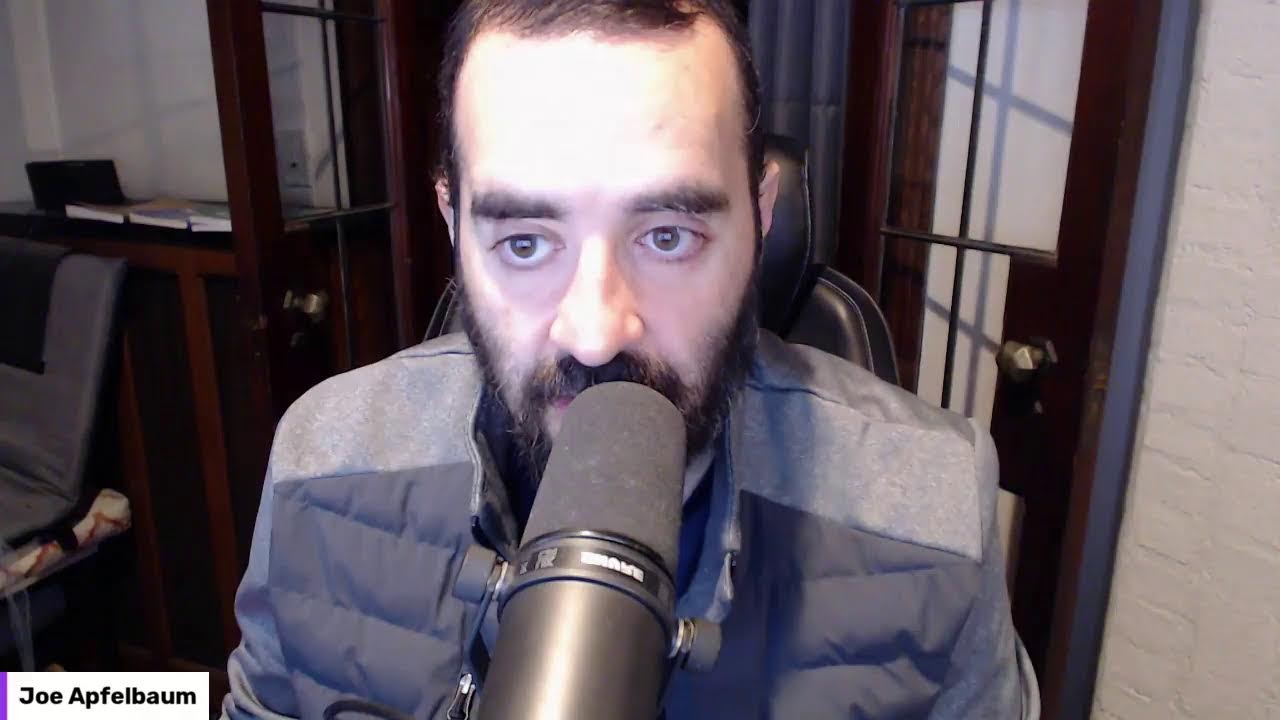
Joe Apfelbaum demos the Evvy AI Chrome extension for LinkedIn: generating posts, writing comments, and building group chats for networking. He explains his approach to observation-based commenting, calculates ROI as cost per meeting, and shows how to repurpose content across TikTok, Instagram, and YouTube Shorts.
Chapters
to is above the monitor. But today I put a tripod in front of the monitor and I put the webcam right here on the tripod, right in my face, just to kind of see if it's just a little bit different. And although this is LinkedIn Live number 18, I just went live with it saying 17, and I'm gonna change it in the replay. I'll have it replay again. At some point in the near future. And I'll change it to 18 in the replay because this is actually 18. So just ignore that it says 17 on the title. Welcome, welcome. My goal is to go on LinkedIn Live 244 times this year, and this is number 18. I'm really excited because I just went to the gym. Growing up, it wasn't socially acceptable to go to a gym, believe it or not. The focus was always learning, not working out. And I feel so good after going to a gym, spending 40 minutes on the sauna, 40 minutes running, lifting weights, taking a cold shower. It felt really good. So I'm committed to doing that 10 times this month in January. A lot of people start in January, but they don't have that streak. They don't pick it up. So because the gym is just a few minutes from my house, hop in the car, there's parking, there's literally no excuse. I go from my door to the door of the gym in just a few minutes. I always have parking. There's always a treadmill available. There's always room in the sauna. There's always room in the weightlifting place, like in the area. So I'm excited about trying it out. And I was even networking and building relationships with the people at the gym. It's so interesting the way I walk over to a person and I'm like, hello. He's like, yo, what's going on? I was like, nothing much. And I just start talking about whatever's going on. So for example, there was a guy wearing a sweatshirt in the sauna and I was like, wow, I wonder if it's more effective to wear a sweatshirt or if it's more effective to wear a bathing suit. So he looks up because he was looking down. It was like awkward, you know, no one's talking in the sauna, but I'm making conversation. And believe it or not, people chimed in. One guy's like, no, it's much more effective not to wear a sweatshirt because Studies show that if your skin is exposed, it gets hotter much quicker, and it allows you to get your internal temperature higher. And the guy's like, well, I didn't know. I thought it— I thought if you wore a sweatshirt, it'll get you hotter. He's like, no, it actually insulates your body and it doesn't allow you to get hotter. It was like this whole thing, a whole conversation that I just started by just making a comment. And it got me thinking of like, you know, commenting is really important. And a lot of people are not commenting on social media. Like, for example, Jared. Jared's commenting. Welcome, Jared. Thank you so much. Thomas Hinckley. Thomas is, is, uh, is commenting. He said, hey, Joe. Guys, let me know where in the world you're dialing in from. Where are you right now? I'm curious to know. Also, give this a thumbs up or a round of applause or a light bulb or something like that so I can see you liking this. Post, but just making a comment to somebody allows you to start a conversation. You don't have to be awkward. Like for example, on LinkedIn, if you send somebody a message and you comment about something on their profile, something they said, something they did, it's much more likely that you'll get a response from them than if you hit them up saying, hey, buy my products and services. Because if I was in the sauna or in the gym telling somebody, hey, did you know I created an AI tool? They'd be like, oh. Who cares about your stupid AI tool? Like, I don't care about it. Why should I care about your AI tool? Nick, welcome from Las Vegas. Good to see you. So instead of trying to sell your products and services, make an observation. I want you to look around in my background of my screen right now. This is my sunroom. I'm using it as an office and make an observation. What do you notice around me? What do you notice about my layout? What are you seeing? Tell me a couple things in the comment that, that in the comments that you're seeing. And I'll look at your back— the background of your photo, and I'll notice something about you. For example, if I look at Nick's photo, I notice that Nick is not smiling. By the way, I do recommend smiling in your LinkedIn profile photo. I noticed that you have some type of a bar or some type of computer screens behind you. Maybe you're in a shared office space or something. I noticed that you're wearing like a green polo shirt, it looks like. with stripes all the way from Las Vegas. Maybe, you know, what happens in Vegas stays in Vegas. I don't know. Anita, thank you so much for the like. I appreciate it. I see you're coming in directly from Cleveland. You have a clear, pretty clear background, but I noticed your necklace where you have like little faded yellow things on your necklace. So tell me what you're noticing about my background or my photo. Or something about me that you're noticing now and put that in the comments. And observations is a really great way to start conversations. I think I'm going to coin that. Making observations is a really great way to start a conversation. Could you guys write that? Observation equals conversation. Write that down. Nick said it's a restaurant. Yeah, so I would say definitely smile. That's really big. Jared, I'm looking at your photo right now. Really nice clean photo. I like the clean look. It looks almost a little AI, your photo. It looks very, very clean. And if I look at your background photo, it's really interesting. I don't know what that water tower or something, that glass, stained glass water tower is on your profile. Looks super interesting. It looks like you do commercial services and office relocation from Wisconsin. Welcome, welcome. You look like you work for Coakley Brothers. That's fantastic. Hopefully you'll be in Arizona when I present. I'm presenting in Arizona March— I think it's like March 3rd or something, or March 2nd. It's my natural smile, Joe, Nick said. Okay, okay. I always tell my son, show teeth. If you have teeth, show teeth in your smile, because people want to connect with other people that are showing their teeth for some reason. I don't know. Can you let me know why people like to connect with other people that show their teeth when they smile? I used to hate showing my teeth. I thought my teeth were crooked. I didn't like my teeth, and I never really wanted to show my teeth. But now I show my teeth all the time. You see? Roy said, uh-oh, I'm not smiling either. Let me see. Let me pull up. Yep, Roy's not smiling. Roy, not only you're not smiling, I don't think you're even looking at the camera. Um, and I see it says title is vital in your background, which is cool. I'm looking at your background here. Um, and I, I do see that in your URL under where it says New York, New York on your profile, you just put your LinkedIn URL there. I would recommend putting some type of a lead magnet there, something for people to download. I also noticed that you haven't really been posting on LinkedIn. You've just been reposting using a tool like Evvy AI. It'll help you quickly be able to post on LinkedIn in just literally seconds. So I do recommend you use a tool like that. Would you guys like me to share my screen and just show you quickly how I create a post on LinkedIn relatively quickly? I am happy to do that. Would you like to see that? Let me know in the comments if you'd like to see it. I'm also going to show you some videos that I recently published, that I recently created. And show you how I'm using LinkedIn Live to help me be able to create videos. So if you want to see that, just drop a comment. Let me know you're interested in seeing it. It looks like we have quite a bit of people over here right now coming live. Nick said sure. Okay. So I'm going to share my screen now so you can see what I'm seeing. I'm going to pull this screen out, just share my screen just like this. All right, so hopefully you can see my screen now. I'm looking at my notifications window there. I'm also going to put myself side by side so you can see me a little bit differently over here. All right, so let's dig in. First of all, I want to show you some videos. You see these videos here? All these are little videos. I'm storing these videos inside a tool called Google Photos. Are you guys familiar with Google Photos? Yes. Google Photos is a really, really great tool that allows me to be able to store videos. And I use another AI to essentially just write up, just basically edit the videos for me. So for example, this video right here, let's watch it together. LinkedIn has a billion members, but if you wanna be a thought leader on LinkedIn, you can't just hoard connections. What you need to do is share. Post, engage, message, connect. Did you know that every single time you connect with someone on LinkedIn, they also become a follower of yours? LinkedIn is the only platform that allows you to build your followers by just simply sending connect. Okay, so I'm gonna post that video on LinkedIn right now. So I'm gonna go to LinkedIn. I'm gonna click on start a post. Then I'm gonna click on the Evie AI icon over here, and I'm gonna have the Evie AI icon. Create an informational post. I'm going to make the tone whimsical, and I'm going to say the following. I'm going to say, did you know that posting on LinkedIn will give you exposure? Also, you may have not known that every single connection you make on LinkedIn turns into a follower too. So if you want 10K followers, just add 10K connections on LinkedIn. Post, engage, message, and connect, and you will— 10K. Benefit from the power of LinkedIn. Okay, so I wrote that. I'm gonna choose GPT-4. I'm gonna press generate. Now my, my goal that I chose was informational because this is an informational post. My tone was whimsical because I want to be able to kind of give a little flair right now. And my persona was Joe Apfelbaum because that's the persona of where I'm posting from. I'm posting from Joe Apfelbaum. If I was posting from our company page, I would put a company page. Um, I have company page personas and so on. I'm going to press insert and it says, greetings, fellow LinkedIn explorers. I'm going to delete all that because I don't care about that. Ever wonder why some people seem to have the magic touch on LinkedIn? They post, engage, message, connect, and voilà, they are thriving network, growing follower accounts. Well, let me share a little secret with you. It's a strategy. It's not magic. It's a strategy. Okay. Did you know that every single connection you make on LinkedIn turns into a follower too? Yes, that's right. So if you want 10,000 followers, just add 10,000 connections on LinkedIn. It's as simple as that. But remember, it's not just about the numbers. It's about the quality of the connection you make. As CEO at Ajaxi and Evergreen, I've seen firsthand the power of LinkedIn. It's not just a random— it's not just a platform for job seekers. It's a goldmine for entrepreneurs, CEOs, and anyone looking to grow their professional network. And even if you want to be a thought leader. So how do you tap into the power? Post, engage, message, and connect. Repeat. It's a simple formula, but it works. The more you engage, the more exposure you get, and the more exposure you get, the more opportunities come to your way. But remember, LinkedIn is a community. It's not just about taking, it's also about giving. Share your knowledge, Share your insights, share your experiences, help others grow, and you'll grow too. Okay, now I'm going to delete this because I don't need this image over here, and I'm going to share a video. This video over here, Unlocking Success, or Unlocking Success. I'm going to double-click on this video. This is the video I got from my— LinkedIn has a billion members. But if you want to be a thought leader on LinkedIn— Click next. I'm going to upload this video together with this content. So the AI edited this video. The AI wrote this content and now I just publish the piece of content and that's it. I just showed you how to publish a piece of content. Now, how long did that take me? It didn't take me very long to do that. It took me literally just a minute, 2 minutes. You know, I read it, I edited it just like that. Boom. Can I get a boom in the comments? Can you gimme a boom right now if you appreciated that? Now I want to do this concept called networking on LinkedIn Live. What does it mean to network on LinkedIn Live? That means we network in the comments together. I ask you a question, you answer it in the comments, and then we review everybody's answers together. Do you think that's a good idea or do you think that's a terrible idea? Do you think that's a good idea or a bad idea? Let me know if you think— just write good idea or bad idea in the chat. I'm going to copy a link to this post. I'm going to go to the comments over here and I'm going to drop this post. In the comments right here. Now, what I can also do, I don't know what happened over here. Oh, it's here. I'm gonna give it a like. Now, what I could also do is I can create a group message where we all connect. So if I see that there is 1, 2, 3, 4, 5 people that are commenting, so that means there's 5 people in the networking event. Just write networking in the chat if you wanna be part of it. If I see there are 5 people in the networking event and I'm connected to all of them, Except for Anita, for some reason I'm not connected to. So I'm gonna send her a connection request. I'm gonna click on more. I'm gonna click on connect. I'm gonna click on add a note. I'm gonna have Evvy AI write a note. I'm gonna say, thanks for engaging on my live, for engaging on my LinkedIn Live. Let's connect. Okay, I'm gonna press generate. It's going to generate a Whimsical note. Anita, enjoyed your insights on my LinkedIn Live. As a fellow strategist, I think we should connect. Okay, so I'm going to press connect. And now it sent Anita a connection request so that I can add her to a group message. I'm going to hit save profile on the right here. You're not— you can't see it. It's kind of outside of the live. And I'm going to add her to a list called LinkedIn Live. So I keep track of her because she showed up to my LinkedIn Live. I'm going to go back to my view my profile over here. You see that? And let's see if we can start this little, create a magical networking event here. This is my post here. I'm gonna go here. I'm gonna go here and see if, okay, so Anita's interested in networking. Anita, accept my connection request if you don't mind so I can add you to the group message. If anybody else is interested in networking, write networking in the chat. I'm gonna check to see who wrote networking over here. I did. See, it's not showing up all the comments. Even though Anita wrote networking, it's not showing up all the comments. So what I need to do is I need to go in here and click on view all posts. This is so backwards that I have to do this, but I figured out how to do it. Instead of more relevant, I'm going to do more recent. As you can see, Anita wrote networking. You see all these people? I can connect all these people together in one message. So I'm going to show you guys how to do that right now. So I'm going to do it in another window. I'm gonna do it in this window here. I'm gonna go here. You see, she— did she accept my connection request? I don't think she accepted my connection request. Something's wrong with my connection request. I'm gonna hit refresh. Maybe she rejected it. I don't know. Oh, looks like we connected. Okay. So now what I'm gonna do is I'm going to click on add. Let's see. I'm gonna click on this little message here. I'm gonna type in Anita. Anita Biggins. Now I'm going to go in here and see who else. Okay, so I have Nick Constantino like that. You see that? Nick Constantino. So I'm going to add him to the message as well. Nick Constantino. Boom. You see I added him to the message. Now I'm going to add another person to the message. Let's see who else. I'm going to add Roy Fennecle. And let's see who else. Roy Fennecle and Jade Lemke. Let me go back here. Jade Lemke. I don't know why it didn't work. There you go, I added Roy. Let me go back here. Jared, I don't know why I'm saying Jared. Jared Lemme, and then Tom Hingley. Jared Lemme. And then Thomas Hinckley. Okay, do you see that? So I added Anita, Nick, Roy, Jared, Thomas, and me. Let me see if anybody else is here. I'm going to refresh this little window here, see if anybody else has commented on this page. I'm going to click on comments. I'm going to click on Most recent. And Jeffrey Morrison, I can't add you because we're not connected on LinkedIn. So I'm going to click on Jerry— Jeffrey's thing. I'm going to click more. I'm going to click connect. I'm going to hit add note. I'm going to use Evvy AI to offer him a proper note here. As a fellow business enthusiast, blah, blah, blah. Okay. Connect. Send. So I'll add you once you accept. Now I'm going to click in the message and then I'm going to click in the group name and I'm going to call this LinkedIn Live 1/20/2024 Follow-Up Networking. Okay, I'm going to say, please introduce yourself in this message. Okay, I'm going to press send. And now I just created a group message between the bunch of us here, and we could introduce ourselves, and then I can say hello to you in a group message, and then we can be in touch even after this live finishes. And you guys could network with each other as well. So I don't know if you got the notification with this message, but hopefully you did. Hopefully you got the notification. Let me refresh. Jeffrey Morrison says he's still a second-degree connection over here. You see it says pending, so I'll wait for him to accept my connection request. I'm going to ignore this message over here. This person, I'm trying to build something with AI and marketing, blah, blah, blah. Okay, I'm going to click on notifications. Looks like Sandra Connor also liked this post over here. Let me see, Sandra Connor liked my post. So this is my recent post. Brad Willey said, develop relationships, business people, Do business with people they engage with. So I'm gonna click here and I'm gonna reply to his comment using Evvy AI. So that's another feature for Evvy AI that allows you to reply to comments. So as you can see, I'm gonna mention Brad Willey and I'm gonna say, spot on, Brad. Trust is the cornerstone of every relationship, especially in business. I'm gonna press reply. I'm gonna give myself a love. You see that? Now people are starting to like this post over here. You see people are liking this post in real time. I'm gonna go in the comments. Roy said, boom. Jeffrey said, happy to connect. I'm gonna copy him right over here, refresh this page, see if he actually hit the connect button. If he hit the accept button, it looks like he hit the accept button. So I'm gonna add him to this group now. Invite others to this chat. Jeffrey, add. And now he's part of this chat. You see that? I added Jeffrey to this. So now take a moment and introduce yourself to the group. Okay, so I said take a moment, introduce yourself to the group. I messed up. I said introduce and I misspelled it. So you can click on the 3 dots, you can click edit, and you can fix the word. Intro yourself to the group. I'm just going to press save. And you see it says edited because I edited. Now I'm going to give myself a little thumbs up, a little smiley face, and I'm also going to click on this little plus sign here and I'm going to find a different emoji. I'll click on this one here. You see that? I put myself 3 emojis just like that. Now I have a lot of videos over here. Look at all these videos. These videos were automatically generated with artificial intelligence, and the reason I created The reason I'm going on LinkedIn Live so many times is because I want to be able to create all this content. Now I'm going to take this content and I'm going to post it on Instagram, on TikTok, on YouTube Shorts. I'm going to post this content all over the place. Why? Because I want people to see this content and I want people to build relationships with me. That's how I build relationships. So now I'm going to go to my notifications. I'm going to grab this post. You see this post right over here? This post, I'm gonna put that on TikTok right now. I'm gonna show you how I do that. But first, I'm gonna say thank you to Sandra. I'm gonna click reply. I'm gonna hit generate because I don't want to have to write up the reply myself. I want the AI to do it. I'm gonna say, absolutely, Sandra. I am gonna tag her by putting the@ sign next to her name. Her name is Sandra Connor, not Sandra White. Okay, I'm going to press reply and I just replied to Sandra just like that. You see that? Makes my life very, very easy. I'm actually also going to add Sandra Connor to this group message here because she's live on LinkedIn right now. I may as well add her here, see if she wants to network and build a relationship. Hello, I'm Nick Constantino and I provide innovative solutions for business success as a trusted global consultant, And coach for startups, SMEs. Let's solve your challenges together. Ooh, I love that. Innovative solutions for business success. Trustful. Let's solve your challenges together. I love that you copied— you just copied your headline just like that. Very smart. Saves a lot of time. Look at that. I'm a global coach. I'm an entrepreneur starting with my dog bathing business in Singapore when I was 15 years old. I had a deep passion for blah, blah, blah. Amazing. Amazing. I love that. I'm going to save you with Evvy AI, and I'm going to add you to my LinkedIn Lives. I put you in a list. Now what I can do is I can click on See Saved Profiles, and I can see all my saved profiles. I'm going to minimize the screen a little bit so you guys could see it better. Hopefully you can see my saved profiles now. These are my saved profiles. So you see Nick, I added him to LinkedIn Live. Anita, I added her to LinkedIn Live. And if I want, what I can do is I can click on See Recent Activity right here, and I could see all Nick's recent posts with one click. That's one of the benefits of using Evvy AI, that you can just see someone's posts with one click. He posted 3 days ago. I'm going to drop a comment on his recent post. You see that? I'm dropping a comment on his recent post. The AI will read the post. You got a knack for sparking curiosity. Your post got me thinking of new directions. Insert post. Now there isn't much content on this post, so the AI doesn't even know what this is about. You see, the AI doesn't even know what this is about. Let me go to Nick's profile. Nick, you do not have a Top Voice badge. Using Evvy AI, you can actually get yourself a Top Voice badge. So you might say, Joe, how do we do that? How do we get a Top Voice badge with Evvy AI? Well, all you gotta do is go to my profile. I'm gonna go to my profile right now. Click on View Profile, then you scroll down and you'll notice on my profile there's a button called Videos. You see that? And if you scroll down and you click on Show All Videos, you're going to see that I have lots of videos. You see? And I'm, I'm posting tutorials here all the time. I have lots of these purple tutorials. So I post one tutorial every single week on how to use Evi AI. Besides all these LinkedIn Lives that I've done, all these videos that I posted right over here, you see that? So I'm going to be posting a tutorial. It's on YouTube already. If you want to watch it, you can go to YouTube. But I'm going to be posting a tutorial on exactly how to do that. I just don't want to post it right now, this moment, because I just posted something on LinkedIn. And if you post something on LinkedIn and you post something right after you post it, it kind of kills the reach a little bit. of that post from time to time. So I'm actually not going to post another post right now this moment, but I can easily schedule a post for tomorrow morning. I'm going to click on messaging. Roy says, greetings, Nick. I help real estate attorneys, brokers, lenders, and investors get their transactions closed nationwide. Title is vital. I'm going to give him a thumbs up. I'm going to give him a thumbs up as well. You see that I gave both of them a thumbs up, and then you can see who looked at it last. Jeffrey Morrison looked at it last. So hopefully Jeffrey Morrison will also chime in here as well. So if you're looking at my LinkedIn Live right now, you'll notice that there's a particular strategy that I take with LinkedIn Live to connect people. So for me, it's not about the masses. I'm not going after the masses. I'm not going after like millions and millions of people. I'm building relationships one person at a time. Let me ask you a question. Would you rather go viral or would you rather be strategic? I'm going to stop sharing my screen for a moment. I want to have a conversation with you, with you. I want to have a conversation with you. I want to know, do you want to go viral or do you want to be strategic in your business? There's a difference. Going viral is trying to get lucky. Being strategic is having a specific strategy to a specific target market. with a specific message. You're not trying to get lucky. You're being strategic. You're doing the work. I want to be strategic. And write, I want to be strategic, in the comments if you're like me and you want to be strategic. I don't want to go viral. I want the right 1,000 people to see me 1,000 times a year. If you can get 1,000 people to see you 1,000 times a year, you're gonna make a lot of money if they're the right people and if you're giving them the right message and if you're adding value to them and if you're entertaining them. You also have to be entertaining, believe it or not. You can't just be talking at people. You can't just be sending people information. You got to share stories. You got to connect. You got to go deep. You got to be vulnerable. Building relationships is about connecting with people based on who they are, who you are, getting to know them, them getting to know you. Let me ask you a question. Are there any facts that you know about me? Put one fact in the comments. What's one thing that you know about me? My name is Joe Apfelbaum. I'm the CEO of Ajax Union. I started an AI called Evvy AI. I shared with you how this AI can write content, how this AI can write comments, can reply to comments, can send messages. It can save profiles and organize them into lists so you can quickly comment on strategic people's posts. It can help you contribute to collaborative articles. I actually wrote an entire FAQ about Evvy AI, and if you guys wanna see that FAQ, just write FAQ in the chat and I will go ahead and share that FAQ with you. I use ChatGPT to help me be able to write the FAQ, and then I use ChatGPT to help me take that FAQ and turn it into a really nice summary about my business. And then I took that summary and I put it into Evvy AI as a persona. So that's really one of the strategic ways to be able to create an unlimited amount of content is to train the AI on who you are. You can use FAQs to train the AI on who you are. So think about all the questions that you need to be asking yourself around your business. Write FAQ if you want me to share the Evvy AI FAQ, and I'll quickly share it below. More than happy to share the FAQ from Heavy AI in the comments. So if you were going to ask yourself a series of questions that you can answer, what would be that, the series of questions that you would ask yourself? What would be the number one question that you would want business owners, professionals, your ideal clients to ask you? Do you have any idea what, what that would be? What would that be? What do you want people to ask you? Do you know? I know what I want people to ask me. I'm actually gonna go ahead and share with you my FAQ right now so that you can see it. Let me pull it up right now. Share my screen. I'm gonna share this particular window so you see it. This is the FAQ. So this FAQ, what is Evvy AI? You see that? And I'm actually going to share myself on the side of this FAQ so you can see what I'm talking about. Evvy AI is an AI-powered Chrome extension and web platform designed to enhance your LinkedIn engagement and productivity. It helps users to create personalized comments, draft LinkedIn posts, reply to direct messages, and optimize LinkedIn profiles. If you don't have ideas for what to post, use our idea generator and select an idea and generate a post with a click of a button. If you want to organize your connections, save a connection to a list and then strategically stay top of mind with that connection on LinkedIn. We even allow you to create multiple personas for each role that you have so that you can use Evy AI for company pages too. Try our web platform and our Chrome extension at evyai.com. Now I'm going to put this question and answer right in the comments. I'm going to put this right over here. I'm going to put it as a message right here. You see that? What is Evie AI? Put it in here, but I'm also going to put it in the, let me see, I'm going to put it right here. I'm going to click on view profile. I'm going to go down to my recent activity. I'm going to click on show all posts. Then I'm gonna scroll down and I'm gonna post it in the comments of this like this. I'm gonna do this. You see, what is Evvy AI? I'm gonna press post. So now I just left a comment with what is Evvy AI? You guys can go ahead and like that comment to acknowledge it, and you could even reply to the comment if you want. Now I'm gonna go ahead and grab question number 2. How does Evvy AI work? Evvy AI works as an AI assistant that generates That generates content based on your inputs. Okay, so I'm going to copy this and I'm going to paste it right here. So that's question number 2. Question number 3, how can Evii help me improve my LinkedIn presence? I'm going to copy it and I'm going to paste it right here. And I can literally read this and it turns into a video after you see this. See, I'm going to talk, I'm going to talk to the camera right now, which is basically I'm talking to you and I'm going to read the comment that you see on the screen. Okay? You see a comment on the screen right now, right? I'm literally going to read it. So how can Evvy AI help you improve your LinkedIn presence? Well, Evvy AI can help you improve your LinkedIn presence by optimizing your profile. Generating engaging posts, crafting personalized comments, and suggesting responses to direct messages. It essentially helps you stay active and engaged on LinkedIn, leading to increased visibility and credibility. The more action you take on LinkedIn, the more exposure and credibility you'll have. So use Evy AI, be smart, take strategic action in just a fraction of the time. Users are loving Evy AI because they're saving time and making money. If you're not using AI today on LinkedIn, you're seriously missing out. Now, do you see the way that I shared? When you create templates and you share, you don't have to share every single word that's in your template, but if you have a guide for what you need to say, you're much more likely to be successful. Most people don't take the time to prepare. They fail to prepare. They say, if you fail to prepare, you may as well prepare to fail. I want you to prepare to scale. I don't want you to prepare to fail because you want to be a whale, don't you? Or do you just want to eat shale? Or do you want to be a snail and go real slow? If you want to be a snail and go real slow, then you can stop the show. You want to be a bro. So who can use Evy AI? Evy AI is designed for LinkedIn users looking to optimize their LinkedIn profile, enhance their engagement, and network more effectively. This can include business owners, professionals, thought leaders, coaches, consultants, sales professionals, speakers, freelancers, recruiters, and even job seekers. Anyone that's looking to build their personal brand on LinkedIn. If networking is important to you, Evy AI can help you stay top of mind and help you grow your network. Here's a question that I frequently get asked. about Evy AI. Is Evy AI against LinkedIn terms and conditions? No, Evy AI does not violate LinkedIn's terms and conditions. The tool doesn't automate activity on LinkedIn. It doesn't scrape any data. It simply provides drafted responses to users so that you can edit and improve content for LinkedIn. If you don't want to use a Chrome extension, we also have a web platform that helps you generate ideas, create posts, and even optimize your profile. Our AI helps you save profiles and organize them into lists. We don't even have access to your LinkedIn cookie and we don't ask you access to your profile. We don't even know what LinkedIn account you're using it with because privacy and security is our top priority and our goal is to simplify LinkedIn and help you find your voice with AI. Tell me what you think of the way that I am presenting to you. Just write top notch if you think it's top notch, or write crappy if you think it's crappy. I'm curious to know if you think it's top notch or if you think it's crappy. Now I want you to present this way to your own audience, and that's why I'm helping you and showing you and teaching you and guiding you as to my strategy and how I do this. This is not rocket science, but there is a strategy behind this. Daniel says, currently I copy and paste manually a lot, comments and away messages, LinkedIn Premium feature. That's great. It's good to copy and paste comments, but you don't have to do that because with Evvy AI, you can have the AI literally just reply. The AI can help you do this very, very quickly. And also creating templates can make things a lot faster as well. I totally understand the manual effort. That's why we developed Evvy AI. I just responded to your comment, Daniel, and I used AI to respond to your comment, which I think you'll find very interesting. Very, very interesting. Daniel says, what are the top 10 Copilot and Microsoft prompts? Worth $360 per year per user. Personally, our AI is half that price. So I would tell you that use AI in a way that will help you be able to be smarter. That's what I would tell you to do. Use it in a way that will help you to be smarter and more efficient with your time. Question for you. Do you want to learn how to leverage artificial intelligence for marketing, networking, and prospecting? If you do, we do have a mastermind group that's available to all of you. We meet for 3 hours once a month. It's called the AI Business Development Circle. And I'm happy to share details about the AI Business Development Circle in the comments below if you're interested in Becoming part of that, I'll drop a comment with the information about the AI Business Development Circle so you can learn more about it. I'll go ahead and drop a comment now inside this LinkedIn Live on the, as a comment of that LinkedIn Live. Now you might say, Joe, how did you drop that comment so quickly? The answer is the way that I dropped that comment so quickly is I dropped it quickly because I have templates already set up with everything that I need to possibly say or send. Everything. Joe, shoot over a time that works for you so we can accommodate. See, I'm going back and forth with somebody to, to try to set up a call. So I'm constantly setting up meetings with people. Can you guess how many meetings I have per year that come directly from LinkedIn? Someone once said, Joe, how do you get a return on investment from LinkedIn? And I said, a return on investment is based on how many meetings you get from LinkedIn. So if you spend $100,000 on LinkedIn and you get 100 meetings, you paid $1,000 per meeting. I don't spend $100,000 on LinkedIn. I maybe spend $20,000 with assistance and support and technology, maybe $30,000. And for that $30,000, I get 1,000 meetings. How much is that per meeting? You tell me, do the math. If every single meeting is $3 and you spend $3,000, if every single meeting is $30, you get, you get the point. Make the calculation and determine How much is the value of each person that you're going to have a conversation with? And then set up systems and processes and make investments in tools that will help you be able to build that many conversations. And then you'll understand your return on investment. ROI is all based on what you put in and what you expect to get out. So be strategic and don't just say you want likes and comments, cuz that's not something that you monetize directly. That'll get you influence. That'll get you exposure. But what you monetize directly is booked meetings. Not every meeting is going to be a qualified meeting with a prospect. Sometimes it's going to be out networking. Sometimes it's going to be about building relationships. Sometimes it's just about helping somebody else. There's a lot of people that I just get on the phone with and I just help them. I make a difference for them. I guide them. I give them a book tip, a book recommendation. For example, maybe you didn't read High Energy Networking. Somebody recently called me up and he said, Joe, I'm moving to San Francisco. And I need help. I said, what do you need help with? He said, I need help networking. I said, did you know that I wrote a book called High Energy Networking? He's like, no, I didn't know, Joe. Why didn't you tell me? I said, it's right on my profile. It's all over the place. It's often the background photo of my Zoom. I wrote a book called High Energy Networking. He's like, where can I buy it? I said, Amazon, Google it, go to highenergynetworking.com. You can get the book. He's like, what will I learn? I said, you're going to learn how to network. You're going to learn how to overcome your fear. You're going to learn how to create a strategy. And then he bought it, read it. We had another call after and he said, Joe, this book's a game changer. It gave me a specific step-by-step strategy on how to network with people to be able to get results. And now I'm not afraid of networking. Now I have a strategy. Often fear comes from not having a strategy. If you don't have a strategy, you're probably going to be afraid. So this concludes LinkedIn Live number 18. I'm going to do number 19 tomorrow, and I'm really excited about it, but I'm pumped because I went to the sauna for 40 minutes and then I took a cold shower. Now I'm going to finish up my emails. I'm going to do a few projects that I need to work on, and I'm going to go to sleep at a normal hour because tomorrow I'm going to be spending some time with my children in the morning. And then I'm going to keep being productive in the afternoon. And then yes, I'm going to go to the gym. as well tomorrow. And I'm really looking forward to it. Anyway, thank you for being in my life. I appreciate you. And I look forward to speaking to you guys again soon. Let me know what you thought about this LinkedIn Live by leaving me a comment or sending me a DM, and I'll talk to you guys soon. Oh, and if you wanna be included in our little networking group for this LinkedIn Live, write networking in the chat. Even if you watch the replay, if we're connected on LinkedIn, I'll add you to the group after if you write networking. So just write networking in the chat and I'll see you guys soon. Boom.
More from Joe


How to Beat the Algorithm: Remove Hidden Watermarks & Scale Content with evyAI









AEO & GEO: SEO's Future Explained! Master Answer & Generative Engines! #shorts