022 LinkedIn Live 2024 with Joe Apfelbaum // evyAI.com Tutorial
Joe Apfelbaum discusses how Google paused the Evy AI Chrome extension after a LinkedIn trademark complaint, then demos ChatGPT's Custom GPT feature to build panel lineups from a 200-member directory. He walks through Evy AI's automation for comments, likes, and outreach, plus his full LinkedIn content strategy.
Chapters
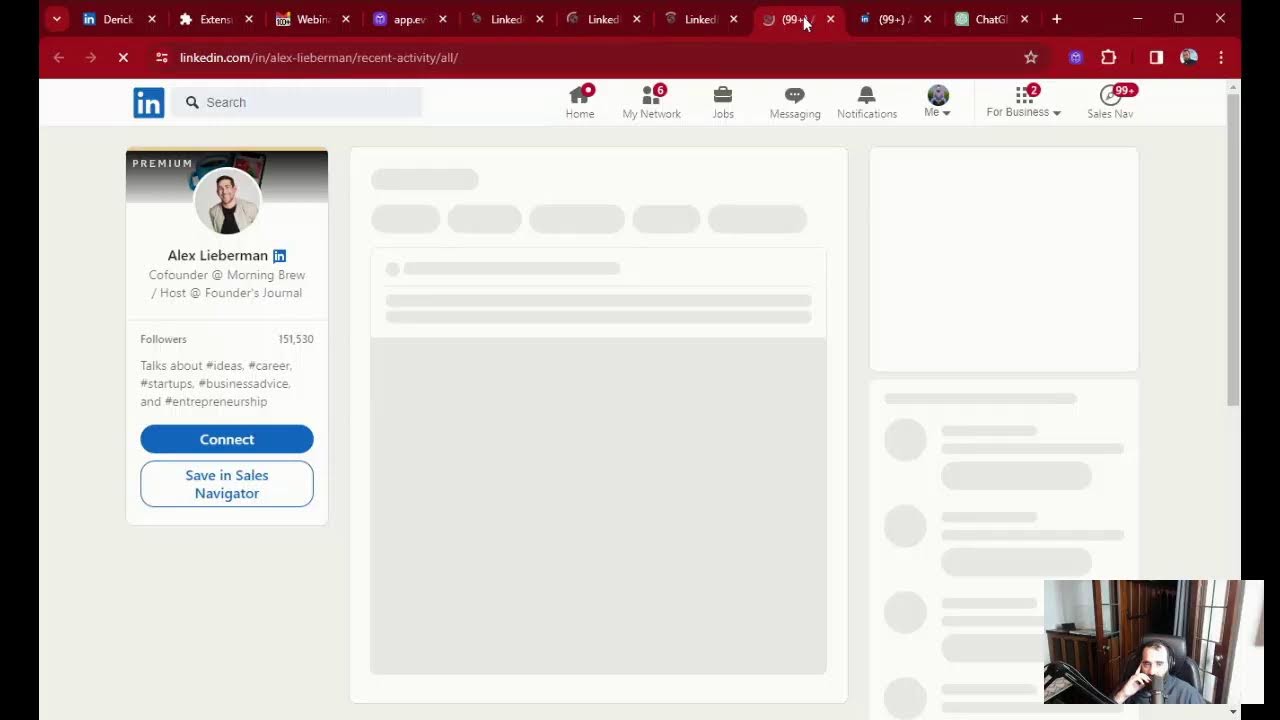
22 out of 244. Today we had a very successful Evi AI webinar, and we had almost 100 people that showed up to the webinar. A lot of people came, and a lot of people got tremendous value from it. And then I got notified by somebody that they were trying to access The Evy AI extension, and for whatever reason, it wasn't working from the website. So I went to the website to check it out. I went to evyai.com and I clicked on add to Chrome and it wasn't working. Something happened. So I looked into it and it turns out that LinkedIn, or an attorney on behalf of LinkedIn, complained to Google. That they don't like the fact that we're using their name on the Google Chrome Store. That's a huge problem. They don't like that we're using their name. And so Google says, well, we're going to pause your Google Store page. We're just going to pause the page just like that. And like, what do you mean they're going to pause the page? Why don't we just remove the word LinkedIn? No, we're going to pause the page until we look into it. And we're like, okay. What are we supposed to do in the meantime? Nothing. Wait. So now we have to wait until they unpause our page. The challenges of having a startup. I'm not happy about this, but I can't change this. So what am I going to do? I'm going to figure out a solution. I'm going to find ways around this. In the meantime, we're going to email our clients and let them know, hey, here's the issue that we're facing. If anybody can help us with this, let us know. We're going to contact our legal team and try to figure out a way around this. Our app still works. Our business still works. Our web store still works. It's just going to be a little bit harder adding new customers when we're having this issue. We're going to be adding Evie AI to other platforms as a result of this, because Google's giving us a hard time. And we're going to learn from this. We're going to be like, all right, what did we do that didn't comply with the copyright laws and fix it for the future? This is what happens sometimes in business. You learn new things. The key is when something happens in business that you perceive as bad, don't panic. Panicking is the last thing that you want to do, because I truly believe that everything that happens happens in my favor. Everything that happens to you happens in your favor. You're there to learn a lesson, to learn something new. So I'll keep you guys updated on what's going on. With our business, what changes happen. And I'd love to hear from you. What business are you in? Tell me what line of business you're in. Put that in the chat. I am doing a webinar tomorrow and I'm doing 2 seminars, 2 in-person seminars tomorrow about how to use AI and LinkedIn. So if you wanna join me, let me know if you happen to be in Brooklyn. I actually posted about it on LinkedIn. I posted about my in-person thing sponsored by WeWork, and I'm doing another one at the, at the league. So if you wanna come, let me know that you wanna come. I'll send you the information about it. I wanted to talk today about ChatGPT and specifically about a new feature that ChatGPT has that allows you to create something called a custom GPT. So I'm gonna share my screen and kind of show you that. So if you wanna see the custom GPT, just write custom in the chat so I know that you're in with me and you actually want to be able to see this custom GPT concept. And I'll tell you exactly how I used it so far, and I can tell you also how I plan on using this custom GPT concept. So write custom in the chat so I know that you're watching here and that you're here. Rose said she's in biz dev in emerging markets. That's awesome, Rose. Thank you so much for showing up here and for leaving comments and for being here on LinkedIn and for showing your support in the comments. So go ahead and write custom in the chat if you're interested in checking out this custom GPT that I'm talking about here. All right, I'm gonna share my screen now. And let's get the party rolling. I had another issue, by the way, that my computer completely crashed. I got the blue screen of death. I don't know if you've ever gotten the blue screen of death, but that's pretty scary when you get that blue screen of death. And I spent last night maybe 3 or 4 hours trying to troubleshoot my computer, trying to fix it by myself. And at the end, I figured out that my RAM is, is, uh, has an issue. I have an issue with my RAM. So I just created, um, my laptop to be running on all my— on everything. So I could have my microphone, I could have my proper webcam. I added new lighting on the right side. I got a big ring light that I installed. I already had the ring light from before, but I had to install it ever since I moved. I still didn't install it. So, um, now it's installed. So I have better lighting. You know, my shadows aren't as deep as before. And let's, let me review with you ChatGPT. So I'm gonna go into chat.openai.com and on the left side it says new chat and then it says JVMM members, which is the custom GPT that I created. Now as you can see, if I click on live panels over here, I asked it questions. I said, I'd like you to create a, I'd like to create a monthly LinkedIn Live and feature 6 members each month. From each LinkedIn Live. Can you tell me a list of topics for the next 6 months and the members that would make sense for that topic? So it kind of like died out. It started doing member 1, member 2, member 3, and then it died. There's too many members. And then it just said member 1, member 2, member 3, and it stopped showing me the names of the members. And then I said, you know what, why don't you give me 6 marketing and sales related topics from looking at the directory and seeing strong related themes? So it gave me a bunch of themes of the directory. And then I said, who are the 6 members? And this is from a list of 200 members. Who are the 6 members that can be on the panel about overcoming stage fright? So it told me Jessica, Daniela, Heather, Christine, Mike, and JJ. And I felt like that was good. These are good people and why they're here. Then I said, who are the 6 members that can be on the panel about positioning your business for growth? And it said John, Joe, Mitch, Johnny, Angela and Danny Bermant. And I was like, wow, that's really, really cool. It gave me a bunch of names here. And then I said, who are the 6 members that can be on the panel about content marketing and storytelling? And then it said error. So now I'm gonna tell it this again, cuz it gave me all the same names. I'm gonna say, who are the 6 members that can do the panel about content marketing and storytelling? And I'm gonna say, make sure you do not give me members that are already listed here as on another panel. Okay? And now let's see what it does. So it has to go here, read the members that are already listed here on another panel, 'cause over here it said Joe Apfelbaum, and then it said Joe Apfelbaum again here in Michigan. Which I didn't. And Johnny Burney again. See, Joe Apfelbaum, Mitch, Johnny Burney. It basically said them all again, the same people. Not all of them, but half of them. I liked that it mixed Melanie Bellinson in and so on, but it's going to go through the entire list. It's going to compare it to this list. Let's see if it does a good job doing it. I'm not sure that it will do a good job doing it, but let's see. Let's see what it produces and why it's doing each one. Now it gave me another error. You see, let's look at this error. It says, is member listed below row members already listed. So it's already doing the members that it's already listed. That's cool. Oh, so you could see the way it's thinking. Look at that. Wow. See the way it's organizing everything here. That's cool. Oh, look, it gave me a bunch of names. That is awesome. See the way it did that? It still had an error here, an error analyzing it, but it still gave me a bunch of names, which is cool. And it did give me Melanie and Sunil, even though Melanie and Sunil were mentioned right here. I'm gonna do the same thing. For the 6 members. And now I'm going to get— I'm going to say I'm going to pick this topic over here instead of position— instead of content storytelling, I'm going to do digital marketing strategies. You see that? I'm going to press enter here and let's see if it does the same thing. It might give me an error again, but that's how I use the custom GPT. Do you understand what I just did? Do you want me to explain it to you, or do you understand what I just did? You want me to explain it to you? I'm happy to explain it to you. ChatGPT has a new feature that allows you to create something called a custom GPT, which means you can give it specific instructions, and then you can upload a file, and then you can chat with it against those instructions and that file. And you can share it with the world. You can share it only with people that have that link. Or you could share it only with yourself. So if you have, let's say for example, a book, or you have specific instructions or specific strategies, and you want to be able to create a custom GPT with that information, um, that's really, really powerful. Can you make the screen a bit bigger to view properly? I can zoom in for sure. I can zoom in for sure. Okay. Let's, let me show you what it produced now for the next panel. I'll click Window, ChatGPT. I'm gonna zoom in over here. Is that better? So this is the people. Here are 6 members from JVM Directory who can be featured in the panel about digital marketing strategies. And it shows each one. And these were not mentioned before, so that's cool. Cool. So now what I'm going to do is I'm going to go back up here. I'm going to do, I'm going to give the same thing over here. I'm going to put it here on the bottom. I'm going to scroll to the top where it gives me the topics. So digital marketing strategies, we already did. We're going to do sales funnel optimization, paste it here. I'm going to say go. And it's going to analyze it and do it again, and hopefully it won't give me an error this time. Learning how to use ChatGPT properly together with Google Bard, Anthropic Claude, Pi.ai, and several other AIs can be really, really helpful. Most people have no idea how to use these tools. And so that's why inside my AI Business Development Mastermind group, I help people learn how to use these tools in an effective way to grow their business. If you wanna join the mastermind, just write mastermind in the chat and I'll send you details about the mastermind. The reason I go on LinkedIn Live on a regular basis is because I wanna be able to deliver value to my audience. And somebody said, Joe, can you show us your previous posts on LinkedIn and help us understand why you posted what you posted about on LinkedIn? Can you break it down for us? And I say, absolutely, I can. I'll do it on my LinkedIn Live. These are the types of things that I can do on my LinkedIn Live. Okay. So right now, my most recent post is this LinkedIn Live. As you can see, You're watching this. You're watching this LinkedIn Live and it's live right now. So if you want me to mention your name, just leave a comment. Let me know what city you're dialing in from and I'll mention your name in the comments. I can actually see all the comments. I see Rose commented. I see Amil commented. Okay. Now I'm going to scroll down and I'm going to look at this right over here. This, this post over here I posted during my webinar. I said, by the way, I just had a robot write a post for me. Here is what it wrote. What do you think? Also, do you want me to replay our latest webinar about Evie AI? And then I just went here, boom, boom, boom. It wrote the whole thing down. Then I said, want the training data? Let me know in the comments. And then in the comments, there's 42 people that commented. Here's the training data that I created, and here's the people that said, thank you so much for sharing. Okay. Perry said, thank you again. I received the email with the link of the replay of the webinar. Okay, perfect. So he got the replay. Okay. And I'm gonna go here and I replied to every one of these people. Let's see if I didn't. I don't think I replied to every single person, but I do love replying to everyone. This looks robust. I'm gonna go in here and I use Evvy AI to help me reply to each person. So I don't have to manually click on the replies. You see that? Thanks, Nels. It's all about leveraging the right tech. Okay, I'm gonna click here. So I'm gonna go to each person and just hit reply here. And this way I make sure to acknowledge every single person that's here. Gary Perman, John. John. Yeah, I'm gonna go through these after and reply to every person. Okay, so these are the people that all commented. We train the AI to get us better. Okay, I'll just reply to Forrest now. So now let me show you the post before this post so you can see. And I'm curious to know in the chat, tell me, how often do you post on LinkedIn? Do you post daily, weekly, monthly? Do you not post at all? Let me know in the chat. This is a LinkedIn event page over here. So if you click view event, you can see who said they're coming to this event. Right now there's 2 attendees. Essentially, I'm the only one coming to this event. I'm gonna write, hope you can make it. Please join us tomorrow at 4:00 PM in Dumbo. Okay. I just left a comment like that. Let me see what people are writing. Los Angeles. Rose is located in Los Angeles. Amazing. If you're watching this live right now, please give this a like. Um, let me go back to my recent posts, posts and activities, and let's see what other type of posts I posted. So I posted this. I also posted as a workshop alert. So if you wanna learn how to get a LinkedIn Top Voice badge quickly, I created a webinar and we're gonna be presenting this webinar soon. So I said, let me know if you wanna join this webinar and what category you wanna badge in. So I asked these people this and this guy recommended he wants a Top Voice badge. Again, I'm using the AI To help me generate a reply to these people. So I don't have to sit here and think about what to put in as a reply. See, these are all the people that responded. Now, I also asked people, I said, are you an impulsive person, a buyer, or are you an analytical buyer? So most people said analytical. These people are the analytical buyers. Some people said they're impulsive, like a skimmer. They like to skim. I'm going to send a message to this person. Glad you skim like me. And you could respond to every person that does that. So are you an impulsive skimmer? And you just don't look at a lot of information and you kind of skim, or are you analytical and look at every little detail when you're buying? Let me know in the chat what type of person you are. This over here, I posted this morning from the gym. I said that millions of people now use AI to help them write perfect English, even if they don't know how to speak English well. And I posted this AI-generated photo of me and Tina Larson. So the photo was Of me and Tina, and then I put it into an AI called Prequel and it made it into this really cool— it changed our clothing around, changed the background and made it really royal. I posted a video about the custom GPT that I created with JVMM. This was the LinkedIn Live I did last night before I went to sleep. This is me in the morning yesterday. So this is day 4. Today was day 5. I didn't post day 5. This is a LinkedIn Live newsletter that I did about Learn You why and become unstoppable. I should have said your why. Learn your why. That's what it should say there. I wonder if I can change this to learn your why. Let's see if I can edit it. Edit article. Learn your why. Update. Learn your why and become unstoppable. So that's this article here. I'm gonna go back to see all posts and activities and let's see what else we got going on here. Um, so I did a poll. So, okay. So as you can see, look, look at the different types of posts that I did. I'm doing, I did LinkedIn Live, which I'm doing right now. Um, an image post with a bunch of different people in my presentation. This is an event post. So it's linkedin.com/events. This is a graphic, like a Canva graphic promoting a webinar. This is a LinkedIn poll, 6 days left. This is an AI-generated post thanking Tina Larson for meeting me. This is a video created by artificial intelligence and text created by AI. This is a LinkedIn Live. This is just a selfie image of me at the gym talking about it. This is a LinkedIn newsletter. This is a short. This is called a LinkedIn, um, a video short. Listen to this. So as you can see, that's a short one. This is the LinkedIn Live that I did with him. This is a little short of me talking. Do you see the B-roll? That B-roll was automatically sliced in with the AI. Uh, here's another event page. Here's the LinkedIn Live that I did. Here's a clip from Mike Savant. Mike Savant posted a 15-minute video on YouTube and I had the AI make it into clips. This is an accountability update for me in the gym. This is a LinkedIn Live. This is another clip, video clip. This is another LinkedIn Live, another LinkedIn Live. This is a, a clip from the LinkedIn Influencer Summit. This is the recap notes of the LinkedIn Influencer Summit as an Evvii AI article. Here's a testimonial from Jeff Hoch saying how great we are. Here's another clip. Here's a promotion. Here's a video. Check this out. You see that? Really cute. Here's another newsletter that I did leveraging your network of experts on LinkedIn. Here's a LinkedIn Live. Here I'm promoting the summit. This is another, this is a repost of Shay Rowbottom's post promoting the summit. This is a video testimonial from a client about the AI Business Development Mastermind. Really cool. This is another poll. This poll is asking people if they wanna be part of an engaged LinkedIn community. So 16 people already said they're willing to invest. So I go in here and I check out who are the people that are willing to invest in this, and then I message them. So for example, Marty and Suleiman and Patty and John Adler and Ken Whittler. So I go to their profiles and I just see, did I send them the message? Telling them that they're welcome to fill out the application, or did I not send them the message? So if I did not send them the message, then I'll go ahead and send them the message now. It looks like I did not send them the message. So I'm going to go in here and I'm going to do engaged. And I'm going to say, Marty, thanks for the, for the interest in the Engage LinkedIn community. We created a waitlist. I'm going to press send. And now I just sent him this, this form just like that. You see that? I'm gonna go in here, do the same thing with Suleiman. I'm gonna send it just like that. I'm gonna go in here. I think I just sent it to her. Yeah, she sent it. She said, I filled it out. Looking forward to hearing more. Amazing. This is John Adler. He filled it out. This is Ken Whittler. He filled it out too. Perfect. So all these people filled it out already. Your honesty is refreshing. Los Angeles. That's cool. So this is what I'm doing. I am building relationships with people. You see, these people want the free one. These people want to pay and these people need LinkedIn training. So I'm going to click on David's profile and ask him if he has Sales Navigator. I don't think he has it. Oh, he's in, he's a commercial director at the Crone Group. I know him. I, we met in, um, in Orlando. Okay, I'm gonna close that out. I'm gonna close this out, close this out, close this out. I'm gonna do this one more time. Liam Austin. Okay, I'm gonna do these 6 members on the panel. I'm gonna do the last one now. I'm gonna go in here, paste this here. I'm gonna scroll up to the top and I'm gonna grab the last suggestion. Personal branding, just like this, and press send and let it do its thing. Um, I don't know if you know this, but with Evie AI, you have the opportunity to select a particular list. So in this case, I'm going to go here and I'm going to select my influencers list. And now I have all these people here that I can leave comments on. I'm gonna click on Chris. I'm gonna click on Alex. I'm gonna click on Kevin O'Leary. I'm gonna click on Jasmine and on Lewis House. And now what I'm gonna do is for each of these people, I'm gonna drop a comment on their most recent posts. You see that? I'm gonna go in here. I'm gonna give it a like. I'm gonna go into the comment box. I'm gonna select Evvie AI. And I'm simply gonna drop a comment like that. See how quickly I'm able to drop a comment? I just click on generate, it generates the comment, and then I just press insert and send, and then I'm done. It's as simple as that. Chris Donnelly, this is an invaluable resource. Great. See that? I just included that for him. Now I'm going— oop, did I close that by mistake? Oh boy. Reopen closed tab. Let's hope that I actually did it. Oh, look, I did it. It worked. Okay. So now what I'm going to do is I'm going to do a LinkedIn Live with each one of these people over here separately. So it's Tanya, Patty, Michael, Charles, Linda. Really, really cool. I'm actually going to email all the members telling them, hey, look what ChatGPT suggested. I love that. I'm curious to know if you're getting value from this presentation. I actually have to go to sleep because I have the gym tomorrow morning really early, and then I have to run to Manhattan, and then I have to go to Brooklyn to do a seminar. So I have so many different things to do. So I'm going to go to sleep. I had a long day today. I want to thank you for showing up to my LinkedIn Live again, and I will see you tomorrow in edition number zero.
More from Joe


How to Beat the Algorithm: Remove Hidden Watermarks & Scale Content with evyAI









AEO & GEO: SEO's Future Explained! Master Answer & Generative Engines! #shorts