041 LinkedIn Live 2024 with Joe Apfelbaum // Demo of evyAI.com
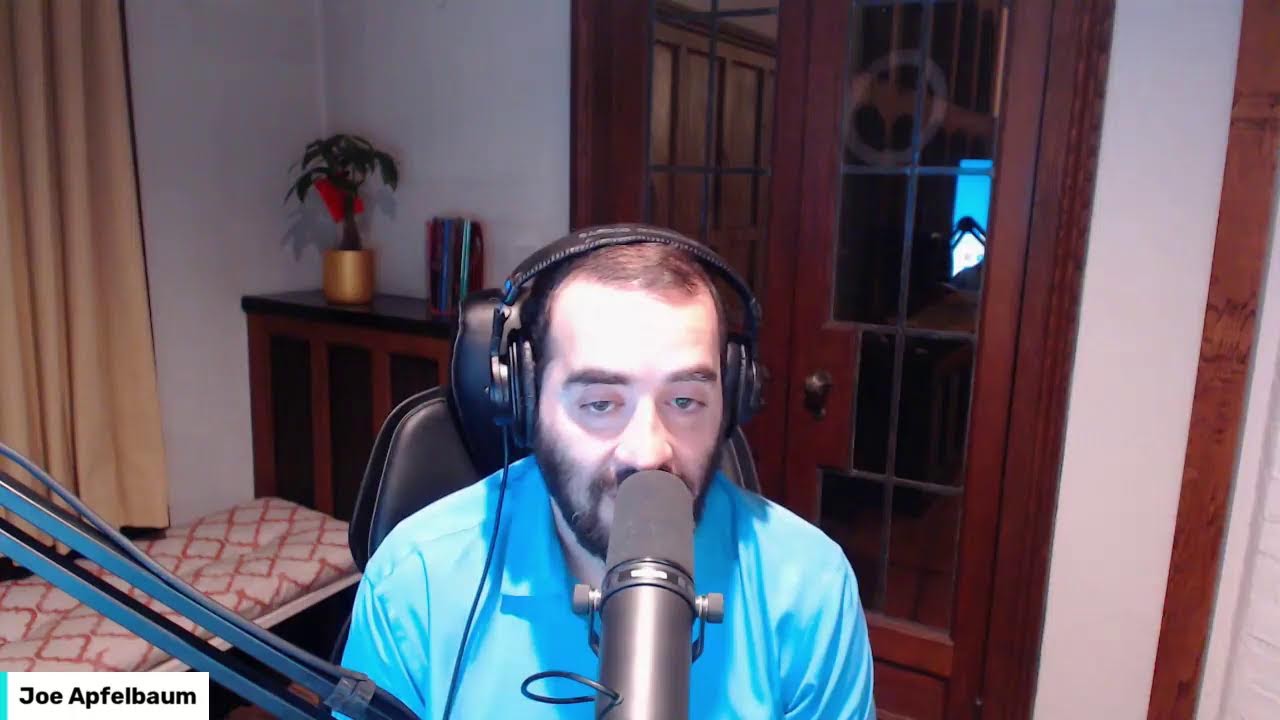
Joe Apfelbaum demos Evvy AI, a Chrome extension that generates LinkedIn posts, comments, and direct messages, then schedules them across LinkedIn, TikTok, Instagram, Facebook, and Twitter. The tool costs $29 a month or $15 annually and includes an affiliate program. Apfelbaum walks through its 11 core features and explains why it doesn't violate LinkedIn's terms.
Chapters
Intelligence with LinkedIn. Well, you've come to the right place. My name is Joe Apfelbaum, and today I wanna show you how to use AI with LinkedIn. There's a lot of different things you can do, but first let me share my screen and show you something pretty incredible. I'm gonna go ahead and click share, share this window, and let me show you something. Check this out. I used AI to create this clip. Excuse me. All right, so now I'm going to go in here. I'm going to select this clip. Clip right here. And instead of growth, which is that, I'm going to search for strategy. I'm going to press search. It's going to find things related to strategy. I'm going to put this one right here. I really like this one here. So let's see what that looks like. Okay, so I'm over here. I'm going to click here. I'm going to type in LinkedIn, press search, and let's see if we can find something related to LinkedIn. I'm going to type in social media, search. Okay, this one's pretty good. This one's also pretty good. I'm going to select this one right here. Let's see. So I'm gonna go here, I'm gonna write content calendar, search, and I'm gonna add a content calendar. Let's see.
I like that.
Now, where did I get this script? So if I go into here and I go to my Heavy AI recent stuff, I'm going to click on see all and I'm going to go down to the post. I'm going to click on this post here. There's a bunch of different posts that came up. Let's see this one here. Yeah, so I took one of these posts and turned it into a video just like that.
All right, let's see who's looking at this video right now.
Let me see if anybody's looking at it. Give it a like if you're watching me live. I see a bunch of people are watching live. I'm gonna give it a heart. So if you are watching this video live, give it a like. I'm actually very relaxed right now because I did some acupuncture. So I'm just chilling, editing a video, relaxing. Usually I'm very high energy moving around, but today I am really chilling like a villain. I went to the acupuncturist. I wrote— I actually did a post about the acupuncture that I did on LinkedIn. And I'll show you the video that I did while I was on the acupuncture table. If you're wondering the types of things that you can post about on LinkedIn, let me just quickly show you. I'm gonna go to this window, open it, share it. Let me know if you're watching this live right now. I'm gonna click here. I'm gonna click on show all posts. You can see the post of the video that I just did. Check this out. Okay, so I wrote over here, I'm at the acupuncture bed waiting for the doctor to put 27 needles in me. I'm curious to know if you've ever done acupuncture before. I'm going to be talking a bit to my acupuncturist about artificial intelligence to help him use AI to build out his digital marketing.
Okay.
Okay, so I'm gonna be doing that with him. But I posted this on LinkedIn and 700 people saw that. You know, I really enjoy being able to post on LinkedIn and so many people see that.
Now, I don't have to wonder about what to post on LinkedIn.
I always have content to post on LinkedIn because my AI, my trusty AI helps me be able to create content very, very quickly. I also use Canva to create content relatively quickly. And here's all the different things that I've done.
So if somebody leaves me a comment right here, I'm gonna click on comment.
I can easily reply using artificial intelligence. I was waiting to come back to my computer so I could use Evie AI to reply to all these people just like this. Dr. Alexandra Rosa, absolutely, acupuncture is a game changer for many. Thanks for the encouragement. You see that? I'm gonna go here. I'm gonna reply to Joss. Just like that. Yep, I'm just going to reply to him just like that. It's going to insert, hey, Joss, thanks for sharing your experience. It's interesting how acupuncture can affect people, blah, blah, blah. If you're ever curious about integrating AI into your strategies, let's connect. Okay, I'm going to tag him by pressing the@ sign next to his name and doing Willard. Send. And then right over here, I'm gonna do this as well. Just respond. Now I can write something, think about what to write something, but it's much, much faster for me to just click on his name, read it, reply, and that's it. So I just replied to him just like that. I replied to all those people. If you're watching this live right now, give this a like so I can see who's watching this live. It looks like Bonnie is watching this live. Thank you so much. Thank you for testing out the comments. Go ahead and put a test comment in. I'm gonna give her a like. I'm gonna say, got it, @Bonnie. Okay, I'm gonna press send and she's gonna get a notification that I replied. Pull up her profile. She's in California. Look at that. Now what I'm gonna do is I'm gonna send a connection request to Bonnie and I'm gonna use Evvy AI to draft up the connection request. You see that I hit generate over here and it's going to figure out what to write. It wrote her name, it wrote some context, and I press send and I just sent her a beautiful connection request.
I'm also going to save her profile into Evvy AI.
And once it saves the profile, I'm going to click the dropdown list over here and I'm going to put her in LinkedIn Live. See, I have a folder for all my people that are watching my LinkedIn Lives. I can message them and email them and connect with them and so on. It looks like she's the founder of the Butterfly Lab. She finished her school in University of Queensland. See that? Interesting. I see if she posted anything recently. I click on show comments. I see she hasn't really posted much. Last time she posted was 3 years ago. So if you want to post on LinkedIn, you can use Evie AI to post. You can Click on Post Writer right here. You can select your goal, you can select your tone, you can select your persona, and then you can write what you want to write about. So in this case, if I want to write something about you, I could just write information about you, press Generate, and it'll write a post just like that. If you guys have not been using this tool, here's a Chrome extension that you can download. Really easy to use. Highly recommend downloading it and using it. And yeah, that's what it's about. So go ahead, leave a comment, let me know. Stuart Little said, this is super interesting. Yes, it totally is. I'm gonna click on Stuart's profile right now. Guys, leave a comment, let me know if you're checking this out. He is in New Zealand. Ooh, what happens in New Zealand? I've never been to New Zealand. He said Demand Creators Agency 8. Let me see if the last time he posted, Looks like he just posted over here 1 hour ago. So I'm going to give it a like. I'm going to drop him a comment just like that. You see that the way I quickly leave a comment for him? So Stuart Little, I highly recommend you check that out because using Evie AI can really change the game for you in just seconds. You can start leaving comments. So if I want to send you a message, for example, I can have the AI write the message. Thanks for watching my LinkedIn Live. Let me know if you want to try evviai.com. Would love your feedback as a business LinkedIn expert. Generate. Let's see what he writes. So I can just send him that, or I can say, thank you so much for tuning into my LinkedIn Live. I'm thrilled that you're interested in Evviai. Cool. I'm gonna send that to him just like that. And I just sent him a nice little direct message written up by the AI, but of course I made sure to modify it just a little bit. So that's, that's how you do it. This is how you do it. I'm gonna add him to LinkedIn Live, save him right over here, and boom, I just saved his profile so I can take a look at it later and I can keep track of what he's been commenting and so on. Okay, so if you guys haven't been doing this, highly recommend it. All going on here, bro. Okay, I'm sure things are going on. Guys, give this a like if you haven't liked it yet. Highly recommend you like it. Give it a heart, give it a, give it a, um, a light bulb, and so on. Also, if you want to hit the repost button right over here, feel free to hit that repost button so more people see it.
All right, let's rock and roll and, uh, do some more stuff.
So I showed you how to comment, I showed you how to write a post. I showed you how to create a new message.
So there's a lot of things that you can do with AI.
There's a lot of things that you can do with Evvy AI. It's very, very powerful. So what I'm gonna do is I am going to create a list of all the different things you can do with AI. So check this out. I'm gonna click on Start a Post. I'm gonna click on the Evvy AI logo here. I'm gonna choose my persona called Evvy AI. I'm going to make it promotional. The tone will be authoritative. Here are the 11 features that Evy AI offers in the Google Chrome extension and in the web platform. Number one, posting. You can post, you can create posts with both the web platform and the Google Chrome extension. Each post has a hook, main points, and a call to action, and we even Include hashtags. Okay, number 2, comments. You can create comments with the Chrome extension right on LinkedIn. You can comment on connections. Second-degree connections, and even reply to the comments people leave on your posts with one click. 3, you can direct message people via our Google Chrome extension. Even if someone wants to sell you something, you can reply quickly. Include the rest of the things that AI can do. All right, I'm going to press GPT-4 generate. Let's see what it does. So I wrote 3 of the things. Let's see if it does all the full 11 things because I'm not going to sit here and write the whole thing up. Although I can write the whole thing up quickly, I'm having myself— I'm gonna press Ctrl+C so I have a copy of it. Ever wished you had a professional assistant on LinkedIn? Meet Evvy AI, your intelligent LinkedIn assistant. Our Google Chrome extension and web platform come packed with 11 features: posts, comments, direct message. That's just the beginning. With Evvy AI, you'll draft smart posts, reply to messages, create custom connection notes, and it can even help you write recommendations. Our unique feature personas allow you to customize Evvii AI with your information. We also help you stay top of mind with your top connections by storing their LinkedIn profiles and showing their recent posts. Want to increase your company's exposure and credibility? Use our company page to leave comments. We're here to help you gain more exposure, so check out evvii.ai today to link to more success. Okay, so check that out. All right, now upgrade to premium at evvii.ai. www.avi.com/upgrade.
Okay.
So now I'm going to insert this right here and I'm going to press post. So I just posted this on LinkedIn. How long did it take me to post this? You guys watched me do this in real time. You see that? Now, if I want to turn this into a video, I can also turn this into a video. You want to see me turn it into a video? Watch this.
I'm gonna lean into the camera just a little bit, just like this.
And after this, I'm gonna have the AI turn this into a video.
Watch. Ever wished you had a personal assistant for LinkedIn? Meet Evvy AI, your intelligent LinkedIn AI assistant, ready to supercharge your LinkedIn experience. Our Google Chrome extension and web platform come packed with 11 powerful features like Crafting posts with a hook, main points, call to action, and we even add hashtags. We also allow you to leave comments to engage with your connections, even your second-degree connections, and respond to comments on your own posts with just one click. If you want to be able to respond to messages quickly, we also offer direct messaging. Even when someone's trying to sell you something, you can turn around the conversation and try to sell them something back. And that's just the beginning. With Evvy AI, you can draft smart LinkedIn posts, reply to direct messages, create custom connection notes. You ever send somebody a connection note and you're not sure what to write in the note? Well, Evvy AI will tell you what the context is, put their name in there, and it'll save you a ton of time. If you wanna leave recommendations for your connection, Evvy AI can help you draft those recommendations very, very quickly so that you don't have to like worry about leaving the perfect testimonial for your LinkedIn connections. Evy AI will also help you optimize your entire profile. We'll help you save connections into lists so that you can strategically comment on those particular connections very quickly. We can help you get a top voice badge by helping you contribute your perspective to collaborative articles. And of course, my favorite, using Evy AI personas to help you train the AI to know exactly who you are. If you want to be able to learn how to leverage AI, then join our next webinar. Go to evviai.com/webinar. I'd love to see you there. Do you see what I just did? I used the post that Evvy AI created on my behalf and I turned it into a video. Later, you're going to see that video on LinkedIn. Why? Because I have AI Edit videos for me in just seconds. I can take this entire LinkedIn Live, throw it into artificial intelligence, and boom, it's just done for me. I don't have to think about it. Let's see who else has been commenting on my recent posts.
I'm gonna go in here, see what people are saying.
Looks like you guys are still watching. I'm curious to know what you do for a living. Go ahead and engage with me in the comments of this LinkedIn Live. I'd love to see you guys there. I'm going to see all my recent invitations here on LinkedIn. I see all these people are waiting to connect with me on LinkedIn. Look at this. I have over 1,000 people waiting to connect with me on LinkedIn. Should I accept all these people's connection requests? Well, technically I can't because LinkedIn limits how many connections I can have. You can only connect to 30,000 people on LinkedIn. So I have to be pretty selective. When I'm adding people on LinkedIn, but that doesn't mean that I'm not going to build relationships with all these people. If someone tries to connect with me, for example, Perry, I know I had a conversation with him. I'm going to accept it. You see that? But if somebody, I just don't know who they are, or they don't have a photo, or they have a fake profile, I don't know that I'm going to accept it. Or especially if there seems like they might want to try to sell me something. See that?
I don't know.
So they're trying to sell me something.
I'm not really interested in connecting that way.
This person says he has a LinkedIn Top Voice. That's pretty cool. We help people get a LinkedIn Top Voice using Evvy AI.
I love helping people get a Top Voice badge and watching them get a Top Voice badge.
You wanna see mine? Just go to my profile. You'll see right here it says top. Digital Marketing Voice. Do you have a Top Voice badge on your profile? If you do, let me know in the comments. We'd love to see your Top Voice badge and take a look at it. Now I'm going to go in here and see who's been commenting and who's been liking on this particular post. I do see that I had 4 likes.
Let me see who liked it. Rolando, Bonnie, Stuart Little.
Now I'm going to go ahead and I'm going to like my own post here. I'm also going to like it from a variety of different company pages. So that I increase the amount of like count on this particular post relatively quickly. Do you see how quickly I'm increasing the like count on this post? This makes my life so much easier in terms of being able to get likes, because now I can increase my like count up to a large amount relatively quickly just by clicking on these company pages and liking my own page.
So you see, I'm going to get up to 10. Likes, just like that. I'm going to go down here, Joe Applebaum. I have a company page for myself as well, and then I'll go to Barbie App, Joe Barbie, and boom, I just liked it from there. So now I have 10 likes on this post, just like that.
Isn't that awesome to be able to like on your own post and get 10 likes just like that?
So let's see, Alexandra. Celebrated in my comment. I'm gonna click on it.
I'm gonna ask her a question. I'm gonna engage with her.
Now I'm trying to click on the message button and it's not loading for some reason. I'm gonna refresh the page and see if it loads now. Do you ever go on LinkedIn Live? I'm on right now. Okay, I just sent her a message saying, do you ever go on LinkedIn Live? I'm on right now. Let's see what else people are saying. Okay, so Kate says, I have a top digital marketing voice badge. So let's check out her voice badge. Let's see.
Oh, look at that.
She has a top digital marketing voice just like me.
Cool.
I'm going to hit accept. She's a real person. And I'm going to thank her for connecting with me on LinkedIn. I'm gonna click on my network. On the left side, I'm gonna click on connections. And I'm gonna hit message this new connection and hope that the thing pops up, but it's not popping up. So I'm gonna refresh and I'm gonna hit message again. And now it popped up and I'm gonna say, thanks for your comment. I appreciate you. See, I'm building a relationship. I'm going to click on her Top Digital Marketing Voice badge. I see she has a Top Digital Marketing Voice and she has a Top Content Marketing Voice badge as well.
I'm going to find her recent post over here.
She posted this one day ago. You see that?
I'm going to go ahead and I'm going to leave a comment for her just like this.
Check this out. Look how quickly I'm going to leave a comment. I'm going to change this to Joe Apfelbaum. I'm gonna generate a comment just like that.
Tremendous achievement, Kate.
I'm gonna tag her. Registering an NGO is a pivotal experience. Perfect. See that? I just left her a beautiful comment. Now I'm gonna go look at Stuart Little. He said, let's go. I'm gonna say, yes, please. Yes, please, Stuart. Just like that. I'm gonna click on recent activity over here just to kind of see my recent activity, see what's been cooking over here. You see I have 10 different likes over here. Let's see what comments I have going on over here. I love that. I'm gonna say thank you. I'm gonna reply here. I'm gonna say thank you too. All right guys, let me know what you do for a living in the chat. I'm curious to know what you guys do for a living. This is a little demo of Evvy AI. Hi, I'm a realtor. That I showed you guys how it works.
I'm also gonna show you how to come up with ideas.
Ideas. I'm gonna click on the idea generator. Give me ideas about how to come up with ideas when brainstorming. Okay, I'm gonna go here. I'm gonna do Joe Apfelbaum 2, generate ideas. Let's see what it does.
Okay.
Give me ideas about how to generate ideas when brainstorming. Now I spelled it all wrong because you don't have to spell things right for the AI. The AI figures it all out. It just knows how to do it. So let's check out this post over here, see how it came out. Press download. And let's see how this post came out right here.
In a fast-paced digital era, it's critical for leaders to continuously grow and adapt. Am I right? That's where personal development comes in. It's all about investing in yourself, honing your skills, and expanding your knowledge. But here's the exciting part. AI can be an incredible ally in this journey. LinkedIn, with its vast network of cutting-edge AI algorithms, offers a treasure trove of opportunities for personal growth, from curated content to industry insights to skill-building courses in LinkedIn Learning and networking events.
This— Okay, that's cool. So what I'm gonna do is I'm going to go to app. I'm actually going to copy this content. I'm going to go to app.ajaxunion.com. I'm going to log in to my Joe Apfelbaum account. And now I'm going to go to marketing. And I'm going to create a new post here, create a new post. I'm going to do it as a reel. I'm going to select the social account. So in this case, I'm going to select My TikTok account, and I'm going to ask Evie AI. Oh, look at that! It gave me all these ideas. Ooh, I like that one. So it's going to write me a post about AI-powered brainstorming. In the meantime, I'm going to app.evai.com. /postwriter. I'm going to tell it to write me a post for TikTok, just like this. So it's going to write me a post about this for TikTok specifically. This is a really great post. Ooh, it even put a quote from Albert Einstein. I like this. I like this post a lot. Look at this post. I'm going to copy this post. I'm going to drop it in here. Oh, there's a character limit. 149 characters. Okay. All right, let's try that. Okay, now I'm gonna press post. Let's see who can view this video. Everyone. Allow users to comment. Duet and Stitch. And I'm gonna press post. Schedule, schedule post. Actually, I'm gonna hit cancel post. I'm just gonna hit post now. Video required. Okay, well, I'm gonna add the video. Where is the video? Upload a file. Let's see, upload file. And did I add it? All right, so I just posted this to TikTok. I just posted a video on TikTok. Let's see what that looks like. TikTok.com slash Joe Applebaum. Something went wrong. Refresh. Let's see. I'm not sure if it's live or not. I don't— oh, maybe it's processing. Maybe it takes a minute to process. This is my TikTok over here. So I, I just dropped it on my social calendar. Oh, it says February 15th at 8:22 PM. That's now. I just posted this. Oh, it says in progress. Okay, so I guess it's uploading to TikTok. But I'm able to post to Facebook, Instagram, Twitter, LinkedIn, like all these other places using this social planner tool. If you guys want access to this, just go to unlimiteddigitalmarketing.com. We have a really, really great tool for you guys. If you want to be able to check it out, I'll post it as a comment over here. I'm going to go to my recent activity and I'll drop a comment here. If you guys want access to this, just let me know. More than happy to have you guys join this and try it out for free.
I'm not going to charge you unless you need support and then I'll charge you.
Check out this tool. Okay. Hopefully you guys are interested in learning more about that. This guy wrote, nicely done. This is another— this is another post written by Evie AI. This entire post here was written by Evie AI. You see? You see that? I posted this. All these people are commenting. Love your get-it-done energy. Problem-solving genius. Let's see who's liking this. He's liking this. Nicely done. Cool. I'm loving it. He said, how different? How's it different than using? We are integrated into LinkedIn directly, and you don't need prompts. We also let you save profiles just like that. That's what we got going on. Um, yeah, so I highly recommend you guys check out Evy AI. If you go to evyai.com, you can definitely check it out. You can improve your credibility and engagement on LinkedIn. If you decide you want to upgrade after, you can try it out for free without a credit card. You can go to evyai.com/upgrade. You have the option to upgrade for $29 a month, or if you click on the yearly box, you can get it for $15 a month if you prepay for the year. So that's 50% off. I highly recommend you guys get this version here 'cause it's the same thing as the monthly, but you end up saving 50% off because you just prepaid for the year. That's for a limited time only. We will be raising the price. If you do wanna become an affiliate, you just click on Become an Affiliate, and then you can just register to become an affiliate right over here. You see it says Register Now, Check Your Email, Download Assets. If you click on Download Assets, We have lots of assets that you can download over here. You see, we have social media posts for Twitter, for Facebook, for Instagram with copy. We have emails that you can send out to your contacts. We have ads if you want to advertise it. We have blogs, testimonials, videos, and so on. So yeah, so if you want any of that stuff, you can get all your assets right from the affiliates page in case you were wondering. All right, so I have this really, really good post over here about curiosity.
I'll probably use it tomorrow.
I'll probably use this curiosity one tomorrow. I'm gonna press copy and I'll put it into my app.ajaxunion.com account, into my social planner. See that? This one's published. Ooh, I love that. Let me see what it looks like on TikTok now. Wow, what a great, what a great video that the AI wrote for me. I love that. That's a great video. I can keep posting. I can keep posting videos. So I'm going to go here, ignore. I'm going to press new post, create a new post. I'm going to specifically post this on my LinkedIn tomorrow. So I'm gonna click on my LinkedIn. I'm going to paste the content in here. You see that? Unlocking the potential of AI for brainstorming sessions. You see that? Now what I'm gonna do is I'm gonna click on image and I can create an image using AI or I can upload from the library. So I'm gonna click on image using AI. I can literally click any image style I want and I can create an image using AI. So for example, okay, one variation, and I made it colorful. I'm gonna do colorful. I'm gonna hit generate. Let's see what it does. Oh nice, I like that. I'm going to press continue. And now it just generated an image. I'm going to press post. I'm going to schedule a post for a later time and date. We're going to do this for tomorrow at 8 AM. Tomorrow at 8 AM, this is going to go live. Post.
You see, now this is scheduled for tomorrow. Just like that, I scheduled a post.
How cool is that? Highly recommend you use tools like this in your arsenal. If you're not using tools like that, I can give you access to these tools. It'll save you so much time.
Let me know if you're interested in getting access.
You could just go to unlimiteddigitalmarketing.com to get access to Really cool. And you could also send emails to people. It's really, really cool.
Um, hey, tuning in from Ohio, glad to see you here.
You see that? All right, I'm gonna stop sharing. Somebody told me today, he said the following.
He said, Joe, I have a problem. I said, what's your problem? He said, my problem is That I overthink posting on LinkedIn. Does that resonate with you? Do you overthink posting on LinkedIn? He said, well, my posts never come out perfect. I'm trying to get to perfection. And I said, that is just resistance. I read a book called The War of Art. It talks about this concept of anytime you try to do an entrepreneurial endeavor, You're going to face resistance inevitably. It's going to try to stop you. And what you need to do is have persistence to that resistance. You need to take action anyway. You need to overcome the procrastination, overcome that resistance, and stop the little voice in your head that's trying to stop you. And instead, just post anyway. The post doesn't have to be perfect. With AI, you'll get it to be pretty darn perfect, but don't overthink it. Just put yourself out there and see what happens. Put yourself out there and try to build relationships, connect with people. You're gonna make some mistakes, but you learn from your mistakes. If you never make any mistakes, how are you supposed to learn? You learn from putting yourself out there, from trying, from doing. I promise you, after you post 100 posts on LinkedIn, you're gonna know what works and what doesn't work. You're not going to do the same thing over and over and over expecting different results because that's the definition of insanity. Insanity means doing the same thing over and over and over expecting different results. So I want you today to sign up to evyai.com. Go to evyai.com and try out the tool. I'd love to get your feedback. I'd love to know what you think of the post writer, of the idea generator. I'd love to know what you think about the comment creator. Someone else asked me today, said, Joe, is this against LinkedIn's terms and conditions? I said, absolutely not. We don't even have access to your LinkedIn account. We don't care what LinkedIn account you use. You could literally use any LinkedIn account you want.
We don't have access to your account.
We're just like a content generator. We just read a post, generate a comment. You can decide to use it. You can decide to change it. You can decide to modify it. We don't even know what username and password you have. Like, it doesn't matter to us. We're just here to generate content, to make your life easier, to help you save profiles, to strategically comment, engage, and message so that you can get authority, credibility, so you can book meetings, so you can get exposure. Don't you want more exposure on your LinkedIn profile? With our AI assistant, we will help you get more exposure on your LinkedIn profile by helping you stay top of mind with your network. LinkedIn has a billion people on it right now, and I want to help you get more out of LinkedIn. So today in episode number 41 of my LinkedIn Live, I'm excited that I was able to demo the software for you to help you grow your business. Now I'm going to rest, lay down, go to sleep early. So this way tomorrow I can wake up and go to the gym. I already hit my goal for the gym this year. So I'm really excited about chilling like a villain and helping you guys succeed. Stuart Little asked a question. He said, is it supported by LinkedIn? Does it cause any issues with LinkedIn's terms and conditions? It does not cause issues with LinkedIn's terms and conditions because it's not automating LinkedIn. It's not automating LinkedIn. It's not automating LinkedIn. It just writes content. That's all it does. It writes content in the comments. It writes content in the messages. It won't send the content to LinkedIn. It won't send the content to your content, to your contacts. You have to be the one that hits send. It's like using Grammarly. It's like using LinkedIn's AI. LinkedIn also has an AI. It's just not as smart as ours. LinkedIn's AI is pretty dumb. As a matter of fact, try it, compare it. Use it. You'll see what I'm talking about. LinkedIn is very powerful, but understanding how to leverage it, that's the key. And most people don't even know how to leverage LinkedIn. Somebody called me today and he said, Joe, I'd love for you to train me on how to use LinkedIn. I said, so come to our LinkedIn Accelerator training program. We have a training program that's happening on March 20th. It's 6 hours with me. And I show you 50 different strategies on how to leverage LinkedIn. Everything from adding more connections to strategically telling stories, to optimizing your profiles, to using a bunch of different technologies to speed things up. You don't have to be a master of LinkedIn in order for you to leverage LinkedIn. You just need to have the right strategy. I believe that the right strategy will save you a decade. If you wanna make more money, if you wanna succeed, you need to have a strategy. And I wanna be your guide to help you create that strategy. So if you need support, let me know. I'm always happy to help you.
Send me a message.
I'm here on LinkedIn to support my network, to help them grow. And I'm going to be on LinkedIn Live 244 times this year. Why? Because I committed. I committed to doing it. And today's 41, day 41. Thank you very much for being in my life. Thank you for checking out my profile. Thank you for leaving comments. Thank you for liking this post. I'm looking forward to seeing you again very soon. What are you guys gonna do tonight? Anything exciting? Let me know in the comments. Do you have any plans for the evening? Do you plan on going out? I don't know. It might be a different day for you.
It might be the next day.
In some places in the world, it's the next day already. And this is an international crowd. LinkedIn is not just a regional thing. It's an international crowd. I have people from Nigeria, people from the Middle East. People from Africa, from England, from North Carolina, from Brazil. People tune in from everywhere to watch me on LinkedIn Live, and I love it. I love being on LinkedIn Live for that reason, is because I'm able to talk to an international group of people. That's very powerful.
What other way can I just start talking and an international group of people just join and start having a conversation with me?
Is there another way? There is no other way. I don't know of another way. For me to be able to just get up here with a microphone, start talking, and people start paying attention.
That's very powerful.
Well, anyway, thank you so much for being here with me today.
I'll see you guys in the next video.
More from Joe


How to Beat the Algorithm: Remove Hidden Watermarks & Scale Content with evyAI









AEO & GEO: SEO's Future Explained! Master Answer & Generative Engines! #shorts