99 LinkedIn Hacks That YOU MUST HAVE
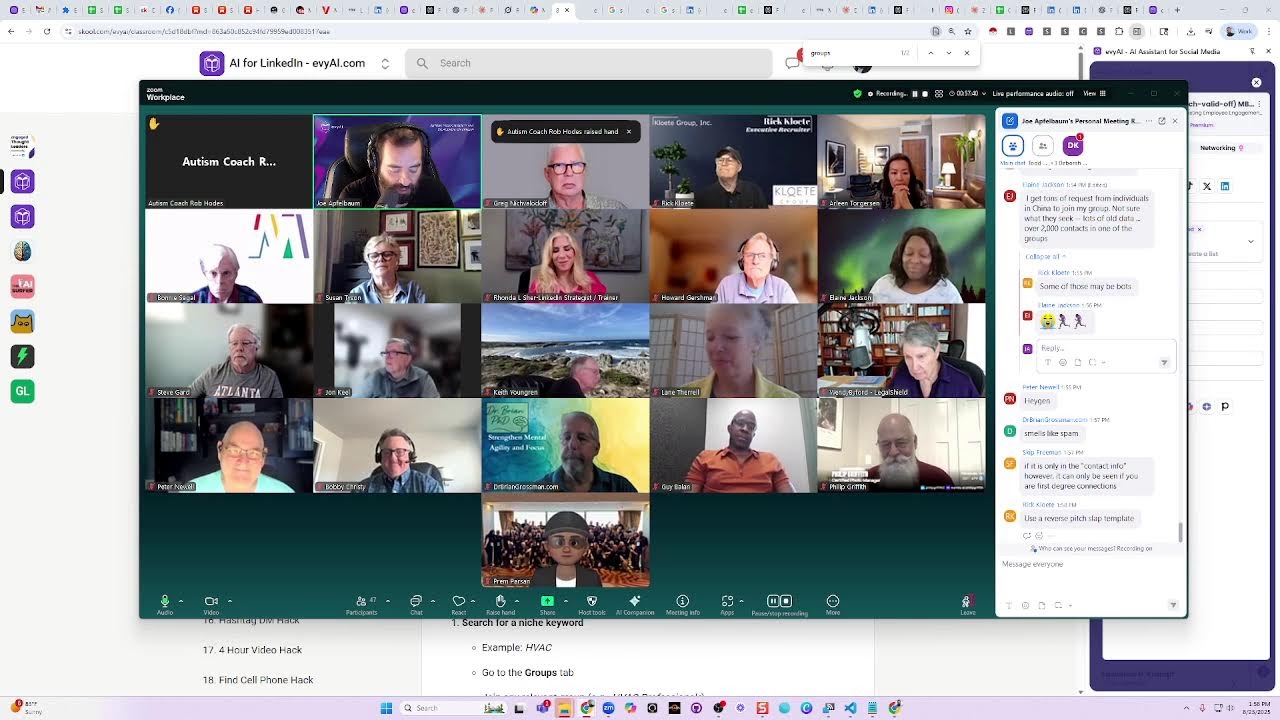
LinkedIn strategist Joe Apfelbaum shares 99 tactics for the platform, from finding hidden contact info and booking links to advanced search operators and video post strategies. He covers when to automate and when manual work beats bots, plus how to use events, newsletters, and polls for leads.
Chapters
You guys know what a LinkedIn poll is? It's like a survey. Okay, so I went on LinkedIn.
Most people don't know how to create a poll, but this is one of the hacks.
You create a poll and you say, I have an idea. This is what I want to do. If anybody's interested in this, say yes, I'm interested, no, I'm not interested, or I'm interested but only if it's free. That means that anybody that said first yes, I'm interested means that they're willing to pay something for it.
I think the poll is going to be sooner than later because of Vanessa's history.
Okay, hang on a second. I just muted. I think I just muted everybody because we don't need to hear all that stuff. Mute all current participants. We don't need to hear everything.
Guys, just make believe you didn't hear any of that. Rhonda, we erased that information from our head. You didn't say it. Oh my God, that is too funny.
Okay.
You didn't say anything. Don't worry about it. You didn't say anything at all. Okay, so this is what the idea— the idea was I put up a LinkedIn poll, a survey, 'Cause I wasn't sure if anyone's really gonna want this. So I said, yes, I said, I'm gonna create a thing called 99 LinkedIn Hacks. I woke up one Sunday, I had lots of ideas. Okay, I'm constantly with ideas. But I'm not gonna execute on the ideas unless it's a good idea. Do you guys get what I'm saying? It needs to be a lot, most of my ideas are terrible ideas. But if it's a good idea and everyone agrees that it's a good idea, so how do you know if everyone's gonna agree if it's a good idea? If 100 people pay you to do the idea, it's a good idea. That's what my team told me. It used to be 10, now they upped it to 100.
Hmm.
I said, if 100 people pay you, then we're gonna go for it. If 100 people don't pay you, we're not gonna do it 'cause it's a waste of time. We go with your ideas and nobody pays for it. What's the point? So I put up a poll, 171 people voted, 151 said that they would pay, okay? So what'd I do? My team's like, I said, people are gonna pay, let's do it. And I said, no, no, no, no, no, people have to pay to do it. I'm like, okay. So we made a checkout page and I sent it to the 151 people and 100 people paid for it. And I was like, now we're stuck. Now we have to do it or we have to refund everyone the money, right? So we went ahead and I looked into it and I was like, I don't have any time on my schedule to record 99 different courses and then edit it and go create all the scripts. So what am I gonna do? I said, I'm gonna use my— I'm gonna clone myself. I made a version of myself that's cloned. That's what I did. I cloned myself. The ideas are really good. And I'm gonna show you some of the videos today so you get an idea of what they are. Um, and if anybody wants access to it, it's $1,000 for the course. But today, if anybody's here today before we launch, I'll give it to you for $900 off. So less than $1,000, less than $1,000 bucks. If anyone's still interested, write 99 in the chat. But we already closed the door because 100 people paid. So check this out. I'm going to share my screen real quick. I'm going to share my screen. By the way, I took a screenshot of all the people that were in the event with us, Carol Ann, just before. And I had AI make me a whole spreadsheet. So that's besides the point.
If you want the spreadsheet, I don't know if—
That's so crazy.
I don't know if I sent you this spreadsheet, but I just pasted it into AI and we did that. But so this way I can know who to follow up with. Okay, so we go into the school community, we click on the classroom, we click on the 99 Hacks Crash Course. All of you that paid for it will have access to all this. So we have 99 hacks. Here are the 99 hacks. Number 1 is we have the profile links. Oh, number 1, we changed the number 1 hack. Because my team wanted to change it.
So the number 1 hack we moved down to, to be a bonus hack, and we're adding number 1 hack, which is gonna be a different hack. Okay.
So, well, look at all these hacks. These hacks are like, find out who's online, how to paste a GIF, how to find people by first name and DM all the people with the same DM with the first name, how to send 800 InMails, how to message before you actually connect with someone. How do you, how do you message someone even if you're not connected to them, even with a free account? How do you download somebody's last 50 posts? How do you save a group of mentions and then mention everyone at the same time under a post? How do you— guys, think about that. Think about all these different— if you knew all these hacks, how valuable would that be for you? And let me just show you what it looks like. Here's an example of like find WhatsApp numbers hack. So check this out. I don't know if you guys could hear my, my audio.
I don't think you could hear it. Let me—
by the way, where are you dialing in from in the chat?
Tell me where you're dialing in from. I'm going to stop sharing my screen, then I'm going to share the video. I got to share my audio.
Where are you dialing in from, ladies and gentlemen? We got Bobby from Atlanta, Scott from Orlando, Arlene from Burbank, California. So we got him from Montana, Guyana, from Montana to Guyana to Vancouver to Ohio. Oh my God, so many incredible people, guys. Check this out, ladies and gentlemen. If you want to share your LinkedIn URLs in the chat, feel free to do that so everyone can connect with you. Okay, so I just shared my screen. Let's listen to this video. It's under a minute, so let's listen to it.
Welcome to Hack 36, the WhatsApp connection hack. This hack helps you find people's WhatsApp numbers using nothing but LinkedIn and a little search savvy. Let me show you how to do it. Start by searching the word WhatsApp on LinkedIn. Then filter by people and select first-degree connections. You'll see tons of profiles where people actually list their WhatsApp number. Some say text or WhatsApp me, others link straight to their number. Want even more? Search WhatsApp me in quotes. Then try it with second-degree connections too.
You'll uncover Do you guys get what this means? What this means—
I'm gonna stop sharing my screen for a second.
What this means is you can directly WhatsApp people that you're connected to on LinkedIn that just have their WhatsApp number right on their profile. So instead of trying to connect with them or trying to message them on LinkedIn where they're getting a bunch of spam, you go straight into their WhatsApp because they wrote WhatsApp me. Now, if somebody says WhatsApp me, don't, don't they want to get WhatsApped by you? Isn't that the case? Do you guys not use WhatsApp? Use WhatsApp. I highly recommend you use WhatsApp, by the way. I highly recommend you use WhatsApp. WhatsApp is a way— it's even better than SMS because with SMS you can't send things to certain countries or whatever. It's a little hard. But WhatsApp is WhatsApp. In WhatsApp, I can call you. I can video chat you. I can see a lot of information. WhatsApp is powerful. And people don't usually change their WhatsApp numbers. You could also create WhatsApp groups. It's really powerful. So check this out. That's one. Okay. Was that— you guys got it? Write got it in the chat. If you didn't get that, I'll explain it to you in a different way. Just say got it. Or just write huh if you didn't get it. H-U-H. Huh. Looks like everybody got it. By the way, these hacks are really simple and easy to implement. Okay, Dr. Brian Grossman. If you didn't get it, it's very simple. You just you search WhatsApp me on LinkedIn, and you'll find all the people on LinkedIn that said they want you to WhatsApp them. Okay, it's that simple. But there's more. So check this out.
There's more.
Listen to this.
Cover hundreds, sometimes thousands of people inviting you to reach out via WhatsApp. Now go pro level. Open Google and search site:linkedin.com WhatsApp me real estate broker. You'll find profiles of brokers ready to chat. Copy, connect, and message them. Bonus.
Okay, do you guys understand what I just said? I said, if you go to google.com, there's the hack. You go to Google. By the way, what is your target market? In the chat, tell me who your target market is. Put it in the chat. Who is your target market?
Tammy said, oh my God, good to see you, Brian.
Who is your target market?
I'm a sales trainer. I'm gonna say sales trainer. That's my target market.
Okay, Kelly said food CPG.
Love that.
Sales consultants, heart-led entrepreneurs. You like the LED, not the regular bulbs? The heart LED entrepreneurs.
Okay.
Scott said family-owned businesses. The more specific you can get with your target market, the more likely it is you'll find them. But if you go to google.com, check this out. I'm going to go to google.com and I'm going to do it here.
I'm going to go to google.com.
This is one of the hacks. Google.com and you type in site:linkedin.com space.
I'm going to say, um, let's see what people had.
Again, if you're going to have a really bad, um, commercial drivers, firearm dealers.
Ooh, I like that. I'm going to say firearm dealer.
Okay.
And then I'm going to type in WhatsApp.
You're gonna find all the people that have the word firearm dealer and WhatsApp on their profile on LinkedIn, and you're gonna be able to WhatsApp them. You get what I'm saying? Because you're searching through Google, not through LinkedIn. And so you can go in here and you could find, look at this firearm dealer right over here, School of Hard Knocks, his WhatsApp number's right here. You see that? This guy, Mike Freer, his WhatsApp number's right here. So if you're looking for a firearm dealer, I know it's a weird, it's a weird thing to look for, but whatever it is that you're looking for, because Google indexed 1.2 billion profiles. Do you guys get it? Now, if you're searching through LinkedIn, LinkedIn might block your access because when you're searching, you can only search for first-degree, second-degree, and maybe some third-degree connections. But if you want to find everybody, you search through Google. That's the hack. Wow, wow.
By the way, all the hacks are going to be available to you guys if you get the 99 hacks.
So you need the 99 or you have the 99?
Let me know in the chat.
Do you need them or have them? It's only $1,000 if you buy it in September, but if you buy it right now, we're giving you $900 off. Okay, if you got in early, if you already paid, good. If you need it, I put up a—
I bought a domain, www.
Uh, 99hacks.club.
Check it out there.
So if you already paid, good, you have it. If you don't have access yet, Prem, and you paid, no worries, you will have access hopefully by the end of the week.
The team is just adding a few more things.
By September 1st, we're definitely— what do you want, sweetie? You want to say hello to 50 people?
No.
No?
You don't want to say hello to 50 people, my love?
What's going on? Everything okay?
My kids are off school.
Do you need a sitter? You need a sitter or a scissor? A sitter. Ask Ari.
Ari has a sitter.
Give me a kiss. Give me a big kiss. Okay, go.
Or ask Chama for it, sweetie.
I'm gonna give it to you when I'm done here.
I'm gonna give you when I'm done here. How about that?
Okay, love you.
All right, there she is.
You see her?
Her name is Rosie.
Rosie, wave to everyone at least. Could you at least wave to everybody if you're gonna be there? Just stop sticking your tongue out and be nice and wave to everyone. Be a mensch.
Be a mensch on a bench.
Okay, I'm gonna show you guys another one. I'm gonna show you another hack right over here.
What's up, sweetie? There are too many people. I know there's too many people and they're from all over the world.
So check this out. I'm gonna show you guys how to remove a connection without ever viewing the profile. By the way, do you guys know how to do this already? How do you remove a connection without ever going to their profile? So if you wanna remove a connection right now, you gotta go to their profile and they get notified and it's a whole big deal, right? It's a whole big deal. And now you have to remove them and then they'll see that you removed them. But there's a secret way to remove somebody without ever visiting their profile.
How do you do that?
So I'm going to teach you how to do this.
What's up, sweetie? I know somebody's smoking. She's like, somebody's smoking a cigar.
Like who?
That's Mike Larkin.
That's what Mike Larkin does.
She said it's not healthy. It's very healthy. When you're over 70, you can do whatever you want.
You can do—
he's like laughing.
He's like, dude, I'm 50 years old. Leave me alone. Chemicals?
It's not chemicals.
It's healthy. It just Leave him alone, okay? Just let him do whatever. It's not healthy to tell people not to smoke, by the way.
It's just not healthy.
I'm old, honey. I don't have a whole lot of time. I'm old.
He's like, he's like, I'm old. All right, so she's, she's like looking at the little videos here.
You're young at heart. You're 39 and holding, just like my mother. My mother's been holding, uh, my mother's been, been 39 for the last 61 years. She turned 100 this year.
Oh, Mazel Tov!
Mazel Tov!
That's so nice.
So guys, check this out.
Listen to this. Notified, and they really won't because you never visit.
So check this out.
Let's talk about Hack 33: the Remove Connection Without Profile View Hack. Ever wanted to quietly remove someone from your network? This can remove connection without them knowing you peeked at their profile. Here's how to do it. Instead of visiting their profile directly, which sends them a you viewed their profile alert, go to My Network, click Connections, and type their name into the search bar. Find the connection in the list, click the 3 dots next to their name, and And hit Remove Connection. LinkedIn will say they won't be notified, and they really won't because you never visited their profile. If you did visit their profile first, they'd see that you checked them out, and that makes things awkward. So avoid it.
This is the cleanest way to prune your network without leaving footprints.
Want to go deeper? Combine this with hack number 10 to filter connections by the year you connected, so you can clean up smarter, not harder. Now that you've trimmed the noise, wait till you see what the next hack is.
Do you get what I'm saying? I'm telling you to combine it with hack 10, Hack 10 is how you filter for all your connections you connected at a certain year. Say, for example, in 20—
sweetie, I need to—
you need to leave me alone for a few minutes, OK?
OK?
Can you do that?
Look, see, see the ocean.
I know there's the ocean there.
Give me a kiss.
Mwah.
Let Tati finish here, OK? You going to let me finish, and then I'll go play with you? Yes?
OK.
So guys, listen to this. Listen to this. You can filter by year. So for example, let's say you used to work in a certain industry in a certain year, correct? And you want to remove all the people that you were part of that industry for that year. You're done with that industry and you no longer need to be connected with them. You can download all your connections, put them into a connections dashboard, and then filter by that specific year using hack number 10. And then you can remove all those people using hack number 33. Now there is a technology that will allow you to automatically remove everyone using automation. I don't want to talk so much about automation because LinkedIn doesn't really let automation. It's a problem.
You get what I'm saying?
But if you need to know about automation, you can call me privately and ask me questions and I'll share everything privately. Okay. And how to do it in a way where you don't get in trouble. But you know, for the public, don't use automation, comply with LinkedIn's terms and conditions, do everything. Okay. You get what I'm saying? Do everything nice and kosher, okay?
But you guys are my friends, so I'll tell you what other people are doing that I personally never do.
But I can tell you what other people told me that they do. Is there a hack looking for a competitor profile and they don't know it? The best way to look at a competitor profile without them knowing it is by using Google and opening up incognito. Do you guys know what incognito is? When you go to Google, you have the opportunity to click on the 3 dots on top and open an incognito window. Which means you're opening up a window that doesn't have cookies.
You're not logged into LinkedIn or anything.
And then you search the person's name on Google, and then you open up their LinkedIn profile. Their profile will load up, but you're nobody. You're not logged into LinkedIn. You're in incognito mode. So that's how you can look at their profile without logging into LinkedIn and without them knowing. You get what I'm saying?
That's a smart way to do it.
The other way to do it is to rent an account or to borrow someone else's account.
Or to ask your ex to please look it up for you and send it to you or whatever, something like that. Or a friend. Just have someone share their screen and have them review it for you.
Or interview— here's an idea. You want to hear an idea? Go on Upwork, put up an ad on Upwork, and interview people. And when you interview, say, let's see if you know how to use LinkedIn. Look up my competitor and tell me everything that's on there. So they'll share their screen and show you the competitor and you just record it. Say, let's see what he did yesterday.
Aha.
Okay, good.
I'm not gonna hire you right now, but you're really good at using LinkedIn.
Anyway, couple hacks, couple hacks here.
Let me show you a couple more hacks here.
Uh-oh.
Can I clarify something? Yes. Um, so a couple of things. This, this thing that Joe is showing right here, this is the 99 Hacks course that he's talking about. It's not a book. It's not a book that's coming out that's on preorder right now. It's not a book that's on preorder. It's a course that's on preorder. And so when you— everyone that has purchased the 99 Hacks course preorder, or I just put the link in Zoom chat. If you are going to purchase the preorder for the course, it is this course right here that he's showing you. The course is going to be made up of 99 different hacks that come to you in the form of a video, but also it's transcribed below. So if in case, you know, you don't want to watch the videos, they, um, they're all below so you can skim them quickly as well and you don't have to watch through all the videos. So I just want to clarify that it's this thing that you're looking at right here. This is the 99 Hacks course that you will have access to in about a week.
Can I tell everyone my favorite hack?
Hold on, hold on. There's just one question from what I just said.
Tammy, I ordered the book the first week it came out. Does that mean I don't have the course?
Right. So there is no book at all. What you ordered the first week it came out was this course.
You pre-ordered.
Yeah.
You pre-ordered access to the 99 videos. We're actually gonna have 100 videos and we're probably gonna add more, whatever.
But there's, there's 99 videos that are part of the course called the 99 Hacks. Each video is approximately a minute long. And it also has text, like Tammy said, under it.
And you will get access to all of that. Tammy, when did you say?
By the end of the week, or next week?
In about a week. No, no, no. In about a, you know, Labor Day weekend.
Labor Day weekend. OK, so guys, when you're at the beach, chilling like villains, making your hot dogs, or whatever you do on Labor Day, as long as you're not dressed in white, because you can't get dressed in white after Labor Day, you know that's a problem, right?
I'm gonna show you my favorite hack. And then we're all gonna talk about our favorite hacks.
It's gonna be a conversation.
And the goal is to just get you updated. Again, this is not for the general public.
These hacks are private.
This is like the gold.
This is like the gold, right? You guys so far, by the way, if you got some gold here today so far, write gold in the chat because there's so much more gold.
Peter's going like this. That means gold. He's making it rain.
Write gold in the chat if you got gold.
These 99 hacks are precious to me. because I worked so hard for the past decade trying to figure them all out.
And now I'm just giving them all away. Okay, I'm giving it to you guys for a dollar a hack right now, but really it's gonna be $1,000.
That's what it's gonna be. That's what the course is.
So if you know anybody that wants it, just let us know.
You can let them know to get in by going to 99hacks.club before it launches.
After it launches, that discount won't be available anymore. Okay, so check this out, guys. I'm gonna share my screen and show you my favorite hack.
This is my favorite hack, and this really, really works well. It's called hack number 44.
Listen to this.
And by the way, sometimes you're gonna have to hear a hack many times. So if you already heard this, it's good for you to hear it and ask yourself, am I doing this? Do you get what I'm saying? Someone's like, oh, I know that already. It's not about what you know. It's about what you do. And it's about what your team does for you as well. And it's about what your clients are doing. Get what I'm saying? So if you know something and you're not doing it, you need to hear it again and again and again and again. And they're only 1 minute each.
This one's 44 seconds.
So we purposely made hack number 44, 44 seconds, cuz 44 is my favorite number.
Okay?
So hack number 44, my favorite hack is 44 seconds long.
Let's go. Let's talk about hack number 44, the Calendly meeting hack. If you wanna book more calls on LinkedIn, this one's a gold mine. Here's the move. Search the word Calendly on LinkedIn, filter by first-degree connections, and boom, you'll see a list of people who already have a booking link on their profile. Wanna go next level? Head to Google and type site:linkedin.com calendly.com sales trainer. You'll find pages of people with Calendly.
Do you guys understand what that means? That means you can book meetings with people that you're currently connected to on LinkedIn without going back and forth and being— it's not a weird thing, especially if you give them a reason in the Calendly box. You're like, hey, I'm connecting to get to know you. We're connected on LinkedIn. So, saw your Calendly link.
I thought we should get to know each other.
If that time still doesn't work for you or whatever it is, here's my cell.
Let me know. We can pick a different time, but I'd really love to get to know you. You're not booking a meeting to sell them your stuff because that's not the purpose of LinkedIn.
The purpose of LinkedIn is to connect and build relationships.
And if there's an opportunity to buy, then they buy.
But if you're going to a networking event, shoving your business card in people's face, people are going to get annoyed. What gets scheduled gets done.
I love that saying so much, but book a meeting with people.
Now it's not only Calendly. There's also cal.com and many others. Calendly happens to be the most popular. That's why I chose that one.
But if you know like HubSpot or if you know other Calendly links, save them and then you can do those searches as well for people in your target market that might use those specialty calendar links.
But you guys got the hack?
You just search the word Calendly through your connections and you'll find all your connections that have their links and then you book meetings with them.
Microsoft Booking link is another one.
Google Calendar is another one. There's a lot of different ones and there's more coming out. So Calendly is the easiest one for me to search, but there's many others out there. You just search the domain name of it.
Rick said, do it in Google, not in LinkedIn. You can do it in either, they both works on both. But if you do it in Google, this is what it looks like.
Calendly links right in their profiles. Click through, find their booking page, and instantly schedule a call. It's the fastest path from scroll to sales conversation. .com, calendly.com, Sales trainer, linkedin.com, site linkedin.com, calendly.com, sales trainer. You'll find.
Now I did create a document in our community, a clickable link.
So check this out. If you go to classroom and you go to library, and then you scroll down to where it says the target market. Let's see. Control F target.
The target market search. So it's called find leads online.
This is it right here. I'm going to copy this and put it in the chat.
So you guys have it, but check this out. If I click on this, this will automatically do that search for you. You see this?
So I can search, for example, firearms, and then I can choose the email domain or the whatever it is. I could choose LinkedIn. I can choose, let's say Gmail, and then I can select 100 at a time and I press generate and it's going to do the search for me.
You see that?
It found everyone that has a Gmail, or you can switch gmail.com to calendly.com and boom, there you go. Do you get what I'm saying? So that this tool is really, really easy to use and I vibe coded it for you guys.
Okay.
Did you, did you guys get what, what this, what this is? This gem, this vault of gems for you that are available. So that was my favorite one. The reason that's my favorite is I use it all the time and I just book meetings with people.
It saves me a lot of time.
Have you ever used that before?
Like just search Calendly for your target market? Never?
So if you're gonna use it, put a dollar sign in the chat if you're gonna use it, because dude, you should never be without a meeting.
You should literally never be without a meeting.
No more back and forth. You can book yourself solid just with that one hack. You can book yourself solid for the rest of your life. Because I looked on LinkedIn, there are tens of thousands of people with Calendly links that are looking to connect and build relationships.
So you can book yourself out literally for the rest of your life just with that.
You can also look for people's Calendly links on Instagram.
So instead of sitecallonlinkedin.com, you could do sitecalloninstagram.com and you can find your target market on Instagram with their Calendly links on Instagram.
You guys get it?
And you can do much, much more than just that. But that's an idea. Do you have scripts to book the meeting?
Greg, I don't have particular scripts to book a meeting specifically. However, if you come to our strategy session that we host monthly, we host a 2-hour strategy session.
The next one's happening next Wednesday.
I'll be happy to help you co-create one.
So there is a particular hack that you can use to download your entire LinkedIn profile.
LinkedIn temporarily disabled it and I got worried, but then they re-enabled it.
So if I go back into the community and I go back to the classroom and I go back to the 99 Hacks Crash Course, there's one called Save Profile PDF Hack.
You guys see that Save Profile PDF Hack?
So let's watch this one real quick.
Welcome to hack number 19. This is the Save Profile PDF Hack. Ever wanna grab someone's full profile in one click? Here's how.
Go to their profile.
Let's say John's. Click the more button, then hit save to PDF. Boom. LinkedIn generates a clean PDF with their full work history, education, and contact info. Even the email if it's public. Why is this powerful? Because now you can—
So let's see if this works.
Let's go to Greg's profile real quick. I'm gonna go to Greg. Here's Greg.
Is this Greg?
Is this the Greg where that was just asking the question? I think so. It looks like you're just not wearing glasses, Greg.
Greg, what happened to your glasses?
I, I, I do wear them all the time now.
Okay.
So you see, I click on the more button.
I'm just following whatever the 99 hack is, and I'm gonna hit save profile to PDF. You see that? I saved it. Now that I have his profile over here, let's open that up and see what that looks like. Do you see the way it has his email, his phone number, all his information here? So if I wanted to create a script for what to say, I can just drag this into any AI and say, tell me what to say.
I'm selling them a Calendly link.
I don't wanna sound salesy. Make me a template. And it'll go ahead and make you a template.
Amazing.
Yeah. Pretty cool that you can just drag it into AI and boom, it'll do it for you.
So that's, that's epic.
This is an epic hack that most people don't know. Like, how would anybody know that LinkedIn is hiding this feature under the more option here? You know what I mean? Like, nobody would ever know that. If you wanna do it for your own profile, you have to click on view profile and then click on resources and then you can save your own profile as a PDF. PDF. Okay, it's under resources on your own profile. But LinkedIn temporarily disabled that feature and I got really worried and I was gonna have to redo that hack.
But then it became available again and I was like, yippee yahoo, it's available again. So I don't know when LinkedIn's gonna disable stuff. So if you find that a hack doesn't work or whatever, just flag it for us and we'll make a new hack.
I probably have another 100 hacks that I can share. I just didn't wanna like, you know, there's a lot, there's a lot more to learn. That's why you come to the strategy sessions. We'll teach you a lot more.
Okay, does Evie AI research function do the same?
Yes, Sagi, Evie AI research function does the same. Um, so what he's— how do you drag it?
Chaya said it's very simple.
Let's say, for example, I'm doing research on Greg. I'm going to go here. That's not Greg. That doesn't look like Greg. Where's Greg? I'm going to go back. Here's Greg. So let's say I, I put Pull his profile open here, and I do research, say, using this tool over here. You see, it automatically pulls all his information, throws it in here. Now what I want to do is I want to drag. So I just click on this little down arrow in Chrome, and the profile 88, which is his profile, I can just drag it into.
You see, it says add anything.
So I just grabbed it from here and just dragged it in here. I could drag it in there, and I can just say make me a. Make me a template to reach out to him via Calendly when booking a meeting and redo the summary with his actual info and make it better. Whatever. I'm gonna press enter. Um, do you see the way it kind of pulled all the information together and now it's gonna redefine it? Based on the PDF that I gave it.
You see that?
So it already has some information from what it found online, but now it's finding information from his profile that I dragged in. And it's giving me a lot more information. You see, I got his email, I got his phone number, I got his website, I got his Calendly outreach template. Hey Greg, thanks for booking a time with me, blah, blah, blah, blah, blah, blah, blah.
You see that?
So you can kind of change that, make it first person, make it third person, make it whatever. You can play with it, but that's the idea. Okay, stop sharing my screen real quick.
Pause for one second. So if Joe, can you open this link for me? The link I just put in Zoom chat. So Elaine is saying, hey, it's showing $999. If you click on this link, let it load. Like it, depending on internet speed, it takes a second. Um, it takes a second to load the coupon code. The coupon code is preorder.
All caps.
Elaine, if you're not— lowercase also works, by the way. If this didn't load for you, Elaine, enter the code PREORDER. PREORDER. I just put that in Zoom chat if you have space to enter a coupon code. But if it's showing— if it's not showing $99, I would say the page isn't— is not done loading yet. So Let me know if you still have issues. Either enter the coupon code, but just give it a second to load. It should eventually load $99. That's a Stripe thing. I don't know why it takes forever for it to load sometimes.
Does any—
if anybody has any additional questions, feel free to share those questions with us, or if you want to see another hack. I'm happy to share another.
So hold on, we have a question. And also Brian Grossman said it, for example, Elaine, it took 22 seconds for Brian Grossman for it to load. So just, I guess, give it time. But Elaine, let me know if it ever doesn't load, we'll figure it out. Mike Larkin, Joe, said, let's say you want to hire a virtual assistant. Do you have any tips on hiring a virtual assistant?
Yes, I do have a tip.
Uh, step number 1 is come up with your budget for how much you want to pay. The virtual assistant, that would be number 1. If you don't know what your budget is, I asked somebody recently, what's your budget for a virtual assistant? And they said they don't know what their budget is. They don't have a budget. So step number 1 is pick your budget. Step number 2 is know your requirements for the virtual assistant. What are the requirements? What do they need to know how to do? So if you know the budget and you know what the requirements are, then step number 3 is post an ad. I like a platform called upwork.com, upwork.com. You can post an ad there, you can pay $29 and you can invite up to 100 people or so, and they'll feature it for $29. But you have to invite people because otherwise people have to pay to submit. So you have to invite people. So there's a process for that. And then step number 5 is interview. Like, you've got to screen people. So you got to interview them and then you hire them and you fail and you fail again and you fail again. And then eventually you find a good person like Jen and you keep her for a few years. Um, but that's the idea.
Was that helpful, Mike?
Joe, John says he has a hack for getting your email and phone number to show right below your banner. John Keel.
Okay, great.
Do you want to share that hack, John?
Yeah, feel free to share that hack, like, like what Rick does, like Rick Clody.
Yeah, uh, yeah, if you go to my profile, my phone number and, and, uh, email is right there. And the hack is you go down to the education section, you can see what I've done in my education section, Joe. Yep, I have, I have put my phone number and email address right there. and you have to move it up to the top, hit save, and it will show right underneath your banner.
So if you prefer to show that right by your banner, add that as your education. And if you prefer to show your education— yep, awesome. Good job. I've seen a couple people do that. I've seen Rick do it and several other people, but well done. Good hack. I like that.
That'll be hack number 101.
Go ahead.
Yeah, yeah, that's a bonus one, John. Uh, Deborah says, would love to See the Podcast Host Hack.
Oh, I'm happy to play that one for you. Um, so let's go ahead and share my screen. I'm going to share my screen. Let's go to the Podcast Host Hack. So I'm going to say Ctrl+S.
Um, just one before you show it. MK, you're asking, is the $99 for the hack program? Yes, MK, I'm putting the link in Zoom chat. It's $99 on pre-order. And let it— Elaine, I see your message. And let it load, MK. Let the page load. Wait till it says $99. If you're having any questions, let me know. The code is preorder. And now we're gonna look at the podcast hack— podcast host hack.
Let's dive into hack number 46.
Okay. So, this is hack number 46, guys.
Listen to this.
This is the Podcast Host Finder Hack! If you've ever wanted to get featured on more podcasts or build relationships with hosts, this one's for you.
Here's how to do it.
Go to LinkedIn and type podcast host into the search bar. Click on People, then filter by first degree. You'll now see a list of people in your network who host podcasts. Click Message next to one of them. Then go to the Templates section in the Evy AI side panel and click New Template. Write a simple message like this. Give your template a memorable name and hit Save. Save changes. Now click.
You guys get what I'm saying?
So you find all the people that have podcasts.
Insert to drop it into the message box. Hit send and repeat with others in your search results. You can also try second-degree connections or niche down by topic like AI, select locations, or even current company. It's a quick way to get visibility, build rapport, and land more podcast guest spots.
By the way, what topic do you guys want to get a guest? What type?
What topic would you want to speak on if you had a featured on a podcast. Most people don't even realize that you could reach out to podcast hosts because if a podcast host has a podcast, they usually write podcast host on their profile, right? So if you want to speak on a topic like emotional eating or toxic food additives or business leadership or AI marketing or personal finance, what you do is you create a template inside Evvii AI that says, hey, I speak on podcasts related to business leadership.
I see that you're a podcast host and we're connected.
Are you looking for a new guest? You get what I'm saying? And you send that same message to all the podcast hosts that you're connected to.
Now you might be, you might not even check. You might be connected to 50 or 100 or 200 podcast hosts. You get what I'm saying?
And then you do the same thing for second-degree connections, and then you can combine it with some of the other hacks to search on Google and other places. Elaine says, should we, Um, should we work for them to invite us or be okay to offer?
I mean, it depends on how big the podcast is. Usually if it's a small podcast, they're actually desperate for people.
They're actually looking for people. Um, so in that case, I would offer, but if it's a bigger podcast, I would go and listen to the podcast and I would say, hey, I actually listened to your podcast and I really appreciate it.
If you're looking for guests, let me know.
I know some experts. And then they can respond and say, I'm actually looking for guests with this expertise, and say, I don't know somebody that has that expertise, but now that I come to think of it, I'm happy to talk to you about this. Let's get on the phone and I can tell you about my expertise related to that, or what other thing. You get what I'm saying? And you have a conversation. So there's a way to do it. 'Cause if you just kind of hit them up and say, I wanna be on your podcast, for a bigger podcast, they might, like, oh, this person seems desperate. You know what I mean?
But if it's a smaller podcast, they're the ones that are usually desperate.
Um, okay.
Deborah says, I want to know that you will promote your episode. Right, exactly.
Yeah, yeah, yeah.
They will also want to know that.
Yeah.
Joe, I have a couple of questions. Um, do you have a favorite hack of all hacks, or what's your favorite hack Do you like the more complicated hacks with many steps or do you like the simpler hacks? And is there a hack of all hacks?
Well, I would say the Calendly hack, if your goal is conversations, hack number 44 is by far the best hack around. That's why I made it number 44 because it's just so simple and so easy to use and you just book yourself solid.
So I would say that's the hack of all hacks, hack number 44. The other ones are like depending on what your problem is.
Like if you want to disconnect from someone on LinkedIn, it's good to know those hacks.
They're also like hacks about how to find people's contact information, like email addresses.
There's a hack on how to do a 4-hour video on LinkedIn that's natively hosted on LinkedIn. There's a hack on how to find cell phone numbers.
There's hacks, there's hacks related to all types of stuff, and it can get overwhelming quickly. The key is not to try to digest everything at one time and to find other people in the community. That are willing to watch hacks with you and implement them together with you.
You know what I mean? Like a hack buddy.
So if you want a hack buddy, just write hack buddy in the chat. And when it launches on Labor Day, you guys could book a meeting with a few buddies and then get together and watch a few hacks together. You can't watch them all at once because it'll be very overwhelming, but maybe you'll want to watch the find prospects who post hack.
Here, let's watch this one together.
Welcome to Hack #91: The Find Prospects Who Post Hack. Wanna connect with people who are actually active on LinkedIn? This hack shows you how to find them in seconds. Go to the LinkedIn search bar and type a keyword. Let's say, ChatGPT. Click Posts, then All Filters. Toggle First Connections, and under Author Industry, type something like Advertising Services. Hit Show Results, and boom! Now you're only seeing your first-degree connections in that industry.
By the way, did you guys know that or is this new to me?
Write new to me in the chat if this is new to me. Write new to me or I knew that.
And the question is, if you know that, did you implement that? For most people, that's going to be new.
And I'm like, oh my God, I can't believe that that's available. Like I had no idea. Like, oh my God.
That's, that's the message I get from 99% of people. Like, oh shit, I had no idea I can filter by industry for first-degree connections for specific keywords. Wow. For people that posted in the past 24 hours. Are you kidding me? Are you kidding me now? You can do that? Anyway, that's one of the most powerful things.
And again, and I give a bunch of other hacks on how to do, like in that, even in that episode, I give a bunch of different things that you can do. So, um, yeah.
And I'm also thinking about like creating a series of courses called 99 Hacks.
Where I do 99 hacks on this and 99 hacks on that and 99 hacks on the other thing. Um, so, you know, series of mini courses for people that wanna learn how to do things in steps of 99.
Um, is this too much or is this good?
Like that it's like just a minute. Would you rather each hack be like an hour? 'Cause I can talk about each topic for an hour.
Tammy, what do you think?
No, no one wants 1,000 hours. 100 hours. Joe, question. Do all of these hacks work with the free version of LinkedIn, or is there any hack that you need to have premium to use, or Sales Navigator?
Some hacks you're gonna need Sales Navigator. 99—
most of them you don't need Sales Navigator, but some of them you're gonna need Sales Navigator. Um, I wanted to mix it in cuz people did say they have Sales Nav and they're not using it. Also, you could get a free version of Sales Navigator to try it out for 30 days at no cost.
So I do recommend that you go through it and save yourself the time to kind of say, is Sales Navigator worth it or not?
So it's worth it to watch a few Sales Navigator related hacks, but there's not that many. There's only a few.
Most of them work perfectly with the free version, but some of them work with only premium.
Some of the features only work with premium and LinkedIn keeps changing what's available for premium anyway. So you guys, you know, if a hack has something that's available for free, like for example, Let's say a hack was a connection note.
It used to be that connection notes were free, unlimited. Now they limit you to 5 connection notes per month with the free version of LinkedIn.
You know what I mean?
And you, you know, so like, so like they're gonna change things around and I can't control that, but I do recommend paying for LinkedIn.
If like, if, if you're serious about LinkedIn and LinkedIn's your tool of choice, then make the investment, especially if you wanna generate hundreds of thousands of dollars in revenue. You know, if it's not a hobby.
If, if you're taking LinkedIn seriously, then pay for it.
You'll, you'll spend more time on it. You know, like I pay for Facebook, I pay for Instagram, I pay for Twitter, I pay for LinkedIn because I take all those very seriously. You know what I mean? Plus I want the badges and I want, I want all the features. So I'm, I'm like, if that's my tool of choice, I'm gonna pay for it. Um, also according to their terms and conditions, if you're using it for commercial purposes, you need to pay. That's what they say. So you're breaking their terms if you're using it for—
like, if you're using for personal reasons, fine.
But if you're using it for commercial purposes, they want you to pay for it. They want you to pay for at least Career, which is like, you know, $200 a year or whatever, or $300 a year or whatever.
Um, but if, if you're already paying a few hundred bucks a year, pay a few hundred bucks more and then get Sales Navigator and use it. Joe says people that pay pay attention, and it's true. Where money goes Energy flows. Where attention goes, money flows. So like, pay attention to it and watch your money flow.
You'll start using it more. All of you will be able to remember the 99 hacks over time, but I promise you, you're gonna have to watch them more than once and review them more than once with a buddy.
Make it an activity. We're gonna have 1,000 people buy the 99 Hacks course.
That's my personal goal. Get 1,000 people To get access to it. And then we make it not available anymore. I mean, you guys will have lifetime access to it. Um, and if we ever need to add any updates to it, we'll add updates and the updates are included. Like for example, if something stops working and we need to build a workaround, some of the hacks you're gonna need to like use an extension or some other tool. There are some hacks like that, um, that you're gonna use, need to use some tools, but we'll make all those tools available to you. So just keep that in mind.
And by the way, you don't need to master all 99.
If you got 5 hacks from the 99 and you use them all the time, you got your value right there.
Wouldn't you say that? Just even 5 of the 100, even the 5%. And there's no way that you know all the hacks already. And by the way, if you're not happy with it, tell me you're not happy with it. I'll give you your money back after you watch it. You could watch the whole thing. And you say, Joe, this was a complete waste of my money, complete waste of my time, and I will give you your money back. I probably won't let you buy anything else from me, but I'll give you all your money back. Do you get what I'm saying? Because we're not getting rich off this. This is just paying for the videos, for the guy to create the videos. The key is for us to be able to know that you invested some money into it, and the one thing that I would want from each person is a testimonial.
This is royally why we're doing it.
So if we can get 100 testimonials from the 100 people that watched it. So if you're in for a testimonial, just please, after you watch it, just send us a testimonial that we can include on our website and we'll link back to your LinkedIn profile. So when we spend $100,000 on ads promoting the program, you will be on the homepage. So if you're interested in being a testimonial, just write testimony in the chat.
Testimony.
And then we'll save a slot for you.
We can't put 100 people there, but we'll get a good amount of people that want to do a testimonial. We'll include a link to your profile. So this way you rank with your information on our homepage and then boom, we're going to promote it. We're probably going to spend $100,000 in ads promoting the course because why not? It's built already.
It's an asset, right? So if we're going to generate a million—
Go ahead.
You have the sales, you have a few hacks that are for Sales Navigator. Is there a way to easily find those?
Um, we don't have a direct, like an official directory yet.
However, can we Ctrl+F search?
Switch to latest.
Sales Navigator, the title of the hack. How are we supposed to know which ones are for Sales Nav?
Um, I, I can go through them and tell you. I'm not really sure like which ones are for Sales Nav, but let me just quickly just go through it and tell you. Which ones are and which ones aren't?
Let me see.
Create a group message is not typo. Featured services, dozen endorsements, ten likes, auto posts, pronunciation, LinkedIn subscriber, remove connection without this, segment connections by gender, find connections in other social profiles, blah blah blah blah, post and comment, get get recommendations, lead to interview.
Most of these are not.
Let me just see which one is. I kind of saw one or two that weren't. Top hooks, 1,000 connections invite, formatted text, 5 banners, custom profile URL, QR code, LinkedIn WhatsApp hack, 1,000 comments on any— 100 comments on any post, voice note and DM hack, semi-custom LinkedIn video hack, ask for a cell phone, the restaurant recommendation hack, the advice, ask advice like Martha, mention the unmentionable. Comment reply via LinkedIn Live hack. Email pending hack. Color profile. LinkedIn post influencer hack. See all connections likes hack. Monitor competitors. Is it monitor competitors LinkedIn ads? No, that's not it. Find alumni. Find retired connections. Um, know who pays for LinkedIn hacks.
I think the one, the, the 800, send 800 InMails, that one you have to have InMails for that one, right?
Let me hit Control right here.
Find here, this one right here.
You have to have it.
Watch this.
Welcome to hack number 12. This is the send 800 InMails a month hack. It helps you scale your outreach and connect with people outside your network without using up your 50 InMail credits each month inside Sales Navigator. Let me show you how it works. Go to LinkedIn and click on Sales Navigator at the top right. Start a search or open one of your saved lead lists. As you scan the results, click message next to a lead. If it says Open Profile, that means you can message them for free, even if you're not connected. To scale this, use lead filters to target 2nd-degree connections with specific job titles and industries. Many people with gold icons have open profiles, but not always. Now, click Message. If it's not an open profile, you can use one of your credits. Aim for 20 open profile messages per day using templates for different prospect types.
The reason why I made this available to you guys Um, even though some people don't have Sales Navigator is because this is such an important hack.
If you're going to even get the free version of Sales Navigator, you may as well send 800 InMails that month. You know what I mean? So, and if you're not, then send 800 InMails every month because you may as well, you can, and this is how you do it.
Um, in terms of like the other ones, there's one to be able to see people in groups, uh, look inside groups LinkedIn hacks.
So check this one out.
Welcome to Hack #80: The Look Inside LinkedIn Groups Hack. A lot of people don't realize how valuable LinkedIn groups really are, or even where to find them. Let's say I'm looking for HVAC professionals. I search HVAC, and I can see people or posts. But the real gold? It's inside the Groups tab. I spot a group called HVAC Professionals. I open it, click Show All Members, and here's the problem: no filters, just a long list of members.
Here's the trick.
Sales Navigator, go to Lead Filters.
So this is a Sales Navigator hack as well, so check this out.
Find the Hidden Groups filter on the left. If you're in that group, you can filter members, see who posted recently, even narrow by second-degree connections, or people who follow your company. Now, I see someone who follows my company but isn't connected. With Evy AI, I can research who they are, what they do, and even find their contact info in seconds. That's how you turn LinkedIn Groups from a forgotten tab into a lead goldmine. Goldmine.
Do you guys get it?
That's another one that you need Sales Navigator for, to see inside groups. Um, really, really powerful stuff. I'm gonna stop sharing my screen, guys.
This was fun. I have so much fun with you guys.
What hack number is that? Uh, 80. That's hack number 80.
Ari, you need the code?
Groups are no longer working like they used to. That is correct. LinkedIn does not really support groups, um, in the way that they used to years ago.
Group—
we don't really recommend doing a lot with groups. It won't get you very far. Elaine, I, I sent you your affiliate links in Zoom chat. Do you see that? Okay, great.
The only purpose, the real, real, real purpose for adding groups on LinkedIn Um, is if you want to, the only reason is, is to see who's actually in those groups.
Do you know what I mean?
Mm-hmm.
That's the only reason to go into a group, not to actually post in the group or anything like that. Guy, you have a question?
Yeah, I was curious about your Calendly link.
Like what's the show-up rate you get when you use that?
A pretty high, north of 80%. North of 80%. Plus one of the benefits is I usually get their email address as well.
So if I book a Calendly meeting with you, you're going to send me a calendar invite through your email. Now I have your email. So even if I didn't get 100% show-up rate, I at least got your contact information.
And often the person will put their cell phone number there as well. They'll be like, if it doesn't work, call. So I call their cell, I text them, I email and say, hey, I booked a meeting in your calendar invite.
Not sure if you even saw it, blah, blah, blah.
If you're gonna sell them something, they're gonna get annoyed right away.
Just like anybody at a networking event will get annoyed if you shove your business card in their face.
So you have to make it like, and truly just try to get to know them, even if they're a prospect. By the way, try to get to know your prospects. Try to build a real relationship with your prospects.
That's important. Thank you, Guy. Dr. Brian Grossman.
That's important.
Go for it.
2 questions. Does this same hack for groups that you're talking about, would that work on Facebook?
No, because on Facebook groups, Facebook groups are a little bit different. I do have the— I do, we're going to do a whole course on Facebook eventually if time permits. With Facebook groups, you don't really get a lot of information on people. I do have an extension that allows you to download an entire Facebook group.
Um, it'll kind of go through the Facebook group and put it into a spreadsheet.
Uh, but then you just get first name and last name.
It doesn't really give you like their company name because most people don't put their company name on Facebook. So if I just have, you know, Arlene and her last name, like, do I really know who she is? There's a million of them, you know, unless it's a very unique name, then you could find out who it is by just Googling it.
Um, and did you use a private company to film your videos?
I actually didn't fill them.
I use HeyGen. I use an avatar of myself.
I use— what's it called again? Say it again. Dr. Brian, I used HeyGen, H-E-Y-G-E-N, heygen.com.
Yeah. So heygen.com allows you to put a 5-minute video of yourself talking about whatever you want, tuna fish, and then Um, it'll create a clone of you and then you can just type in whatever the hack is and then you press go and it just makes you talking about that.
Did it look like me, Dr. Brian? Because it is me. It's just a clone of me.
Yes.
Yeah.
And then, um, and then somebody at my marketing agency just added music and whatever, you know, like we, we just use my marketing agency to edit the videos, like to make music and whatever. But you can use suno.ai to like make you the music really simply. And then you can use Opus Clips to do the, the subcaptions or CapCut. Um, and you can get it done pretty quickly.
So yeah, Autism Coach, feel free to unmute yourself.
Rob Hodes.
Hey there. So, so I get a lot of people saying, hey, I love your profile and I want to talk to you. Um, uh, please, uh, you know, please, uh, I can't find your contact information on LinkedIn. Please, here's my phone number. You know, let's connect. And I'm like, so, and I'm asking myself, are these people lazy or what? Because, because I have my phone number. And I have my email.
I'll tell you. Okay, so I'll tell you the problem.
I'll tell you the problem.
People are using automation. So they're never even going to your profile. People will make a list of people who have the word coach, and then they just blast them out and say, let's connect on LinkedIn. And they write some message as if they looked at your profile, but they never looked at your profile.
So that's why they don't have it.
They're using automation. So your reply can be the following. What's your favorite color? Break their automation. And then they'll stop replying to you because now you replied, so they'll never hit you up again. And if you ask them a simple question, or you can say, have you heard of Evie AI?
Here's my affiliate code, check it out.
And if they buy it, you make 20% because they're just spamming you.
That's what they're doing.
They're not doing it on purpose.
They're just not very strategic with their marketing.
Does that make sense?
Well, well, uh, it does make sense. And by the way, if you don't make dollars, you don't make sense.
That's right. That's right. That's right.
Does anybody else have any questions? Thank you so much, Coach Rob.
Well, if you guys have any additional questions, I'm always happy to answer them about anything.
What stood out to you? What stood out to you guys today?
Who wants to share?
Well, actually, I do have a question. My question is, I paid the $99. Okay. And, um, and somebody was, was talking about, about, um, a book.
Um, yeah, there was something they thought they had a book, but we didn't have a book. We never came out with a book.
Oh, oh, there's no— in other words, by paying the $99, I am—
you get the course.
I am completing. I don't need to buy anything else, guys.
Yeah, you don't have to buy the book.
Or do anything else because I already have this. Okay. Thank you.
Yeah, you are welcome.
All right, Dr. Brian, you have a question?
Go ahead.
No, I was gonna share. You said, what did we learn?
Oh yeah. What did you learn today?
Go ahead.
Besides my bank account teaching me daily that I'm underutilizing LinkedIn, you showed me some ways quickly that I can start monetizing better. So thanks.
Amazing. Amazing.
And I'm, I'm glad you guys got value from this today.
We're at time.
We do have another event happening at 4:30 PM Eastern. If you guys want to join my Substack party, feel free to join my Substack party at 4:30 PM Eastern.
I'm going to be sharing some insights on how to leverage Substack, what notes are, what posts are, how to get followers, how to use it, how it's different than LinkedIn, how to get people from LinkedIn to join you on Substack. I'm going to be teaching you how it works. So if you'd like to join me at 4:30, please join me at the same Zoom meeting. And just thank you very much for coming here. Really appreciate you guys. And we'll see you guys on the next event.
More from Joe


How to Beat the Algorithm: Remove Hidden Watermarks & Scale Content with evyAI









AEO & GEO: SEO's Future Explained! Master Answer & Generative Engines! #shorts