Joe Apfelbaum shows how to use Evvy AI to optimize your LinkedIn profile by texting a URL to 973-841-8868 for instant tips, then demonstrates scheduling posts, finding first-degree connections with specific filters, and using a custom browser extension to scrape connection data for targeted outreach.
Chapters
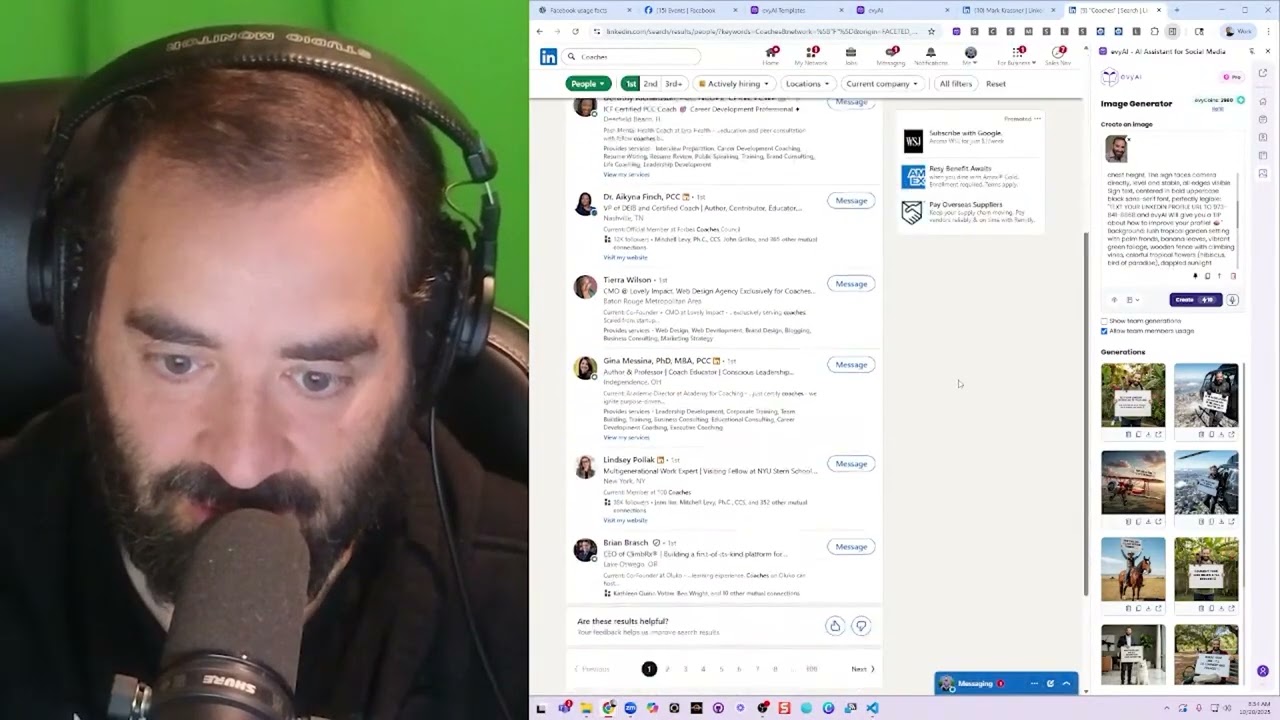
Want to improve your LinkedIn profile? Send your profile URL with, with Evvy AI and let's see what it does after it does some research on you. Text your LinkedIn profile to 973-841-8868 and Evvy AI will give you a tip about how to improve your profile. Within, okay, I'm just gonna say that. I'm gonna press create. Let's see what it does. Now I'm gonna click on photo and I'm gonna, actually, you know what? I don't need to click on photo. I just need to press copy here and paste the photo in here. Text your LinkedIn profile to 973-841-8868 and Evvy AI will give you a tip about how to improve your profile. Want to improve your LinkedIn profile? Send your LinkedIn. Let's test this out. My AI is really smart. Give people tips with, with Evvy AI. So go ahead and text us and see what you can drum up for you. Looking forward to giving you profile optimization tips. Boom. Okay, so now I'm going to press post. I'm actually going to schedule this for, for 9:45 AM today. That's in about an hour. All right, I'm gonna press schedule. So I just scheduled a post with a photo of me on LinkedIn with me having a monkey on my back. How cool is that? Wow. Let's just see what happens. Let's see if that shows up. In the meantime, let's comment on Gary Vaynerchuk's post. Okay, I'm gonna go to my own profile. I'm gonna go here. I'm gonna click on comment. I just wanna see. Okay, Troy said it's juicy. I already messaged him. Troy replied. Join Henry's in that content. We're meeting with 50 people. Let's see what he says. I want him to come to my next event. Oh my goodness! I have an idea. I have an idea. I have an idea. I have an idea. I just thought of an idea. What if? Listen to this. What if I did a search on LinkedIn for all all the coaches I'm connected to. I just search coaches and I click on people, and then I click on first-degree people. These are just people I'm connected to right now. And I wanted to find out from all the coaches that I'm connected to right now, first-degree coaches that I'm connected to right now— oh my God, there's something missing on the bottom here. Let me hit refresh. There's like a next page missing. Okay, it was missing in there. I have so many. Now what I want to do is I want to find ones that are Maybe a business coach show results. Only one? Oh my goodness. Only one business coach? Why are you the only business coach that comes up for business coach when I filter for business coaches? I wonder what you did right. Okay, let's see what he said. Oh, we went back and forth quite a bit back in 2021. Okay, I'm gonna switch out a business coach and I'm gonna say any job title. Oh, he's hiring a business coach. He's hiring a business coach. I see you are hiring a business coach. Okay, okay, now I can see who's actually online, like Jason Miller. I am hosting a posting party on Energy Zoom at 10 AM. We are meeting with 50 people if you want to join. You are invited. Okay, I'm gonna press send. Okay, so now I want to promote this just to people who have a green dot. You see that? So instead of hiring any job title, I'm going to say locations United States. Okay, so now I have a lot of people here, so I'm going to go for the green dots. Um, should I also go for these? I'll also go for the green dots. Okay, so there's different types of people, and by the way, I created an extension That helps me be able to make sense out of all this. So I'm gonna do reset all data. Let's just see if I can refresh this page. Oh, monitor on, okay. I'm gonna press next. Okay, so what I'm doing here is I'm just simply identifying who's online and who's not online here. For some reason, the headline is not being picked up. There's clearly a headline here. Location's not being picked up, but the status is, which I like. So let me fix this extension. Let me turn the monitor off. Let me fix this extension. So how do I fix this extension? I right-click on it. I click on Manage Extension, and then I take the whole entire extension and then I drag it into Gemini. This is what I'm going to do. I'm going to fix this extension right now. I'm going to click here, click, click, click, click. And this is me just messing around, testing out something that will help me be able to make sense out of my current connections. Okay, so I'm going to go here and I'm going to say, For some reason, it's not picking up location or— Or what? Or headline. Or headline. Can you see if the selectors changed and tell me what to fix? Do not mess up the rest of the code as it works now. Just the selectors, I think, need to be updated. Okay, now I need to give it the actual code. I need to give it the actual code. So let's give it the actual code. Let's find someone who has— oh, and followers. And followers don't work either. Hang on a second. Location, degree, date saved. Yeah, I don't know. I thought we had followers too, but whatever, I guess we don't. Copy table. Let me check. Copy table, Sheets.new, paste. Oh, followers. Okay, so headline, followers, location. Let's see. It's like, do not mess up the rest as it works. It's not picking up location. It's not picking up headline, followers, and location. If you could see what selections need to be changed and updated. Okay, let's see. Um, I'm going to click on inspect. I'm going to click on this here. Okay, right-click. All right, let's just see what happens. Hit save. Okay, let's see what it's going to do. Let's see what Gemini does here, how it's going to fix it. Evaluating the scope, isolating the code's flaw. All right, let's see what else is going on over here in the meantime, in the backend. Um, if you never wrote a book, here's my process after writing 5 books. It's much simpler than most people think, and simple doesn't mean easy. It's hard work to write a book. Well, hang on a second. Do I have something going on right now that I need to be at? I have a call starting in a few minutes. Who is this person? I have a call starting in a few minutes. Okay. I have a call from a lead. Wanna make networking easier and more effective? Try Evvy AI, your AI-powered sidekick that helps you connect, engage, and grow your network faster than ever. Click the link and start building smarter relationships today.