How I use LinkedIn each day with a workflow - 136 LinkedIn Live 2024 with Joe Apfelbaum
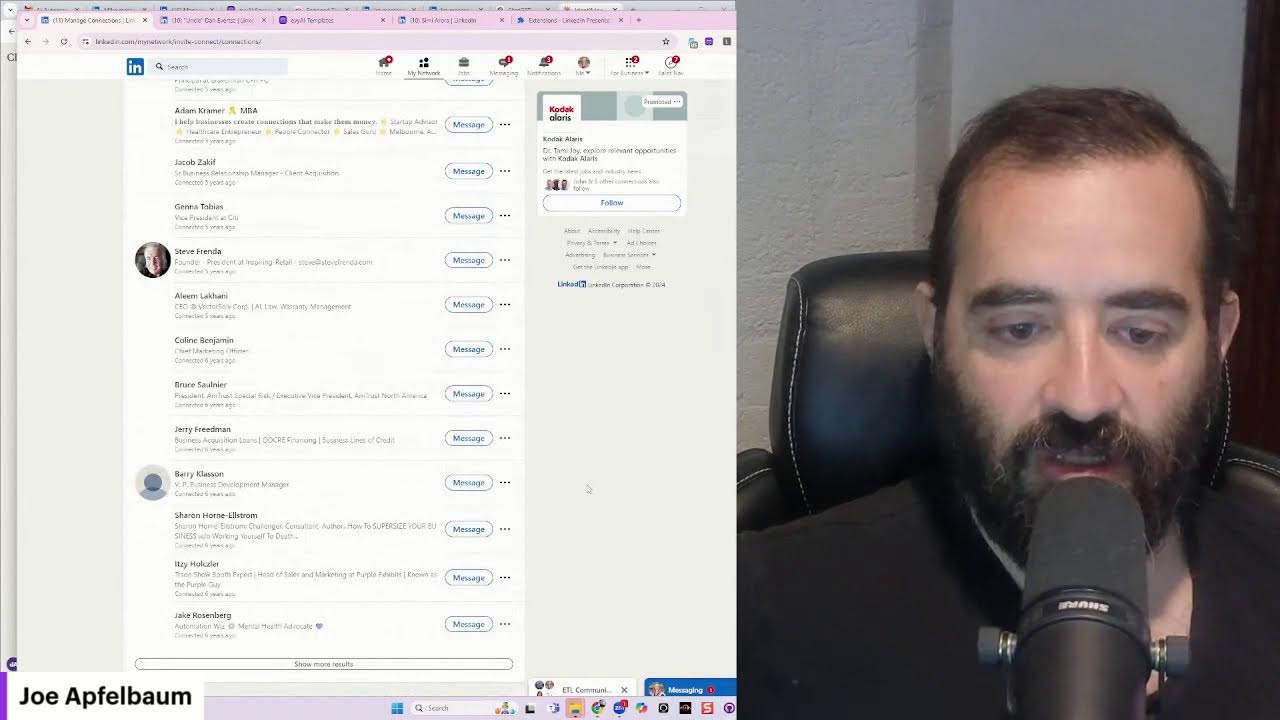
Joe Apfelbaum walks through his daily LinkedIn workflow: using AI to generate comments, organizing contacts into lists, and building a Chrome extension that shows which connections are online. He targets 5-10 comments per day and 200 per week to stay visible.
Chapters
When it comes to using LinkedIn, it's not just about just using LinkedIn. It's about understanding the most important things to do each day on LinkedIn. Most people are not doing it correctly because they're just randomly on the feed.
They'll just go on the feed and they're just scrolling down and they just, whatever appears on the feed. That's basically like relying on luck.
Luck is a great thing. So I just got lucky.
Perry just joined over here on my feed. And if I want to leave a comment for him, I can use Evvy AI by clicking on this little purple icon and Using the latest version of GPT-4o Mini, and it just generates a really solid comment. And then I just go ahead and leave the comment. Okay, that's fine.
I can do that.
I can go on the feed and I can refresh.
I can either choose top or recent, and I could just hope that something decent comes up on the feed. Or I could work off a workflow, which means going into Evie AI, logging in on the left side, clicking on saved profiles. And then selecting from a list of, say, profiles.
For example, let's say I want to pick Evie AI premium users, and I want to check all my premium users to see what they're up to and support them.
I can click on see where it says recent activity. It just loads all the recent activity right here, and then I can start supporting these people that are Evie AI premium users, and I can leave comments on their particular posts showing them that. I support them and staying top of mind with them because you want to stay top of mind with your clients, don't you? Don't you want to make sure that your clients remember that you exist? Because our clients are our best source of referrals. And also we're going to be coming up with more features and more products and more services. And so it's much easier to offer something to a client that You already have that's already paying you something than a client that's not paying you anything.
You know, like someone that's never going to pay you anything, they're not suddenly going to just start paying you something. But if someone's already a client, you may as well build a relationship with them, get to know them, and then go deeper in the relationship. So many people are afraid to contact their clients because they're afraid their client might ask you for something.
Well, if your client asks you for something, then build that relationship and give it to them and offer it to them and add value to them. Look at this, I have 29,994 connections on LinkedIn. And I see I have lots of amazing people here. Like for example, this guy, Gulio. Gulio is the weirdest cold call trainer. Look at him, putting the fun back in cold calling. And he invited me to jump on his LinkedIn Live.
You see, this is his last LinkedIn Live. I'm going to click on see all shows ever.
And you can see this one had 307 people.
This one had 89, 104.
So he only did a few of them and he's just getting his party started. So I'm excited about joining him live on his cold call show.
I'm going to press attend. And I look forward to building a relationship with him, getting to know him, and learning more about him and what he's doing.
I also want him to learn about Evvy AI and what I'm doing because he has a pretty captive audience of salespeople, and my goal is to get in touch with salespeople. So I'm going to go ahead and leave this thoughtful comment on his post over here and make sure that I also save him to Evvy AI. So what am I going to save him as?
So I'm actually going to save him as a sales trainer.
So I'm going to click on save profile, and this saves his profile into a particular list of people I want to be top of mind with.
And I'm going to go in here and I'm going to type in sales trainer.
Now if I don't have a particular sales trainer one, I just click on manage lists.
As you can see, I'm managing the list here, and then I'm going to add a new list.
Now you want to be creating lists for the different types of people that you're saving.
So if you have a cold call trainer, You could do cold call trainer. In my case, I'm just going to do sales trainer, a general sales trainer, sales trainer influencer. So I got both sales trainer and influencer in one. I'm going to press save. So he's a sales trainer and he's a LinkedIn influencer in one. And now what I'm going to do is I'm going to refresh this page over here. And you can see he has 40,000 followers. He's influencer level for sure. And I'm gonna check this off here and now I'm gonna check him out.
Now what I'm also gonna do is I'm gonna look him up on YouTube and on X, cuz I wanna follow him on multiple platforms. I wanna build a relationship with him and I want, you know, when, when you want to connect with someone and go deeper with somebody, it's really important for you to look them up on other platforms.
And as you can see, he does not exist on YouTube. Let me just delete his middle name. See if he comes up on YouTube anywhere. Oh, it looks like he does. He just doesn't come up for that. And so now I'm going to look him up to see if I could find his exact channel. Erickson Media, the weirdest cold call trainer, right over here. Cold calling is dead. He's popular over here. And now I'm going to subscribe to his channel so he'll notice me. He has 600 subscribers. I'm one of his 600 subscribers. And I'm going to go in here. I'm going to like this here. And I'm going to say, what a great show. Well done.
Okay.
And I'm going to press that.
So now he's noticing me on both the LinkedIn platform and he's noticing me on the YouTube platform. But that only was available because I searched him up using Evie AI. Now I'm going to summarize his profile with Evy AI.
It's going to write bullet points about him so I could save him into my CRM.
I'm also going to look him up on Twitter.
I'm going to delete his middle name, obviously. His Underdog on Sales. I'm going to follow him here. I see he only has 2 followers, so I will be his number 3 follower.
I'm going to give him a like here.
One of the major differences in high-performing individuals and masses is their ability to completely ignore Ignore the noise. Noise is not great for focus. Okay, I'm going to press reply. And there you go. I just replied to him on Twitter.
And so you could see I liked him. I replied on Twitter.
I'm multiple platforms connecting with this individual and building that relationship. Now, if I want to save him, I could save him right here. Or what I'm going to do is I'm actually going to save his profile using a custom Chrome extension that I created. And I'm going to save his information to a spreadsheet just like that. Okay. So I just put him in a spreadsheet. I want to take that spreadsheet. I can then take that information and automatically add it to my CRM from the spreadsheet. My spreadsheet is like a staging area.
Okay.
Moving on.
Let's go to the next thing.
We got Shawl Nemanov, another client of mine. I'm going to check out his recent posts. 4 days ago he posted. I'm going to go ahead and drop a comment. On his post, just like this.
And this saves me a ton of time because if I had, if I had to sit down and actually write every single comment, it would take me forever.
I would not be able to support this many people. But because I am using Evie AI, this helps me be able to support all these people. And you might say, Joe, well, why can't you just tell me when people post? I actually want to visit each one of these people's profiles.
And we could tell you when people post.
That's going to be available with Evy AI Pro, which is going to be an upgrade to Premium coming soon. We have developed the user experience for it, and now we're developing the software behind it to make sure that it's stable and that we release something that actually works well.
And as you can see, I supported my clients.
I'm also going to go to his profile, and I'm going to go and give him an Endorsement for cross-selling, just like that. Now I'm going to send him a little message over here. Hope you are well. Let's reconnect soon.
Okay?
This is a way for me to kind of go deeper with specific people.
Now someone told me, Joe, it's not okay for you to be able to— for you to go ahead and share people publicly.
Like if you're liking and commenting on people's posts, it's not okay for you to share.
Them publicly. I think it's fine.
I think my clients want me to share them publicly. They want to get that exposure. Hope you are well. I see you have not posted this week. Let me know if you need support with posting. Okay, I just said I see you have not posted this week. I see he posted 2 months ago last. He needs to posting more often. Okay, moving on.
Next, David Kushan. David has 28,000 followers.
That is very impressive. I'm going to go ahead and— a week ago he posted. I'm going to hit generate and I'm going to generate a response to his post.
Now my workflow includes targeting specific people.
I have a very specific group of people that I want to target, people that I consider very important people. So I have this Link Navigator V4. I have a list of people in here that are part of the Engaged Thought Leaders community, and then I can easily just click on their profiles and just load their recent activity just like that, just like that, just like that.
I don't have to go crazy.
I'm not going to do too many because if I do too many, I'm going to get in trouble from LinkedIn. But in this case, what I'm going to do is I'm just going to support some of the people's comments, some of the people's posts, just like that. Great, great insights. Great insights. I have been offline for a couple of days for the Jewish holidays. My parents came in, my children were with me. It was so much fun. We had a good time praying and connecting. preparing for the upcoming year.
And so I was really focused on that, creating a happy and sweet new year.
That's, that's, that's what I was doing. I was creating a happy and sweet new year. All right. Um, events like this can remind us of fragility, blah, blah, blah. Okay. Together we can rebuild. All right. So I just made sure I commented on all of Eric's posts. I'm up to date with my client, Eric. As you can see, I am fully up to date with him, supporting him fully. I get behind my clients fully. Next, Tom Larson. I'm going to get behind him, get up to date. I see a day ago he posted that. I'll make sure I get completely behind him, make sure that he notices me, that he remembers me. How do you see AI evolving video marketing? I use it all the time. Do you like it? Okay, I'm going to go ahead and catch up on some of the other posts while I was away. We are what we repeatedly do. Excellence is therefore a habit. I love, love that saying. Love that saying. I would recommend downloading it first, by the way. Okay, tag him. All right, next I go to the next person, Henry. Henry posted as well. He posted one time. I'm going to go ahead and support this post from 3 days ago. Incredible to see the innovations of the summit. It's inspiring to witness entrepreneurs like Christian and Manu push forwards in fintech. I see advancements. Thanks for sharing, Henry. Wondering if you took notes and have some interesting insights to share.
Okay.
All right, so now I just kind of left him a question over there, which is nice. I'm gonna look up Gina, see what she's up to. All right, let's see. Gina posted a bunch of trees. Let's see what's cooking here. All right, moving on. Dropping, dropping the comments, dropping the comments like it's hot. Somebody said, Joe, if you dropped comments on Facebook, you would get a lot more action. I don't know. I don't know if that's the case. I get a lot of action on LinkedIn from the comments that I drop. I think that LinkedIn is missed by most people. Most people miss out on the opportunity to to be active on LinkedIn regularly. And as a result, they majorly miss out on the opportunities that LinkedIn has.
Now, not everybody is active on LinkedIn, but if you take the time to drop a couple comments each day, you're gonna get a lot more exposure. And most people, they don't have a workflow.
They're not targeting specific people.
I'm sitting here and I'm focusing on commenting on specific people's posts.
I'm not just randomly nilly-willy commenting on posts. I'm like commenting on people's posts, reading. It's all about clarity. I'm going to delete the question there. I didn't like the question. Um, and if I miss a post, I can go back and I can catch up on the posts that I missed. Sometimes I miss posts from people, like I didn't see I didn't see it, or I was busy that day traveling, or whatever it is, but it's always okay to go back.
And when you do that, people notice.
I mean, they will notice that their post went back up into the feed. They will notice that you went back and supported every single one of their posts. People do notice that. This is from 2 hours ago. I'm gonna make sure I support this post over here. I support every one of these people's posts.
I appreciate your straightforward approach.
It's refreshing to see a community prioritizes effort and energy. If members aren't taking advantage of the resources available, that's on them. It's all about finding the right fit. It sounds like you're committed to getting the right people in the right seat. Keep up the Keep up the great work. Community building is damn hard.
Not Darren.
All right, let's see what people are saying. Well, people are saying I just endorsed him. You see that? That'll get his attention. Damn, damn, my friend. And I'm gonna support this guy. Look at this guy, 1,400 likes on his post. I love that. I love seeing people that are really, that are really getting out there.
Jasmine.
Your heartfelt message shines in the light of urgent needs for support in Bosnia. It's inspiring to see people rallying around taking action. Every contribution counts. I encourage everyone to reach out and help in any way they can. Even leaving a message on LinkedIn in the comments makes a difference. Okay, I want to press comment, and now I just left a comment.
Now I'm going to send him a message too, if I can.
I'm going to click on his profile. I'm going to send him a message. It looks like we're secondary connection. I cannot send him a message because I sent him a message in the past and he didn't accept. I'm going to hit connect. This is what you do. Connect if you know each other, it says. Oh, I can't connect. So instead, I'm going to look up his email address, and I'm going to send him a message. And I'm going to say, it's a shame what is going on in Bosnia.
Sending.
Sending you light and love. Okay, I just hit send. So I just sent him an email. So if you can't send a DM because you already tried to send them and they didn't respond, send them a connect— a networking building, a connection building email. Just like that. That's what I recommend doing. He wrote, thanks. I received 13 votes on my poll. Let's see who voted on my poll. Whenever somebody votes on my poll, I take the time to build a relationship with them by sending them a message. Just like that. You just go to their profile. I'm going to go to Rena's profile, load up her profile. Have you been trying? Okay, let's see. Okay, one week ago, looking for practical tips to support your health. It looks like she got one comment on that post. I'm going to go ahead and. I'm going to give her post a light bulb, and I am going to leave a comment on this post as well. Memory's indeed vital. I'm going to just keep the first sentence. And that's this podcast or whatever. Now I'm going to go to her posts on her profile. I'm going to find one that she— see, she reposted. I'm going to find one that she posted from 2 weeks ago. And over here, for all my Israeli-speaking females, I'm hosting this Monday. I'm going to say, hope it went well.
Okay.
Now I'm going to go back here. And this person said, a client asked me to find someone willing to blah, blah, blah. Okay, so she liked that post.
All right, now I'm going to check who looked at my profile. As part of my workflow each day, it's important for you to see who looked at your profile.
So if somebody looks at your profile, it would show up here under analytics. So I click on profile views and I notice that people looked at my profile. So whoever looks at my profile, I will look at their profile back just to kind of see who they are and what they're up to. So 16 hours ago, I look at the past 24 hours of each person that looked at my profile just to kind of see what is up. Okay. With these people. All right, now that I got my past 24 hours, maybe a couple more people. Let's see what's cooking. All right, so I got this person in Pakistan looked at my profile. This person has not commented on any of my posts. They are paying for LinkedIn. It looks like I'm going to send them a quick message. Do you use sales?
Nav.
Send him a message like that. Okay, this person over here from Israel, she sent me a connection request. BivOps for business apps. I've been crafting blah blah blah. Um, let me see what Salto is. What is Salto? Product designer, it looks like. Company as code. So it looks like it might be a fake profile, but it looks like they do have hundreds of employees. I'm gonna go back here. Treehouse Responsive. I'm going to check if she has any recommendations. It looks like she does. Let's see, Miriam reported to myself. Okay, I'm gonna accept it. I'm gonna send her a message. Oh, look at that. She sent me a connection request.
Oh, nice.
Thanks for connecting on LinkedIn.
Oh, sorry.
Uh, he went to show. I'm on, I'm on live. All right, so here we go. Just on the internet, on YouTube. Everyone's able to see it. Yeah, and they're able to hear everything I'm saying. Okay, now I'm gonna keep going through the people that looked at my recent profile. I got this guy in Austria, Heinz Marold. I see he's posting on LinkedIn. Doesn't have LinkedIn Premium. I'm gonna move on to the next person.
Andy Stewart, Neural Marketer.
Seems like a nice guy from Ohio. Again, doesn't pay for LinkedIn.
I'm gonna drop a comment on his post.
It looks like he used— Um, a format to do this. So let's just reply to AI just like that and leave a message. We got Chris Paul, 21 connections from Liverpool. It's nice that he checked out my profile. He's a chauffeur.
I got Goddess, I'm having a conversation with her.
I'm gonna hit save profile and I'm gonna save her As an influencer. As an influencer.
Influencers.
Influencers, good job. Save her as an influencer. I want to look at her again.
Eddie Lopez, 23,000 followers.
He's a mindset and development coach. Interesting. He posted the last time 5 months ago. I'm gonna send him a quick message here. Looks like it's going to Sales Navigator. I don't want to use a credit for this. I'm going to close this out and I'm going to send them a connection note. And I'm going to say the following. Windows 8.
Hey, thank you so much for checking out my LinkedIn profile.
I hope you found it interesting and I'd love to connect with you and I'd love for you to check out my business. Okay, and I'm going to say Eddie instead of hey. I'm going to hit send, and there you go. I now spoke what I wanted to say. That is powerful. Craig says, I started Fulfillment Revolution Guide, Second Degree. He's paying for LinkedIn. You see that? He's paying for LinkedIn. He's posting regularly, so 6 hours ago he posted. So he's an active user. I'm gonna try to send him a message. I cannot send him a message, does not have an open profile. So I'm gonna hit connect. Thank you so much for checking out my profile, Craig. Looking forward to getting to know you and wondering what you think of my business. I'm gonna hit send and let's just see what happens. This guy over here is already saved. Remember, we just chatted with him. Let's see what this guy, Japan, not a premium, has not posted anything, not a priority to connect. All right, let's see what David says. Time with the family, I think it's pretty special.
Yes.
I agree. Life is a blessing. What projects are you focused on right now? Okay, I'm going to close this out. Jason, Visibility Coach, empowering coaches and consultants with confidence in video. So this guy's not paying for LinkedIn. However, he does have 10,000 followers. Um, I am going to definitely send him a message. Let's see if it'll work.
It worked.
Look at that. I'm going to open up Evie AI. And in Evie AI, I'm going to say, thank you so much for checking out my profile. Really appreciate it. Wondering if you had a chance to Check out my business. Okay, I'm gonna hit generate. Now Evie AI is going to rewrite this. I'd love to hear your thoughts. Look at that, so perfect. What's the name of the Chrome extension you're using? I'm using Evy AI. Here is the one, evyai.com. This is the one I'm using. I'm going to copy this. I'm going to go to my recent posts, go to my profile. This is how you reply to people's— this is so weird that you have to do this, but you have to do this. You have to go to your recent activity and then you can reply to people's comments inside the recent activity. Isn't that weird that you have to do that? It's just how it works. If it doesn't work, you just refresh. Click on this. I'm going to go here. I'm going to paste that and hit go. You see that? Now I'm going to give myself a heart. Now I'm gonna go into Tammy's profile. Let's see if I can find Tammy's profile here. Here's Tammy's profile. I'm gonna paste in Tammy— I'm gonna paste myself in Tammy's profile, my recent activity, and I'm gonna go ahead and give it a heart. Okay, so Tammy just commented on the post. You see that? And Tammy's also going to repost this. Now what I'm going to do is I am going to go home. Now Tammy can change into Evie AI. You see that? Tammy just changed into Evie AI and liked it from Evie AI. And now Tammy just posted it as Evie AI. So now if you go to the Evie AI company page, You're going to see that this video that's live right now is, um, is liked and commented by Evie AI. Okay, so now I just commented from Evie AI and I said, please follow our page. You see that? So I got Tammy, I got me, I got Evie AI. I got all these things happening here in the comments. Thank you for being amazing. I just picked my nose too. Okay, here we go. I'm going to click on notifications.
Well done, he said.
This is great, Joe Apfelbaum.
Now, do you notice something interesting over here? How it says Joe Apfelbaum commented on Eric's post?
When you comment on LinkedIn, and I'm gonna write a post about this right now. I'm gonna write a post about this. I'm gonna take a screenshot. I'm gonna find my screenshotting software. Where's my screenshotting software? I don't know where it is. It's not working. I'm gonna use Snip. Windows has something called the Snipping Tool. Allows you to snip. I'm going to snip this just like this. Okay, and now what I'm going to do is I'm going to go here, click on this little yellow thing, make it purple, and I'm going to— oh, Ctrl+Z. Okay. So you see the way I wrote Joe commented? No diff. Notification. You see, comment notification. Now I'm going to go here and I'm going to save this.
Save.
Comment notification. Okay, I'm going to hit save. So now I just saved this here. Now I want to write a post about this. I'm going to go back into my profile and I'm going to go to the homepage. First of all, I'm going to support this guy over here. Let's see, 23 hours ago he posted. Because this guy looked at my profile, so I might as well leave a comment on his post. Okay. Let me refresh this, see if he posted again. Oh, look at that, from 2 days ago. I missed it. I'll post again. I'll leave another comment. Okay, great.
Now what I'm going to do is I'm going to click on here.
I'm going to click on start a new post. I'm going to click on the little Evie AI icon and I'm going to say create a post about how when you leave a comment on a post, LinkedIn will notify Your connections that you commented in the notifications panel. That is another benefit of leaving comments on LinkedIn. Staying top of mind with your connections is critical. And leaving 5 to 10 comments a day can make all the difference. Okay, now I'm going to change the tone, make it conversational, and I am going to challenges and solutions. I'm going to hit generate.
So now it's going to write a post.
It's going to include a hook, main points, a call to action, and hashtags, and it's going to do it in just a few seconds.
Okay, recently I faced a challenge.
I faced a challenge that many professionals encountered. How do you maintain visibility and engagement with your network on LinkedIn? So I, with so much content being daily shared, it's easy to get lost in the noise. I realized that simply posting wasn't enough. I needed to actively engage and keep others persistent. So I set a goal, 5 to 7 comments each day on posts from my connections. This wasn't just saying great post. It was about adding value, sharing insights, and inspiring conversations. The results? My connections started noticing. LinkedIn notified them of my comments, keeping them in the forefront of their minds. It's in— it's right in the notifications panel. Wow. I found that the more I engaged, the more opportunities arose, whether it was collaboration, referrals, and old friends. Here's what I learned. Be authentic. People appreciate your comments. Using Heavy AI is authentic if you train the AI and you edit your— try LinkedIn Live and see I want to use to get me 80% there. I give it the salt and pepper. Consistency. The more common thing I have it, the more engaged you're going 5 to 10 comments a day is enough, but do it daily. Leverage notifications. Remember, when you comment, you're not going to get notified. Use it to your advantage. Make sure you comment on the posts of your connections. Create conversations, ask questions, or share experiences related to the post. Remember, it's a conversation. If you're looking to embrace it, I encourage you to give it a try. Commenting is a simple way, blah, blah, blah. Have you noticed a difference in engagement when you comment more? Share your thoughts. Spread the word. Now I'm gonna take this, I'm gonna go to my pictures, and I'm gonna look for that comment. Comment notifications thing. I'm gonna hit next. You see that? And I'm gonna hit post. And I just posted on LinkedIn. Okay, so I posted this on LinkedIn. Now I'm not just gonna post it on LinkedIn. I'm gonna click on the 3 dots. I'm gonna copy the link to the post. You see I copied the link to the post. And now I'm gonna go into my messages. And I'm going to send this to him. What did my brother tell you about having AI? All right.
Let's just see.
Let's just see. Where should we come? I'm going to search the word group in my messages. And I'm going to paste it in here. I'm going to delete all the metadata. Control A, control C, send. And I'm just going to go here and boom. I hope you do something special. I'm gonna go to Andrew. I think the DM thing is fixed. It works, right?
Okay.
Moving on, I'm going to hit group. I'm going to find those groups. Let's see if I'm part of any groups. Look at that group. You see that? I'm just sharing this in all these little groups. Why am I sharing it in these groups? Because these are groups of people that can see the message. I want them to know about commenting. See that? All right, well, we got a couple more here. Let's see who else we got over here in group. Now you might say, Joe, how do you create these little messaging groups? If you want to know, just leave a comment saying, Joe, how do you create messaging groups? And I'll make a video about that. All right, let's go in here. Let's see if we got any more here to share. Got one here. All right, I did it. I did it.
Okay.
All right, Gary Vaynerchuk posted. You see, I got a Ctrl+Alt+3 gives you a screenshot. Let's try that. Ctrl+Alt+3. That did not work for me, sir. Ctrl+Alt+3 did not work for me. I'm going to go to Gary Vaynerchuk. I'm going to leave him a comment on this right here. You see the way I changed that comment? It's so much easier to change a comment than it is to write one from scratch. So much easier. Now I'm gonna check out one of my other clients. I'm gonna go to saved profiles. Oh, I got more people here that I gotta check out. I'm going to do this one as well. As you can see, I'm just leaving comments on people's posts. All right, I'm going to close this. It looks like this guy's a co-founder of Cohesive Technology Enabled Virtual Assistants, which I love. He posted a day ago. This is great. I'm going to accept his connection request. I'm going to say, oh, it looks like a business owner figured. Gotcha. We love your feedback. That's my feedback. Check out Abby AI. All right. So Liz, let's see what Liz wrote to me. She said, check out the AI circle. That's fine. We've been chatting, and this person always says, I help B2B companies grow their sales systems and pipelines.
She posted 2 days ago.
She's getting a lot of action here. It looks like she's a sales trainer. She's a sales trainer, and she has a lot of action on her profile. So I'm going to save her as a sales trainer influencer. And she's in New York City, which is great. So I'm going to save her as a sales trainer influencer. And I'm gonna start building that relationship with her. I'm gonna message her. I noticed that you checked out my profile on LinkedIn, and I'm wondering if you offer sales training to teams.
Shall see.
Let me know. Okay, I just sent her a message.
If she doesn't reply to that, she's not active on LinkedIn.
All right, let's check out what Jessica's doing. Let's check out what Dr. Rao's doing. Let's check out what Nadine's doing. Okay, these are the people that voted on my poll this morning. I'm going to close this. I closed Chelsea. Okay, Jessica has not posted. Dr. Rao has posted, but he's posting the way he's posting. I need to talk to him because he's not posting correctly. Okay, and I'm going to go here. She post— she also has not posted. Okay, moving on. This is a comprehensive summary of Evie AI. This allows me to be able to quickly train any artificial intelligence technology in a way that would help me be able to create anything I want. So I have 32 pages of training here. Pretty cool, right? So morning routine, content calendar and posting, engagement and networking. Okay, so I posted, I engaged, I direct message at least 20 people. You guys saw that. And then profile summaries and strategic saving and reflection organization. Like if you just did that alone, you would get so much value, so much value from LinkedIn. It's crazy. Okay, let's go back over here. Let's see what's cooking.
Oh, wow.
Hope everyone is okay. I hope everybody's okay. I'm gonna hit— have the AI write a response. Kevin O'Leary commented as well. Let's see what Evie AI does if I do a challenging view. I'm really not sure I agree with you on this one here.
It said it so nicely that I disagree.
Oh my God, look at Ray Dalio. What did Ray say? Human capital is why people come up with new ideas. Look at Elon Musk and his Startup Tesla, Steve Jobs and Bill Gates. While many countries have natural resources they're able to draw upon, human capital is the most sustainable capital available. Oh, did I just lock my computer? I'm not sure what you guys saw there, but I think it went off and it's back on. Here we go. Human capital is indeed The most important thing. Pretty awesome. Oh, looks like Richard Levichin connected with me. I'm gonna say you're welcome. How is Entrepreneurs Organization treating you?
All right.
Now I'm going to check out my network, see who accepted my connection requests. I see Nathan, Miriam, Carrie, Sam Boyd. Look at all these people here that accepted my connection requests. I'm going to follow up with these people here. Do you want me to share some resources with you? Let's see what Michelle Jones said. So now I'm going to start messaging all these people. I know that you are all for creating authentic messages, and I want to assure you that by training our tool correctly, it'll help you be able to Leave more authentic messages on LinkedIn, just like this message I'm sending you right now. And also, I enabled the photos to be shared on the WhatsApp groups. I hope you can see it. Just like that.
Amazing, right?
I hope that you made it back in one piece. Did it actually say that? I hope he made it back okay. So sometimes they use every AI. And sometimes I don't, and it's totally fine. See all these people that I'm connecting with, building relationships with, getting to know them one at a time? There's so many of them. The key is to make sure that you're meeting your quotas. Set KPIs and then go off and meet those quotas. That's really the key. He liked my comment. He replied to my comment. Look forward to having you on. We are gonna have such a good time. Oh, let's see what Patty said. Patty sent me a message. Any donation is greatly appreciated. It's my pleasure. It looks like I already saved her profile. I saved her as Atlantic. So let me check who else has posted recently in Atlantic. Let's check recent activities. Save profiles. I'm going to click here at Atlantic. All right, let's just check some of these profiles to see who posted. Okay, it looks like Dana. Oh, it looks like he posted. He just reposted this from 3 months ago. 1 year ago. Would you be open to posting something on LinkedIn this week? All right. Now what I'm going to do is I'm going to go in here. I'm going to click on Manage Lists. I'm going to click on Atlantic active. And then Atlantic needs support. Okay, so I'm going Atlantic active, Atlantic needs support, and I'm going to kind of separate the 2 into 2 separate lists, which is going to make my life a lot easier. 3 days ago. Give a shout out to the company Tile. So let's see what— I don't even know what to say over here. Until today, I lost my wallet at Disneyland and Tile was in my wallet. Tile for the win. I am not able. He meant he is now able. Glad you used Tile to save your vacation. All right, that's great that that happened. Oh, look at that, he posted something 2 weeks ago. Okay, amazing. Let's go back here. We check out Dana. We checked out Jeffrey. Now we're going to check out Dana. Dana posted a day ago. So I'm going to go to her. First of all, I'm going to leave her a comment. Okay. And now I'm going to go to her profile and I'm going to save her as Atlantic Active. See that? So now she's going to be in my Atlantic Active list. James LaPena. I'm going to save him as Atlantic Active later. Neil Figler. Let's see what he's up to. When was the last time he posted? A week ago. He's active. He's not using Evie AI. So I'm going to say needs support. I'm going to go in here. I'm going to save him as needs support. Moving on. Now I'm going to choose Derek. Derek Loden. Derek reposted a week ago, reposted a month ago, reposted 2 months ago. I'm going to say needs help. Needs support. Priscilla. Let's check when was the last time Priscilla posted. 2024. She needs support. Needs support. She's active, but she needs support. Michael. Let's see. Michael. Needs support. Let's see who else.
Kia.
Kia has not posted in 5 years. She needs support. David Johnson. Let's see what he's up to. He has not posted anything. All right, let's put him in needs support. Mike Nelson. Mike Nelson posted 3 days ago. Amazing. He's active. I'll leave a comment on his post. This is a really good post. Love your post. I'm going to say, love your posts. And I'm going to save him. As active. Good job. Good job, Mike. Next, Neil. Neil is active 3 days ago. Well done. I'm going to save him as active. Well done. This hopefully will increase participation. He just reposted something. He is not active. Someone with such a shame upon him, he needs support.
Adam?
He posted three weeks ago. Not bad. I already commented. I would consider him active. Glad to see you using every AI. Well done.
Let's connect.
Okay, moving on. Adam, Joseph. Let's see, Joseph posted a week ago. Oh, good post. All right, let's add him to active. Kyle, we'll add him to active. Ira Kaner, Kenter, from a year ago, not active, needs support. Oh, look at Milano. Let's see. Let's see what Heavy AI produces here. I'm gonna endorse her for— as a career strategist.
You see the way I just took a moment and I endorsed her?
That's a powerful thing that you can do for somebody. Just take a moment and endorse them. Ooh, I like this. William Green posted. OMG. Love your post. We activated William Green. That's fantastic. Andrew Katz. Let's see what he says. Absolutely, your insights resonate deeply. The pressure and perception, I'm going to say. All right, so we did Joseph, Kyle, Ira, Kelsey, William, Andrew. We're gonna do Dan Lombardi. 1,000 followers. Ooh, look at that. He gave a beautiful Shanah Tovah. And he went ahead and did that. That's nice. So I'm going to control-click on Justin. I'm going to click on Dan. And I'm going to save him as active. And I'm going to save Justin as active as well. All right, let's see what else we got going on. Ooh, we have so many more people. All right, let's see. Have you heard how AI can help your business? Ooh, I like that. I like that he's talking about AI. He's a sales coach. He is active. Alan Walker. Let's see what he's up to. He has 1,000 followers on LinkedIn. He's active. He posted 2 days ago. I'm definitely gonna save his profile under active. Um, let's see what Al's up to. Al needs help. Al definitely needs help. Al needs support. Uh, let's see what Meg's up to. Meg needs support. Let's see what Jennifer is up to. Jennifer hasn't posted in 2 years. She needs support. Let's see what Sue is up to. Sue posted 2 days ago and 4 days ago. I love that. I'm going to go ahead and leave her a comment. I'm going to save her profile. Underactive. She is active. Karen. Karen Rosenberg. 2,600 followers. Ooh, I like this. I like seeing a nice juicy post. So good. So good. So far, so good. Rob, Rob Losey reposted from a month ago. Rob needs help. Rob, we're gonna help you. Rob needs help. Let's see, Robert and Ivan. Let's pull up Ivan as well. Robert, Robert from a year ago, we're going to help him out. Needs support. Then Ivan needs help also. All right. We got our marching orders, ladies and gentlemen.
All right.
Let's see what else we got going on over here. Let's go to next. Oh, we got a whole more.
Oh boy, do we have we have our work cut out for ourselves.
A week ago, three months ago. All right, let's let's help this person out. Let's see what George is. George, 2 years ago. Carlos, a week ago. Oh, this is a good one. Carlos is crushing it. I'm gonna drop my comment. Carlos is crushing. He needs more connections, but he's active. That's great. Let's see, Michael.
Michael.
We need to have a conversation. Mr. Michael needs support. Let's see. Phil. Phil, Phil, Phil. Phil needs support. Phil needs support. Michael.
Michael, it's been 6 years.
Hopefully we'll change that. Needs support. Michael, it's been 6 years. Oh, Kaylin's definitely active. All right, let's just see active. Love that.
Eva.
Eva forever. Ooh, 4 years ago. Eva, we're gonna have a conversation. Need support. Daniel. 2 weeks ago. All right, he's active. Let's see, Michael. Oh, Michael, 2 years ago. However, however, however, it's time for you to get more active. Need support. All right, moving on. Who's next? Ooh, we got a whole list of more people. Doreen. Doreen, one week ago. One week ago. Oh, I don't typically post. I love that she posted a few weeks ago. She's active, baby. Doreen is active. We are going to give these people some love. Oh, wow. Let's save him as active. Kevin Miles, my man, we got to get your background set up. You're active, but your background is not set up. Dave Humphreys, 6 months ago, my man, my man. We got a Hoboken. You're not— you're next to me. Let's make him not active, need support. All right, let's see, we got George Friedman. Mr. George, from 3 days ago you reposted something, not bad. Also from 6 days ago you reposted. I like that you're reposting, but we gotta take it to the next level and actually write some posts. So we're gonna put you as active 'cause you're reposting like a maniac, but we gotta support you. Greg first, let's see what Greg is up to. Mr. Greg, Mr. Greg, 5 months ago? I don't think so. I think we need to take it to the next level. We need to support you. All right, let's see. Bob. Mr. Bob. Mr. Bob with 300 followers, 3 months ago. Let's get you in the need support category. And let's see if we got Krista. Let's see, Krista.
Oh, look at that.
That's me.
Yay.
That's me when I did the sales training.
What an inspiring summit, Krista. I'm going to tag her and I'm going to put her in as active.
Awesome.
You know she's not quite active. We're going to still put her in as active, and I'm going to send her a message. Thank you for posting that photo of me.
Okay.
Let's see. Spot on. Blah blah blah. Let's see if anybody commented on this post here. It looks like Tracy commented. She said, "Great reminder, Jopon. You're a shining example of." Consistency. I just returned from the Global Summit. My to-dos is some high-stakes leadership. Glad to hear you are back. Glad to hear you're back. Now let's go to her profile and check her out. She's a high-stakes leadership keynote speaker, workshop consultant. Expert testimony. She's based in the United States.
Where in the United States? This is how you can see where some—
oh, look at that, Black NSA, National Speakers Association.
You can tell where somebody is—
Ann Arbor, Michigan— based on where, you know, even though they don't write where they are, you can typically see where they are based on where they are. Let me see if she has any Oh, look at that. The last time she got on June 2024. All right, let's just see what's going on here. I'm gonna send her a message. I'm gonna say, how have you been? Okay, not yet. Would love your feedback. Okay, next. So we did Chris. We're gonna do Don and Watson, and we're gonna go to the next. Oh, we got a couple more here. We got Tyler, Gary, Vito. We did Justin, and we're gonna do Adam. All right, let's keep going.
Moving on.
We got Don. Don reposted this from 2 weeks ago. So So he's kind of active, 6 days ago. Okay, he wants to do it, so we're gonna put him in as active. We're gonna put him in as active, he's making an effort. Watson, okay, I see he reposted, reposted. We're gonna put him as active. We're going to tend to the active ones. That's what they say. Tend to the— tend to what's working. Tyler is active from 3 days ago. I'm going to hit generate.
Okay. Thanks.
Thank you for being active. I'm going to close this. Gary said L'Shanah Tovah. Thank you for the good wishes. I'm going to put him in as active. He really wants to— he really wants to be active, this dude here. This is my man, Gary.
Okay.
He hasn't posted in 3 months. We're going to put him as needs support. Needs support. Adam needs definitely support. I want to just take over his profile. And I want to create one for Larry.
All right.
And there you go. There you have it. We did it. We went through everybody.
Awesome.
Let's see what this guy's up to. Needs support. This guy needs support. This guy needs support. This guy needs support. Armored needs support. Needs support. Needs support. Needs support. Let's see what's going on in the Engaged Thought Leaders community. Evan Messman posted. I'm going to say boom. Let's see what he posted over here. Let's see what Evan posted. I supported him here. Let me just go see if he posted anything else recently. Oh, 27 minutes ago he posted something. Let's go ahead and drop a comment. Now I'm going to send him a message and I'm going to say, how do you feel when I comment on your posts? You see that?
I said, how do you feel when I comment on your posts?
Let's see what people are saying in the comments of my posts.
By the way, I've been live for an hour and 16 minutes here.
That's crazy.
Oh, look at that.
I got 7 comments and 2 reposts. I'm gonna heart myself and then I'm gonna heart myself from Evie AI as well. Look at that. Now I have 3 beautiful things there. Let's see who has been commenting on my stuff. Control Alt 3 gives you a screenshot. Let me try that again. Control Alt 3. Nothing happens with Control Alt 3. I tried that twice now. I can Google it. What is screen Shot shortcut on Windows. Windows logo and print screen. Let's check that out. Windows logo and print screen. Yeah, it did it. But I don't know what it did with it. The whole thing just blinked. So— oh, it puts it in the clipboard.
That's interesting.
Okay, moving on. Wow, I sent a lot of messages today. Let's go to my LinkedIn dashboard just to kind of see what it shows in my dashboard. Show analytics. 13 posts, 168 comments, and 0 contributions. We're going to go ahead and add a contribution just For the sake of adding a contribution under sales, we're going to add one under sales prospecting. And we're going to go ahead and contribute right here. Add my perspective. We're going to use Evvy AI to leave a perspective in sales prospecting. And we're going to go back. And we're gonna click on this one. I'm gonna add my perspective.
I wanna make sure that I leave at least 3 perspectives.
Just like this. Evie AI is such a game changer. It helps so much. Let's go to Tammy's profile real quick and see what's cooking here. Boom, boom. All right, let's go to here. Minimize this. Let's click on this. Wow, very cool. Let me hit play. All right, there we go. There you have it, ladies and gentlemen. There you have it. It's so funny, when I comment on something, it also shows up on here. You see? This is how it shows up in the feed. I'm gonna snip again. That's not working. I'm gonna do snip. I'm going to hit save. And now I'm going to go and comment on Joe Apfelbaum's profile. with a picture that I just shared over here. So I'm gonna click this, I'm gonna go in here, and I'm gonna go here, and I'm gonna show comment in the feed, which under pictures, comment on feed. You see that? Commenting really boosts visibility. Keep strong.
Thank you.
Huntington, New York. 100,000 followers. OMG. Oh, 400 likes on her recent post. Oh my gosh, let me save her as an influencer here. That's fantastic. I'm gonna save her here. I'm going to put her in as an influencer. Influencer. Now what I'm going to do is I'm going to ask her, do you ever present? Message. Do you ever— would you be interested in presenting?
Presenting.
Irez Lotowitz left me a like on this post as well. All right, so now look what I did. I left a bunch of comments. I created a bunch of posts. Sent a bunch of messages. Extremely powerful. Look at this dude here. Everyone has a plan until they get punched in the face.
Now I also like checking my followers.
I don't know if you know this, but you have followers on LinkedIn that are not connections. So if you click on the followers under the activity tab, you can see who your followers are. So if you see somebody that's following you, like for example, Adam's now following me, probably because he accepted my connection request. I'm going to click on his profile and I'm going to say, thanks for connecting. Let me see if he's active or not active. Yeah, he's active. By the way, if you want to see the profiles that were saved that are active, you just go in here. I'm going to refresh now and I'm going to select active. So now I have the list of all the people. I can do 25 at a time, and I can see all these people that are active. 1, 2, 3, 4, 5, 6, 7, 8, 9, 10, 11, 12, 13, 14, 15, 16, 17, 18, 19, 20, 21, 22, 23, 24. So now my goal is to get these people to be very active, like to take their activity to the next level. That would be really epic if we can get all these people to start being super hyperactive, not just active, but like super active and supporting each other as well. That would be awesome. That would be epic for us to do that. For us to kind of do like a special, a special group. So I'm going to do that right now. I'll teach you guys how to create a group on LinkedIn. So if you click on messaging, you can go in here and click on this little new message button here. Um, you can get each one of these people in there as a group. So Mike Nelson, Neil SLOC, Neil S.
L.
And what I'm going to do is I'm just kind of going to make this small here like this. I could see each person. We have Adam, Mike Nelson. Let's see. Mike Nelson, Adam Geyer. We have— you have to be connected to the person in order for this to work.
Kyle Shepherd.
Oh, yeah, green. Let's see. Andrew Katz. Let's see which one it is. It's this guy. Dan Lum. He's not there. Steve Marr. Alan. Walker, Sue, Fig. Let's see, Karen, Rosenberg, Carlos, Villa. He's not there. Kaylin. And then Daniel Enfield. Doreen Pitt. Kevin Miles. Look at that. We're not connected. George Friedman. Let's see. Christa Puccogallo. Don Rudy. Watson Salvant. Gary, I'm gonna call this Atlantic Tomorrows. So I just created a little group with 20 members of the most active people.
And let's see if people can support each other.
Now what I'm going to do is I'm going to go to Dana. And I'm going to say everyone— let's start with Dana. I'm gonna say try to leave a comment. Okay, so I'm encouraging people to leave a comment on Dana's post. You see that? Very, very powerful. Imagine you had 20 people supporting each other within an organization. Wow, that would be epic. All right, let's just see what happens. Hopefully I started something beautiful. Cody Sanchez. Obviously I'm gonna leave a comment.
And as I leave more and more comments, my stats go up.
So look at the stats I have here. Check this out. I have stats on LinkedIn under my analytics. 13 posts, 170 comments, 3 contributions. That's my weekly tracker.
So if If I want to leave 1,000 comments per year minimum, that's 5 a day, 20 a week, 80 a month, 1,000 a year. I leave 1,000 comments a year. That's 80 a week. That's it. 80 comments a week, 5 a day.
Is that 20 a day?
80 a month. If you left 80 a month, can you leave 1,000 comments? So if I want to leave 1,000 comments Every month, then I would have to leave 250 a week or 200 a week minimum.
So maybe that should be my goal. My goal is to leave 200 comments a week and it tracks it.
You can actually see that.
Let's see what Caitlin says in India. She's paying for LinkedIn. It looks like she posted this 15 minutes ago. I'm just gonna say, curious to know if you use LinkedIn Sales Navigator. It would be really cool if we got all of your salespeople to use the artificial intelligence together on LinkedIn and really elevate your brand. I'm currently doing this for Atlantic Tomorrow's Office, and I just noticed that 2 dozen of their people are using it. It's really cool. It was really nice spending time with you at the Soho Club.
Powerful.
Let's, let's look for it. Let's look at Don Celestino. Don Celestino from the elevator company. He reposted something 7 minutes ago. Who's this account executive here? From what company? Champion Elevator. Accept for sure. Okay, so now I'm going to save his profile. I'm going to save it to Champion Elevator.
Add to list.
And we're going to start a new list right now. I'm going to wait till it loads. New list. Hit save. So now I saved him as Champion Elevator as a list. You see that? So now what I'm gonna do is I'm gonna refresh this, and I'm gonna save him as champion. Now he's in champion. Alright. Let's find all the other people at Champion that I have a relationship with, and I'm gonna save them all.
Alright.
All right, let's just see who the people are that work there. So you can see the 48 people that liked it. You see that? Account executive, senior editor. These are the people in the elevator organization. Champion Elevator, Gotham Elevator Inspection, Champion Elevator. Sales executive. I don't know who that is, but I'm going to check that out.
All right.
I'm going to click on employees. I'm going to pull open these people's profiles and I'm going to focus on the people that, as you can see, interim fractional board member. Advisor, treasurer, VP of major accounts. You see that? Personal assistant to Don. Um, let's see, CEO Sterling Collins. If I want to see all the first-degree people, I could just click on first right here. Laura, Don, and then Roseo. All right, so now what I'm gonna do is I'm gonna take each one of these people, I'm gonna save them and put them into this list here. You see that? And this way I can stay top of mind. I don't know who— oh, this person's the Elevator World person. I'm just gonna leave a comment on her post.
Courtney's housekeeper was able to ID 3 of the suspects.
All right, let's just see. Elevator World, Joseph Corrado. I'm not even connected to this guy, but that's okay. I'm just gonna monitor his posts. Project manager. If he's active on LinkedIn, I wanna monitor his posts, see what's going on.
Tanya.
Oh, she's from this company, Fort Lauderdale, Florida. 4 days ago she posted. Okay, let's see if she's reposting. It looks like she's not really posting. Let me see if I can message her just like that. Nope, can't message her like that. So you liked a post with Champion. Do you use— So this is a pretty aggressive message, but I'm totally okay with it. Hopefully my goal is to turn that into a client, turn them into a client, but I can be very direct. At Champion Elevator, interim CFO, board member, strategy, blah, blah, blah. Let's see, positioning business for profitability. He hasn't posted in a while.
Treasurer.
Okay, I'm gonna save him as well. These are pretty important people. Major accounts, VP of major accounts. I'm going to build a relationship with all these people one at a time. This guy I already have a close relationship with. We hung out quite a bit. Just gonna say appreciate— oh, I already said appreciate you. Hope you are having a great fall. Okay, I'm just gonna save him. I'm gonna save her over here. I see she posted 1 month ago here. I'm gonna hit generate. I'm gonna say, what is your— when is the next event? Okay, Sterling Collins for sure. Laura for sure. And guess who's in her photo here? Bum bum bum. Amazing. And then of course, Don Giolastino, the man himself, the Don. The Don himself. And then Champion Elevator. So that is me targeting a company with Evvy AI. Oh, look at this. Let me go here. It looks like I already commented on that. Oh man, take a look at this. I'm taking this on now. Thanks for reminding us. Robert Kennedy's taking this on now. You are the man. Okay, let's see what his posts are about. One day ago. Let's see. Let's see if he's saved. Oh, looks like he's already saved. What'd I save him as? He is saved as an NSA testing group. All right. This is great. Joe, let me know if you're looking for any kind of help. So that's another way to DM somebody. If you don't want to send them a DM, you can just comment on their post, and then they reply and you reply, and you're having a public conversation. You see we're going back and forth. But we're actually having a conversation. You see that? That's pretty powerful. If somebody gets 1,000 likes and 600 comments, you want to make sure that you leave a thoughtful comment on their post.
Let's see. 7,000 people.
And that's what I have going on, ladies and gentlemen. That was, that was 90, 100 minutes of me being on LinkedIn Live this Sunday. Hope you guys enjoyed this. Let's see what it says. Uh, thanks for checking out my profile. I appreciate you have a chance to do that. I was on there because I was editing your episode of Suzanne Taylor King. Did you enjoy the episode? Cannot wait to see it when you are done editing. Las Vegas, Nevada. Las Vegas, Nevada. Oh, look at this, a photo of me and him. A photo of me and him. This is epic. Now what I'm gonna do is I'm gonna repost this. You see, just repost just like that. Boom, I just reposted that. So I just re-promoted this selfie of us. That was on his profile.
All right.
So this guy edits— apparently this guy edits podcasts. That's cool. I didn't know he was a podcast editor. Steve Ramona said, oh, Steve Ramona also commented on a post. So what's Steve Ramona doing? He is a— we had a conversation, 2024. He's also an Evie AI affiliate. I'm going to manage lists. I'm going to add a new list called Evie AI affiliate. I don't know this. Hit save, and I'm going to hit refresh, and I'm going to add him as an Evie AI affiliate right here. You see that? UST Ramona. UST Ramona, host of the Doom. You leave comments with a simple response that's five to fifteen words, and you also include a quote or a popular author like Tony Robbins quotes. For example, okay, give three examples instead of one and see if.
I'm gonna go to ChatGPT here real quick.
Optimize this prompt and give 3 examples. Look at that. I love, I love engaging with them. People like my stuff. Ooh, I just thought of an idea, something I wanted to do the other day. That is my goal. All right, so let me just open up these 2 people here. I'm going to support them right now. Let's see, I didn't save his profile yet. Let me just see what we have going on here. Um, have you been using Heavy AI? That's one. And I'm gonna see engaged. Engaged 2024 LinkedIn connection. So he's an Engaged 2024 LinkedIn connection. That means he left a comment. So anyone that leaves a comment on my posts should be included in Engaged 2024 LinkedIn connection. Engaged. All right, let's see what people say here. That's impressive. Check it out. By the way, I love that I'm still on LinkedIn Live right now. If you're watching me, just say I'm watching you in the comments so I notice that you're watching me or not. Okay, Samantha. Let's see if I can— if I got to 200 comments yet.
You don't want to forget.
I wanna make sure that by the end of the day today, I left an additional 30 comments that are meaningful comments strategically on people's posts.
So let's just go down to my activity analytics. We have 15 more comments to go. Let's go ahead and do that. Let's go ahead and do that to get to the goal of 200 comments minimum. Let's drop 5 in the feed. That's 1, 2, 3, 4, 5. So we're gonna drop 5 in the feed and then we're gonna, um— 10.
I'm gonna drop 10 additional, and then I'm gonna try to do a special type of Chrome extension.
I'll show you what I'm talking about in a second. I have an idea for a Chrome extension that I want to build. Okay, let's go, let's go. We're almost done here. We got 3— we got 2 more to go until we hit that 5 number. And let's just see what happens here. Let's see, Mike. Oh, this guy's chief executive officer of T-Mobile, promoted by T-Mobile. Okay, moving on. I'm not going to comment on a promoted post from T-Mobile. Although that post is going to get a lot of action because they're promoting it. So what I should do is I should just do X demo here and just promote my business. That's a cool idea, promoting your business under other people's advertisements. It sounds a little crazy, right?
Promoting your business under other people's advertisements.
Yes, that is a pretty good idea. I really like this post. This post is a good post. All right, let's just see how many comments are up. I think I left 5 already, so let's see if it— if the activity tracker changed. Let's go back to my profile. Let's go to my activity tracker. In the meantime, I'm gonna go to my messages just to see who's messaged me. View analytics. Good point.
Okay.
Do you want to join me at some networking events at some point this year or next year? Would you want to join me at some networking events this year or next year? So you see, Don Celestino commented on my contribu— he liked my contribution, which is cool. This is from 3 days ago. I'm commenting on this from 3 days ago. Kevin O'Leary. Let's see what Kevin said.
Thank you.
All right, let's go back to see my activity here. Let's see if he responded to me. He did not respond, which is fine. Let's go back to my profile. Let's see if I have my analytics going. 195, so I got 5 more comments and then I'm done. So what am I going to do for the last 5 comments? I'm going to select ENYC. And then I'm also going to go through the entire ENYC just to identify who's actually active and who's not. Okay, so we're going to go through each person. We're going to open up these 5 first from a month ago. He has not commented in a month. He's not posted in a month. Do you want to 4 days ago, I already commented. All right, so Joanne's the only one that's really active here. We're going to look at Mark, Alexis, Mike, and Derek Power. And I'm going to go here, right-click, uh, I'm going to control-click on this. It We'll open up Evie AI. Derek, one day ago. And I'm going to start a new list called EANYC Active. I'm going to hit save. And now I'm going to save particular people's profiles to EANYC Active. You see that? So if somebody's active, I'm going to save these people to active. If they're not active, they're not active. What can I do? He's not really active. Do you? He must not check it. Alexis from 2 days ago, she's active. So I'm the only one that commented on her post. Mark, 4 months ago, not active. Let's see who else. Don Gelastino, he's active, 7 minutes ago. So I'm gonna save him as active.
Next.
Let's just see what else. So we got Alexis, Mike, Derek, Power. Vincent's definitely active. John's active. Bruce is not. Matt's active. Laura's active. Howard's not. George is not. Jesse's not. Zach, I'm not even gonna check. Ryan is active. Robin is active-ish. 4 days ago. So let's just see what's cooking here. Let's check his— I helped him with this thing over here. Oh, 1,700 subscribers. Would love to run a follower. All right. Let's just see. John. I'm going to save him as active. I'm gonna put it— yeah, just make sure. I'm not sure if I saved his profile, so I'm gonna go back and see if I saved this profile here. I did not. As active. Bruce is not active. Matt is active now. I'm gonna save him as active. That's great. I'm glad to see he's active. Laura's not active. Howie's not active. George is active, it looks like. I'm going to leave a comment on his post.
So this will hopefully get me to 200.
This might be my 200th comment. I'm going to save him as active. And now I'm going to go to his To my profile and just see if my activity changed up here. Ah, 201. I hit it. I'm done.
I can close shop now.
I'm done. Jesse's not really active, but he is active. He's reposting. I'm going to save him as active.
Ooh, look at this.
Well, he's not really in EANYC anymore, but I did meet him through EANYC, so that's why he was there. Robin hasn't posted in 6 months, so we'll leave that alone. All right, let's see, should we check a few more? We'll check Anthony, Cass, Chris, and Tina, and then we'll go to the next one. Oh, that's it, that's, that's all of them. Anthony, 3 days ago, so he's active. We'll go ahead and save him as active. Um, let's see who else. Cass, 3 days ago, so he's active. We'll save him as active. Um, let's see who else. Hal, 7 months ago, not active. Chris has never posted anything, and Tina is definitely active. I'm going to save her right now. All right, so now we have our marching orders. We have all our active people. So how do we check that? You click on this. You click on Save Profiles, which is the first option here. And then we put the dropdown as Active. And then we can see all these active people here. I'm gonna do 25 at a time. See, these are the most active people at EANYC. And then I'm gonna check all the new members as well that maybe I haven't sent, like Boris Fabricant.
What's your type of new member?
Let's just make sure he's saved, 'cause he's a new member. See what I saved him as. I saved him as conversation, so now he's EAMYC active. He posted a month ago, so he's not quite active, but we're going to keep him as active. All right, let's just see. Okay. It looks like, uh, Jean gave me a like on my recent post. I'm gonna go ahead and give her a like on her post, just like that. Oh, she's talking about the Pika model.
That's why.
That's cool. Oh, Alex Hormozi. Of course I want to leave a comment on his post.
So I did, did take several days off commenting.
So 99 captions. What is this captions thing? Oh no, it's not 99 Captions. New design. I gotta explore all this. There's some new features on Restream that I want to explore. All right, moving on. Let's see, anybody else?
Anything else I can show you guys how to do now?
Let me go to my profile.
Um, yeah, so this is what I want to do.
I want to go to my network and I want to identify under connections who's— who has a little green dot on their, on their, um, on their profile. So if I just scroll down like this, I click on show more results, I just keep scrolling and scrolling and scrolling and scrolling, I might see some people have green dots on their profile.
It doesn't look like any of these people are online right now.
It doesn't look like any of them have a green dot on their profile. Let me check Tammy's. I remember seeing it under Tammy's. Here it is. Okay, let me close all these 13 notifications here. Oh, look at that, Tammy does have green dots there. Okay, uh, I'm gonna keep scrolling down. Oh, look at that. Oh, Mike Weiss has a green dot. Okay, so let me Let me just hit Ctrl+U just so I could see what's going on. Ctrl+F, Mike Weiss. Weiss. I can't find Mike Weiss. That's so weird. So I'm going to select all this and I'm going to right-click and hit Inspect. MM card occupation. So let's look at the difference between MM card occupation. Let's just see. Okay, members occupation, members name. Where's the photo? LinkedIn URL.
Flex.
Let's see. Header. Okay, that's the header.
Okay, so this is the class connections container, Art Deco divider. Then there's the UL, which is a full list. Then there's the LI.
We have the LI, and then in the LI you have the little dropdown.
Ooh, embed view, Ember view, and connection card picture.
Ember view, Ember view. So let's look at that for a second, and let's go to the next person, Mike O'Neill. Mike O'Neill should also have Ember view. Ember Vue, good. And then Mike Mahler. Mike Mahler, Ember Vue, that's good. And Mike Brady should not have Ember Vue. So let's— if that's Ember Vue is the thing. Ember Vue MN.
Dash connection.
Dash connect icon card underscore picture. Dash connect, connection-card_picture, connection— Oh, presence entity 5. Presence entity size 5. Connection card details, action container. Presence entity size five, and this one here. Presence entity size five. Ooh ooh ooh ooh ooh ooh!
It says heavy image lazy ember view. Heavy image uh entity photo circle five.
And then over here, it says, let's see, heavy circle 5. ID Ember, loading lazy, alt Mike Brady, class, let me see. Let me see, class. ID presence. Entity image. Ember view.
Presence indicator hidden.
Presence indicator hidden. And over here, presence indicator is reachable.
Okay. Shit. That's crazy.
Okay.
Okay.
Okay. So, let me get the URLs.
Okay.
Good.
So let me copy this. Let me get a snapshot of this. Okay, shoots.
This is so cool. It's right here.
It's right here and available for us. I'm gonna go to Snip. Snip. I'm gonna grab that. I'm going to do a new. I'm gonna copy this like this.
And then you can paste that into Google Docs.
Uh, is reachable. I'm gonna take one like that. Is reachable. And I'm gonna go down a little lower.
I'm gonna keep the UL here. And is hidden.
Okay, good. So we got the is reachable and is hidden.
Snip.
Okay. Copy. So I'm going to copy this. Okay. And I'm going to go to Claude.
Claude. Okay.
Please review this image. which is inspecting the network connections view of LinkedIn on a desktop with Google Chrome. I want to identify which connections have the— have Presence available, and which do not. There is a UL tag that shows us the full list of people. Then there is LI tags for each person. Then in each li tag, if you look at the image, if you look at the image, what do you see? If you look at the image, you'll notice— let's see. You'll notice a div called presence-entity_indicator. You'll notice you will— there is a div called presence-entity_indicator. It shows hidden on some, and it shows reachable on other. Edit as HTML.
If it's reachable, they show this.
If it's not reachable, it shows. This. Can you help me create a Google Chrome extension that will pull all the people that are reachable and just show them on the page? And have a CSV that I can download to show who is reachable. I will first load all the li tags by scrolling down and then click on Check connections button to see all the ones that are actually reachable. Let me know if you can do this for me. I understand you're looking to create a Chrome extension to analyze LinkedIn connections and identify which ones are reachable. Here's an outline of what we would Do.
Oh, oh, we are creating a Chrome extension. La la la la la la la la la la la. To see who's reachable and to see who's not reachable.
All right, let's see what it does.
So we have manifest.json. We have popup.html, popup.js, content.js.
All right, so let's go and create.
We're going to use Visual Studio.
I'm going to use Visual Studio here. We are going to open up a file, a folder. We're going to do it under Documents, Apple's Creations, Open Folder. And then we're going to— let's see, we're going to create a new folder. Um, the new folder is going to be called— new folder, we're going to call it status, um, active LinkedIn users. I'm going to call it active LinkedIn users, LinkedIn's presence checker, whatever. We're going to right-click here, we're going to do a new file, we're going to call it manifest.json. We're gonna do— what else? We're gonna do popup.html, which will be the HTML popup. We're gonna do—
oop.
We're gonna do— we're going to do popup.js. We're gonna do Content.js. Does it need a background.js? Let's see. Content.js. Let's see. Content.js. Let's see. Do we need a popup.js? Popup.js. We're gonna do popup.html. There you go, popup.html. And then we're gonna do manifest.json. Manifest.json.
Here we go.
Okay, so I have all these done. The Chrome extension is complete.
Now we're going to import the Chrome extension into Tammy's profile here.
All right, so here we go, here we go, here we go.
We're going to click on the 3 dots.
We're going to click on Sure Extensions, Manage Extensions.
Now we're going to add this Load Unpacked.
We're going to find it here under Apple's Creations, under Final Chrome Extensions, Active LinkedIn Users, Select Folders.
Now we have the LinkedIn Presence Checker 1.0.
I'm going to refresh this page. We're going to scroll down and load a bunch of people. Show more results.
We have 6,000 people here, so we're gonna just load a bunch. So I'm just holding the mouse.
I just put the mouse facing downwards, like dragged it down, and now it's just kind of like loading and loading and loading and loading and loading and loading and loading. So there's no automation, just my mouse, just kind of like I click, drag down, and then leave go, and it just keeps loading all the connections just to kind of see who's live, who's on LinkedIn right now, and who's not on LinkedIn right now. So this way, if I wanna message all the people that are just on LinkedIn that are saying that they're currently actively using LinkedIn, I can easily do that.
Hopefully it'll load all of them.
That was like my idea.
Like I was looking, I was like, oh my God, I can see all the people that are actively using LinkedIn. What if I can build an extension that will show me all the people that are actively on LinkedIn this second?
And this way, if I wanna do a campaign and message all those people, Mm-hmm. I can see who's actually active, even though we connected a year ago, 2 years ago, or 10 years ago. And then I can potentially add this feature to Evie AI at some point in the future. Um, that will go through this and just tell you who's active and who's not active, and then easily just save all of them one time to a list that just shows these are the people that are active today. Now, if you have thousands and thousands of connections, it'll be hard to do, but I don't know how long it'll take.
How many load when I like load things?
I don't know how many load at once. And I don't know if LinkedIn thinks that this is bad to like, you know, what resources it's using to like do the lazy loading here or whatnot.
But I don't see any more dots.
Like, do you see dots here? I don't see any more dots. Like, it's not showing me any dots. None of these people are on right now. Is that possible?
Maybe it only shows the first few if they're on or not.
Or maybe none of these people are on right now. It could very well be. If I see a dot now, I'll know like, oh my God, these people are on. Let's just see. Let's keep going down the list. Maybe it's sorted by people that are recently active. I wonder if there's a filter like that. Like the people on top, I had a bunch of blue dots. These are people I connected with 3 years ago. All right, I'm going to stop the— this, this thing. Scroll up to the top. Let's see. I'm going to hit Ctrl+Home. Okay, so now we have— I don't know. Oh, it looks like we have a bunch that are active. Let's just see what it does. I'm going to click this, pin the extension, check reach of all connections. And it did nothing. Let's say I clicked check reachable connections. I clicked check reachable connections and it does nothing for Can you add a debug mode and also collect all connections into— Um, Let's see. I paused it. Let's improve the extension in debug mode, the ability to collect all connections and separate button exporting all active connections. I'll update the version for you. All right. So now it's going to update manifest.json. So we're going to go ahead and update the extension. As you can see, the extension did not work. So I'm going to paste this, Ctrl+S, and then I'm going To update the HTML file. Copy popup.html. Let's see. Did it use Tailwind to improve it? No, it didn't. Popup.html, we have popup.js. Popup.js.
And then—
Let's see. We have content.js. Content.js.
All right.
Let's see what this does. Let's refresh the extension. Go here. Extensions. Manage extension. Refresh it. And let's see what it does now. Check connections. It did nothing. It doesn't even have debug mode. Maybe I have to refresh the page now. All right, let's refresh the page. All right, let's just see what it does now. Oh, 3 active connections, total of 40. Ooh, that's good. It found 3. So who are the 3? Oh, it only found 3. Sorry. There were more than 3. Check connections. 12 active connections of 80. Okay, let's just go down. Oh, you know what? Let me inspect Tiffany, see if Tiffany is different. Right-click, inspect. Let's see, Tiffany shows presence indicator is reachable.
Visibility.
Status is reachable. Let's see how that's different than the green button. Right-click, inspect. Visually hidden is online. Okay. Can you show me how many people are online versus— OK. Can you show me how many are online?
All right.
Let's just see what it does. Oh, it's making them each separate now. So content.js update. Let's go content.js. We're gonna Ctrl+A, Ctrl+V, Ctrl+S. And then popup.html. Copy popup.html. And then popup.js. Okay, to replace these existing files, new versions in Chrome now export 3 distinct statuses, more detailed status messages category. Okay, these changes in the following improvements. Replace the existing files. Go to Chrome. Click Navigate, Check Connections.
All right.
Let's just see. Okay.
All right.
Let's just see if this works. We're going to go in here. We're going to go here. I'm going to right-click, Manage Extension, Refresh. Refresh LinkedIn, and we're gonna click on this check connections. Ooh, look at that, 0 out of 0. That didn't work. The one before worked. Uh, let's see. Oh, it's not showing any. Oh, it is showing some. Okay, zero online, zero reachable. Export online connections, export reachable, export active. Okay, found zero online, zero reachable. All right, before it was finding online.
Reachable.
Now it's not finding any reachable or online. Here is what I get. Let me give you the HTML for each so you know what to look for and what is wrong. All right, let me give our HTML of each. Let's go to each one. We're going to right-click here. We're going to do inspect. We're going to open this up, open this up. We're going to do edit as HTML. Copy. Online. We're going to tell it it's online. Then we're going to find the next one. I'm going to find the next— so that one's online. Let's see the reachable ones. This one's reachable.
Inspect.
Edit as HTML. Is reachable. Next. Tim Duffy.
Inspect.
I'm here. Let's see, inspect. Let's just make sure this is also the same thing. Okay, status is offline.
All right.
We got it. There you go. I apologize, Joe. Thank you for providing the HTML. Let's update the getConnectionStatus function for this to work correctly. So content.js. Let's see.
Okay.
Okay. So just replace the content.js. All right. Let's go to replace the content.js. Hit save. Go back into here. Refresh this. Close this. Refresh this.
Let's just see. Let's see.
Okay, we got everything in here. Let's click on load connections.
Oh, we did it! We did it! We did it! We did it! We did it! We did it! We did it! Oh my God, I'm so happy right now. All right, so let's go down and just load them all.
And then— oh, okay.
And then once we load them all, we'll see how many we can grab.
All right, here we go.
Let's see how many we can get. This is from 5 months ago, 6 months ago, all the people from the past. Oh my gosh, if this works, this would be epic, epic for people. This would be an epic extension. Don't you think so? Do you think it just brings people to the top?
Or it just doesn't show everyone, it only shows maybe the top 30 or something. That would be crazy if it showed everybody. Let's go in here, check connections.
Found 47 online, 186 are reachable, and 799 are offline. Damn, son.
Damn.
That out of 1,000. So I have 6,000 here. Let's see if we can go down to 6,000.
Oh my God.
Oh my God, if this works, if this works, this is such a major hack. Like, but like a hack to make your life easier, totally white hat. Like you're just checking to see which one of your connections are online. But could you imagine if you knew exactly who was online at the same time as you on LinkedIn at any given time? Like, because this changes throughout the day, like who's actually using LinkedIn at this moment, like who's logged into their LinkedIn account or who's available on their cell phone right now that if I message them would pop up as a notification type of thing. You know, like this is epic. Like to be able to do something like this and provide this type of value to people. Wow.
Let's check again. Let's check again. Let's see how many we just pulled up.
We just pulled up 1,800.
Okay.
So that's about 30% of all her connections, cuz you have 6,000 total. But I wonder what would happen if I tried to get all 6,000 loaded. Listen, it didn't take that much time to load this many connections.
Let me just stop for a second. Click on this again.
Click on check connections. So we have 2,000 total right now.
Click this again. Check.
2,000 total. So let's put a timer on and put a clock on.
What's up, my sweetie? Clock app.
We're going to put a little timer on. Let's see, we're going to put a timer for 1 minute total, and let's just see how many we could do in a minute.
Is this—
can this do it in the background?
I don't know.
Oh, you want to jump on live with me?
We're chilling. We're I'm over here chilling. All right, let's just see what happens. You see what's going on here? Should I explain to you what's going on? I'll explain to you what's going on.
So what's going on is—
Hi.
So what's going on is, I am on LinkedIn, and I want to see who of these people are actually using LinkedIn in this moment, right now, this second, okay? So in order for me to determine that, I have to first load all of the LinkedIn connections What's a connection? What's a connection? A connection is somebody that you, um, found their profile. You know, somebody could have like first name, last name, photo, whatever, right?
That's a profile.
And then I—
it's—
that represents a person. A profile is something—
she wants to know what a profile is. Okay, the 1-minute timer is done. Let me just see how many we did in a minute.
We're gonna go here, click on check. So we did 2,000— we did 700 in a minute. So we're gonna do 3 3 minutes next. We have a 3-minute timer. I'm going to explain to you all this in under 3 minutes.
Okay, you ready?
So what am I saying? What I'm saying is, is that right now I am identifying all the people that are connected on LinkedIn. I'm checking out to see all the people that are connected on LinkedIn, that have a connection on LinkedIn, that basically said, I want to connect with you. And out of all those people, I want to figure out which one of them are using their computer Right now, this second.
You get it?
Because I want to message—
Other people see, other people don't see.
Right now everyone can watch me because I'm on LinkedIn Live, but nobody could know if I turned off LinkedIn Live, nobody can see that I'm doing this. And so, but I want to teach people how they can go ahead and use tools to help them be able to be more effective on LinkedIn. So could you imagine if you knew exactly who was using their computer computer at the same time that I was using my computer, what would that do? If I knew who was using their computer when I was using my computer, how would that help me? I would be able to message them and they could respond to me right away, right? So, so I would message them and they could respond to me right away, right? And so if I want to set conversations up with people, if I want to book meetings with people and I have, say, 700 connections, wouldn't it be nice at any given time to know who's actually using LinkedIn at the same time that I'm using LinkedIn. But if I have 6,000, it's gonna take a really long time to do this every time. So it's not as effective. But if I want to do this one time to identify who's typically on their cell phone with LinkedIn, I can run this maybe once a week or maybe once a month and then export the entire list and then identify, okay, so who are the people that are actually on versus who are the people that are actually not on right now? And that would really help me identify who I should prioritize building a relationship with and also who I should prioritize saying, listen, these people are just never online. That's not helpful for me if they're never online. Now, of course, I can monitor this. I can set a tool that automatically will download all of it and monitor it, but I'm finished. So if it took 700, 1 minute, 700, how long will it take if I do it for 3 minutes? So 7 times 3 is another 2,000 or something like that, right? Am I right? 7 times 3 is 21. So it would be 7 times— yeah, 7 plus 7 plus 7. 7 times 3 is 7 plus 7 plus 7. So what's 7 times 3?
14 plus 14.
No, plus 14 plus 7. What's 14 plus 7? Because 7, 7, and 7 is 7 times 3. 21, exactly. So 14 plus 7 is 21. And so I should—
25 more seconds.
25 more. In 25 more seconds, we're going to stop it and just check how many more it collected. Because so far I collected the past 5 years of people, of her connections.
So I'm analyzing someone else's account here.
So I'm pulling up the past 5 years of connections and loading it all on the browser. Now, if you wanted to load all of your connections and you had 30,000 connections, it would take forever. But I just need to check the past year. If you have 1,000 connections in the past year— okay, it says it's done. All right, so let's hit dismiss. Dismiss my timers. I'm going to click on this little thing here and hit check connections. 4,600 so far. So I'm going to do another 3 minutes, do another 3 minutes on the timer, and then we're going to go down.
No, no, if we do 3 minutes, it should finish the whole thing in just 3 minutes. So let's just see how long it takes to finish.
And once we finish the entire thing, then we could really know.
One at a time.
Yeah, there's 4,600 at one time. That's what it's doing. 4,600 people. That's, that's— could you imagine you knew?
That's a lot.
Yeah. Could you imagine you knew out of 4,600 people or even out of 5,000 or 6,000 people? You know, we're gonna have all 6,000 in a minute. And if we take these 6,000 people and we identify who is who, like who's connected, who is, who's active, who's available, Then what we're gonna do is we're gonna message all those people.
You wanna sit on which side?
On this— in this handle here?
No, on this side.
On my lap?
Yeah, no, on your handle.
On my handle?
I don't want you to break the handle though. All right.
Oh, did it finish? Oh, it says 6 years ago now. Let's just see what happens. What I would love to do is I would love to message only all the active people. That's what I'm gonna do.
Okay, so go there.
All right, ladies and gentlemen. Yeah, but because the camera is set to look at my face, not your face. All right, here we go. We're almost done. You want to go ride your bike with me after? After we're done with this, you want to show me how you ride your bike? We got 1 minute and 29 seconds left. Should I check how many we have left, or should I wait till it finishes? It says 7, 7 years ago. We're almost down at the end. We're getting down to the end.
9 years ago.
9 years ago. 8 years ago.
7 years ago.
No, it says 8 at the bottom. 8 years ago.
Okay, and then we are almost done.
We got a minute left, it says.
Oh look, Richard Weltman's there.
8 years ago?
Wow.
9 years ago?
9 years ago, yeah.
This is from back in God knows how long.
When I wasn't born yet.
9 years ago, you weren't born yet, exactly. A year before you were born, that's when these people connected. All right, let's just see what we have left. 35 seconds left.
How old was I a long time ago? All right, how much? Almost done, almost done, almost done. Why?
Let's see if it'll say ten years. I don't know if it'll say ten years. Sixteen, fifteen, fourteen, twelve, eleven, ten. 9, 5, 4, 3, 2, 1.
And finished.
That was 3 minutes. Let's see if there's any more. Does it say 10 years? It still says 9 years.
5, 4, 3, 2, 1. That's right.
Don't put your hand in my face like that. All right, should we check now?
Yeah.
Or should we just—
whatever, whoever we got, we got. Or should we get to the very end? Let's see, we should be at the very end because it says 9 years ago.
Tim Moran.
It's so funny that you can't— wow.
Oh, now it says 10 years ago.
Look at that.
11 years ago. It's at the very bottom. 12 years ago.
That got—
it went fast from like 7 years to 12 years.
12 years, right?
It was really long at 9 years ago.
It was really long at 9 years ago?
Oh wow.
Okay.
12 years ago, it's done. Now we're gonna click on this, we're gonna click on this, we're gonna check connections. 179 online, 935 that are reachable. 4,000 that are offline. So I'm going to do export. I'm going to do export online connections. Then I'm going to do export reachable connections. Then I'm going to do export active connections. Then I'm going to do export all connections. Oh my God, that was such a waste. It didn't export anything. It didn't do anything. The export connections are not working. I did check connections, but it's export connections is not working. So what I'm going to do is I'm going to hit file. I'm gonna hit Ctrl+S. S, Ctrl+S. And then I'm gonna save everything to my desktop. I just saved this to my desktop just so that I have it on my desktop because it took me a really long time to load it all. Imagine it was, um, 60 frames.
That would be double my age.
Yeah, that would be double your age. But it's not working. It looks like it's saving all 6,000 files to my desktop.
You're gonna be 9 next year?
Which way? All right guys, we're gonna fix that CSV file later, but for now I'm gonna spend some time with my daughter.
More from Joe


How to Beat the Algorithm: Remove Hidden Watermarks & Scale Content with evyAI









AEO & GEO: SEO's Future Explained! Master Answer & Generative Engines! #shorts