How to build SOFTWARE with AI - Joe Apfelbaum 2025
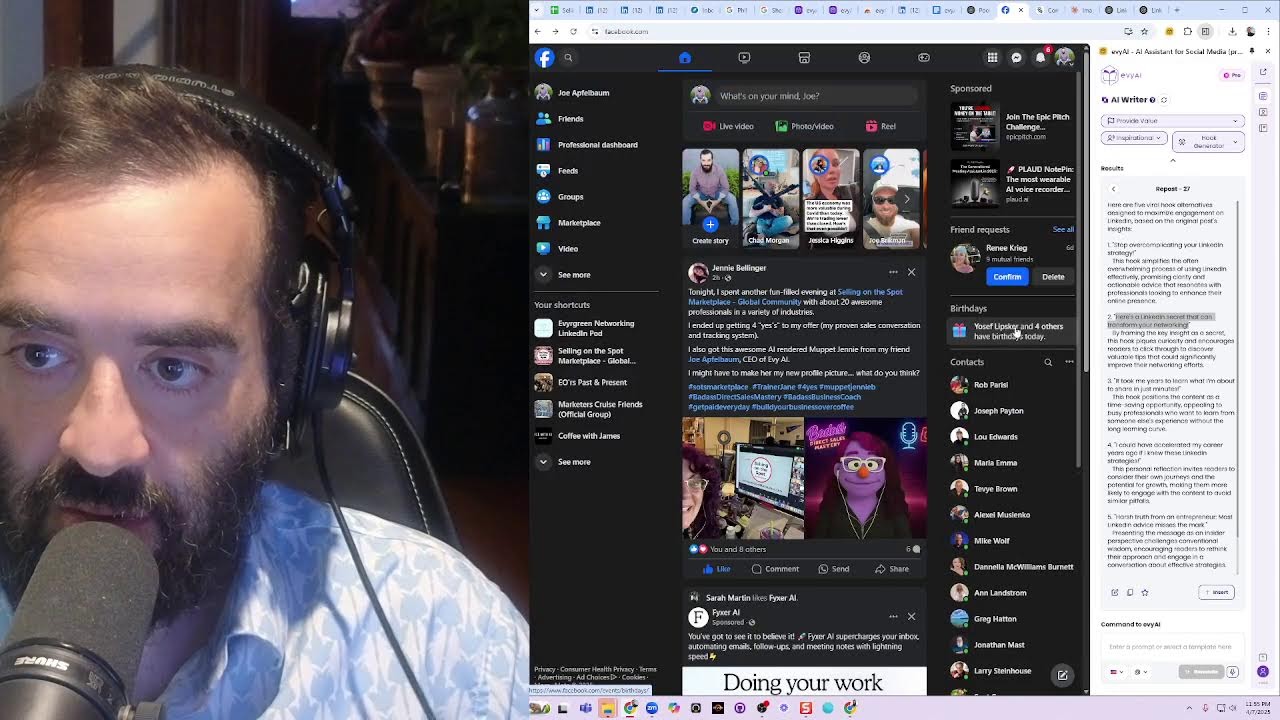
Joe Apfelbaum builds a LinkedIn URL cleaner tool from scratch using AI. He generates the code with Claude, designs the landing page in Canva, records a Loom demo, turns the transcript into an article with Claude, and uses AI to create hooks and graphics. Then he distributes it across LinkedIn, X, and Facebook, and automates community engagement with AI-generated comments.
Chapters
build software with artificial intelligence? Well, there are lots of ways to do it. You can use an IDE like this tool over here. There's a little IDE tool, it's called Visual Studio. You could simply just, you know, depending on the type of tool that you want to use, you can use a tool like this. You see, this is a LinkedIn post URL cleaner. And the prompt is, I want you to help me create a simple HTML, JavaScript, and CSS page that blah, blah, blah, looks at the URL and does X, Y, and Z. And then you get the code and then you just simply copy the code. I just copied all this code. And then you take this code and you put it into a landing page. Now, what does a landing page look like? Let me go find one to kind of show you. Let me see if I have one handy here. Do I have one handy here? I don't know if I have one handy here, but let me close that out. Uh, I'll go into my landing page software. So I have some landing page software that you can kind of check out over here. I'm over here on the— click on sites. That takes me to my websites. I'm going to click on this funnel here. I'm going to go to the way bottom. I'm going to click on this last funnel. I'm going to hit clone, which basically will just copy the same design. I don't need to recreate a new design. I already have the design done. It doesn't really need a design, but it's nice to have a design. Then I changed the name of the page over here, Evie AI Pro, uh, LinkedIn URL Cleaner. And over here, I'm just going to call it /url-cleaner, uh, post URL cleaner. And I'll call it LinkedIn Post URL Cleaner. Okay, /post-url-cleaner, hit update, update, and it's going to update the link that it's going to actually be that, that link. Then I'm going to update the second link over here. I'll do post-url-cleaner. So that's just a clean link on the top, clean link on the bottom. It has 2 clean links and it's connected to my domain. Now I click edit and I edit the actual website. Now I want to create an image, so I'm going to create an image with Canva to change the image because the image says image to text here. But before I do that, I'm just going to quickly open up the code. I'm going to hit Ctrl+A, Ctrl+V, which pastes the script in here. Then I'm going to pull the style tag and just go from the word style to the end of the word style. I'm going to Ctrl+X it out. I'm going to press save and I'll put the style in the header over here where it says tracking code. I'll remove any extra tags that I don't need outside of the style tag, and then I hit save. Okay, so I basically saved the body and the head. Now I'm going to go create an image with Canva. So I'm going to open up a different profile because I have Canva on a different profile, and then I'm going to open up the image to edit, which is this one over here. I'm going to press the little, little plus plus icon over here to duplicate this. And over here I'm going to say LinkedIn post URL cleaner. And over here I'm going to say clean any LinkedIn post URL to remove UTM. Okay, so this will be really easy to do. Oh, okay, like that. And then I'm going to here URL cleaner, post URL. I want to say cleaner, not Kilner. Cleaner. Okay, so I just did that. Now I'm going to press share, download, and I'm going to download it just like this. I'm just going to do the first one, download. Okay, so now I'm downloading it. I'll minimize this so it downloads. Now I'm going to click in here, then I'm going to click on the little image tag here, and I'm going to press upload. And here's the image to upload. It'll save. I double-click on it. Now I'm going to click on the little cookie, the little SEO metadata, and add the social image here to the side. So if somebody decides to share this, they share the proper thing and then the proper content on top. ABI Pro. I'm going to call it Post URL Cleaner. And then here, ABI Pro. LinkedIn post URL cleaner, remove UTM tags. Okay, update SEO metadata, save, and then publish. Now the page is live. So I just vibe coded this page, which means I use artificial intelligence to vibe code a page. So what does this do? What does this page do? Well, when What this page does is really simply, you take any URL, for example, this URL, you click the 3 dots, copy. When you copy it, you're going to have this really long URL with a bunch of garbage at the end. You see? Member desktop, whatever. You hit clean URL, it cleans up the URL. So it has the original one with the UTM, it has it without the UTM, it has it with the feed URL and with the post ID. And if you copy this and then you paste it in here, you have that same post, but it has a clean URL. Okay. Why is that important? That's important because, uh, people, you know what I should do is I should have a clickable thing instead of just copying and pasting, but whatever, it's fine. I can modify it even more now. So if I want to modify it even more, I can modify it even more. So if you click on it, it actually goes to the URL. Oh, we have to copy and paste. There's no like, Click to see the URL. Click to go to the clean URL. That would have been a cool feature, but it's really to share the URL. So it's not to go to it, it's to share it. So that's why the copy button is more important than, than clicking on it to go to it. Right. Okay. So that's fine. Now I'm going to go in here and I'm going to put it in our community. Um, AI for LinkedIn. We're going to go to this community here. We're going to go to the top. We're going to click on Classroom, Library, URLs, and I'm going to say Post URL Cleaner. Okay. I'm going to hit Save. Now I'm going to go into the community, and then I'm going to go here to the Posting Party. I'm going to go down to the message that Jane sent. Jane said, I had a good idea. And I'm gonna say, I love this group. Had a whole conversation here about this. Okay. Oh my. Okay. And then @SC, I went ahead and created a tool that will help you guys Clean the URL. I'll include it in future posting parties. Enjoy. Okay, so now that cleans the URL. Oh my God, I created a URL cleaner. So cool. So these are all the people that posted at the posting party. So he just Posted a link to his profile. My bad. I'm going to go here, click on this link, and then I'm going to leave a comment on this post here. I'm going to press comment, and I'm just going to insert a comment just like this. See how quickly I was able to leave a comment? So I can go ahead and comment on all these people's posts. Just click in the comment box, hit generate. Sandra posted here, generate. What did she write here? She said, I love this group. Okay, that's awesome. Okay, good. Charlene, looking here. Latha. Generate. I'm gonna tag her so she gets notified. Let's see, Thembi. Was she at the event? I don't know. I remember seeing her at the event. Maybe she was. Let's see, Jane. 45 comments on a post, that's pretty cool. Elisa. Barbara. Powerful reminder that resilience and Love that, Gary. He did it here. Headhunter versus recruiter. Mandy May. Tina Larson. There we go. Proactive Planning. Eugene. I'm catching up with all these people here. Generate. So we had a posting party today, and we had about 50 people that showed up to the posting party, which is amazing. And now you got to do the follow-up. The fort— they say the fortune is in the follow-up. Most people are showing up and throwing up, but the key is to follow up. You see, I already commented on Jen's. Christy, see if I commented on Christy yet. I have not, so I'm going to go ahead and comment on Christy. I see so many mistakes that people are making here. It's crazy. People are making so many mistakes. I'm getting irked by how many mistakes people are making. Okay, and then we're gonna go to Philip. I'm going to press Insert. And actually, Philip, I got to introduce him to somebody. Actually, you know what? I'll do an email introduction between the two of them. Go to my email. Where's my email? It's right there. I'll grab my email over here and I'll just do the email here. John. Introduction by Joe Apfelbaum. Philip. Meet John. John does some pretty cool products in photo space. And Philip helps people organize photos, and he is going to a photo organizer conference. You guys should talk. Okay, I made the intro. Done. That is complete. I'm very proud of this little tool that I built. I actually want to make a video about this tool right now, so I'll show you how I make a video about this tool. Um, I use Loom. This is Loom right over here, and I'm gonna— I'm just gonna pull this one out here and maximize it across the whole screen. Then I'm gonna turn my video off here, and I'll turn my video on here. Actually, it's the wrong video. We're gonna turn this video on, and then we're gonna make it big. And then I'll make a quick video here, and I'll be like, Post URL Cleaner. Here we go. Have you ever been on LinkedIn and you wanted to share a URL, maybe at a posting party or an engagement, and you have all these UTMs and you have a hard time cleaning them? Well, introducing the LinkedIn Post URL Cleaner. Clean any LinkedIn post URL and remove a UTM. How does it work? Well, you go to linkedin.com and you, you find any post. When you click on the 3 dots to the post, you click on copy link to post. And then you get this really long URL that has a question mark and a UTM and all this garbage here. And you want to remove it, but it doesn't remove properly and you're not sure what to do. Well, then you just go in here to the Evy AI LinkedIn post URL cleaner. You put in the LinkedIn post URL, you press clean URL, and then you'll have 4 different things. You'll have the original URL, which you can copy. You have the URL without UTM parameters. So it just removes anything after the question mark. You press copy, or if you want the feed URL, which goes to the same place and it's just much tighter and cleaner URL, we show you the feed URL. And if you need the post ID for whatever reason, you press post ID. And every single time you clean a URL, it saves that URL to your local memory here. So if you want to check out this post, I'll put the link in the comments of this video. But check it out, this could be really useful whenever you're doing a posting party. Feel free to share this with anybody, anybody that you want to use this. You can use it as much as you want, for as long as you want, and just have a good time with it. It's a really great technology that will allow you to clean any post URL. Bookmark it, save it, and share it. Boom! Alright, so I just created that video. Now I'm going to copy this video and I'm going to put it in this school community. I'm going to call it LinkedIn Post URL Cleaner. New tech. Now you can clean your post URL before you share it. I'm going to put the link of the video here like this. And then what I'm going to do is I'm going to grab the transcript. I'm going to copy it. I'm going to put it in Claude. Uh, make this a school article about the Post URL Cleaner. Okay, I'll create a professional article. Let's see what it does. Okay, LinkedIn post URL cleaner. Oh, okay. Let's go in here. The problem with LinkedIn URLs. If you're active on your account, the frustrating scenario: you find the post, you want to share it, click on the 3 dots, select copy the post, you end up with an unwindly URL with UTM characters. Introducing the LinkedIn Post URL Cleaner, the Avi AI. Cleaner offers a— so this tool allows you to transform any— how it works for convenience. Okay, why you should use it. Get started today. Okay, so now I'm going to put the URL to the Post URL Cleaner inside the community. I'm going to put category, how I use Evie AI, and I'm going to hit post. And I just posted this new community. This— I just posted this. Boom. You saw how quickly I created a tutorial. It's a 1.5-minute tutorial just in seconds, just like that. Look at all these people saying things here. Okay, okay, so now let me close this. Let me close this. Let me close this. Let me close this. Let me close this. And let's— I already did the intro. I'm going to turn my video back on. Where's my video? There's my video. There we go. I can close this because this is done. I can close Restream. We don't need Restream open right now. Um, this is the post URL cleaner. I got it. I finished with it. I can close this. I got this guy's email. Okay, so I was doing this. I was doing this. So check this out. I want to copy the rest of these. Did I already do these? I did Francois. I did my own. I didn't do— I'm not sure if I did Rick's, Helena's. Mike Larkin, Murray, Evan, Tom, and Susan. Okay, those are the ones I didn't do yet. All right, I'm gonna go through them one at a time. Rick, click in here, click comment. Let's see what he said. He said beneath every conversation is a blah blah blah. Excellent. Okay, next, Helena. Generate. Let's issue a new article alert. The unspoken truth of strengths. Insert. Send. Okay, Mike says introduction to 12Q life-changing blah blah blah. Generate. And I'm going to cancel this. I don't need that. Okay, insert. Send. Mary said watch this video. I gotta, I gotta keep it together here, Brian. So Brian, I've been doing a lot of stuff. Okay, so he laughed, laughed, laughed. I said I watched watching you. I laughed watching you laugh. Let's see who's commenting on my thing. No one's commenting on my thing. That's beautiful. Perfect. Evan, let's grab a post, a comment for Evan. Okay, so I just did a post for Evan and then suck, suck working in your business. I guess I'm gonna press comment. Susan. Oh, I made a thing about Winnie the Pooh. I wasn't able to join because it violates their content policy, something similar. Yes. Okay, comment on Susan. That's done. All right, that didn't work. All right, now it's 11:38. I am tired. I had a long day today. I think I'm gonna go to sleep early before midnight. Thank you very much for watching this. Really appreciate you guys, and, uh, I look forward to serving you. I'm going to go in here and I'm going to finally remove this, this one here. I don't need this one anymore. 3 dots and remove from featured. Perfect. So now I have these 3 as my featured. Did I post this? Oh my God, it's Monday. Is today Monday? And I didn't post one of these. All right. I guess I got to post a LinkedIn tip. So what should the LinkedIn tip be for today? I got 20 minutes to produce a LinkedIn tip. LinkedIn tip in a hurry. We got 6,000 people that are waiting for this. It's Monday. How to get clients with LinkedIn surveys. The ultimate guide to LinkedIn engagement. Mastering hooks. Hmm. Create a new edition. What is the biggest problem that people have with LinkedIn? I think I have one called. I think I made. I think I did a Manus thing. Manus dot im. I think I sent Manus around to find me all the problems that people have with LinkedIn. There where they are. LinkedIn problems. Common LinkedIn problems and how every AI can help. Let's do. All right, let's just do this. Let's do this and paste it in. And let's just see what it says. Comment for LinkedIn problems and how Evie AI can help. LinkedIn has become an essential platform for professionals seeking to build their audience, to establish their personal brand, to acquire clients. However, many users struggle with the platform effectively, facing challenges that limit their ability to achieve meaningful success. Evie AI, Evie AI, a SaaS platform with a side panel. Aims to help coaches, consultants, and sales professionals be more effective in assisting posting, engaging messaging, AI research on connections, connection segmentation, connection templates. This report identifies, this article identifies the most common problems professionals face on LinkedIn and the insights of how Aviary can address those problems. Research methodology, research includes comprehensive website searches, analysis of articles, segmentation of problems, users, coaches, consultants, sales professionals, categorization of problems in functional areas. The finding represents a synthesis of multiple sources' perspective and displaying a holistic key finding of problems. Problem struggles professional creating engaging content showcase their expertise. Challenge overthinking content, content gaps, time constraints, value articulation, and content variety. Impact inconsistent user segmentation, coaching over consultants, over technical, and then frequent Comment. Okay, so, so this is the problem number 1. The best thing you can do for your content is to find out the problems Your client's face and create content around it. I used AI agents to help me do massive amounts of research on the problems my clients face. Okay. All right. Let me just copy all these problems. Okay. And I'm going to go in here to Claude. Make me a bunch of prompts to create images related to these problems. Um, These are so generic. Okay, make me better image prompts. For things like infographics, charts, or other nice visuals. Let's see what it does. Related to this topic. A clean final diagram showing LinkedIn content process ideation, creation, analysis of common bottlenecks highlighted in red. Side-by-side chart comparing time spent. Activities posting. A 2 by 2 matrix infographic LinkedIn effort required y-axis showing optimal content types. A visually appealing timeline infographic showing the ideal LinkedIn relationship development journey first connection to client conversion. A circular ecosystem diagram with seven LinkedIn problems common interconnect with color-coded segments. Oh, I like that. Let's go to ChatGPT and make that here. Summarize this. So I'm telling it to summarize it so it has in its memory all the stuff to be able to build out the proper infographic. Then I'm gonna go here. Um, help me pick the best 3. All right, let's just make an image. A visual workflow adopting LinkedIn messaging system from initial conversation to simple with sample messages. A problem solution matrix mapping out each LinkedIn challenge to a specific tactical solution with tools and resources. I like that. I like all these. These are pretty amazing. Give me the next 3. Make it interesting and include everything that the AI would need in the prompt. Full package for a LinkedIn article about this topic. Wow. Oh my God, this is great. Let's do this. I like this. This is very nice. I'm going to use this right here. This is very good. Wheel of problems. I'm gonna say wheel of problems. Now what I can do is I can say prompt 2. Did I just do prompt 2? I'm going to do prompt 3 then. And I'll open up another ChatGPT so I can do it at the same time. So I have this one doing it and then I'm going to have this one doing it as well. And then I'll do prompt 1. Like this. This one's a 90-day optimization roadmap. Okay, so I'm gonna do this. Perfect. And this one's still creating, getting started. All right, I'm gonna add this one to the thing here. How Aviary can help. Let me see that. I have this image I just downloaded. I'm gonna put in the link to the bundle here. Get started with Evie AI at www.evieai.com/bundle. No. And then I'm going to put the webinar follow-up on the bottom. I'm going to go here. I'm going to click Evie. Now I have the side panel. Enter it right here. Then I'm going to do the bundle. And then I'm going to do, let's see, recent strategy session. No, I don't need that. I need the webinar replay, upcoming live webinar, webinar replay. So we're gonna do— we'll do webinar replay, and then we'll do upcoming live webinar, and then we'll do— let's see. The affiliate program, and we'll do the bulk link. We don't need the bulk link opener. That's annoying. The bundle we did. The engagement saver we don't need. Okay, PDF to text is cool, but we don't need that. Oh wow, look at this. That's a good one. And then this one here. That's a good one. Okay, so we did both of those. Let's go back here. Let's grab these images. Conclusion. We'll go here. Let's see what this does. It's uploading the image. It's taking a hot minute. Wow, love that, love that, love this. Okay, so here I'm gonna do upload image. I'll do the first one. Okay. And now I'm going to do it. I'm going to send it. Am I going to go to Evvy AI? It's almost 12 o'clock. Oh my God. Look how long it took me to write this article. This entire article. Look how long it is. I'm going to go here. I'm going to click on this. I'm going to write a posting template. And I'm going to say the following. In this article below, we discuss all the common LinkedIn problems and how we help. From content creation to communication and messaging to network connection management to prospecting and lead generation. We even cover personal branding and technical platform use as well as strategic and business development problems that people have. So make sure to read the article below and you'll learn everything you need to know about how to overcome these challenges and what you need to do to be more successful and how you can use our technology to help you be more successful. So read the article. And enjoy it. Okay, so I'm going to press next, and then AI is going to write up the entire article now inside Evie AI. You see that? I'm going to click in here. I'm going to press insert. Okay, now let's see what it says. In my journey from Robert, I've learned the path. So now what I'm going to do is I'm going to take this content. I'm going to change this to the hook writer. I have a hook generator. I'm going to paste— not that. I'm going to copy this, paste it in here, hit generate. It's going to read this entire post and it's going to generate a bunch of hooks for me that I can use here. Stop overcomplaining about your LinkedIn. Stop overcomplicating your LinkedIn strategy. I like that one. Okay, I'm gonna press publish. Boom! I just emailed six. 1,000 people just like that. I'm gonna pop this on X. I just popped it on X. Now I'm gonna pop it on Facebook. I'm gonna add this little hook. Save. What did she write there? I'm gonna go back to Facebook now. Jenny said tonight's been a fun field. 20. Awesome. Love. Go. All right, let's just see over here. It was not able to generate this image. Okay, is what it is. This is the text that I did originally, and this is the text that it made it work. All right, I'm gonna go now. Thank you very much for watching this. Thank you for allowing me to share my insights and how I do what I do, and I'll see
More from Joe


How to Beat the Algorithm: Remove Hidden Watermarks & Scale Content with evyAI









AEO & GEO: SEO's Future Explained! Master Answer & Generative Engines! #shorts