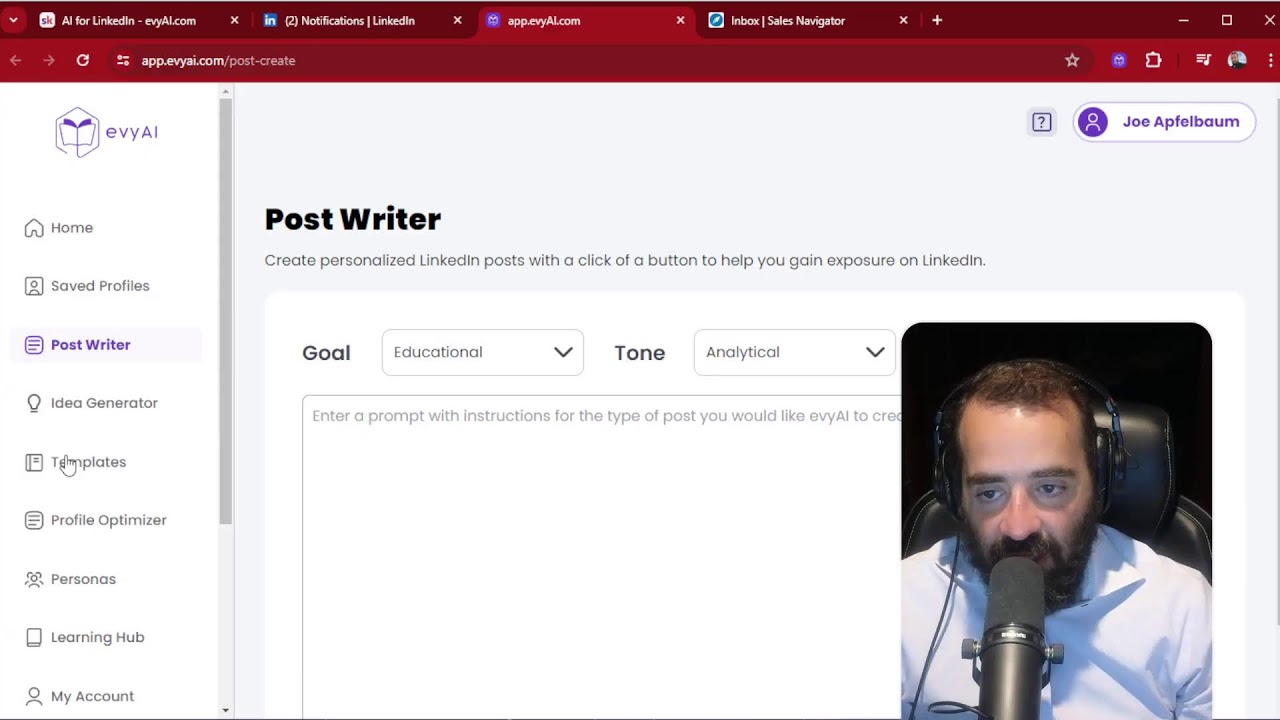
Joe Apfelbaum uses Evy AI to write LinkedIn comments, DMs, and posts in seconds, then schedules them directly in LinkedIn. The tool generates hooks, main points, and hashtags from templates, turning a task that normally takes hours into a two-minute workflow.
Chapters
Mic check, 1, 2. Where am I even streaming to? It says that I'm streaming somewhere, but I don't remember setting up any streaming services. Should I check my Facebook page? Let's check my Facebook page over here, see if I'm streaming on Facebook right now. Oh my gosh, I am! I'm streaming on Facebook. Look at that. I guess I set up my streaming on Facebook. Did I also stream to LinkedIn? I don't know. I don't know if I'm streaming to LinkedIn. I just hit start streaming just to kind of see what happens on my OBS. Let me check LinkedIn right now. Oh, look at that. I'm streaming on LinkedIn too. How am I streaming to all these? Oh, you know what? I'm probably using Restream right now. I'm probably on restream.io. Let me check to see if I'm actually streaming. Oh yeah, I'm live right now. Look at that. Oh, it says warning, you're live and you're live. Oh my gosh. Okay. Yeah. So I'm using Restream, which is actually really cool. That means I'm also live on YouTube. Okay. I'm live twice in one day. And what is the title of the, uh, what is the title of the live exactly? I don't, I didn't even, I just literally hit go live and I didn't even know what I, what I, I didn't know that I went live just like so quick. Oh, it says how to comment and DM on LinkedIn in 2 minutes. That's what I called it because that's what the last one was called. Oy vey, that's not what this is about. Okay, I guess I'll have to teach you how to comment, how to comment, post, and DM in 2 minutes. We'll do 72 over again. All right, I want to go to sleep, so I'm not going to be here long. So let me just quickly show you how to do that. All right, so you want to know how to comment on LinkedIn. All right, so let me show you how to do that. By the way, and I'm messing with OBS, so don't mind me. And don't mind me. Here's Katie. Katie, what's up, Katie? All right, let's see. Katie, Katie. And I'm gonna put on some music, some chill vibes. By the way, let me know where you're dialing in from right now. Okay, so I just left some comments on LinkedIn. Maybe I'll leave one or two more comments just to kind of show you how easy it is to leave Comments with Evy AI. You're not using Evy AI? Evy AI, highly recommend you use it. It saves me so much time when it comes to staying top of mind with the right people. So highly recommend you using this technology. I'm personally using it every day, so I've never seen a better piece of technology for staying top of mind with your connections and building relationships like this. It's not automated. It's just drafting it for you. It's like supporting you and helping you be able to take the right actions on a daily basis to just stay top of mind. Okay, so I showed you how to generate some comments. Let me show you how to reply to direct messages. So I'm going to go here to the DM and she says, have you tried it? I'd like to send all my LinkedIn connections. May I send you a demo of it? I'm going to say, why not? Okay. Why not? Why not? Okay, let's see what she says over here. It's just a rebranding long overdue. I'm gonna write, doing well. And I'm actually gonna promote my school community right here. So this is how I do it. So instead of me having to write up a whole thing about school, I'm gonna have my AI actually send her a link. So it's gonna write the whole thing up. It's gonna say, doing well. Doing well, thanks for asking, Dr. Laura. Rebranding is a fresh start. It sounds like an exciting path. Seeking new beginnings, we launched a new community. Okay, so this is the new community. Itscool.com/avi.ai, blah blah blah. And it even adds a little boom at the end. How cute is that? Okay, so this is the DM doing it. So I showed you the comments, I showed you the DMs. Now I'm going to show you how to write a post with AI. Now what I'm going to do is I'm going to go to the post writer on our website because I want to show you, by the way, we have templates over here. So you can actually load up templates and save templates if you don't have an idea for what to post about. So I'm gonna do Networking with AI, and I'm going to select my persona as Joe Apfelbaum, just like that. I'm going to hit generate ideas. So what this is going to do is it's going to generate a couple of ideas. We, we programmed to generate 4 ideas for posts, like post topics. And once you pick a post topic, you just hit generate. So for example, the future of networking, how AI is transforming professional networking. So I'm gonna press generate and it takes about 10 seconds to write a hook, main points, a call to action, and hashtags, which saves me a ton of time. The future of networking, how AI is transforming professional networking. As professionals, we all know the importance of networking. AI artificial intelligence is no longer just a buzzword, it's a game changer. Gone are the days of manually searching for potential connections or sifting through profiles. AI-powered algorithms that analyze our preferences, interests, and professional goals. Doesn't stop there. AI will revolutionize the way we engage with our connections. Features like smart messaging, personalized recommendations. Imagine receiving a personalized suggestion of how to engage with your connections, whether it's congratulating them on a new job, celebrating a work anniversary. All that's AI. Yeah. Embrace the power of AI. Be proactive and engaged. Stay authentic. The future of networking is here. If you found this post helpful, I encourage you to give it a like. Okay, so I like this. I'm going to press copy and then I can schedule it on LinkedIn. So I'll teach you how to do that real quick. You go to LinkedIn and you just schedule it right over here. Just like you go to the top of LinkedIn and just built right into LinkedIn, there's a scheduling tool right here. You just post this. I'm going to delete some characters. Okay, now I'm going to press the little scheduling tool over here and then I can pick a time and a date. You see that? So for example, I can pick the 31st at Um, at 7 AM. Wait, when is the 31st? 31st is Friday at 7 AM. That's fine. I'm gonna press next and I'm gonna press schedule. And so this is scheduled for May 31st. May 31st, I'm gonna have a post go up automatically and I don't have to think about it. That post is just gonna go live for me and it's gonna help me be able to get more exposure, more credibility, and At the end of the day, get more meetings with people that are in my target market. Well, hopefully you enjoyed this. If you did, give it a like, maybe hit the repost button. This was episode number 72 out of 244. I'm gonna go live 244 times this year, and I'm particularly excited because I know I'm messing with OBS and I can do some really funky stuff with OBS that I couldn't do before, like Turn on my rectangle video, turn it off. You see, I'm just turning it on, turning it off. Really cool. And I can zoom in and out and have all these presentations and things flying in and out. So I haven't set it up completely, but I am going to set it up and improve my OBS game and be able to give better presentations online. Hopefully you enjoyed this. Thank you very much for watching this. I'm going to stop the stream right now and I'll see you guys