How to create a content calendar for LinkedIn
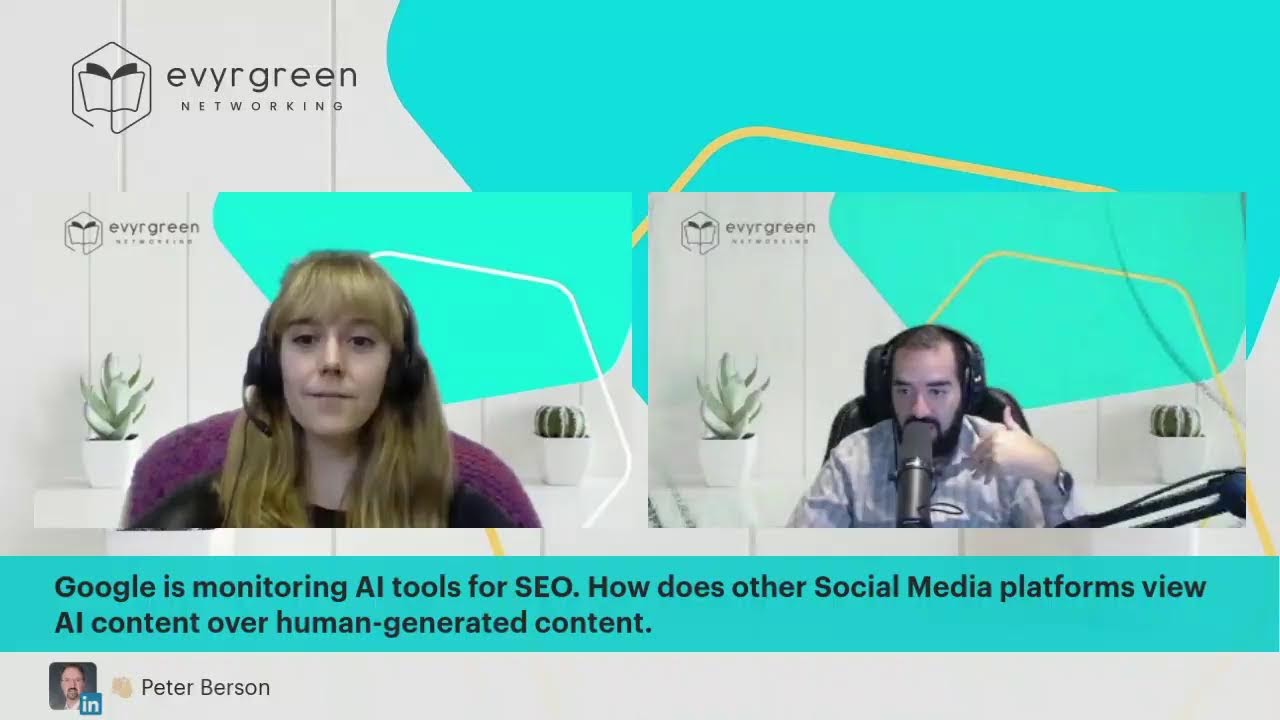
Joe Apfelbaum and Sam Bergdahl build a 60-90 day LinkedIn content calendar from scratch, assigning post types to each day and using tools like AnswerThePublic and Buffer to brainstorm and schedule. They walk through SMART goals, show how to theme each month, and demonstrate AI tools for writing scripts and automating posts.
Chapters
You guys made it to our LinkedIn Live. My name is Joe Apfelbaum, and together with me I have the wonderful Sam Bergdahl. Sam Bergdahl, and we are here talking about how to create a content calendar for LinkedIn. I'm curious to know if you guys are here live, and if you're watching us live right now on LinkedIn, just write live. If you're watching the replay, whether it's on Facebook, YouTube, LinkedIn, or anywhere else, Just write replay in the chat. I'm curious to know what you're watching. Um, Sam, I kind of hear myself as an echo from yourself, so if you're not talking, just mute yourself. I hear an echo because you— it may be playing on your computer out loud or something. Now I don't hear it anymore. Did you mute yourself?
I did just mute myself, um, but everything's coming through the headphones, so that's interesting. But that's okay, I'll mute myself.
Fantastic.
When—
now when you're muted, I don't hear myself talking. By the way, do you see Evergreen as backwards on my, uh, like right over here as backwards?
Yes. Do you want me to send you my flipped version?
No, no, no, no. Let me see if I can click on edit thing and then I could see if I could flip it. I'm going to click on virtual background and see if I could flip it. Oh, you have a backwards— oh, mirror camera. I'm going to undo mirror camera. Is that better?
Yep, that's better. There you go.
Okay, good. Very interesting. Okay, cool. So now we are here live on LinkedIn and talking about content calendar. So Sam, could you tell us why you wanna create a content calendar? 'Cause you approached me, you said, Joe, I'd love to create a content calendar. Why is it that you wanna create a content calendar? And I'll mute myself while you talk.
Sure, yeah. Well, I mean, we do talk about the importance of creating content so that people know, like, and trust you. It's something that I've really wanted to be consistent consistent with, but I find that I'm just not consistent with it. So being able to have a content calendar, scheduling out a time to work on that, and then scheduling it out in Buffer, I think is going to be really helpful not only for my connections and my network so they know me, but also so that helps me be more consistent and show people that I'm consistent.
Consistency is key when it comes to social media. So many people They log in, they post something, and then they leave and they never post anything again. And you're not gonna get the benefit of social media if you don't have that consistency. Just posting once in your life and never posting again is a total waste. And if you're live, if you're on LinkedIn, and by the way, Zach, thank you for telling me that it was backwards. I see Zach Fowler is there. And also Joseph said he's live. If you're watching this live right now in the chat, write live and I will see your comments popping up. In the tool, in the studio that we're using, it pulls up the comments. So posting on a regular basis is really important. And if you're, if you're on LinkedIn, every connection that you have on LinkedIn— I have 27,000 connections on LinkedIn— every connection I have on LinkedIn is also a follower. And when I went live with this tool, I went live on Facebook, I went live on YouTube, I went live on the Ajax Union company page, I went live on the Evergreen company page. We're live on Sam's LinkedIn profile, and we're also live on my LinkedIn profile. So we're, we're going live on all these profiles all at the same time right now. And this is a piece of content. So if you're going to create a content calendar, part of your strategy for 2023 could be go live on a regular basis. Going live means you don't necessarily need to read a script. You don't necessarily need to be prepared. You're going live and you're having an interview. So I ask Sam a question, Sam answers the question, and then we, uh, we have a conversation about it. Now you can use artificial intelligence to create a list of questions about LinkedIn or about whatever your topic is. And I'm curious to know specifically for Peter, for Carol, for Zach, for Constantine, for the people that are live right now, What business are you in? So put in a keyword in the chat for what business you are in right now. And anybody else that's watching this live right now, what business are you in? Are you in the business of marketing? Are you in the business of legal law? What business are you in? Let me know if you can put in a 2-phrase keyword. Like for me, it's B2B marketing or LinkedIn training. What is it for you? Put it in the chat. Libby asked a question. She said, how do you go live on all those places at the same time? I'm right now using a tool called Restream.io. There are several other tools you can use. This is a tool that we teach inside the Evergreen Networking System. We have a 45-minute tutorial on how to set it up, and then we have a whole guide on how to make sure that you get actual engagement and how you get promotion in your LinkedIn Live. So, um, Dottie said she's live and she's in the business of coaching. Joseph said he's live, he's in the business of medical sales. Laser Portugal is in this— in the, uh, in the lighting business. Zach is in B2B contract management, um, and Zach is coming from, from Sam's profile. So I can see in the chat if you're commenting on Sam's profile or you're commenting on my profile. So if I go to Sam's profile, it's a different LinkedIn post. It's not the same LinkedIn post that is of my— so the people that leave comments on my profile are not gonna see the comments that are being left on Sam's profile. So there are different ways to be able to share it. There's an option called repost. And if you're watching this live right now, you may see a share button on the bottom. And then when you click on the share button, you'll have the ability to repost this so that my live will show up on your profile. Which is very interesting. Moses said boom. Thank you, Moses. Now if you want to— and, and Libby said, uh, grantwatch.com. I love that. Um, Zach, if you want to see all the comments that are on my profile, then you can go to joelinkedin.com and you could open it up in a separate tab. And if you go to joelinkedin.com and you click on see all activity you'll be able to see all my activity, all my likes and comments. But then when you click on posts, you'll be able to actually see the posts that I have. And that's a little hack to be able to see all the comments and reply to people's comments. Because if you're in the live feature right now, you can't reply to people's comments easily. It doesn't let you do that. And it only shows you comments as they're coming in, but then they disappear. But if you go to my profile, joelinkedin.com, and you click on see all activity, and you do this in a new tab so you don't lose, You know what I'm saying right now, and you click on See All Activity. And Sam, you can try this yourself. Sam, are you trying it? She's like, yes, I'm trying it. Um, you click on See All Activity and then you click on Posts. Then you'll be able to click on the comments and you'll be able to see all the comments. And that's how I can reply to comments in real time to other people's comments. And then they get notified that I replied to the comments. And it also increases the amounts of comments that you have on your post. And the more comments you have, The more the algorithm wants to send this out in real time to people. And people are real time getting notified, Joe Apfelbaum is live, Joe Apfelbaum is live, and they're getting these little pop-ups on their profile. So I'm curious to know how you found out about this live because we didn't promote the fact that we were going live. If you truly want to be successful with a live, you have to schedule it in advance, add it to a calendar, and invite people to join, invite guests, and make it into a whole production. But if you just randomly go live, like me and Sam just randomly went live without even planning it in advance, then you're not going to get a very big audience. And frankly, I'm not looking for a big audience right now. What I'm looking for is to help Sam create a content calendar. And part of the content calendar is determining what is going to go in the calendar. So Sam, I have a question for you.
Got it.
What length of time would you like to create a content calendar for?
That's an interesting question. I think that from our discussions of content calendars in the past, I'd like to have a topic that I post about each day of the week, and I would like to have at least a month or 2 in advance because I've learned that a month can go by pretty quickly in my world. So if it's 2 months in advance, and every 2 months I can schedule out, you know, an hour of time to create the next Okay, so you said 2 to 3 months.
So let's just assume it's a 90-day content calendar. And you said you wanted to have a topic every week?
I wanted to have a topic for every day of the week.
A topic for every day of the week. Do you want to have any themes? This is a question that I ask people all the time. What themes do you want to cover? Do you want to have a monthly theme or a weekly theme or a quarterly theme? What would you like? Would you like to have themes and categories that you're going after and you could have topics within themes?
Yes, well, um, I think that this conversation will help really break that down for me. But, um, I have just a Word document basically with Monday, Tuesday, Wednesday, Thursday, Friday, Saturday on it. And maybe, you know, Monday there's a different theme, Tuesday there's a different theme, Wednesday, etc., etc., etc. But I'm curious your thoughts on that.
I think if you're creating too many themes, like, it's— you're not— you're gonna be like disorganized. Um, I personally, what I like doing is I like to make sure that, you know, some people do an annual theme, some people do a quarterly theme. But if you have a word for the year of what your word is for the year personally, like every year I come up with a word for the year and I'm going to be announcing mine in the Goal Setting Masterclass. If you guys are not familiar with the Goal Setting Masterclass, we do once a year a class where we sit down for a whole day and we kind of come up with our goals and we get organized. I'm going to be announcing my word for the year. I'm going away for the weekend to really think about my goals this weekend. And then when I come back, I'm going to be doing the goal setting masterclass. And I'm going to have my word for the year. And that's the word that I'm really going to focus a lot of my content around and my own personal development around. So I'm curious to know if you guys have a word for the year or a theme for the year. My theme for the year, my months, and my quarter. I theme my year, my months, and my quarters. That's great, Carol. That's a really great suggestion. Tanya said live so you show up in the notifications. That's awesome. Peter said, I was on LinkedIn and it started to show Joe the Rockstar is live with a smiley face. Thank you. Laser said LinkedIn notifications. Janet said notifications. 'Cause I asked a question, for those of you that are just tuning in now, I asked the question is where did you see me go live? 'Cause I didn't promote this anywhere. So creating a content calendar is very interesting 'cause it helps you become more proactive. And me and Sam are talking about how to create a content calendar specifically for LinkedIn, but you can apply these strategies for YouTube, Instagram, TikTok, Facebook, or anywhere else. If you wanna scale your business, you gotta have systems and processes. And one of the systems that you can create is a content calendar. So you said you wanted to have a topic of the day for each day. Picking a theme is important. So I would pick a theme every month. Let's say, um, around, it could be around LinkedIn, it could be around business development, it could be around sales, it could be around networking, it could be around prospecting. And then what I would do is I would decide how many different types of media I want to share. So for example, I might do a weekly video. So if I do a theme of networking, so I have video 1, video 2, video 3, video 4 within the theme of networking. And that way I can organize my topics appropriately. And then I can alternate. So for me personally, I would do marketing, networking, and prospecting. And I would alternate every quarter. I would do networking, marketing, and prospecting. And depending on what I'm doing, so for example, Because in February, at the end of February, we're going to be launching our Sales Navigator bootcamp. So February for me is going to be prospecting. In March, where I'm going to be preparing for networking, I'll do networking. And this month I'm going to be doing marketing. And how do— and what's, what's the marketing that I'm— what am I talking marketing? Marketing, I'm talking about Ajax Union specifically, because at Ajax Union we're a digital marketing agency. And at our digital marketing agency, I shared our business networking one sheet today as my post for the day. I don't know if you guys saw that. Guys, gimme a yes or a no in the chat. Did you see my business networking one sheet? Did you see it? Yes or no? And part of what I'm doing to get you to engage is I'm asking you questions here. So if I'm doing a LinkedIn Live once a week or once a month or once a quarter or whatever I'm gonna be doing throughout the year, that's part of my content calendar. And so I'm gonna be talking about marketing. I'm gonna be doing 4 marketing LinkedIn Lives in January, 'cause that's what I'm doing. I'm doing marketing. I'm gonna be doing prospecting in February, and I'm gonna be doing networking in March. And March is my networking month anyway. So that's kind of like when I, when I talk a lot about that. Does that mean that I'm not gonna talk about networking at all in January? No, but my proactive content is gonna be around marketing for the month. So for you, Sam, do you know what topic you'd want to pick for January as your theme?
Well, it could maybe make sense because we're doing goal setting. So goals and planning out your goals, but we're doing the goal setting early on. So I'm not sure. I guess that theme could continue on for the rest of the month and really set people up for the next couple quarters.
100%. You could definitely do that. You can have a theme where you set it up for the rest of the month, and then it's kind of like all ready to go. My recommendation is to just pick a theme. You can do goals around LinkedIn, you can do goals around your life, you could do goals like you could do goals around everything. It doesn't have to be just for the Goal Setting Masterclass. You know what I mean?
Joe, Libby asked a question that was a little bit, she says, off topic, but I just wanted to answer it. Joe is not getting the flickering background that I have. And that's because Joe has a lovely green screen. And I do not have that behind me at this moment. So it's a little bit flickery, but that's what's happening, Libby.
Fantastic. And as you can see, I am replying to people's comments. I just replied to someone's comments. So Tanya, Tanya Mohammed, she said nope, because she didn't see my Business Networking OneSheet. And I shared the post to my Business Networking OneSheet as a reply to her comment. So you might be wondering, how did I reply to a comment if I'm on the live and you can't reply to a comment? The answer is, I went to my profile, I clicked on See All Activity, I clicked on Posts, I clicked on Comments, and it showed me the comments to this particular post. If I click into the post, I can no longer see the comments because it just shows me the comments as they happen in the live. That's the software and how it works, and you can't really see the comments. So that's why I'm doing it. So Libby, I am— I have a green screen behind me, and the green screen behind me is replaced by that image. So if I move really, really quick, you see the green screen, you see, because the computer is constantly replacing it. So that's the idea. Now, if I didn't have a green screen, it would be a little bit less quality. I can turn off the green screen feature just to kind of show you the difference in quality. My green screen is on a shower curtain across the top, and it's a green screen I bought on Amazon. So if I click on virtual backgrounds and I turn off my virtual background, this is what my green screen currently looks like. I should really stretch out this side over here. So that it doesn't have that little edge there. I just have to go to the top of the shower curtain and pull it, and it'll turn into that. And I could add whatever image I want in the background, and I could also change how, how like sharp it is and so on. And if I set up my lighting correctly, which I didn't set up my lighting correctly, it would even be higher quality. Like I would put lighting in the backlighting. I have like 4 different lights that I can set up, which I did not set up for this.
Okay.
Now let's get back to the content calendar topic. So for those of you that are joining live just now, and this is part of my format that I teach people when they do live, is you keep repeating what the topic is and what you're doing every once in a while, every 15 minutes or so. And the reason you want to do that is because new people are joining, people are leaving, people are coming, it's a live. And so you want to talk about what you're talking about a little bit. And so people kind of get up to speed. So we are talking about how to create a content calendar for LinkedIn. And we mentioned that we should pick a theme for the month. And you said your theme for the month is going to be goals. My theme for the month is going to be marketing. I'm curious to know who here would like to create a theme right now for the month of January for themselves. And if you picked a theme for yourself, just tell me what theme you're dedicated to writing at least one post about in January, or maybe one post per week. Or maybe one post per day. So go ahead, type in the word theme in the chat and put in a colon and put in what theme you will be doing. So it could be one word, 2 words, 3 words. Go ahead in the chat.
While they do that, I have a question for you about the theme for goal setting. Does it make sense to talk, you know, the first week goal setting in business, second week goal setting in personal life, third week goal setting in The next area of your life. Is that still within the congruent theme and each week is a bit different of a topic within that theme?
Yeah, so there's no wrong way to do it. You can, you can decide how you want your theme to be portrayed. What I would do is I would pick a theme and then I would pick topics within the theme that I want to cover throughout the month. And then I would categorize those topics Per on a per week basis. For example, if I was doing goals, I would do goals. I would do every single Monday. I would talk about my goals for the week. So I'd be like, "It's really important this week. My this month, my my my theme is goals, and I want to tell you my goals for the week. My goal is to speak to thirty people and do this and do that." On Tuesday, you could talk about long-term goals. So every Tuesday, you'll talk about long-term goals, and you'll do a poll. Related to long-term goals where you survey people what area of their life they want to focus on and goals. Are— do you even write your goals down? So you would pick on long, more long-term goals. So one's like the week goal, one's long-term goals. On Wednesday, you might do a video, a video of yourself talking about your goals in general and how you think about your goals and how you plan your goals out in general. So you'll do a series of 4 videos around goals and One time you'll say why people procrastinate their goals. What are the best ways that you hold yourself accountable for accountability from goals, whatever. So you come up with the topics that you want to cover on video. So on Sunday, you had an image post with your goals for the week. I mean, on Monday. On Tuesday, you had your survey, your poll. On Wednesday, you had your video post. On Thursday, you might share an infographic around goal setting. So you'll find 4 popular infographics that are PDFs, and you'll share them as a document. And you'll be like, here's what SMART goals are. And you'll explain what SMART goals are, and you'll talk all about it. And you'll be like, if you want more help with goal setting, we have a goal setting masterclass coming up. And then on Friday, you share a personal story around a goal you once had that you achieved, or a goal you once had that you wanted to achieve that you didn't achieve, or something from your bucket list, something more personal. And there you go. Those are your 5 things. And then so you write them all down. You know exactly when you're going to do them, maybe on a Google Doc or on a spreadsheet. And once you write them all down, it becomes really, really clear what you need to do. For your videos, you can write 4 video scripts and you can just say those videos. Writing a video script is not complicated. You can follow my directions on writing a video script. I have a video of me sharing a video script about my 30-second profile video, which I actually shared in our coaching session today, Sam. So if you go to my last month's worth of posts and you can find that video, just scroll down through my last month's worth of posts and you'll see My LinkedIn profile video script, and you can get that script and you can copy it for anything you want. You can repurpose that script for anything you want.
Perfect. And once upon a time, you showed us a website. If you were struggling to find topics within a specific theme, you could plug this into that website and it would give you all the topics necessary. Do you remember what I'm talking about?
Oh, you mean Answer the Public?
Answer the Public. That's exactly the one.
Yeah, so if you guys haven't heard of Answer the Public, you put in your theme there, like your keyword, and it tells you a list of hundreds and hundreds of questions related to that particular word. Um, and I would share my screen now and kind of show you my screen, but I don't think you guys are gonna be able to even see it if I share my screen right now. I mean, last time I shared it, people were like, I couldn't see anything, whatever. If you guys want me to share my screen, just write share your screen, Joe, and I'll share my screen if enough people write it. But in the meantime, Libby said her theme is grant writing tips. I love that, grant writing tips. So you can do an image post, a text image post on Mondays. You can do on Tuesdays a survey around grant writing. On Wednesday, you can do a video. On Thursday, you can share a document. And on Friday, you can share a story, a personal story around grant writing and that idea. Just, just sharing tips alone is not that interesting. I share tips, but those are not my most popular types of posts. My most popular types of posts is when I share stories about myself. So I'm curious to know, do you have a content calendar or do you need a content calendar? In the chat, let me know, do you have one or do you need one? Having a content calendar is really important. And you start with like an overview document where you list out your theme and you list out your topics, and then you organize your topics per week. Peter said digital marketing during a recession. I really love that. That is a really good theme to have for January, especially because everybody's worried about the concept of a recession. Zach Fowler said, I need a content calendar. Peter said, I have a content calendar. Now, coming up with topics is really interesting. You can actually use artificial intelligence, AI, to help you be able to come up with, to brainstorm topics around your theme. But you need to actually know what your theme is and you need to figure out your topics. And using AnswerThePublic can really be helpful as well. So if you're not really using AnswerThePublic, I recommend you check out the tool. I'll paste a link to the tool in the comments. So let's come up with, um, with topics for, for goal setting for you specifically right now, Sam. Let's make a list of topics for you, um, so that you have those topics. So I'm going to type in— do you want to do goal setting or just goals in general?
Why don't we do goals in general? Because that can include goal setting.
All right, cool. So I put the word goals in and it says, when goals are not achieved. When goals are too challenging. When goals are equal. When goals in football. Why is it important to set goals and targets? How do you know when to give up on a goal? What are progress goals? When should you give up on a goal? Why goals are important. Why are goals important in business? Why goals are bad. Why goals don't work. Why goals fail. Why goals matter. Can you see that Answer the Public is going to give you lots of different topics. Find the topics that resonate with you the most. When you have an emotional reaction to a topic, or you're very curious to that topic, or you're very excited about that topic, that's an indicator that you should pick that as one of the topics. So right now, for the sake of, uh, of simplicity, we're gonna pick 4 topics. around goals, around your theme on goals. So let's pick these 4 topics now based on Answer the Public, because they're going to give you 50, 60, 70 topics. Tell me what your 4 topics are right now, Sam. Let's pick 4 topics. So what are the 4 topics you're going to pick around goals? Can you pick 4 topics now?
Yes, I sure can. I was just typing in Answer the Public to pick, pull it up. But let's say for the 4 topics, when a Goal is too broad.
Okay, good.
Why people procrastinate goals.
Why people procrastinate. Good.
Um, setting SMART goals.
Setting SMART goals. Good.
And give me one more. Breaking down a large goal into smaller sub-goals.
Into smaller sub-goals. Okay, good. So breaking down— so this is what we're gonna— these are the 4 topics that Sam came up with. So week 1, she's gonna do when a goal is too broad. Week 2, she's gonna talk about why people procrastinate. Week 3, she's gonna talk about setting SMART goals. And week 4, she's gonna talk about breaking down large goals into smaller sub-goals. Now she can do this around LinkedIn, she can do this around sales, She can do this around personal development. She could do this around anything that interests her. And on Fridays, she's gonna— for each one, she's gonna be like, I remember a time when I set a goal that was too broad. So could you remember what time that you set a goal that was too broad? Like, for example, I mean, I had a conversation with you when I met you, like, I want to make more money. That's what you said. I want to make more money. That's too broad.
Yes, absolutely. It was too broad. And the number that I had in my mind was also Completely ridiculous.
Yeah. Yeah. So that wasn't a SMART goal. That was just a random goal. Um, does anybody have any suggestions in terms of topics for Sam? Let's crowdsource a topic for Sam regarding goals. Let's see if we can come up with at least one topic for each person watching this live related to goals. And you can cheat and you could use Answer the Public tool To find at least one topic. Now, if you want to put 10 topics in, you could put 10 topics in, but let everybody put one topic in the chat right now to help Sam with her goal of coming up with enough topics to fill up her week. Now, based on what I just told Sam, where on Mondays she shares her goals for the week, on Tuesday she shares a survey, on, on Wednesday she shares a video. On Thursday, she shares a PDF document with an infographic related to that particular week's topic, um, in conjunction with the theme of the month. And then on Friday, she shares a story. That's enough for her to have a monthly content calendar. And you can do the same. You could literally do the same. Um, Carol said, celebrate your goals as accomplished. Ooh, how do we celebrate goals? What is a celebration even? I love that, Carol. That's such a good one. Said micro versus macro versus micro goals. It looks like Zach's an ideator. I like that. Zach, are you an ideator? Um, breaking down goals for daily action items. Tanya said SMART goals. Everyone go ahead, this is fun. Brainstorming is a fun activity. I want you guys to really think about a topic for Sam related to goals. Said trying to feel— try a feeling to a goal, tying a feeling to a goal and focus on achieving the feeling To help you achieve the goal. We want things because of how we think they'll make us feel. Dottie, you must be an amazing coach. You must be an amazing coach. Yeah, no, I love that. That is exactly— that's spot on. That is spot on. Now what I'm going to do is I'm going to use artificial intelligence right now, Sam, to help me come up with some topics for you regarding goals. Come up with 10 topics related to goals. Okay, now the artificial intelligence is going to type this up for me, and once it gives me these 10 topics, I'm going to read these 10 topics for you, Sam, and then I'm going to paste these 10 topics as a comment inside the LinkedIn, um, the LinkedIn chat over here. So LinkedIn chat. I'm gonna find the LinkedIn chat. Where's the LinkedIn chat? Oh, uh, here it is. Okay. I found the LinkedIn chat and I'm gonna add these 10 here. And Sam, let me know when you see the comment inside the LinkedIn chat and you could read the first 5 and I'll read the second 5. I just pasted it as a comment on LinkedIn and I'm also gonna like it so you could see the one that I liked. It's the most recent comment on, on the LinkedIn, uh, on the LinkedIn. Live that we have here. Do you see it? Sam, I don't hear you.
My page glitched out, so I'm pulling it back up.
Okay, cool. You can go to my recent activity, click on post and click on comments, and you'll see what it is. So I'll read the first 5 and you read the second 5. Setting and defining clear goals. Creating a plan to achieve goals. Tracking and measuring goals. progress towards goals, overcoming obstacles and setbacks in pursuit of your goals, and identifying and setting priorities in relation to your goals. You want to read the other 5?
You read so fast, Joe.
Okay. Now, does anybody else have any other— I don't know what an ideator is, but I have many ideas sometimes, and it's hard to implement them. Okay, I want everyone to Go ahead and tell me what would you like me to brainstorm for you? So I want to help you with your topic and your theme. So in the chat, write brainstorm ideas for and give me your topic, and I will brainstorm 10 ideas for you right now instantly like this. I will come up with ideas because I am an idea machine and I come up with ideas very, very quickly. So give me tell me in the chat put a command in the chat for me, and I'm going to help you. Right now, uh, be able to come up with a list of ideas that related to you while Sam reads the other 5, uh, the other 5.
All right. All right, so the other 5 are staying motivated and committed to your goals, seeking support and accountability in achieving your goals, balancing short-term and long-term goals, setting and achieving personal and professional goals, managing time effectively to achieve your goals.
I love that. I love that. Okay, so Nathan asked a question. He said, let's see, let's, let's look at a couple of you to brainstorm ideas for you. I'm going to refresh the comments over here to see what's coming up. I'm going to click on— oh, we have 58 comments over here. I love this. I'm going to click on recent comments. Let's see if I can click on most relevant, most recent. Oh, that's most relevant. Most recent. I get sorted by most recent. Show more comments. Leadership development. Get anything you want in life. Spring cleaning your life. Dottie said topic, trying to feel like— okay, so we're going to start with Dottie's spring cleaning your life.
I like that one too.
I love that.
Joe, by the way, just a quick question. Do you still hear feedback of your voice? I turned my headphones down, so I'm hoping—
Oh no.
Okay, great. Thank you.
So I want 10 ideas for spring cleaning your life. Declutter your living space. Organize your possessions. Deep clean your home. Get rid of items you no longer want to use. Update your budget and financial plan. Set new and personal and professional goals. Make a plan for improving your physical health. Create a schedule or plan for self-care. We all need more self-care. Purge your social media feeds and negative and toxic influences and evaluate your strengths of your relationships with your loved ones. Dottie, that's for you.
That's amazing.
A little gift I brainstormed for you. Carol said, get anything, get anything you want in life. So you want to brainstorm around, brainstorm how you can get anything you want in life. Let's see. Set clear and specific goals for what you want to achieve. Develop a plan to achieve those goals. Work hard and consistently towards your goals. Stay motivated and committed to your goals even when faced with challenges. Seek out opportunities and resources that will help you achieve your goals. Network and build relationships using LinkedIn. To get advice from people. Seek out education and training like the courses that we offer. Stay open to new opportunities and be willing to take risks. Stay positive and believe in yourself and your abilities. And don't ask for help— don't ask— don't be afraid to ask for help when you need it. Those are the ideas that I produced for Carol. And Patek has question— oh, Patek wants leadership development. Brainstorm ideas about Brainstorm ideas about leadership development. Let's come up with some ideas about leadership. Attend a leadership training or workshops. Seek out a mentor or coach. Take additional responsibilities on or projects to develop your leadership skills. Get involved in a leadership role within your community organization or club. Read books and articles about leadership to gain new insights. Practice active listening and effective communication. Work on building and maintaining strong relationships with team members. Take the time to understand the strengths and weaknesses of your team members and help them develop their skills. Lead by example, setting positive and professional tone on your team. And continue— seek continuous feedback and be open to learning as a leader. So, Patek, that's the topic for you. And you can— and I gave you as a gift all those different topics. So if you guys want me to brainstorm, write the word brainstorm topics for in the comments. And let's see what other people have said. Most recent. Lee, about what you want me to brainstorm for. Carol gave me like a bunch of beautiful little confetti things in the chat. Okay, Neil said conflict mediation and tourism in tourism branch. What does that mean? I don't know what tourism branch is, but let's let's do conflict resolution. Establish clear guidelines and protocols for addressing and resolving conflicts. Train staff on conflict resolution and mediation techniques. Encourage open and honest communication around staff and clients. Offer mediation services to facilitate discussions and find a resolution. Utilize third-party mediators or conflict resolution experts if necessary. Consider implementing a system for anonymous reporting on conflicts. Look at that. Those are some really, really great ideas for content for NILs specifically. Promote culture of respect and professionalism in an organization. Address conflicts as they arise before they escalate and seek outside help or resources such as legal, HR if necessary. And by the way, you guys can take these ideas and use them for yourself in your own niche, in your own business with your own theme. So any of these ideas that I mentioned here today, you can literally use those ideas for yourself in your own niche, in your own business. And it'll really make an impact for you. Let's see what other people wrote. Zach said, should care. Great ideas. Brainstorm for pricing activation for a corporate event. And this came from your thing, brainstorm for pricing activation. This is what it said. Okay, so let's brainstorm ideas for this. Ooh, I love this. This is great. Does anybody have any ideas for this? Brainstorm pricing and activation for a corporate event. Okay, let's see. Determine the specific goals and objectives of the activation. I always start with that. Research the target audience and identify their needs and interests. Consider the location and logistical requirements of the activation. Determine the resources and staff needed to successfully execute the activation. Establish budgets and any constraints or limitations, because pricing will be based on budgets. Research comparable activations and pricings in the market. Consider the value and ROI of the activation for the client. I always think of value and ROI before thinking of pricing. Consider any additional costs such as design, production, catering, Negotiate and finalize the pricing with the client and create a clear and detailed proposal or contract outlining the activation and the pricing. I don't know if that was helpful for you, but if it was helpful, just write helpful in the chat. Okay, so Zach asked a question. He said, brainstorm why business professionals should care about blockchain technology. By the way, does anybody use blockchain technology right now? Yes or no in the chat?
No, sir, but I'm looking forward to learning about why I should care about it.
Okay, so James said very helpful, thank you. So, okay, number 1 is we should care about it because you— it increases efficiency. Number 2 is it improves security and decreases risk of fraud. Number 3 is it increases transparency and traceability of transactions. Potential cost savings, improved chain supply management, enhanced data management and storage capabilities, the potential to disrupt and revolutionize traditional business models, increased competitiveness in the marketplace, potential to create new business opportunities. Being educated and informed about emerging technologies is important for professional development and staying current with the industry. So there you go, Zach. There you go, Zach. You got yourself some stuff. Um, I— Daddy, I'm not Googling it. I'm using artificial intelligence to help me create ideas very, very quickly. So, and I'm going to be launching a course called Evergreen AI. It's going to be very affordable where I'm going to give you the different prompts and the different ways to use artificial intelligence in order for you to be able to produce business development content very, very quickly, including brainstorming, researching, strategy, summarizing, all this other stuff to be able to do— create emails, create content, social media content, um, using creativity, things like that, all this type of stuff. So if you guys are interested in AI, just write interested in AI in the chat, and when we launch the course, I'll send you an email, or I'll have someone on my team go back and look at this and send you an email. The tool that I'm, I'm using a variety of different tools. Like for example, I shared with you Answer the Public. That is a tool that uses artificial intelligence, and that tool comes up with lots of questions very quickly. There's a tool that I teach in my course called Copy.ai. There's another one called Jasper. They're all based on OpenAI. I am developing a tool based on OpenAI that allow you to automatically create comments on people's posts. So if you're interested in AI, just write interested in AI in the comments. And I will give you beta access to my tool when we launch the beta access. I'm only giving beta access to 100 people, and 111 people said they're interested in beta access already. But if you write interested in AI, not all of them are actually going to take advantage of it. So just write interested in AI, and I will send you information when it's coming. Cool. All right. Interested in AI, Zach said. Fantastic. And James said interested in AI. The reason why artificial intelligence is so significant is because it really changed my life. Like it gave me the ability to create content so quickly. Um, Sam, do you feel like you have a content calendar ready for yourself?
Yeah, I feel like that I, um, definitely have all of the information I need to sit down and create something for the next month.
Now what I wanna do next is I actually wanna create Bullet points for each piece of content for each day. So Monday, Tuesday, Wednesday, Thursday, Friday, I want to create bullet points for each piece of content and actually flesh out the content. And I'm going to show you how to do that using our new AI tool later this week when we launch it. And it'll create, literally create the posts for you. It'll create the articles. It'll create the video scripts for you. It'll create everything that you need will be created for you. You just have to input into the device what you need. into this tool and it'll literally just develop. So it's just boom, the thing is done. And then you'll go in there and edit it because it's not gonna be perfect. It's never perfect, perfect, but it's pretty damn close to perfect. You know, you know, like it's just so interesting how it works.
And you said it learns your voice too, right?
It learns your voice, but you have to train it to learn your voice. You literally have to train it. Um, do you have content development and scheduling and managing tools combined? Yes. I have content development, scheduling, and managing tools combined. Um, very, very powerful. And in our course, we teach you how to use many of those tools. Um, so if you want to learn how to use them, just go to learnbusinessnetworking.com and apply for our course. We have coaching that happens twice a month. We have a workshop every single month, a continuing education workshop. We have an accelerator program. We have lots of opportunities for people to learn how to grow their business using LinkedIn and using content generation technology, very powerful content generation technology. Now I'm going to play a little clip here with a 90-second testimonial from a client of ours. Listen, listen in, it's 90 seconds.
As a result of the LinkedIn coaching with Evergreen Networking for teams. In the first 30 days we have started to put in place, we have closed $40,000 in revenue directly attributed to what we learned to do on LinkedIn via coaching that Evergreen Networking provided us with. After working with Evergreen Networking and, you know, having attended a lot of your sessions and your course, I think we were really able to streamline our process, hone down into our messaging, message and our offering and have a better outreach strategy to our customers. And that really has helped us multifold our results, you know, and our client acquisition as well. So it's been really, really helpful. It's been amazing. In our first coaching session, I got massive value. Joe and the team got straight to the point and gave us strategies that made perfect sense. The LinkedIn training for teams that Evergreen Networking took us through was easy to understand and very simple to implement. The course and the coaching program was also really helpful for me and my team because it happens, you know, it happens a few times a month. So the strategies that I got were able to be applied right away. The frameworks, the scripts, the checklists, all of that make, you know, using LinkedIn much more approachable. Every time I've attended one of the sessions with Evergreen Networking, whether it's Joe or someone else, I always leave that session learning something new that I'm like, oh, I thought I knew LinkedIn, but this is something I learned today. So it's been, it's been, it's been game-changing for me and my company.
How cool was that, guys? How cool was that, that I was able to just literally take a video that was prerecorded in advance and just injected into my LinkedIn, Sam's LinkedIn, the Ajax Union LinkedIn page, Evergreen LinkedIn page, YouTube, Facebook, literally just everywhere that video just went. And all you guys watched that as if it was live, but it wasn't live because I played the video and it came in perfectly. Do you guys wanna learn how to do that? We have a 45-minute class inside our course that teaches you exactly how to do that. And it's just, it's been a game changer for me to use these technologies. It allows me to, to be able to go live without really going live, although right now I'm live. And the benefit of going live is that I'm interacting with you in real time. It's like we're having a real conversation in real time. So yeah, I want to, I want to address a question that Peter asked. Peter said, Google is monitoring AI tools for SEO. How do other social media platforms view AI content over human-generated content? LinkedIn is a private network. It doesn't check for duplicate content. It doesn't check for SEO content. Most people are not searching on social media for content. And so you don't have to worry about that when it comes to using content for LinkedIn. For Google specifically, you do need to worry about that. You need to be concerned about just using, churning out content that is not quality, that is not personalized. But it's, you know, the ability for you to be able to prompt AI and be able to get a high-quality piece of content out of it that was never created before, that content was never created before based on your prompt. Because you can tell it don't use the letter P. You can say write me an article about pizza, but don't use the letter P at all. Like, you can be really intelligent, write me an article about kosher pizza, but have the word pig and bacon in it, and talk about elephants and tuna fish, and say it in a sarcastic way, and make every sentence end with words that rhyme. Like, you can like be crazy like that, and that will get created one time and it'll never be created again because that's the benefit of art. You know, if you guys know the way AI creates art, you can instruct AI to create an image that's a unique image that it will create based on an algorithm based on you feeding it some text. It'll create an image that was never created before and it will never again be created again. Very powerful stuff. Um, so Peter, I wouldn't be worried about that from LinkedIn. But Sam, let's do this again. Would you guys come? Was this valuable? If we scheduled something, would you come again to one of these? Just write yes, I would come again. No, this was a complete waste of time. Let me know if you guys got value from this. Did you like the format of us talking like heads, or would you prefer if I shared my screen and showed you what I was doing? I'm curious to know. Screen share, talking heads. Would you come again? Did you enjoy it? What value did you get out of it? I'm curious to know in the chat if you can, even if you're just watching this for the first time. haven't left even one comment, just let me know. Just write value in the chat to let me know that you saw it. I'm just curious to know. I'd love for you to, to, um, to let me know that you're interested in these types of things. And this way we can notify you about the next one. We, me and Sam want to schedule this on a regular basis, maybe every 2 weeks, maybe every week. We'll see. Um, but I think it could be fun. Sam, when, how, Sam, when's the next time do you think we should do this?
Um, I think that Every 2 weeks sounds good. We can come up with a topic every 2 weeks, get consistent. Maybe next time we can talk about goals because our goal setting masterclass will have come and the success people feel that they're going to have. And yeah, just keep it rolling.
And would you like Sam to interview you for her LinkedIn? She might do micro 20-minute LinkedIn interviews for people. Would you like to get interviewed for her own LinkedIn Live? I'm curious to know if she can interview you. Are you interested in getting interviewed? Just say, Sam, interview me, and she may. She has over 1,000 followers on LinkedIn. Um, so she does, as you can see, Scott's coming from Sam, Zach's coming from Sam, James is coming from Sam. I can see the people that come directly from Sam's profile as opposed to the people that are coming from my profile. Um, so these are people, you know, she is getting exposure. to her connections by going live. So if you would want Sam to interview you— she told me she wants to practice interviewing people, um, so, you know, just write, Sam, please interview me. Zach said you already know the answer, Sam, haha.
Which is yes, of course he wants me to interview him.
Why, why does he want to get interviewed? Zach, why do you want to get interviewed? I'm curious to know. Sam, why do you think he wants to get interviewed?
I think he wants to get interviewed because Zach and I have been able to get to know each other over 2 virtual coffees. And we really enjoy being able to support each other in business. So this is just the next step in our relationship.
If you guys don't have a business networking one sheet, go look at mine, leave a comment on my profile, go look at my profile, you'll find as my recent post, the networking business networking one sheet, and leave a comment with who your center of influence is. There's 15,000 people that are going to see that document. So I recommend you doing it sooner than later. So go to my LinkedIn profile, look at my recent documents. You can look at my recent activity, click on documents. You'll see the most recent document that I posted there, the Business Networking One Sheet. Over 1,000 people already saw it. 23 people commented on it. I'm going to now feature it as my— oh, I can't feature it from here. But I'm going to feature it as one of my main posts on my profile because my goal is to get 15,000 people to see that. And so I am going to be featuring it on top of my profile. I just featured it on top of my profile, and I'm going to unfeature the one from last year that I used to have on there. So I'm going to go find this one here. I'm going to click on the one from last year, and I'm going to unfeature it, remove from featured. And I remove this one from featured, and I'll send it to Sam. I'm gonna be like, Sam, I removed this one from featured, just so that Sam has a record of the one that I removed from the featured, because she's— she asked me to send it to her. Um, but yeah, we're here to support you. We want to be able to— uh, I can't see the actual chat line. Nils, I can see the chat line. I don't know what chat line you're talking about. Are you talking about— what do you think he's talking about?
So I think, um, So one of the struggles that I was having, having, Joe, when I couldn't find that list, it's because I had the most relevant comments showing instead of the most recent. So that could be what's happening.
Oh yeah. So if you go to the post, if you go to my profile, you click on View Profile, Joe Apfelbaum, and you scroll down, um, and you click on See All Activity, and then you click on the comments. First of all, give it a like if you're on there and you see it, give the post a like. But then you click on the comments and then on the left side, you're going to see it says most relevant. You click on most recent and then you'll be able to see the most recent comments instead of the most relevant comments on that particular post.
Also, something else I noticed going to your page is that the LinkedIn Live shows up as your header or your cover photo. Yeah. But that doesn't bring you to the right comments place. So keep that in mind.
It doesn't. It doesn't. It doesn't. Um, absolutely interview me, Carol said.
Yes, I have just sent you a connection request, Carol, and I would love to interview you.
Fantastic. All right, well, it looks like we're gonna wrap here. Thank you so much for sharing that it's valuable for you, Sam. Thank you for sharing, Adele. Thank you for saying that you'll come again, Dottie. Thank you for being here, and Nils, Peter, and everybody else. I really appreciate you guys so much, and we'll see you guys online.
More from Joe


How to Beat the Algorithm: Remove Hidden Watermarks & Scale Content with evyAI









AEO & GEO: SEO's Future Explained! Master Answer & Generative Engines! #shorts