How to create a Linkedin Newsletter with AI 122 LinkedIn Live 2024 with Joe Apfelbaum
Joe Apfelbaum shows how to launch a LinkedIn newsletter and grow it to 1,700 subscribers using AI tools like Evvy AI and Make.com for automated comments, replies, and content. He walks through setting up a niche newsletter, enriching connection data, and converting subscribers into clients through personalized engagement.
Chapters
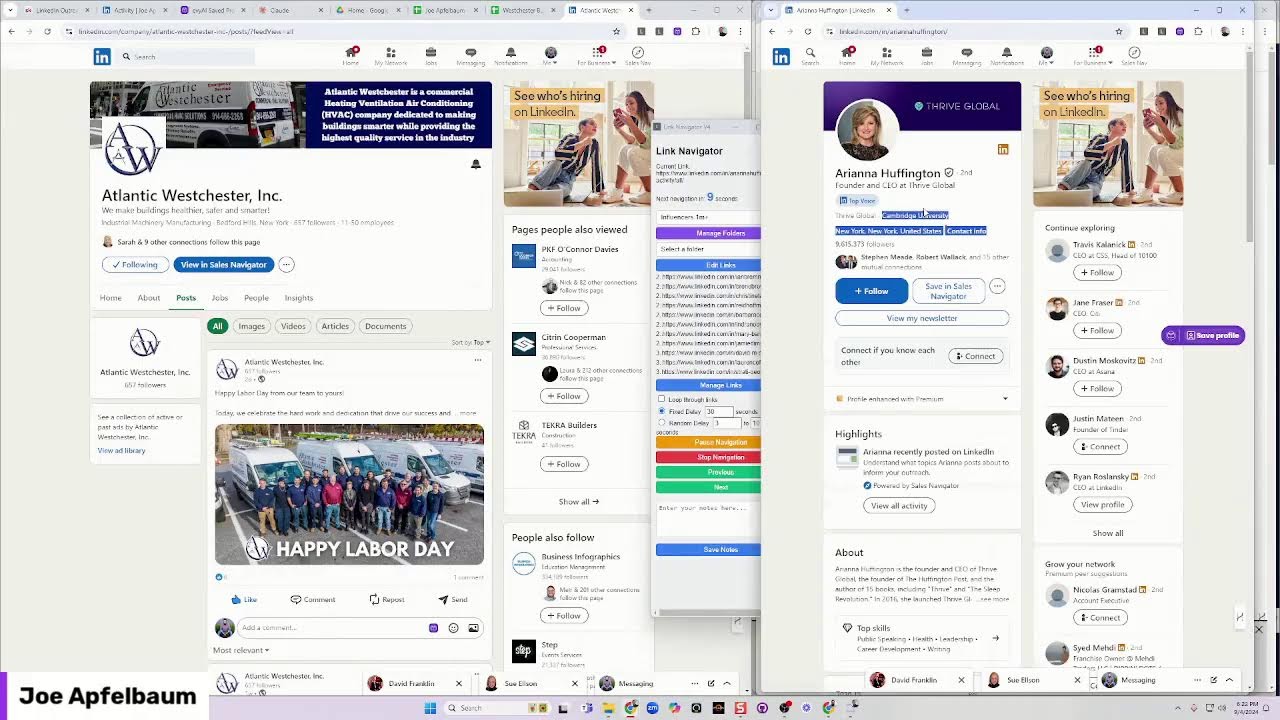
Letters, LinkedIn newsletters. What's a LinkedIn newsletter and how does it work? My name is Joe Applebaum. I'm the CEO of Ajax Union, and I want to let you know that I just launched a new LinkedIn newsletter. It's called AI Automation by Joe Applebaum. The reason I launched this LinkedIn newsletter is because people have been asking me, Joe, can you show me how to do a newsletter? Now I have several newsletters. My other newsletter that I have is called From Frustration to Motivation. It's available here on my, uh, page. It's called From Frustration to Motivation, and you'll see I have lots of things that I've been writing about, and I've been writing about all different types of topics. And someone said, Joe, can you show me how you create a very specific niche newsletter related to AI? Because you're doing so much related to AI. This one has 12,704 subscribers. And so I said, okay, let me show you how to do this. And, and in today's session, and by the way, if you want a replay of today's session, just write replay in the chat. And I'll send you a replay of today's session. Today's session with my community, I do 2 hours of LinkedIn training every single month. We sat down and I showed them step by step how I built out this other newsletter. And it's just fascinating to be able to see people's newsletters. You just go to profile, view profile, and then you click on newsletter and you can see the newsletters. So these are 2 separate newsletters. This newsletter over here is called Frustration to Motivation. This newsletter right here is called AI Automation by Joe Apfelbaum. This one has 1,757 subscribers already. Many of these people I'm not even connected to on LinkedIn, like Nathan Kastenbaum or whatever, just people, random people that are finding my newsletter on LinkedIn and they're subscribing to this newsletter. Remember, anyone that says the word connect here means I'm not connected to. If it says second degree, that means we have mutual connections. It's very possible that these people are not even following me on LinkedIn, but now they're going to get an email every Friday from me from now till the end of time, because I'm going to be sending out an email every single Friday. This is what I wrote. I said, thank you for the inspo, Steve Duke, Tina Larson, Evan Messman, and Philip Griffith. I said, um, I appreciate you guys. I'm now launching a new weekly newsletter. My goal is to publish on Fridays. Welcome to AI Automation Insights by Joe Apfelbaum, your weekly deep dive into the world of AI automation. Discover the latest news, tips, tutorials, and how to leverage AI tools, Chrome extensions, and no-code automation solutions to streamline your workflow. Each week I'll share videos, examples, and expert advice to help you stay ahead in the rapidly growing world of artificial intelligence. Whether you're a tech enthusiast, a business leader, this newsletter is your go-to resource for exploring the endless possibilities of AI automation. Unlocking the Power of AI Automation, a Weekly Exploration. A bit about me. I'm Joe Apfelbaum, and I'm thrilled to take you on a weekly journey through the incredible world of AI automation. As we stand on the brink of a new era of technology, the potential of AI to revolutionize how we work, communicate, and innovate is truly limitless. Personally, I've been going deep with AI automation and built over 30 apps in the past month. And I learned so many new things and I want to share them with you. This newsletter is designed to be your trusted companion as you navigate through the complexities of AI automation. Each week I'll be diving deep into topics from AI-driven Chrome extensions to no-code automation that can transform your day-to-day operations. Whether you're looking for tutorials, real-world examples, or insights into the latest new tools, you'll find them all here. We'll explore practical tips to implement AI for business, break down complex concepts into actionable steps, and stay up to date with fast-paced AI technology. My goal is to provide you with valuable content, not just in forms, but also inspiring you to take the full potential of AI automation. Thank you for joining me on this exciting journey. Can't wait to, for the future of AI automation. In the meantime, check out evviai.com, your AI for LinkedIn. Let me know if you're in for this weekly journey. Leave a comment and let me know if you subscribed. Boom. Okay, so let's just see what people have been writing over here. So you see these people over here, excited to see you launching AI Automation Newsletter. Your commitment to sharing knowledge in this rapidly evolving field is amazing. I'm looking forward to learning. Keep inspiring us, my friend. So now I'm gonna respond to her using Evvy AI because I'm not gonna write a comment when I can have my AI just write a comment. My AI can just write that comment for me and all I gotta do is press insert, insert that comment right there. Chaz said, congratulations on your new AI mention. Sounds like a valuable resource for AI and operations. I'm gonna go here. I'm gonna hit AI. This is Evvy AI, and I'm gonna hit generate reply. I'm gonna press insert. And now, sir, I'm gonna hit reply. So I make sure to reply to all these people because when you reply to people's posts on LinkedIn, they take notice. That's the thing about commenting on LinkedIn. People will actually take notice when you take the time to notice them. And where attention goes, energy flows. If you wanna make more money, you need more attention. And so this is, this is what I'm doing. I'm building relationships with people. So if I see somebody subscribe to this newsletter, I'm gonna go to the subscribers, for example, Sue, and I'm gonna say, thank you. Let me see if Windows+H works. Thank you. Thank you so much for subscribing to our newsletter. Really excited to see you as one of the subscribers. Let's see what it does. Thank you. Did it do it? Did it send it? Oh, it didn't even send it. Let's try it again. Thank you so much for subscribing to my LinkedIn newsletter. I'm really excited about this new one related to AI automation. Now I'm going to hit send. Oh, look at that. That worked. Oh, look at that. All right. And she just gave me an automatic return. On that. But this is cool. I love this little tool here that allows me to just respond to people that way. Let's see who else subscribed over here. Valerie Smith, August 28th. I noticed that you subscribed to my new LinkedIn newsletter. Thank you so much for that. I really appreciate that, Valerie. Talk to you soon. Okay, I'm gonna press send. And now I'm talking to people on LinkedIn. So could you imagine me walking over to people and talking to them on LinkedIn? That's crazy that you can do that. Let's see, Eugenia. I'm gonna send her one. I noticed that you just registered for my AI automation LinkedIn newsletter. Hope you're doing well. I appreciate you very much. Look forward to educating you and inspiring you. So as you can see, you can do things like that. Let me see, are you guys watching this live right now? Look at that. I just got a notification. Join Joe Applebaum's live event. Let me just see. Let me hit join. Oh, look at that. I got a couple of people watching, including myself. I'm going to give myself a heart. By the way, if you're watching this live or the replay, give me a round of applause, a light bulb, or a thumbs up. Give me one of those 3. I'd love to see you guys in there. Let's see. Bobby said, thank you. David Franklin. What did David Franklin say? Let's see if that works. I'm going to click on my network. None of that's working. I'm going to click on messaging again. David Franklin gave me a thumbs up and said, thank you. Okay, very nice. Okay, now I'm going to close out LinkedIn. I'm going to go here. So I have a community called school.com/evyai. That's evyai.com. Do you have a LinkedIn newsletter? Okay, I'm going to say I just launched my second newsletter on LinkedIn. And in minutes, I got 1,750 people to subscribe to the newsletter with zero promotion. AI wrote the newsletter. And I did it. I launched it in front of Evan Messman, Tina Larson, Steve Duke. Who else was there? Evan, Tina, Steve Philip Griffith. Let's see what we have here. LinkedIn is SEO ranking. The fact that LinkedIn invites your followers to engage, to subscribe to your newsletter is a significant advantage. It enhances your networks, your strategy, blah blah blah. Consistency is the key. Topic expertise, cross-promotion. It's impressive that I already gained— it's impressive that I already gained 17,700 followers on my second newsletter. It suggested the strongest automation of my content. If you're looking to grow further in your newsletter, you might suggest it. Overall, LinkedIn newsletters are a powerful tool. The focused approach coupled with automation sounds like a solid strategy. What topics Do you want to create a newsletter about? About? Okay, great. So now I just wrote this up over here, as you can see. I'm going to put a little GIF over here. Newsletter. Okay, I'm going to select a category, LinkedIn Tips, and I'm going to put a link to the actual newsletter here. So that Google will also pick it up because Google watches the school community. So I'm going to go in here, copy this post, check it out here. All right, I'm going to press post and I just posted A post in our community, just like that. I'm gonna press like. Now I'm gonna go in here and I'm gonna say subscribe to the newsletter. I'm not actually gonna type it, I'm gonna say it. Go ahead and subscribe to that newsletter. Okay. I just said it right there. So this is super key. Super powerful, super, super powerful. If you're not using these tools, you are majorly missing out, majorly. Let's see, why is LinkedIn important to professionals? I just wrote this whole thing about why LinkedIn's so— here are the reasons why LinkedIn is extremely important to professionals. Number 1, LinkedIn has over 214 million users in the US alone, over a billion worldwide. It's crucial for professional networking. It offers high engagement rates compared to email or cold calling and is particularly effective for B2B professionals on a professional level connection building strategy. So how do you optimize your LinkedIn profile? Treat your profile like an online resume. Clearly communicate your professional identity and value proposition. Include authentic content and social proof. Ensure that your profile reflects your expertise and target market. How do you identify your target audience on LinkedIn? Well, number one is you gotta figure out your ICP, your ideal client profile. Use existing client data to refine your target connections and then create content tailored to your target personas. So let me show you my connections dashboard, drive.google.com. I'm going to open up my dashboard right over here and show you— actually, I did not open up my dashboard. I opened up the wrong thing. This is my connections dashboard. And if you want a dashboard, I'm happy to create a dashboard for you. It's going to load in just a minute. minute here. I filtered out all the people from 2010. Now while I do that, what I would love to do is I would love to pull this little tab over here out and start the process of going through a list of people that I am currently connected to on LinkedIn. I'm going to go through a list of people that I'm currently connected to on LinkedIn. Put this on this. You know what, as a matter of fact, I'm going to— what I can do is I can hide my video. Let me quickly just hide my video. Main monitor video. Should I hide my video and put— I'm going to put this window on the right on top of my face. Okay, I'll put it on the right on top of my face. I can kind of multitask into 2 things at the same time. Actually also gonna Yeah, I'll put this like this. Okay. So now you don't see that. You don't see that window, but when I hide my face, I'm just gonna hide my face for a minute. There you go. Now you see this window. Now what I'm gonna do is I'm gonna click on select folder and I'm gonna click on ETL community, which is the Engaged Thought Leader community. And then I'm gonna hit start navigation. And what this is gonna do is every 5 seconds it's gonna go to another person. Now the problem is I did it every 5 seconds. I did this one here already. Uh, so I'm gonna pause it. I pause the navigation. I'm gonna press next and see if it goes to the next person. It doesn't, so it's broken. Obviously AI created it, but I'm just gonna click on each person here one at a time, and I made it open up in a new window when I click on one person one at a time. So over here he has 28 comments. I'm gonna use Evie AI to drop a comment just like that. And then I am going to make sure that I post a comment. Then I'm gonna go to the next person and then the next person and then the next person and then the next person. As you can see, I already commented on all these people's posts. I did not comment on Rick's post yet, so I'm gonna go ahead and give him a light bulb and I'm gonna hit generate. So if you don't have a list of people that you're commenting on their posts, I highly recommend that you take the time to create comments on people's posts that resonate with your target market. These are people that know me, like me, and trust me. These are people that I am constantly staying top of mind with them. And I can change my persona depending on what I want to do. If I want to leave a quote, I can go ahead and leave a quote with Evie AI. See that? I just left a quote with Evie AI for Steve Duke. If I want to comment on Rhonda's profile, I just click on this. Boom, I can comment on Rhonda's profile just like that. In just minutes, I'm able to just drop comments on these profiles and stay top of mind with these people. I'm going to check out Jessica. Probably did not post anything. Nadine probably did not post anything. Dr. Rao, I already commented today. Gregory and myself, I don't need to open. So I could just close this entire thing here, just like that. And with that, if I want to be able to say, for example, see the latest news 5 seconds apart, I'm going to click on news websites. I'm going to hit stop navigation, start navigation, and every 5 seconds I'm going to see another news website right here. And if I want it to loop, I can hit loop and it'll just loop on the right side. How cool is that? Now I'm going to scroll down here on the right as it's going through the news. I'm going to scroll down here just to kind of see what we enriched here. And it looks like we just enriched all of these connections in 2010. So that's done. Let's move on to 2011. So we're going to go here, uncheck 2010. We're going to say 2011. Press OK. And let's see over here, all these connections in 2011 are not— have not been enriched. So we're gonna go ahead and write yes, Ctrl+C, Ctrl+Shift+V, Enter. Okay, so now all these will automatically get enriched. So I'm using a tool called Make.com right over here. It's a no-code automation platform that allows me to be able to start taking massive action. I'm going to pull up some other news websites. I'm going to pull up some tech websites now, tech blogs. I'm going to hit start navigation and it's going to pull up a navigation of all the tech blogs, 5 seconds apart. You see that? I'm going to click here, connections dashboard, and over here it's going to find the rows, enrich the rows, and then place the information on the rows. So I'm going to hit run. And as you can see, it's going to start going, going, going, going. It skipped 29 of them and now it's putting them one at a time. So let's just watch it in real time as it's happening. So Evy AI, I just say enriched by Evy AI because we're doing a test for Evy AI to enrich. It's going ahead and enriching all these connections with information. So what type of information am I looking at? I'm looking at their headline, their phone, their website. I'm looking at information like what city and state they're from, their country, their company LinkedIn profile, how many employees they have. Look, they have 87,000 employees here. Their photo, their logo, their company description, their skills, when their company was founded, their address, their company city, state, their Twitter, their company Twitter, their company LinkedIn, their birthday. Look at this. It's just going for it and it's just filling out all this information for all these people. Now, if you're not using AI to help you be able to do things like this, you're missing out. If you want a dashboard just like this, just say dashboard in the chat. I'm happy to create a dashboard for you that will help you be able to put everything together for you and help you be able to become more successful at leveraging LinkedIn. Now, these are people that I haven't talked to in a long time. These are people from 2011. You see that? 2011. That's when these people kind of just came out, came out of the woodwork. If I want to be able to see influencers, I'm going to go here. I'm going to click on influencers with over a million followers. I'm going to choose a random delay of say 60 seconds to 70 seconds. So I'm going to spend at least 60 seconds on each influencer. I'm going to hit start navigation. And now it's going to start the navigation over here. I'm going to move this to the right here, 'cause I don't need this to be in my way. I'll put this half here and half here. And this way I can see the seconds going down. This is Bill Gates. I'm going to go ahead and like it and leave a comment. And I'm going to drop a quote on Bill Gates's post. Now Bill Gates has 35 million followers, as you can see. And when I post, he has 700 likes here and 400 comments, 7,000 likes and 400 comments. Now in 37 seconds, this is going to change from Bill Gates to the next one over, which is, uh, let's see who this next one is. Bill Gates. Richard Branson. In the meantime, I can go here and take a look at this, and I can run this again. I can go to my organization. I can check out what's going on over here. I see that I still have 4,000 operations, and I'm renewing on the 17th. So I got 10 more days to use 4,000 operations. I want to figure out how to enrich my dashboard using a tool that doesn't use operations, because every operation is a 10th of a penny. So it's still expensive. It's still not majorly expensive to do that, but it's, it's something, right? It's, uh, it costs money. And so I can use a tool that gives me unlimited operations and allows me to do whatever I want as often as I want for as long as I want without it costing me an additional dime. So I'm gonna be unveiling that and talking about that in my newsletter. So this is the newsletter I'm talking about, and I'm gonna create a new addition to this newsletter every single Friday, and I'm gonna launch it. So if you want to join it, make sure to say newsletter in the chat and I will invite you to the LinkedIn newsletter. Now what I'm going to actually do is I'm going to go right here to my activity. You see it says posts and activity. And then on the left side here, I'm going to scroll down here and I'm going to drop a comment with a link to my newsletter just like that. You see that? Check out. And now what I'm going to do is I'm going to go into Evy AI. Right here. I'm going to click on this. I'm going to pin Evie AI to the top. I'm going to click on Evie AI. And then what I'm going to do is I'm going to go to say save profiles just to kind of see who I have here as a saved profile. And by the way, 63 seconds, Link Navigator, Jeff Weiner. I already liked and commented on his stuff. As you can see, it's going to keep loading automatically. He has 10 million followers, this guy, this, the chairman of LinkedIn. But I want to make sure to stay on top to see if he's posted anything and do what I need to do. Now my, my saved profiles are loading right now. I have many, many, many saved profiles. So it's going to take a couple of minutes to load. While I'm doing that, I'm going to take a look at these people here that have attended my session this morning, kind of review their profile, send them some messages. I can send them some messages from Sales Navigator. Did you attend the session today? Let me know if you enjoyed it. Okay, I'm gonna press send. I just used a credit in Sales Navigator. I used one of my 136 credits. I used one of those credits to message this guy right here. Okay, Will looks like shared a post. In Sales Navigator, I get a notification of when my clients or prospects posts. And so now I can drop a comment right in that prospect, right within Sales Navigator. How cool is that? Okay, so here's this guy right over here. He reposted something 2 weeks ago. I'm gonna hit connect now. I'm gonna hit add a note. I'm gonna have Evvy AI craft a note for me. Now let's just quickly take a look to see what is going on here. Did I close Link Navigator by accident? I think I may have closed Link Navigator because it's— Jeff Weiner is not moving. Um, okay. I admire your work engineering. I believe you can share insights in engineering and marketing. Did you enjoy the session today? Would you be open to connecting on LinkedIn? So I just sent him that thing because he was on our session today. And I want to make sure I connect with all the people that watch me present so I could turn them into customers. That's what I want to do. I want to turn them into customers. Let's see what this person said over here. Bum bum bum. Joe Joe Apfelbaum is my guest tomorrow. I'm going to go in here. I'm going to say like, and I'm going to say I'm actually going to use this voice. Looking forward to being your guest tomorrow on the show. And now I'm going to have AI. Generate. I'm going to use 20 words. Regenerate. Okay, very relevant. What's the key employee left your entire LinkedIn network with them? Shocking. Having a dedicated company page, you see that? That's the risk when you rely solely on employees' networks instead of having a dedicated company page. I'm going to hit Sarah Clay, she's in London, she's a corporate LinkedIn trainer. You see that, she has 18,000 followers. I'm going to save her profile. And where am I going to save her profile to? I'm going to save it to Evie AI under LinkedIn Trainer. LinkedIn Trainer, Sarah Clay. I'm going to summarize her profile right now. This is me summarizing her profile using Evie AI. I'm going to pull up— look at that. She is a LinkedIn training expert, keynote speaker specializing in corporate training, focusing on enhancing employee company awareness. Alumni of North Bella University. I'm going to copy this. I'm going to send it to her. I'm going to send this. I'm going to say, what do you think of that summary? All right, let's see what she thinks of that summary. I'm going to hide this DataGMA extension that I don't need showing front and center there. When I need it, I'll unhide it. I'm gonna refresh and that should be gone. Perfect, that's gone. I'm going to keep going through some influencers here. I'm gonna select the influencer here, over a million people. I'm gonna select 30 seconds. I'm gonna hit, click on this, start navigation. This way every 30 seconds we're gonna go through another one and I'm gonna make this box a little bigger. I'm going to hit next, and it'll go through each one. Richard Branson, I already left him a message. Jeff Weiner, next. Okay, Sadia Nutella. I'm going to hit like. I'm going to hit comment. I'm going to drop 20 words. Moving on, moving on. And now I'm just going to let it go. I'm going to go to Sarah's profile, close it. Now I'm going to go to the next person here on my list, Kathy Hoffman. Kathy Hoffman was definitely there. I'm going to send her a message. Um, I said, I'm going to wait till I know. Can you email a list of members so I can check them on LinkedIn? I will wait till July when our memberships renew. Of course. Thank you. Okay. So this is the conversation we had about me coming to the training. What did you think about the training today? Okay. What did you think about the training today? So this is how I get, um, recommendations from people. The way that I get recommendations from people is I bait them into giving me a recommendation. How do I do that? The first step is, let's see, I have a diverse background. Let me just do a summary, summarize profile. First step is I say, hey, what'd you think about the presentation? And the second she says, oh, really, really good, or whatever it is, then I ask her to, um, I ask her if she's willing to write me a presentation, uh, a recommendation about it. Now, Atlantic Westchester is an HVAC company, which is perfect for me. Why? Because I'm looking to work with HVAC companies, believe it or not. And it looks like they have quite a bit of people here. Now, 2 days ago, they posted about Happy Labor Day. I'm going to go ahead and be the only person from the 657 followers to leave a comment for this organization. And then I'm going to build a relationship with her, turn her into a client, and get more clients in the HVAC space. You see that? I'm going to like it, like it, like it, like it. Just give it a like, keep giving it a like. I can also review who's at their company, what they're doing. Is this even working? Zero. Next. Arianna Huffington. Arianna Huffington. It's back to school time. Let me leave her a comment. Arianna Huffington. She has a lot of followers. So I want to make sure that I am commenting on her post. She has 9.6 million followers on LinkedIn. Crazy, right? All right, let's move on. Kathy, we did Kathy. Now we're gonna do Carlito. Carlito Holt, partner at DTS Provident. That doesn't look like Carlito in the photo. Why doesn't this look like Carlito? It's so weird. So, so weird. Anyway, I have Carlito over here. Um, and I'm going to ask Carlito what he thought. Press next over here. I think if it's not like front and center, it doesn't work. I'm going to look into that. Gary Vaynerchuk, dropping a comment for Gary G, the OG. Partner at DTS providing intelligent land use solutions for clients. That's cool. I'm going to press connect. I'm going to press add a note. What did you think of the presentation I gave today? Hit generate. I'm going to invite him to connect. Send. Mark says, do you still use LinkedIn? No, I'm retired. Woo, all right, excellent, he's retired. Great, I'm gonna hit go and disconnect. Boom, we're no longer connected on LinkedIn. No need to be connected to retired people right now. I'm looking for people that have a business. That's really the key for me here. So my goal is to connect with more people, build more relationships, grow my business. And that's really the key. Simon Sinek. Can you guess how many followers Simon Sinek has on LinkedIn? Quite a bit of followers. He has a ton of followers. All right, I am going to close this out. I'm going to continue with the followers later. I'm going to close Wired Magazine as well. I'm going to turn on my video again. And we're going to wrap this puppy up. If you want to be able to grow your business, you need to start using Evvy AI. Evvy AI is the AI for LinkedIn. What can we do with Evvy AI? We can write content, we can write comments, we can write posts, we can write recommendations, we can optimize your profile. There's so much that you can do with Evvy AI. I want you to take a moment and consider using Evvy AI with LinkedIn. This will help you be able to shape your voice, help you be able to create recommendations, messages, comments, and so much more. Use Evvy AI today. It'll help you grow your business because if you don't have an assistant, you are an assistant. You need this LinkedIn assistant right now to help you in your business, and you can use it for free. Try it out, see what it does for you. I'm not telling you to pay anything. If you get value, you're going to want to sign up and pay. But right now, sign up, start using it. Check out our blog. We have a lot of great resources, like 10 creative ways to use the persona feature. We walk you through step by step how to use the system. So if you haven't been using the system, you're not sure what to do, start using Evvy AI today. Thank you very much for watching this. I appreciate you. Thank you for being in my life and Thank you for honoring me with your presence, with your comments, with your reposts. Hit that repost button. I'll see you next time.
More from Joe


How to Beat the Algorithm: Remove Hidden Watermarks & Scale Content with evyAI









AEO & GEO: SEO's Future Explained! Master Answer & Generative Engines! #shorts