How to create posts on LinkedIn that will get viewed! - 144 LinkedIn Live 2024 with Joe Apfelbaum
LinkedIn strategist Joe Apfelbaum shares his system for building visibility: short-form video drives the highest engagement, external links hurt reach, and he got 1.8 million impressions in a year. He walks through Evvy AI tools for generating post ideas, organizing content, and coordinating amplification across multiple accounts.
Chapters
There's a particular way to write posts on LinkedIn that will actually get views, and most people have no idea how to do that. So let me just quickly show you some of the views that I've had on posts so you get an idea. Now, if you're posting on LinkedIn and you're adding a link to your posts, you're going to miss out because LinkedIn doesn't like when you add links to your posts. I'm going to look at my post impression analytics over here just to give you an idea. I'm going to look at the past year. show you the results from the past year. I always like looking back at the past year. And I have 1.8 million impressions in the past year. And most of my posts, you see most of my posts are in the 1,000 range. So my average post gets about 1,000 impressions. Some of them get 150, 170, 200, 500, 1,000. My biggest post in the past year was a video that I put up, and I'm gonna share with you a bunch of videos and how I create those videos and where I store them and what I do with them. But these are amazing videos that you can easily share on LinkedIn, and you can use a tool like Opus Clip, or you can get an editor. I have an editor and I use Opus Clip both. But the idea is to be able to look at your analytics and see what's going on and what's working for you. So as you can see, video did really well. Having an Evvy AI write me a post and doing my promo post from a year ago, that did really well. And you can actually see all your most popular posts in the past year right here on LinkedIn. So if you haven't checked that out, I'm gonna go ahead and put a link to that in the comments of this video so you can actually, you can actually see it and click on it and see exactly in the past year how many, how many people have checked out your post. So I'm going to go ahead and put that in the comments of the video. I'm also going to give this video a little promo. So if you have access to other people's LinkedIn accounts, um, and I do recommend if you're pretty savvy on LinkedIn is to get access to a few people, maybe at your company, you know, everybody has people at their company that doesn't use LinkedIn. So you can create a separate Google profile, um, and get access to their account and just kind of help them out, help yourself out, you know, like and comment on your own posts with their stuff. Um, to step up my game. Okay, so I'm going to go ahead and comment with Tammy's profile because Tammy works for me, but Tammy's not going to go ahead and watch my video. She's not going to do that, and she's not going to click on it. So, um, she's busy, you know, doing all the other things at the company. So I'm going to go into her account and help her out on my behalf. Also, my friend Julia, she's busy doing whatever she's doing, and so I'm going to Look up her account, get access to her account, and kind of do the same thing and give her a little bit of action. You know, just like and comment on other people's stuff on her behalf and support her. And to also support myself while I'm at it, but I'm gonna give her promotion under my posts. As you can see, I'm gonna go ahead like this over here. I'm gonna say, way to go, Joe. Love this live. You are so consistent. Now, what I want you to realize is that when I do this, I'm not doing this to do anything other than support my clients and to make a difference for other people. Like, you know, you check out all these people that are commenting over here. I need to save this blueprint for getting speaking Engagements. Okay, I'm gonna press save. And if I take a look at, for example, her profile, Julia's profile, and I take a look at her post impressions for the past day, you'll notice that her posts are getting lots of impressions. You see that? 23 hours ago, 4 days ago, it looks like she reposted Posted something. She posted this four days ago, twenty-three hours ago. Do you dread going to networking events? So this is her number two post, and this is from four days ago. So from four days ago, she did the best. And you know, I told her, "Hey, don't put a link in your in your post." Did she delete the other one that had the link? I wanted to keep it on. Why'd she delete it? Let me see if she deleted it or not. I'm not sure if she deleted it or not, but I'm gonna check. Let me see, we have this one too. Yeah, it looks like she deleted the post. I didn't want her to delete the post. I wanted her to keep the post so that I can compare how many views she got on the post with— without a link versus with a link, you know? But she went ahead and deleted it, which is not Great. I don't like when people delete posts. Like, don't delete your posts so this way we can analyze later. Later, you want to delete them? Good, delete them later. But for right now, don't delete your posts. You know what I mean? And you can also like and comment with a company page as well. You see, I'm commenting from her Million Dollar Woman page. See that? So if I want to comment from a Million Dollar Woman page on anything, I could also do that here. I can change from here to Million Dollar Woman, and I can go ahead and give it a heart. I'm going to say something like, this is what you need to do, and hit post. And as you can see, Million Dollar Woman just commented. Just like that. I just went like this on the video. That's funny. Um, okay, so I'm gonna close out of this. I'm going to quickly check on Tammy's account. Okay. And I'm gonna close this. So now I wanna share with you this tool called Evvy AI. This is an AI for LinkedIn. Evvy AI will enhance your LinkedIn presence. It's a Google Chrome extension and a web app that supports your LinkedIn activities to create personas. generate ideas and craft posts to 10x your LinkedIn presence. So if you want to get more out of LinkedIn, if you want to get more clients from LinkedIn, you need to do 3 things. You need to start posting, you need to start engaging, and you need to start messaging. So my, my clock reset. So last time we checked, I had almost 300 comments on my weekly activity tracker. So let me go check the tracker right now. We're going to go to your dashboard and over here I have 15 comments, 0 contributions, and 2 posts. You see that? So I'm going to add a contribution right now. I'm going to go to sales and then I'm going to go to sales prospecting and I'm going to go ahead and add a contribution. You're juggling interruptions while blah, blah, blah. I'm going to go ahead and leave 1 contribution. So my goal is to leave 1 contribution every day. One solid contribution. Evie AI helps me write up the contribution. In the realm of sales prospecting, maintaining focus amid interruptions is crucial for success. Implementing structured routines, blah, blah, blah. Okay, so that's great. So I'm giving a tip related to this, and you know, her tip was in a different language, but I— my tip was in English just like that. So now if I refresh If I go back over here to my dashboard, you'll see I have 1 contribution, 2 posts, and 15 comments. That's the idea. Now what I'm gonna do is I'm gonna go ahead and pull up some videos that my, that my video editor made for me, and we're going to share one of those videos with you right now. So How to spot a fake profile. Let's watch that video right now. How to spot a fake profile. We'll actually watch the video together.
There's a lot fewer fake profiles on LinkedIn than fake profiles on Twitter, on Instagram, on TikTok. I can spot a fake profile very quickly on LinkedIn because LinkedIn requires your network to do things on your profile that will allow you to show credibility. And it's very hard to fake recommendations. It's very hard to fake endorsements. It's very hard to fake adding a verification badge with government ID. So when I look at someone's profile and I see a gold icon, that means they're paying for LinkedIn. Right away, I give them a whole nother level of credibility. That's number one. Number 2, if I want to know if you're real or not real, I go to the recommendations. I found somebody that had over 100, and I got really jealous, and I said, you know what, I got to work hard And I got to get over 100, so I got over 100.
Okay, so that's a great video. Um, I'm going to say approved, how to spot a fake thing. And now I'm going to take this and I'm going to go into Evie AI. I'm going to click login and I'm going to write the post of— for what that video says. So how does that work? You're going to go to the post writer, you choose the goal, and this goal I'm going to say provide value. I'm going to choose the tone motivational, and I'm going to choose the persona of Joe Apfelbaum. And then I'm just going to talk. There are, there are many ways to spot a fake profile on LinkedIn. For example, if someone doesn't have recommendations or if someone doesn't have endorsements or they don't have a verification badge or they're not paying for LinkedIn or they don't have work history, all that indicates that there's something wrong with the profile. And so if I see someone that has lots of recommendations from their connections, because you can only get recommendations from your connections, and also I see somebody that has lots of endorsements and they have social proof and we have mutual connections, all that tells me they're a real person and that allows me to be able to connect with them. Let me ask you a question. Do you have a checklist to know how to spot a fake profile on LinkedIn? LinkedIn has much more information on people's profiles than any other platform. And so I believe that the value of someone's connection on LinkedIn with you is 10 times more valuable than it is on any other platform. And I have 30,000 connections. Did you know that that's your limit? You can have 30,000 connections. Anyway, let me know what you think. Leave a comment on this video and let me know if you agree or don't agree about, uh, LinkedIn being better than other platforms. Okay, now I'm going to hit generate. So I basically just verbal diarrhea out all this stuff into Evvy AI, and this is not a great post, but it, you know, like now this is a great post. So now I'm going to go here, I'm going to click on home, I'm going to add the video. This is how you add a video. Click on add media. Select the video that my editor made for me. Ever received a recommended connection request that made you pause? In the world of authenticity, where authenticity is currency, spawning a fake LinkedIn profile— had a lovely conversation. Let me know if you want to See the replay. I'm gonna say, how many do you have? Okay, and then I'm gonna have a hierarchy building that out. So, and you know what tips would you add? Share in the comments. Okay, and I'm going to say hashtag Mojo Clips. Mojo Clips. I'm going to press go because I'm really proud of that clip. That's a really cool clip. So I just shared that video on LinkedIn. Now you might say, Joe, why'd you share that video on LinkedIn? Is because I want to make sure every day on LinkedIn I have a text post And then I have a video post and I have all, all the right things going on on my profile. All right, let's, uh, let's rock and roll. You see, I just posted this video over here. Let me hop on Zoom because my video editor wants to go on Zoom and I'm gonna attempt to go on Zoom while I'm on Zoom. Let's see, I'm gonna attempt to go on Zoom while I'm on, while I'm on Watchamacallit. Hey, Brianne, thank you for joining here today. I'm actually on LinkedIn Live while we're talking right now, so just FYI.
All right.
Um, but I'll share my screen on Zoom so that you can see what I'm doing, if that makes sense to you.
Yep.
Um, so you can see what I'm doing and then we can talk about whatever you wanna talk about. But then people are listening in. So just keep that in mind. Okay.
Sure.
Um, but people just see this part and they see my video. You know what, you know what that looks like? Cause you've been watching my videos for like a long time. Um, but yes, I just posted this video. This was a great, this is the most recent video that you did. This is a great video. Um, I'm going to promote it. I'm going to click on the 3 dots. I'm going to copy link. I'm going to go to messaging. Um, I'm gonna go ahead and send it to this guy here. I truly appreciate your thoughtful— no sir, I haven't seen your ABI product. Sounds interesting, send me a link please. Um, I'm gonna do X demo. That is the link to the demo. Um, all right, now let's type in group up here and just kind of promote This new video that I just did to this group. And let's see, I'm just going to promote it real quick here. Okay, so let's watch the videos that you sent me, and then I'll tell you if I want any changes to them or not, right? That's what we're doing here. Did you use, uh, Opus at all?
Um, some of it, yeah.
Okay, good. That's good. Um, was it helpful that Opus made clips like that?
Yeah, you can find an idea and I can just take it from there by adding some animation to it.
Yeah, 100%. It saves a lot of time. Um, I was thinking to myself also while I was running, I was like, you know what? I'm not gonna have the bandwidth to automatically add all the videos to my app.ajaxunit.com account. So maybe you can help me. Um, and we can talk about what it would take for you to do that, but maybe you could, um, next week pause creating videos and then instead of creating videos, Try to create a content calendar for me with all the videos you already— or maybe let's get to 100 videos and then, or whatever. But right now we're up to 84 videos. Um, but at some point I want to stop and I want help basically adding all the videos to like app.ajaxunion.com, like to here, so that we can automatically have them start going out to Twitter and to Facebook and to, you know, all that stuff. So the way that it would work is you click on where it says media storage, and then you could make— you can have different categories of the shorts that you want over there and then name them properly and save them in here. You know what I mean? So right now I have something called Evie AI Shorts, but I only have like 2 shorts in there. I click on Evie AI Shorts. Let me— no, I don't know why it's not going. Okay, so I only have 1 short in here. Let's look at this short real quick. I have to copy the link to short. Get link, and then I just paste it in here.
Comment on LinkedIn with AI, write a post on LinkedIn, and send a direct message. First thing you want to do is you find a post that you like. I'm going to drop a comment and I'm going to drop a—
And so what you can do is you can save them all in here, all the Evvy AI ones. You can have the different categories: LinkedIn, Evvy AI, school, whatever, and each one will be in a separate folder. And then what you can do is you can copy each link and put the link here. You see See over here, you can put the link to where it is over here. And then we can write content that is reflective of that for Twitter, Facebook, Instagram, YouTube, whatever. And then we can just take that and just upload it to my marketing campaign over here. We can just click on new post CSV and we can add a bunch of Twitters, you know, like put the dates for the next 3 months and have Twitter update 3 times a day with videos.
Mm-hmm.
And I'll teach you how to do it. But the first step would be to kind of like help me upload all the videos because that's, that's a task. So you can time how long it would take and what— or we can have a different arrangement on how to do that financially. But like, whatever, let's just discuss that at some point. Okay. I just want to know that.
Yeah. So should I like make this at least 100?
Yeah, let's get to 100 and then we'll do that after. But yeah, that's the idea. A podcast about Evie AI.
So you want to know about Evie AI?
Clearly you're wondering like, is it— Let me explain with this one first. This is kind of like, kind of hard, but I did use HeyGen.ai for the visual. So yeah, just let me know if you have any changes to that.
Okay, got it. Thank you. A podcast about Evie AI.
So you want to know about Evie AI? Clearly you're wondering like, is this thing legit?
Is it worth it?
Is it worth your time?
We're gonna figure that out today. Based on the mountain of material you've given us.
Oh yeah.
It seems like you're really serious about upping your LinkedIn game.
Mm-hmm.
So let's unpack exactly what Evie AI brings to the table. Evie AI, it's kind of like having this like personal assistant. Mm-hmm. But their entire focus.
Yeah.
Is your success on LinkedIn.
Laser focused.
Creating content.
Mm-hmm.
Optimizing. Optimizing your profile, even a little bit of networking help.
All with AI. Let's talk about Evvy AI's Connections Dashboard.
Okay.
Imagine being able to analyze your entire network, uncovering insights you wouldn't believe.
Okay, hold on. Analyze how? Give me the juicy details here.
So you upload your connections.
Okay.
And Evvy AI gets to work enriching that data with its own massive database.
My mind is blown. Okay. Okay. Okay. This is powerful. Um, this will, this is a great video for Evie AI Pro. Um, yep. Evie AI Pro, because it talks about, um, it is approved. That's cool. Um, but I want you to do, this is good. This is a good direction. I want you to use this, this format. Was it hard to get them to do that in HeyGen or was it pretty easy? You just put in the text and you hit go and it did it.
Um, yeah, but yeah, but it took me a couple of, um, I think, uh, edits to use some time just to separate the files. But yeah, it was just to get them.
And then once you have the, uh-huh, yep, uh-huh, uh-huh, whatever, then that works, right? You can keep reusing them or whatever. Okay, cool. Um, yeah, do you need a HeyGen account or you have one already or using the free version? It works fine.
Just using the free version right now. I'm using multiple Google accounts just to— Right.
But if you need it, if you need a paid account, I'll pay for the account. I'll get a paid account on my thing so you can just build it off on mine.
You know what I mean?
I'll give you access to mine or something.
All right.
Like if you say, Joe, I need a paid account, let me know, whatever. But do another version of this with something that we're actually offering now because the EvAI Pro is not out yet. So the connections dashboard, your entire network, uncovering insights is available, but it's, it's an Evie AI Pro feature. So like something else that they said in there, that's what I would tell you to put in. You know what I mean? Like all this is good. Ask about Evie AI.
So you wanna know about Evie AI? Clearly you're wondering like—
So you can start, you can start just like this. So you wanna know about Evie AI, so you don't have to do like AI 1, AI 2, just like, just start from right here.
I know about Evie AI.
Clearly, you know what I mean? You could have a version that starts right now about Evie AI.
Clearly, you're wondering like, is this thing legit?
Is it worth it?
Is it worth your time?
One thing that I— and then you have a feature, by the way.
What?
This is from your audio, by the way. So is it okay if I'm gonna change the voice? This is from your audio. What I did was just, I think it mimics the The audio that I sent from, from your recording.
If you could, yeah, yeah, you could change it and mimic it and do whatever you want. You could do whatever you want.
Okay.
All right.
Mountain of material you've given us.
Oh yeah.
It seems like you're really serious about—
And you could delete the whole part about the mountain of material. That's not helpful. Like you don't need that. For this one, you could just leave it here because this shows the AI thing. It's showing the AI thing.
But if you're doing one for Evie AI, You can, based on the mountain of material you—
that's not helpful to the, to the, you know, to the conversation of about Evie AI.
Legit.
Is it worth it?
Is it worth your time?
And we're gonna figure that out today.
Okay. And then you go straight and say, you can comment, you can post, you can whatever, you know, all the things that we talk about, you know? Do you get what I'm saying?
Yeah. Yep.
Okay, good. All right, so let's move on to the next one. So let me quickly download, I'm not even sure if I downloaded this. Did I download this? No, I didn't download this. I'm gonna quickly download it so I have a copy of it. Download anyway. Let's view this one here now.
I love hacking, I like finding ways to do things. So you can have a conversation in your post with your 10 different company pages talking about different things with different personas.
Podcasts, podcasts.
And then you go there and you look at the post and you're like, damn, this guy gets engagement. Because just from looking at the post, you don't see what, what the engagement is. You just see a bunch of likes and a bunch of comments on a post.
You've got your own personal pod.
My own personal pod.
It's brilliant. Okay, good. LinkedIn hacks in the comments. That's good. Let me see if it downloaded that one. Okay, so it downloaded that one as well.
I love hacking. I like finding ways to do things so you can have a conversation.
Perfect. Okay, so we got that one. That one's approved as well. Let's take a look at this one here. Unleash your voice with AI. Let's see that one there. The biggest problem that people have is themselves. Okay, so that one is about the fears of AI. Afraid of sharing their voice.
I'm on a mission to help a million people share their voice online with—
Okay, so that's really good. I already posted that one on LinkedIn. Did you see that I posted it on LinkedIn? Mm-hmm.
Yep.
Okay, so now we're gonna go to this one here.
Identify which connections are actually online. So you're on LinkedIn and you're wondering which of all your connections are actually online. If you're on LinkedIn, you don't know if they're online or not. The way that you can tell if somebody's online is if you see a little green dot next to their name. Like for example, this person, a little green dot, that means he's active right now. Richard Moore doesn't have a green dot. He has a green dot.
Okay, good. So I'm gonna download that. That's good. Let me finish watching.
With a white dot in the middle of it. So he's available on mobile, and when you DM them, they get a notification. Now if I click on the messaging, which I can quickly see the people that are on versus the people that are not on right now by looking at the little green dots, their status messages. But did you know I built a Google Chrome extension I call the LinkedIn Presence Checker, and it's available here in our community if you go to skool.com/eviai. Once you install it, it'll allow you to check which connections are online and which are not. So out of the 758 that I loaded, 74 are actually online and 95 are reachable.
LinkedIn Presence Checker. Ha, that's cool. Um, all right, and then the call to action is Eviai. All right, that's cool. Let's check out the Tina Larson. Did you fix the Tina Larson video?
Yep.
All right, let's check it out. Um, is this it?
How can you use AI to help individuals build and maintain professional networks effectively?
The most important thing you need to do to build professional networks is to connect with people based on who they are. You wanna connect with Tina Larson, connect with her based on who she is. No, that's the wrong one.
That's the wrong Tina Larson.
Okay, I haven't uploaded it maybe, but I already edited this one.
Do you want to upload it now so I can review it real quick?
Let me check. I'm not on my—
you're not on the right one. Okay, so we'll have to look at that. We're gonna say— so it's not approved yet. Upload please. I just wrote upload please. Okay, okay, so we'll upload it and we'll review it next. Okay, so let's go back to the, um, for Joe to create. Let's see which ones I need to create. Uh, let's see. I, I started, I started working on these on my last lives, but I'm not sure. Did you, did you see any of them, or have you haven't really had time to look at my lives, my recent lives?
I haven't seen your recent live.
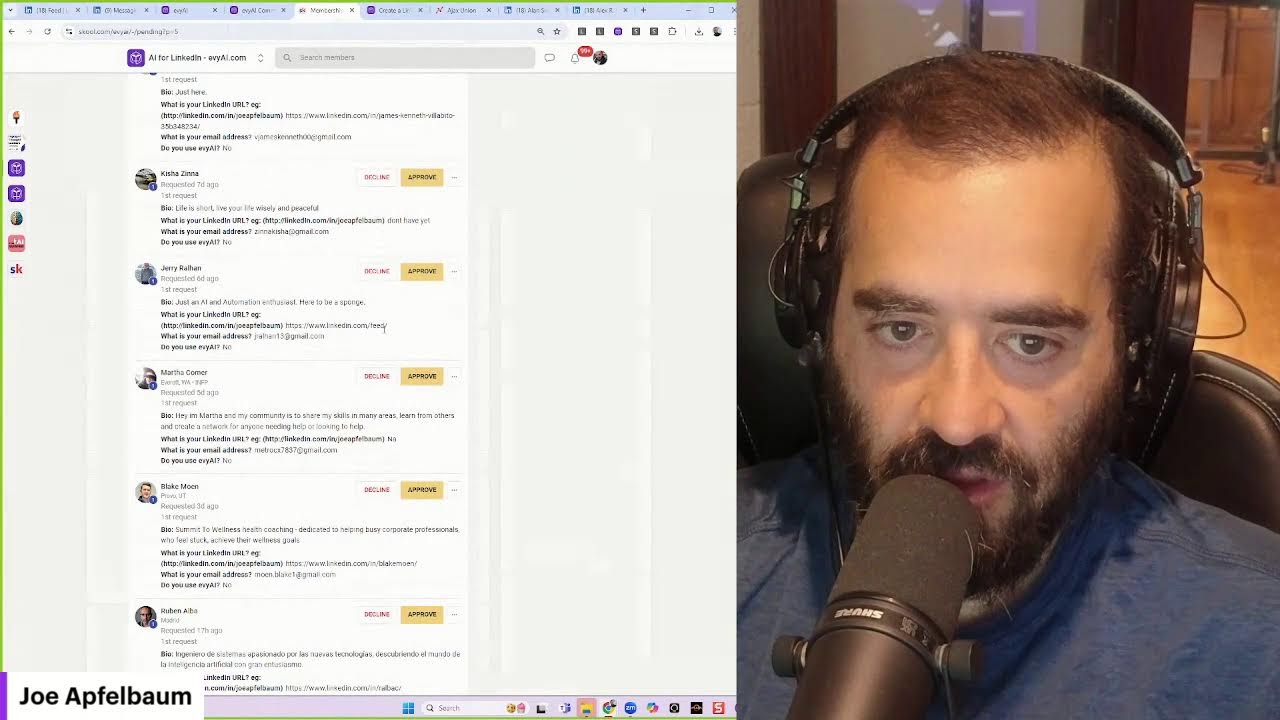
Okay, so I started working on it, but I can, I can do a couple more if you want. Like, if you If you want me to go through a couple of these right now, I can go through a couple of these. But how to keep your clients be connected with you once you sign them up. How to keep your clients be connected with you. How to keep your clients connected with you. How do you keep your clients top of mind? How to keep your clients top of mind. So I talked about that. How to go live on LinkedIn while promoting Evy AI. Why LinkedIn is the best platform for your business. I definitely talked about that. How frequent should you message someone without getting flagged by spam? 3 things to avoid doing to boost your presence, your performance, to boost your performance. Uh, why Evy AI is the best LinkedIn business partner you'll ever have. The secret to working smarter, not harder. How Evy AI can revolutionize your sales process. How to convince your team to embrace AI, Evie AI and marketing, how to max. So somebody recently asked me, they said, Joe, can you, can you show me how to, how do you add team members to Evie AI? Let me show you how to do that. The first step is you need to log in. Once you log into Evie AI, on the left side, you can easily click on subscription. If you click on subscription, you'll see your current subscription. If you have a Teams account, you can choose how many team members you want right under here. You have 8 team members. That means you can add team members. Now under my account, do you see where it says team? You could just click on team and that's where you add all your team members. Just to add a team member, you put in the email address. For example, if I want to add joea@ajaxunion.com, I press invite, I press enter, invite member over here. I search for joea@ajaxunion.com. If he's not there, um, I could just add him. So joea@ajaxunion.com, I press enter. Now that I press enter, I can press send invite and it'll send invite to Joe A, just like that. You see it's sending an invite to Joe A. All right, now it says Joe A has not accepted. If I want to delete this one, I can click on delete invite and it just deletes the invite just like that. All right, so that's how you send your team subscription, you add team members. So step number 1 is make sure you have enough in your subscription. Step number 2 is you just click on team. You click on Invite Member, you add the email address. For example, I might add joseph@ajaxunion.com. I press Enter, then I press Send Invite, and then the invite gets loaded over here. If I want to delete it, I just press Delete Invite, and it just deletes invites just like that. All right, hopefully this is helpful for you. Thank you for watching this, and remember, you can watch our full demonstration video at app.eveai.com/demo. You can join our community. We do have a school community that you guys can join here. We have 547 members right now in our school community and it's growing. Let me just see who is waiting to join. Looks like people are waiting to join our school community. So I'm going to check out who, who's waiting to join here. Um, looks like Dana's waiting to join. And I like checking out the, the, the links of the people that are looking to join our community. And that's the idea. Ruben, a consultant. Let's see, are we connected? No, we're a 3rd-degree connection. Um, yeah, I'm not sure. I'm not sure if I know who this person even is, but he wrote he's not using Evie AI. He speaks Spanish. Okay, let's see who this person is over here. Jordan McKinney. Oh yeah, I saw he checked out my profile. That's cool. Jordan McKinney, clearing specialist, it looks like. I'm gonna let Jordan in. Uh, let's check out this one over here, linkedin.com/fadarattar. Let's see. Okay, that didn't work, so no, we're not letting you in. Delete. Um, you didn't put your LinkedIn URL, so delete. Alan Smith, let's check out your LinkedIn URL. Commander at the NIU Police Department. Oh, what is the NIU Police Department? He's a verified account. Let's let a police officer in there. Why not? He's the commander of the police. What is the NIU Police Department? I don't know. Department. What is that? Is that a school? Uh, Northern— oh, he's the commander of the Northern Illinois University Police Department. Oh, that's interesting. That is very, very interesting. Oh, he's connected to Virginia. So yeah, so he would be somebody that I would let in. Okay, approve. And then there's a guy, Alejandro Canelas. Let's see who Alex Canelas Alex is a digital messenger connected to these people in common. Okay, digital messenger, freelance writer. Looks like a real person. Let me see if he has any recommendations. No recommendations, but he does have some endorsements and we have mutual connections, so I'm gonna let him in. Approve. Martha doesn't exist. Jerry, look, look what he put in as his LinkedIn URL. Um, Carisha doesn't have a LinkedIn. James, there's so many people that are just kind of like, dude, why are you joining AI for LinkedIn if you're, if you don't really have a LinkedIn account with like 2 connections? You're not even, you're not even working. You're not even here. You're not even doing anything. You know, like what, what are we doing? If you don't have 500 connections on LinkedIn, then you haven't been using it. Like even my daughter, I'm going to log into my daughter's account just to kind of show you. Um, A, B, C, D, E, F, G, H, I, J, K, L, M, N. Let me see if I could log into her account right now. She has 40 profile viewers. You see that? I'm going to click on my network just to see. She has no one, no one waiting to connect. But if I want, what I can do is I can connect with people. You see that? Connecting with people here. I can see, see all connections, and I can connect with specific people on her behalf. Most people are not sending connection requests on a regular basis. So I do recommend going ahead and sending connection requests to people that might be an ideal client, or they might have an opportunity or something. There might be opportunities, but— If LinkedIn gives you the opportunity to connect with all these people, why not connect with them? Why not build a relationship with them? Why not get to know who they are? You see that? I'm sending connection requests just like that. I'm not sending it to everyone. I'm strategically looking at their names and what their roles are. And if I see they're like the chief operating officer or they're, you know, property manager or somebody that might be a useful connection for what my daughter wants to do, then I'll invite them to connect. And then if you go to my network, You click on Manage My Networking. You can see she only has 37 connections today, but she'll grow really, really quickly to 500 connections if she's regularly sending out connection requests like what I just showed you. So my recommendation is sending a minimum of 100 per week, and that'll help you be able to add many connections. So for example, this guy here just connected. It's great connecting with you. How have you been? So I just sent a message to Ken Shapiro, the Chief Executive Officer of Connor. Capital Wealth Management, the publisher of the Robo Report. He hasn't really been active here on LinkedIn, but that's the idea. And then if I want, I can go ahead and leave a comment on my post, which will give her additional exposure. Like a really Good way of. Okay, I'm gonna hit comment, and do you see the way I just did that? Just like that. Just added a nice little comment there on the post. All right. Well, hopefully you guys got value from this. Thank you for watching this, and if you want to get Evy AI, just go to Evy.
Ai.com.
That's your LinkedIn AI assistant. Um, let me see if anybody left a comment on this post. If you guys got value, write, I got value in the chat. Let me see if anybody commented on this post before I wrap this up. I'm going to go down here. Look at that, 16 likes and 1 comment on that. Let's see what people have been commenting on this. Uh, let's see, load more comments. Okay, so you guys haven't left comments,
More from Joe


How to Beat the Algorithm: Remove Hidden Watermarks & Scale Content with evyAI









AEO & GEO: SEO's Future Explained! Master Answer & Generative Engines! #shorts