How to create professional headshots with AI
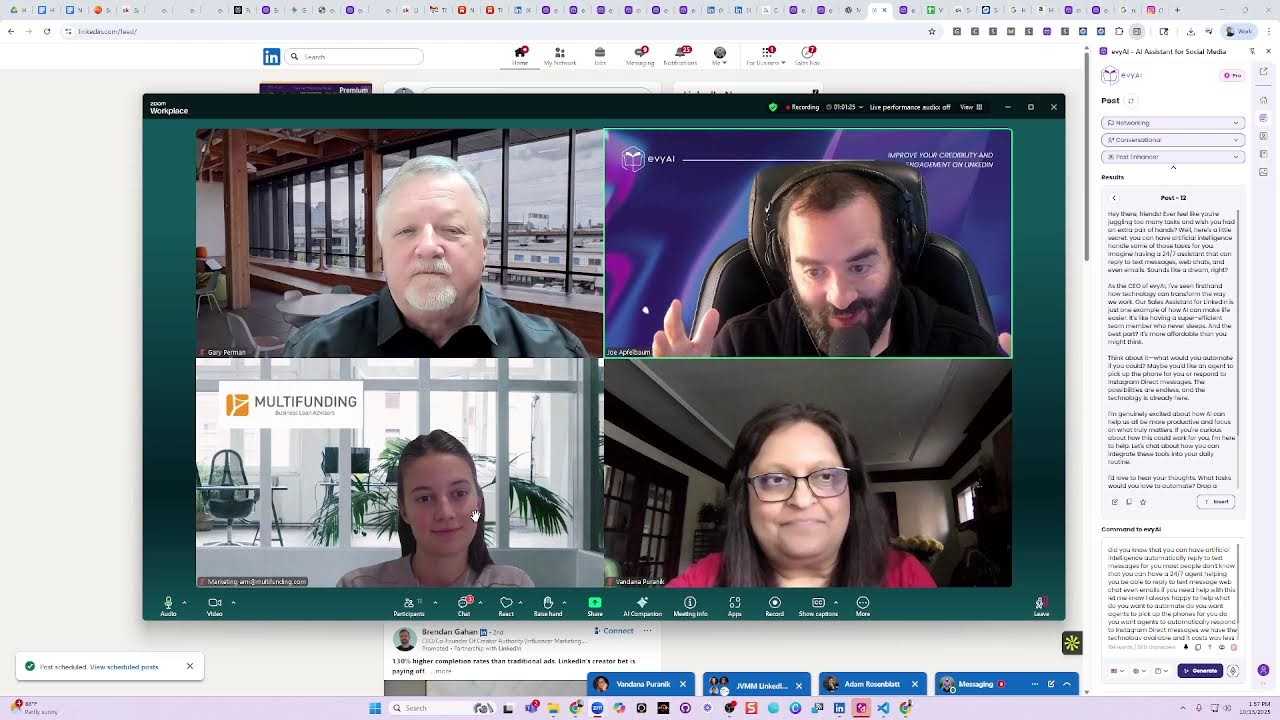
Joe Apfelbaum shows how to generate professional headshots with AI by converting photos into detailed prompts. Evie AI preserves likeness better than Midjourney, and he walks through template libraries for different studio setups, plus how to repurpose generated images for LinkedIn, Instagram, and video content.
Chapters
We'll have more join. So welcome to today's webinar, Creating Headshots with AI with Joe Apfelbaum. In this exclusive behind-the-scenes training, Joe will reveal exactly how to use cutting-edge AI tools to create natural studio-quality headshots fast. Thank you to those joining on Zoom and those joining live. This will also be recorded and available to those who are registered. Questions can be taken throughout. So any questions or comments, feel free to raise your hand, unmute, or send them in the chat box. All right, well, Joe, I will hand it over to you.
Thank you for having me here. Really appreciate it. So first of all, guys, tell me in the chat where in the world you are dialing in from. And I also prepared a post that you guys can share. You know, you guys could share your headshots in the comments of this post over here if you want. I'll take your headshot from here, from the comments of this post, and then I'll do something fun with it and I'll make you guys headshots from it. So if you guys actually have any photos of yourself, go to this post that I just shared in the chat and share your headshot with me so I can take a look at it. And if there's any stuff that you do as a result of what we're doing here today, you can either post it on this post over here, or if you go to my profile, and you click on events, like you're going to go click on events, you'll see the replay of this happening right now. Do you see it says a replay under events? So you can always go to that post over there and check out the live version of this. And if you want to hit the repost button, you can go to my recent activity that I just shared and hit that repost button. I'll show you how I do it from Tammy's profile. So I'm going to go ahead and open Tammy's LinkedIn profile. I'm going to open up my recent activity here and I'm going to like this post. I'm going to say, looking forward to this class, and I'm going to press comment and then I'm going to hit repost and I'll hit repost. So this way Tammy just reposted this post here in just 2 seconds. It went out to her audience now as well. Okay, so let's get into headshots. Why is it important for you to have a headshot? Number one, it's the most important thing to be able to build trust with people is to have a really good headshot. And most people, if I look at your profile, you don't have a great headshot on your profile. What is the psychology behind having a good headshot? Well, think about it. Nobody wants just another stock photo, especially if you're sharing content online, especially in today's AI-centric world where you can create millions of generic images of people doing things. Nobody cares about random photos of random people, but people love to see me on a hot air balloon just going nuts. No, people wanna see you. They wanna connect with your face while everybody else is posting generic stock photos of heavy with text. There's a, a personal branding strategy that's helping thought leaders, entrepreneurs, and executives cut through the noise. And that means to get the right prompts and use the right technology to help you tap into the way that human brains are wired. Because people's brains are wired to recognize and remember faces. And according to neuroscience, we process facial information 60,000 times faster than we process text. And when you combine personal image with your personal brand message in a creative, unexpected way, you're not just posting content, you're creating a memorable experience that will stick in your audience's mind. So even after they scroll right past your image, they're going to remember you. So think about this. Imagine seeing my face on a post that says, share a link, share a link to your LinkedIn post and I will comment on it. Do you see that? So you might ask me, Joe, how are, how are you creating this? Well, step number 1 is to take your image and drag it into Evvy AI, any image that you want. And then you can say, describe this image in JSON format. And I'm going to press generate. Just to kind of show you that. So when I take any image and drag it into the EvAI side panel and I say, describe it in JSON format, it goes ahead and it makes it into a JSON. Do you guys see what a JSON is? It's basically a super description of the image. A small, a smiling man with a beard, with dark hair. The man is sitting and holding up a large white sign above his head with his hands. The sign text says, share a link to your LinkedIn post and I will comment on it. It's a white brick wall covered in dark sections, some artwork or decoration that's partially visible. A potted plant with long sleeves is visible behind the man, and it's natural and bright lighting. Do you see the way I reverse engineered my own image? Can you guys see what I did? I dragged an image into the side panel, gave it a 5-word prompt, describe this image in JSON format. And now I got a JSON image format that I can repurpose in any image generator. Now the problem is, is if I just take this and put it into Midjourney, okay, I'm gonna take this, I'm gonna go into Midjourney, and I'm going to paste this into Midjourney just like this, and I'm gonna press go. Now Midjourney's gonna make me an image. Oh my goodness, it's not gonna make me a proper image. It's gonna make a bunch of different images. Here, look at that. Look how many different images it's making me. I'm going to say turn this into a prompt. I'm going to cancel this out, and I'm going to say turn this into a detailed Midjourney prompt. I'm going to press enter, and I'm going to press go. Now, Evie AI is having a hard time with these brackets over here. So I'm gonna use ChatGPT instead right now just to do— actually, ChatGPT's gonna be a little slow. We're gonna use Claude. Claude makes amazing prompts. I'm gonna copy this here, paste this here, and hit go. This option is not supported. Oh, even this thing is having a hard time being able to read all this stuff. Okay, let's see if ChatGPT will. Let me just click on this and see if this will actually work or if it's going to crash ChatGPT as well. Because I crashed, I'm crashing Claude, I'm crashing different things with this. But let's just see if it does it. Turn this into a detailed Midjourney prompt. Let's see what it does. It's thinking. It's converting my JSON into a prompt. Creating Midjourney prompt variations, crafting Midjourney prompt details. Let's see what it does. And now what I'm going to do is, you see how many different variations of the different parts of the image that it created? It kind of kept created it all separately. But if I, if I had this imagine prompt over here Do you guys see this imagine prompt? I'm gonna copy this. I'm gonna paste it into Midjourney. So create a photoreal portrait of a cheeky, cheerful man with dark hair and blah, blah, blah, blah, blah. I'm gonna press submit and it's gonna go ahead and create it. The problem is it's not gonna look like me. Do you know what I'm saying? So how do I get an image to actually look like me? How do I get an image to actually look like me? The answer is if you're using Midjourney, you would click on add images and you would click on character reference, you see? And then you would add a picture of yourself. You see I added a character reference and then I'm gonna paste this in, same exact prompt. I'm gonna press enter and let's just see if it actually looks like me. Are you guys learning something here? Is this valuable so far? Okay, good. So I'm showing you how to turn an image into a JSON, then I'm turning a JSON into a prompt and a very, very detailed prompt that is. And then I'm turning that prompt into a picture of me. Now the problem is that Midjourney's creating an image and that image looks nothing like me. Do you guys get what I'm saying? Now you could edit the different parts over here, like the stylization, the weirdness, the variety, but I'm at zero. I'm telling it, don't gimme variety. Don't give me weirdness and don't give me stylization. Like literally just give me what I showed you. And it's still not nailing it.
This is not me.
This looks like some guy who got hit by a, I don't know what, by a truck. This is not me. This is embarrassing. So how do I get myself to actually look accurate? So after working very, very, very hard to figure out how to get my face to actually look like my face, I figured it out. And that means using the AviAI ImageGen, which is the most expensive image generator available. And I'm gonna take the same exact image that I gave Midjourney, okay? The same exact image, which is image 1, okay? This, remember this image over here? Same exact image, same exact prompt that I gave Midjourney. I'm gonna go here, I'm gonna delete the beginning of it because that's just a slash and it's gonna break the system. And then I'm gonna delete the end because that's only for Midjourney. And then I'm gonna say, okay, photorealistic portrait of a cheerful bearded man. Okay, so I'm gonna press create. And let's just see if Evie AI does a better job than one of the world's most famous image generation softwares available. And you guys could be the judge of it. Are you guys ready to judge it? Yes. Okay, so let's see. I'm gonna go here and click on this and let's just see if it nailed it. Did Evie AI nail me?
100%.
It nailed it.
Looks good, man.
Yeah, it looks good.
It looks exactly like me. This is what I look like right now.
Unbelievable.
And it's holding the sign right over my head saying exactly what I want it to say perfectly. Now Gary says, can you add more weight and height to the prompt? I could, but it's still not gonna get it right, Gary. I messed with Midjourney for a long time. Midjourney messes it up, but Evie AI nails it every single time. So if you want to get a real good photo of yourself in a, inside an AI-generated version of yourself, you have to first decide what you want the photo to look like. Now you could be very, very general. I can just say, put him in a suit. Put him in a suit and tie at the red carpet event. Okay? Put him at a suit and tie in the red carpet event. And Evie AI is gonna put me in a red, in a suit and tie in a red carpet event. And it's also super fast. Like Midjourney takes a while for it to create the images. This creates the images in like literally 10 seconds. You see it put me in a suit and tie. And it nailed my face again. You see, this is exactly what I look like. My teeth are messed up and everything. Exactly what I look like in real life. Unbelievable, right? So if this is something that you wanna do, Evie AI is the best software to do it with. And you can add all your image prompts into as templates and then use those image prompts right here. You see this? I have tons and tons of prompts. So where do you get your image prompts? And by the way, you can do this for free with Evie AI, even with the free version. If you sign up to Pro or Bundle Plus, you get many, many, many more credits. And if you wanna buy credits, you can buy credits with Evie Coins on the top here. But you, if you prefer to use crappy images, you could go to Midjourney and pay them $30 a month. Do you get what I'm saying? Now sometimes you're gonna have to create many images until you really get them right. I recommend creating like 100 images of yourself in different formats. And if you don't wanna do it yourself to get it right, we have a photo generation service where we'll create 100 images ourselves. All you have to do is use your webcam to be able to get us a selfie of yourself, and then we'll give you 10 amazing photos and we'll do a photo shoot session on your behalf. So we'll work for hours, we'll get it all done for you. And what it will end up looking like could be something like this. You see, we did this for this woman over here. We did this for this rabbi here. You see, we put it together for him very quickly. And these are AI-generated photos, but they look 100% real. And the reason they look 100% real is because we're using very expensive technology. That's the latest cutting-edge technology that most people don't have access to. Do you see the way we put this together? So now imagine you have a collection of images that you could use over and over and over in your business.
You see?
I look exactly like you. That nailed it. But we'll have to create 100 images first. And then from those 100 images, we'll pick the best 10 and send them to you. That's like a done-for-you service for a couple dollars. And you just pay for the person's time to sit there and do it. You don't have to pay credits or anything. We already have the accounts with the credits. Okay. But if you want to do it yourself, you can go to Evie AI. You can add yourself an image here, add a prompt. Now you're going to say, Joe, where am I going to get all these prompts? And what, what can you create? So let's talk about creative ideas of different things that you can do. And by the way, I see somebody writing with the notator. I'm going to go ahead and clear all the drawings. But if you do want to draw on the screen, go ahead. Let's have fun and let's doodle and draw. But we can see who's drawing, by the way. So just—
Oh, okay.
You know, I'm not gonna call you out, but stop drawing. Unless you want to be drawing. In that case, let's have a conversation about that. But I'm gonna pull up some of the ideas so you guys can get ideas. Write ideas in the chat if you guys want a bunch of ideas and you want the prompts for those ideas. And I'll go ahead and share with you. As you can see, I've been generating a lot of images and I'll show you different photo shoot ideas that you can have for social media and for your brand. And if you have any questions so far, I'm happy to answer all your questions that you might have. And as you can see, I'm creating more and more images of me, and I'm gonna show you all the different prompts and give you all the different ideas, and we're gonna walk through everything together here. But what did you guys learn so far? Does anybody wanna open up their mic and just tell me what they learned so far? Well, I think that, uh, hey, this is Tom. Hey Joe, that the Evi process is so easy. I mean, I, I'm not an expert at it yet, but I mean, what little bit I've used it, it's been amazing. Awesome. Thank you. And if you want a demo of Evi AI and you need a demo, just write demo in the chat and we'll be more than happy to give you guys a demo and we'll sit with you and help you out. Okay. So, and we'll, we'll also give you guys a virtual photo shoot prompt generator. Okay, so this prompt generator, you can post your idea for whatever caption you want to say on the thing, and then you can decide if you want professional, casual, or fun. Then you can write what message you want to show up, and you want to— how you want it to show up: handheld sign, speech bubble, thought, bus wrap, street sign, bumper sticker, whiteboard, whatever. And then you can choose your expression and your pose, your wardrobe: suit and a tie, casual, wear a superhero cape, whatever. your background scene. You want to be on a beach, on a conference, in a maze, in a woodshop, in a courtyard, whatever. And then you generate the prompt and then you have the whole prompt over here and you even have the JSON version of it. You see, you have the regular version, you have the JSON version. Write cool in the chat if you think this is pretty cool. If you think this is pretty cool, write cool in the chat. Also, if you guys don't mind, share your LinkedIn URL in the chat. So I can help you be able to under— we can all connect with each other and support each other. So here are some initial prompts that I would recommend everybody has. So for example, this one over here, this is called a high-key bright studio. Can you see this? So this prompt over here says, create an ultra bright, high-key professional portrait with this person seated in a modern white stool. Everything should be pristinely white, including the clothing, a white blazer over a white shirt with white lighting. The only contrast should come from their hair, their eyes, or skin tone. Use multiple studio lights to eliminate all shadows. The mood should be clean, optimistic, and forward-thinking. Pretty cool, right? Let's move on to the next one. The next one is the rooftop golden hour. Position the person in a modern building rooftop on the terrace of golden hour. They should be standing with arms crossed confidently in the skyline with soft focus behind them. Wear a gray and beige blazer. that complements the warm lighting. The shot should be from mid-thigh up with natural lighting. Do you guys understand how I'm kind of like giving it such detail about how the photo should come out? Here's a side shot. This is called Minimalist Studio Profile. This one here is called the Library Thought Leader. This one here is called the Wide Angle Office View. This one here is called the Executive Close-up portrait. I really like this one here, the executive close-up portrait. I'm gonna pull up Vandana's profile just to kind of take a look at it now, 'cause I may as well. And all these are available in my Substack. I'll send you guys a link to this Substack. I only request that you comment on it if you can when you get to it, so this way I can see that you commented on my Substack. But this is Vandana's profile. I'm gonna go ahead and accept Her connection request that she gave me, and this is her photo. Do you see the way she has her hand on her face over here? That kind of takes away from the photo. So I would take this photo, I would drag it into Evie AI like this. I would remove my photo from this. By the way, I can even keep my photo in there and we can do a selfie together. Let's do that. Let's keep my photo in there. And over here, I'm going to delete this here, and I'm going to say, do a selfie of these 2 people standing on stage with a big sign behind them that says, Evie AI image generator creates selfies. Okay, with a big sign behind them that says, Evie AI Okay. Make a selfie of me. Make a selfie of these 2 people. I say create. Of these 2 people with a big sign behind them that says evvai.com image generator creates selfies. I'm going to press generate. And let's just see what's going to happen. I'm going to go to the top real quick. And let's just see if it creates it. So it'll combine multiple photos together. Wow, look at this great photo of us. I'm so glad we were able to take a selfie together. Now, if I want to be able to take this photo and post it on LinkedIn, I can copy the photo. From here, I can go to LinkedIn, click on the LinkedIn homepage, and I can literally just paste it into LinkedIn. And then I can write a post. I can go in here, click on post, and I can choose my goal, my tone, and then my persona. I'm just going to do a persona called the Posting Template Persona. And then in the comment box over here, I'm going to say something like, I love doing selfies with people on stage because selfies help create special moments. And when you do a selfie with someone, you end up connecting with them on a deep level. I'm going to press generate and it's going to generate a post that has a hook, main points, call to action, hashtags, Unicode, bold text. And basically it's going to do the whole thing for me. And now what I'm going to do is I'm going to post, I'm going to read the post obviously, and then I'm going to share it on LinkedIn for all you guys to engage with it. Do you see the way it created bold text within LinkedIn? What are your thoughts on using selfies to build connection? I love it. Do you love selfies or do you hate them?
Let me know.
Okay. Now I'm going to press post. And I just posted this amazing post on LinkedIn. Now I'm going to copy the post link and I'm going to paste it up here. Just remove the UTM tags, Ctrl+C, and then paste it in the chat for you guys. I'm going to stop sharing my screen for just a moment so you guys could breathe. Take a deep breath, everyone together. Let's take a deep breath. Ah, pretty cool, right? And Donna, I took your photo from LinkedIn and created an epic photo of me and you on stage with a big, big text behind us. And I put the link in the chat for you. And now you're famous.
Absolutely.
How cool is that? To be famous.
More so because I'm seen with you.
I'm just saying, the point is you can like and comment on that post now.
Yeah, I love it.
And then people can connect with you and build a relationship with you. But the key is like, there's no limit to the creativity that you can use if you're using the right technology. A lot of people talk about Midjourney, Midjourney, Midjourney. Midjourney's good and creative, but it's not the best technology for headshots. You know what I mean? Because headshots, you need something that can look at your photo and extract your face exactly how it is, and then be able to put it on any, in any way doing anything that's of course 100% kosher. You don't want to put your face doing something that's not kosher, like eating a hamburger with cheese. You don't want to do that. But I'm saying like just doing things in a professional way for yourself and for your brand is very powerful. And so that's kind of like the idea behind what we built. You built a technology that not only writes the content, the comments, the posts, and has a community of over 1,000 people, it gives you the headshots too. So check this out. I'm gonna describe some of the images that I've been able to create recently so you guys could understand. And by the way, you guys get all these prompts. This is the team builder. Have the person seated with his edge on the seat with his one hand out extended offering a handshake. This one's the global executive. Position this person without pants, Just kidding. I'm wearing shorts. Relax. With their hands clasped behind their back, feet firmly planted, looking upward. The client-focused advisor. Have the person seated in a comfortable chair, body leaning slightly forward, hand clasped closed, blah blah blah. This is one with the innovative thinker, and I said have it say the right strategy will save you a decade on the board. The presentation person.
Go ahead.
I have a question for you.
Yeah.
Um, you know how you were saying that my, uh, in my profile picture, my hand is on the side of my face and when we did a selfie together, it took that image. Is there a way to remove the hand?
There is a way to remove the hand. You just have to say it in the prompt. You say, don't put the person's hand, um, on their face. You could just say, yeah. So we kind of kept it like that cuz that was the vibe of the image.
Right.
But, and it kind of like matches and it looks good. Uh, but if you wanna remove the hand, you could just say, what I would do is I would first put just your image in and I would say, have a person of this and with one of these poses. And then I would take that image with the pose and do a selfie with that pose.
Got it.
'Cause if you try to give it too many instructions at once, it's not gonna properly do it. But if you, if you tell it, hey, make this person, you know, with a proper headshot, you know, one of these headshots that I'm talking about here, maybe the, the collaborative leader. I positioned this person leaning against the desk with the, with the edge, arms uncrossed, hands resting on the surface of the, of the table, blah, blah, blah. Then you take this image and you say, make a selfie with these 2 people. Get it?
Got it. Yep.
Um, so that's that. And then, um, and then I have the psychology over here. I have a lot. So this is me in a, um, in a hotel standing, and it says, welcome, get ready to level up, check the prompts in the comments. And this is me, it's saying, you know, um, with me at a conference. This is me with bodyguards holding the signs with brand words behind me. This is me with this Chief Energy Officer at a coffee shop, you see? Or Chief Energy CEO, I changed it a little bit. This is me getting out of a car and it says, driven to Mojavate. And then I have many more. Over here I have 150 photo shoot prompts that you could use right away. Look at this one, sweet chaos leads to innovation. This one, life is short, eat dessert first. Are you guys enjoying this, by the way? Is this good? This, and there's so many different ones. There's street signs, bumper stickers, flags, capes, chocolate spilled on the floor, grass message in the landscape, hedge maze discovery, woodworking. So many different options. And then by the way, I combined all these options into the prompt generator. So you can make a custom prompt Any of these custom prompts are available inside the prompt generator in just seconds. You see, this is me in Bushwick with Creative Words. So you can put any brand words here and just use it for your business. Okay, so let's go through some of my recent images that I put over here so you can kind of get ideas for things that I haven't even shared in public. So for example, these magazines, look at these magazines here. You see, you put me on a magazine cover. Show how Evy AI CEO built a sales assistant serving 40 countries around the world. The power of AI-powered sales. Pretty nice, right? To have magazines. Forbes Magazine, Entrepreneur Magazine, Inc. Magazine, Fortune Magazine. I have Tammy over here. You see?
Can you actually do that legally though?
Can you legally make AI-generated images?
No, but have it on Entrepreneur Magazine or Forbes or—
I don't know what the law is. Maybe yes, maybe not. I don't know. I know people do it. Many people do it online, but I don't know if it's— I don't know what the legality is of using the word Forbes, if it's a trademark and what the deal is. Um, yeah, but maybe it's worth taking a gamble and seeing what happens. I don't know. Speak to your lawyer about what's legal. Um, but you know, this is me at a casino and saying I don't gamble. But I do like to gamble with AI. Pretty cool, right? It's a nice photo.
Mm-hmm.
So what is the prompt for this particular photo? The prompt is right here. Depict me, use my face exactly as uploaded in the photo, sitting at an exclusive poker table at a high-end casino, confidently pushing all the chips forward while 4 well-dressed chess players are watching intently. I'm wearing a black 3-piece suit with a subtle pinstripe burgundy tie and a gold watch visible. 2 beautiful women in cocktail dresses stand behind watching. Keep my hairstyle and facial details 100% accurate, no glasses. The casino has warm ambient lighting, crystal chandeliers, and marble surfaces, ultra-realistic style, dramatic lighting, DSLR quality, highly detailed texture on skin, hair, clothing, Casino chips, cinematic medium shot across a table, vertical 9:5 composition, 9:16 composition, high stakes tension mood emphasizing calculated risk. Do you guys understand the level that we're playing at here? Pun intended. I'm the only one laughing. Okay, this is a celebration over here. This one did really well. I posted a celebration of me celebrating with my employees. Pretty nice, right? But I don't actually have to rent a rooftop and order dinner. I could just take the picture and say, better, you know, let's just, let's just take a photo and say we did it. What's the saying? What's the famous saying? Let's not and say we did.
Yeah.
Here's one of me.
If I have, if I have a group of women, so I lead a community of women, and if I wanted to get a number of us, a bunch of us, like, and do like exactly what you did with, you know, us toasting, um, is it possible to include a number of different images like that? Like of people?
There's a maximum of 4 images that you can include with this technology. Um, but what I would do is I would create images where you're combining 3 people together, and then you combine the 3 with the 3 with the 3, depending on how many you want to do. But I would do, I would just like take our selfie and somebody else's selfie and somebody else's selfie and combine those 3 and say, put these 6 people together and it will do it. Or you can combine them in Canva, all the people, and then have them do whatever you want. That's another way to do it.
Okay.
Yeah. So this is really powerful if you think about how you can leverage this technology for your business. You can literally go crazy and do anything you want with this. It's just a matter of like how good the prompts are. And so Evie AI comes up with the prompts for you, creates the images for you. Look at this one over here. Do you want to hear what this one says? This one's an ultra-realistic photo of the provided subject. Maintain the subject's identity and facial features accurately. Professional setting, mountain vista, attire streetwear, waving a flag, laughing, full camera fisheye over the shoulder. Tight headshot, deep focus, everything in focus, depth of field, soft studio lighting. So I actually used, um, the prompt generator to generate that particular prompt. You see? And you could use a very advanced version of this, which has a lot of different things. So you could use a simple version or you could use a super advanced version. And you could even give it ideas here and you can tell it to analyze and seed suggestions. Pretty cool, right? Okay, that's a lot. That's a lot to give you guys. So my question to you is, what do you want to know how to do? What do you want to know how to do? So maybe you want to turn these people into talking avatars. Should we get into that? Who would want us to talk about Sora? Write Sora in the chat, S-O-R-A, if you want me to show you some Sora stuff. Curious enough, anybody wants to show some Sora stuff? All right, so let me show you some Sora stuff now. So this is a whole nother ballgame. I'm going to first go into, um, into here. I'm going to play a quick video for you of our latest— hang on a second, I think I have the video on my computer already. I don't have to go here. Let me go to Downloads. Let me play this for you. Module 1. Welcome to Module 1, What is Sora 2 and Why It Changes Everything. Imagine typing a single sentence. And within seconds, watching it turn into a full cinematic video.
That's not the future; that's Sora-2, the next leap in generative AI that's redefining how we create, communicate, and connect. In this module, we'll explore where Sora-2 came from, what makes it revolutionary, how it's reshaping industries like marketing and education, and why early adopters are already transforming their businesses with it. By the end, you'll see why Sora-2 isn't just a new tool; It's the start of a creative revolution. Let's start with the origins.
AI began with text generation. ChatGPT showed us how machines could think in words. Then came image generation, where tools like DALL-E turned imagination into visuals. And now, we've arrived at Sora 2, where words become full-motion, cinematic videos. This is the evolution— text to image to video— and Sora 2 completes that journey.
So, what makes Sora 2 revolutionary? It's powered by multimodal reasoning, meaning it understands movement, light, emotion, and space, just like a filmmaker would. It doesn't just render a video; it imagines one, in real time, with cinematic realism and storytelling precision. That's why marketers, educators, and creators are calling it a creative copilot, not just another AI. Let's talk about real-world impact. Marketers are generating high-quality ads in minutes. Educators are building entire visual lessons instantly. And storytellers are producing stunning short films straight from a script. The early adopters are already ahead. Not because they're tech experts, but because they understand one thing: speed plus storytelling equals opportunity. Sora 2 isn't just the next phase of AI; it's the new language of creation. It lets your ideas move, breathe, and connect like never before. So get ready, because in the next module, We'll go deeper into how Sora 2 actually works behind the scenes and why it's rewriting the rules of digital content forever.
Did you guys like that? Wasn't that a great video? So that's the first module of our 9-module course that we're coming out with at the end of the month, um, on how to use Sora. We're probably gonna come out with it before the end of the month. And it's available in our school community for those of you that get our bootcamp. So we actually have a video bootcamp coming up November 3rd. It's like a half day with me, um, really digging in on how to use Sora because it's different than images. It's like full-on videos and we give you over 120 different prompts. We give you a Sora prompt generator and all the modules are right here. And we even have a webinar that we just did that the replay's available here with all the notes. 2-hour webinar that we did. So if you want a replay of this webinar and you want a special deal on getting the boot camp, I'm happy to just send you— just write replay in the chat and I'm happy to give you the replay. This boot camp is typically $1,000, but we're offering it at half off for anybody that wants the boot camp. I'm happy to send you the, the replay of it so you can see it. But let's dig into Sora right now just so you kind of see what it is. And all people who get the bootcamp will also get into Sora because it's by invitation only. So it's very, very unique. It's hard to get into. So I'm going to go to my profile within Sora, and then I'm going to start playing you a video. But it's really a con— people think LinkedIn is just a place to park a resume, but it's really a conversation platform. If you're running a business, the network is unbelievable.
Totally.
We close B2B deals all the time because we're sharing content. Okay. So could you imagine you were able to have a conversation with Mark Cuban on a carpet above New York City? Like, think about that. Or an alien.
You all just flaunt your career connections out in the open? In my quadrant, we don't even have LinkedIn. Not a single hyperlane for networking, just word of mouth across light years.
So this is—
Tell me about yourself. I'm chewing fries.
Crunch time.
Data in, flavor out. ROI sizzling, no doubt. People, process, tech in sync. Serve it up fast. Profits link. Okay, so I'm gonna go down here and you're gonna see there's so many different things. This is, uh, Rick promoting our By Evie AI. Check this out. It builds a marketing video for me in seconds.
Mind blown.
Signing up took one tap, and now I'm going to learn how to— I was scrolling LinkedIn and caught another video from Joe Apfelbaum. The guy drops so many practical tips on content and sales. It's wild.
Same.
So I can create characters using Evie AI, and then I can take those characters, throw them into Sora, and then make full-on videos of my clients saying things, of me skydiving, of Aliens telling jokes. On LinkedIn, and you said, of course, that's how I found this planet.
Exactly.
I told them my headline is Intergalactic Account Manager Open to Relocation. I'm just waiting for the connection request from Pluto.
They keep—
So I like—
so you see that? So it's like, what are we doing here?
Evie AI and LinkedIn.
Evie AI does the—
I love is how much value I get from both Evie AI and LinkedIn.
That's my actual Evie AI client saying that. This is me modeling. Yes, perfect.
Hold that.
Now pocket hand, walk it in toward me. Nice and relaxed.
Got it.
Lift the collar a little. Yes, perfect.
Hold that.
Now pocket hand, walk it in toward me. But do you guys get what I'm doing over here? Um, and there's a concept called Cameos. Have you guys ever heard of Cameos?
Yeah.
So are you using Sora too already?
Um, I've, I've tried going using Sora. I'm not very adept at it.
Okay, so you might benefit from our food court.
Yeah, they had, they had, um, they had a limit on the number of credits or something like that.
Well, this is not— this is not a credit system. We'll teach you how to get 30 videos for free every single day, because right now it costs $1 per second to make a video. So a 10-second video is $10. But we'll give you the ability to create 30 videos that are each 10 seconds each for free every single day.
Okay.
Until they take it away. I don't know how long that's gonna last. Um, so if you're interested in signing up to the Sora 2 boot camp, The link is available to be able to get a special deal. So I'm happy to send you guys a link if you want to sign up to it, which will include the 9-module course and all the frameworks and all the different things available to you guys. So if you're interested in it, I'm happy to drop the link in there so that you guys can access it. I'll put that into, into the chat here. So for those of you that actually want to learn it, I'll put it in the chat here. Let me see. Somebody said drop the link. I just put the link in the chat. All right. So any questions? So now you see how Sora works, right? You see, you don't understand how it works yet. You probably don't have access to it, but you understand you can create images with Evi AI, images of Samoyeds and images of aliens and images of your brand and images of things. And then you can put them into a tool like Sora and it'll create full-on videos that are cinematic and ready to be used. And our clients are, and you can, if you create Cameos, you can take those Cameos and turn them into videos and so on. So really, really powerful stuff. But let's get back to images because I don't want to kind of confuse this because this is really about creating headshots for your business. And I want to make sure that you understand that there's a certain amount of photos you need for your business to be able to be out there in your business. And the different photos that you need would determine what you're trying to accomplish. So maybe you want to get speaking engagements, right? Who here wants speaking engagements? Okay, so you need to have photos of you on stage. In order for you to get a photo shoot, it's going to cost you $1,000 to get somebody to come down, take photos of you, rent the stage, this and that, right? But over here, you can create an unlimited amount of photos of you doing stuff on stage. As a matter of fact, do you guys use Instagram? Does anyone here use Instagram? Some of you use Instagram. I'll share with you my Instagram now in the chat. I'll go to instagram.com/joeapplebaum and I'll show you an actual Instagram that I got. So I just shared, here's my Instagram. So I recently, somebody recently reached out to me and said, Joe, can you do a talk on how to leverage LinkedIn? And I said, how'd he hear about me? She's like, what do you mean? You just won the award from LinkedIn. I was like, what are you talking about?
Where?
He's like, on your Instagram. I was like, which video? Check this out. This is the video. We are thrilled to present the gold medal to Ajax Union. Wow, thank you so much. Congratulations. Your work has set a new benchmark. For the best strategy on LinkedIn this year, we are thrilled to present the gold medal to Ajax Union. Now, how many people saw that reel? That reel was a 10-second reel created with Sora using my Cameo. How many people saw that reel? So let's click on reels here and let's take a look. Let's scroll down and just see how many people saw that reel. The views are on it. Where is that video? Oh, it's right here. 3,270 people saw that 10-second reel and I got an opportunity as a result of it. How long did it take me to make that reel? About 5 seconds. How long did it take me to post it on Instagram? I don't know, 10 seconds. Do you guys get what I'm saying? You can create 30 of these videos every single day. You just need the prompts and the ideas and the inspiration and the know-how to do it, but it's essentially free. So if you follow me on Instagram, you'll be able to see exactly what I'm up to and you'll be able to create these types of videos for free. Now check this out. Sam Altman is promoting my everyday workflow. One tool I keep coming back to is evaai.com. It makes LinkedIn so much easier for me, commenting on posts, writing my own updates, even messaging people. So imagine the CEO of OpenAI is promoting my business. How crazy is that? How crazy is that? So learning how to do this, learning how to create the right images, putting the right images out there will show you as a thought leader. Maybe you, you're an author. Are you guys, anybody here an author?
You're an author.
Vandana's an author. You take your book, put it in as an image, take your photo and say, put me on the street holding my book out. And then you write something about your book. So let's try it out. Let's go to Instagram. Let's go to Amazon. Joe Apfelbaum Books. Let's find a copy of my book. Okay, so High Energy Networking. Here's my book. This is a copy of my book, right? I'm gonna take this image, I'm gonna drag it into Evie AI. Then I'm gonna take an image of myself and I'm gonna say, put this exact man holding this book on the street and people all around him wanting to get the book. And he's just holding it out and everybody's looking at it and taking photos of him holding the book out. 'Cause everybody wants the book so badly. Okay, I'm gonna press generate and let's just see what happens. I took an image of my book, I took an image of me, and I combined it together and asked Evie AI to make a nice image of both of us, of me and the book. And let's see what it generated. Now keep in mind that all the generations— okay, look at this. Everybody's trying to get the book. Oh my God, this is such a great photo. Do you guys see this?
Cool.
This is me. This is exactly me holding my exact book from Amazon.
Awesome.
With a bunch of people trying to get the book and people taking pictures of it. You see? Think about what you want to promote in your business. Maybe you want to promote that you're giving loans out and you have a bunch of people trying to get loans. Maybe you're trying to promote something else. You know, who knows what you're trying to promote in your business? By the way, in the chat, you could let me know, what are you trying to promote in your business?
And Joe, while we wait for those in the chat, I know we moved back to images, but for Sora, are you able to remove the watermark from those videos?
Uh, yes. If you type in remove Sora watermark, there are plenty of services that allow you to remove the watermark. Is it legal to use this service? It's against their terms and conditions, but you can do it. The other thing you can do is you can use the API So if you use tools like Freepik, you can generate videos with Freepik. You can generate videos using Sora 2. You can choose the model. You can, you can choose Sora 2. And if you use OpenAI Sora 2 model, it's 1,600 credits for each video. Um, and it won't come with a, with a watermark, but you're paying a dollar per second about. And it won't have a watermark. But if you're using the free version, it's going to have a watermark. Now, I purposely leave the watermarks because I don't want anyone to think that those are real videos. And even if I leave the watermark, people still think they're real videos because people just are not educated. It's not that they're stupid, they just don't know that Sora exists. And they also don't even notice the watermark. Most people don't notice it. Savvy people will notice it, they'll know what it is, and they'll laugh. But most people will not even notice it. Does that make sense?
Mm-hmm.
So I like leaving the watermark in there personally. It's, it's part of the style of not trying to make believe that you're doing something that's fake, that's real. Um, so yeah, so I have lots of different videos and you can see all my videos over here. Now if you wanted, I'm gonna show you how to download a video from Sora. I have an actual download button. Do you see there's a download button on these videos?
Mm-hmm.
So I created a Chrome extension that I— anyone that signs up to the bootcamp gets my Chrome extensions. And so I created a Chrome extension that allows you to download videos that are currently not available to download on Sora. So you can literally download any video you want, even if Sora doesn't allow you to download it. Does that make sense? Now there is a way to download videos. You can just go to— I'm gonna go to a different Sora account. I'm gonna go to Sora and I'll show you that some videos you can download, some videos you can't download, but I'm gonna go to this one right over here, this profile. Am I in the right profile here? No, I'm in the wrong profile. I'm gonna go to this one here. Okay, so I'm here in this profile. I'm gonna click on this. I'm gonna click on drafts. Okay, I'm gonna click on my own video.
Let's go, keep steady! All right, let's go, keep steady! Woo! This is incredible! Easy, boys, stay together! I'm up on top of the world! Yeah! All right, let's go! Keep steady!
Okay, so now I'm gonna take that video, I'm gonna upload it to Instagram. This is how I do it. I click on Create, Post, Select from Computer. I select the— whoop, I selected the wrong thing. Select another file. I'm gonna double-click.
All right, let's go! Keep steady! Woo! This is incredible!
And then I'm gonna go in here, I'm gonna press next, and I'm gonna say, I'm gonna go to Evvy AI and write a post about this, and I'm gonna choose a different posting template. Create a post about the benefits of riding horses while talking about how to improve your LinkedIn. Okay, let me just see what that does. And then if my post is ready and I like it, I can copy that post, paste it in here, or press the insert button. And then I press share, and then it uploads that video into Instagram, and you'll see me riding horses on Instagram. And you might say, Joe, what are you doing? Why are you putting a video of yourself riding horses on Instagram and tying in all this business stuff? Well, the answer is it's called edutainment. I'm entertaining people and educating them at the same time. So if you guys want to check out the video in real time and see what happens to it, Click on this right over here, that link I just shared in the chat, and then go ahead and like and comment on that video that I just shared if it opens up for you. And so this way we can all follow each other on Instagram. If you leave a comment on that video, we'll all be able to follow you on Instagram as well. I like cross-pollinating and helping people connect with each other and build relationships. And the best way to get people to follow you is by leaving a comment on their post. You guys agree with that? When you leave a comment in someone's post, they're much more likely to want to follow you. All right, we're coming up to the time of where we're concluding the webinar, and I want to thank everybody for joining me here today. What was your number one takeaway? In the chat, let me know your number one takeaway. What value did you get from this today? If you need any of the prompt generators, or you need any of the prompt lists, or you need access to anything, you could either book a demo with my team at strategy.eviai.com/calendar, or you can send the word demo to 973-841-8868. Now let me make an image with that exact prompt. Watch this. I'm gonna go to Evie AI. I'm gonna click on this one here that I'm holding up, and I'm gonna say photo real. I'm gonna click on regenerate image, which is gonna take the same prompt. And instead of saying share a link to your LinkedIn and I'll comment on it, I'm gonna say, uh, send the word demo to 973-841- 8868. Text. I'm going to say text. Text the word demo tonight. Something to get a demo of eviai.com of Eviai, your sales assistant. Okay, now I'm going to press generate and let's just see what happens. Oops, I got an internal server error. I wonder why. I'm gonna try it again. I'm gonna delete this image here and I'm gonna add a different image just to kind of show you a little bit of a different flair. So I just added a little bit of a different image. This is an image of me without a shirt. Hopefully it'll put me into a shirt. We're not gonna see it in big, relax everybody. Everyone's like, we wanna see the full image of you without a shirt, Joe. We're not doing that today. That's for a different seminar. That's after 6:00 PM. Okay, I'm going to click on this right here. Not bad. Put a shirt on me. Text the word demo to 973-841-8868 to get a demo of Evie AI, your sales assistant. Wow. Wow. That is pretty good. And by the way, you guys could try it out if you want to. Now, if I want to download this image, I could press download and it downloads the image. If I want to put this into LinkedIn, I could press copy over here, go into LinkedIn, click on the homepage of LinkedIn, paste it in here. Just, you could paste it right here like this. And then I can write a post. So what am I going to write in the post? I don't know what to write. Well, it's really simple. I'm going to say, did you know that you can have artificial intelligence automatically reply to text messages for you? Most people don't know that you can have a 24/7 agent. helping you be able to reply to text message, web chat, even emails. If you need help with this, let me know. I'm always happy to help. What do you want to automate? Do you want agents to pick up the phones for you? Do you want agents to automatically respond to Instagram direct messages? We have the technology available and it costs way less than you even think. It's one of the most powerful things available today.
Okay.
So I'm going to press generate. And then people will see the image and take action on that. But I'm gonna go ahead and post this, but I'm not gonna post it now. Instead, I'm going to post this as a post tomorrow. So I'm gonna switch this from the 15th to the 16th, and instead of 2:00 AM, I'm gonna do 8:00 AM. I'm gonna do next. I'm gonna schedule this out for the morning. How incredible is that? You saw me schedule a post with an image that we just created using exactly what we did, but we repurposed another image that we did before, used a separate face. You understand? We used a separate face and then we were able to go ahead and build this out properly.
So wow, wow, wow.
All right, on a scale of 1 to 10, How did we do today? The way that you enhance your prompts is by using Evie AI and telling it to enhance your prompt. Simple as that. The AI writer will enhance your prompts automatically. So you say, here's my prompt for an image, take it to the next level, make it 10 times better. And it's going to go— Evie AI will go ahead and make it 10 times better. You can tell it how you want to make it better. Make it more detailed, make it more professional, put me in different clothing. Give me 4 different versions of this prompt. You can tell it, Gary, and it'll go ahead and give you 4 different versions of the same prompt in different ways, saying different things and different variations and so on. What was your big takeaway? On a scale of 1 to 10, how did we do? 1, we sucked. We didn't learn anything. We wasted time. And you feel like I just basically shared pictures of my Instagram with you the whole time. And the other one is, 10. Those are the only 2 options, 1 or 10. And 10, we totally crushed it. You learned a lot. You can apply this to your business right away, and you'll be able to grow your business using images, just like you saw me with smart, different ideas of ways to put calls to action with you holding signs and signs on the street and signs on buildings and chocolate on the floor. And you have all the resources that you need with all the prompts that you need and access to do this for free. Using Evie AI, or you can buy coins if you run out of images. You can buy coins for very little. It's not a lot. It's like $10. Um, so you could buy coins and then you can just make your own images. All right. Anyway, thank you so much for being here. Thank you for being in my life. Thank you, Ami, for having me and everybody else here. Any final words that you wanna share?
I just sent you a message, Joe, on LinkedIn.
Oh, oh please. Oh my gosh. I'm gonna check it out.
Yeah.
Awesome.
Do our hosts want to share anything?
I was just gonna say, feel free to unmute if you have any questions, but great session. I give it a 10 out of 10. Woo-hoo! It was really, really informative. It was really great.
Why do you say that? Why do you say that it's so great?
I think, well, there's so many different AI tools, and I didn't realize how you crafted it with all those different prompts. But not only was that prompt from you, but You used Evie AI to advance it to get the best out of that resource, which I thought was really cool.
Awesome. And you guys saw the way I dragged an image from the internet into Evie AI and Evie AI analyzed it and turned it into a prompt. I was trying to do some advanced stuff with JSONs and it was failing, but it did make the JSON. But then when I wanted to reintegrate the JSON, it messed up and even Claude wasn't taking it. So I ended up using ChatGPT. But the bottom line is, that you can use any image in the world and recreate it with AI, either with JSONs or just telling it, make me a prompt that looks like this image. And it'll— Evie AI will make you a prompt. It's a very, very detailed prompt that'll look like any image. So you can go to a model, take the model's image, drag it into Evie AI, tell it, make me a prompt that looks like this image, and then add your face to it and then run it through the image generator. And your face will be with the same pose. and the same clothes and the same toes as the model. It just won't have the same nose.
Yeah.
And you got to call in the bros and keep away the foes. But that's the idea. That's the idea. Um, so yes, if you guys want to watch me make a song right now about how to use the Evi AI image generator, I'm going to show you a tool that I typically use to make songs. It's called Sora. And we'll listen to it. So now it's not called Sora, it's called Suno. And then we're gonna go in here, press create, and then we're gonna use Evi AI to write up the prompt for it. So we're gonna say, create a song about using image generation for headshots with creative prompts within Evi AI, the technology that helps you as your sales assistant to grow your business. Make it a rap, gangster rap from Brooklyn. Okay. And we're going to do Evie AI. And then we're going to just, we're going to just push the up arrow here and then it automatically goes from Evie AI into here. You saw that I spoken into Evie AI and I pushed the up arrow and it got injected. Now I press create and it's going to go ahead and create this particular song for me. Did it do it or did it not do it? I don't know. I'm going to press create again and see what it does. Okay. Yeah, it looks like it's doing it now. It didn't do it before, but it's doing it now. It's preparing the rap for me. Okay. It looks like the rap is almost done. And now do you guys want to listen to it? Should we listen to it or? Yes, we're good. Okay. So let's listen to it. Here we go.
Click, click, click, click, click, click, click, click, click on the man. Corner, uh, got the future in hand. From the cock to the board, woman, take much, man. Click clack, the lens ain't real to say I steal. Evie got the prompts now, I'm closing the deal. Brooklyn grind, making headshots divine. Tech on my team, the hustle's refined. Pixel sharper than a razor blade. Every frame dripping like the moves we made. Prompt game strong, watch the cash come long, long. Digital hustle, now the sales game on. Headshots on demand, I'm building a brand. Heavy in my corner, got the future in hand. From the block to the boardroom, the tech gonna expand. Headshots on demand, the world understand. No suits, just sweats and a gold chain swing. Brooklyn born, now I let the AI sing. Prompts like Popeye.
So think about that. You make a bunch of images of yourself, put them into a tool and add this song to it. And then put that on social media. You know what I mean?
Yeah.
How long would that take? That would take about 10 minutes max to do using a tool like CapCut, which is an AI generator. You say auto-create it.
Here you go.
Here's the images. Here's the music. Do it. And boom, it's done.
Unbelievable.
All right. Thank you very much, everyone. My team's telling me I have a 2 PM call starting now. I'll see you guys soon. God bless you. Thank you, Joe.
Have a good day.
More from Joe


How to Beat the Algorithm: Remove Hidden Watermarks & Scale Content with evyAI









AEO & GEO: SEO's Future Explained! Master Answer & Generative Engines! #shorts