How to create Software with AI In 10 minutes - 114 LinkedIn Live 2024 with Joe Apfelbaum
Joe Apfelbaum builds a working SaaS app called List Inspector in real time using Claude, Replit, and make.com, no coding required. He also shows how to use Evvy AI to generate LinkedIn posts, edit videos, and create music, then auto-post across platforms.
Chapters
Hello, hello, hello. This is Joe Apfelbaum, and today I'm going to be showing you how to build software with AI even if you don't know how to code. You do not need to know how to code in order to build software with artificial intelligence. How do I know this? I know this because most people have absolutely no idea that you can do this. There are so many open source tools that will allow you to be able to create software in no time. But the first thing you need to do is you need to figure out like this, for example, this software over here. I built this software without knowing how to code. It just took me a few minutes. I put it together. Now, of course, I had the idea already. I already had this idea before I did this. And here is the breakdown of exactly what I did step by step. Step number 1, ideation. You gotta come up with an idea. So I have a Miro board that comes up with the idea. So if you don't know what Miro is, It's a website that allows you to be able to create diagrams just like this one. You know, just drag and drop. You don't know how to code. You don't need to know how to code to do this. So this is, this is a tool right over here where I actually built this diagram. It's almost like a diagram in a diagram. And I have lots of different diagrams for softwares that I am building and playing with and toying around. Like for example, I have this whole, this whole automation here that allows you to do JSON brainstorming. So what's a JSON? A JSON is a JavaScript object. Uh, it allows you to be able to transfer information from one API to another. It's basically just formatted text in a specific way that multiple computers can kind of have a conversation with each other about the text and understand what they're talking about. So you can connect any type of system with any type of system. Okay? So on the internet, you need an API to connect one thing with another thing. So for example, if you wanna connect your website with, say, ChatGPT, you need to send the data from your website to ChatGPT in a specific format for ChatGPT to understand it. Now, ChatGPT can understand almost anything, but not every single type of website could understand every type of data. And so there's a standard way of formatting data within specific tags called JSON. And so when you tag things in JSON, the, the different, you know, you could have 6,000 different applications that kind of start making sense out of the data and they understand what the data is and what to do with the data. It's really, really powerful. Okay. So I use Miro to plan it out. I use Claude to write the prompts. I use Replit to do do the code because you just need to copy the paste the code from Claude somewhere. And then I put it on a landing page. Once I test it out and it works, I put it on a landing page. I make the backend happen with make.com. And I'm actually gonna be teaching step by step how to do this, uh, today. It's a 3-hour class. Um, and I'm teaching this inside our Evergreen, uh, AI Business Development Circle. So if you wanna learn with us, just join us. It's, uh, evyrgreen.com/aicircle. You can check it out. I'll put a link in the chat as well. So what's the AI Circle? It's essentially just a place where we come together once a month for 3 hours and we connect, build relationships, and we learn about AI. This is an example class. This video here is 3 hours long. You can go to the website and watch it right now to get a taste of what you will get every single month if you sign up to this program. And we just educate.
We sit down and it's fun and it's high energy and it's engaging.
And you can watch all the previous classes and you can get the 1,000 ChatGPT prompts that comes with the program. And you can get the 9-module course and the 20 tutorials and all the other stuff that we put together. We have an entire community of people. Um, so if you're interested in joining us today at 2:00 PM, I'd love to have you. I'd love for you guys to join us anyway. Um, so let me break down this process here. Okay? So step number 1 is ideation. Come up with the idea. So if you have any ideas for what you wanna create, put them in the chat, like, what industry would you like to create software in? Like, what problem do you want to solve? I really want you to think about the problem that you want to solve and the industry that you want to solve that problem in. Most people, they don't really have an idea for what they want to do, and that's why you need to have the ideation phase. You need to start with Ignite, which means you need to spark your million-dollar app idea. Use Miro to brainstorm.
Mm-hmm.
industry problems and solutions, a clear validated app concept addressing specific needs, and then forge. Then you start forging your prototype. You don't start forging your prototype before— if you guys want an example, just say in the chat, show me an example, and I'll show you guys an example right now of me doing it in real time, like coming up with the idea for what I want to do in real time. Just drop a comment right now and say, show us an example, and I will show you guys an example right now. Wow, this is overkill for me, but just love the content you share. Thank you so much, Daniel. I appreciate you for saying that. Okay, so question for you. What do you want me to— you want to watch me do this in real time? Should I in real time build something that's usable? Um, while we're talking over here, let me just pull up a spreadsheet. Let me see if I could pull up a spreadsheet here. I have so many different spreadsheets open here. Okay, so I have the 2024 Inc. 5000 list here. Okay, so let me pull open the Inc. 5000 list so I show you what I have. Oop, I think I just dropped it out. Okay, there we go. All right, so this is the 2024 Inc. 5000 analysis. So this is the industries of the company on the Inc. 5000 list. So what I want to do is I want to send a— I want to send this code, I want to send all these details to an AI. And help me be able to analyze all this information. So for example, industry, year founded, state, company. I want to be able to sort and filter this on a website and allow any of you to go ahead and sort and filter this. I think that getting access to this data for Inc. 5000 companies, I think that people would pay for access to this data. I don't know if you would pay for it, but would you pay to subscribe to a website that gives you access to all the information of all the companies on the list? Yeah. And then also gives you all their contact information, how much revenue they did, how many employees. Is that something that you would invest in? And some people have paid $5,000 for this type of list to build this type of a custom version of this list. But maybe you don't have $5,000. Maybe $5,000 is way too much money for you and you just don't have it. And instead what you want to do is you want to pay say $200 a month and get access to be able to make sense out of the data. And also get access to other niche lists. And we can talk about what lists you need. So like you make a request for any list and we add the list to the system. So I don't know what we would call that. Let's just call it List Inspector. Okay. Just for the sake of it. Let me just see if the domain name's available. I go to GoDaddy to check domains. I'm gonna type in List Inspector. List Inspector. ListInspector.com is available. Looks like I can buy it. Okay, listinspector.com. Um, so if I want to buy List Inspector, I could buy it right now. Okay, anyway, bottom line is who cares, right? Like, you could buy any name you want, you could buy whatever. Um, but let's say I wanted to buy the name and I wanted to inspect the list. Okay, so that's, that's the premise of it. I want to inspect the list. So I'd open up ChatGPT and I would tell ChatGPT— let me see where ChatGPT is. I'm going to go here, I'm going to go to ChatGPT, and I'm going to say I have a list of companies that I would like to inspect. Can you help me brainstorm ideas for a service that allows you to upload a CSV file with first, last, company, Rank. Let's just say rank. With rank, company, first, last. Let's see, state, city, state. City, state. What else do we have? Employees, rank, company. What else would you like to see on the list? Somebody else told me something else they wanted to see on the list. They wanted to see the rank. The company, the first, the last, the city, the state, the employees, the industry. Industry was first, I think. So company, company, comma, industry. What other things do we have on this list? Let me go over here and put this over here. I think this is it here. OK, so we have company, employees, sum of employees. We have state.
City.
City, year founded. Okay, so let's go back over here. Year founded, year founded, and, uh, year founded. And maybe other variables. I want the website application to show a chart. That is changeable based on a dropdown, the ability to search through the company names or the people names, and the ability to sort by clicking on the column Heads. I want an upload button to upload any list that has these details or any other details to analyze this. I call this product List Inspector. Give me a summary of this idea. And give me 10 more ideas for this type of HTML and JavaScript solution for people who need to analyze lists without using server-side programming.
Boom, boom, I just came up with an idea.
Okay. So let's just see, um, produce a list inspector software. Okay, so now I'm, I'm building software right now. I, I'm coming up with the idea for list inspector. So I'm gonna go in here. Um, I am going to, oh, this is my Quora automation. So the, so let me just quickly tell you about this. This is, and this Quora automation is, um, it looks for a keyword every single day. In my example, it's LinkedIn. Then it sends the question. Question, the Quora question to OpenAI, to ChatGPT, and then it brings back an answer with the question, and then it sends me an email with the questions and answers. This is like really happening right now every single day. This is just phenomenal that I get these, that I get these Quora questions and answers. You want to see an example of that? First of all, let me refresh this. Oh my gosh, am I late for a meeting? Hang on a second, I might be late for a meeting.
I might be late for a meeting, late For a meeting.
I might be late for a meeting. Let me see if I'm late for a meeting. Is he on Zoom yet? Is he on Zoom? Guys, in the chat, tell me, do you wanna see me do this? Do you wanna see me build something in real time? I'm definitely gonna build something for people, um, for the people in my community that are in the AI circle. We're gonna sit down together and actually build something that works. But let me see. Jonathan Lightfoot says, your ability to distill complex processes into understandable steps is truly commendable, Joe. I'm happy to do that for you, Jonathan, too. And I'm happy to have Ava do it for you. That is just fantastic. All right, so let's, let's take this process right now. We, so we have a process, we have, we have a business idea, an actual business idea for a product. And now we're gonna go ahead and we're gonna create, we're actually gonna go back to Miro and we're just gonna create a new board right now.
Okay.
Okay, so let's create a new board. Let's call the board something. What are we gonna call the board? We're gonna call, we're gonna make a flowchart.
Should we make a flowchart or should we make a mind map?
Let me think.
Hmm.
Um, we'll make a flowchart. Use a prefilled flowchart or use a blank template. We're gonna use a prefilled flowchart. Okay, so now we have, oop, now we have a flowchart right over here. This flowchart is ready to go. Now what we need to do is we need to decide what we're going to call. We're going to call this List Inspector.
List. Oop.
Double-click on this again. Double-click on this. List Inspector Software. Okay, so that's the name of the the name of the software. It's called List Inspector Software. And now we're going to be like here. We're going to say upload.
CSV.
And then it's going to be, um, show chart. And then it's going to be filter, filter. And then on top will be sort. And then, okay, so we got filter and sort. And then we have search. Okay, so we have, we have the ability to upload a CSV. You can show the chart, you can filter and sort it, and you can search. You could export the list in any format that you want. You can copy.
Ooh, oh, I just have an idea, I have an idea, I have an idea, I have an idea.
We're gonna do a Google search. Google search any company name. Any company name and contact name with one click. I like that, I like that. Oh, LinkedIn search. We're gonna do a LinkedIn search, LinkedIn search. So this way I can pull up their LinkedIn. I can just search on LinkedIn. So we're gonna search on Google and we're gonna search on LinkedIn. So it's like export Google search, LinkedIn search, send to webhook, send to webhook, send any record to webhook.
Okay.
So let's say I want to send it to a webhook and then response. So I'm going to do a response from the webhook now. We're going to go here, copy. We're going to go here, paste. And we're going to go here and go like that. I'm going to say send response from webhook.
Okay.
So we're going to say send to webhook, send response from webhook, copy. Oh, I also want to reset.
Reset.
So I want to delete, like, you know, just reset the whole thing. Um, what else do we need to do? We need a filter, we need to sort, we need to reset, we need to debug. We need a debug as well. Um, so this is what we have so far for the proto— for the prototype for what we want. Okay, so this is the type of thing that we need to build out together. So if we're going to build this out together, my assistant's calling me. Let me see what she wants. Um, WhatsApp. Let me go on WhatsApp and see what she wants. What does my assistant want? And this is the process we're working on right now. If you go to appelscreations.com, you can check out the process. He is on. Thank you so much. I will join him on Zoom now. Okay, let me go on Zoom. So this is my next meeting over here. I have a meeting. I have a meeting. La la la la la la la la la la la la la la la.
Hi, Joe. Good morning.
Hey, Fran. How are you? I'm good. You are on LinkedIn Live with me now, but you're not—you're not showing up. I'm on LinkedIn Live right now as we speak. Your voice is coming up on the LinkedIn Live, but but you're not on the video. Hi, everyone. Hey everybody, everybody say hello to Freehan. Freehan's my video editor and he's gonna be talking to me.
Hi everyone.
Hey guys. So he's gonna be— if you wanna pull up LinkedIn or YouTube Live and watch this live, that's cool. Um, and this way I figured if I would be on live while we talk, then you can encourage me to say things and do things that later you can make into videos. You know? You say, Joe, do this, it's already recording, why not? Everybody's watching, it's live, it's on YouTube, I don't need to upload anything. You know what I mean? And how many people do you think are already watching? We don't have like a million people watching. And if we had a million people watching, I'd be okay with it. But like, we, we have like, you know, a couple of, a couple of just advocates of mine just watching, you know? Mm-hmm. So what are we doing today? We're just gonna review some videos. And by the way, everyone can review the videos with me as well. Why not? Right? Might as well, might as well have everybody review the videos. All right, so let's see. So I have a bunch of YouTube videos that Freehan's editing. I saw video 41, by the way, The Secret to Living Is Giving, and I posted it today on LinkedIn.
Mm-hmm.
So for those watching right now that don't know what I'm talking about, every single day I post something on LinkedIn, and today I posted a video. Let me show you what I posted. I'm gonna go here to my notifications just to kind of see the things that are going on. Let's pull up the video. The video's right here. And I'm gonna click on this video and hit play.
The secret to living is giving. This is a big lesson for everyone. Someone called me today and they said, hi, is this Joe? Who's calling? I'm from a restoration company. Is this Joe? I was like, yes, this is Joe. Well, I'm just curious to know if you're still in the market for restoration. My boss told me to follow up with you. I said, we actually help restoration companies with digital marketing. Yeah, but that's not why I'm calling. Let me ask you a question. What address would you like to do restoration for me? She tells me some address where it was like 5 addresses ago. So I said, that address, I haven't been there in 25 years, but I'm gonna be very nice to you. I just looked at your website and you haven't updated your website in 2017 and I see a vulnerability. Can you put me in touch with your managing director? I have to talk to him. I have to help him with his business. He's like, you're the nicest guy I've spoken to all month. What's your cell phone? What's your email? I'm gonna make sure it gets on his desk. And he speaks to you. Lady, let me tell you something. I don't even know what your name is, but I know that you are a blessed woman. And she's like, hallelujah! Hallelujah! She literally said that. And we got all psyched up and she's like, I'm telling you, I adore you. I'm gonna follow you online 'cause I love everything about you. And you know what? Be nice to people and then it turns into business, hopefully, if you're smart about it.
Ah, that was so good.
The call to action I don't love.
Send me an InMail for a coaching session. Joe Apfelbaum. I would say something like, wanna join our community? Send me an InMail so you can learn more on how to do this or something like that rather than Because I don't want to tell people, hey, I do coaching because I'm not officially doing any coaching. That's not what I'm looking for. You know what I mean? You could say, want to join our community and learn more? Send me an email. You know, something like that. That should be more the call to action. And we should list out what the calls to action should be for each thing because that's not the best call to action. So make that adjustment if you can, okay?
What number— what video number is that, Joe?
That is video number— let's see. Let's see, how do I know the video number? Where do I go? It's row 45.
It's on the left side.
It's row 45, but let me just— oh, video 41, yeah.
Okay.
Now let's go review video 40, Final Cut 40. Let's watch this one. Here we go. I'm going to download this here. Let's watch it. By the way, you guys enjoying this? I'm not sure if you're enjoying this stuff, But let's, let's watch this right now in real time.
Most people don't know that AI edits videos for you. Most people don't know that AI captions videos for you. Most people don't know that you can summarize talks. I can take every LinkedIn Live that I've ever done, the AI will type the whole thing up, turn it into an article, and email it to 10,000 people. How's that even possible? And somebody's like, yeah, but Joe, I don't have email addresses for all of my LinkedIn connections. I have them. I just push a button, the AI finds me all their email addresses, then I put it into my own marketing automation softwares.
And let's rock and roll.
That's so good. That's such a good video. I love what you did with it. I love what you did with the, with the, uh, I gotta watch that one again. I love it.
I love what you did with the, um, with the sunglasses at the end. That was epic. That was epic, epic, epic. Let's do it again. Let's do it again.
Most people don't know that AI edits videos for you. Most people don't know that AI captions videos for you. Most people don't know that you can summarize talks. I can take every LinkedIn Live that I've ever done. The AI will type the whole thing up, turn it into an article, And email it to 10,000 people. How's that even possible? And somebody's like, yeah, but Joe, I don't have email addresses for all of my LinkedIn connections. I have them. I just push a button, the AI finds me all their email addresses, then I put it into my marketing automation softwares and let's rock and roll.
It gets better every time I watch it. It's so good. All right guys, so let's, let's put it into the marketing automation software right now. We're talking about the marketing automation software. Let's go in. So I'm going to go into my media storage here, and I'm going to go into where it says, um, viral clips. Where are the viral clips? Freehand uploads, social media, but video shorts. We're going to put into video shorts. I'm going to grab this one here. Actually, I want to rename this first. I'm going to open in the folder. I'm going to rename video 40. I'm going to call this Most People Don't Know You Can Automate your marketing with AI. Okay, I'm gonna push that, and then I'm gonna go here and put this right here. Most people don't know you can automate your marketing with AI. Um, and then I'm gonna say approved by Joe, approved by Joe, and then I'm gonna put 8/19, and I'm gonna say most people don't know you can automate Your marketing with AI. Okay, now what I'm gonna do is I'm gonna post this right to— where should I post this? I'll, I'll post it into TikTok right now so it goes live. So I'm gonna click on marketing. And by the way, you guys have access to this software. Every single person, just write unlimited digital marketing in the chat. I'll send you a link to the software, but everyone can have access to this software right now. This is available where we make this software available to everyone. You have A full CRM, calendar, conversations, SMS, email, opportunities, a full marketing suite where you can connect every single one of your social platforms and be able to upload as much video and as much audio and as much whatever as you want in here. This is crazy. So I'm gonna go here to the top. I'm gonna click on new post, create a new post. I could send this to LinkedIn, Facebook, Instagram, Twitter, TikTok. I'm gonna send it to TikTok right now. Actually, you know what? I wanna, I'm gonna send it to YouTube right now. So I'm gonna send it to YouTube. I'm gonna pick the video. I'm gonna pick that recent video. It's under, what did we put it under? We put it under, we put it under short video shorts and we said most people don't think. Okay, so that's the video here. This one, the text will be short like this. Most people don't know you can automate your marketing with AI. Then that'll be the title also of the video. I'm gonna do short, make it a short. Most people don't know. You can automate your video with AI, and then I'm gonna make it public. And then I can actually put a follow-up comment here as well. Let me see, advanced option, category networking. Um, I'm gonna say, uh, the category is really not networking. Close. The category is really AI automation. Create a new tag, AI automation. Okay, so the category is AI automation. I'm going to post it. I'm going to click on follow-up comment. Your first comment is— what should the first comment be? The first comment should be, want to learn more? Visit http://www.evergreen.com/aicircle and watch a 3-hour video on AI for free. If you want more, join our live sessions right there. I'm going to press Ctrl+A, Ctrl+C. I'm going to press post. I'm going to hit post now. So it's going to post now to YouTube. It's going to add that comment automatically. And now what I'm going to do is I'm going to save the call to action on row O. I'm gonna say first comment. Okay, so now it's good, it's good, it's good to go. So right now it's processing over here. Now if I wanna clone this and post it on Twitter, look how easy it is. I'm gonna post it now on Twitter. I'm gonna go here, post this on clone. So it's gonna clone this exact thing and I'm gonna send it to Twitter now. So instead of YouTube, I'm gonna uncheck YouTube and I'm gonna check off X. I'm gonna select a category here. I'm actually not gonna select a category. Want to learn more, visit the full thing right here. Let's see what else, what other options. Follow-up comment, wanna learn more. Okay, so it's gonna do a follow-up comment here as well. I'm gonna hit post, and I'm gonna say post now. So it's gonna post the same video to Twitter. And then I'm gonna hit clone. And I'm gonna clone this video to, should we clone it to TikTok? Let's clone it to TikTok right now.
Most people don't know that AI edits videos for you. Most people don't know that AI captions videos for you. Most people don't know that you can summarize talks. I can take every LinkedIn Live that I've ever done. The AI will type the whole thing up, turn it into an article, and email it to 10,000 people. How's that even possible? And somebody's like, yeah, but Joe, I don't have email addresses for all of my LinkedIn connections. I have them. I just push a button. The AI finds me all their email addresses.
Okay, so now I sent it to— where I sent it? I sent it to YouTube, to Twitter. So let's go to my Twitter right now just to see if it's there. twitter.com/joeapfelbaum. Look at the videos right here. Crazy. And there's a comment. Oh my God. And there's a comment. I love that. Let's check if it's on— let's check if it's on Where do we, where else did we put it, Fran? Oh, we put it on Facebook, on YouTube, right?
Most people don't know that AI edits videos for you.
Let's see if the comments there. Yeah, the comments here as well. Isn't it crazy that I just added a comment automatically? That's insane.
By the way, this is a video. Would I just, so what's, okay, so let's make the hook right now for this video.
You ready? Let's do this. Let's get Unlimited Digital Marketing open here. Maybe like this.
Do you wanna automate all of your marketing? Imagine you can post all your content to Facebook, Twitter, Instagram, LinkedIn, TikTok, and YouTube with a click of a button.
Watch this video. You like that hook?
Perfect. Yeah.
Now you can post all of your content to Facebook, Instagram, Twitter, LinkedIn, TikTok, all with a click of a button. Watch how I do it just like this.
that. Okay, that's a pretty good hook. All right, so we have, we have 2 options for the hook and I have like, you know, this is Unlimited Digital Marketing. Get started right now. Go to unlimiteddigitalmarketing.com. You can get a free account right now. You get 7 days free.
Okay.
Wanna learn more?
Go to unlimiteddigitalmarketing.com and get started for free. Right now. Okay. All right. So that's that. What else do we have going on? Oh, so let me just promote this YouTube video real quick. I'm just going to copy this and I'll post it inside our school community. So we have a little school community going on over here and I'll be like, do you use AI to edit your videos? Uh, and I'm going to go here and I'm going to click on AI tips. I'm going to click on this. I'm going to hit link. What do you use AI to help you do? Did you know that you can use AI to edit all your videos? It's crazy. Oh, by the way, did you know that I created strategy.joeapplebaum.com/youtube? Slash YouTube. Hang on, this is my old post scraper. Well, let me go to YouTube. Let's see if this works. Oh, this doesn't work. Oh, maybe slash Evie AI. Evie AI slash YouTube.
No, no.
Get transcript. Let's see if it works.
Wow, the transcript's here.
Let's make the transcript into a LinkedIn post. Does it work?
Oh, it's making it into a LinkedIn post. No. Using Evvy AI, you can make a YouTube video into a transcript and then make the transcript into 3 amazing LinkedIn posts in about 10 seconds.
No, no, that's not possible.
Yeah, with Evvy AI Pro, we're gonna make this possible.
This is the beta version of this. This is insane that you can actually do this. This is insane.
It's generating 3 posts. Look at that.
8 seconds. 8 seconds. A hook, main points, a call to action, and hashtags from that little short video. Just like that. Boom.
You have a video, you made a video, you posted it inside Evie AI, and it turned the transcript into 3 posts. Anybody's video, any video, period. This is Evie AI. This is insanity that you can do this. It is mind-blowing to me. I don't know about you, but I'm, I'm blown.
My mind is blown. So what I'm gonna do is I'm gonna copy this. I'm gonna put this on school right here. By the way, I made this video into 3 LinkedIn posts with Evi AI Pro Beta. Do you like these? I'm gonna hit Ctrl+Shift+V, press Enter, Enter, and then I'm gonna go back to here. That's— I'm gonna copy. I could just hit copy. Oh my god, I made a copy button! Why am I sitting here copying and selecting things? I could just hit copy button. Ctrl+Shift+V, Option+2, and then I'm gonna go back. I'm gonna hit copy, Option+3. Okay. And I'm gonna hit Ctrl+Shift+V. Okay, so there you go. So that's done. I'm gonna hit AI tips and post. I didn't even read any of them. Should I read them? Should we read them real quick? Let's read the hook. Most people are unaware about how AI is revolutionizing video editing. Here are some incredible ways AI can help you. Level up your video game. Oh my God. Automatic editing your video game. What does your video game have to do with anything? Oh, the video content industry. Okay, cool. Say goodbye to tedious tasks. Summarize everything. Technology is in a trend. Leveraging AI. Okay, so here's another one. Struggling to keep up with video creation? Video can automate many tedious tasks. That's good. That's better. What if you could turn your live talks into articles simply with AI? Here's how. Ooh, wow. AI listens and types out every word. It creates coherent articles. I, oh, this one's good. This one's good. I like, I'm going to post this one on LinkedIn right now. How are we going to do this? We're going to go back to unlimiteddigitalmarketing.com.
Where is it? Where is my unlimited digital marketing? Where is my unlimited digital?
Marketing, digital, digital marketing, digital, digital marketing. Ting ting ti ting ting ti ting, ting ting ti ting ting ti ting. Okay, what if you could turn all your live talks simply by AI? Here's how. Main content. Let's delete the words main content. This is just in beta mode, so. Imagine you could take every LinkedIn Live. Okay, so I'm going to say raw caption, raw capture, raw discussions. I'm going to put another enter here. Transform structured content into content. Oh, I like that. That's a good tip. And then email outreach. AI can find and compile email addresses. By doing this, you can maximize your thing, personal insight. This capability, blah, blah, blah. Value proposition. I like that. Unlock new possibilities. Call to action. Have you tried to share your thoughts below? Right. What should we write? Write AI Circle. If you want, want access to a free 3-hour video or to join our live community. Okay, so now I'm going to press hashtags. These are the good hashtags that we're going to use. And now we're going to show advanced options. Okay, we don't need that. We're going to do, um, schedule because we don't want to post this now. We'll schedule for tomorrow morning. So tomorrow, Tuesday, at what? 8:30 AM? 8:30 AM? 8:45 AM? 8:32 AM? 8:33 AM? That's what we're going to do. 8:33 AM. Schedule.
So tomorrow, guys, check back in at 8:33 AM. I just scheduled the post that AI wrote from the transcript of the video that AI created. Okay, listen, ladies and gentlemen, ladies and gentlemen, you need to learn how to do this. You need to learn how to use artificial intelligence to do this stuff. It is mind-blowing, mind-blowing. If you don't join today's session At 2 PM for 5 hours with me, you are going to regret it.
By the way, hit, hit the repost button right now.
Hit that repost button so more people can see this. I want people to know about this. Content creation does not need to be difficult. My, my mission is to give people a voice with artificial intelligence.
I want you to know that.
I'm on a mission to help a million people be able to create their voice with artificial intelligence.
Just insanity. So I want you to really consider that when you, when you sign up to our programs. That's my mission.
That's what I want. And by the way, if you're not using Evvy AI, this is Evvy AI. This is your LinkedIn content assistant. Join today. This is an incredible program that will help you leave. I just left a comment on Darren's post over here.
I don't know where our Darren's post is here.
And if you want Evvy AI Pro, write Evvy AI Pro, write pro in, in, in the chat if you wanna, if you wanna check that out.
Look at Justin. Justin left this 2 hours ago. I'm gonna go ahead and I'm gonna comment on his post. I'm gonna be one of 249 people commenting on his post. All right. Anyway, ladies and gentlemen, thank you for watching this. If you got value, write value in the chat. If you watched a replay, hit replay in the chat. If you watched a live, hit live in the chat. We wanna know who hit the, who hit the live, who hit the replay, who hit what.
We'd love to hear from you. Also, check out my recent posts.
Go to my profile. Scroll down just a little bit. Okay, let me, let me do a hook for you. Freehan, you ready for a hook? You ready? Yep.
Do you wanna know how you can spy on anybody on LinkedIn? Check anybody's post. This is what you do. Go to anybody's profile, scroll down to the section called Activity. It's a little box that says Activity.
It shows their posts, their comments, their videos, their images, their articles, newsletter.
You go down to the bottom where it says Show All Posts. You just click on that. Now you can see a list of all their recent posts. Now you scroll down, it'll show you all their posts. If you go to marketinginspector.com, you'll be able to see anybody's 50 last posts sorted by what has the most comments, what has the most likes. Click on any post, it'll copy everything. I made this software with artificial intelligence. It's available for free right now. It's gonna be part of Evie AI Pro, so go check it out, marketinginspector.com, or go to anybody's LinkedIn profile. Just click on the activity, click on see all. Like for example, I wanna check out Lisa's last, uh, posts. I'm gonna go in here, scroll to the bottom, see where it says activity. There's a little box that says activity. I'm gonna click on see all posts. And I can see all of Lisa's posts. You see this? But if I wanna be able to pull all her posts quickly, I just go to the marketing inspector, scroll to the top, I click on analyze posts, and within just a few seconds, my AI will go collect all of her posts and then organize it all and show me all of her posts right here. Lisa, Lisa, Lisa, Lisa, Lisa, Lisa, Lisa. I wanna copy any of her posts. I just click on this. It copies it to my clipboard. I wanna view the post, any of these posts. So for example, let me look at her most popular post over here. I could sort and filter by her most popular post. I'm gonna see over here, she doesn't really have too many popular posts, but this one looks like over here that has 59. I'm gonna click on view post. It'll take me directly to her post that has 59 likes from 2 days ago. Now I can like this post and leave a comment on it, and I can get max exposure. You can do this for all the influencers and everybody else. If you want more, go to evyai.com so you can leave comments just like this and grow your business. Marketing Inspector is part of Evy AI Pro coming soon. Boom.
Was that good? Did you like that?
Yes, Joe.
Anyway, I don't know what to tell you guys. This is just insanity what you can do here. This is just insanity. I'm just blown away. I'm blown away by what we're building. I'm literally blown away by what we're building. So I just want to say that.
Um, anything else you want to talk about, Freehan?
Um, it's, um, I added a, like, more likely an idea script for the channel trailer, for the returning subscribers, and for the—
You want me to review it now? Where do I go?
Um, just go to the creating. You can review it later within the day.
No, we can review it now real quick. Okay, it's under the, the videos that you're seeing.
On the sheet, it's below way way down.
Oh, I see yellow colored yellow row like what? Like let me see seventy one. I see row seventy one channel trailer. Yes. Okay. So let's see. Let's see. Let's go over here and let's look at it with everyone. You guys want to watch with me? Welcome the people, the audience. Is this it right over here?
It's just about of the idea of what we can you know we can do with the trailer. Reach out.
Okay, so channel trailer. This is our channel trailer. Welcome the people, audience, target market, or whoever you want to address. Introduce your full name. Introduce what you do.
Is it, is it good to welcome people, or is it—
or should we make better like a hook or something?
Like, what do you think is better?
Like, do you have any trailers that you've seen that we really like that we want to copy? Let's do that. Let's go find 3 trailers that you really like. Find some popular YouTube people. Find me 3 trailers and let's redo this according to that. Because I don't know that you need an educational background or any of that stuff. I don't think any of that stuff matters. I think it's more about—
hang on, is this the trailer for Evie AI's channel?
Um, I think it's not.
Yes, Joe. Yes. Okay. Okay, Jen.
So Jen says it's the trailer for Evie AI's channel. So let's, let's find a—
let's find ideal, like, Let's go to ChatGPT and ask it. I don't know. I don't even know. What are YouTube trailer best practices? Let's see. YouTube trailer best practices. It's crucial to grab the eye. Keep it short and engaging. Aim for 30 to 90 seconds. Viewers may not stick around. Hook.
Okay, so I said hook. What your channel's about. Okay, could we redo it to make, to make it like this?
Showcase your best content.
Include clear call to action.
Maintain high production quality. Reflect your brand personality. Optimize for SEO. Engage your audience. Ask a question. Test and refine. Okay, so this is, this is what we need to do. We— not what— what you said is cool.
I like what you said. Keep this. Don't lose—
don't throw this out. This is good. Put this on the side. Maybe this is for a different type of trailer. Maybe this is for Joe Apfelbaum trailer or something. You know what I mean? Like if it's like a personal channel. But for like Evie AI, so let me, let me go to it and say, oh, let me go to Claude.ai. Let me go to Claude.ai, which is another AI. And what we're gonna do here is we're gonna say, show me all my recent conversations. And then we're gonna go into, let's see, uh, what are we gonna go into? SRS. We're gonna go into the SRS for Evie AI. Mega prompt for creating top-notch SRS. SRS feature, a simple overview for Evie AI. Okay, got it. So I'm gonna go here. Uh, I'm gonna copy this. I'm gonna go into ChatGPT. I'm gonna say, can you make me a hook? Can you make me a video trailer? Oop, someone's calling me. Hang on a second.
Hey Jeff, what's going on?
I'm doing fantastic. I'm doing fantastic. I'm in the middle of talking to my video editor now. Um, we're just finishing. No, it's okay. I'll tell him to hold on for a second. Is this going to be long or do you just want like 2 minutes?
I think, I don't know how long it's going to take. I need to figure out how to post, um, some of my blog into a post on LinkedIn.
Oh, you want, you need to figure out how to post from your blog into a post on LinkedIn. Um, and do you, do you want like coaching on how to do it?
Do you want me to do it for you?
No, don't fucking coach me.
What? Teach a man to fish, he'll eat for life.
Okay, and are you looking to pay for a coaching session, or are you looking to just get like free advice?
Well, free advice, but I did the, uh, online thing with you, you know, that cost me $5,000.
Okay, okay, okay, excellent. Um, I'm definitely helped— I'm definitely gonna call you back and help you out.
You know what?
Maybe you can join my Zoom and I'll just show you how to do it. How about that?
What is your Zoom?
It's highenergyzoom.com. Um, what is that like? What time? Right now. I'm on Zoom right now with my guys. I could just share my screen and just show you what I'm doing and I could answer your questions and we can turn it into a video after, whatever, you know?
Okay, so it's high energy on Zoom?
Just highenergyzoom.com.
Yeah. Okay. I'll log in right now.
Okay. I'll see you there. Bye. Thank you. Thank you, Jeffrey. Okay. Um, so let's see. Uh, let's see. Uh, what is your YouTube trailer best practices? So I'm gonna say, can you make me a video trailer overview and script? For my product, pay for my product. What is it? A product YouTube channel. YouTube channel. Cool. Here is the info. All right, here we go.
Yeah.
Here we go. Overview, your LinkedIn assistant. So what do you think of this, Priyan? You like it?
Sorry, your, um, how your livestream delayed a little bit.
I'm not sharing my screen. Hang on, let me share my screen. Yeah, but I was watching your livestream, it's kind of delayed a little bit. My livestream delayed? Okay, so let me just share, let me just share my ChatGPT window here. Is this better? Can you see my ChatGPT window now? Yeah. Okay, so Jeffrey, I'll be right with you. I'm just, we're just reviewing something real quick here and then we'll be done and then I'll—
not a problem, I'm in a rush.
And Jeffrey, can you, can you, do you have your blog? Can you put your blog in the chat so I can pull it up? Like the blog that you want to copy and paste and I'll show you what to do. Okay. All right. And in the meantime, Friyan, do you like this? Yeah, I can try this. Okay. Do you want me to send you this chat here? Let me send you this ChatGPT chat.
Just put it on the sheet.
Yeah, I'll just pop it in the sheet. Okay. And then you can go back and, you know what, I'll just send it to Jen and Jen will send it to you or something because I may not have the sheet open anymore. I'm looking for this. I see. I'm looking for the sheet. Okay. I just put it in there. Okay. So, oh, you know what? I do have the sheet open right here. So I'll just, I don't know. I'll just put it over here. I just put it where it says YouTube link. So Jen, ignore the message I just sent you. I just put where it says, oh, you know what? Did I by mistake override it? No, there was nothing there.
Okay.
Okay. I just put it there. So yeah, so just do that, redo it based on what I just shared with you, and then we'll meet again in like a few days. Mm-hmm. Sounds cool. All right. Excellent. Do you want to hang out here? Are you ready to go? Or you want— you can go.
No, no, I'm good. Just one thing. It's for the EVAI, like for the supergirl.ai agency. So I had— I just want a video screen recording for me to edit.
Oh, do you want to create your own video screen recording or do you want me to make one for you? Yeah, you can just make one. Okay. Just, uh, just give me, just give me the highlights of what you want me to record for you and I'll do a Loom for you or I'll do a video for you.
Okay. I, I already added it under the, the, uh, the channel trailer, uh, text.
Yeah. Uh, let's see. That's that one. I need a recording of creating personas and PostWriter. Are you sure you didn't go to the YouTube video? You sure you didn't go to the YouTube channel? Uh, Avi AI YouTube channel didn't say that. See all this already? I already have tutorials on how to do all of this.
I need a very high-res video for that.
Okay. Very high-res. Yeah. You need very high-res of that. So how do I know that my video is going to be high-res enough that I send you?
Um, you don't, uh, I don't need your face on it. Just full screen of that platform.
Full screen of me doing those things. Okay, great. Jen, put it on my list of things to do for today. To just do a full screen of me creating personas in PostWriter. Okay?
Okay.
Got it. Thank you. All right. Bye, Freehan. I'll do this for you today.
All right. Thank you so much, guys.
You're welcome. Bye. Okay. So Jeffrey wants to know how to turn this into a LinkedIn post and then post this on, um, on, on LinkedIn. So this is what you do, Jeffrey. You ready? Mm-hmm. You first copy everything that's here. You see copy? You know how to select everything and copy it? You just literally just—
Yeah, but it's not copying everything. It's only copying the, uh, the thing on the top. Okay. You did the top of the— Yeah.
Just select everything, then right-click and hit copy.
You see that? Okay, give me a second.
Let me know when you do that. Let me know when you're ready. Okay guys, this is a lesson for everyone. Okay. This is how you add things to your, to your stuff. Okay. Got it. Uh, moving on. Um, so now that it's copied, now we go to this website called Evy AI, evyai.com. Do you have an account with Evy AI?
No, I don't.
Okay. So you gotta create an account with them. It's free to create an account. Mm-hmm. And if you wanna upgrade, it's very inexpensive. So, um, what's the name of it? It's evyai.com. Because this website will use AI to automatically convert your content into a post in a second. And it works on mobile too, to create posts. Okay. So let me know when you're there.
And I am there. LinkedIn.
Okay. So he says you're a LinkedIn assistant. So get started, click on the purple button for get started. And then it'll ask you for like your first name, your last name, your, your email. So once you register, Then you log in, you'll see, um, you'll see the backend. You'll see this window here once you log in. Let me know when you're ready. I'll wait for you to do it because I want you to actually do it, Jeffrey, instead of me doing it.
That's what I wanna do, 'cause I wanna learn to fish, not have somebody fish, not somebody give me the fish.
Exactly. And I'm showing you the process that I, that I have. I have 13,000 people using this right now that makes it really, really easy for them to like write content instead of them sitting here trying to figure out how to reinvent the wheel and fit it all into a post. 'Cause a post, A LinkedIn post only allows you to have under 3,000 characters. You know that? You're not, you can't have a lot of characters and your blog post is way more than 3,000 characters, so it's not gonna fit in. So you need AI to rewrite it or rewrite parts of it in, in a way that has a hook, that has main points, that has a call to action, that has hashtags, all that stuff. You're not gonna remember all that.
That's very cool. Um, AI, how, what do I find my LinkedIn profile?
Um, uh, you don't have to put it in.
If you're not sure what it is, you don't have to put it in, but if you wanna find it, you just go to linkedin.com. And then you click on where it says me on the top right corner, and then you click on view profile.
You see it says view profile, and then it'll say, uh, linkedin.com/in, and then it'll have your profile name on the top. So in your case, uh, Jeffrey, let me pull it up right now. I'll tell you what yours is. Yours is, yours is /jeffrey-, uh, dash your last name, dash, and then there's a bunch of numbers.
And by the way, you can delete those numbers.
And okay, if I go to— run me through it again. If I, um, my name's on the top left.
Yeah, your name's— it says me. Click on the name.
Oh, you can just click on your name and—
you know what, why don't I just send it to you in the, um, why don't I send it to you in the Zoom chat? Okay, should I do that?
Would that be easier?
Yes, please.
If you don't—
this way you can just copy and paste it. I'll just send it to you in the Zoom chat. I just sent it to you. And then after that, what we can do is we can customize your URL so that your URL is tighter and you can just remember it, because you're not going to remember all the little numbers at the end of it. Like 093 whatever, but you'll—
but mine doesn't have the numbers, right?
Mine, mine does not have the numbers. Why doesn't mine have the numbers? Because I just edited my URL and I, I simply just, I, I don't, I don't need to have all those numbers there. I can delete them. You know, you just have to customize your LinkedIn URL so that you don't have those numbers.
Okay. Send it.
And I'm glad you guys are watching this. I'm glad my team is watching this and my friends are watching this because you know what?
At the end of the day, everybody needs to learn how to do this online. Everybody needs to learn how to be self-sufficient, to be able to grow their business, to be able to post, engage, and message on LinkedIn. I recommend posting, engaging, message every single day. If you can post once a day, if you have the power to use AI to write the post for you based on your blog posts on your website, Now you're, now you just become an unlimited content machine. You have unlimited access to content. So I, I'm, I'm a big proponent of using artificial intelligence to save you a ton of time. You know, that, that's something I'm a, I'm a huge proponent of. And I tell everybody, start using AI. It'll really change your life if you can use AI even for 15 minutes a day. Literally just 15 minutes a day. Don't spend your whole life doing it. Just spend 15 minutes a day. It'll literally change your life.
Um, 2855. Don't be afraid of the future.
Yeah, don't be afraid of the future. And also, like, you know, customize the AI.
You don't like what it sounds like, so change it a little bit, you know? Change it a little bit. Make it a little bit better. Improve it.
Most people, they, they don't take the time to sit down and improve their website or improve the content.
But I'm here to tell you is You can improve it.
You can make it a little bit better.
Let's go through the steps, Joe.
Excellent. So let me know when you, when you're, when you're in and then I'll tell you what to click on.
And I love that you reached out to me and asked me for help.
I love that. I love when people reach out to me and say, hey Joe, can you teach me how to do this? Can you show me how to do this? We also have a community that I'm going to want you to join after. I'll send you the link to the community too, where you can ask questions about Evie AI or about anything. I'll send you the link to the community in the chat that you can sign up also. And it's included in your membership. It's in a community called School. Let's see, Gary Wood just signed up to the community. Let's see who Gary Wood is. Gary Wood. He owns a manufacturing company. That's cool. Cool. I'm going to add him. Let's go to 4. Oh, he works— he's a consultant to manufacturing companies. Okay, cool. Monica Shelley Decker. Who's Shelley Decker? Let's see who Shelley Decker is. Shelly Deco from Pompano Beach. She has 10,000 followers on LinkedIn. I love that. I love that. We're not gonna— oh, we are connected. Oh, I'm gonna say thanks for joining our community. Okay.
Approve.
Lucy. Okay. Graham Kautz. Who's Graham Kautz? Oh no, I'm not letting that person in. Hell no. Okay, then we have all these other people. Yes, I just want to make sure that I let people in that are real into the community and not just a bunch of, you know, scammers, um, or people who don't really have profiles. I want it to be a tight community, like a tight-knit community, you know. Of like real people.
Some reason I'm not getting the verification email.
Oh, you didn't get this? Can you hit resend verification?
Yeah, I'll do that again now.
Okay. And I could also check. Let me see if I can check somehow. If you, if you're not getting the verification, which I wonder how I can Check console. Let's see if I can check here somewhere. Customers, personas, IP tracking, sort by order by. Last updated, descending, run. I see, I see that you put your information as nycextermination@gmail. Is that right?
That's right, but I'm trying to redo it again because it's not coming through. Okay, doing a different email.
Okay, that's so funny that it didn't come through. If it doesn't come through for whatever reason, you could always click the reset password button.
And then let me just do that.
Let's see what it does. Because you're in the system. I do see people signing up right now. I see as people sign up, I can see them in real time sign up. Isn't that crazy that I can do that? Like I even see, like I see exactly what's cooking.
Still a big no. I don't know why. I don't know why, Joe.
Okay. Um, go— okay, so do this. Go to app— go to app.evi.ai.com and click forgot password. I'll send you the link in the chat right now.
Okay. Oh, you know what?
I can do it for you. You know what? Let me try to do it for you. Let me, let me— I'm gonna hit, um, I'm going to hit Ctrl+Shift+N. I'm going to go to app.eveai.com. I'm going to grab your email address. I'm just going to say forgot password. I'm going to put your email, hit send. Please check your email instructions of how to reset your password. Okay, so I just sent you that.
And that's at nycexterminations.com?
Yeah, at gmail.com.
That's what I'm in right now.
So now check your Gmail and see if you got that forgot password. See if you got the email that says you forgot your password, you know, reset your password.
Checking for email.
Also check your spam. Sometimes this stuff goes to spam or goes to promotions or something.
That's a good idea. Let me try that.
All right, let's see what's going on on LinkedIn Live right now. What is cooking on LinkedIn Live? You know what? Should I make you a song? I'm gonna make you a song. If you like. Yeah, I'd like to make you a song. I'm gonna make you a song. I'm gonna say Jeffrey. Jeffrey is the best exterminator on the planet, and he wants to leverage LinkedIn to grow his business. Now he is using AI and LinkedIn together with Evvy AI. All right, let's just see what happens. Create. Is there any specific type of genre music you like or style? Jam bands. Jam bands? Jam bands. I don't even know what that is, but let me see. I'm gonna write jam bands and see what comes up.
You ever hear of, um, uh, yeah, uh, um, Mata Shahu? Oh, reggae. Not reggae, it's American rap.
It's called American rap jam bands. American rap like Matisyahu. Okay, let's see. Create. Let's just see what that sounds like. Oh, it couldn't generate with the artist name Matisyahu. Okay, let's hear it. Okay, let's see this one.
Okay, okay, okay, okay.
You like it or you hate it?
I love it.
Isn't it crazy what you could do with AI these days?
Only if only I knew.
My mind is blown. My mind is blown.
Only I knew. Yeah, my G— it's not coming from my Gmail.
It's not coming into your Gmail?
No.
Um, it's so weird that you're not getting the email. Hang on a second. Let me, let me send you an email from my email and just see if you get an email from my email. Let me see. Can you send an email to hello@eviai.com? Uh, experiment, uh, NYC, Jeffrey, test, test. I just sent you a test email. Just reply to that email if you can, and also send an email to hello@evai.com, and I'll tell you if I got it and I'll reply to it.
All right, sent. And I did not get yours.
Okay, you did not get it. Are you sure you're checking the right email?
Yep. NYC— let's see, nycexterminations@gmail.com. You put an S at the end, correct?
Uh, no, I— hang on a second, let me see if I did.
NYC— there we go, just came through.
Okay, so that one I got. Let me just check to see if the one that you put in has an S at the end. No, yours doesn't have an S at the end. The one that you signed up for doesn't have an S at the end. That's why it didn't work.
I'm a dope.
You're not a dope. You just misspelled your own email.
You know what? People do that all the time for me. I don't do it for me though.
No, but it's so funny. It's like, oh, your system doesn't work. Hey, call the developers.
He missed— because I already called the developers and said, dude, something's wrong with our system. You misspelled his email address. Never mind.
Never mind. Never mind.
Never mind, developers. Call off the horses.
Stand down the missiles. Yeah.
Uh, let's see. Let's see what we have going on here. 10 AM. I have a call with James at 10 AM. I have a call starting in 5 minutes. So let's see if we can get this resolved in 5 minutes. Let me know if you—
I'm trying, Joe.
Yeah, no, I'm really trying. I understand, I understand. I'm just, I'm just letting you know that I have something coming up. I'm not meant to pressure you. Did you feel pressured there?
A little.
Okay. Yeah, that wasn't my intention.
Uh, don't worry about it. I, I, I work well under pressure.
Okay, okay, good. Okay, loving, loving it. All right, while we're on here, let's see what's going on on LinkedIn. I posted a video to LinkedIn before. I'm on LinkedIn Live right now, but I posted a video after. Did I post a video after or— let's see, what's this here? Is this my LinkedIn Live or is this my LinkedIn Live? Oh yeah, this is my LinkedIn Live. You know what I wanna do is I wanna post an image of my software development process. So that's what I'm gonna do. I'm gonna, first of all, I'm gonna close all of this stuff here and I'm going to stop sharing my screen for a second. Let me know when you're ready and I'll, and I'll share my screen again. Okay. Um, in the meantime, let me just pull this up here. All right. So this is the, um, Apple's Creations AI App Strategy, the Innovator's Journey. So I'm gonna write a post about this. right now. Actually, you know what, Jeffrey? Maybe I could share my screen with you and show you how I write a post while you're signing up. Should I do that, Jeffrey?
You can do that.
Okay, so let me just do that real quick. So I have this website, applescraetions.com. Okay, A-P-P-L-E-S C-R-E-A-T-I-O-N-S. Okay, it's just a website with information, an informational website. I want to be able to post this image And this text on LinkedIn, but this text is too big for LinkedIn. So what I'm gonna do is I'm gonna use Evvy AI to do this. I'm gonna log in just like you would. On the left side, I'm gonna click on Post Writer. You see it says Post Writer?
Let me get over to it.
Let me, let me know when you can see it says Post Writer on the left.
Okay, now I see it. Yes.
Post Writer. In the box, I'm gonna paste the text I wanna write about. Okay, so this is the information from the website. Then I'm gonna select my goal.
I have lots of goals.
I can ask a question, I could celebrate others, I can share common myths.
In this case here, it's gonna be a little more of like provide value.
That's the one I want. You see that?
Uh-huh.
So I'm gonna click on provide value. Then I'm gonna choose my tone. I have lots of tones I can choose from. In this case, I'm gonna choose authoritative as my tone. You see that? I could have chose persuasive, I could, whatever.
I'm gonna choose authoritative, my tone.
Then I have something called personas, which is trained on who I am as an individual. So I'm gonna click on Joe Apfelbaum, the persona, and you can add personas under the persona tab here on the bottom left. left. You see it says personas here on the left. So that's how, that's how you edit these personas. Okay.
Makes sense.
Got it.
Persona's basically telling it, this is my name, this is what I do, this is my background. This is what you should say. This is what you shouldn't say. You know, like training the AI. Then on the bottom left, I can choose my language here, and then I can choose the version of GPT that I want. Okay. This is a little faster. This is a little more sophisticated. So I'm gonna do the little fast, the one that's a little bit faster. And now I'm gonna hit generate and it's gonna start thinking. What it's gonna do is it's gonna write a—
Okay.
It's gonna write a hook for LinkedIn to tie people in.
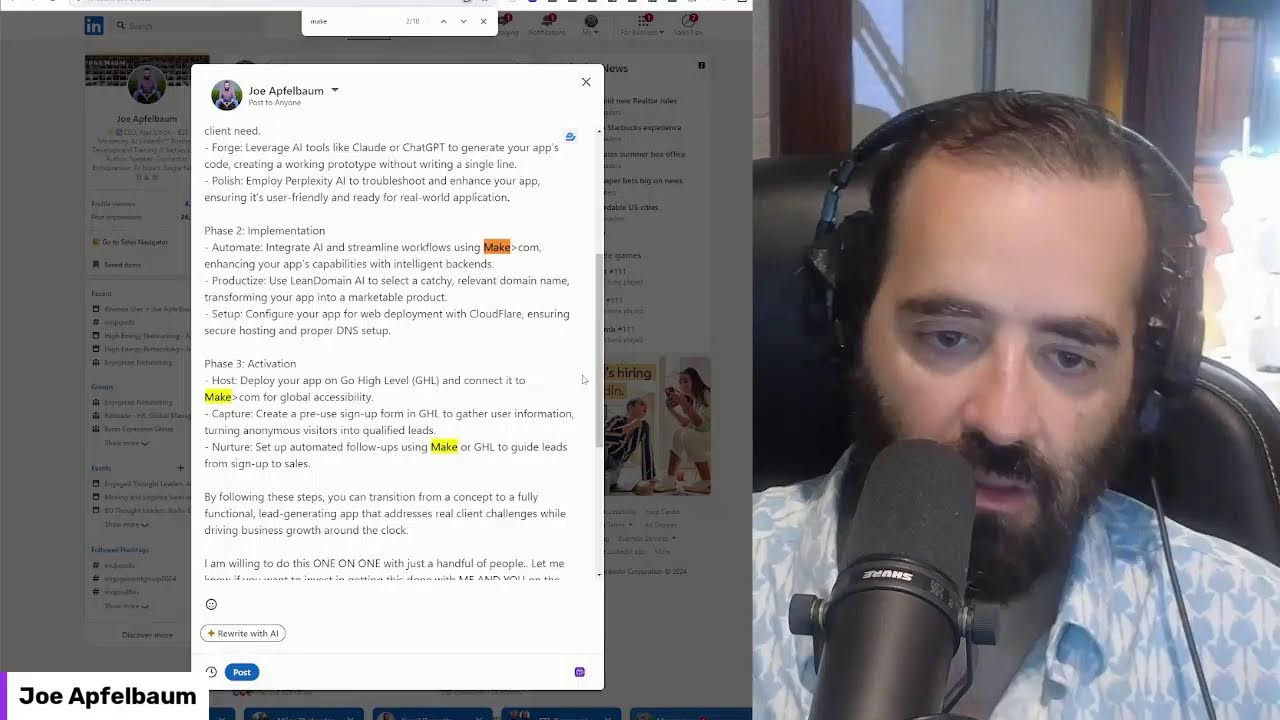
It's gonna write main points and it's going to write a call to action. Okay? So I'm gonna press copy. Now I'm gonna take this post. I'm gonna go to LinkedIn. I'm gonna go to the LinkedIn homepage cuz I copied it, right? So it's in my clipboard and I'm gonna click on start a post. Then I'm gonna paste it in here. In the rapid evolving landscape, the ability to create an app is no longer close to those skills. The rise of no-code development AI has democratized app creation, implying anyone can transform the leads. I want to make an offer to build a prototype, a prototype for you. Open to it. Got an idea. Here's a streamlined roadmap to guide you through the process: ideation, implementation, activation. By following these steps, you can apply. I am willing to do this one-on-one with you, with just a handful of people. Let me know if you want to. Invest in getting this done with me and you on the phone and having a working prototype of any software in the digital space.
Comment.
Prototype in the comments, and I'll make you an offer you cannot refuse.
Okay.
So now what I'm gonna do is I'm gonna delete the make.com. Hit Ctrl+F, make.com. I'm gonna delete this make.com. So that it doesn't show up as a link. I'm going to delete this one too. Um, okay, so now I'm going to add an image. I'm going to delete this link. I'm going to add an image. Now I have the Apple's Creations images probably under images, or I'm under downloads. I think I'm going to click on downloads. I'm going to look— Apple's Creations App Strategy. I have this. I'm going to press next. Okay, do you see this? I have it already here. I edited it. I added an image. Yep. And I'm gonna press post. Mm-hmm. Now when I press post, it's gonna go live on my LinkedIn. Okay. So it's just posted. I just posted that to LinkedIn.
I got the, uh, the, uh, verification so I could do— I, and I say this—
And you saw how I did it, right? It wasn't so hard to do. And now if you wanna up— wasn't hard. Yeah. If you wanna upgrade your subscription, cuz you're gonna get a limited amount of posts you could do. If you want unlimited posts, it's $200 for the year. So it's super affordable. $204 for the year. Not bad. Or it's $34 a month. I would recommend just getting the annual. Just click that. Excuse me, Joe. Your next call is here in the waiting room. Okay, great. So click on subscription when you're ready, and then sign up.
Yeah. All right, let me go into ABI. Let me try and do this. And I truly appreciate your time.
Oh, Jeffrey, it's my pleasure. Thank you for being in my life.
That's wonderful to say. Thank you. Have a great day and a successful day.
All right, bye. Bye-bye. Guys, if you're watching this, thank you very much for watching this. I'm gonna hop on my next call.
More from Joe


How to Beat the Algorithm: Remove Hidden Watermarks & Scale Content with evyAI









AEO & GEO: SEO's Future Explained! Master Answer & Generative Engines! #shorts