How to get clients on LinkedIn in 2024 - 043 LinkedIn Live 2024 with Joe Apfelbaum
Joe Apfelbaum shows how to use AI and LinkedIn's native tools to find and engage high-value prospects. He walks through his system: comment on posts with AI-generated replies, tag connections strategically, use Sales Navigator to filter by geography and industry, then follow up with personalized outreach. His tool Evy AI drafts posts, comments, and messages automatically.
Chapters
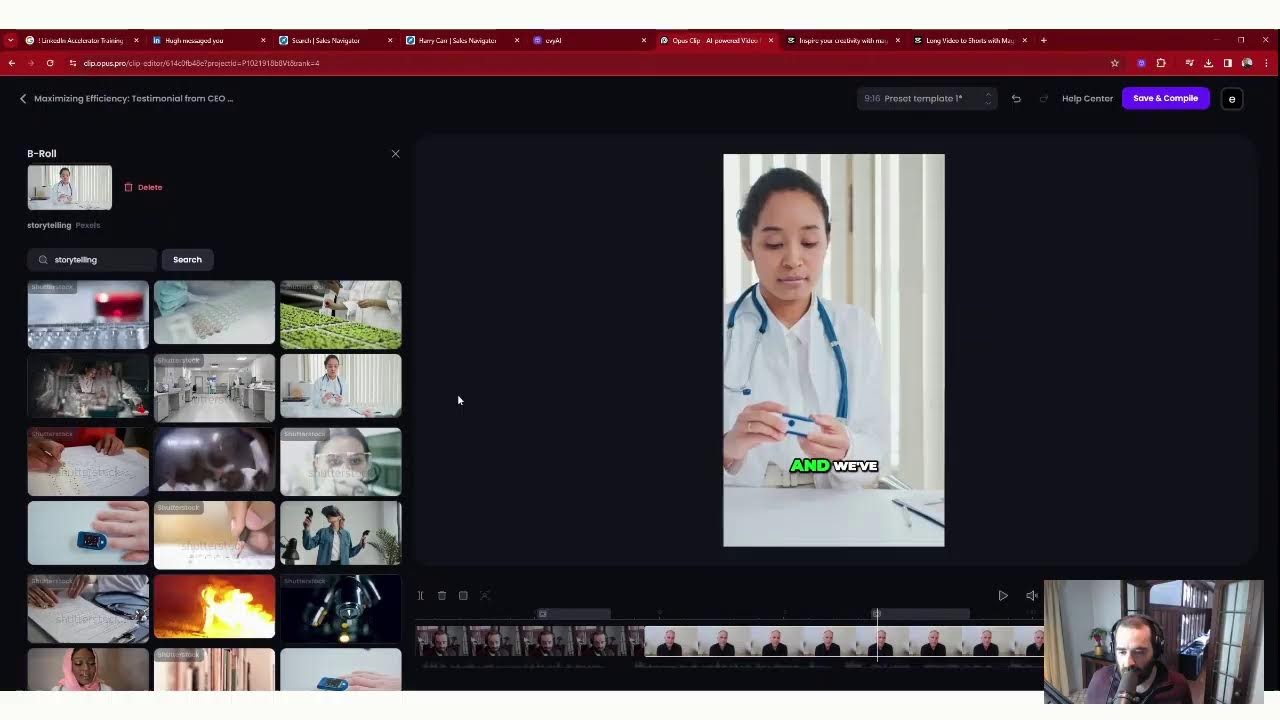
2024, 2024. Hello everyone, my name is Joe Apfelbaum, and it just occurred to me that I should have something hanging right over there that has a sign, maybe like a whiteboard. What do you think I should hang over there? Because I— it's empty and I should hang something, like something that's like an advertisement or something. You like that idea, or do you think it's a terrible idea? My name is Joe Apfelbaum, and I'm so excited about being on this LinkedIn Live right now. I came up with an idea today when I was in the sauna to share a post telling people to promote another LinkedIn connection, and that did pretty well so far. The last time I checked, we had about 70 comments on that post, and people were promoting each other and supporting each other. I used a tool called Microsoft Designer. To design the image for that tool. I'll show you what I use. And by the way, thank you for being with me on live. Tell me where you're dialing in from. Good morning, Rose. Thank you for being with me here. So excited to have you guys. Tell me where you're dialing in from and hit that light bulb button if you see a light bulb button. Many people ask me, Joe, how do you get clients on LinkedIn? Like, what is the number one thing that you need to do in order to get clients on LinkedIn? And I want you to recognize that to get clients on LinkedIn, you first have to realize that LinkedIn is a social platform for professionals where people come to connect and build relationships. And if you're just hoarding connections, you're not gonna be successful with LinkedIn. You can't just hoard connections. You have to build real meaningful relationships with people. So what does it take to build real meaningful relationships? It's getting to know people. How do you get to know somebody? Well, you can read their profile. Let me, let me just log in to to my own profile to kind of show you what I'm talking about. I'm gonna share my screen, share my window, share this particular window right over here. So this is the window I'm sharing. Let me know if you're dialing in live. If you're live, just write live in the chat. Um, this is the tool. This is LinkedIn. I'm showing you LinkedIn right now. I'm gonna make it a little bit bigger so you guys could see the whole screen. Uh, just a little tiny bit bigger like that. And also zoom into LinkedIn. Okay, so hopefully you guys can see what I'm talking about. So I'm gonna press home, and this is the homepage. So if I scroll down here and I wanna stay top of mind with people, all I have to do is reply to comments and leave comments on people's posts. Most people are not leaving comments on posts. If you wanna use AI to leave a comment, thank you for your kind words, it's truly remarkable, blah, blah, blah, reply. So do you see the way that I am leaving comments on people's posts? So you see Dottie posted over here. I'm gonna drive a comment into her post right now. Dottie, your strategies for re-engaging, for regaining focus are spot on. Okay, boom. I just shared a beautiful, nice little comment. Now I wanna stay top of mind with Jeff Goldberg, one of my clients and friends. I'm gonna press generate comment. And it's going to drop a comment on his post just like that. Now, if you had to do this manually, how long would it take? It would take a pretty long time to do. But what I wanna teach you is that you can use artificial intelligence to do this stuff. We're having a mastermind today for 3 hours at 4:00 PM Eastern where we walk people through how to use AI with LinkedIn very, very quickly. Awesome. So to be able to do all types of things. So if you wanna be able to be part of that, just let me know that you wanna join the AI Business Development Circle. We're having it today. We have it once a month for 3 hours every month. Robert said, hang something that makes you laugh and think every day. Don't advertise. Good idea. Good idea. Don't advertise. Don't advertise. Let's see what Nick is up to. Robert Nick from Michigan. I'm going to ask Evie AI to tell me what he's up to. I'm going to click summarize profile on the right side over here, and that's going to summarize Nick's profile and let me know what he's been up to here. I love this image that you have in the background here. That's a really cool image. So it says, uh, Robert Nick Castle is a strategic thinker and doer working to build partnerships in life and in business. He holds a bachelor's degree of blah, blah, blah. I'm gonna press copy this. I'm gonna copy this out. Then I'm gonna go to my post, Robert Nick. I'm gonna go to this particular post right over here. Let's see this post here. And I'm going to mention him here. So I want all of you, when you get a chance to go to this post, it says, today's a beautiful day to promote a fellow LinkedIn connection in the comments. Leave one comment promoting a LinkedIn connection. So I'm going to type in Robert, Robert Nick. It's not pulling up, so I'm just going to go like that. I'm going to tag him like this. Robert Nick Castle is a strategic thinker, blah blah blah. And I'm just going to hit— I used up my maximum, so I'm going to delete some and I'm going to press post. So you're going to see the summary that Evie AI Created, and I just tagged Rick inside that comment, that post over there. Now I've been posting on LinkedIn regularly every single day, sometimes three times a day. And if you want to see all my posts, you just scroll down and you can see all the different posts that I've been posting. I click on Show All Posts. You'll see that I have 22 people watching this live right now. And if you guys can give this a little like, that would be great. I'll be able to see who gave it a like. I'm gonna give myself a little heart, but you guys can give it a round of applause. You can give it a heart or you can give it a light bulb, either one. Choose one of those 3 and go ahead. Let's see what your flavor is, the type of person you are. So only 268 people saw this in the past 3 hours, but that's 268 human beings. All these people are human beings that are checking out your LinkedIn. This is me on the gym asking for accountability from my network. This I posted 4 hours ago. Then I posted this 5 hours ago asking people their favorite feature of Evy AI. Today I'm going to make a demo of Evy AI, so I was asking people for their favorite feature. And this I posted yesterday. This was an article that I wrote about how to work with an assistant, how to work with an assistant that in the most productive way possible. And I, um, I, I'm pretty proud of this, by the way. I use Microsoft Designer to design this particular image over here. And I actually did a video that walks you through how to use Microsoft Designer for LinkedIn, for LinkedIn articles. So I have really, really well-written— do I have a squiggly here under the word millennial? Okay, I gotta fix that. But as you could see, this entire thing was designed, graphically designed. You see this, this image was graphically designed by artificial intelligence. So I'll show you where you can actually watch that video in case you wanna see how I designed it. It's the video right before that post. So watch this. Okay. All right guys, I don't know if you noticed what just happened. I just played a video inside a LinkedIn Live, a video that I've already posted on LinkedIn of how I created with AI the image that goes onto my LinkedIn article, my newsletter article that also was a post. That's just fascinating that I can use technology in that particular way. So I'm curious to know, are you using AI for your business? Are you properly leveraging artificial intelligence? If you're not properly using AI and you wanna learn how to use AI, I would encourage you to join me today for 3 hours. I'm gonna be covering lots of different cute little AI tools that help you be able to brainstorm, that help you be able to research, that support you to create a marketing strategy. We're gonna, Somebody said, Joe, can you help me be able to create a bunch of different tweets for Twitter and then schedule those tweets out automatically using artificial intelligence and kind of mix up the tweets? And I said, yes, you can do that. If you guys are not leveraging artificial intelligence for your business, you're missing out. There's a massive opportunity right now to properly leverage AI. And from a business development standpoint, using AI will save you a ton of time. So if you want to learn how to do that, let me know. Say, Joe, I want to learn how to do that in the chat, and I will send you some information. Now I want to play a little game with you guys. I want to— I want you to tell me your number one keyword that you want to rank for inside the chat. Let's play a game and let's see how this impacts who shows up in the chat, because we're having a real conversation right now. This is— these are real people. This is not a game. We're not playing a game. We are playing real conversations with real people. So go ahead in the chat, put in what keyword you want to rank for on Google, and let's see what happens. Let's see how many of you actually know what keywords you want to rank for. Now, a lot of people just have no idea what they want to rank for. They have zero idea. So you can use a tool that will help you be able to learn what keywords you can get. Ben Reich asked a question. He said, what is the ROI on these posts and comments? Well, for me, I get conversations with my target market. So if you're part of a consulting company and you need more conversations with your ideal clients that lead to actual sales, then posting, commenting, and messaging on LinkedIn is what's going to get you more conversation, Ben. How do I know? Because it works for me and it works for my clients. So I highly recommend you consider doing it. Now, the thing is you only have 900 followers on your profile. So you have the opportunity to be able to add more followers. Now, the question is, how do you add more followers on LinkedIn? Well, the answer to that is add more connections. Every connection. Becomes a follower. Every single connection that you add on LinkedIn becomes a follower. I'll show you how that works. I'm gonna share my profile real quick. And if you guys are watching this live, please go ahead, put in what keyword, what word you wanna rank for on Google in the chat so I can see that. All right, so let me show you how this works. So if I go to my LinkedIn profile and I scroll down, there's a thing that says 46,766 followers. Now, there are some people that I am not following and some people that I am following. So why am I following this guy Kevin? Well, the reason I'm following this guy Kevin is because I didn't actually hit follow. I just connected to Kevin. When did I connect to Kevin? You click on contact info. You see we connected on February 19th, 2024. You see that me and Kevin connected. What was the message? I said, I am here. I hear you're coming to Arizona for the OMA event in March. Looking forward to meeting you in person. Are you open to connecting in the meantime? And he accepted my connection request. I'm going to say thank you. Thank you. Okay, I just sent him a little thank you message over here. Now if I go back over here, you'll notice there are many, many other people that I have still not connected with but that are following me. So this guy Joe is following me, but we haven't yet connected. He has a connection that is waiting to be accepted by me, so I'm going to press an accept. And now I'm going to click on message and I'm going to say, thanks for connecting. Thanks for connecting. Okay. Now I press send and I just sent him a message. I sent Joe a message saying thanks for connecting, just like that. Now it says I'm following him, but I didn't hit follow. He just sent me a connection request and I just accepted it. And that is the beauty of LinkedIn. When you accept a connection request from somebody, Automatically what ends up happening is you end up following that person. So as you can see, all these people here that are following me, these 46,000 people, a very large percentage of them I'm following as well because I'm actually connected to those people. And if I'm connected to them, I'm automatically following them. So if you don't have enough followers on LinkedIn, it's because you're not adding enough connections on LinkedIn. So I highly recommend finding the people that are following you right now and adding them as a connection. And also sending connection requests to people, which will allow you to be able to start having more followers. 'Cause all you gotta do is send connection requests to people. We actually, how can I learn LinkedIn? Babatunde asked a question. He said, how can I learn LinkedIn? We actually have a class that we're doing. So if you go to evergreen.com and you click on LinkedIn training, we have a class that we're doing in a few days. on 30 days in 1 hour. It's called the LinkedIn Accelerator Training Program. So the LinkedIn Accelerator Training Program, as a matter of fact, if you hit this on Google, let me just see. If you just search this on Google, let's see what happens if you search this on Google, LinkedIn Accelerator Training. Yeah, it's on the first page of Google for the word LinkedIn Accelerator Training. Let me see, LinkedIn Accelerator Training Program. So our LinkedIn Accelerator Training Program will give you a course. With 9 modules, checklists, frameworks, cheat sheets, and it's a full day, 6 hours from, um, it's a full day program that will help you be able to, uh, get the support you need to succeed on, on LinkedIn. So if you need support with the LinkedIn Accelerator training, I highly recommend you go to our website, you click on the 1-day training program. It's LinkedIn Accelerator 1 Day. And it's six hours. If you scroll down over here, you'll see what I'm talking about. It's it's happening on let's see when is this? Let me see where the Q and A is. Q and A somewhere down here. Okay, how many hours is it? It's a one day training program March twentieth, eleven a.m. to five p.m. So I hope you guys can join that. I hope you you join me on that day. LinkedIn.com slash Joe Apfelbaum slash shares. So If you're not properly leveraging LinkedIn right now, I highly recommend you start taking the right action on a daily basis. And what are the actions that you need to be taking? What is the reason not to accept an invite? The reason not to accept an invite is they're not a potential client for you. They're not engaged on LinkedIn, or they just have a spam account. It doesn't look like somebody that you would want to actually build a relationship with in real life. If you don't want to build a relationship with somebody in real life, then chances are you probably don't want to connect with them. Am I right? Does that make sense? I'm going to stop sharing my screen for a second. I want to emphasize something. In order for you to be successful on LinkedIn, you need to have something called a connection strategy. What is your connection strategy? So number one, my connection strategy is, do I know the person? Number 2 is, Do I want to get to know the person? Or number 3 is, are they a fan of my content? Are they constantly liking and engaging on my content? If they are, if I don't know them and I don't wanna get to know them and they're not a fan of my content, then the chances are I'm not gonna connect with them on LinkedIn. People send me connection requests all the time and I don't accept them because I don't know them. I don't want to know them by looking at their profile. Like, see, I don't really wanna know this person. It's just a random person. And number 3 is they never liked and commented any of my stuff. So I can tell they're not really interested in me. They just wanna hoard connections and possibly sell me something. Now, I'm not opposed to people selling me some things. I buy things all the time. But I wanna let you know is that if you're just randomly sending connection requests, but you're not leaving comments, you're not liking, you're not thoughtfully engaging with people and building a real relationship, then you're really missing out on the opportunity to get the benefits of LinkedIn, which is build real relationships with people, which is get on the phone with people. I just got on the phone with somebody today and he said, Joe, I love using Evvy AI, your AI for LinkedIn, your LinkedIn assistant. It's one of the most fascinating tools I've ever used in my life. And I said, why is it so fascinating? He's like, because you have the ability to create a persona and then train the AI to know exactly who you are, which I think is a pretty nifty thing that you can do is train the AI on who you are and then Boom, you're, you're ready to go. So I wanna, I wanna ask you a question. Are you currently using artificial intelligence with LinkedIn? Just write yes or no in the chat. I'm curious to know if you're actually using AI with LinkedIn. Using AI with LinkedIn is extremely powerful because it'll save you a ton of time. That's the key. A lot of people are wasting time trying to hope for the best. Hope is a great thing. It's just not a great strategy. So I highly recommend you starting to use AI together with LinkedIn, and that'll get you more clients. It'll get you more business, it'll get you more conversations. Even just like posting on LinkedIn. I have a client that I recently started doing his LinkedIn for him. I'm going to show you, his name is Dan. I'm going to show you his profile real quick just to kind of give you an idea of since we started helping him with his LinkedIn, like how his profile changed. Let me go open up a window with Dan's profile right here. So this is Dan's profile. If I click on his profile, you'll see he has hundreds of people that viewed his profile. So since he started using the tool, all of a sudden you see, boom, it increased. 177% increase, just like that. Why are people checking out his stuff? What's going on here? Well, he started posting. Simple as that. Look at this. I'm going to go in here and I'm going to click on where it says My Posts. And he started posting. Look at this post that he just posted over here, and he already has 7,000 impressions on this one particular post. This post was written by Evie AI. This video was edited by AI from a Zoom call I had with him. And then boom, look at that. He hasn't even had a chance to reply to all these, all these people yet. And look how powerful it is. He already has 70 likes and 7,000 impressions. So Who's looking at his stuff? Let's click on the impressions and see. Executive director, salesperson, project manager, business strategist, construction engineers. These are the people that viewed his profile since, uh, since he, he posted. Very powerful. So maybe I want to click on this person right over here, Anthony Marino. Maybe I want to hit a connection request to Anthony Marino because he checked out Dan's profile. As you can see, this video had over 1,000 viewers that actually viewed the entire video. And it's just powerful to see how these tools work in conjunction with each other. You know, using artificial intelligence will really help you be able to knock things out of the park. You wanna knock things out of the park? Boom. Let me know where in the world you're based in. If you're watching this live right now, you're probably physically located somewhere in the world. So tell me where in the world you're located in. Also, let me know, what do you do for a living? In one sentence, can you describe what you do for a living? For me, I do 3 things. Number one is I have a marketing agency and I help people be able to craft marketing strategies and help them with all their marketing for their business. Number 2 is I train teams and individuals on how to use LinkedIn and how to use artificial intelligence for business development and sales and marketing and prospecting and networking. And number 3 is I have a software business. It's called Evy AI, evyai.com. And we help people be able to save time and overcome their writer's block because we help you come up with ideas for what to post about. Then we help you draft the entire post for you using artificial intelligence. And then we help you leave comments, reply to messages, help you get a top voice badge on your profile. We essentially assist you throughout the whole process of being more successful on LinkedIn. So I'm curious to know, what is it that you do? Let me know in the chat. This chat is here for you to be able to chat with me so that I can check out your profile so that I can see what you're up to so that I can authentically build a relationship like Mark Levy. Oh my God. So great that you're here. So great that I, I see you here. I remember when we met, at one of my Google seminars. I had such a great time meeting with you. And since then, a lot of things have changed in my life. Nick said Long Island City, New York, corporate design and digital marketing. I love checking out what people are doing. So let's check out Mark Levy's profile right now on LinkedIn and let's make some comments on his profile right now. So I love finding people that I actually have a relationship with that I actually know. So he has a Top Voice badge right here for thought leadership. Really cool. So I'm going to go down over here. I'm going to click on Show All Posts, and I see that he has a post from 23 hours ago. I'm going to give this a little like over here. You see that? Lessons from 30,000 CEOs on How to Come Out on Top. Congratulations, Don. I'm going to press the little Evie AI button. I'm going to press Generate. It's going to read the post and suggest a comment that I can then modify and use instead of me trying to figure out, okay, how should I comment On this post, the AI will literally do this for me. So as you can see in real time, the AI said, congratulations, Dom Schmickel, whatever, Schmickel, whatever. Your book recognizes Mark Levy highlighting the rigorous selection process adds more weight to the achievement. Entrepreneurs can certainly leverage on these lessons of strategic growth. Okay, so now I just left a comment. Now realize this, I'm the only one out of his 2,399 followers, I'm the only one that left a comment. So I'm the one that's gonna get the exposure. I'm gonna get the exposure from Mark. I'm gonna get the exposure from Don, and I'm gonna get the exposure from anybody else that finds this post in the future. I'm the one that's establishing myself as somebody on this post. Now I'm gonna see people that I may know on the right side. I see Emily Altman, CPA. I wanna build a relationship with Emily. Why? 'Cause she's the owner of Altman CPA. So what do I do is I click connect, I click on add a note. Now I'm not sure what to say, so I have Evvy AI. Suggest what I should be saying to Emily. Now it says that I'm a fellow alum. I'm not. As a fellow New York City resident, I admire your expertise. CEO, I admire your expertise. Let's connect and grow with synergies. So hopefully Emily will accept my connection request, and now I'm going to build a relationship With Emily. But do you see the way that I did that? I found her off Mark Levy's profile. Now, Mark Levy hasn't posted in a while. You see, he hasn't posted in a month and he just posted this over here. But the crazy thing about it is that Mark has the opportunity to post on a daily basis and using Evvy AI, he could start posting every single day. He can literally just take his, his articles that he's already been writing. His newsletter that's already been writing and write it as a post. So if I want to take this article right over here, I just copy this article. I just go to app, I just go to evviai.com just like that. I click on login and then on the left side I click on Post Writer and then I just can copy his article in here and just hit generate and it'll generate an entire post about this article. Do you see that? Really, really cool to be able to take any single post that you find, or you just write an idea for what you want to write a post about. Makes life so easy. And if you're not sure what to write about, click on the idea generator and you can generate some ideas. It's really powerful to use this web platform. If you're not using it, I highly recommend that you consider using it. So my question to you is, what is the number one problem you solve for your customers? Go ahead in the comments, let me know what problem do you solve? For me, I save time. For my clients on using LinkedIn, and I help them overcome roadblock and I help 'em get clients on LinkedIn. So number one is saving time. How do I save time? Instead of you writing the post, the AI will draft the post for you. It'll write a hook, it'll write main points, it'll write a call to action, it'll write hashtags, it'll do it all for you. If you want to be able to properly succeed online, you need to learn how to leverage these tools. How will it help you with writer's block? It'll come up with the ideas and it'll write the post for you. And then you don't have to think about what to write about or what to comment on. You know, like you don't have to think about it. You can save profiles, put them into lists. It'll save you a ton of time. And then finally, the third thing that it can do for you is it can help you be able to get clients from LinkedIn because when you leave comments on people's posts, they will be reminded that you exist. And it'll help grow your influence. It'll help you book more conversations and conversations lead to conversions, especially if you're a consultant. All right. That's what I got for you today. Thank you very much for watching this. I really appreciate that you guys joined me here today. Um, I want to let you know that I'm going on LinkedIn Live 244 times this year. So if you want to see my previous versions of LinkedIn Live, I'm going to show you something crazy right now. If you go to my, if you go to my profile and you can go to anyone's profile and do this, you can spy on me. How do you spy on me? You go to my profile, you scroll down to the section called activity. You see that it says activity, and then you click on where it says events. You'll be able to see all the LinkedIn Lives I've ever done. And then you'll be able to notice a couple of other things. Like in my featured items, you see there's a post called How to Get Clients with LinkedIn. Here's another post over here with my, Networking OneSheet. I would highly recommend that you read my Networking OneSheet and create your own Networking OneSheet. I can't believe, I can't even believe how many people are, are not creating their own Networking OneSheet. It's so easy for you to be able to create a Networking OneSheet. And if you see people that commented on my post, these are people that are active on LinkedIn. Check out what they're doing. Drop a comment on their posts. If you're not sure what to comment, use my AI to comment on your behalf. It'll write up the comment for you in literally seconds. Just like that, I hit generate. And we have a special deal that we're offering for people that sign up for the year. We're actually offering 50% off right now. So if you sign up for the year for Evy AI, you'll get unlimited access to the artificial intelligence that's built right into LinkedIn with a Chrome extension. Just like that. If you go to evyai.com and then you click on pricing, you'll be able to go straight to the upgrade page. And if you click on yearly, you're going to see it goes down to $15 a month. There is no other AI tool that offers unlimited access to posts, messages, comments, saving profiles for this affordable fee. So if you, you know, like, I don't know if you know this, but I used to have writers write for me and I would pay them $250 just to write one post for me or one article for I would have somebody edit videos and they would edit a video and it would cost me $300 for them to edit that little video. Now you just click a button and the AI does it for you. We have something called the AI Business Development Circle. It's a mastermind. We're meeting at 2 o'clock in 40 minutes. We meet every single month for 3 hours and I walk the participants through how to use AI with LinkedIn. So if you wanna join the AI Circle, just write AI Circle. I'll send you the link to it. And let me know what you do for a living in the comments. I love learning what my connections do for a living. There's no reason why you shouldn't be commenting right now, letting me know what you do, what problem you solve for people, and how you solve those problems. If you're not currently posting on LinkedIn on a regular basis, just know that you are missing out on a massive, massive, massive opportunity. Mark says, is leaving a detailed comment as good as creating your own post? Leaving a detailed comment is different than creating your own post, but it is very good. It does give you a lot of exposure and it guarantees that at least one person will see it and it places you on the coattails of that person's posts. So anytime anyone ever goes to that post, whether they find it through Google or in any other way, they're going to see that comment. It's like creating little sales reps. That are promoting your profile on other people's posts. I don't know if you know this, but you can actually see, you can actually see something interesting on LinkedIn. Check this out. I'm going to go to LinkedIn. I'm going to show you something. So check this out. I'm going to go over here to something called Sales Navigator. Okay. So I'm going to click on Sales Navigator. Now with Sales Navigator, you can click on something called lead filters, and then you can see all your first-degree connections, right? You can do this on the organic side as well. But if I want to see from all my organic connections who actually posted on LinkedIn, you can actually pull that. You see over 10,000 people have posted on LinkedIn in the past 30 days. So I'm able to quickly pull up that persona and I can see all the people that I'm first-degree connection that posted on LinkedIn. Now, if I want to see all the people in a particular city or something that posted on LinkedIn, I can click on geography and I can see all my New Jersey connections. All my New Jersey connections that have posted on LinkedIn in the past 30 days. So 700, uh, 798 of my connections have posted in the past 90 days. That is extremely powerful to have that information. Um, because now I can start staying top of mind with those people. Like for example, Harry Carr. If I want to build a relationship with Harry Carr, I could just go to his profile. You see that? I can go to his profile right here. I'm actually going to view his organic profile to kind of show you the difference. And I can see the last time he posted, he reposted 4 days ago. You see, he's not really posting. He's mostly reposting over here. Let me see if he's actually posted anything. I see you do a lot of reposting. So I'm just going to message him. I'm going to message this guy and I'm going to say, I see you do a lot of reposting on LinkedIn, Harry. I see you do a lot of reposting on LinkedIn. Have you considered actually posting? There is a huge difference. Okay, so now this person over here has 4,000 followers. He's not even leveraging his account properly. So I want to help him out. I want to make a difference for Harry. I can see we connected on December 18th, December 18th, 2018. This is a long time for me to be building, be connected to somebody, but I see that he's active on LinkedIn. He's actually reposting on LinkedIn. So that helps me be able to reach out to him and build a relationship and reconnect with my connection. So if you guys are not doing things like that, I highly recommend that you check it out. So Tamara said she wants information about the AI Circle. So what I'm going to do is I'm going to go in here. I'm going to click on Tamara's profile. Let's see if it comes up. For some reason it's not coming up. Please add me to the 3-hour event. What I'm going to do is I'm going to send you the information right now. So I'm going to go back to home. I'm going to go to my profile. I'm going to scroll down to where it says see all activity. Then what I'm going to do is I'm going to click on comments. I'm going to sort it by the most recent comments. I have to thank you for the free Evie AI. I used it to post this. Oh, awesome. Thank you. You can learn more about our AI business development Circle at www.evergreen.com/aicircle. Okay, I'm going to copy this. And by the way, this also comes with a course. So I'm going to reply to him. I'm going to reply to Tamara as well. See that? And I'm going to reply To Rose, just like that. I'm going to reply to Nick with information about our AR Circle, and I'm going to reply to Mark Levy with information about our AR Circle, just like that. Now what I'm also going to do is I'm going to control-click on their profiles. See, I'm control-clicking on their profiles because I want to be able to save— you're building your first SaaS product, congrats. Um, I want to be able to send a message to those people just like that. So what I'm going to do is, you see he's following me here. I'm going to click the more button. I'm going to press message. It's going to pop open the message and I'm going to actually send him a message. You see that? That's how you do it. I'm going to go to Mark Levy. I'm going to send him a message just like that. Send him a message, and I'm going to send Rose a message just like that. I'm gonna send Tamara a message. I'm gonna click the more button, message, and just send her this message. And then finally, Ben. I'm gonna click message, and I'm gonna message him just like that. You see that? I just sent all these messages. I click on messages. You'll see all the messages I just sent here. Cool, right? I really like that. Um, so what else can I show you how to do? You see all these people are sending me connection requests. I don't even know who these people are. I don't even know who they are. I haven't seen them post, uh, leave comments on my posts. None of these people. See that? None of these people have left comments on my posts. So I don't know if I should accept their connection requests or not. So I'm gonna hold off till I see. You know, if they are a person that is actually real. I love your brand, blah, blah, blah. I stumbled on your profile, blah, blah, blah. You see that I'm a co-founder of an SEO company. Just a bunch of random people hitting me up. Now I'm limited as to how many people I can actually connect with on LinkedIn. So, you know, I can't connect with everyone, but if somebody sends me a message, I can say thanks. For the connection request. What made you decide to reach out? Just like that. Thank you for the connection request. What made you decide to reach out? Now, if I wanna send Matthew a message, I can do the same thing, but this time, Hi Matthew, thank you so much for the connection request. What made you decide to reach out to me? Question mark. You see what I did over there? Hi, Matthew. Thank you so much for the connection request. What made you decide to reach out to me? I used, uh, AI to write it up for me. So if you're not using artificial intelligence to help you write things up, I recommend you learn how to do it. And if you wanna learn how to do it, come to our business development circle. I teach people how to do things like that. So that's what I got for you today. Thank you so much for joining me here. I'm gonna take this video and I'm gonna edit it down into a bunch of different clips. I have a tool that helps me do that. So this tool right over here, I took the video from Saturday night. See this video here? And it made a bunch of clips out of it. And it tells me what the hook is, tells me the flow, the engagement. You see that it kind of gives me a score for each thing. So let's do that right now. Let's go to the post writer. Let's tell it what to write the post about. Let's go in here just like that. Let's change the tone to be motivational. Let's make a provide value post. Let's hit generate. If you want to write a post on LinkedIn, you're not sure what to write about, blah blah blah blah blah, right? So the AI is actually going to write the entire Post for me right now. I'm gonna take this post right now. I'm gonna press copy this post. I'm gonna go into LinkedIn, click on home, scroll to the top, click on start a post, paste the post in, and I'm going to remove this image. I'm going to click on this. I'm going to click on downloads. I'm gonna click on this video that the AI prepared for me. Ever feel like you're spinning your wheels trying to craft the perfect LinkedIn post? You're not alone. As a CEO and entrepreneur, I've been there and I know the struggle. We all want to create content that hooks our audience, delivers value, and prompts engagement, but sometimes the words just don't flow. Or maybe you're just not sure the structure of your post. Maybe you're even questioning what hashtags to use. Well, I have some good news. You don't have to do it alone anymore. I'm excited to introduce Evvy AI, a tool that is designed to help you create compelling LinkedIn posts with ease. It's like having your own personal AI assistant ready to help you draft your own comments. With Evvy AI, you can focus on what you do best, running your business, developing your skills, and connecting your network while it takes care of your LinkedIn content. So why not give it a try? Sign up for a free account at evyai, and I'm gonna write .com like this, and let it write your next post. I'm confident that you'll see a difference. Remember, the key to personal development is leveraging the right tools and resources. Evvy AI will just do that. I love hearing your thoughts. Try it out. Boom, boom, boom. Over here, I'm going to do Evie AI. AI, just like that. I'm going to press post. I'm going to press post just like that. Now what I'm going to do is this post is going to go live in just a few seconds. I'm going to see all the people that have been commenting on this on my profile. You see that? I'm going to click on view profile. See the people that have been commenting. By the way, guys, tell me what you do for a living in the comments. I'd love to hear from you. Let me know what you do for in the comments for a living. Also smash the like button if you see the like button in front of you. See it already loaded? This video already loaded. I'm going to press comments. I'm actually going to refresh the page to show you the video is already on my profile. See this video is already live here. One impression, one person saw it. I'm going to give it a like on my own. But I'm gonna go in here and check out all the people that commented, and I'm just gonna— I'm going to just sort it by most recent. And what is the rewrite with AI on the bottom left side? Um, well, you can just hit the regenerate button. I want to add Evy AI and show you again how to do that. Can you show us again how to do that? Yeah, you just go to evyai.com or you just register for an account at evyai.com. Evyai.com. You click on login. You see it says login. You click on login, or you just click on add Evie AI to Chrome. You can go to the Chrome Store and add it. If you're happy with it, then I would recommend you letting me know that you're happy with it. So that's, that's the idea. It's just, it's literally just like that. I literally just go in here and just add Evie to Chrome or just log in. And you could start using it right now. Most people have absolutely no idea how to use artificial intelligence, and that's why we created the Evergreen Business Development Circle, the AI Circle, that helps you be able to properly use AI. And if you properly start using AI, we have one of our clients, Brendan, and now he's getting— So check this out. I made a video like this. I'm going to share my screen real quick. Let's see which window I should share. I'm trying to share the right window, but it's not letting me share that window there. You know, I'll just share my entire screen. I'll move this over here. Share screen, entire screen, screen 1. Okay, so now you should be able to see my entire screen. So check this video out. We have one of our clients, Brendan, and now he's gonna give us a testimonial for Evy AI. Brendan, introduce yourself and tell us why you use Evy AI. I'm Brendan McSheffery. I'm CEO and founder of SolveBridge, and we're testing a whole bunch of different ChatGPT and AI model job assistants for real jobs. And we've— we're testing and using every AI as a means to standardize how we tell stories and take variations out of our market. So what I'm going to do is I'm going to turn this into a post. Now, there's many different tools that you can use. To edit this. There's CapCut, which will automatically cut it out, cut it for me. There's Clipchamp. You could use the Microsoft Clipchamp tool to automatically— it's asking me to put in my password now. Okay, I'm not going to download this right now, but there's quite a few tools that you can use to automatically edit this video. There's a tool called VEED. But if you're, if you're not using tools to automatically take your, the videos of your clients and edit them automatically with just a click of a button, I highly recommend you start using those tools. Why? Because those tools will save you a ton of time and a ton of money as well. So I, you know, I love sharing with my clients exactly how to do this. And, you know, I wanted— I want you to know the process of editing videos and the process of making those videos available on digital marketing for people to be able to download and watch them. If you're not using digital marketing right now to grow your business, then you're missing out. If you're not using Instagram and TikTok and Twitter, if you're not using LinkedIn properly, if you're not connecting it using artificial intelligence and automation software, then you're missing out because you can use automation software to help promote your brand and it'll send people emails and it'll follow up with them. You know, you're trying to do all the follow-up yourself, but what if you can create a follow-up sequence that will help you follow up with your LinkedIn connections? What if you could just click a button, add somebody to a particular tag, and suddenly boom, that person starts getting emails on a regular basis from you? Just because they entered your world. And they're not annoyed by it because the AI wrote really, really good smart emails that actually add value to that person. And it's also customized and personalized to who they are. Think about that for a minute. Think about having the AI do the research for you and prepare presentations on your behalf and support you in that particular way. Really powerful to use tools that can help you do that. So if you're not using tools like, for example, even CapCut— have you heard of CapCut? You never heard of it? Well, CapCut's a really interesting piece of software that you can download. You can download for Windows. You can use their web platform as well. But, you know, you can install an app called CapCut Web. You can use their magic tools. They have so many different magic tools that you can use as well. You can do long video to Shorts. They have a free option to take a viral video and turn it into a Shorts, like a— not like Shorts Shorts, but like Shorts. Really, really cool what you can do with these tools. So if you're not currently using tools like this, highly recommend you consider using it. Because it'll just, it'll just do it for you. You don't have to think about doing it. Yeah, really, really cool. So it uploads it. So I'll quickly show you how this particular one called CapCut works because they just introduced a new feature and I want you to see it. So step number 1 is you upload your video. Step number 2 is the tool analyzes your video. Step number 3 is it converts your long video into short little videos. And step number 4 is the Shorts are created for you. So it can take anywhere between just a few minutes to 9 minutes, and it'll just edit all the different things for you. And if you don't receive an email after your Shorts are created, then you probably didn't even You probably didn't set it up. So I highly— you probably didn't set up your email with this. So this is a really short video. It's only a 3-minute video that I uploaded just to kind of show you how it works. But you can then choose the size of the video. It finished analyzing the video. Now it's just basically cutting it down and then boom, it just creates it. So this tool has a lot of different features: script to video, video clips to video, AI characters, Text to design, product URL to an ad. It creates a whole AI model for you. Product photos, ad script, AI video. You know, you could use for images, it does text to image, old photo restoration, profile generator. Like it does, there's so much, so much that it can do for you. So check this out. So now what I'm going to do is I'm going to edit this little clip over here and press edit, and it's going to load the editor. And what I can do is I can actually shorten this clip if I want. I can cut it out. It's showing me all the different elements and the things that I can do here. So I can just go here like this, just like this, and I can cut it right over there. I can add keyframes. Let's see what it does now. So I'm going to go in here. I can make this shorter and longer. This is really, really cool what you can do here, like messing this out, messing up with, messing around with this. You can change the size of the video. You can make it 16:9, 4:3, 2:1, 1:1, and then you can just export it right to TikTok or to YouTube Shorts or into Instagram or to any of that, any of the tools that are available out there. So if you're not, if you're If you're not using tools like this, wow, you're missing out. So, so, so cool that you can just take one long video and turn it into little shorts, and it's completely free to use this tool. Again, we have lots of different tools that we're going to be showing you in our AI Business Development Circle. Hopefully you got value from this. If you got value, write value in the chat. I hope that you did get value. I'm going to take this video and I'm going to have the AI turn it into shorts as well. And if you want to see, um, the other tool that I used and how it turned that into Shorts, let me just quickly show you how that one looks from that end. That one's not a great video. That's cool. So I'm going to edit the clip right now. I have the AI just clip it like this. I'm going to change the words because it misspelled Evie AI. So I'm going to go in here, click the pencil, and I'm going to do Evie. Evie AI, just like that. And now he's going to give us a testimonial. CEO of SelfBridge. I'm just going to write evieai.com. Tell us why you use Evie AI. It's fabulous and easy to use. Okay. And now I'm going to also add, I can also add some B-roll to this. If I click design and I click on generate B-roll, I can have it generate some B-roll for me as well. Let's see what it looks like, what the B-roll looks like. So I'm going to click on this video here. I'm going to write testing. I'm going to search for files related to testing. Let's see, it wants me to do a watermark here. I'm gonna go back in here. I'm gonna fix this, and I'm gonna press Save Profile. And now it's gonna re-edit the video, video number 4, and then I'll go download it and then publish this on TikTok, on Instagram, on Facebook. On all the different social platforms that I can schedule it out just like that. If you got value, write value in the chat. Curious to know who got value here. Thank you so much for joining me here on this LinkedIn Live. I'm always happy to share with you guys how you can benefit from using LinkedIn and artificial intelligence together and other AI tools to help you with your business development. If you're not currently using AI together with LinkedIn, you're really missing out. There are thousands and thousands of people that are using it correctly and gaining the benefit from it. So if you want to learn more, I'm always happy to kind of teach you how to use these tools. And, uh, yeah, thank you very much. Appreciate you, and we'll talk again soon.
More from Joe


How to Beat the Algorithm: Remove Hidden Watermarks & Scale Content with evyAI









AEO & GEO: SEO's Future Explained! Master Answer & Generative Engines! #shorts