How to make a Linkedin banner for free with AI
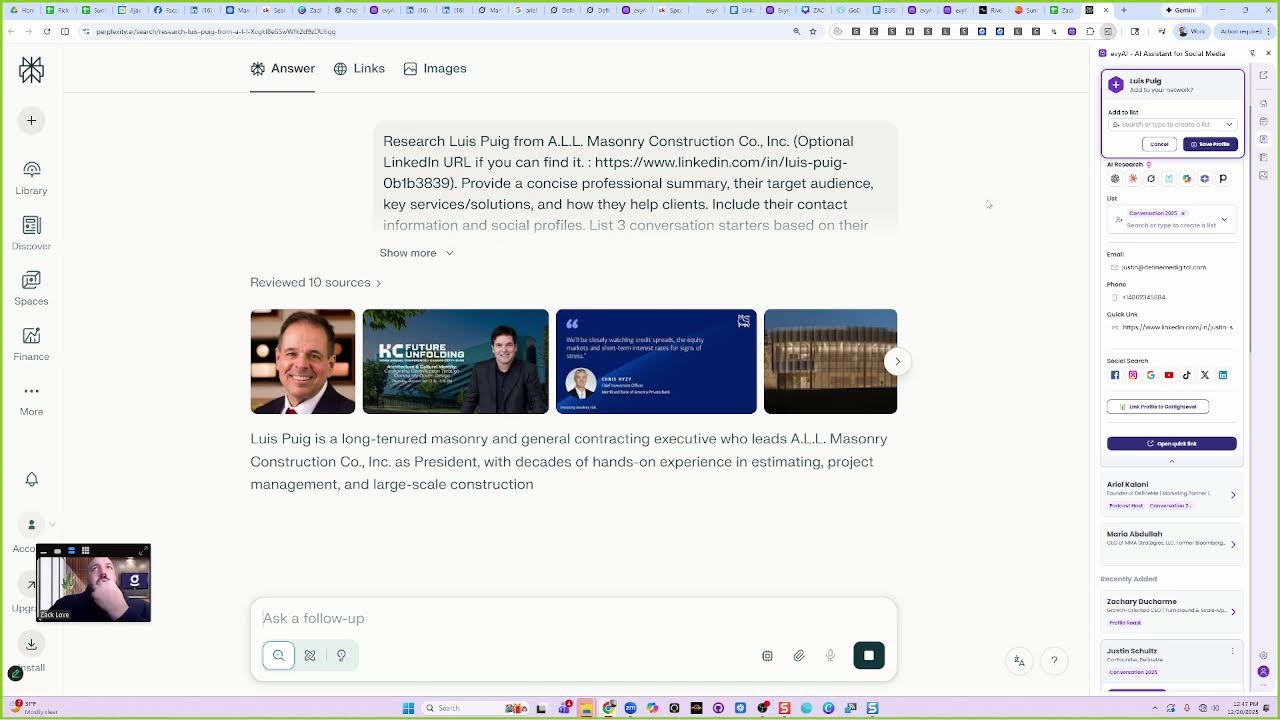
Joe Apfelbaum and guests show how to use Evie AI to automate LinkedIn growth: connect with 20 prospects daily, post with hooks and CTAs, comment on influencers, and send personalized DMs using ten scripts. They walk through building a dashboard from your LinkedIn connections CSV and enriching profiles with AI research.
Chapters
Zach is an awesome dude and he, he wants to learn how to make his banner, his LinkedIn banner. So we're going to use Evvy AI to help make the LinkedIn banner. We're going to use also a combination of Canva and other tools to help be able to produce the banner. So, um, the first thing we're going to do is I'm going to share my screen just to kind of show you how I do it, and then you can kind of replicate and do the same thing. Okay, Zach.
Yes.
Okay. So the first thing I'm going to do is I'm going to pull up your profile and download your banners. I'll show you how to do that. So on the right side here, the way that I pull up your profile is because I already saved you into Evvy AI. I have you front and center here. You see that?
Yes.
So now in order for me to open up your profile, I can click on these 3 dots here and click open profile, or I can click on the LinkedIn button here.
We have your Facebook, your Instagram, all your stuff. I click on LinkedIn. Your LinkedIn profile opens up front and center. So that's a great way to, like, if you met somebody on LinkedIn or whatever, you can save them into Evvy AI.
And because you're an Evvy AI Pro user, you get unlimited profile saves.
That means you can save a billion people into Evvy AI. I don't suggest you do that, but you don't have to be connected to them, but you know, you could save as many people as you want into Evvy AI. So do you see the way that your logo's kind of like messed up over here?
Yes.
So I'm gonna go into the Evvy AI image generator. And what I'm gonna do is I'm gonna drag your image into the image generator. Do you see the way I did that? I just dragged it in. I dragged it right in.
Yeah.
I just dragged it. And I'm gonna say, make the logo of this banner sharper, sharper, and keep everything else the same. Okay.
Now I'm gonna press create and let's just see what Evie AI can do. Now I can do the same thing with other tools like Gemini.
So for example, if I take the banner and I switch to Gemini here and then I throw it into Gemini, oh, it didn't work. Oh, it tells me it wants me to log in because I'm not logged in. So let me go ahead and log in. It wants to verify it's me. Let me log in over here. Okay, I'm logging in. All right, it looks like I logged in. Now, instead of going like that, what I'm gonna do is I'm gonna Right-click. I'm gonna click on this. It's called Open in Tabbed View and Side View. So do you see the way you have 2 things, one next to each other? So I'm gonna grab this and throw it in here.
Yeah.
It's not— it's actually not going. Sign in to upload files. Okay, let me just go here and refresh this. Let me refresh this reload. Okay, so I am signed in. I'm gonna grab this file, throw it in here. Ugh, it's not working. Let's see what Evie AI did. Oh, Evie AI made a crispy one. That is nice. It made a very nice banner.
You see the way it tightened up the banner?
That's nice. It tightened it up, but I wanna pull the image out of the banner, okay? So what I'm gonna do is I'm gonna, I'm actually gonna right-click on this image, copy image, paste it in here. Okay, that worked.
Pull out.
The logo and give it to me, give it to me in high res, um, so I can use it in Canva. Okay, now I'm going to press go and we're going to try to pull it in high res so you could use it in Canva. At the same time, I cannot pull the image, it says. Oh yeah, okay, it's telling me you can't pull the image, so I'm going to do it again. I'm going to copy the image Paste it in here. And instead, I'm going to use tools called Create Images. Show me just the logo on a white background in big. Okay, let's just see if it does that. I'm going to go to Canva in the meantime. And in Canva, you can say LinkedIn banner. You see that? I'm searching LinkedIn banner. And then I can search templates and there's thousands of LinkedIn banner templates. So I'm going to hit go and it's going to find me all these LinkedIn banners. You see the way these LinkedIn banners are perfect? Every one of them.
Yes.
You can choose any that you like and then we can go ahead and edit it. So for you, because you're so epic, I would choose an epic banner. So I'm going to go find a banner that I really like. Now you don't want a banner like this. Because your own image is going to kind of be in the way. You see the way that this image is over here? It's kind of— there's a circle around here.
Yeah.
So that area, this little square, needs to be open without anything so that your image comes out nicely. Do you see the way I got a high-res image thing? So now I can download this high-res image, and then I could pick one of these, um, pick one of these templates over here, any of these templates. So we're going to pick one that you like. Let me go find one. Let's see. Let's find a nice clean one. Let's see what we can find. Okay. I kind of like this one over here, but you don't have your image in it. So we're going to keep moving just a little bit. Let's see. Okay. We can choose this one with the coffee. Do you like this one over here? This little blue one here?
Yeah, that's nice.
The blue one's nice? Okay, so we're gonna get the blue one.
Yeah.
We're gonna click on Customize This Template. You see that? And now what we're gonna do is we're simply just gonna grab your information from here. Now what I wanna do is I wanna grab all the information that's on— let me close out this thing here, I don't need this open anymore. I wanna grab all the information that's on your banner and get all the text from it without having to write it all up. So Evie AI on the AI writer, you can choose a persona called image to text. You see? And if I drag your banner and throw it into Evie AI and say, show me all the text, and I press generate, it's going to read this image. And in just a few seconds, it's going to show me all the text. You see?
Yes.
And that works with any, any image on the internet.
So now that I have your text over here, Zachary Love. I'm going to go here and paste this in here. You see the way I was able to just paste your— paste the text in here? Um, and if you want to follow this, you can follow this and put in what, what you have here. What's your designation? What do you call yourself?
Uh, SDR, appointment center.
Okay.
So what I would do is business advisor. So you were just upgraded. You don't want to be, you don't want to be an SDR or an appointment setter. What you want to be is you want to be a business advisor when you're reaching out to people. Because if people think you're an appointment setter, then what are they going to think you're going to do to them?
I'll try to sell them.
Exactly. And the last thing you want someone to do is think that you want to sell them. Instead, they want advice.
So you can do business advisor, or what I would take it to the next level is do sales.
I would do sales advisor. Okay.
You see, you could do it.
You're advising people, or you can do business development advisor. You see, now you took it to the next level. You're a business development advisor. Like, ooh, Zachary's a business development advisor. That's interesting. So you advise people on how to take their business development to the next level. So if you're great at booking meetings and you're great at teaching people how to book meetings and training people on how to book meetings, So that's cool. So do you see the way that we just transformed this here?
Yes.
Now we're going to put your phone number here so it makes it really easy for people to call you.
Are you cool with that?
Absolutely.
Okay, so let's get your phone number rolling. I'm just going to quickly find it. Zachary. Okay, so it's 610. Let's see. +1-610-804-0848. Right?
Yes, that is correct.
Okay. And the best email for you, we'll find on your LinkedIn profile over here. This one over here. Do you like this email or do you want a different one?
Yeah, no, that's, that's my main one. Yes.
Okay, great. So I'm going to go here and paste your email there. Do you have a website that you want people to go to right now or not yet?
Not, not yet.
Okay. So what we're going to do is let me see if, Let me go to GoDaddy and see if zacharylove.com is available. Zacharylove.com. Let's just see if it's available. Yeah, it's available. I would buy zacharylove.com today. Do you— can you afford $5 to buy it?
Yes.
Okay, so I would buy zacharylove.com and then we can create a website on it pretty quickly. I can either create it for you. Zachary Love, or I can teach you how to do it with AI. It's really easy.
Okay.
So you'll just put this here because you'll buy it. And then what you could do is after you can get an email from GoDaddy, zach@zacharylove.com or email@zacharylove.com. So then, and then you could forward it to your Gmail and that's it. You get what I'm saying?
Yes.
So that would take you to the next level, having a website and all that stuff. You know what I mean?
Absolutely.
Okay. So now what we're going to do is we're going to position this a little more to the right here like this, because it's at the end here and I want it to be tight like that. Okay, so they can call you, they can email you, or they can visit your website. Pretty cool, right? Now the next—
Yeah, I love it.
Yeah, so it's much, much tighter. And it didn't take much time to do that. Now the other thing is we want to go ahead and get that logo that Gemini made for us, this logo here. Do you see the way this logo is much higher resolution than the other one that you had?
Yes.
So if you want to put this logo here, what we can do is we can just erase the background of the logo. See, I just pressed erase the background and now we have a very tight logo that looks really nice that has no background on it. You see, I just clicked erase background, but I'm paying for Canva, so that's why I can do it. Okay, so now, now that looks really, really nice. So how much sharper is this one than this one over here that you have here?
Yeah, it's, it's way better.
Right? So what we're going to do now is we're going to, we're going to name it. We're going to name the file. Zachary Love LinkedIn banner. And then I'm going to press share, and then I can download it, or what I'm going to do is I'm going to press anyone in the world can access it, and then I'll just send you the link to it so that you can download it yourself, modify it, and it's yours. It's my gift to you. So I'm going to go ahead and send you this like this. I just sent it to you. So that's what you can do for people.
Like if you find someone that has a shitty banner, say, hey, let me make you a banner, and you literally copy what I just did.
It's not that hard. rocket science. You grab their logo, throw it in, download it, remove the background, whatever. And sometimes people charge $500 to make a banner or $1,000 to make a banner. You know, people charge, people charge for this stuff. But if you did it as a friend for somebody, you know, like as a gift, that's a beautiful gift to give somebody. And it didn't take you much time to do it, especially if you want to build a relationship. But look at the intricacies of this banner. It's nice. It's tight.
It matches your colors.
It's good. And it really stands out. So in order to download this banner, all you need to do is click the share button, the download button, and then you just press download right here, and then it goes ahead and downloads the banner. So I'll send you the banner as well so that you have a copy of the banner besides actually having the, the actual original file. So you'll have both. You'll have the banner.
Thank you.
And you'll have the original file. So this way you can edit it or modify it or use it in any which way that you want.
Pretty cool, right?
That's very cool.
Now, did you get our business networking one sheet for us to—
Not yet. I was looking for that.
All right. So I'm going to make you one right now just to show you how to make one. It's really easy. So if I click on the more button here and I click on save to PDF, that will save your entire profile from LinkedIn as a PDF. Then what I do is I go into my community. I have 2 communities. And because you're a pro user, you have access to our $1,000 a month community here.
And then you just search one sheet.
We have a 1-hour video that describes how to do it, but I'll skip you all the time. And we're just going to click on this file and Evvy AI will read your entire LinkedIn profile and make him a one-sheet. Um, and I'm also going to drop in the, um, I don't know what's going on with that. I'm also, where is this? Here it is. I'm also going to drop in the, um, the banner. So that it has this. Um, and I went ahead and dropped in the banner and I dropped in the PDF and it's gonna go ahead and make you a one-sheet. Do you see the way it's writing up all the information about the one-sheet?
Yes.
So it's telling you about you, best ways to contact, current projects that you're busy with, who you wanna meet, how to introduce you, your skills, experiences, and passions. So Evvy AI literally put this whole thing together for you. I'm going to create a Google Doc. I'm going to go to, um, Docs, docs.new. So this way it's all in a Google Doc for you. You see?
Yes.
And I'll just name it Business Networking One Sheet for Zach Love. And then what I'll do is I will share this with anyone that wants it, including you. And now you have a copy of this that I will put into the message on LinkedIn for what I made for you.
Okay? Now you have this.
In addition to that is if you go to our class over here, we have a template you can use to kind of design it however you want.
Hmm.
But the crazy thing is that you can literally ask AI to design it as a business networking one-sheet. So you can have Evvy AI say the following, turn this into an 8.5 by 11 designed business networking one-sheet that I can use as a PDF ready to go, formatted nicely based on my colors and logos in the banner above. Okay, so let's see if Evvy AI can instruct this technology to go ahead and make you the full, uh, 8.5 by 11, blah blah blah. And in the meantime, you can go to Canva, you can open up your business networking one-sheet in Canva, and then just edit that within Canva. So You open this up, you click on the Canva link over here, and then you click on View Template. You see Open in Editor. And then what you can do is, you see this template over here? You can copy. Right now I made a copy, so I'm going to call it Zak Love. Zak Love Business Networking One Sheet.
And now this is your version of the Business Networking One Sheet.
I'm going to press Share. Then I'm going to say anyone with a link can access. You see anyone with a leak in aggregate? I copy the link and I send it to you, and then you fill in the information from the document in here in any way, which way that you want. Do you get it? Yes.
And then you can design it in your colors or whatever you want.
You can even drag your banner in there. You have the banner and all that stuff. So I'm going to go ahead and send you this as well. I kind of set it up for you so you don't have to worry about it or think about it. You can just put it in there, and then you'll have access to change it whenever you like. This is, this is creating a done business networking one-sheet for you. So let's just see how that comes out. See the way it's designing it for you right now? So you don't have to design it yourself, but then you won't be able to edit the details of it.
Right.
The other way you can edit the business, the details of it, but now it's creating the full 8.5 by 11 sheet. It doesn't have your image or anything in it yet, but we'll, we'll add your image. Okay, so boom, it put the wrong image in there, but that's okay. You see the way it kind of did it? It also cut some things off. So it's not bad, but it's not what I— it's not what I would want. You know what I mean?
Right.
It's not what I would want because it looks nothing like you and whatever. But at least it gives you an idea for a prototype for what you can do in Canva. And it gives you the ideas of the headers and the footers. You could even drag that into Canva and kind of get inspiration for the logos and all that shit. But that's the idea. At least you have an inspiration for what to do. Now I'm going to an event in Orlando called the AI Bot Summit. And so I'm gonna do this. I'm thinking of going to that summit. Do you see the way I use a template to send her the information?
And it has my affiliate code.
Yeah.
So I got the template from all the templates that I have.
So I'm an affiliate of this summit. So I sent all my connections in Orlando this message, thinking about going to an AI event in Orlando in January. Are you based in Orlando? She says, yes, would love to connect. I said, let's do it. Here's the summit. Now it's possible she'll go ahead and spend hundreds of dollars on the summit and I'll get a commission on that.
And all I did was just message people.
So, so the idea for you is as an affiliate, um, of Evie AI, if you—
do you have your affiliate code yet?
Um, I have my— the, the links that, um, that, that were set up. That's what I have right now.
Exactly.
So if you go to— if you go to our affiliate page and you click register, you'll get those links. It's like via Zach Love or something, right? So what you do is you You can go down over here to the section that says assets, and you can actually get assets from us that are like social media posts, emails, ads, blogs, whatever, or book meetings for yourself just to talk to anyone that you're connected to on LinkedIn. And then ask them, are you using AI at all in your business for your LinkedIn?
And if they say no, say, can I just show you what I'm doing?
I don't own this company, but I think it might be helpful for you to do this type of stuff. And then you just go to anybody's post or their post, and then you go in there and you push, and you push a button and it generates a comment just like I generated one right over here.
And then they're like, holy shit, how'd you do that?
And then you're like, yeah, I can help you get it all rolling. And then you just get it rolling for them. They sign up with their affiliate link and now you're just printing money. That's— and then you show them how to upgrade. You show them how to upgrade for the pro version so that they get all the benefits. And everyone on LinkedIn needs this. Everyone on LinkedIn needs this. Like literally everyone does. The problem is not everybody's active. So if you're not active, you're not even going to end up using it. But if you're active, you're definitely going to want to use this. Looks like somebody liked our live video. Maria Abdullah, CEO of, oh, of a company in New York. You see, she doesn't have a photo. She doesn't have a banner. She has 1,000 followers and she posts, she reposted something 4 minutes ago, but she's not posting and she's not doing it correctly. So she could definitely use help. She's the Senior Vice President of Global Diversity and Talent Acquisition and blah, blah, blah. You see that?
I'm not even connected to her on LinkedIn.
Mm-hmm.
But if I wanted to research her to get her information, I would just save her to Evie AI.
Do you see?
I just press save on the side here. You see the button? I press the save button. Yeah.
Mm-hmm.
So I saved her into Evie AI. Now what I can do is I can find her using any of these LLMs. I have 7 different LLMs I could use to research her. And if it researches her, it can help me find all the information it can about her. Um, now this, this technology over here said, um, that it wasn't able to find much about her. You know, like it's misleading. It says the contact data will be inaccurate because this is actually somebody else. There's something wrong with her profile. It might not even be her. You know what I mean? It might be a scam or something. I don't even know if it's a real person.
Right.
It's kind of saying something's wrong over here. This person doesn't really, you know, something's going on. But Grok is gonna do a lot more detailed research on this person and help identify if this is a real person. So it's nice to know if this is a real person or not a real person. I do see she's following my company page, which is good. If I click on contact info, sometimes it gives me contact info. Over here it doesn't. I could also click on, I have a tool called I have an email finder tool that will help me find people's email addresses. You see? So I have 2 different email addresses for her right over here. So I can go ahead and search this email address and see what I can find online just to kind of, you know, if you search a person's email, sometimes you find stuff online about them. But either way, I can add her email to Evvy AI now that I found her email. And then I can see what this technology says over here. Okay, Maria is the founder of consulting firm established in 2025. Okay, so she just started her consulting firm this year. How she helps clients. This is her address in Yonkers. You see conversation starters, business opportunities. It looked at 20 different websites to put this information together. How cool is that?
That's incredible. That's awesome.
Now what I can do is I can copy this information and I can store it as a note under networking inside Evvy AI. And now I have, now I trained Evvy AI to know everything about this person and just a few seconds.
Wow.
And if I wanna see all her posts, I just save her quick link and I press open quick link, and now it automatically opens up her quick link inside Evvy AI. And I can try to find what I can find about her based on what she's doing. So it looks like she's reposting stuff, but she's not actually posting.
So she probably needs help.
She probably needs to learn how to use LinkedIn. We have a tool inside Evvy AI called LinkedIn 101. Have you heard of it yet or not yet? No.
Not yet, no.
So if you go into Evvy AI on the left side, you click on Learning Hub and then you click on Courses. The number one course is called LinkedIn Training, LinkedIn 101 Training. So if you open it up and you log into your Evergreen account, you should already have an Evergreen account.
Yes, I do.
Um, so if you log into Evergreen, Evergreen's our training portal. You see it says LinkedIn 101 here. When you go into LinkedIn 101, this is a 90-minute session that walks you through step by step how to use LinkedIn. And you'll see Jonathan's a 3rd-degree connection of mine.
That's amazing.
That's a 90-minute session.
So everybody gets this, uh, this class very, very quickly, and then you're able to kind of do all the things that you need to do in here. Um, so yeah, so this is a very powerful class, and that comes even with our premium version of Evvii AI. Everyone can go ahead and get this LinkedIn 101 training. We're going to be converting this LinkedIn 101 training into a, um, into a more detailed training for each different aspect. But at least this gives you all the basics on how to do everything on LinkedIn in a relatively easy way. And then the other thing that we have, if you go back into here, we have additional trainings that we offer. And then inside our community, if you click on the community tab and you click on discover our community, we have something called a classroom And inside our classroom, we have a LinkedIn Tips Library, and then we even have a LinkedIn Crash Course over here. It says the LinkedIn Crash Course, which basically walks you through everything there is to do on LinkedIn. Basically walks you through everything that we talk about in LinkedIn 101. And we have many other trainings here as well. So we have School 101, we have live webinar replays, we have LinkedIn task lists, LinkedIn automation, and then also we have Um, many other classes over here. If you go through this, you'll find lots of stuff where we're teaching.
Yeah, I started to go through that yesterday. Yeah, I started going through that yesterday.
We also have something called How to Use LinkedIn with AI, and we have lots of other trainings here as well, um, on how to use LinkedIn with AI here as well. So if you go through this, there's a lot of really great resources for us to teach people how to do everything on LinkedIn and help people be able to be more successful with LinkedIn. That's the goal. Um, yeah. So that's, yeah, that's, that's the idea. And that's what we, that's what we're always trying to do to help people out and make a difference for them. Um, and so, yeah. And so that's, that's kind of like the idea. Now, if you go into our other community, our $1,000 a month community, we have also a classroom there. And in our classroom, we have something called LinkedIn Strategy Sessions. These are every strategy session we've ever done. Um, and you can go through, these are 2-hour-long strategy sessions that you could watch. They're also in evergreen.com, by the way. But you can watch this right over here inside this, this particular classroom. We also have an Evvy AI Pro resource library. We have LinkedIn Live events. We have LinkedIn trainer apprentice resources here as well. And we have a LinkedIn optimization framework that walks you through every little aspect for what you can do on your LinkedIn profile to improve it and take it to the next level. You see that?
That's incredible.
And this walks you through every little thing. Um, so what I'm going to do is I'm going to download this LinkedIn optimization framework, and this is actual optimization report that you can do for people in a very easy way. Now, the other thing that you can do is if you go into our community and you go into the classroom, we have something called the library. And inside the library on the left side, we have links. So if you go to a section called links over here, If you scroll to the way bottom of the links, we have lots of stuff here. We have a profile roaster where you can roast anybody's profile. So you fill in their information here, first name, last name, email, phone, and LinkedIn URL. And then you can just go through and answer some of these questions. Are they missing their banner? Is it not branded? Is it missing like call to action like yours was? Whatever. Profile photos.
Right.
Low quality.
Is it missing the photo? Is it not professional? And then you go through and you just answer these questions here. on the profile roaster. And at the end you hit generate roast report.
And you can do this with them real time while they're on the phone.
And they'll be like, damn, how do I get all this done?
Right.
And then you can say, Evie AI can do it for you. You have to get the pro version and look what it did to my profile. It's just amazing. So I'm more than happy to send you this profile roaster. It's in, it's in the community under the library under links, but I'll send it to you so that you have it. And that's a great conversation starter to kind of have conversations with people. I just sent it to you via DM.
Perfect.
That's, that's a really great way to kind of build relationships and get to know people and offer them as, um, as a tool to help them be able to be more successful with LinkedIn. And remember, you have a dashboard. Did we make you a dashboard yet?
I don't think so, no.
All right, so, um, because you don't have a dashboard yet, let's get your dashboard up and running now. If you go to, um, Evvy AI's Learning Center, On the left side over here, it says Learning Hub, and you click on Quick Links. Click on link number 4 and tell me once you have it open, and we'll make you a dashboard right now. So go ahead and click on link number 4. I just sent you the link in Zoom chat as well, but it's in the Learning Hub.
Okay.
And you'll see link number 4 allows you to download all your connections. You see? So go ahead and do that and let me know when you, when you, when you requested the download of all your connections. It's the first radio button.
Okay. I'm doing it now. Uh, download archive.
Yeah. So that's the—
click the first radio button and hit download archive. Yeah. And then it'll say pending.
It says—
Like the, the, the button became grayed out, right?
Yes.
Great. So now we'll wait there for 15 minutes. And in 15 minutes' time, you'll refresh the page and that page will say download connections. And then I'll give you a tool to upload it, all your connections in there. And then I'll make you a dashboard right now. And then I'll teach you how to use it.
Okay.
In the meantime, let's go to the— I'm going to go to our YouTube channel right now, youtube.com/evviai, just to kind of show you where we have lots of videos in our YouTube channel. So we have tons and tons of videos inside our YouTube channel. You see all these videos?
Yes.
Each one of these videos will kind of educate you and support you. Now, we also have all these Evi AI tutorials that we're going to be posting in the coming year. And we have one for the dashboard. Let's see where the dashboard one is. Okay. Connections dashboard number 39. I just approved this one here. Let me just open it and we can watch it together so you get an idea of how the dashboard Did you know many of your LinkedIn connections are valuable?
You just haven't identified which ones yet? That's exactly what the Connections dashboard helps you do. Here's how it works. Start inside the dashboard, where you'll see structured columns for first name, last name, company, position, connection date, research links, and more. From there, begin by marking Yes in the Recognized column for people you actually know. Later, you can filter the dashboard to view only the Yes connections, so you're focusing on relationships with familiarity and context. If you want quick context, click the AI research link for that person, and Evvy AI will instantly open an automatic research result in the browser so you can quickly review key details. For deeper professional insight, Open the Evy AI side panel. Click the LinkedIn profile URL of that person and Save Profile will appear inside the panel. Once you save them into Evy AI, you can then run advanced profile research using different AI models available exclusively for Pro users, giving you richer insights into who they are professionally and how strategic they may be. You can then use the Strategic column to mark whether someone is a prospect, partner, or valuable contact, followed by the priority column to set when you plan to reach out, whether this month, next quarter, or later in the year. The dashboard turns your network from a long list of names into a strategic map of real opportunities.
Isn't that cool that you can do that?
That is really cool.
Helping you focus on who matters most. With Evy AI, your network becomes more than names. It becomes a living system of opportunities that you can recognize, prioritize, and grow with intention.
So that's our dashboard. And so that's, that's kind of like how it, how it works. You know, that's, I'm going to go ahead and download this video. I really like this video. I want to publish it on our, in our community. Um, yeah, I just downloaded the video, but that's the idea. We have lots and lots of videos like that in here.
Did you know many of your LinkedIn—
Okay.
Um, so yeah, so in, in like 10 minutes, you're going to refresh that page and that—
Yes, sir.
That button is going to show up and it's going to say download archive. And you'll let me know once it's downloaded. I'm going to send you another link This is a link where you can upload the dashboard to so that you can actually get the dashboard. I'll put it in Zoom chat so you have it open and ready. Um, but you have thousands of connections already on LinkedIn. And so messaging those people is going to be very interesting. So this is how I message people on LinkedIn. You want to see me message a bunch of people on LinkedIn? So I'm going to find—
Yes, for sure.
Yeah. So what I love doing is I love, I have something called a first name strategy. So if I go to my network, you see there's a my network tab up here.
Yes.
And then on the left side, I click on connections. I'll have a special place to search just by first or last name. Then I can load up all the Zacharies. How many Zacharies do I have? I have tons of Zacharies.
Quite a few. Yeah.
So what I'm going to do is I'm going to message each person using a template. Now the template that I'm going to use is going to be the Zachary template. What's a Zachary template? In this case, I'm going to write Zachary template. And in the Zachary template, I'm going to say, Zachary, I love that we are connected here on LinkedIn. Would you be interested in me roasting your profile to tell you how you can improve it? Let me know. Okay. So that's what I'm telling Zacharies today. So I'm going to go here, um, and send Zachary a message. Now, was it hard for me to send Zachary this message?
Not at all.
Not at all, because all I did was click message and then I clicked the up arrow on the Zachary template and press send. So now what I can do is I can literally message every single Zachary I'm connected to. And send them the same custom Zachary message. You see that?
That's, that's awesome.
But I'm, I'm, I'm not sitting here recreating each thing. I'm messaging every single Zachary. Right. So I could do the same thing with David. I could do the same thing with Goliath.
Right.
I could do the same thing with Sandra's. The question is, do you wanna reach males or females? And what do you want the message to be? And the beauty is once you do this and you realize how many messages you can send and how quickly you can send these messages, that becomes very, very powerful. The other thing that you can do is you can set up a keyboard shortcut that automatically loads the message in. So for example, I'll show you how to set the keyboard shortcut, but if you go into Evie AI's backend, I'm just going to send it to a few more people. Um, and again, this is all manual work that you're doing, but it's not quite manual because you're using smart technology to support you on this mission. I'm not going to send it to you because I already sent you one. And the other great thing about doing this is that you can see the whole context of the conversation and the last time you messaged them.
Mm-hmm.
So you're not just using an automation tool, you're actually going through and manually messaging people and opening up to see see what's going on. And sometimes I open it up, I'm like, oh my God, they messaged me asking me for support and I ignored them. You know what I mean?
Right.
So this allows you to kind of go through and really get to know each one of your connections in a deeper fashion. So how do you set up a keyword temp— um, a template? On the left side, you see it says template. You can set up this as a keyboard shortcut here. You see, you see, you could say Alt plus any letter.
Okay.
I could do Alt+1 and Alt+1 becomes the keyboard shortcut for the Zachary template. Now it doesn't have to be the Zachary template. It could be whatever, you know what I mean?
Right. Right.
You could do a template for happy birthdays. I have a template set up for happy birthdays as well. So if I search happy birthday, you see, I have a happy birthday LinkedIn.
That's really cool.
Okay. So what I do is I go to, I go to LinkedIn happy birthday. So how do I find LinkedIn happy birthdays? I go to the learning hub. I click on quick links. I click on birthdays and all of a sudden all the birthdays load up on LinkedIn. So it looks like nobody's celebrating a birthday today on the 20th. That's crazy. I only have belated birthdays. You see?
Wow.
So because nobody's celebrating a birthday today, I'm just going to send a happy belated birthday. So I'm going to search belated. So you see it says belated birthday. I see you missed your birthday this past week on the 19th. You see? And so I'm going to send the message just like that. You see? Happy belated birthday. I see you there. You see? So she already said she was going to give me feedback on software so I could follow her up on that. You see this guy over here? I see I missed your birthday on the 19th, blah blah blah. So for each person that's here, good afternoon, sir. I want to extend my business. A person reminds me of the time that blah blah blah blah blah. Okay, I missed that. I never replied to that, but that's okay. I can reset the conversation and send him a message. You see? Um, it's crazy that no one has a birthday today.
That is kind of crazy.
Yeah, yesterday a lot of people had birthdays and I didn't send them anything, but nobody has birthdays today. That's insane. If you guys are watching this live, go ahead and tell me that you're watching this live. Say, hey Joe, I'm watching it live. Um, Dan Martelli, I can't believe I missed his birthday yesterday. I'm gonna have to reach him. I'm gonna have to text him personally as well. But do you see how powerful this is?
Yeah, very.
I missed these people's birthdays and now I have the opportunity to just push a button instead of sitting there figuring out what to say or copying and pasting multiple things. Now I'm gonna do the 18th. These are the people, 2 people that I missed on the 18th. So I'm gonna go ahead and press 18 here, press save. Now I press send and I can just go here And boom, I just sent her a birthday. Now it's possible that when I sent it on the 18th, they didn't have their birthdays up. For whatever reason, it didn't show it, but now it's showing that I missed it, which is fine. Now I missed all these people on the 16th. I'm gonna press send. You see?
Mm-hmm.
And I just go the 16th. And this is a very nice message to send people. Now there are 10 different things that you can do To send people messages. 10 reasons. Do you want me to give you some of those reasons to send people messages on LinkedIn? So number one is if you miss their birthday, that's a great thing to send. I see I missed your birthday. Did you do anything special? That'll get them to respond. You get it?
Yes, absolutely.
Um, what's something else that you can do is I'm planning on going to Long Beach. Are you traveling anywhere or might be traveling somewhere in the near future?
Boston.
Excellent.
So you could say, I'm planning on going to Boston in the next couple of weeks and look for everyone in Boston and send them that message saying, do you still live in Boston?
Gotcha.
That's just a conversation starter. Nothing else.
Any restaurant—
you could also say any restaurant recommendations in Boston? I'm going to Boston. I do that all the time.
Even if you're not going to a place, you can send them that message.
Right.
Say, I'm planning on going to Boston next year, and I'm curious to know if you have any good restaurant reservations— reservation— uh, restaurant recommendations in Boston. And then they, they were— if the people that reply, you say, hey, I would love to learn more about your business. Do you want to hop on a call so I could learn more about you and you could learn more about me? Get it?
Yes, absolutely.
So that's a powerful way to connect with someone and build relationships. Um, so as you can see, I'm going through this list and messaging people for people that I missed their birthdays. And just, this makes it super easy, super easy to do this. And then you're sending a custom message to these people. You can see, I kind of missed out on this guy.
Mm-hmm.
I missed out replying to this guy, but I would've never closed the loop. Oh, here's another thing you can send people. How well do you know this person? So you take somebody that you wanna meet, let's say a whale in your industry, and you see all the people that are connected to that whale, and then you just send them a message that says, hey, how well do you know this person? Most people are not gonna know the whale.
Right.
But A, somebody might know the whale, And B, even if they don't know the whale, they're still going to respond. I don't know the whale, but then you could just have a conversation with them. Build a relationship with them. Get to know them. Looks like Tina's calling me. Let me see what Tina wants. Hang on a second.
Hi, Tina. I see you're calling me and I'm on LinkedIn Live.
What's going on?
Oh, great, great, great. I'm sorry.
I'm on a podcast and I'm trying to show any AI. I can't figure out how it shows up on my screen, sort of the screen share. Oh, you can't see— you want to hop on highenergyzoom.com? I'm on there as well, and I can look at your screen and tell you. Oh, but I'm on a live podcast.
You're on a live podcast with someone? Well, all you need to do, all you need to do is Do you want me to jump onto the podcast and show you guys? What's the—
what's the—
do you have the link? I'm happy to show you.
I mean, it's— yeah, hold on.
Yeah, I'll send it to you.
Do you want me to email it or how do you want me to send it?
Either way. Do you just tell me how you sent it?
It's Riverside.
I don't know how—
I could jump onto Riverside. Just send me the link to the Riverside.
Okay, I'll send it now.
Okay, I'll wait. I'll wait on my email for it.
Yeah.
All right, thank you. Oh, this is cool. This is exciting. We're about to hop on. We're about to hop on a podcast to teach people how to use Evie AI.
That's awesome.
Yeah. So let's see if it. Let's see if that actually happens. But do you see the way I sent all these birthday messages to people? How easy that was?
Yeah, for sure. Do you do you do you find when people typically don't respond to like outreach? It's because like they just don't use. their LinkedIn, or is it just because they're just ignoring you?
Oh, it's not that they're ignoring you. Sometimes they forget, you know, they look at it. How often do you look at a message and say, oh, I should respond to this guy, and then you get carried away with something else? Right. Um, most people are not ignoring you. Most people are just busy with other things that are a bigger priority. Gotcha. You get what I'm saying?
Yeah, no, absolutely. Yeah, I was just, you know, in your experience of doing this, I was just curious then You know, have your thoughts on, you know, if you send an outreach message, you know, and you don't get anything back, is it because like they just, you know, um, aren't using their, their profile or just like—
Yeah, it's not that they're not interested. It's just not, it's not ideal that they're not. Let me see what Tina said. Is there just, most of the time they're interested. People are interested in stuff that they know, they know what it is. Often they don't, they don't even know what it is.
You don't, you don't know what you know and you know what you don't know and you don't know what you don't know.
You don't know. You know what I mean? Mm-hmm. So that's that's a dealio. Let's see if we can get into here with Inception. I'm using headphones. I am using headphones. Join studio.
LinkedIn Live, so you might actually be on a LinkedIn. Hey, hey, hey! How's it going? Joe meets Ariel and Justin.
Hi, Ariel and Justin. Nice to meet you guys. So glad that you guys are here. Looks like you guys are very festive today.
We're trying.
Yeah, that time of the year. So Tina, do you want to share your screen? I'll guide you. Or should I share my screen and show them how it works?
Which one?
Well, I'm gonna do this. You don't have to do this.
So share your screen.
Yeah. So when I do share screen—
Yeah, go ahead.
Do I do Chrome tab, Windows, or entire screen?
Entire screen.
Okay. And then when I do entire screen, it shares Your entire screen.
Exactly, exactly.
So switch tabs, switch tabs to LinkedIn, open up a new tab, go to LinkedIn.
Can you open up a new tab?
There you go.
Yeah. Now open up—
now you see it there?
Yeah. Now open up Evie AI on the top. On the top there's the extension. Do you see there's an extension next to the star? There's like a puzzle piece and then there's an extension.
I know how to use Evie AI.
Amazing, amazing. So now, now let's go forward.
Now you see it.
Yeah, now click on my profile, find my profile.
Go to— yeah, go find me, Joe Apfelbaum, right there. Yeah, there you go, perfect.
Now click on— now what you can do is you can click on my name. Excellent. Now Evie AI might ask you a question. It might say something like, you know, you're looking at Joe's profile. So switch to profiles.
If you If you can, switch to profiles right there.
Exactly. Now it says open card.
Go ahead and open that card.
Excellent. Do you see it says my email address, my phone number? Now activate the quick link. Do you see that there's a little quick link there that you can activate on the right side? Right there. Click on that little— yeah, autofill it and press save. And that will add a button to the very bottom of this. If you scroll down to the very bottom, scroll down a little bit lower.
I don't have lower.
You don't have lower? Okay, so close out, close this little tab out.
It should, it should have activated a button.
But do you, if you scroll down a little bit there, do you see that button that says open up quick link under the GoHighLevel thing?
There's a per— yeah, there you go.
Click on that. So that'll just show you all of my recent content. If you see my recent content, so you'll see that you're looking at us right now, but that's okay. But if you scroll down, go, go down one, go down one post, go down one post a little bit. And let's say that you want to comment on that thing So, click into the comment box there.
I'm going to like it first.
Yeah, excellent.
And then I'm going to—
Yeah, so in there—
And now?
Now that you commented, you see it says context updated? So, all you have to do is put a keyboard shortcut in there or click on the 3 little dots on the right. The keyboard, if you're using Windows, you can use Ctrl+Alt+G.
Ctrl+Alt+G.
Yeah, Ctrl+Alt+G. And what that will do is it'll go off on the internet and write a comment. And do you see the way the comment appeared inside the box? And you press Comment. You could at me and press. Yeah, you could tag me. Now press comment, and this works on every platform: Facebook, Instagram, Twitter, YouTube, in your email. This will work everywhere. Now when you press comment, now I just got commented from Tina Larson, and she didn't have to go copy the post into ChatGPT, write a prompt. Da da da da da da da da da. Everything is just built in just like that. We also create images that look like you. We create posts. that sound like you because we clone you inside our tool. We integrate with GoHighLevel natively in the API. You see, that's her hanging off an airplane. We have, we have a community of over 1,000 people doing this together and supporting each other on a daily basis. We build infographics for you. Well, basically—
Did you see this? Did you see this, Joe?
Beautiful.
Joe, can you introduce yourself?
Oh, hello everybody.
Who you are.
Hey everybody.
I'm Joe Apfelbaum, CEO of Evvy AI. We're an artificial assistant that helps you be able to be more successful on LinkedIn. You could press stop sharing. You see, there's a button that says—
there you go.
So now you just stop sharing. So what I love to do more than anything else in the whole wide world is reverse engineer things. You know what that means? That means I love to find something that has been created and I want to recreate that. So for example, one of the hacks that I give Tina is If you want to recreate a video, anyone's video anywhere, you need to turn that video into a prompt. If you want to create an image, you need to turn that image into a prompt. So we have something called a reverse engineering persona where you grab anyone's image, drag it into Evie AI, and then it'll give you a prompt that you can use to recreate that exact image. So I love reverse engineering everything. I love reverse engineering your personality. So once, a long time ago, I hired an employee named Evi. A long time ago, I hired an employee. He knew how to do everything. He was an Israeli guy. He knew how to edit videos. He knew how to create graphics. He knew how to create posts for social media. He knew how to organize and research people. He knew how to do everything. And I said, Evi, I wanna clone you 'cause the other employees that I'm hiring, they suck. They suck. I had 75 people. This guy was amazing. I was like, how do we clone you? He's like, one day you'll be able to clone me.
Wow.
And now we have a tool that we've cloned the best parts of Evvy to help you. It's called Evvy AI. The best parts of Evvy to help you have an assistant that works with you on social media and helps you do the things you need to do. For example, you can organize your contacts into lists on LinkedIn.
Right now there's no way to do that on LinkedIn properly.
And then with a button, you can have an agent research that person all over the internet, telling you every podcast they've been on. Every article they've written, every social media site they have and how many followers they have across the board, what they do for a living, who they help, how they help them, conversation starters, notable achievements, every book they've written with a summary of each book. Like everything you need to know about a person when the phone starts ringing is available to you with a few clicks of a button.
Incredible.
Wow.
Can you show us what this looks like?
Yeah, yeah, yeah, yeah, yeah, of course. So Ariel Kalani, I'm just going to pull up your LinkedIn profile real quick. I'm gonna go to, uh, pressure, pressure, pressure.
And Joe, Joe, just for background, so Ariel and Justin are digital marketing. They have, they run a digital marketing agency.
Oh, amazing. And Joe, I have news for you.
Oh, tell me.
We are running a campaign called the 25 AI Tools of Christmas, and your tool is featured.
Yay!
Oh my goodness. That's amazing. Thank you for featuring us. This This is so weird that we're kind of like have a tool that's inside a tool that's inside a tool.
Hey, we're in the Matrix.
I love it.
We're in the Matrix.
That's so cool.
And we're also live and I'm on a Zoom call with Zach, which is one of my clients.
And Joe, one more, one more thing I need to interject again. So Ariel and Justin told me that they want us to explain Evie AI as if we were explaining it to a 5-year-old.
Okay. I will do that. I will definitely do that. I will explain it.
I know Joe is Very high energy and he's amazing. And that's why I'm—
Yeah. And I have, and I have 5 children, by the way, so I can definitely explain it. So the first thing I'm going to do is I'm going to save you as a podcast host.
Okay.
Because you guys are podcast hosts. So I'm also going to write that we had a conversation because we spoke and I'm going to press save profile. And what this is going to do is it's going to save your profile into Evvii, which creates a little card here on the side. And it helps, even though we're not connected, I have you saved here. And then what I can do is I can load up all your recent posts just to kind of see if you've posted recently. And if you have posted recently, what I can do is, ooh, announcing the 25 AI tools. Amazing. I'm going to go ahead and give you a heart because I'm in love with you guys already. And then I'm going to press the Alt+Shift+G thing over here, and it's going to draft a comment for me in just a few seconds. And that comment will be displayed in here. And once it displays the comment, I'm going to go ahead and publish that comment. Right now it's just spinning. It wrote a very thoughtful comment.
It did research on you guys and boom, it wrote a thoughtful comment, which I love.
I tagged you in the comment. And now what I want to do is I want to learn more about you. So I'm going to deploy 2 separate agents. I have 7 agents I could deploy at the same time, but I'm going to deploy 2.
I'm going to—
one that goes on the surface and one that goes a little bit deeper. What I also can do is I can pull up a list of research prompts that I'm going to use to help me along the way to help be able to research you guys in a very deep way.
So I have all my little research prompts kind of sitting on the side over here, and it'll help me be able to find everything that I need about you guys.
So over here I said, okay, Arielle's the founder and growth strategist of The Creative Defined Me, blah, blah, blah. She partners with founders and startups, blah, blah, blah. Here are the key services that you have. Here's how you help clients. Here's your contact information. Here are conversation starters, business opportunities.
Oh wow.
So I'm intrigued by your business metamorphosis framework. That's incredible. I need to learn more about that. And I love that you're helping global beauty brands by founding Define Me.
Oh my goodness, that's amazing.
Oh, and you're a fractional CMO as well? Tell me more about that. How do you help integrating strategic leadership for growth stage companies that might be experiencing their first major brand evolution? That's unbelievable that you do that. But what I want to do is— oh, look at that, you're featured podcast guests. You've been featured in The Power of Branding. Amazing. Okay, well, you know what I want to do? I want to find every podcast you've ever been featured in And then I want to take the top 10 most notable ones, and then I want to create conversation starters around each one individually. So I'm going to go ahead and use one of these prompts here that I have built into the system that will help me do a little bit of research on you. And while it's doing that, it looks like Grok spent a minute and 20 seconds doing research on you. It's going to go a little bit deeper than the other tool. And with Grok, I'm going to say, you know what, I want everything about this person and about their company in just a second. So Go ahead and do some deep, deep personal research on this person and their content and everything about them.
Do you see that I have all this information over here?
Wow.
And look at every social network. So it's going to go ahead and go deep into the internet and start digging into you guys. And then I'm going to give it another prompt. I'll show you the other prompt that's insane. But I'm a prompt engineer, so this is what I do. But look at this. The power of branding, key talking points, your unique perspective on each one. We downloaded the transcripts of every single one and we analyzed them. Founder voice, unique perspective. Okay, talent as capital, the new currency of founders. Love that. Wow, you did that, uh, at the New Currency Talent as Capital Freeway 2025. Okay, that's the freeway at PHX.
Okay, good.
Define a brand, meet this. Okay, so it's kind of going through each one of the things that you guys spoke about and each podcast that you have extended from podcast theme.
Amazing.
And do you see the way it's kind of pulling everything here? for me and organizing it. Now what I could do is I can save this as a note under your card here, and then I could start training my AI on who you are so that in the future I have all this stuff handy so I don't have to kind of like redo it.
I don't have to reinvent the wheel.
And so it's kind of going through and doing all this research. Any questions so far, or should I show you more?
I just have to say, I mean, this is probably good. We knew that this tool was probably gonna change our lives when, when we got Tina on here. Because organizing and being able to communicate to future leads or just networking, right? I mean, we, Tina and I met at a SkyCo networking event a little less than a week ago, and there's 25 wonderful high-level people in that room. And to think that we could use your tool instead of doing What I did, which is I took a screenshot of the one sheet with everyone's name. I copied it and I then created a ChatGPT prompt to be able to write to everybody. And then I was gonna have my assistant manually post everything and reach out.
Yeah, no, this would've saved you a lot of time. So I went with Tina, Tina introduced me to to Lisa. I've known Lisa for many years, but Tina reintroduced me to her and Lisa became a customer of mine and she is having me speak on Monday at 12:00 PM. I think it's at 12:00 or at 1:00 PM.
12:00.
At 12:00 PM at her virtual Sky event. So I'm gonna go there, present, and I'm gonna teach the 5 things you need to do on LinkedIn to make $100,000 in profit in 2026. So I'm excited about teaching people that. I've been teaching LinkedIn for the past 10 years. And the biggest problem that I have with people is number one, is they don't have time to do all the things they need to do. That's number one. And number two, the second problem that people have is not only they don't have time to do the things they need to do, but they also don't have the creative power to do all those things. And so let's say for example, I want to connect with you and I don't know what to say here. Instead of me figuring out what to say, I can have my AI and I can write that I'm the CEO of Evvy AI here. You see that? I picked my persona so it knows who to clone. I could say, I want to learn more about your services, or I want to collaborate about opportunities here. I could even talk to the AI and say, thank you for having me on your podcast and for featuring our tool. And then when I press generate, it'll write an introduction that kind of throws that in there into the conversation. And it allows me to be able to create something that is a customized note instead of having to figure out, okay, what do I say to these people? Which often is one of the hardest things. Is now I say, hey Ariel, thanks for having me on your podcast and featuring our tool. Your work at Define Me to help businesses outgrow truly inspires. Let's connect and explore vibrant opera collaborations. You see that? So that's motivational. I can change this to be more sincere or more visionary or more whimsical. I could change this. Si quieres puedo hablar en español de repente, o aní ajo le daber beivrit imatem rotsim le daber beivrit. You see that? I can literally switch to anything. If I want a Jamaican accent, I could say. Yeah, man, trip them Rasta Cloud. Me, I'm gonna get them connection note for y'all boy. Yeah, boy, gonna get them shot, Rasta boy. But that's, that's the idea.
Oh my gosh, dude, we love you.
So cool.
Yeah, man.
Yeah, man. Yeah, man. I was talking to a guy who was going to become a client next year. He said he can't do it right now, but he wants to do it next year. We offered him our bundle plus offer where for the For less than the price of the technology, you get our $10,000 training package. You get our— a bunch of different stuff that you get. We meet with you every day and support you and so on and so forth. And you get an extra account in case 2 people want to use it. We call it the Bundle Plus. And Tina could send you her link and so on so that she can get commission when you guys sign up. But he said he can't sign up right now. So I said, you know what? Why don't we do the 3-lever assessment? Because I need to figure out, do you need networking? Do you need marketing? Or do you need prospecting? 3 Levers. I said, but I need your advice, sir. We did the assessment and he realized he needed networking, so we're going to teach him networking and so on. But he's like, hang on a second. He's like, why don't you have a separate website for the 3 Levers assessment? And I said, you know what? I should look if 3levers.com is available. And it was not available. So you know what he told me to do? He's like, we're both from Brooklyn originally. And he's like, I'm a little Jamaican. He's like, why don't we just call it 3 Levers because that's available. So I'm like, tree levers, man. You're gonna get them tree levers. So I'm gonna go, I'm gonna buy treelevers.com and I'm gonna put a Jamaican accent over there and whoever gets it gets it and whoever's offended is offended. If you didn't offend anybody by 12 PM, you're not marketing hard enough.
True that.
I love that.
We were just talking about the Jake Paul fight last night. It's like he's the most viewed boxer. Because he has both sides.
He bothers people.
Yeah, he bothers people. Yeah, yeah, yeah.
I'm obsessed.
I'm obsessed.
Yeah, so yeah, so I love helping people. I love making a difference. I'm going on a cruise with 450 people on January 17th. There's 4,000 people on the cruise, but 450 of us are entrepreneurs. We're kind of taking over 10% of the cruise, and we're going to be networking and building relationships for 8, uh, for 8 days. And unfortunately, 40 of them are my clients. And so my goal is to go in there and build a relationship with just 100 of them because it's hard for me to do like more than 100 people. It's like, I have something called the Dunbar Law. It's like very difficult. Some people say it's hard for me to do more than 5, but I can do 100 over the course of 8 days. So if I build relationships with 100 people, I'm going to take 100 selfies with 100 people, post them on LinkedIn. But more importantly, what I'm going to do is I'm going to make at least 3 introductions for each of those people. And that's what I love to do. I love to make 3 introductions a day, every day. I'm going to do 300 of my 1,000 during those 8 days. So that's powerful. Even introducing people within the network. So that's one of the things I love doing the most. I say that the secret to living is giving. And Tina's a living example of that. She's a total giver. And I love giving to Tina. I love making a difference for her. I love supporting her. But she also gives. She's one of our top referral partners. She's always constantly referring us people. And we pay her to do that because we want to send the money around to everybody. It's not just for us. It's for us to share together and for us to make a living together and make a difference. So my goal is just to make a difference. Same thing with Zach. Zach's on this call as well. He's actually on Zoom listening in. He called me up this morning. He's one of my clients. He's like, Joe, I'm having trouble making my banner. So I said, why don't we go on LinkedIn Live together? We'll make the banner for everyone to watch. 'Cause that's a form of giving as well. It's Hanukkah. We got to give people a gift. Now everyone that watched my LinkedIn Live on Facebook, on LinkedIn, on Twitter, on YouTube across the world now has the benefit of understanding how to make a banner.
Beautiful.
Wow. And this is such a unique meeting for us actually.
Yeah, this is really cool.
We've never had anything like this happen. Tina's like, I gotta make a call.
Yeah.
No, Ariel and Justin can Can I tell you something? I just finished, just before this meeting, I just finished reading Joe's new book. I don't know if it's the first draft or if it's the finished product, but I can't remember. What is it called? High Energy Prompting.
High Energy Prompting: How to Ask for Anything You Want in Life. It's not live yet on Amazon, but it's getting designed. But I want Tina to read it so she writes me a blurb for And it was fantastic. What did you love most about it?
I, I love the real story. So your personal story and how it changed your life and all the prompts. And I mean, it's a guide. Now I have used because of you, because you called me 2 years ago when ChatGPT went live and you were like, You have to see this. I told Ariel and Justin about that. I mean, it changed my life too. So I love that part. And then I like, I really love all the different tips and about how it's really about thinking differently. And it really provides so much creativity to all of us who And I say it as if it's one thing. It used to be one thing, but now it's— I don't know.
It's everything. It's everything. Used to be one thing, now it's everything, baby. Now it's a wrapper in a box. It's literally everything. Anything you want it to be, it is, which is so powerful. I make music all the time and I jam to it on LinkedIn Live. I make videos, I make infographics, I do headshots as a photographer. It's a therapist while I drive. I speak to Grok and I speak to Gemini and I speak to ChatGPT, like literally like I'm making a phone call. I have a networking agent called Bordi that, that calls me every week and it introduces me to one of its 100,000 friends. It has 100,000 friends it speaks to, and I'm, I'm in the top 1% of people that speak to it. I'm consistently calling it and having conversations with it and training it and whatever.
Yeah, man.
Good job.
Cool.
Yeah. And, and Ariel and Justin, so Joe inspired us to set, to hire a virtual assistant who's special, who is GoHighLevel certified because we're in his GoHighLevel platform. And we just launched our AI tool on our website, the plugin. So it's a chat tool and our assistant, she said, why don't we name it Jenny? And is this picture okay to use? We're like, yeah, use it.
It's amazing. But think about, think about all the things that you don't want to do that an assistant would do for you. That's the idea. So all the things you— so for example, I don't want to draft a post. I want my assistant to draft a post that sounds like me, right? I don't want it to post it. I want it to draft it for me. The other thing I want the assistant to do is draft an image for me and show it to me. I want the assistant to draft a comment on any post and show me the comment and tell me if it approves it or not. I want the assistant to help me be able to do research on my connections and tell me who I should be speaking to and help me organize my connections and find all their contact information for when I need it and then update my CRM with the relevant information. Those are the things I want my assistant to do for me. I don't want my assistant to actually get on the podcast for me.
That would be annoying.
I want to get on the podcast myself and I want to talk with my my voice. But there are many things you need an assistant to do. And with Evie AI, you can get a 24/7 assistant that costs you pennies instead of many, many dollars, and that always listens to you, and that's always available to you and your team. That's the idea. So if you were 4 years old, what I would tell you is, you know how mommy helps you clean your clothing for you? Yes. Does mommy help you? Yes. Tell me yes or no if mommy helps you. Yeah, mommy. And you know how mommy helps you make cookies when you need cookies? Do you want to make the cookies yourself? No, I just want to eat the cookies, right? Do you like eating cookies? I like eating cookies too. I just don't eat them because I don't want to be a fat slob like Tati. But, but if you like the way that mommy helps you with everything, we have a mommy for people that own businesses. Like the man in the store, you know that man in the store that has a business and he needs to do things? Well, that man in the store needs to make cookies too. He needs to post things on LinkedIn. He needs to get organized about his connections so he can make more money. so he can buy more things for Mommy, right? Does that make sense?
Yeah.
Okay, great. So we have a little Mommy for each person called Evie AI, and that Mommy can do things like write posts, comments, messages, organize your connections, research them. And there's a whole community of other people that need Mommies, and they all talk to each other, and they're like friends in your school. Do you have any friends in school? No, you're not in school yet? Okay, did you make a poopy? Okay, let me wipe your diaper. Come here, I'm going to clean you. you're a good kid. Go. Okay, go play. Go play with the little doggy. Have a good day. That's how I talk to a 4-year-old. If I was— if I was an AI, I would go totally rogue, that's for sure.
Oh my gosh.
Oh my gosh.
Um, what's one pro tip that you would have for anyone starting for the first time? Like, we need to download this today.
I would say hire Tina Larson to help you save money on your co-op and condos. Like, if you are a board on the co-op and condo, definitely hire Tina Larson. If you know anyone in New York City that's on a board of a co-op and condo or owns a building or property management company or anything like that, that's my number one tip about that, because I always have to promote my clients. So if you happen to be in New York City or know someone that is in New York City, connect them with Tina Larson. She'll help you with co-op and condos across the board, literally across every board. Oh my God, across the board. You can use that, Tina. Anyway, so the other thing I would say is like, if you want to get started, the first thing you want to do is get an Evy AI account and then come to our daily office hours. So every single day at 12 and at 7, we help you use LinkedIn as a group. So we meet in something called office hours. If you go to evyai.com/success at 12:00 PM, it'll drive you right into the Zoom room. So you don't have to do much. And every day we'll sit with you, every Monday through Friday, every day, 12:00 PM and 7:00 PM, we're sitting there. and other people also jump in, and then we will tell you step by step, share your screen, and we will show you exactly what to do. So here are the 4 things you need to do every day. Number 1 is you need to connect with more people. I connected with Ariel today. Hopefully she'll accept my connection request. When she does, she will be the last connection I can add on LinkedIn. I want you to think about that. You will be the— I had to remove somebody else in order to add you, and then once I need to add another person, I got to remove people because 'Cause I'm at max connections. Can you guys guess what max connections is?
30,000.
30K.
Very good, very good.
30,000, 30K. And so I'm at max connections. I can't add anymore, but I have to remove people to add more people. So what I do is I go find other Ariels that don't respond to me and I remove them because I know when I message you, you'll respond to me. Now Ariel, you only have 1,000 connections. So you're average. You're not below average, you're average. But if you want to be above average, add 20 connections every single day for your target market. And before you know it, you'll have 30,000 over the course of the next few years, but they'll be strategic. They won't be like weird, weird-ass people from weird-ass countries. It'll be the people that you need because there's 1.2 billion people on LinkedIn. So you got to set the right strategy. And we teach you exactly how to come up with a plan, how to find the right people, and how to have the right message so that they'll actually want to connect with you. So that's number one. Number 2, the second thing you need to do every day, something that Tina does really, really well, which is post. Once a day you want to be posting on LinkedIn, but don't just post anything. Post a hook, main points, a call to action, hashtags, the right image. You have to post things the right way. So we teach you how to do it the right way. And there's 9 different types of posts to post, including what you saw Tina comment on, which was a poll. I use polls to be able to generate revenue. So Tina just voted she's interested in our goal setting masterclass. So I'm going to invite her to the Goal Setting Masterclass. She can be like, Joe, but I already set my goals for the year. And I'm going to say, even if you set your goals for the year, maybe you need to optimize your personal values. Maybe you need to figure out your issues list. Maybe you need to figure out what beliefs you have that are still stopping you from succeeding and actually accomplishing those goals. Maybe you need to optimize your bucket list. Maybe you need our brain dump format to be able to empty your head every morning into an AI that will type up everything and organize everything that's in your head in a meaningful way. And for that, spending $244 down from the $1,000 that we usually charge for it might be a good deal, but because she voted on the poll, I can then send her a message saying, hey, if you want to join, we got one spot left, and you'll be our last participant for the year, and it's on December 29th between 2 PM and 5 PM, and blah, blah, blah, because she voted on the poll. So that's one type of post. So that's number 2. So number 1 is connect with 20 people a day. Number 2 is post. Number 3? Reads, something that Tina does very, very well and she does it religiously is comment on other people's posts. So you want to have a list of let's say 100 people that you comment on every week and those people are people that typically refer business to you and so make sure that if they're posting regularly, leave a comment on their post and typically it would take a long time to do it but if you have your assistant help you, it will make you the cookies. Get what I'm saying? And then the last thing you want to be doing is sending messages. There are 10 different types of reasons to send people messages, and I break it down in this week's webinar. So if you go to evviai.com/webinar, I will work the 10 clever ways to DM people, even if you have nothing to say to them, which will make it 200% likely that they'll respond to your message. So, and I basically break down all those different ways. I have a greeting, feeding, and meeting system. Tina has learned it over the past 2 years, and it helped her generate hundreds of thousands of dollars in revenue because she actually does a good job at helping co-op and condo board members Be able to increase the property values of their business. But anyway, those are the four things you need to do. You need to be connecting. You need to be posting, engaging, and messaging. And if you do it correctly, you'll be able to generate at least $100,000 in 2026.
And Joe, I'm excited for you to see where my LinkedIn is. Like mark this day, December 20, 2025. Let's see where it is in a year. We're in founder go mode.
Let's go.
This is. just the beginning.
And, uh, did you guys set goals yet for 2026? Are you gonna do it at the end of the year?
We actually have a vision board party in Sedona. I have a background in the print industry, so I've had subscriptions for years and I have a suitcase that's bigger than Justin and I.
We got a lot of magazines. Amazing. So we're gonna provide magazines for everybody that'll be there.
Yeah, wow, so I love that. How many people are you gonna have there?
I think it's gonna be a pretty intimate gathering. We're actually planning on moving to Sedona, so we'll be able to host retreats for entrepreneurs, um, and we're hoping to partner with, um, more people in New York as well because we went to New York for the first time a few days ago where we met Tina.
Yes, Tina. Okay, by the way, I love Scottsdale. Scottsdale's I've been flown to Scottsdale many times to do speeches. Have you heard of Entrepreneurs Organization?
We know Arizona Entrepreneurs.
EO Arizona often meets in Scottsdale, and I was their most— their VIP speaker of the year last year, and I spoke in front of almost 300 CEOs and helped them be able to learn how to use artificial intelligence to generate more revenue.
Wow.
That's incredible. Incredible.
Wow.
You would be great to be a speaker at a tech talent summit, which is hosted by Freeway in Phoenix. Amazing.
Yeah.
So yeah, definitely hit me up. My email is joe@ajaxunion.com and my cell phone number is 917-865-7631. It's available on my LinkedIn profile, joelinkedin.com. So if you're hearing this, feel free to text me. Okay.
Beautiful.
Beautiful.
And I do actually want to see, as like a first-time user, the website that we'd go to to sign up and kind of what that looks like for the signup process.
Yeah, if you send the letters demo, D-E-M-O, to the number 973-841-8868, so if you send the word demo to 973-841-8868, we will text you back a demonstration video that walks you through step by step exactly what you need to do to be successful with our technology. So text the word demo to 973-841-8868 and you'll be able to go ahead and get that demo. And it's really easy to use. You can get started with free, no credit card required. And of course, use Tina's link so that she earns a commission on it.
Mm-hmm.
But either way, if I see, you know, anyone with the name Kalani sign up, I'm I'm still going to give Tina a commission because that's how I roll. So all your cousins need to look at this so Tina can make money, all the Kalanis of the world. But the idea is it's very, very simple. We help, number one, come up with your strategy. What is it that you want to accomplish? Number two, clone you so we understand your voice, create a persona, and then start taking those actions. We have a work list, a checklist of things that you need to work off. We'll make you a dashboard. Right now I'm in the process of making Zach Love a dashboard right now. He's downloading from LinkedIn his 2,800 connections. I'm going to put it into a dashboard so he can recognize, strategize, and prioritize all of his connections. I already sent him the URL, so when he gets the zip file from LinkedIn, he just downloads it, drags it into the URL, and then a dashboard appears for him, and then he can see every connection. He can identify who do you know, who do you not know. Who's strategic for your business, who's not strategic for your business, who's an ideal client, and when you're gonna speak to them, and so on. And then it does AI research on every one of your connections. It's really powerful.
Wow.
I think we need to make that phone number into like an R&B song.
An R&B song? We should totally do that right now. I'll show you how I do it. Do you want to see me do that right now?
I'm ready.
I'm gonna share my screen. I'm gonna say also include audio. I'm gonna do entire screen. I think it only works if I do the, uh, the window. So let me just— I think this— oh yeah, let's try, let's try also— oh, share system audio for entire screen. Okay, let me just go ahead and share entire audio. And did it mess up everything, or can you still see it?
We can see it.
Okay, so I'm gonna go to suno.com, and I'm gonna tell Evie AI to make me a song right now. So I'm gonna, I'm gonna switch to the, uh, to the So, you know, prompt generator here. Make me a song about how Joe Apfelbaum has the best AI assistant in the world. And if you send the word demo to 973-841-8868, you'll get a demonstration video and it'll— the assistant will help you write posts, comments, messages, organize your connections, research them. And we have a community of over 1,000 engaged LinkedIn users. Okay. So let me just fix up the number and put the dashes in properly. Let me correct my last name to Apfel. Okay. And then I'm going to remember the prompt so that I have it for the future. And then what's going to happen is, is Evie AI is going to write me a prompt for the actual song. So what I could do is I can just dump this in here and hit create, and it'll create the song for me just like this.
You see, it's creating the song.
Now what I can do as inspiration is I can click over here and say rap gangster musical with Biggie style. Okay, I'm gonna press go and let's just listen to this one here. Yo, uh, can you hear it?
Yo, yeah.
Yo, okay, that's, that's a, that's a little poppy. We're gonna do this one here. Joe Applebaum's got a code.
Got the code, got the key. 903-841-8868. Hit that demo, you'll see.
Demo, demo, demo, demo.
Yeah, no plea.
Here we go.
Let's go.
Watch your struggles get deleted.
That's dope.
That's dope.
That's dope. Let's go.
Wow.
That's the truth we preach.
Okay, let's try this one here.
Crackin', post-stackin', hustle machine. Joe Apfelbaum, AI king, know what I mean? I said 3, text demo, step into the dream. We taking over networks, digital regime.
Yeah.
I like that one.
Yeah.
We already played. Research your people. Dig deep in the soul. Every move calculated. Every part of the goal. Community's thick. Over a thousand strong. Engagement army, baby.
You can't beat an army.
Nine seven three eight four one. Hit the line. It's begun.
Type demo, son.
Let the magic run.
Let's try this one over here. This one's the exact words. Ladies and gentlemen, are you feeling swamped by the digital tide?
Here we go.
Here we go. Here we are. Let's try this one here.
Hey, feeling swamped by the digital tide, messages stacking, nowhere to hide.
And I can just keep going on and on and on, just creating these. And I can decide if I want to do simple mode or custom mode. Custom mode was where Evie AI will literally write up all your lyrics and you'll have exact lyrics for what to say. And then simple mode is it just comes up with a simple prompt and boom, it just makes you random things. So I, I'm constantly making songs about everything like latkes and LinkedIn. Like this, very, very chill Afro beats. And I could even, you know, you can sit there and come up with the actual thing, but this is instrumental. So, J-O-E is how I like to roll. It's the strategy is how I like to bowl. It's the latkes and LinkedIn with Ariel and Tina on the podcast. Let's go. 973-841-8888. 868, let's go, don't hate, let me show you how to take things to the next level, baby. Let's roll. That's the idea.
Wow, so cool.
Let me hit stop sharing over here.
Um, that was fun. Yo, you had a good time with that?
I think so, yeah.
You're like, I think so, I'm not sure what happened there.
I got exactly what I wanted. Okay, I'm not used to it happening so fast. Okay, okay, patience. Right.
Tina, is this cool? I feel like I'm imposing on your podcast.
I know, I know.
It's the most beautiful thing.
It's so natural.
I have a good— so I have a question that I've been asking everybody as we're learning these tools is how would the Grinch use this tool? Mm-hmm. If you're familiar with the, the story of How the Grinch Stole Christmas.
So the way that the Grinch would use specifically this tool, it would make songs making fun of their competitors. and then post those songs online. Um, and then people would really— it would go viral and people would be like, damn, son. And their competitors would probably get upset at that. But that's, that's probably what he would do. The other thing he would do is he would send his ex songs of them still being in love. And where we both really know that they're not in love.
Okay.
And like, everybody knows that they're not in love, but he would send teasing songs to their ex.
Martha May Who?
That would probably cause mayhem.
Yeah.
In Whoville.
Yeah.
Yeah. In Whoville.
In Whoville.
And I think we're kind of curious how the Grinch would actually use your tool.
Ooh, Evie AI.
It would totally troll all the competitors as well. Um, it would post things on Alex Hormozi's profile knowing that Alex Hormozi would not see it and his entire audience would. And the same thing with Gary Vaynerchuk, and it would write the most ridiculous things. But because it has the power of every AI, it would act completely drunk. It would act like Santa Claus constantly just hoeing around all over the place.
You know the way he does ho ho ho?
And it would just literally just leave a hundred comments on one person's post just to kind of see what the heck happens, and then just message them and say congratulations, your post just went viral. And really, it just went viral for them because they're the ones that left. Many different comments and many different personalities. With Evie AI, you could literally be anything you want. So like pew pew pew pew pew pew pew pew pew. So you could leave so many comments just like that. That's what it would do. It would mainly be commenting people like crazy, and it would just be just messing around and giving people a hard time.
Very Grinch-like.
Yeah.
Yeah.
Fits fits the character for sure.
Pew pew pew pew pew pew pew.
And that's one thing AI can't do right now is trying to get Grok. To say pew pew pew pew pew pew. It can't do it. You know, it can't. Yeah, it can't. It can't make those noises. It can't go. It can't do that. I was like trying to get it to do that, and it wouldn't do that. It can turn around for me.
Okay, we won't talk about that.
And as a prompt engineer, what's your best piece of advice? For people who go to create things using AI, um, and they black out, they're just not sure what to write.
If you're not sure what to write, use Evie AI's idea generator and we will give you all the ideas you need based on your higher self. We know who you are. We know who you are to your core cuz we basically downloaded your essence because we got your DNA and we know who you are. And so we'll be able to come up with ideas for you that relate to your ideal target market's pains, goals, dreams, and fears. And so AI knows all this stuff already. You just have to trust it. So Evvy AI, you can just go to it, hit generate ideas, and it'll come up with an unlimited amount of ideas. And then you just pick one of the ideas and then it'll write content to come up with the images for you for that piece of thing. So what I always tell people to do with AI is have AI interview you, like literally have it interview you and ask you questions. Say, This is who I am. This is what I do for a living. Can you ask me 10 pieces of, uh, questions that my audience would be interested in hearing the answers to? And then it will come up with all the questions that you need. We also have a question generator inside Evvy AI, which will generate about 100 questions in about 10 seconds. And then you could just answer those questions and you're good to go.
Very cool. Wow.
Okay. I never thought about that. That's, it's really smart.
Most of the strategies that we share, and I know Tina wants to say something, so I'll shut up after this. Most of the strategies that we share, most people haven't thought of. Even our 99 Hacks, we have a course. If you go to 99hacks.club, that's 99hacks.club. It's actually on sale now for $99.
It was $1,000 before, and now it's on sale for $99.
You can get 99 videos of me sharing my best secrets on how to use LinkedIn for just $99 at 99hacks.club. And Most of those ideas you would, you never heard. And that's, that's the reality. But Tina, go ahead. What did you want to say, Tina?
Yes, I wanted to say that when I started with AI, I mean, obviously 2 years ago it was not as good as it's now. But now with all of these different LLMs, we have, I mean, we have all of these different platforms. So brainstorm in one place and then brainstorm in another place, and then you have all of these questions. that I would never think of myself. So it's just about trying, logging in and trying. And I have every single app on my phone because I actually talk both with ChatGPT and Claude. And then when you get home, you log into your same account, you're on your computer, you have what you had talked about.
Right.
So just try. And it's not about perfection. That's my I mean, I have learned all of this from Joe, so I'm not taking credit for it. I'm just saying that, yeah, that is my recommendation.
And we have, we have 3 core values. Our core values are, one of the core values is experiment joyfully. So time is, time is precious. Be authentic and experiment joyfully. And the reason we experiment joyfully is because AI's never gonna get it 100% right, but if it can help you 80% of the way there, it's doing better than any other assistant. can help you, you know, because my assistant often will just do 30% of the way there, and I'll be like, really, this is what you're gonna come up with? AI gets me to 80%, my human assistant gets me to 30%.
Which one would you rather use?
And people are complaining why it's not perfect. Nothing in life is perfect except for you.
You are perfect the way that you are.
Well said, well said.
Okay, had to throw in something Getting sentimental there.
This way we never forget. And it looks like there's a Vistage chair named Mark Taylor that's watching us live on LinkedIn right now. He said, Joe, you should do a comedy show. I'm actually a stand-up comedian. That's one thing me and Tina have in common. We both stood on the Gotham Comedy Club stage. I watched her and I loved it. I loved watching her do her comedy bit. She hasn't watched me doing my comedy bit because it was before she knew me when I did it. Um, and June Collins says, you're so good. Love Joe and his whole personalities. Um, and people are just writing on my LinkedIn and people are watching live on all the different platforms. And let me tell you why I go live so often. Ariel, do you wanna know why I go live so often?
Please, because I need to start.
The reason I go live so often is because every single time I go live, it's a piece of content that AI then edits for me. So I use a tool that will help edit that and turn it into clips. And then it will disseminate those clips to 15 social media sites, including TikTok, YouTube Shorts, Facebook, Instagram Reels, X. It kind of sends it everywhere. LinkedIn, multiple pages on Facebook, multiple pages on LinkedIn, all with one click of a button. It'll do the entire thing. So I'm just constantly going live, doing my thing, doing my work. Also, Google indexes it, ChatGPT indexes it, Grok indexes it, Gemini indexes it. And so I have a plethora of content. Every time you open your mouth, you have content. Every time you say something, if you come up with a new idea, somebody asks you a new question, it's content. So why not record it and share it with the world in real time as you're doing it? So learning OBS is a great skill to have so you can do these types of things. The Open Broadcasting System, understanding how to use restream.io so you can stream to multiple places at the same time. That's a great tool to use. Go ahead, Tina.
know.
Ariel, that was the other platform that I meant that I couldn't remember before. Restream.
Okay.
Restream.io. And, and one of the things that I provide to my clients that they love so much is prompts. That's something that most people don't have. And that's why I wrote High Energy Prompting to teach people how to be a prompt engineer and how to be able to prompt. Because if you want anything in life, you need to ask the right questions. Anything you want in life, if you ask the right questions, You'll get what you want. Most people are asking the wrong questions, like why does this always have to happen to me? And then God tells you why. You know what I mean?
Yeah, absolutely. Yeah, I agree.
True that.
Yeah.
Incredible. This was so fun.
Yeah, we're still on fire.
Awesome.
So who's your ideal client, Ariel? I know who Tina's ideal client is. You know who my ideal client is. People that want to be successful. successful on LinkedIn. Who's your ideal client, Ariel?
Our ideal client would be founders who are looking for a marketing partner to evolve in this new age. We are idea curators and coming up with like the 25 AI Tools of Christmas, for example, is an example of us being in our flow state and acting as our So this is definitely where I would say our gifts come in. We want to help people come up with outside-of-the-box ideas. I recently changed my Instagram name to Ariel is Orange, basically just buying orange clothes now, going to convince people when they see orange to think of me.
Yeah.
And use all of our marketing skills to really help people people do similar things. And I mean, sky's the limit. Like, with AI too, we can just do fun things. And I want to help people, and I want to grow together, and I just want to have the coolest partners and friends. Like, it's just fun. We're really loving what we are doing. We decided to, like, quit drinking altogether.
Really?
About, yeah, 2 months ago, dog of 16 years passed away. And I'm actually making him into an AI character.
Love that.
Which I'm so excited.
Well done.
We're gonna keep him alive. His name's Rocco. So it'll be AI Rocco.
AI Rocco, love that.
Yeah, he's gonna do everything that he did for me while he was alive for the world. So continuously supporting and teaching lessons. So I'm really excited. I love the educational aspect.
Love that. And how long have you known Justin? He's been working at your company for what, like a year?
But you guys are really co-founders?
Yeah, I've been with her for about— working together about a year and a half, almost 2 years. And we've been together For over 3, 3 and a half years.
Amazing.
Amazing. Love that.
Yeah, we got him to quit his job.
I got out of corporate America and I'm having more fun than I've ever had in my life. Life is so exciting and I'm just loving everything.
So this is better than being a corporate recruiter for like half your life? Really? Amazing. Amazing. I was going to do research and I was going to do research on Ariel, but I thought that you'd find that creepy, so I might as well stalk you a little bit. I love it. Because it's not so weird. You have 4,000 connections on LinkedIn because you were a recruiter. She only has 1,000. So recruiters are— happen to be one of our best types of clients because they need to use LinkedIn badly. So because you had such a great tie within Robert Half, maybe I would love to do a one-on-one with you and learn what type of connections you have there, and maybe you can get me in the door to Robert Half. Would that be something that you'd be interested Absolutely.
I know a couple guys that sit in some big chairs over there.
I love that.
I love that. That would be awesome. Do you see what I did there?
Yeah.
You understand what I—
You created yourself a new lead right there.
I created myself my new lead. I did deep, deep research on you, figured out who you are, and I kind of transitioned there in the conversation in a very natural way. And that's what I— that's what I call being authentic. So my goal is not to like hard sell. I could have said, "Oh my God, Justin! I can't believe that." I kind of went from like not taking the spotlight off Ariel, putting the spotlight on your relationship, saying, "Oh, how long have you guys been together? About a year." You're like, "A year and a half, two years," and then it kind of transitioned into like, "Oh, she said that you had a previous life, so I'll speak more about that," and then even mention it. Be like, "Hang on a second. How the hell did he know? I just pushed a button. You guys saw what I do. My hands are right here, and the AI is thinking." And it was all on LinkedIn Live, so you guys can go back and see what I did. But the point is, I now know you in a deeper way than most people know you. Most of your 4,000 connections don't know much enough about you the way that I know things about you. The relationship that me and Justin have, the connection that we have in this world is very, very deep because I do this research. It's not like this weird thing. If I said it to Arielle, it'd be a little weirder. But if I'm saying it to Justin, it's like very not weird. It's like, you know, Mmhmm. 2 brothers together, Learning about each other's goals, supporting each other. I really wanna get behind your goals and help you. I know that in your personal life, um, you've done some pretty crazy things. Um, so I, I would love to kinda show you what I found on you.
Oh my God.
It says that you have potential relatives such as Frederick and Tyler and, uh, Jacareen, all in Mesa, Phoenix area, which could indicate siblings or parents. But no direct links to that. There's no like specific hobbies that you talk about, but you did share the 25 AI Tools of Christmas.
Mm-hmm.
And your public persona reflects that your values center on professionalism, innovation, and client-focused growth, as seen through your LinkedIn recommendations praising you for attention to detail and remarkable approach. And so like it kind of takes everything into it, but it also tells me that, you know, you reside in Phoenix, Arizona, 85006. 0, 1, 5, um, in an urban suburban lifestyle suited for business networking and warm weather activities. But like, it kind of breaks down the whole thing. It kind of tells me everything about you looking at 55 web pages and 20 X posts. And that— and then so I can go deeper and deeper and deeper into you. I'm not going to do that now, but the idea is it looks like Ariel has a little bit of a more, uh, a more, uh, outside persona than you do in terms of like her developed, polished persona, um, online. It seems like she has more information about her online than you do. It seems like maybe you're like the COO and she's like the visionary kind of like roles type. Yeah, yeah. So she wears the pants in the house. I like that, I like that, I like that. You know, that's what happened in my parents' house, which is amazing.
The world needs to know more about Justin.
I agree.
He has 6 turtles.
Woo!
This is really important information.
I want to know about his turtle. Tell me more about his turtle. I want to hear all about his 6 turtles.
Tell me more about his turtle addiction.
A turtle addiction.
I, yeah, I have a giant aquarium with, with 5 turtles in it. And then I have a problem turtle that's by himself. He's a little bit of a bully, but—
A bully turtle. What's the bully turtle's name?
The bully turtle?
Gwyneth Paltrow.
It's Gwyneth Paltrow. Yeah.
But not because she's a bully. I just like the name because the turtle looks like, like, like an old lady, but Gwyneth Paltrow.
Yeah.
Oh, Gwyneth Paltrow version of, of, uh, okay.
Wow.
That's really cool. I'm sure Gwyneth would love that. Yeah, I mean, I play Fortnite and I made my Fortnite character his own website. His name is Mojo Boom Boom. So if you go to mojoboomboom.com, you're gonna see he has a whole personality. He has videos online.
He's all over Sora too.
I mean, he, he dances with me. I mean, he's amazing. His name is Mojo Boom Boom. He's a pink unicorn. He has a lot of flair.
Have you ever gotten in a fight?
And you, and you can use, uh, one of your turtles as you can You can use a turtle as a character in Sora too. And you can write social media posts about the consistency of turtles beating the people who are not consistent. Lots of stuff going on there.
Absolutely. We've discussed making them all into characters, but we just— we've got to do all these things we discuss.
Or you can hire someone to do it for you if you have a budget. That's really the key.
Yeah.
Defer or delegate, but you got to get it done one way or another. A lot of the stuff that I get done in my life, people think I do everything myself, but the truth is I get people and artificial intelligence to help me do things. For example, I had a client recently call me up and he said, Joe, I signed up to your program. I spent thousands of dollars, but I need daily accountability. I need you to email me every single morning. I said, you know what? I'm willing to do that for you. I love you so much. I'm willing to get up every single day early in the morning. And the first thing on my mind is you out of my 23,000 users. I'm going to sit down and email you personally. Are you comfortable with me doing that? He's like, yeah, I'm comfortable. My team looks at me like, what the flip are you doing? Like, why are you offering him this? I'm like, watch. I open up make.com. I hit create a new scenario, send an email every single day at 8:00 AM to this person from my email to his email. Every day, change the subject line with a date. Every day, have ChatGPT change the topic based on what he said yesterday and hit go. Scenario open. Every day he's getting an email. He responds to me every single day. with the accountability email. He's like, damn, you're consistent every day on the dime. You do it. I was like, you should see how consistent I am while I sleep. Meanwhile, I'm sitting there meditating and make.com is doing the work.
You should see how consistent I am when I sleep.
That's beautiful.
I'm stealing that. I'm stealing that.
Oh, I love that.
I love that.
Yeah.
So cool, man.
Wow.
Okey-doke.
Yeah, that's the idea. So thank you very much for attending this amazing podcast. I appreciate you guys coming. I appreciate you guys hosting, I should say. I'm inside your house. And Tina, thank you for inviting me to be part of the podcast. That's a lovely tree. That's a lovely tree you have there. Do you guys know of Tina's book? She wrote a book. Tina, tell everyone the name of your book.
Okay, the name of my book is Living the High Life.
Living the High Life. If you guys smoke marijuana, are you guys into that? Oh, look at that! This is a great book for people that smoke marijuana, right? Perfect.
Okay.
So it's a great book for anyone who owns an apartment or a house in an HOA, co-op, or condo community association, whatever it's called, some kind of community association anywhere in the country. And it's, it's a little targeted towards New York City co-op and condo owners, but it is to increase their— it's a guidebook to increase their property values because the worst case that you can do is to just take care of emergencies and the best thing that you can do is be proactive in updating your building and repairing your building. And the worst case scenario is Surfside, Florida, and we help boards that end up in worst-case scenario and act proactively. So it's available on amazon.com and on our website, thefullsungroup.com/book, and Living the High Life.
Beautiful.
I love that. I love that, Tina. Who introduced you to these 2 lovely folks? Who do we need to thank?
We met at the Sky Co-Work.
Oh, got it. That's where you met.
Okay.
Yes.
And what's the best, what's the best email for Justin? Is it justin@definedmedia— definedmedigital.com? Or is it the Gmail, the SchultzJustin@gmail?
Yeah, do the justin@definedmedigital.com. And then, so I wanted to also say, so we're, we're launching our YouTube channel for this series. So I want to mention that too. It's going to be the YouTube channel is Ariel is Orange.
Ooh, Ariel is Orange.
We just launched the channel. There's a couple episodes up, but we, we have about 10 or 12 in the can, and then this one's going to be posted too. So we'll have a good 15, 20, 25 episodes going up, hopefully between now and Christmas.
Amazing. So that's very exciting.
Check out the YouTube channel.
I can't wait to check it out.
Yeah, it's a really special series because initially When we decided to put it on, we were really focused on a rigid structure with like, what's the tool? Who's it for? Like, give us a pro tip. We realized that it was a lot easier to just talk casually as friends or someone that we met at a networking event and then take the best moments and plug that into an easy digestible YouTube video that's like— Under 10 minutes.
Right. So not a typical tutorial. It's more of a fun—
Learning experience.
Interactive learning experience.
Yeah.
So this 1.5 hours will be deeply edited. Correct.
Yeah.
It will be.
But there's so many nuggets.
This episode might be a little unique.
Moment 50. Yeah.
This episode's pretty unique. This will be— we had the Joe surprise. So this is great.
Yeah.
Surprise.
Yeah. All right. Thank you, Tina, for calling me in. Yeah, man, you're gonna surprise you now, man. You're gonna bring them shit, Rasta Clad Boy. Why? That's what we're gonna do.
And Joe, I do have a question. So of course, looking to get some training in speaking publicly and press training. You speak eloquently.
I'm happy to give you— I'm happy to give you a gift of my time. Just call my cell phone. I'm to be doing a really long drive, and I'm happy to give you my top 10 tips that I got from some coaches that I hired. I hired several coaches in my life.
One of them that I really love is Meredith Grundy, who is also Tina's coach. She's my coach.
She's Tina's coach on public speaking. There's another one called Paulie Rojas, which I highly recommend.
She's amazing. There's a guy named Roger Love who has a course online that I recommend taking just to kind kind of warm up your voice and do great things like that.
If you really want to be a professional speaker, you got to watch other professional speakers and hang out with them. If you go to the National Speakers Association, they probably have a chapter in Phoenix or in Scottsdale. Attend some of their events to the local chapter.
Just go to some of their events.
Toastmasters is also great. But the best way to become great at speaking is to actually speak often. The more often you speak, the better you'll get. You could also record yourself speaking speaking, and the more you watch yourself speak— most people cringe at watching themselves speak— and the more you watch yourself speak, the better you'll get because you'll take notes of what you're doing and you'll improve. But I have 10 things that I can tell you to do.
I have 10 tips that I give people.
So definitely call me up and I'll have a private conversation with you. It also depends on where your challenge is. Do you get the jitters when you get on stage? Are you just not sure always what to say? Do you have a problem with your tone and voice? Do you have a problem with people in the back hearing you or people interrupting you? Like, what's the issues that you're facing? And based on that, I can give you custom advice, but I'd love to get to know both of you better.
Yes.
And of course, yeah, you have my cell phone number. It's on my LinkedIn as well. So you can always find it there or you can get it from Tina. And I'm always happy to connect with you and learn more about your goals and help you. You know, I'm fortunate enough to have built a company that was on the Inc. 500 as one of the fastest growing companies in America, generating millions of dollars in revenue for over 17 years, and now I'm building this, and hopefully, you know, we're only like 2 years old, so you have to be at least minimum 3 years, and on the 4th year, you could be on Inc.
500 as one of the fastest growing companies in America.
So my intention is in 2028 to be on the Inc.
500 as one of the fastest growing companies in America again. Again?
After doing it one time back in 2012, I want to do it again, and this time I want to do it every year consecutively moving forward. stay on the list. Um, and I believe that we can do that.
We have a great team, we have a great product, we have a great, uh, client base, and we have no reason why we can't grow.
A lot of the companies that are gonna be fast-growing companies on the Inc.
5000 moving forward are all gonna be AI companies.
Absolutely.
That's basically what they said.
So, um, one of the bonuses that we give people is if you buy Evvy AI Pro and you get the Bundle Plus, we actually hand you the list of the 5,000 fastest-growing companies in America with the name, the first name, last name of every CEO and their LinkedIn profile. So you can connect with them because those, all those companies have to be over $2 million in revenue in order to qualify to be on the list. And they have to have super fast growth over 3 years. So think about, you have every company in Arizona and all over the United States that's on that list that you can build a relationship with the CEO. And 75% of those companies did not exist 5 years ago. So they're all, a lot of them are brand new companies. And they need your branding help. They need to find me to be their full-service marketing partner that is built for transformation to help them have that metamorphosis and help them be more successful. So I think you could really help a lot of these fast-growing companies that actually have a budget versus working with startups that maybe are under a million in revenue and they don't, you know, they're going to, you're going to charge them $1,000 and they're going to complain.
Mm-hmm.
Versus if you can charge a company $15,000, $20,000 a month, And, you know, and they don't bother you.
And that, you know, that's the idea.
So that list is the list where most of our customers in our history of our agency were on that list. And that's kind of like my little secret of where I find those customers. 'Cause there's 32 million businesses in the United States. How do you find the right 5,000 to target? I target the Inc. 5,000 list. Wow.
Okay.
And you're gonna do it and we're all gonna be Right there supporting you.
Yeah, I can't wait to see you do it.
We're gonna help promote and figure this out. Let's go!
Thank you, thank you for that. That's so nice of you. And likewise, I want to promote you guys and support you, so let me know what I can do. And if I'm in Phoenix, I'll come visit you guys. I usually stay at one of the resorts there.
I love the resorts that are— there's so many different amazing resorts, like the Scottsdale Resort is very nice. There's a couple of beautiful resorts there, but I'm always happy to hang out and come And then Sedona in March, and you can practice sleeping and meditating there too. Oh really?
Tell me more about that. You send me the information about that. I'm going to Japan in March, um, but I would—
We were supposed to go to Japan, but we're moving to Sedona. Really?
Yeah, we're moving to Sedona in March.
Totally.
Wow, congratulations. I've never been to Sedona, so it's definitely on my list of places that I want to go to, but I— yes, so is Japan, so I think I'm gonna do Japan first and and then maybe we'll do Sedona a later time.
Hit us up later.
Yeah, Sedona has really good energy, right? Are you doing it because of the spiritual energy that's there? Is that the reason?
Part of it.
Okay.
Part of it.
Yep.
We wanted to get out of the city and go to a cabin in the woods, but Sedona is the perfect place to—
You guys are gonna— you're gonna buy a house there?
Oh, we're gonna rent.
We're gonna rent first.
Okay.
Get a little taste of it. But yeah, we're gonna get a good-sized place to have people come in. um, you know, clients, clients, friends stay with us, place to film content, um, just a place to continue to grow the business and, you know, in a really cool area.
And connect to more people that are interested in the same things we are, like the act of mindfulness into business as well is so important. And we're finally connecting with the right people.
Nice.
I love that. That's the main thing. Connecting with the right people is the main thing. Most people are grossly underconnected. And so if you can connect more people with each other, that will take your life to a whole new level, and it'll also help people out. So I love connecting good people with each other.
That's one of my favorite things to do.
Me too.
Thank you.
Me too.
And I'm glad, Tina, I'm glad you connected me with Arielle and Justin. So nice to meet you guys.
Incredible.
Yeah, she called.
You're just such a rock star. She's like, um, I gotta, I gotta make a phone call.
Yeah, let me— I gotta call.
She called in the cavalry.
So cool.
All right, awesome, guys. I appreciate you. Have a good one. Have a good weekend. Happy holidays.
Thank you.
Bye-bye.
Upload status.
Keep this page open until the upload is done.
Zach, what'd you think of that interview that I just hopped on?
All set. Thanks for joining. Zach, you're muted, so I can't hear you. That's okay, you can unmute yourself when you get a chance.
No, I was just saying, no, that was, uh, that was absolutely, that was absolutely amazing. Um, they got, they got a ton of information. Um, you know, you gotta— it was, it was as good as a, it was as good as an interview as I've, as I've, you know, witnessed.
So yeah.
Yeah, I love doing podcast interviews. So when people ask me, they're like, hey Joe, blah blah blah.
Okay.
Yeah, the live demo was great.
So remember I sent messages to people and I said, um, I said, who wants me to— I said, Zachary, do you want me to roast your profile?
Yes.
So this guy Zachary, uh, Ducharme messaged me and this is what he wrote. He replied, he said, hi Joe, sure, roast away.
You see that?
Yep.
And so what I'm going to do is I'm going to get his information from his profile.
Like his, you know, his LinkedIn. Um, I'm just gonna put a random phone number here because I don't, I don't know his phone number. But, um, let's see if his phone number is here somewhere. See if I could find his phone number. His LinkedIn URL is right here. I got his LinkedIn URL. Um, and then what I do is let me see if his phone number is on his website. I'm going to click on contact info. His website doesn't even seem to be be here. It's so weird. His website's not even there. Experience medical pipeline thing. Oh, he's in New Brunswick, New Jersey. That's cool. Um, uh, visit website. Let's see. Register products. Contact us. Oh, look at that. We have a phone number right here. Cool, right? I'm going to grab his phone number to his company.
Um, Okay.
So I'm going to go through and kind of just show you how I do this roast so that you can do roasts for people if you want to.
For sure.
Um, so the first thing that I do is I open up his profile.
So I have his profile. You are—
so I basically get his information first, right?
His phone number, his email, whatever.
And then I open up his profile and I start looking.
Okay. So his banner, His banner is not branded. You see that?
Yep.
It's just a random banner.
His profile photo is okay, but not professional. It could be a lot better.
You see, his photo could be a lot better. His hair is kind of messy, whatever.
But you know what?
I'm just gonna say he has the perfect headshot because I don't wanna offend him. You know what I mean?
Right.
I don't love his headshot, but that's my personal thing. His name is perfect. His headline is growth-oriented CEO turnaround, blah, blah, blah, proven scale. It's good, but could be optimized by better. Could be optimized a little bit. We can add a little more personal something there.
But you know what?
I'm just going to write perfect for now because he has other things that he needs to fix. His profile is verified, so perfect. His pronoun is not being used. Use basic pronouns. LinkedIn gold icon has premium. You see the gold icons here.
About section. Um, about section's good.
It's just missing contact info, lacks call to action. You see that?
Yep.
There's no call to action here.
Um, recommendations. I think he only has one recommendation.
It looks like, you see, he only received one. Um, and it was in 2012. You see that?
Yes.
Um, they're old. Um, skills.
His skills are—
make sense. Posting on LinkedIn. Let's see, he posted 2 days ago. Um, low quality content with no engagement. Let me just check. 2026 around the corner. What are you going to stop doing in 2026? Okay, this is good. Um, let's see, he's not really getting engagement. He's not really telling stories. This is more of like him selling. Stop procrastinating, do this, do that. You get what I'm saying?
Right.
So it's, I would say, low quality, no engagement. So I'll just say that. I'm gonna go back over here just to make sure that I'm okay, that I review some of his other posts. Yeah, he's also randomly tagging people. Uh, let me look at this one over here. This one, he just he just dropped a bunch of hashtags and he's not doing it correctly. Mm-hmm. Yeah, I would say he's probably doing it wrong rather than I would say he's probably doing it wrong rather than low quality because I don't want to hate on his quality. He's just including links, so he's doing it wrong. Okay, featured items. Let's see if he has any featured items on his profile. It looks like he has no featured items, not using custom URL. He has a custom URL. Perfect. Uh, customized but confusing. Perfectly custom URL. Experience section. Uh, that's good. Great experience section. He writes content on it on each one. That's good. Missing company page icons.
No.
Missing key details about each experience. I think I'm just going to say missing key details about each experience. Services page, it doesn't look like he has one. Doesn't have one, he's missing out. You see he doesn't have a services page. He might not need one, but doesn't have one. Followers, he has 5,000 followers. Needs more of the right type of followers. Thousands of followers, nice job. LinkedIn, he doesn't have a newsletter. No newsletter, needs one ASAP. Video, No video, needs video content. People talking about you in posts. Not in posts, people aren't really talking about you. He's not using LinkedIn Live. Great company page, strong presence. Education, let's see education. Education is there, but it's not optimized with content, okay. You are doing great overall, but you could use some work. some more help with your content and your profile sections. Call my cell if you want to talk about it more, 917-865-7631. Okay, generate report. Now I have the report, you see?
Yep.
So I can copy the report to the clipboard and then I can email him the report, or I can message it to him. So look, I'm gonna say here, Boom. Oh, okay. It's too long. See, this is too long for a DM. So I'm going to cut out part of it, send it, and then I'll send the rest of it. You see that?
Yep.
Um, I sent you 22 bullets. Let me know what you think. Okay, so let's just see what he— you see how nice it was? It kind of organized the whole thing.
Absolutely. So you were saying something about, um, how to customize your URL. How do you do that?
Um, the way that you customize your URL is you go to your profile And then you click over here where it says public profile and URL and you click on the pencil.
Oh, okay.
So a lot of people have numbers in their profile, right? You could delete all the numbers by clicking on the pencil here. Makes sense.
Okay.
Yes.
But do you see how easy it was to roast?
If you were going to roast somebody's profile, it makes it really easy.
Absolutely. Yeah.
Profile roast. So I just roasted his profile, so I'm going to save him as someone that I said that I roasted his profile already. And I sent him the roast. So I have it as an example for the future in case somebody wants to say, okay, show me how you did it. And then I'll show them the example.
By the way, if you guys are watching this live and you want me to roast a profile, just let me know.
I'm happy to roast your profile. If you want to see everyone that's commenting on a live video, you just click on show all posts and then you can see if anybody's commenting. You see that? You see, I'm liking all these, all these comments. I could also see my Facebook to see if people are commenting on my Facebook now. Did you download that file and upload it yet?
Uh, it's so it still says it's still—
Refresh.
You got to refresh that page.
Oh, okay.
If you refresh the page, you'll see what it says there.
Okay. It says download archive, request an archive.
What? It says what?
Download archive or request.
Yeah, go ahead and download. Did it download a zip file?
Yes.
So that file that I sent you, what do you think of that?
Oh, the one that, uh, where you on, on the, um, in the, in the DM?
Yeah, it's a strategy.vai.com/dashboard. Did you see that?
Yes, I'm looking at it right now. Says it doesn't work.
Um, okay, share your screen and show me. Okay.
All right. So, oh wait, that's not the right one.
Yeah, it's not the right one.
Yeah.
Oh no, not— did I send it to you there? I think I sent it to you in the Zoom DM.
Oh, okay.
You want me to send it to you again? I could send it to you again. I just sent it to you again. Let me know if you got it.
Strategy. Got it. Okay, so I just need to send connections.
Yeah, go ahead and send connections. And then you could download the CSV for yourself if you want it. Does it say download CSV too after refreshing? Yes.
Okay.
And you put your email in there, whatnot, right?
Yes.
Yeah, I see. Great. So I received it already. Now what I'm going to do is I'm going to make you a dashboard. So I'm going to share my screen again so I can make you a dashboard.
Okay, awesome.
And I'll show you how I make it in real time. Okay, so I'm sharing my screen. Okay, so I just opened the file that you sent me, and this is what it's doing. You see the way it kind of—
Okay.
Okay, so now I'm going to share this with you. I'm going to go ahead and share this right now. I'm just going to call it Zach Love LinkedIn Connections Dashboard.
Okay.
So now I'm going to go ahead and press share and I'll just go ahead and share this with you so that you have edit access. You see that?
Yeah. Perfect.
So now you have that. Um, what I'm also going to do is click on data. Do you know how to use Google Sheets well?
Yes.
Okay, good. Um, what I'm going to do is I'm going to add a bunch of additional things to this.
Okay.
So, I just added a bunch of things to this. You see the way I just froze row 1?
Mm-hmm.
Someone's car is beeping.
Okay.
Someone's car stopped beeping. So what do you see there?
Just says search Google.
No, do you see the— do you see the dashboard that I'm looking at?
Yeah, I see that. Yeah, I see it. Yeah, I see all the, um, all the, uh, contacts in there. Yes.
So you wrote— are you writing recognized no to everybody, or is that just— that's just what came up?
That's just what came up.
Okay, so let me just delete the nos for everyone.
Okay.
So for each person, you're going to write if you know the person or not.
Okay.
So you say, for example, Louis, do you know, do you recognize Louis? Yes or no?
Uh, no.
So then you would write no. Uh, for Olga, do you recognize Olga?
No.
No. Okay.
So if it's a yes, the goal is to find all the yeses.
You see, as you're going down, finding the yeses is going to be key.
Okay.
And you go through and try to find all the yeses here.
Okay.
I wonder why it doesn't have me here. Aren't we connected?
We are.
Okay.
Um, uh, maybe it didn't pay. Oh, it says the 19th because we connected on the 20th. So It's very possible they didn't pick up today's. It only picked up yesterday's. That's weird. Okay, but anyway, so these are all the people that you connected with, and you can go all the way back to the beginning of time. So each person, if you open it— Hillside Retreat, look at this, Kyle— if you open up their profile, you see you have all their information here. You can get to know them, build a relationship with them, and save them into Avi.ai. But you see this guy hasn't posted, so he's not really active on LinkedIn, you see. He's a program director at the Hillside Retreat Detox Center. So this guy, if you don't know who he is, he's probably not going to be ideal because he's not engaged on LinkedIn, right? But you could message him and say, hey, I noticed you haven't been posting on LinkedIn. Um, do you want me to tell you what I'm doing? You want me to tell you what I'm up to? And then just see what they say. And you never know, some people might want to hop on a one-on-one with you and just see what you're up to. Like this guy, the president of this masonry company. It looks like he's not posting on LinkedIn, but he's been a company— he's been at the company for 49 years.
Right.
Um, but you could research him using Evvy AI. You save him, sort him, or you can use this AI research button here and it'll automatically start researching him. You see?
Yes.
They'll find everything there is to know about him, but it's nice to save them into Evvy AI first and then put them into a list.
But now, now you have an easy way to optimize all your people.
In one place.
Absolutely. Absolutely.
Okay. Congratulations.
That's awesome.
You have an amazing dashboard. You could see people needing this, right?
Oh, absolutely. 100%. Yes.
So, um, so awesome. Well, let me know what else I can do for you to add value to your life and let's keep the conversation going. Yeah, for sure.
Sounds good.
All right. Thank you so much, Zach. Have a happy—
Thank you. I, I appreciate it, Joe. Thank you very much.
I'll see you soon.
More from Joe


How to Beat the Algorithm: Remove Hidden Watermarks & Scale Content with evyAI









AEO & GEO: SEO's Future Explained! Master Answer & Generative Engines! #shorts