How to make AI videos for my business with Sora 2
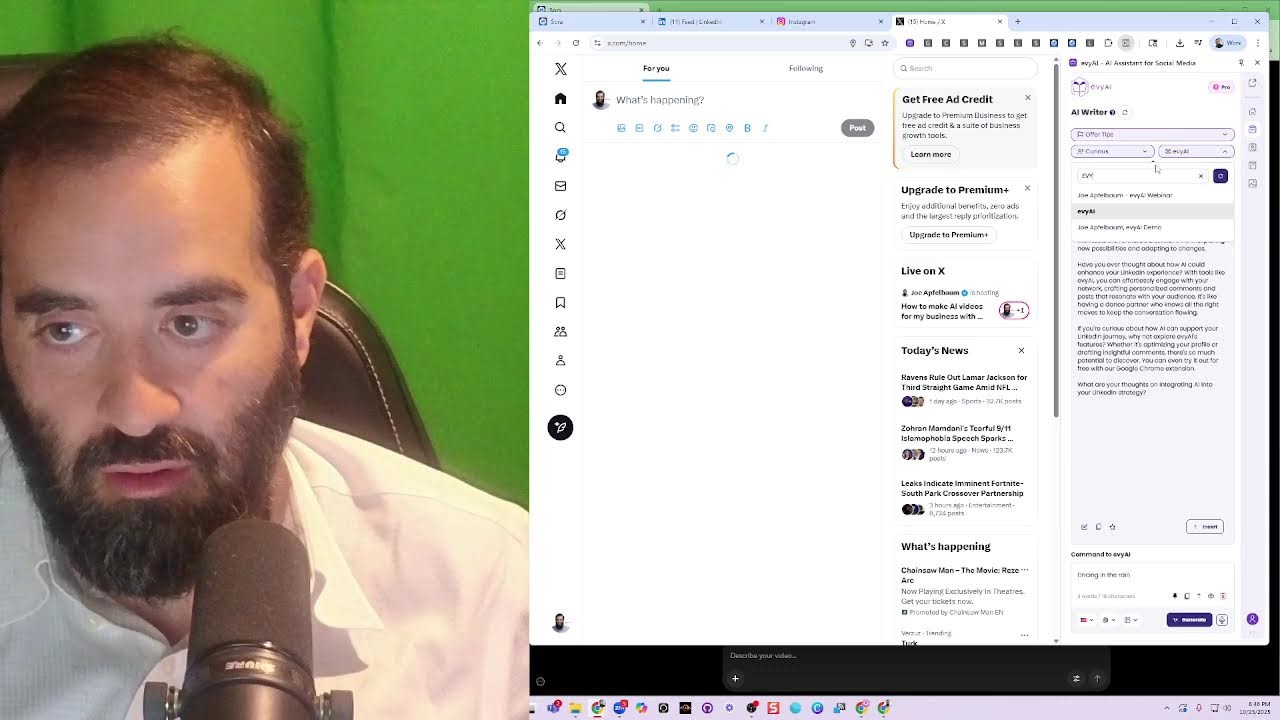
Joe Apfelbaum shows how to make promotional videos with Sora and share them across LinkedIn, Instagram, Facebook, and Twitter. He uses Evie AI to automate outreach and comments, then demonstrates templates and strategies for turning video creation into client relationships at scale.
Chapters
We are live on LinkedIn, Facebook, Instagram, and Twitter, and we're going to be showing you how I create artificial intelligence videos using a new technology that came out. And this is how to create AI videos for my business. And this is very simple. It's where I'm going to show you some of them that I already created. This is my marketing agency, Agents Union. I have several accounts. Oh, you have several accounts? And I just created a draft here.
Let's see what this looks like. Heavy AI, the best. Heavy AI, the best for LinkedIn sales. It's blessed. Heavy AI, the best sales assistant helping every lead we need. Oi oi oi, we stand. Oi oi oi, heavy AI, the best. Heavy AI, the best for LinkedIn sales. It's blessed. Heavy AI, the best sales assistant helping every lead we need. Oi oi oi, we stand.
Deserve only. Okay, so now if I go and damn building like brickshades.
Heavy AI, the best. Heavy AI, the best for LinkedIn sales. It's blessed.
So I just downloaded it. Value.
Yo, I'm on LinkedIn building like bricks in Brooklyn. Connections in my inbox cooking. Profile headline sharp like a skyline. Endorsements stacking up. That's a fine line. Algorithm loves when your story got value. Keep it authentic. Let the people— Yo, I'm on LinkedIn building like bricks in Brooklyn.
Great. That's very good.
Connections in my inbox cooking. Profile headline sharp like a skyline.
Now what I'm going to do is I'm going to go listen to this.
Drive in every board I set. Another step toward the future I'm building. At the same time, there are emails. Starting from scratch means rolling up your sleeves.
Out here, it's just plan.
It's where I meet clients. Share ideas and build trust. If you want to grow your spend most of my working day inside LinkedIn because that spend most of my working day inside LinkedIn because that's where my community is.
It's the future.
Okay, that's really good. The last 30 days saved insights, not just great posts.
Don't look at the questions you ask yourself.
Post done.
Get every AI if you want to grow on LinkedIn. LinkedIn, gonna get it on LinkedIn. Get every AI if you want to grow on LinkedIn. Every AI, every AI, every AI. Get every AI if you want to grow on LinkedIn. LinkedIn, gonna get it. You consult. Love us connected. Networking level unlocked. Cheers to new opportunities. Turn this to lock this in.
Absolutely.
Let's connect on three.
One.
1, 2, 3.
Nice, look at that, we're official. Just like that, all of us connected. Talk to Michael, your lead strategist, and let's claim victory. Friends, marketers, business owners, lend me your screens. You want 10 quick wins to dominate your market? It's hard to see what's actually working.
That's what—
Okay, let's see. There's something new that came up. I'm gonna refresh over here. Sometimes you gotta refresh.
Oh, there it is.
Bring it through, you little—
Screw's ready? Perfect, hold it steady.
Pass up the next piece of straw.
Coming your way.
Beautiful, it sits just right.
Looks solid from here. Mazel tov, gentlemen.
The sukkah—
bring it toward your little— yes, right there. Screw's ready. Perfect. Hold it steady.
Why would you put that screw there?
Coming your way.
Beautiful.
It sits just right.
Looks solid from here.
Mazel tov, gentlemen. The sukkah— bring it toward your little— yes, right there. Screw's ready.
Perfect. Hold it steady.
Excellent job building. No, thank you. They didn't build it correctly. Um, but yeah, you can see there's a lot of different ones, so I'm gonna, I'm gonna go ahead and pull in Another account that I have. So I have several accounts. So that's one account. This is another account.
Let's have a label side of the plan. Energy, the insights, the generosity—it's all right here in the feed, right in my pocket. I'm building friends. LinkedIn has changed the way I connect with the world. Every friend guiding my outreach from start to every one of us must engage fellow Americans. As your president, I am issuing a declaration today. We are a nation built on connection, innovation, and conversation. To keep that spirit alive beginning now, every one of us must engage fellow Americans. As your president, I am issuing a declaration today. If it leaves my desk, I'll bring it right back. Everything in this place has a label on it, even the fake plants. I have a label too. It says do not talk. Can I borrow your?
It's me dancing ballerina style.
Oh, and what would you like for Christmas, little fellow?
I actually want more clients for our AI platform, Evie AI.
Businesses that need automation, not toys. That's a clever wish. I'll spread the word to the right business.
Ho ho!
Hey, Sissy's here. This is Lincoln Guy. Everybody, I love you all. Keep it.
Keep it going.
So let's see how I use that exactly on LinkedIn. So let's go to LinkedIn. I'll show you how I kind of use these clips to promote my business. So I'm going to turn on Evy AI, which is a sales assistant on the side of my browser here. And by the way, I'm just going to quickly look to see which one of you are commenting. So go ahead and let me know what city you're dialing in from if you're watching this live right now. I'm also going to put a link to our Sora bootcamp here. I have templates all ready to go. So if you guys want to sign up, we have almost 100 people that already signed up to this bootcamp. So I'm going to go ahead and put it here. So if you're watching the replay of this, it starts November 3rd. We're going to be teaching how to do this in a 4-hour bootcamp live on Zoom with me. And you're going to be able to create many dozens of videos for your business, including many prompts. And we're going to have a whole challenge to help everybody be able to support each other and repurpose all these videos. All year long. So we're going to pick the best video. So this is how I kind of repurposed this one here. I just posted it. LinkedIn Daddy!
LinkedIn Daddy! LinkedIn Daddy!
LinkedIn Daddy! As you can see, I said I'm officially the LinkedIn Daddy now on Sora. Wow, so grateful for this parade. And then I explained what Daddy is. Daddy is Discover, Ask, Deposit, whatever. And so I have this, this video that I used over here, and as you can see, people are already liking and commenting on it. I'm going to go ahead and copy this here and put this here. And then what I'm going to do is I'm going to take this LinkedIn Daddy video, I'm going to press copy, copy link to post. I'm going to go to Evie AI URL Cleaner and type in URL cleaner. So we have a URL cleaner that actually cleans the URL. I'm going to go ahead and clean that URL, press copy, then I'm going to drop it inside this. I'm going to say check. Out this video. Let's see if you get an idea from it. So all the people that sign up to the boot camp get access to a special, um, a special WhatsApp group and so on. I know. Um, so that's, that's the idea. All right, so I put it in the WhatsApp group and yeah, I'm also gonna put it into our community. So we have a school community. So you press home, you press join community inside the VEI side panel. You can go to the classroom, you can go to the community. And then, um, I'm gonna go in here and put it here. Who posts on Saturday? I'm gonna put the link here. I'm gonna press enter. And I'm also going to support these people's posts. I'm going to control-click on them. They're going to open. And as you can see, I'm going to go ahead and leave a comment. Now, the fastest way to leave a comment with Evie AI is the comment just appears. You saw how fast that was? So I'm just leaving comments super, super, super fast. Look at this amazing post over here. This is an amazing post. I'm going to hit subscribe. I'm gonna like my own post. I'm also gonna switch to Evy AI so I could leave a comment as Evy AI, as the actual company page. So you see, I'm gonna leave a comment as the company page, you see? So I left the comment as Joe Apfelbaum, but I also left it as this company page. Now I'm gonna change to this company page and I'm gonna leave a comment as that company page as well. So you're gonna see I'm leaving a comment like that. I'm gonna tag him. I'm gonna give it a like. And as you can see, I left him a comment as Ajax Union. I left him a comment as Avi Aya. I left him a comment as Joe Apfelbaum. And I could also leave him a comment as Santa Claus. Look at this. This is called LinkedIn Santa. So I'm gonna go ahead and leave him a comment as Santa Claus. You see that? I just left him a comment to Santa Claus. I left him a comment to so many different company pages. That's a cool little hack so you can really promote somebody and support them. Okay, I'm gonna go ahead and close this one out. I'm gonna look at Rick over here. I'm gonna give Rick a comment as well. Rick posted this an hour ago, so I'm gonna go ahead and leave a comment on Rick's post as well. Now I do have, uh, EANYC, um, notes, and I have engage LinkedIn users. And I— what I can do is I can hit Alt+W, and that opens this up. That's me. I don't need to look at myself. I'll W— every time I hit Alt+W, it opens up the next person. So if I want, I can go into the comment box. I could have Evie AI draft a comment, and then if I want to insert the comment, I can insert it just like that. You see, it says, great breakdown, Devora. ERP systems are like SEO. Go here, press Alt+W, opens up the next one. I can go into the comment box over here, and then I can click these 3 dots. It will automatically generate a comment and put it in here. Very cool. I close it, I press Alt+W, opens the next one. So that's, that's essentially what's going to happen soon. We're going to have the Alt+W thing work on everything, and that'll help me be able to— or you could just have it on auto mode and it'll just have a queue of people that it kind of pulls up from your connections. It just pulls up the recent posts and you can decide how many people you want in there. You can decide how many people you want in your round of people. So that's really powerful technology. And this lets me go through all the people that I want to go through very quickly. I already did this with Kelly. I'm going to go ahead and play some music while I do this. You can watch me commenting on all these people's posts one at a time.
Extremely powerful.
You can comment on videos.
It changed my life.
Most people are never leaving any comments at all. I'm sitting here reading comment after comment after comment, building relationships with people, getting to know them.
Often I'm the only one that commented on these posts.
Makes me really stand out from my clients or my friends. Now you can't put videos in the comments yet, but soon you'll be able to put videos in the comments.
That'll be extremely powerful. You're able to add music videos or other comments. Right now you can only add them text. Make sure that you're doing things strategically. The right tech, one person at a time, one client at a time, one relationship at a time. You can do this. All you have to do is take your time, build those relationships, create those connections.
It's no There's so many people, so many people out there that want to have a relationship with you.
They want to connect with you. They want to get to know you. If you're not posting about yourself, if you're not sharing your thoughts, if you're not leaving comments, if you're not connecting deeply, if you're not meaningfully letting people know that you exist, how are people supposed to remember you? Whoa, whoa, whoa. It's like a war band. Go for it.
Trust is indeed the cornerstone, Marlene.
Okay, so I hope you had a nice holiday. I'm not sure if you recall me by name, but I mentioned before that we're going through the elevator pricing contract here that we decided to take a break. I don't know who this guy is.
Brook Brothers. I'm gonna put him in as a Prospect. I'm gonna accept his connection request. I'm gonna find other Jonathan.
Close out. Better remove some other people. I'm gonna accept one Jonathan. Remove some of the other Jonathan. Too many Jonathan.
Especially if I find Jonathan without a, without a headshot. I'm for sure gonna run more. I actually have tons of templates.
I figured this out. I'm gonna run my app. I go in here and, um, Press save.
Okay, so now I have this little boot camp offer for Jonathan.
Quick message.
Press the up arrow again.
Down arrow again. I'm gonna do the same Jonathan message. Everyone, you've got a Some people would say, Joe, I'm very interested in signing up for your newsletter. I'm sorry if you didn't care. I kind of like how I just spent a few minutes connecting with all these people, sending them meaningful messages.
I'm not using automation. I'm reading the past posts that I sent these people. And the music you're listening to right now is all AI-generated music. It's all instrumental. See the way I'm messaging all these people here? So what ends up happening is a lot of these people are going to want to learn how Evie AI works, how to do Sora, how to create messages, how to create stuff like this. I'm going to disconnect from this guy here. All right, so as you can see, messaging people does not need to take long, and just kind of like learning about the relationships that you have.
You have 30,000 connections.
Sending out 30,000 messages like this over a period of time will get you a lot of clients. And even if you get 100 clients out of messaging 1,000 people or 10,000 Over a period of time, that could be really powerful. Let's see. It's kind of responsible to have a dimension for. Yeah, I want you guys to think about this as you're going ahead and building those relationships with people, getting to know them.
It's kind of a little bit early on, but. Oh, there's the calendar. I'm going to go send myself a reminder. I'm going to close that. I'm going to close this.
I'm going to keep doing the Alt+Ws.
I want to get through this list. How many people I have? I have about 50% through this list.
So I can keep going back to it and loading the Interesting, right? I'm able to kind of just create amazing long comments like this for each person, and they'll notice. They'll be like, oh man, thank you so much for leaving me these very well-thought-out comments on my posts. People actually notice this stuff. They're like, wow, this guy really cares about me. So And I don't have to even think about who I'm—
pages I'm looking at now. You know what I mean?
Yeah. I just have to make sure that I'm looking at the right person or the right thing by each person.
That I am recording them the right way, reading the post, reading the comment on the bottom of the feed, knowing who I'm talking to. I love this photo corner. It's a great photo area to take photos. Do you guys like the background music for the photos here? Background music is my creative— I don't know.
I don't bother commenting on that because that doesn't help them.
It doesn't really matter. It's not their post.
I guess I'll say I commented on one post that he left there. Make sure I really support Tom. Tom has been commenting on all my content. All right, so we have just a few left.
W, W, W. Then we have a few left and we're done. Obviously I did a repeat already. I did a comeback stream already. There we go. We're almost done. Look at that. Looks very good.
Okay, and then I'm gonna do W, W, W. Okay, this is— oh, look at that! Catherine comment. Catherine just repurposed my post.
I just want to thank you to her via DM. This is Brooke. I did Ctrl+F.
I don't know why I did that. 10 hours ago. Okay, so that's done.
That's done. You see, I did 100% of them.
Now I want to take some of the videos that I just downloaded and I want to upload them to Instagram.
I'm going to go here to Instagram and I'm going to create, create post.
I'm going to click select from computer, double-click.
Let's go! Rain keeps falling but I'm feeling fine. Puddles under.
Press next. I'm going to say dancing. I'm actually gonna have Evie AI write me a post, and I'm gonna tell it, um, I'm gonna be telling it dance. Dancing in the rain. I don't know why my hand is sleeping. Okay, so I just posted this on Instagram.
That's where my community is. It's where I meet clients, share ideas, and build trust. If you want to grow your— spend most of my working day inside LinkedIn because that's where my community is. It's where I meet clients, share ideas, and build trust. If you want to grow your— spend most of my working day.
By Abby AI. The video was created with Sora. If you go to my Twitter page, you'll notice this video here. I'm live here right now. You see, this is a live. Yo, check my flow. Here's how you grow your biz. I'll show you on Facebook too. So that's a reel. Go instant. I write like this. Just gonna say doing the work, doing the work, building a business. I press generate. It's gonna generate a holy moly building a business.
Like running a marathon. Press next. Post. Okay, I just posted the video.
Now if I go to my profile, you're gonna see multiple things. You're gonna see me dancing in the rain that came from Instagram. And then if you go to videos, go to photos, you go to more, you go to videos.
Reels, maybe?
Yeah, I think they both show up. One came from Instagram, this one came from Instagram, and this one directly uploaded. I don't know which one's gonna do better, but sometimes I kind of mix it up.
I upload things directly, a nice little touch. And you can see what's going on, you can see what people say.
But I just finished doing a seminar for the HIMA conference.
Make it look like a Sora video. That's the idea. Anyway, hope you guys got value today. Thank you very much for watching. You saw me repurpose Sora videos.
You saw me create videos. LinkedIn on your profile. I'm following. I truly adore learning, and lately I've found such joy in discovering LinkedIn through Joe Apfelbaum. Show you his secrets.
He taught me. I met the greatest LinkedIn daddy, Joe Apfelbaum, online.
They're all famous. Me how to use LinkedIn. He really blew my mind. Building connections simple. Find your clients where they hang on LinkedIn every day. Evie AI helps you reach them in a smarter way. Getting clients, making friends with Evie AI. The outreach.
Find your clients where they hang on LinkedIn. That video, and then I can upload it to Instagram like this. I click on the little plus button here. Click on post. Drag.
Find your clients where they hang on LinkedIn every day. Evie AI helps you reach them in a smarter way. Next.
Over here, Instagram post. I can delete this and just say something like, sometimes it's good to sing a song on a guitar with all your friends about your business just to get the word out there. And I press generate and it'll generate an Instagram post. If I like the Instagram post, I simply just insert it like this. That's it, simple as that. You can post as many times as you want on Instagram, and each time you post, for me, it also gets synced up with my Facebook. But if I really want to post something that I'm gonna use over and over and over, I might use some social scheduling tool either called Buffer, or I use one called Unlimited Edition. Digital marketing. Okay, that's that. Thank you very much for watching. If you want to get Evy AI, just go to evyai.com. It's your sales assistant for LinkedIn, and I'll see you guys on the next video. Let me know what you thought of this. If you enjoyed it, let me know if you want to see all my Sora videos. Maybe I'll have a Sora video binge-watching exercise to give you all the different ideas. Maybe I'll do that tomorrow if I have time. Maybe
More from Joe


How to Beat the Algorithm: Remove Hidden Watermarks & Scale Content with evyAI









AEO & GEO: SEO's Future Explained! Master Answer & Generative Engines! #shorts