Joe Apfelbaum shows how to convert MP4 video files to MP3 audio on Windows using Audacity. You need to install two libraries: FFmpeg to import video files and LAME to export as MP3. Then drag the video into Audacity and export it as audio.
Chapters
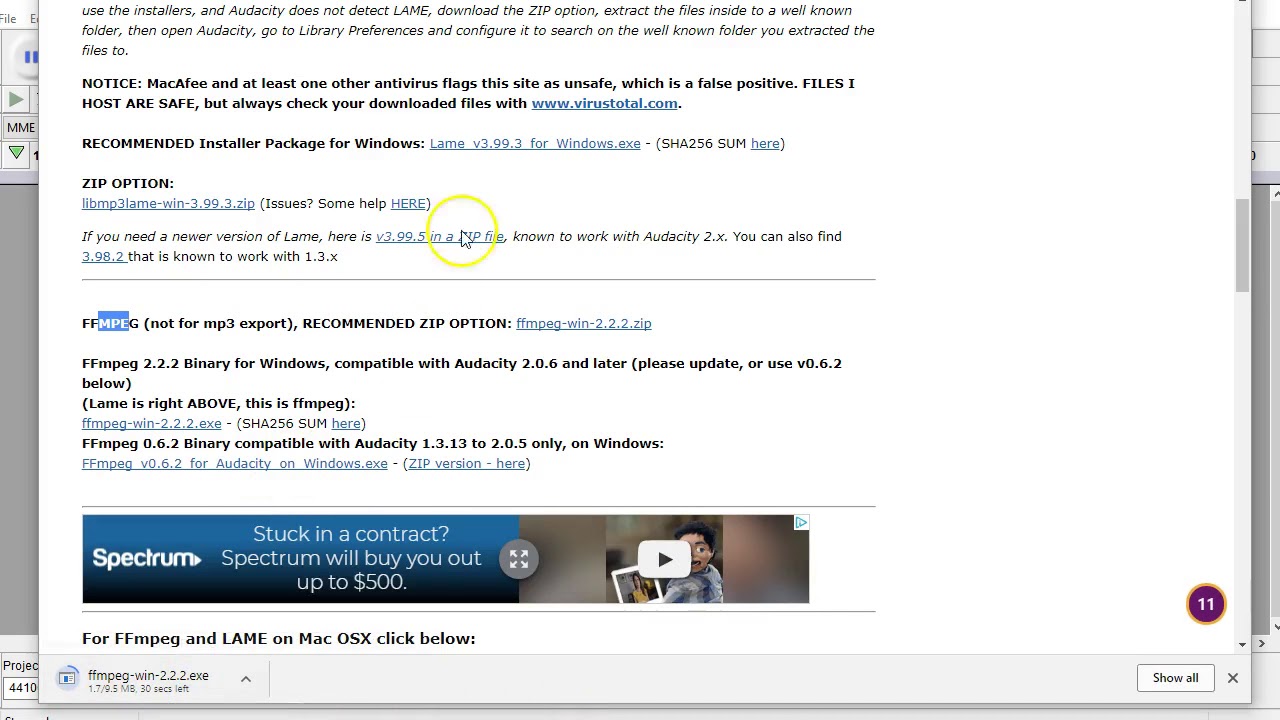
One of the things that I love doing is converting my videos from an MP4 to an MP3 so that I could take a Facebook Live video and make it into a podcast. I did that this morning and I had to do the research. I'm going to show you exactly how to do that. So if you want to take an MP4 or an M4A2 or like an iTunes song and turn it into a thing, this is the way to do it. So you go to Edit, then you go to Preferences, and this little box here pops up. And in the box, you click on Libraries. You click on Libraries. So what you need to do is you need to get the FFmpeg library to be able to do this. So you locate it and you press OK. It says library not found, so we're going to download the library, which means you click on Download, it opens up a new browser. So this is what the new browser looks like. Hang on a second, it's loading. Alright, so now it asks you how do you download it, what do you do, Windows. I'm using Windows. So this is the installation section, the download page. You go to the external downloads page, it goes here, Windows downloads. Okay, so this is the lame one. The lame one is to make WAVs into MP3s. The FFaEG is the one that you need. So we're going to click on the .exe file. Okay. And it's downloading the exe file right now. This is the exe file. It is downloading. It's almost done downloading. So essentially, once you do this and you just install it, then you'll be able to import videos right into Audacity and then export them as an MP3. Now, if you want to export as MP3, you need the LAME plugin, which is another plugin. But this FFmpeg plugin is literally To export videos, and I'll show you exactly how easy it is. You just run the installer once it's done, and then you're good to go. And that's literally the whole thing. So I'm going to wait another couple seconds for this to finish downloading. It looks like it finished. Wait till it becomes available. It's going to be another 2, 3 seconds. And okay, I open it. It says opening. Let's see. Tell me to wait. Yes. Okay, okay. Next, next, next, next. Install. So now it's installing. Finish installing. Now that it finished installing, I can close out this window. I could do locate. You want to look at manually? No. Okay, so now it's located. It's there. Press okay. And now I can take a movie. I can drag a movie into here, and I'll take an edited Street Talk video. I could drag this movie right in here, and now I can export this. File, Export Audio as an MP3. So I literally have this, this 1-minute MP3 here, and I can edit it, put it into a thing. It's just really amazing. So hopefully you enjoyed this 3-minute video. Have a good day.