How to scrape SKOOL POSTS and reply with AI - 152 LinkedIn Live 2024 with Joe Apfelbaum
Joe Apfelbaum shows a Chrome extension that pulls Skool posts, sends them to ChatGPT or Claude for AI-written replies, and posts them back. He also demos Evvii/Evy AI's LinkedIn dashboard for tracking comments and generating persona-based responses, plus using Suno.ai to create rap beats with Claude-written lyrics.
Chapters
I built a Google Chrome extension that allows me to scrape any school post that, and just create a crazy response. Let me show you how it works real quick. So for example, I see, uh, my community, AI for LinkedIn. I'm here, um, and I wanna respond to a post. That somebody wrote. Like for example, this post was written over here, FEI webinar, blah, blah, blah. I want to respond to this. So the first thing I'm going to do is I'm going to click on my school scraping extension. I'm going to press post extractor. This is going to extract the title of the post, the author, and the content. Now this could be created for any, for any website. You don't have to just do it for school. I just did it for school because I use school a lot. I'm in many school communities and I have my own school community. I have both a paid community and a free community. And so I created this school extractor post just like this. Um, and what I'm able to do is once I extract the post like this, I extract the post, then I can send the post to artificial intelligence by clicking on send post. It'll send it into, um, into make.com through a webhook, and then it'll reply with this fantastic reply. Now I can inject this reply into Skool by clicking on either copy response and pasting it in, or insert response into comment box. And when I press insert into comment box, it'll find the element, the comment box, and it'll insert the response. And so this is what the response looks like. I say, thank you so much for sharing this exciting workshop opportunity, the LinkedIn Content Formula, create posts that LinkedIn can't ignore. With LinkedIn becoming the go-to platform, I'm thrilled Thrilled to see her providing so much value to the community. Blah blah blah blah blah. And now it starts talking about all this stuff over here. I need to improve this prompt here. I don't like what it's saying. Totally see where I'm going. I actually, I'm going to say, I actually have the replay. Um, on YouTube. Okay, and I'm going to grab the replay of this on YouTube. I'm going to click on youtube.com/@JoeApfelbaum. I'm going to grab the replay. I'm going to click videos. I'm going to click on— is this the video? 18 hours ago. Let me just see if this is it.
Welcome to a—
Oh my God. 1 hour and 37 minutes. Yes.
Okay.
That's it. I'm gonna copy it and I'm going to paste it inside the school community right over here. I'm gonna press link and I'm gonna press comment. Okay, good. And so I create an extension that will write up whatever I want to write up over there. So, um, now what I'm gonna do is I'm gonna go and show you the backend of this. So this sends it to a webhook. The webhook picks it up, sends it to ChatGPT. It uses this prompt here. Your task is to create a thoughtful, warm, and engaging comment in response to a member's school post. Context: you'll be given the data containing the information of the school post, and this is who's responding. Joe Apfelbaum, CEO of Evvii AI, the AI for LinkedIn. This is my history. This is what I've done. And then the response criteria: maintain a warm, welcome, encouraging, thoughtful tone. Use conversational style and sentence structures. Incorporate a touch of enthusiasm. Address the author by name using the name within the response. Refer to specific details in their post showing attention to detail related to the stated goals. Insight and value, offer at least 2 practical pieces of advice. Community, encourage them to engage in the community. And then strength and use paragraphs to organize it throughout readability, but do not use Markdown. Instead, create simple spaces and new paragraphs for text only because, uh, for text only. Include a brief opening, interactive elements, incorporate a thoughtful question. Question should be open-ended. Authenticity, express genuine, call to action. And then encouraged formatting. Do not use Markdown. Do not use Markdown formatting to enhance readability. Instead, use regular HTML and You can include emojis, arrows for lists, etc. Click relevant emojis.
Okay.
Make sure there's no grammatical errors.
Okay.
Boom. Okay. So it did say use Markdown. That's why it was using Markdown. Now we're gonna check it out. I'm gonna hit save. I'm gonna save this. And if you want access to this extension, let me know. And if you want me to make it for another website, let me know as well. I'm going to go back to test it out now real quick. I wanna go into, I'm just gonna go to just the school community, the general school community. And I'm just gonna go here. I use Skool a lot, but I wonder, are there any features I don't know about? What are the little-known features? This is from an hour ago, and he already has 138 comments. Let's see if I can grab this, extract the post, send post to webhook. I don't have a countdown timer here, which I would love to add a countdown timer to this, but I'm not gonna do that right now. That's gonna take too long. I'm gonna press insert to comment box. Hello, Andrew. Fantastic that you're exploring the nooks and crannies of school. I'm gonna tag him. Hello, Andrew. It's fantastic that you're exploring the nooks and crannies of school. Your curiosity is a superpower. School can be quite a treasure trove, can't it? One of my favorite less-known features is the ability to create custom member badges. It's a neat way to encourage, reward members for their participation. We had a chance to try it out. It not only empowers users through community identity, another overlooked gem is setting up automated group announcements. This helps keep everybody on the same page without any repetitive workload. Have you considered integrating features that could enhance your engagement strategy? Or perhaps, um, I strongly encourage you to join in the conversation. Looking forward to hearing. So I'm going to delete this. I think I need to improve the prompt to take off all that stuff, but I'm going to press comment and see what he thinks of that long-ass comment. 170,000 members. Now typically the people that are part of this, the members that are part of this, own a community. 170,000 people have a community. 1,300 are online. That's pretty epic that there's 1,300 people online right now. I absolutely love that. I love that there are 1,300 people online. Um, I did build— I had somebody use Python to collect all the information from all these people, um, which is actually really cool using Selenium. But I haven't messed with it yet. I'm going to, I'm going to start messing with it, but this is a simple Chrome extension that allows you to be able to simply go through any post that people write about and be able to create a simple response. So check this out. This person says mental health niche. I want to help people with their mental health. I'm not sure what niche to target. Any ideas? So I'm going to go into the school thing. I'm going to hit extract and I'm going to hit Send post. It's going to send it. It's going to create a response. Once I get the response, I press insert response into box and it says, hello Tim, it's fantastic to see your passion for contributing to mental health space. Your dedication to helping others is truly commendable. When it comes to choosing a niche, it sometimes feels overwhelmed of how mental health— One insightful approach Is to reflect on your personal experience. There's a particular aspect that resonates with you personally. This can be a powerful motivation to tailor your focus. Additionally, considering current trends and gaps, for instance, in the past few years, mental health awareness, social media, you could explore blah blah blah. Have you thought about engaging with various mental health communities to gather your perspectives, joining discussion forums. As you explore your options, remember to build value by sharing your goals. The school community is a great place to start. Don't hesitate to participate in conversations. Keep us updated on your progress. You're well on your way to making a remarkable difference. To your success, Joe. By the way, use evviai.com. Okay, I'm gonna press that. I'm gonna delete his name, and let's just see how that comes out.
Boom!
And that was a very helpful post, all done with artificial intelligence. Let me show you Evie AI. I mentioned Evie AI just now. So if you go to Evie AI, Evie AI is your LinkedIn AI content assistant. It'll enhance your presence on LinkedIn. So I'm constantly using AI. To help me be able to come up with new ways to do things on platforms like LinkedIn. So if you click log in to Evy AI, we have the ability to save profiles. So if you take this, take a look at the saved profiles here, you're going to see all these saved profiles. So for example, Simon Sinek, I'm going to click on Simon Sinek's recent profile, recent posts. And as you can see, he posted 19 hours ago. So I'm going to go ahead and like his post and I'm going to drop a comment just like this. Now, this is a very simple comment. Again, it uses the same technology, similar technology that I shared with you, showing you the technology, but this is integrated into LinkedIn. So you don't have to like go outside of the extension and do anything. You just inject it into LinkedIn, which I love. I'm going to go boom. I'm going to boom Evan. Why not? Now, another thing that a lot of people don't know about is if you go to Evvii and you click on the Learning Hub and you click on Quick Links, you can actually see your LinkedIn dashboard. What I like about the LinkedIn dashboard is that it tells me how many comments I left in a particular week. My goal is to leave 250 comments a week, and today's Wednesday, and I left 119 comments so far, which is actually really cool. My goal is also to do 10, to do one post a day. So I exceeded my goal here and I want to do at least 10 contributions and I did zero. So I'm going to go ahead and contribute right now. I'm going to contribute to sales and then I'm going to contribute to sales prospecting. That's like what I've been focusing on. So I'm going to go over here. Your team needs guidance. So I'm going to click on add your perspective. I'm going to add Evvy AI. I'm going to change this from comment reply to typo because I want to potentially put a typo in there. Prospecting is not just about finding leads, it's about building genuine relationships. I like that. I'm going to go ahead and put that in there. I'm going to click on sales prospecting again, and I'm going to drop another contribution here. This one has 13 contributions already. I'm going to go ahead and generate a contribution to this collaborative article here. This is not going to get me a top voice, but it will be sent to to my clients, letting them know that, hey, Joe shared some information, some insights. And these insights are actually really good. Read through it. Maintain a robust prospecting schedule is critical, blah, blah, blah, blah, blah, blah, blah, blah, blah, blah. Okay, I'm gonna press add. And that's awesome. Now if I wanna improve my prompt for this, what I'm gonna do is I'm gonna copy this over here. I'm gonna go to Claude. I'm gonna go to Google Claude. I'm just gonna open up a new tab so I don't lose that. I'm gonna Claude.ai and I'm gonna say, help me create a prompt that allows me to reply to a LinkedIn message. Collaborative article. My name is Joe Apfelbaum, CEO of Evvy AI. I want, um, we help people with an AI assistant for LinkedIn for posts, comments, messages, and connection. Notes. I want to create a thoughtful response from the perspective of a marketing agency CEO turned software— software entrepreneur, and I love marketing. Networking and prospecting. I want to give actionable tips. Here is an example collaborative article. I need a solid prompt for AI for future articles. Example.
Okay.
Create a response to the LinkedIn title, Joe Apfelbaum CEO of Evie AI, uh, with the context.
Ooh. Okay.
So we're going to copy this. That's a good prompt. We're going to go into Evie AI. We're going to go to personas. We're going to add one. We're going to call it Joe Apfelbaum collab article. Joe Apfelbaum collaborative article. I'm going to do marketing. I'm going to do informative. I'm going to do, um, thought leadership. I'm going to paste it in here. Create a response to the LinkedIn collaborative article as Joe Apfelbaum, CEO of Evvy AI. Background. Okay. Response to 300 words. Themes, human relationship building, data-driven decision-making, modern networking strategies. Okay, I'm gonna press save. Tag person. I'm gonna hit save and let's kind of test this out and see if I get a better response to the collaborative article. I'm gonna click on sales again. I'm going to click on software sales, and then I'm going to look for one that has fewer right here. Demo strategies for trial. I'm going to hit show your perspective. I'm going to click on the dropdown. I'm going to select this new Joe Apfelbaum. Let's see, Joe Apfelbaum collaborative articles, collaborative article. I'm going to hit generate. Let's see what it does. Okay, so it's a little long. Okay, so I'm gonna delete this. Oh man, this is a nice response. To create impactful demos and trials, it's critical to blend technology with human connection. And what is the limit? The limit is— okay, let's see. The limit is— okay, so then you currently have a gold badge. It'll expire in 60 days. Okay, what is the point of contributing? No longer get a top button. We appreciate your contribution to the community. Encourage you to continue collaborating. Been seen as an expert. Expand your reach. Help the community.
Okay, okay.
So it's saying no more top voice badges, but you still have benefits. I'm gonna send this to Diana. These are the benefits of contributing to collaborative articles, even though there's no— there's no top voice badge anymore. Okay, I'm gonna go back to sales. I'm gonna improve this collaborative article thing. Um, I'm gonna say Not more than 750 characters. I misspelled that for sure. Whatever. Let's just see if it works. I'm going to click on this. Add your perspective. Generate. Let's see what it does. 750, give me 779 characters. Um, okay. That's fine. I'll just delete the last call to action there. And I have to also tell it not to do a call to action. But this is a pretty good one. Personality clashes with teams, foster open communication, leverage technology and tools. Okay, I wonder if you can add an emoji. Control period. Oh, you could. Oh, I'm gonna tell it to add emojis. Um, let's see, leverage your actionable tips, include emojis or bullets like Like, okay, mention it or not. End with an engaging driving question. End with an engaging challenge to readers. Telling them to like this. Contribution. This post. Not more than 700 char. And we're gonna do 250 words. Okay, update persona. Let's just see how that works. You're only as good as your training. You're only as good as your training. So that's why it's important to do training, to train the AI properly. All right, I'm going to add my perspective. Let's see, generate. Let's see if it works. Oh, it added the emojis, but the emojis added so many, um, yeah, it added so much weight. Okay, by embracing technology, you can navigate the inventory, blah, blah, blah. Let me delete that. Control Y. Okay, whatever. I'm just gonna add it. Ah, so much better. Boom, boom, boom. Let me, let me tell it to do less words. I'm gonna do 200. 200, not more than 650 characters. Less than.
Okay.
Let's just try it now. See if I get it right. Because an emoji takes up more characters. Let's see. Let's see this one over here. Add your perspective. Generate. I'm going to delete that.
Insert.
Oh, perfect. 638. Okay. Ooh, challenge. How can you adapt strategy staying ahead? Like this post if you found this helpful. Oh yeah. Oh yeah. I'm gonna like this post.
I'm gonna like this post.
You know, if you haven't heard of suno.com.ai, suno.com is epic. I'm gonna make a song. Create a beat about— create a rap beat that I can vibe to that is Mellow and easy to rap to, but high energy. I'll make it instrumental. I'm gonna hit create and let's see what it, what it does. And then I'm gonna have Claude, I'm gonna say create a rap song about LinkedIn Collaborative article benefits even without Top Voice badge. Let me grab the link to that, give it the details. Boom. I'm going to copy all this content, paste it here. All right, let's see if it writes a rap song, and let's see if Suno puts a beat on. Here we go. Oh, we got a beat. Yo, uh, check my flow. I don't love this beat so far. Do not love this beat. Let me get another beat. Okay, create a rap beat that I can vibe to that is High energy. Create a gangster rap. Let's try that. Um, next level rap beat that gets people bumping. All right, let's try this one.
Yo, uh, here we go, here we go, here we go, here we go, here we go, here we go. No badge, not a problem, let me tell you why. Collaborative articles still help you on the fly. Share your expertise, let your knowledge show. Building credibility as you watch it grow. Yo, no need for a gold badge to make an impact.
Your insights matter.
Yo, That is simply a fact. Here we go, here we go, here we go. Your network growing, opportunities flowing, your influence keeps on showing on LinkedIn. Expert in your field, that's what you'll be. Reaching new connections, help them see your unique perspective, wisdom you share. Building your brand with authentic flair. Here we go, here we go.
Yeah, I like this beat.
What?
Oh my God, that was a good one.
Yo, we're rolling deep.
You got no badge?
No problem, let me tell you why. Collaborative articles to help you on the fly. Share your message, your knowledge will show. Building credibility as you watch it grow. No need for a gold badge to make an impact. Your insights matter, that's a simple fact.
Uh, network growing.
Opportunities flowing, keep your influence showing. Yeah, yeah, here we go.
That's not bad.
Oh, here we go.
No badge, no problem.
Let me tell you why.
Eh, don't love that one.
Why is it heavy metal?
'90s rap beat.
Let's try it.
Let's try '90s rap beat. Um, let's do this. Let's try it. Let's say describe A beat for this rap that I can send to Suno to create a beat for me. Let's see.
Ooh.
Uh, can you just paste this in? Oh my God, I had no idea that you can do this. This is crazy. Here we go.
Yo, here we go, here we go, creating these funky beats.
Yeah, okay, that's pretty good. Let's try this one. I wonder if I can upload a beat. Corporate rhythms, modern business hip-hop, a professional piano melody with tech-inspired synthesizer bass, deep consistent 808s with corporate-friendly Corporate friendly what? Let's try this. How much can I even add to the prompt? Oh, I can only add that.
Let's see.
Let me do custom. Enter a style of music. Oh, let me do the whole thing. Okay, let's just see if we got me the whole thing here. Oh, 120 words. I can only use— I can only use 120 charm for this style of music. Okay, let's just see. Let's go back. Uh, turn off custom.
Let's hit create. This is pretty epic.
That's pretty good. Let's listen to this one.
This is pretty good.
No badge, no problem. Let me tell you why collaborative articles still help you fly.
Pretty good. Listen to this one. Pretty good.
I don't even know what minimal 808s are. I'm gonna take out corporate sins, dude.
I have 2,900.
I mean, I could just keep making music all day. I don't even know if you guys could even hear the music on my computer. If you can hear the music, let me know. Let me leave a couple comments for you while we're playing this music. I kind of like the fact that we have music going on in the background. I should always do that in my In my LinkedIn Live, just to make things better. Yo, leaving comments on LinkedIn got me thinking. Wow, about all these people sharing on LinkedIn.
Wow. Boom.
Uh, heavy AI, staying authentic. Who's this guy from Kenya sharing my posts? Thank you so much, means a lot to me taking the time to connect on my birthday. I'm gonna say you're welcome.
I have 2 questions.
Maybe I'm no longer showing the option for comments. I don't see a microphone option. I'm a premium user. Um, you need to download The latest extension. What version are you using? This is epic, epic, epic, epic, epic. I love this. Anyway, if you're not using these tools, you are seriously missing Out. These tools are a game changer when it comes to using LinkedIn and artificial intelligence. I hope you enjoyed watching me today, and I look forward to seeing you on the next video. If you have any questions for me, I'm always happy to answer them. Let's see what AJ said. AJ said, hey, it's AJ from the AI Automations. Just joined your AI LinkedIn group. AI LinkedIn group. Checking out your app next. I'm going to say AJ. Let's see, I'm going to respond with Evie AI's voice feature. Thank you so much for connecting with me here on LinkedIn and for letting me know that you joined our community. I look forward to collaborating with you and learning more about your goals. Look how easy that is for me to respond. Like, me typing this up? No way. No way. Let me ask you a question. Is it easier to speak or is it easier for you to type? For me, it's so much easier to speak. AI automations. You see, I just added him to a, um, see recent activities. Let me check out this guy's recent activities. I can see he's paying for LinkedIn. He has 1,000 followers. Amazing. I like it. Oh, and this is 3 years ago. So he's, he's just getting started here. Look at Darren. Darren says you deserve to have a life too. Let's see what AI is going to write. All right, so I am leaving comments constantly, constantly on people's posts. So if you want me to leave a comment on your post, say, Joe, please leave a comment on my post. I'll be more than happy to. Oh, Joe wondering if Claude is better than ChatGPT to make a persona. Manuel says, I use Evi AI available comment, which is no longer showing. What is wrong? You might not have the extension installed. You got to install the extension in order for it to work, Manuel. So go to your extensions and just make sure you have Evi AI here and then click on it. If you want to know the version of your extension, click on the 3 dots, click on extensions, click on manage extensions, search Evi, and then make sure that you have 2.2.16 or later. This is the extension that you need to have. If you have some older version, it's a random thing, just hit remove and then just go to evaai.com, click on add EVAI to Chrome, and then just install the latest one here. This one. And if you like EVAI, if you can leave us a 5-star review, that would be super helpful. We're looking for one more 5-star review to get us from 82 to 83 ratings. That would be epic. So go ahead and leave us a 5-star review if you're watching this, if you haven't done it already, that would be really helpful. Um, you just go to evviai.com, you click on Add Evviai to Chrome, and then you could leave us a review there. If you want to check out our community, you can click on Discover Our Community right over here, and you can find our community. We have 575 members right now, and we are growing. We have a large group of people waiting to be added to the community. We haven't added everyone because a lot of these people do not use LinkedIn or they haven't answered our membership questions. But if you're a real person and you have LinkedIn, put in your LinkedIn URL. I'm not gonna just let random people in here that don't have a LinkedIn URL. So I take a look and make sure, do you have a LinkedIn URL or not? And if I can't find you on LinkedIn or you put the wrong LinkedIn URL like this person, I'm gonna go look up this person on LinkedIn right now. And I notice this person doesn't exist. You see? So I am going to decline this person. Because they're not a real person, or they put in the wrong LinkedIn URL. I'm going to go ahead and check out my recent activity on LinkedIn just like this. And then I'm going to click on comment, and I'm going to reply to these comments here, and I'm going to use my voice. Make sure that you have The Chrome extension installed and you have the latest one installed as well. That's really important. Most people don't even realize that maybe they installed a new browser and they don't have the extension on their browser and they're wondering why it's not showing up. Also make sure that you're logged in. I'm gonna press install. Go. He said wondering, is Claude better than GPT? I wouldn't say that Claude is better than ChatGPT. It's just a different artificial intelligence technology that works differently. They each have their own benefits. I would say that ChatGPT is better at creativity and that Claude is better at productivity. Like, for example, if you want to create a Google Chrome extension or something, I would use Claude to do that. But if you want to for example, write a book or come up with ideas, I would use ChatGPT for them. They're both very good, but they have different reasons why I use each one.
Okay.
I just replied like there. Pretty cool. I mean, I don't know about this. I don't know about you, but it's so much more powerful to use AI. Can you share a link on how to do that? I'm gonna say X demo. I'm actually gonna film a video right now on how to do that. I'll teach you how to film a video. You click on Loom. This is my little Loom right over here. And now what I'm gonna do is I'm gonna— I'll do it without a camera, and I'll just, instead of full screen, I'll just do a specific window. Actually, you know what? Why don't I just do the full screen? I'll just do the full screen because I don't know if this specific window will show— will show what I want to show. So I'm going to go back. Instead of specific window, I'll just do full screen, and then he'll see me on LinkedIn Live doing it. That's pretty cool. All right, I'm going to show— I'm going to do it. Start recording.
3, 2, 1.
Hello, this is Joe Apfelbaum, and this is for Manuel. How do you check to see if you have the Google Chrome extension installed? You click on the 3 dots on the top right corner over here, and then you click on Extensions. You see that? And then you click on Manage Extensions, and then you just search EVY and see if it comes up. If you don't have this here, or if you have a version that's less than 2.2.160, Then hit remove, then go to eviai.com, and then click on add Evie AI to Chrome, and then just add Evie AI to Chrome just like that. Oh, looks like Holly Dharma just left us a positive review. Thank you. And if you're enjoying using Evie AI, make sure to leave us a positive review. So thank you. If you want to make sure that you're using the latest browser, you click on the 3 dots. And then you click on Help, and then you click on About Google Chrome, and then you make sure you're using the latest one. You want to make sure it's updated to the latest one. All right, thank you for watching this. Talk to you soon. Okay, so now I'm going to copy this URL right over here, and I'm going to send it to you in the DM, just like This paste made you a one-minute video. Okay, now Jay said I was on networking Zoom meeting and Jim always said he was set up for reconnecting with you. He was a marketing-specific group. Think you could benefit of visiting interested. I'm gonna say gotcha. So I message him and da da da. I know who Jay Bliss is. Um, I am always happy to visit groups. Please send me more details about the group that you have. Also, if you can check out my artificial intelligence for LinkedIn. It's actually really helpful for people that are into networking because it has voice-to-text technology. And also it allows you to save specific people to lists and so much more. Do you mind checking it out? Can I send you a demonstration video to watch? Okay. Do you see the way I typed it? All that, all that with AI. That's insane that I'm able to do that. Join me this Friday at 10 AM. Oh, look at that. Oh my God, amazing. I'm gonna repost this. I am so excited about joining you this Friday at 10 AM because it's gonna be so much fun. We're gonna have a great time. Okay, I'm gonna press comment just like that. Oh, so good. I'm gonna make sure that I subscribe to this. I'm gonna make sure that I like this and that I comment on this. Can I comment on this? I can't even comment on this. Uh, waiting. How come I can't comment on this? I don't even know why I can't comment on this. Chat. Oh, you can chat. What happened to that? All right, so now there's a top chat thing here. So I just chatted. Let's see if that worked. I went ahead and subscribed to your YouTube channel, and I also started the conversation in the chat box. And I did it all? While on LinkedIn Live. Amazing, right?
Okay.
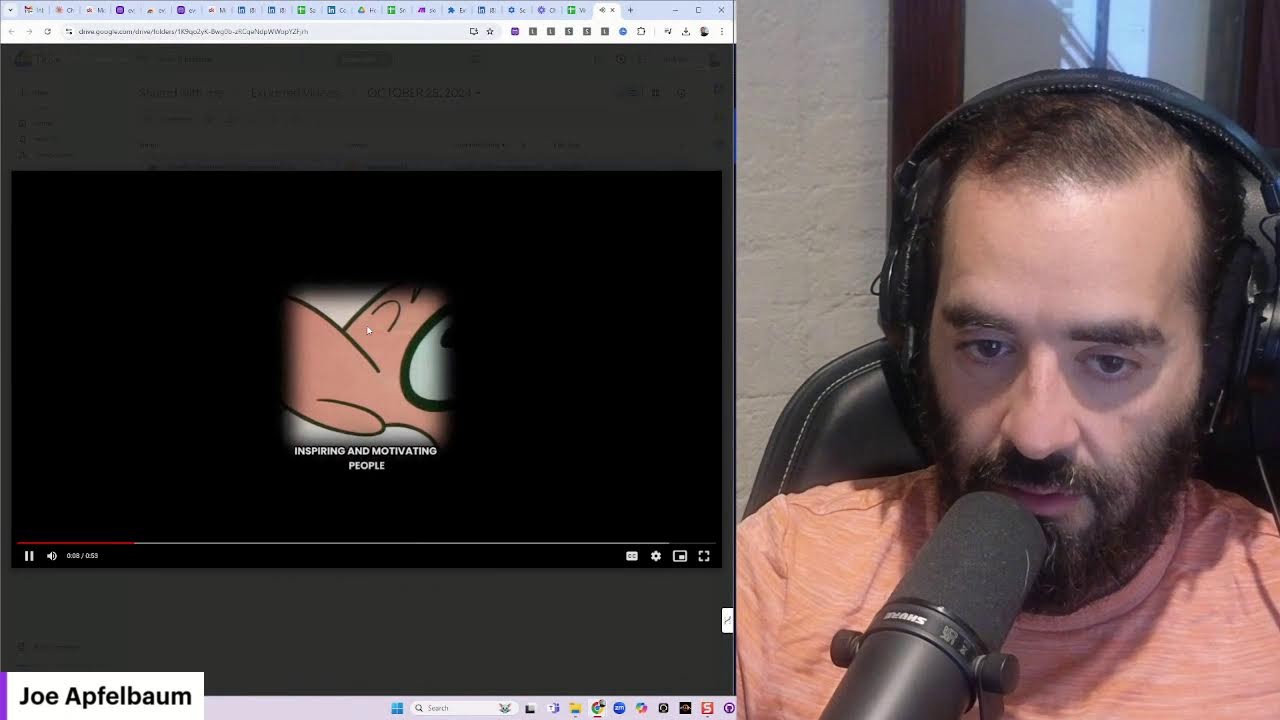
I'm like using my mouse and my voice. I'm not even using my keyboard. I mean, that's what, that's what, that's what we're gonna have very soon. We're no longer gonna use keyboards. We're just gonna use the finger and the voice. Maybe not even the finger anymore. Like, that's insane. Like, I wonder if I'm using my— if I, if I could just touch the screen. Oh my God, that would be epic if I could just touch the screen and touch the microphone with this, touching the screen, like on an iPad or something, or like on a 2-in-1 computer. Oh my God, that would be epic. I just, you know, interact with it with my voice. That's so good. So, so good. Look how many reposts we have going on over here. Repost, repost. I'm loving it. Let me see if I have any new viral videos to share on LinkedIn. Viral short ideas. Let me go here. Let's see. Reasons are excuses. Let's watch this video real quick together.
Yesterday, I was speaking to somebody who was particularly wise about his comments, and I thought to myself, "Well, this guy would be really good at inspiring and motivating people." Then I asked him why he doesn't publish videos online, and he gave me a host of reasons. And all I kept hearing in my head are. Reasons are excuses. And they all stem from some form of fear that he has. It was so interesting to see how many reasons someone might have. And when I started to challenge each reason, he started getting more upset and more upset and more upset. Then I reminded myself, coaching without permission is criticism. So I have a question for you. Is there something that's stopping you? Do you have a reason why you're not posting, why you're not Leaving comments, why you're not sharing videos, why you're not going on live. Write down all those reasons and look at them and ask yourself, what is the fear behind this reason?
Why do I have this excuse? Boom. Oh my God. Epic video. That's all I have to say is epic video. This video is a next level video.
Wow. Wow.
All right, let's go for it. Yesterday, let's post it right now. Let me teach you how to post this. That's an epic video. Write epic video in the chat if you agree. That's an epic video. I'm gonna use Evie AI to type this up. I realized that people that are not posting or engaging on LinkedIn have a lot of fear, but they don't know they have fear because they have tons of reasons. Your reasons are really excuses. And when you make a list of all your reasons why you're not posting, why you're not engaging, why you're not messaging with people, why you're not connecting, you'll realize that many of those reasons are excuses. And then just identify what is the fear behind each reason. There's always going to be a fear. Fear stops you from taking action. So watch the video below and let me know if you agree with this. And If you ever come up with ideas about why you're not doing something, why you're not taking action, try to find the fear that's behind the reason why you're not doing it. I'm gonna go ahead and use the Joe Apfelbaum persona on this one. I'm gonna hit generate. Okay, I'm gonna press insert. Fear is often the silent partner in our journeys, holding us back from our connections. Many professionals hesitate to post, engage on LinkedIn, not realizing that their fear— whether it's fear of judgment— we develop powerful tools to help you break through these barriers. Not just functionality, but encourages Okay, I better watch the video. Real deep dive in the concept. Let's explore. If you resonate with this message, give it a like, share your thoughts in the comments. Let's break through the barrier. Okay, I'm gonna hit post and I'm gonna upload this video. That's an epic video. Oh my God, I love that video so much. I'm so happy. I'm so happy that I'm able to produce content like that. Such a good video. I don't know; it makes me happy. I don't know if it makes you as happy as it makes me, but it definitely makes me happy. So thank you for watching this, and thank you for being with me on this journey. I really, really appreciate you, and I'm gonna get on my 9:30 call. But I just want to say thank you for being in my life. And yeah, I'll see you on the next video. I'm here doing this daily, so make sure that you repost this video.
More from Joe


How to Beat the Algorithm: Remove Hidden Watermarks & Scale Content with evyAI









AEO & GEO: SEO's Future Explained! Master Answer & Generative Engines! #shorts