Joe Apfelbaum shows how to automate syncing contacts from GoHighLevel to Google Contacts using Make.com. Tag a contact with "send to Google" in GHL, and the workflow fetches up to ten tagged contacts, pushes them to Google Contacts, adds a confirmation note, and removes the tag so it won't sync twice. The automation runs every Monday or on demand.
Chapters
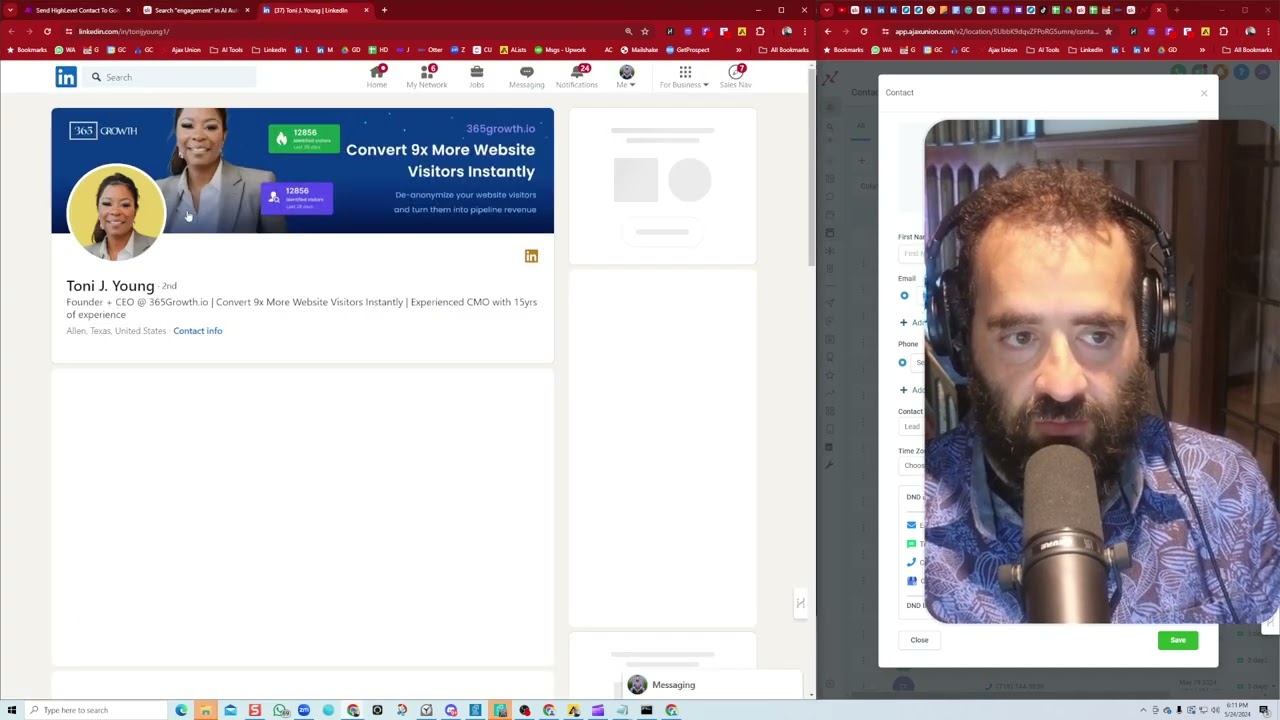
Hello, this is Joe Apfelbaum, and I'd like to quickly record a video that somebody asked me about it— how to connect GoHighLevel to Google Contacts back into GoHighLevel. So one of the issues is I add somebody to GoHighLevel, right? I find somebody, I add them to GoHighLevel, and then they're not in my Google Contacts, so I have to go manually add them to Google Contacts. So what's the strategy to add someone to GHL and then send them to Google Contacts or to HubSpot or to wherever you want? So first thing is you, you do a query to see if there's anything that has this particular tag in this particular location. And if there is, send me at least 10 or send me maximum of 10. And then what you say is the tag contains sent to Google. Then it sends it to my Google Contacts and it kind of like organizes it, puts it into a tag and gets it all going. And then from there, it leaves a note in GoHighLevel. And then it removes the tag because I don't need that tag anymore. And I'm leaving this as run every Monday. So just once a week, it'll kind of do that. So it goes into there eventually. If I ever want to do it, force it, I just come in and hit run once, but as I'm adding people, so I'll give you an example. So I'm going to go in here. I'm going to go into the community. Let me, let me just go into the community right here. So I'm in the community and I want to look for the engagement pod. Okay, so I'm gonna go to engagement. Okay, so I type in engagement. So these are the engagement pods in the communities. I see there's all these people over here that I need to add to the engagement pod. Well, I also wanna add them to GHL, and I also wanna add them to my Google Contacts, right? So what I'll do is I'll go here, I'll say, okay, I'm gonna add this person. to GHL. So I go into here, into GHL, and I put this here. I search. I see he's not here. So I'm going to press add contact, drag this into the email section, find Tony's LinkedIn URL just to make sure that it's the right person. Okay. Tony Young. See that? I'm going to copy this, paste it in here. Tony J. Young. I'm going to see if there's contact info here. There's no contact info. I'm going to use, I'm going to see if I can pull a cell phone number out. Let's see, I'm going to hit save contact. Okay, I have the same email, 365growth.io. I'm going to try to grab a mobile number. I see I got a 512 mobile number, perfect, Texas, love that. So I just saved the mobile number. Okay, so now it's here. So let's check if it's here, let's double check. Yep, Tony Young is right over here. Okay, now that I see Tony Young here, I just have to add a tag to Tony Young. So I go to the bottom here. And I add a tag called send, S-E-N-D, send to Google. Boom. You see that sent to Google? Now I go in here and I could just run once. It'll find that person with the tag. Oh, it didn't find it with the tag yet. I just added it. So let me see. You want to do it again? Let me see if the tag is on it. Go down here. Yeah, the tag is on, sent to Google. Sometimes it takes a minute for it to kind of find it, so I'll run it again in just a minute. But essentially I put this person in here already. I'm also gonna tag school, um, actually AI Automations by Jack. You see, I just tag it. So she's in the community, so I'm just tagging her like that. And I'm also going to do Engagement group. Okay, so now she's also in an— she wants to be in an engagement group, so I'm gonna tag her like that. So I got 3 tags here. I'm gonna run this again, see if it picks it up this time. Okay, this time it picked it up. It's sending it to Google Contacts. Can you see that? It's going. It puts it in my Google Contacts, adds a note to the contact, and then removes the tag. So if I go here to the notes, if I pop this over here so you guys can see a little bit better, and I go to the notes section, it should say Contact successfully added to Google Contacts. And then if I go back, if I refresh this contact over here, it should have already removed the contacts tag that I added over here. Let's see. Tags. Let me see if it— it doesn't look like it has any tags right now. Let me see. Oh, there's no tags on this. It looks like it stripped the tags. I'll just add this one again. Oh no, it's something's wrong. It's not coming. It's not showing all the tags, but AI Automations by Jack and then engagement group. I don't know why it removed all the tags. It shouldn't have. It's not even showing that it's got something going on over here. But bottom line is it, I tested it before. It only removes that tag. And that's how you do it. And that's how you send stuff from GoHighLevel to— and there's a lot more that you can do. There's some fancy, fancy things you can do with Make and GHL. And for those that need help, we do have support with unlimited digital marketing through this, this thing. It's $249 a month and we give you 30 days free. We import all your LinkedIn connections into here and we help you be able to do, you know, just properly leverage LinkedIn together with a CRM that has pipelines and that has texting and that has everything you could think of. Hope you enjoyed this. Talk to you soon. Boom.