How to use AI with Linkedin to leave comments on posts.
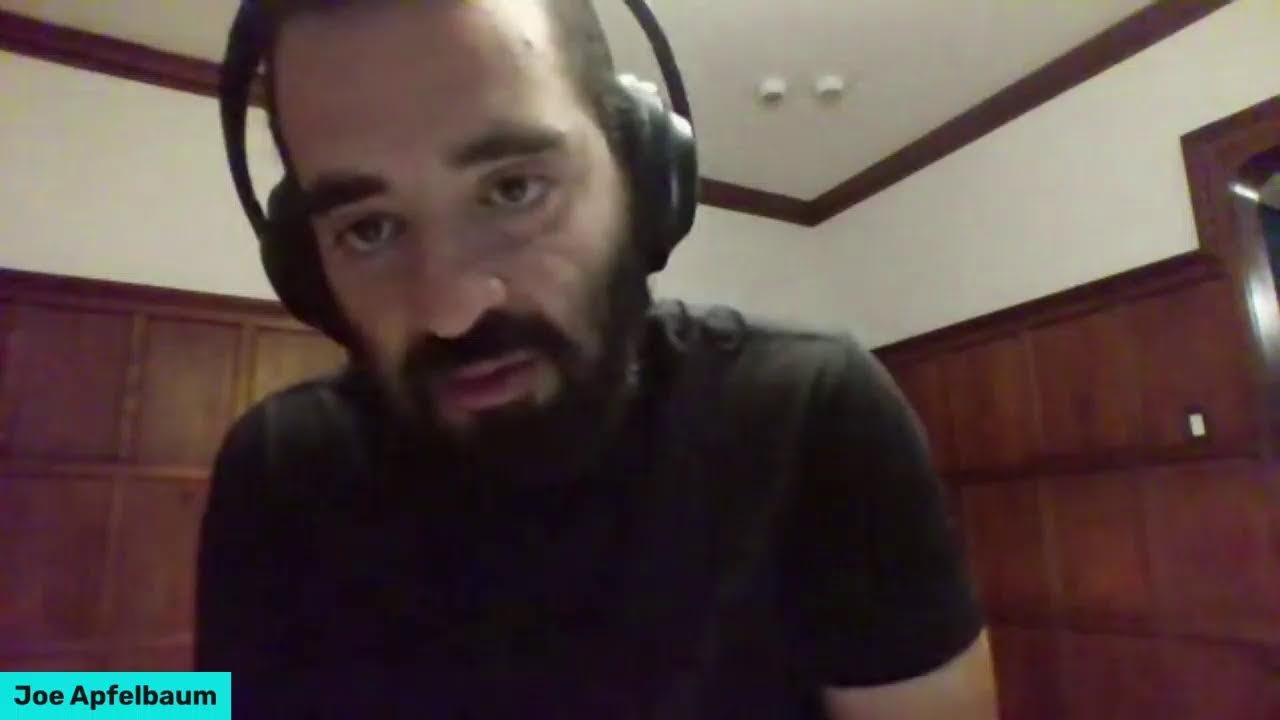
Joe Apfelbaum shows how to use Evy AI and ChatGPT to write authentic LinkedIn comments that don't sound robotic. He walks through setting tone, choosing a persona, and applying custom prompts to generate comments that stay top-of-mind with key connections. The tool costs $29 a month for unlimited comments.
Chapters
them and on LinkedIn using artificial intelligence and not sound like a robot. Instead, I want to sound— I want you to sound like a person using artificial intelligence and you sounding like a robot. That means you didn't take the time to learn how to do prompt engineering. You didn't take the time to use the right tools. You didn't take the time to understand how to train the artificial intelligence in order for it to sound more conversational, more human, less robotic, less corporate, and less garbagey. If you don't take the time to do that, you're going to look bad, just like you don't take the time to understand how to properly get a prospect to want to buy from you. Instead, you try to sell people because you don't know better or because you just want to get the sale already. It's not about the sale, it's about the connection, it's about the relationship, it's understanding the problem. So quick background, my name is Joe Apfelbaum. I'm the CEO of Ajax Union, a business-to-business digital marketing agency that I've built over the past 15 years. And one of the things that I realized is that businesses need better marketing. I've serviced over 1,100 companies with my team, and it's expensive to do marketing. It's not cheap to get an agency to help you with your marketing. So if you learn how to do the marketing yourself using artificial intelligence, you can save a lot of money. And that's why we created Evergreen AI, the course that teaches you how to use artificial intelligence to do your own marketing, your own business development, your own prospecting. And now we're launching a mastermind that meets once a month for 3 hours because we've trained over 1,000 people on how to use AI and they want to join us live in person to ask real questions. So I just did a live a few minutes ago. I had to hop off the live, but now I cleared up everything I had to clear up. I'm back with you guys, so thank you for bearing with me. And And thank you for tuning in. Do me a favor, do drop a comment below. Let me know where in the world you're dialing in from. I'm curious to know where you're coming from. Somebody recently asked me, Joe, is it true that AI is going to take over jobs? I think that AI is not going to take over jobs. I think instead people that know how to use AI are going to take over the jobs of the people that don't know how to use AI. Because if you know how to use AI, you're much more efficient, you're much more effective. You're much more powerful than someone who doesn't know how to use artificial intelligence tools like ChatGPT, like Google Bard, like Pi.ai, like Claude Anthropic. Learning how to use these tools will give you a competitive edge over other people as a business, as an individual, as a community member, as a giver. Learning how to use these tools will make you be able to be more productive. So I want to show you how to leave comments on LinkedIn using AI. And sound like a person and not like a robot. I've actually built a software called Evy AI, evyai.com. I'm going to show you that software. I'm also going to show you ChatGPT. Let's dig right in. And let me know what questions you have in the comments below. I'm going to be checking in on the comments. Let me stop sharing my screen briefly. So I'm curious to know where you're dialing in from. Let me know in the chat. I'm going to pull up LinkedIn right now just to kind of see if anybody is watching this In real time right now. Let me see what's going on over here. Give this a like, by the way, if you're logging in live, give this a like. I'd love to see, uh, all the likers that are out there. If you're watching the replay, just write replay in the chat. Uh, it looks like we do have quite a few people that are live right now with us. Thank you so much for being here. I'm going to be sharing my screen in just a moment and sharing with you what I'm looking at live on LinkedIn. But I'd love to see you in the comments letting me know where in the world you're dialing in from. I do see Morlan dialing in from Toronto. Welcome, Morlan. I see Brad Willey. Brad, welcome. So glad to see you, and thank you for listening from all the way from Florida. It was so nice spending time at OMA. I really appreciate you bringing me down and allowing me to educate and inspire the people. I'm in New Jersey right now. And I am loving life. I'm gonna go golfing a little bit later today. I'm really— tell you the truth, I don't really know how to golf. I'm not a person that is a golfer, but I do want to learn. And so I'm gonna be learning today from my friend and client. He's gonna be teaching me how to golf, so I'm excited about that. All right, let me share my screen right now. I'm gonna be sharing this Chrome tab over here. So hopefully you can see it. If you can see it, say, Joe, I can see it in the chat below. Curious to know if you can see it. Now the way that I see who's chatting here is I go to my profile. You guys see this? I go to my profile and then I scroll down to my recent posts. You see that? And I click on show all posts. And then when I do that, then I'm able to see the comments. So I could see I have 3 comments over here. From Morlan, from Brad, and from Cornelius from the London UK. So if you guys are dialing in live right now, it takes a moment for kind of people to just kick in when it comes to live, um, and LinkedIn sends it around to a bunch of people. I did go live just before. As you can see, LinkedIn sent it to 147 people, and over here LinkedIn sent it to 78 people. I was on for a little bit longer. This one I was on for about 3 minutes talking about my background, and then I had to go. So I jumped right back on. And by the way, it's really powerful for you to like just go on LinkedIn Live and start talking to individuals. If you haven't ever gone on LinkedIn Live, write that in the chat. Say, never been on LinkedIn Live, gotta try it out. If you've been on LinkedIn Live, say, I've been on LinkedIn Live. There's a lot of really cool things you can do on LinkedIn Live, and learning how to use LinkedIn Live is a powerful skill that you can have so you can live connect with people right now on LinkedIn that happen to be Checking out your profile, checking out your stuff. So I'm going to show you how to leave a comment with artificial intelligence. Check this out. So let's say I'm on the feed, okay? And by the way, if you can see my screen, say, Joe, I can see you and I can hear you loud and clear. Let me know in the comments that you could see me and hear me loud and clear. I'm going to go back just to make sure that you guys can actually see me and hear me loud and clear, because I don't know that you could see me unless you guys drop a comment letting me know that you could see me. I'm gonna refresh, see if the comments are increasing on this post over here. Okay, let me see. 4 comments. Let's see, 95 people saw this so far. It's loading. Okay, while this is loading, what I want to encourage you to do is I want to encourage you to make a list of people that you want to leave comments on on a regular basis. So for example, never been— I don't even know how to go live. Okay, cool. Never been on LinkedIn Live. So I guess it's a little bit delayed. So let's say for example, I want to save Brad Willey's profile because I want to see every single time he posts. So I have a tool called Evy AI, evyai.com. And when I click on this, it actually saves his profile into the tool that allows me to later be able to see all his recent activities. Now the reason why I love that so much is because typically in order to see someone's recent activities, I got to go down and I got to find their recent activities and kind of go in there. But over here, it kind of just saves it and I have it here. And then when I go to the tool app.evi.ai.com and I log in, then what happens is I can click on saved profiles and I can see all the people that I saved. You can see Brad and Alan and Dr. Art and Chris. And Will and Paul and Ivana and Judy. And I could see all these people here that I saved their profiles. And if I want to just leave a comment on them, I just click on See Recent Activity and it just loads their recent activity. And the reason why that's important— I'm going to stop sharing my screen for just a moment. I want to emphasize this. The reason why it's so important for you to use tools like this is because if you don't use tools like this, you're actually majorly missing out on your ability To stay top of mind with the most important people in your network. There are people that are very important to you that you need to stay top of mind, and you can use artificial intelligence to leave comments, but you have to save those profiles somewhere. Yes? Yes, am I right? You have to save those profiles. And so I want to encourage you to, uh, to save profiles of people. By the way, when you guys leave a comment, the comment can load over here. So leave me a comment, let me know what industry you're in. What industry are you in? I'm in the B2B marketing industry. I'm in the AI training, AI for business development industry. I'm in the training for LinkedIn industry. Let me know what industry you're in, and I would love to see the new comments kind of like popping up over here. If you guys see the behind over there, it says Branding, Building, and Booming. I'm going to turn off my camera just for a moment. That's the graphic, and I'll turn off the chat overlay as well. I'm going to turn off my camera so you guys could see this, but the graphic I'm about to show you is our 3-step process for mastering LinkedIn. Check out this graphic. Okay, let me get right into the comments. I'm going to start sharing right now. I'm loving that. I'm loving that I'm seeing you guys in the comments. Let me know what industry you're in right now. Now in the chat, I'm gonna go share my. I'm gonna actually share the whole window. Try to share this whole entire window here. Okay, there you go. I just shared the window because when I share this window, I'm able to click and then it opens up a new tab, and you should still be able to see the tab because I shared the whole window. I didn't just share that particular that particular tab. Okay, so as you can see, Brad. Um, Brad posted here. The last time he posted was on about a day ago. So if I want to leave a comment on this particular post, I can use Evvy AI to leave a comment on this post. So how do I do that? So I click on this little Evvy AI logo here, a little bot dialog box pops up, and I have 3 options. I can select my goal, I could select my tone— I'm going to do a happy tone— and I can select the persona. In this case, I'm gonna select Joe Apfelbaum as the persona, and then I can include some recommendations. So what I'm gonna do is I'm going to actually include a recommendation. I'm gonna use this, this little prompt here. I'm gonna say use a conversational voice, Spartan, do not use corporate jargon, keep comment under 23 words. I'm going to make it GPT-4. And let's see what happens. Now if I get an error, I just hit regenerate. Sounds like a great meeting, Brad. Teamwork and trust are indeed key to keeping up the— keep up the good work. You see that? I'm going to press insert and it's going to create a nice little comment that actually sounds very, very like a human wrote it right now. I'm going to just create a comment without putting my persona. I'm going to hit generate and it's just going to create a generic comment. Great to see positive collaboration and the atmosphere of the OPA meeting. It's encouraging to witness the truth of blah blah blah. Keep up the amazing work. It still sounds pretty human to me. This sounds pretty human. You see that? I just left another comment. So I'm using artificial intelligence in different ways to leave comments for Brad. You see that? Now I just stay top of mind with him. I've commented on his stuff in the past, but you can comment again and again as often as you like, and every time you leave a comment. He gets notified, but also the likers and the other commenters and his network get notified as well. So it's a— it's an extremely powerful way for you to stay top of mind with people. Let's say I want to check out Alan's profile and I want to stay top of mind with Alan today. Well, I just take a look at his posts. Now you can stay top of mind with somebody's very recent posts, or you can use AI to scroll back at some of their other posts that they've had, that they've written in the past, maybe a few months ago, and then you can leave a comment there as well. The reason why that's significant is because if you leave a comment on someone's older post, they haven't even remembered that they posted that because it was 7 months ago. So I'm gonna go in, a nice little comment here for this person, and what that's gonna do is it's going to help me be able to bring that post up into their world. Look at that. I just brought this post up and wow, the visual graph of the leading partners in the United States is truly eye-opening. As a marketing expert, I understand significance of the United States' role in the world's biggest importer. It's fascinating to see the global movement. This graph reinforces the strategic partnerships to thrive in today's interconnected world. Thanks for sharing. Okay, now I'm going to press post. Now what I can also do is I can copy this comment, save this right over here as an image, and then create a post out of this. You see that? A post. Now I can copy this and I can make a post out of it. Now you might say, Joe, how do you create a post out of this? I'm going to go in here, I'm going to click on Post Writer. You see that? I can paste this information here. Check out the virtual graph of the largest trading partners in the US. The United States is the world's largest movement. And then I could press Generate and it'll create a whole post about this particular graph here. Then I can later go and turn that into a very powerful post that many people will see. Isn't that cool, guys? Isn't that cool? I'm curious to know if you have any questions. I kind of just showed you how to save a profile. I showed you how to leave comments. I gave you a strategy, a commenting strategy, to leave comments on older posts, which I think is really, really beneficial. Um, to be able to do that. Let me quickly just go to my profile. I'll show you how to see someone's recent profiles if they haven't been saved to the AI. You just go in here, you click on See All Posts, and as you can see— guys, go ahead, put in what industry you're in in the comments below. I'm curious to know. I'm going to press Comments here, and then what I'm going to do is I'm going to see instead of Most Relevant, I'm going to see Most Recent. I don't know if you guys know that you can do that. What industry you need? Okay, so Ben said, "Do you need the Chrome extension or does this work in Firefox?" You need Chrome in order for this to work right now. Eventually, Ben, we're going to make it available in Firefox. But I'm going to say I'm I can actually reply to this comment with Evie AI. You need Google Chrome for Evie AI to work on your browser. Now I'm going to use the Evie AI. um, persona to reply, and I could just write, you need Chrome? Yes, Ben, you need Google Chrome extension for EvAI to work on your browser. Unfortunately, it doesn't currently support Firefox. Give it a try on Google Chrome and let me know if you have any other questions. Joe Apfelbaum. Okay, I'm going to press that and I'm going to press comment. Do you see the way I transformed the comment into something that is more friendly and more communicative? And more powerful. I mean, this is, this is some next level stuff that you can do. I can just reply boom, or I can have the AI help me reply, and I could use different personas. This is what I love about this app over here. What I love is the ability to use multiple personas. You see that? I have Ajax Union persona, I have the Joe Appledown persona, I have the Evie AI persona. Now check this out. If I go into LinkedIn, by the way, I'm going to quickly stop sharing my screen just for a moment. Are you guys getting value? If you're getting value, in the comments just write value. I'm curious to know if you guys are actually getting value from this. Were you guys able to see the way— I'm not sure if you were able to see because I'm using a laptop right now and I can't see what you're seeing. I didn't have that open, so I was just kind of like going for it. So were you able to see everything live that I've been teaching? Yes. Julia says, always love your live teachings, Joe. This is my favorite tool right now. Just left about 8 comments. Let me tell you something. When you leave a comment on someone's post, you light them up. It's a game changer to leave a comment on someone's post. It's a game changer. Why is it a game changer? Because someone took the time to write a post and they got nothing. Crickets. Most posts on LinkedIn have crickets. There's a million posts going up live on LinkedIn every single day. With Evvy AI, you get unlimited comments. Could you imagine the exposure you will have if you leave 10, 15, 20 comments a day and it only takes you a few minutes to do? This is a revolutionizing opportunity for people on LinkedIn, and if you're not leveraging this, you are missing out. Not everyone's active on LinkedIn. There's billions and billions and billions of people On Facebook, on Instagram, and TikTok. These are not business people for the most part. There are some, but business people are on LinkedIn. You see their first name, their last name, their company name. Would you guys like me to give you a commenting strategy for your particular niche? If the answer is yes and you want to get rich in your niche, just write niche in the comments or show me the strategy in the comments, right? Joe, show me the niche strategy. And also let me know that you've been able to see my screen as I was commenting. Say, Joe, I saw your screen as you were commenting, because I don't know if you actually were able to see it. I have no idea. I'm gonna, I'm gonna take a moment just to take a breather for you guys. I want you guys to take a breather, take a moment and relax. This tool, Evie AI, has changed my life. And it's changed so many other people's lives and using it properly will change your life as well. And I purposely made it super affordable. There's a lot of LinkedIn tools out there that charge $200, $300 a month. I've seen so many of them. We're charging like $29 to use the tool. I mean, you could use it for free with no credit card, but if you want to sign up for unlimited comments, it's $29 or it's half, it's almost half that price if you sign up for the year. So it's like a couple pennies every single day for you to get an assistant to help you with LinkedIn, to write posts, to leave comments, and so on. It's just like a no-brainer. I sign up to AI tools all the time. I invest in them, and it just makes my life so much easier. So if you know someone that should be using a tool like this that's active on LinkedIn, just send them the— send them the link. It'll make their life better. And if you sign up to the affiliate program, if you go to evviai.com/affiliate, You will benefit financially as well if they upgrade to premium. Okay, let's get back into it. It looks like you guys are getting value from this. Let me click on window. Let me share this particular window right over here. So for those of you that are just dialing in live right now, what we're doing is we're talking about how to leave comments on LinkedIn to sound like a human and not like a robot, because nobody wants to sound like a robot. The last thing you want to do is sound like a robot on LinkedIn. Am I right? You don't want to sound like a robot, you want to sound like a human. So go ahead in the comments, let me know what niche you're in so I can do a search with your particular niche because the riches are in the niches as they say and snitches get stitches. That's a famous line for people in Brooklyn that say snitches get stitches but you don't want to be a snitch, instead you want to be a promoter. You want to promote success, you want to promote happiness. Okay, so Tina said value. Thank you, thank you so much, Tina Larson. Okay, I'm going to click Tina Larson's name right here. Thank you so much. If you're not saving people's profiles into Evie AI, that's the first step to success, is saving their profiles into your Evie AI account. You see, I saved Tina's profile, so it's really easy for me to see her recent activity. I can do it from the app, from Evy AI, by clicking on app.evyai.com, save profiles. And I'm able to quickly see all the different people that I save in here. You see that? And if I go to Tina, I can click on see recent activities, and now I see all her recent activities. I already clicked on it. Oh, did I click on it? Oh yeah, I did. I clicked on it, and now I see her beautiful post that she posted over here to celebrate wins together. Now I can write a whole, I can write a whole comment on this post myself. I can read all this, write a comment, but in order for me to be able to save time, I just click on this little link, select like my persona. If I want to make it conversational, I can literally just add a little, a little note saying it, make it conversational. I can make it 23 words. I can make it 32 words. You see that? You can just under words, okay, use a conversational Spartan tone, don't use corporate jargon, keep the comment under 50 words. Generate. Now it's considering my goal, my tone, and it's also using that. Now for whatever reason it said hey author name instead of hey Tina, so I'm going to change. Sometimes it fails to read the author name. I'm going to press insert. Right over here. Hey Tina, this post is so inspiring. I love how you emphasize the importance of personal development and continuous learning. It's amazing how you see you built it. So I'm going to go in here, I'm going to press the@ sign and see— couldn't pick up her name. Even LinkedIn wasn't able to pick up her name. That's okay. I'm going to press go. Hey Tina Larson, so this post is so inspiring. Do you see that? Do you see the way it did that? Really, really powerful. So my recommendation is for you to do this for people, like literally go in there and do this for people. Now there's a feature that you may not be aware of that you can actually leave a comment with a company page. If you want to promote your company page, for example, you can change on the bottom left corner of the window, you can change from a person to a company page. You see that I have different company pages that I'm part of. So I can choose one of the company pages. In this case, I'm going to choose Evie AI. So I'm going to leave a comment as a company page. You see that? So I'm going to click on this. I'm going to select the company page as the persona. You see that I'm selecting the company page. I'm going to use GPT-4, which takes a little bit longer, but it's a little bit smarter. And it's going to read the post and it's going to generate a comment from the company page knowing that it's the company page. Wow. Look at that. As an AI-powered LinkedIn assistant, we blah blah blah. Do you see that? I'm going to click on that. I'm going to press post. And now there are 2 comments on this post over here. There's one from Evie AI and there's one from Chris. Now if I wanted to leave one from myself, from Joe, I would click on Joe Applebaum. Do you see that? I press save. Now I change the comment as Joe Applebaum and the AI knows that. Because I'm telling it which persona I'm using. I press generate and it's going to read the post and generate a comment from Joe Apfelbaum. So this is a great way for you to be able to promote your company page and for you to be able to really connect with people in a meaningful way and promote it. Now, if you want, you can promote on your own posts. You can go to your own posts and you can also leave comments with your company page. Really, really powerful. I don't know if you guys know this feature is available. Our tool is one of the only tools in the world that allows you to create custom prompts and to be able to leave comments from company pages on people's posts promoting your company. Extremely, extremely powerful. By the way, write powerful in the chat if you think this is a powerful lesson so far. Um, I just showed you how to be able to do that, but I'm curious to know what your industry is. So go ahead, put in your industry below in the comments. I'm curious to know what your industry is right now. So this way I can help you find posts in your industry and allow you to properly comment on those posts. I'm going to click on comments over here just to kind of see what comments people have been leaving over here on the right side. I'm looking for people's industries. Now one of the things about LinkedIn is that it doesn't allow you to see the recent comments on a post if you're doing a live. Unless you're looking at the show all posts to see all recent activity section on LinkedIn. So if you go into the actual live, you're not going to see it. But if you go in to see the recent activity and then you click on comments and then you click instead of most relevant, you do most recent. This is the only way that I've been able to see that. Brad said super powerful. I'm going to reply boom. Okay, so let's say Brad's in the moving and relocation industry. So we're going to use that as an example. I'm going to type in office, office relocation. Okay. I'm going to type in office relocation. I'm going to press search on LinkedIn. Now, when you search office relocation on LinkedIn, you have the ability to search through posts. So I'm going to click on posts. So it's going to load up all the posts that are in the office relocation space. You guys get it? I'm clicking on the post. Now, if I want to stay top of mind with these people that are posting about office relocation, like for example, Jocelyn Nager, She wrote attorneys are relocating to a better office, so office relocation. I'm going to give her a like. By the way, I had lunch with Jocelyn yesterday, and I'm going to give her some love right over here. I'm not even going to use my persona. I'm just going to use a regular tool without even the persona, and it's going to say congratulations on the move. Relocating is much better. Okay, you see that? I'm going to say, by the way, great table yesterday. And I'm going to tag her, and now she's going to get notified. And look how quickly I was able to congratulate her and also add a little bit of more custom stuff. This is one of the benefits— I'm going to stop sharing my screen for a second. I want to emphasize something real quick for you guys. This is one of the main benefits of using AI, is you can add your own little comments after it to make it impossible that an AI knew that, that an AI did that. So the AI gives you a blurb and then you're questioning, hang on, is this real or not real? But then you add your little thing at the end or at the beginning or in the middle that gives it so much customization. Great table yesterday. Like, Jocelyn's like, this has to be Joe. I mean, how could the AI know that Joe sat at a table and then wrote up this whole thing with great table? Add a little bit more, add a little bit more, add a little bit more love, add a little bit more connection, but be professional. Use AI. If you learn how to leverage AI properly, if you're in an office relocation and you saw somebody just relocated or somebody's like to relocate, then guess what? Just leave comments on those people's posts. There's so many amazing filters there that you could use. It's game-changing to use these tools on a regular basis in the right way. So number one is save profiles and then comment on strategic profiles. Number two is comment on the feed and dare to use your company page if you want to, but make sure they have the right persona so that the AI knows you train the AI on the company page. And number three is search for the keywords that are important and then leave comments on those keywords. Now I'm going to be sharing a lot more strategies, so make sure to tune back in here. As I continue to share strategies on how to use AI for business development, specifically with LinkedIn and with Evvy AI. So if you got value from this, just write value, let me know in the comments. And if you want to learn more about our mastermind that's starting in a few weeks, we are going to be sharing 3 hours of amazing AI training on amazing AI tools. Um, really, really powerful. So If you'd like to join me, then join me. I have to hop on a call with my team right now, so I'm going to hop off. But I'm definitely going to be doing these trainings again. I'm committed to going on LinkedIn Live a few times a week now. My team's telling me, Joe, you need to start training people on how to use Evvy AI, and LinkedIn Live is a great way to do it. So I'm just going to be jumping on LinkedIn Live impromptu, showing you guys some stuff. So look at my recent posts. And try to leave a couple comments on people's posts. I gave it— I gave an amazing strategy today on this video telling you to go back to people's old posts and use AI to leave a comment on their old posts because it'll bring that post back up, especially influencers. If there's an influence— you influencer, you want to get their attention, go back to their previous post from like 3 months ago, from 4 months ago, and leave a comment. That will load back up on their feed and they'll be like, oh my God, someone just commented on this post. It's crazy. Try it out. You can do that. It's not hard to do. Once you save them into Evie AI and you click on See Recent Activities, all their posts are going to load. So try it out. Let me know if you're willing to try it out. Let me know if you're using Evie AI. Let me know if you're willing to try it out. And if you're using it, what you think about it. I would love to know in the comments if you're using it. We have 1,000 people that are using Evie AI right now. And my goal is to have a million people use it. There are 1 billion people on LinkedIn. I want 1/10 of 1% of LinkedIn users, 1/10 of 1% of LinkedIn users I want to try Evvy AI. They don't have to buy it. I'm not looking for people to buy it right now. If you want to buy it, good for you. You'll save a lot of money, save a lot of time. Right now I'm looking for people to try it and give me their feedback so I can fix any problems that we have before we properly go to market and we start getting hundreds of thousands of people to use it. Because the last thing we want is somebody to test it out and and be unhappy with it. So I'm doing this with my community. We still haven't even advertised it. We still haven't even properly promoted it. We don't even have automations to upsell people. None of that stuff is made yet. Right now we're trying to fix the bugs, make it better, and your feedback is essential. So thank you for being in my life. Thank you for the kind words. Thank you for the recommendations. I am so grateful that you're in my life and that you're going with me on this journey. I mean, this is not just a— this is not just my tool. If you buy into this tool, this is your tool too. You want it to succeed. You want it to be better. You want to be part of it. I want you to be part of the culture of people using artificial intelligence in a conversational way, as a human would use it to enhance human connection, not to make it more robotic or transactional. I wanted to make it more human. I want you to use AI, make the AI human. That's what I want you to do. I want you to make the AI human by adding your creativity, your prompts, your love, your energy, your connection. Thank you, Julia. Thank you, Vince. Thank you, Corley. Thank you, Brad. Thank you, all you amazing people that are here commenting live with me. Thank you, Ben. Thank you, Mary. You guys are amazing, and I'm so grateful that you're in my life. I'm so grateful That you have joined me here today, and I'm looking forward to sharing more insights. If you have specific questions, drop them in the comments and I will address those questions in future lives. I'm probably not going to be going live again today because I have a lot of things going on, but I probably will be going live again on Sunday. I don't have my kids this weekend, so I'll be able to relax and go live, and I'll share another LinkedIn Live with more tips. So your questions are going to be essential, so make sure to think of some questions that you have. Pop them in the chat. If you're not sure what questions to ask, go ask ChatGPT to come up with some questions for you about my tool. Brainstorm some questions. Thank you, Brad. Thank you, everybody. Thank you for seeing how amazing, and I'll see you guys again in just a little bit. Boom. By the way, look at you guys interacting in the comments. I'm loving this. Send this video to somebody because the replay will be available in just a minute. So Send this video, copy the link on top of this video and send it to somebody as an email or to a group of people and say, guys, watch this 30-minute video. This is next level.
More from Joe


How to Beat the Algorithm: Remove Hidden Watermarks & Scale Content with evyAI









AEO & GEO: SEO's Future Explained! Master Answer & Generative Engines! #shorts