How to use ChatGPT with Facebook to get clients
Joe Apfelbaum shows how to use ChatGPT and Canva to generate personalized LinkedIn messages and one-sheets at scale. He creates 100 warm DMs with AI, sorts them into templates like "Quiet Leadership," and runs a community posting party where members send them out together.
Chapters
People just don't know how to use Facebook, and it's such a shame because Facebook is such a powerful platform. It has many, many people on it. I'm talking about billions of people. We can go into ChatGPT and ask it some facts. I'm gonna say, give me some facts about Facebook. How many people use it? Etc. Okay, so I'm gonna— I just asked ChatGPT to give me some facts about Facebook. Now, if I want to use ChatGPT inside Facebook, the fastest way to do that, to get clients, is to use an extension. I'm going to be using Evie AI as my sales assistant that works inside Facebook, and I'm going to show you how it works right now. Step number 1, go into Facebook, find a post that you want to post on. So for example, I want to be top of mind with my friend Ramon, right? So I'm going to open up Evvii AI's Chrome extension right here on the side, and that sits right next to Facebook. And what I'm going to do is I'm going to set my goal as build relationships. My tone is curious, and my persona is going to be a Facebook post response persona. Now I'm going to select this content here. I'm going to right-click on it and I'm going to send it to the side panel. I'm going to hit generate. Now what this is gonna do, this is gonna allow me to create a post like this. Ramon is live right now. Oh, not that. I put the thing, okay. Now I'm gonna go ahead and press insert here and it says, hey Ramon, love the way your show sounds, a treasure chest. I love you talking about a bigger impact. I'm actually live now. Okay. Hey Ramon, wow, this show sounds like a treasure chest of wisdom, blah blah blah blah blah. Okay, so I'm gonna go here and find some other people that I want to be top of mind with. Now the way that you close clients is that you are— stay top of mind with them. That's how you get clients in the door. So for example, Cheryl, she said Facebook just sent me a notification, recognized me, engaging conversations. The algorithm can't fake who you believe in Integrity wins. Okay, so now I'm gonna send this to the side. Now I put a keyboard shortcut of Ctrl+Shift+G into here, and whatever I selected went into the side panel. And now what I'm gonna do is I'm gonna go here, and I'm gonna insert this into the comments and hit send. Wow, Cheryl, that's so cool. Facebook gave you a shout-out for starting some conversation and sharing some stuff. It's great to get a high-five from the internet. I love to see how social media creates your creative playground. Okay, now I'm gonna go here And this is an updated picture from Renee. So now let's test this out to see if Evie AI can take this updated picture from Renee. Okay, so I'm going to go in here. I'm going to actually select this here. I'm going to press Ctrl+Shift+G, which sends that there. And then I'm going to select the actual picture, the actual picture. I'm going to select the actual picture and drop the picture in there. And I'm going to hit generate. And let's see what it does. So I dragged the picture in, I selected the text, And look at you two, look at you two. Look at you two lighting up my feed. The smile says it all, pure joy. Your little one is rocking that mini crop top. How cool is that? How cool is that that I dragged an image, I selected the text and pressed Alt+Shift+G, which took the text into the side panel, and now I am leaving comments on Facebook like a champ. Like a champ. Again, Alt+Shift+G. I'm going to remove this right here. I'm going to drag this photo here. I'm going to hit generate. I'm going to press the comment button. By the time I press the comment button, I can already insert— look at that. How cool is that? So I'm going to go here. I'm going to keep going. April said the following. So I'm thinking about gifting 4 to 5 of my 30 birthday marketing audits for Deeds Coming Soon. Okay, I'm not going to respond to that. I'm going to go here, press Alt+Shift+G. I'm going to drag this in here and remove the other image. I'm going to press generate. Now I have it set with this little pin on the bottom to remember the prompt. So after it generates it, it keeps, it keeps the prompt in there. So I can turn that off if I want. Okay. Look at you owning the boss on those steps like a boss. Gotta say, you look like you just walked out of a movie in Antwerp. Maybe something about a secret mission to find the best waffles. That's so good. That's so juicy. Write juicy in the chat if you're watching this live right now. I'm curious to know how many people feel like this is juicy. And let me know what your Facebook is. If you have a Facebook, put it in the chat. Now, the cool thing about this is, is that I'm part of many niche groups on Facebook and groups on LinkedIn don't work very well, but groups on Facebook will work particularly well. So for example, my son is a junior in college in San Diego. Is there anyone in the group who can have connections, maybe connect with him? He's very personable, blah, blah, blah, blah, blah. He's open to locations in California and WhatsApp. I'm just going to say, I could just say whatever. I don't know what to say over here. What am I going to say? So I can have a separate persona created for the EO WhatsApp group, for the EO Past and Present group. So this is a group of 5,000 CEOs that I'm part of. So I'll show you how I create a persona now. So we're gonna go to the homepage of the panel. I'm gonna press Create Persona. And I actually can't create personas right now because—
Why?
I'm all out of personas because I created way too many personas. So what I'm going to do instead of creating a persona is I'm going to modify an existing persona that I have and see if it allows me to do that. So instead of this Crystal Post AI, I'm going to edit this and I'm going to call it EO Facebook Group. And instead of you're a crystal ball, I'm going to go here. I'm going to I'm gonna leave the constraints in and I'm gonna say no selling or self-promotion. Do not use AI-generated, AI-sounding language like insights or unlock. Sound like a human. That is a friend CEO EO member. Okay. Okay. I'm gonna say you are Joe Apfelbaum, CEO of Evie AI and EO Platinum. Platinum one member. You have been a member of EO since 2012, 2012, and have been in EO New York, EO Brooklyn, and On the board. You are friendly, kind, always looking to connect people and give people thoughtful ideas. You do not write long comments, usually a sentence or 2 max. And you are uplifting, but not over the top. When you do not have a LinkedIn tip or an AI tip to give people, you usually just cheer them on and tell them It's good to see them here, and that it's great that they are making this request. You like reverse engineering algos, and you enjoy being witty, punny, and Like to have fun. Remember, EO is a professional network with 5,000 CEOs, and you are commenting in a private group that has EO members called the EO Past and Present They do not want you to solicit business. Also, EO has a policy that we do not really share advice called Gestalt. Called Gestalt. Gestalt. So make sure to share experience instead of giving direct advice when possible. You can say things like, quick experience. Share or with. Okay, I'm going to press update persona, EO Facebook group. Let's just see what happens. Okay, great. Update success. Let's go back into this group. Let's click on content. Let's go here. Let's just refresh these. Let's press EO, EO Facebook group. Okay, now let's select all this here. Right-click, send to side panel, hit generate, and let's see how it makes this response. It says, quick experience shares. Fantastic to see your son taking initiative to explore commercial real estate. When I was starting out, I found that connecting with people in the industry was Key, encouraging him to reach out to the— to— and network, especially in areas like— I don't know, could open interesting doors. It's great to be motivated. Personal qualities, keep cheering him on. Um, okay, I'm gonna press insert. So you're sending initiative to explore commercial real estate. My mom wanted me to do this. Instead, I want to do this. Connecting with people in the industry was key, but also reading books like Endless Referral. Encouraging them to reach out and network. That have a ton of LinkedIn. Okay, Sari Davidson. But do you see the level, the level of comment I was able to leave here and the detail? And I even offered to connect him and to help him with LinkedIn in such a deep, meaningful way with such a thoughtful comment, which I would never would've written a comment with so much detail if it wasn't for Evvy AI helping me. And I never would've had the thing, quick experience share, And the language of entrepreneurs organization, if I would have if I would have not done it this way, you know what I mean? So if this is powerful to you, if you think this is powerful to do this, just write powerful in the chat. We're curious to know if you think this is powerful or if this is a waste of time. Fran said Microsoft Master Partner needed. I need some help with the Microsoft email issue. I don't have my own account. Please d DM me. Okay, I don't have help for that. I'm just going to like it. I don't have help for that. Recommended social media growth hacker for organic and paid. Prefer a smaller agency or freelancer. We tried so many, but most are useless. Growth hacker for organic and paid. Prefer small agency. Okay, so let's see what we're going to say here. Sent to side panel. I'm going to hit generate. I'm going to go ahead and give a like. And let's just see what it says over here. Um, quick experience share. Finding the right social media agency can feel like searching for a needle in a haystack. In my journey, I found smaller agencies and freelancers. I'm going to say I found smaller agencies and freelancers that bring a fresh perspective and agility larger firms lack. However, you will feel like they are all you. Okay, and I'm gonna tag him, Naeem.
Okay.
All right, so now it's starting every single one with quick experience share. Um, so that's fine, but it's gonna get tired pretty quickly. So I did it once, twice. Okay. I have to find the, find the EO thing over here and kind of adjust it just a little bit. I have to adjust the persona. You can say things like quick experience share without the risking advice, but do not start it with that statement. Instead, use a few words first, and then when you actually share experience, then add that. But you don't always have to share experience. Unless you find it useful. Sometimes just share them all. Okay, I'm gonna press update. I just updated the persona. Okay, here we go. Let's check, let's check this out over here. Let's try this one. I have inflammation and meta for many years on my right foot. If anyone on the other side, any experience? Okay, I'm not gonna do that. Adrian says, I've been an AO for 25 years. Core part of my leadership is my personal growth. I want to stay part of this inspiring update. I found a new home in Platinum One. Okay, so I already responded to that, I believe. Yeah, I already responded to that. Okay, Evan says, travel, applying one license in China, my 19-year-old son flying to Shanghai. Okay, I'm gonna move on from that. We're looking for a part-time Shopify meta expert for a Shopify business. Hey friends, has anybody worked with Close certified closers? I have not. Manufacturing Pakistan. Anyone diving deep into AI coaching where AI coaches skills and interview preparation, not how to use AI? I'm not going to respond to that. Kenny says, I'm looking for recommendation for an MMS-centric organization hosting webinars about what to use for hosting webinars. Our business super niche. Okay, security investment opportunities. Anyone interested in investing in digital identity technologies? Truly, if you're a high-pressure leadership, blah blah blah. No matter what we think we are, I'm having recently turned spontaneous solo trip in the mountains. All right, so this is a good one. This is a good one. I like this one. This is really long, so I'm going to go ahead and send this. to the side panel and see what it produces as a result, 'cause I really like this. I'm gonna go ahead and give it a like. I'm gonna put this in here and press insert. Jono, your adventure sounds like an incredible journey of self-discovery and reflection. It's inspiring to see how you embrace the unknown. Quick experience here, I once took a solo trip to clear my mind and came back with a fresh perspective on leadership in Mexico. Of all places, and I even came up with a new business idea. That was crazy. It's amazing. So we're gonna okay. I love that it moved the quick experience here to later on in the comment. That's cool. All right. So moving on, let's try this for another. Okay. So a couple things that you should know about Facebook. Number one is Facebook has something called Happy Birthdays. So if you go into birthdays over here, you're going to see that there's a lot of people experiencing birthdays on Facebook. And most people don't take the time to wish people a happy birthday. So I'm going to go ahead and wish a few people a happy birthday. I'm going to go to the top. You see Lynn? I'm going to hover over her name. And when I hover over her name— now keep in mind that a lot of the people I'm connected to on Facebook, I'm also connected to on LinkedIn, so these are professional people. These are not necessarily my friends per se, like from college or whatever, 'cause I didn't go to college, but that's the idea. I'm gonna go in here and I'm gonna type in Facebook. Okay, so over here I say connect with me on Facebook. I'm gonna type in birthday. So I have birthday greetings. I'm gonna change this to— Happy birthday. Greeting, DM greeting. Okay, so I have something called Happy Birthday Facebook, and I'm going to set the date for the 20th on this, and I'm going to press save. So this is me giving people a little blessing. Do you see the way I was able to insert this template right into here for Lynn? Now I'm going to do the same thing for Chris. I'm just going to push this little up arrow here, and I'm going to press send. And when I push this up arrow, it pushes the template from my assistant, Evie AI, right into Facebook. So do you see how fast I'm able to kind of message these people a custom happy birthday message in just seconds? Now, this is not artificial intelligence. This is actually me sending a template that I wrote myself. And this way I'm able to stay top of mind with these people very, very quickly in a way that most people are not doing this. You see, I wished Mandy a happy Mother's Day. And again, this is a great way for people to remember that you exist. Let's see what this guy said over here to me last. On this day dedicated to your arrival, I propose a paradigm shift on your birthday. This is Mark Miranda. Now, if I want to look up Mark Miranda on LinkedIn, this is what I do. I select his name, I right-click on his name, I click on Evvy AI, and then I click on LinkedIn. You see that? And that searches for Mark Miranda on LinkedIn. And so I can easily find him right here and I can see everything about him. Atlanta, Georgia, blah, blah, blah. I don't know if this is the same Mark Miranda. I'm going to go back here. In New Jersey, so I could find Mark Miranda in New Jersey. Okay, let's try that. I'm going to go here. Now we do have a keyboard shortcut for this, which is Alt+Shift+K, and it'll automatically do a search for anything you highlight on LinkedIn. That makes life very, very easy. So I'm going to look for the Mark Miranda in New Jersey. So the way that I do that is just switching locations to New Jersey. And then I press show and it's going to show me all the Mark Mirandas in New Jersey. Okay. So Mark Miranda, director of purchasing in Long Branch, New Jersey, Hillsborough, New Jersey, Amherst, New Jersey, Glassboro. This is the one. He has the same exact photo on Facebook as he has right here. Pretty cool, right? Now, if I want to save him— oh, he calls himself Mark Andrew. Oh my God, Mark. He calls himself Mark Andrew here. That's the same face as right here. Look at that same face over here. He calls himself Mark Miranda. But LinkedIn was smart enough that even though his name was Mark Andrew and he calls himself in his pronoun, he calls himself Mark Miranda, it still found him. Oh my God, isn't that crazy? I'm gonna click on contact info. His birthday is October 20th, which is today, so confirmed. What's this website here? Golden Mag. Golden Mag. I don't know. Oh, it's a marketing company, it looks like. Oh, it's not marketing. Oh, look at that. I got a phone number and an email address. Okay, it looks like he is a— oh, very interesting. An account executive. I partner with high net worth clients across the global, tailor financial solutions. Wow, interesting. Beijing draws the line. Okay, so it looks like he posted five days ago. You see that? So I'm going to go ahead and like this, and I'm going to leave a comment on this in just a second. Interesting time. Global no no no no no. It's fascinating. Look unfold. I'm gonna go ahead and tag him. I'm gonna press comment. Okay, now what else I can do is, there's a lot that I can do with this guy, do a lot of research on him. We're not gonna do any research because he's not like ideal, even though he just posted 5 days ago. I'm actually gonna close this out. I'm not gonna save his profile, but on LinkedIn, I'm gonna message him. I'm gonna be like, by the way, I see You just posted on LinkedIn. Congrats. Left you a comment. Let me know if you want to leverage. Okay. So this is my way of kind of going a little bit deeper with him. He will probably want to become a client of mine because he really needs help with LinkedIn. So here's a clear opportunity for me. with someone who I'm connected to on Facebook that's not doing well on LinkedIn, that's a business professional that can really use my help. And so this is how I find opportunities. I go a little bit deeper, you see? Okay, here's Greg, wishing him a happy birthday. Here's Margie, wishing her a happy birthday. She wished me a happy birthday. I wished her a happy birthday. Hey Joe, we just did a Q&A in our masterclass. Okay, cool. So we're kind of going back and forth over here. I'm gonna go here, send this to Zachary. I'm gonna send this to Modesto. There's a lot of people celebrating birthdays today. Today's the cusp day. Today's the cusp between— oh, look at this. This is Mark Krasner. Celebrate his birthday. Oh my gosh. Blast in the past. Blast from the past. Let's see what he's up to on LinkedIn. He's 42 today, so we can easily look him up on LinkedIn. Oh, Lero Capuano. I missed his birthday. Did you enjoy your birthday? Okay, I'm gonna send the same Same thing to Ellie Sheeply. I'm going to send the same thing to Helen Limelight, Damon Finaldi.
I like it.
Kate McDonald, Steven Carrera. So sending people happy birthdays even if their birthday is no longer their birthday is a good idea. So I do recommend doing that. Let's see. Easy. This is so easy. Especially if you're connected to a lot of people. I am connected to a lot of people, so this is a great way to kind of stay top of mind with people and build those relationships and get to know people, start conversations with them using direct message and using artificial intelligence to be able to help you be able to do this very quickly. And we're gonna do this guy, Reuben here. Okay, so now we finished doing that and we're gonna go back to Mark Krasner. We're gonna look him up here. The way we're gonna look him up is by selecting his name. We're gonna go to the top. Wow, we messaged a lot back in the day. Okay, we're gonna select this. We're gonna do Alt+Shift+K. It's gonna automatically do a LinkedIn search for him and it's gonna tell me what he's up to. I'm gonna go click on message over here. I'm gonna be like, happy birthday. Okay, executive coach, former CEO, 2 times founder. I'm actually gonna save him. I'm gonna type in networking, save. Come true, present for 4 years. Earth mover. Where does he live? Oh, he lives in New York, New York. He posted the last time 11 months ago. That's cool. All right, so let's go back home and let's see if this actually tells me his birthday. It gives me his current email address. I'm going to go to my saved profiles and I'm going to put— save his current email address in here. I do have his cell phone number saved somewhere, so I'm going to find his cell phone number on my contacts real quick. And let's see, Krasner. Mark Krasner. Oh my God, blast from the past. Copy his cell phone number, put it in here. He used to have a company called Knee Walk Central. Back in the day, and now he has a new email address because his old email address is markk@neworkcentral.com or mark@neworkcentral. But me and him were hanging out back in 2015, ten years ago we were hanging out. So let's do a little bit of research using AI and kind of get to know him a little bit. Again, this lead just came from Facebook, moved over to LinkedIn, saved him, organized all his contact information. Here on the side, I'm going to push him into GoHighLevel so that I can actually call him. Do you see I'm pushing him into my CRM with a click of a button? And then I'm going to read up about him. He's a two times founder, health coach, and he founded Expectful, an app supporting expectant mothers, later acquired by Babylist and New York Central. And now it's come true. He's a high-level executive, creators through predictable magic and alignment of friends. He serves CEOs, creative leaders seeking to reconnect their success with purpose and well-being. Okay, conscious leadership group commit. Okay, rooted in the conscious leadership group's 15 commitments. Okay, his website. Let's check out his website. I'm also going to save all this as a note right over here. So I'm going to go to the bottom. I'm going to click on copy. I'm going to go to networking. I'm going to click on save as a note. I'm also going to check to see if he's been on any podcasts. So if he's a coach, he probably has been on podcasts. So I use Ctrl+Alt+1. It'll automatically take a template that I have stored with a prompt. Evvy AI allows me to set, if I go in here to the left and I click templates, I can create a template and then I can set keyboard shortcuts to particular templates. You see? So I set Alt+1 to be a shortcut that automatically inserts a prompt that shows me every podcast he's ever been on. So this shows me all the podcasts he's been on recently and everything that he said. So this is great conversation starters that I have. This is really nice. So these are the top podcasts. I can go listen to them if I want to go deep with him. In the meantime, I'll save this for later with all the citations so I could look at it later. And I could also train the AI to listen to it. Now, if I want to see all the articles that he's written, because he hasn't really written any articles on LinkedIn, What I'm going to do is I'm going to press Alt+0, and that's automatically going to put in a prompt that does research online and finds every article he's ever written. So it's going to find all his posts. And here is his top most engaged pieces of content and articles from 2024. Predictable, Predictable Magic of Alignment, Substack podcast featuring him. Wow, look at this. Look what it's finding. So there's not a lot, a ton of content about him, but it did find all the content that it can find about him. And I have all the citations. Predictable magic, response reality, alignment continuum. Love that. Okay. Oh, love that. I have so much great info about him now. Now I'm going to press add notes. And now I have all my notes on him. So now I'm pretty armed and ready to go. So if I give him a buzz and wish him a happy birthday, which I'm going to do right now because I pushed his information to go high level. So I could open up my GoHighLevel. It'll be sitting right here front and center. You see that? All his contact information are already in here. You can see it came from the API. I'm going to press call. I'm going to put on my headphones and I'm going to give him a buzz. Wish him a happy— I'm going to wish him a happy birthday and I have everything I need.
Hello? Hi, Mark.
This is Mark Krasner Wave. Leave me a message or send me a text. Voice notes are great. Hope you're well. Ciao. Hi, Mark. It's Joe Apfelbaum. I just saw that it was your birthday today, so I figured I would call you to wish you a happy birthday. It's very impressive where you've been and what you've done and all the things, the predictable magic and the response reality, responsive reality that you've created in your life. I would love to learn more about what you're up to, see what's going on in your life, and catch up with you. It's been some time. It's been too long, as they say. Anyway, give me a buzz, 973-841-8868. Looking forward to chatting with you soon. Boom. I just left him a voicemail. I'm gonna say happy birthday from Joe Apfelbaum. Hit send. Hope all is well. All right, so I sent him a text message. I left him a voicemail. I called him. I sent him a LinkedIn message. I sent him a Facebook message. I mean, I went deep. I looked at his website. You see? I click on contact. His email's right over here. I already took his email from LinkedIn, but his email's right there front and center. Coaching, about me. Beautiful. Look how much information I have about him. I'm gonna copy this right here. I'm gonna save it as a note so that I have it for later. Wow. Wow. This is unbelievable. So much great info. Anyway, um, did you learn something today? Let me know in the comments if you learned something today. I'm gonna go here. Oop, looks like I got a bunch of stuff coming up here now. Um, I'm going to check to see if anybody commented on any of these posts. Hopefully you got some value from watching me behave today, act today. I'm gonna go ahead and like my own post. It looks like Troy said this is juicy. Troy and I are connected on LinkedIn. He's from Dayton, Ohio. I'm going to save. I'm going to call this live because he came to my LinkedIn Live. And I'm going to do a little research on Troy. Now, do you see Troy's email address is right here? You see on the top, Troy's email's here. I'm going to click here. You see Troy has his phone number and email address here. He has 2 emails. He has one on the top here and then he has one in his contact info. I'm gonna go ahead and have Evy AI pull all his information and organize it. His birthday was October 3rd, as you can see. And now I have all of Troy's information. Now I see he reposted, reposted, reposted. That's pretty cool. Now what I'm gonna do is I'm gonna push his information from Evy AI. Let me go here to my profiles from Evy AI to GoHighLevel. You see what I just did? I pulled it from LinkedIn, pushing it to GoHighLevel. Now what I could do is I can give them a call and say, thank you so much for commenting on my post. So this is what I'm going to do now. I'm going to go into GHL. Grab his information from right here. You see it's front and center, and I'm going to call him. Now it's ringing. Um, this is Troy with Ring Digital. I'm sorry I missed your call, but I'm excited to reconnect with you soon. Please leave your name and the best contact number, and I will call you back very soon.
Thank you.
Hello, Troy. This is Joe Apfelbaum. Thank you so much for leaving me a juicy comment today on LinkedIn. I'm looking forward to getting to know you. I see that you are a podcast host and I love what you're doing on LinkedIn. So give me a buzz when you get a chance, 973-841-8868, or you can text me as well. And let's get on a call together. I'll talk to you soon. Boom. Okay, so I just did that. Um, let me try something. I just thought of an idea. Let me try something. Let me go create an image right now with AI. Let me take this image right here with the monkey and let me hit regenerate. And let me say the following here, text your LinkedIn profile.
973-841-8868.
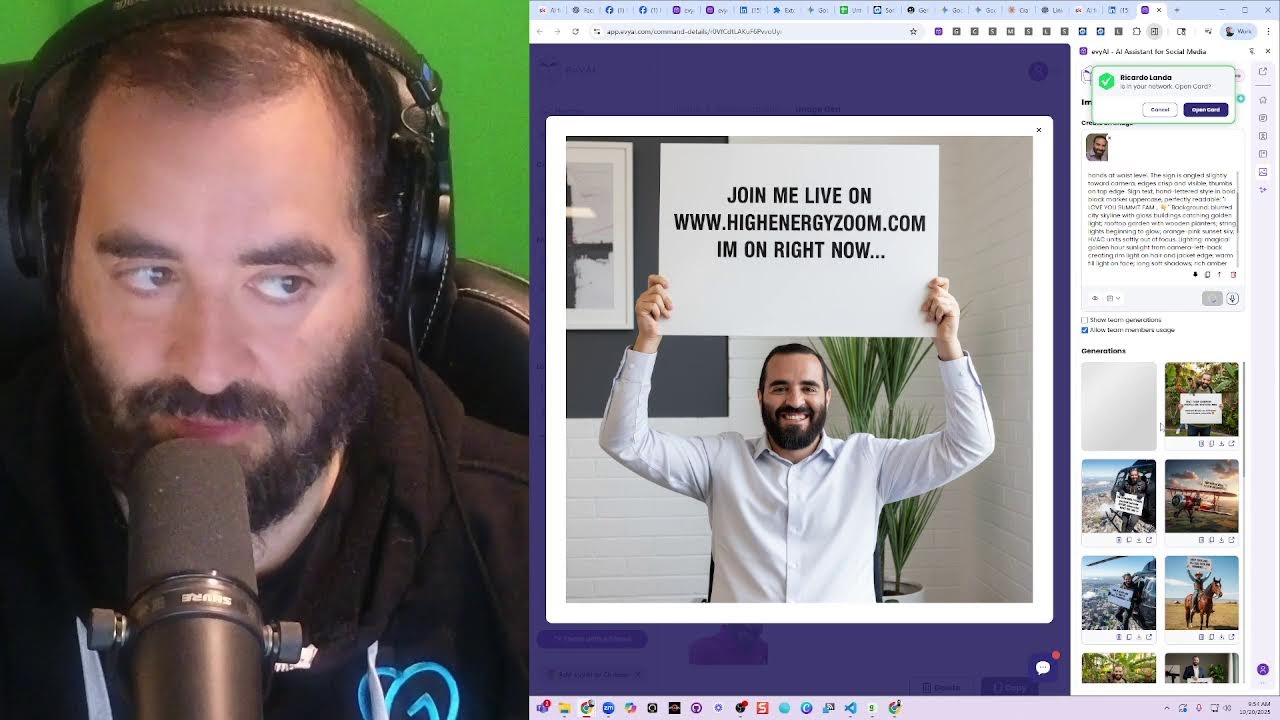
And let's see. Text your LinkedIn profile to 973-841-8868 and Evvy AI will give you a tip about how to improve your profile within— okay, I'm just gonna say that. I'm gonna press create. Let's see what it does. Now I'm going to click on photo and I'm going to— actually, you know what? I don't need to click on photo. I just need to press copy here and paste the photo in here. Text your LinkedIn profile to 973-841-8868 and Evvy AI will give you a tip about how to improve your profile. Want to improve your LinkedIn profile? Send your LinkedIn. Okay, want to improve your LinkedIn profile? Send your profile URL to our AI and let's see what it does after it does some research on you. Let's test this out. My AI assistant is really smart. Give people tips with With Evvy AI. So go ahead and text us and see what you can drum up for you. Looking forward to giving you profile optimization tips. Boom. Okay, so now I'm going to press post. I'm actually going to schedule this for, for 9:45 AM today. That's in about an hour. All right, I'm going to press schedule. So I just scheduled a post with a photo of me on LinkedIn with me having a monkey on my back. How cool is that?
Wow.
Let's just see what happens. Let's see if that shows up. In the meantime, let's comment on Gary Vaynerchuk's post. Okay, um, I'm gonna go to my own profile. I'm gonna go here. I'm gonna click on comment. I just wanna see. Okay. Troy said it's juicy. I already messaged him. Oh, Troy replied. Join Henry's in that content. We're meeting with 50 people. Let's see what he says. I want him to come to my next event. Oh my goodness! I have an idea. I have an idea. I have an idea. I have an idea. I just thought of an idea. What if? Listen to this. What if I did a search on LinkedIn for all the coaches I'm connected to. I just search coaches and I click on people, and then I click on first-degree people. These are just people I'm connected to right now. And I wanted to find out from all the coaches that I'm connected to right now, first-degree coaches that I'm connected to right now— oh my God, there's something missing on the bottom here. Let me hit refresh. There's like a next page missing. Okay, it was missing in there. I have so many. Now what I want to do is I want to find ones that are maybe a business coach. Show results. Only one? Oh my goodness. Only one business coach? Why are you the only business coach that comes up for business coach? When I filter for business coaches, I wonder what you did right. Okay. Let's see what he said. Oh, we went back and forth quite a bit back in 2021. Okay. I'm going to switch out a business coach and I'm going to say any job title.
Okay.
Oh, he's hiring a business coach. He's hiring a business coach. I see you are hiring a business coach.
Okay.
Okay, now I can see who's actually online, like Jason Miller. I am hosting a posting party. On energy Zoom at 10:00 AM, we are meeting with 50 people. If you want to join, you are invited. Okay. I'm going to press send. Okay. So now I want to promote this just to people who have a green dot. You see that? So instead of hiring any job title, I'm going to say locations, United States. Okay, so now I have a lot of people here, so I'm gonna go for the green dots. Um, should I also go for these? I'll also go for the green dots. Okay, so there's different types of people. And by the way, I created an extension that helps me be able to make sense out of all this. I'm going to do reset all data. Let's just see if I can refresh this page. Monitor on. Okay. I'm going to press next. Okay. So what I'm doing here is I'm just simply identifying who's online and who's not online here. For some reason, the headline is not being picked up. There's clearly a headline here. Location's not being picked up, but the status is, which I like. So let me fix this extension. Let me turn the monitor off. Let me fix this extension. So how do I fix this extension? I right-click on it. I click on Manage Extension. And then I take the whole entire extension and then I drag it into Gemini. Here's what I'm going to do. I'm going to fix this extension right now. I'm going to click here, click, click, click, click. And this is me just messing around, testing out something that will help me be able to make sense out of my current connections. Okay, so I'm going to go here and I'm going to say, for some reason it's not Picking up location or—
Or what?
Or headline. Or headline. Can you see if the selectors changed and tell me what to fix? Do not mess up the rest of the code. As it works now, just the selectors, I think, need to be updated. Okay, now I need to give it the actual code. I need to give it the actual code. So let's give it the actual code. Let's find someone who has— oh, and followers. And followers don't work either. Hang on a second. Location, degree, date saved. Uh, yeah, I don't know. I thought we had followers too, but whatever, I guess we don't. Copy table. Let me check. Copy table. Sheets.new. Paste. Oh, followers. Okay, so headline, followers, location. Let's see. Um, it's like, did not mess up the rest as it works. It's not picking up location. It's not picking up headline, followers, and location. If you can see what selections need to be changed and updated. Okay, let's see. I'm going to click on inspect. I'm going to click on this here. Okay, right-click. All right, let's just see what happens. Hit save. Okay, let's see what it's going to do. Let's see what Gemini does here, how it's going to fix it. Evaluating the scope, isolating the code's flaw. All right, let's see what else is going on over here in the meantime, in the backend. Um, if you never wrote a book, here's my process after writing 5 books. It's much simpler than most people think, and simple doesn't mean easy. It's hard work to write a book. Well, hang on a second. Do I have something going on right now that I need to be at? I have a call starting in a few minutes. Who is this person? I have a call starting in a few minutes. Okay, I have a call from a lead that took us the trip to Dubai. He took a trip to Dubai. Are you still able to Okay, let's see what he says. Let's see what Gemini said. Okay, the old container was this. It's no longer used. The new container is this. Looks like they should still work correctly. Is there a way to fix it so it does not rely on selectors and instead looks— All right, let's see. Everyone comments on my post. The fastest way to reply to comments is to use our extension and to use a keyboard shortcut from our extension like this, you see. Okay. This guy just blocked me. That's great. He hit me up, and then he blocked me. Wonderful. Yes, relying on auto-generated classes is brittle, and it keeps breaking. You're right. Essentially, the name, headline, and location appear in 3 consecutive— here's the block to update your sidepanel.js. Replace it with the new block. Uh, give me the full sidepanel.js. All right, let's just see what it does. It's just gonna give me the full thing. I love this. I love this tech. Okay, so now what I'm gonna do is I'm going to open that folder, final Chrome extensions. Okay, sidepanel.js. I'm going to press copy, Ctrl+A, Ctrl+V, Ctrl+S, and then I'm going to click on extensions and reload this extension and hope for the best. Hope that it works. I'm gonna go here, grab this, bring this back in here, and we'll test this out now. I'm gonna reset all data. I'm gonna go back to 1, turn monitor on. Okay, and let's see, headline. Mutuals, everything is here. And I'm going to press copy table. And let's see if it gives me all the data. Add a new one. Okay, great. All right, good. That worked. Um, it only picked up Lindsay's followers. So let's just see. Everyone else is missing. Yeah, Lindsay has 38K. Nobody else has. Followers. Okay, good. All right, so that worked. That was nice. We fixed it. Good to know. Good to know that we have a working piece of technology. Um, yeah, so, so it's nice to have the ability to use this tech in a way that saves a lot of time. All right, let's see. So I messaged this person many, many times. She never responded to anything. She has 2,000 followers on LinkedIn. She posted last 3 weeks ago. And let's see what she does. Barbara says, thank you so much, just experimenting. Your tools— let's see what she writes over here. Your tools make it much— your tools make creative play feel like innovation. That's nice. That's nice, Barb. Thank you. All right, let's take a look at my profile and see if anybody commented on my recent posts. Oh, look at this one over here. This one I posted an hour ago, and I tagged all these peeps: Penny, Anshuma, Barbara, Rick, Mindy. Did Mindy comment twice? Let's do it. Robert said, "I'm gonna press all two." Okay, now I want to prep for my 10 AM meeting. For my 10 AM meeting. See you at 10 AM. See you at 10 AM. See you at 10 AM. Okay. Insane how quickly I'm able to reply to all these comments. Um, let's take a look and see how I can prep. So the way that I'm going to prep is I'm going to go to skool.com, and then what I'm going to do is, first of all, I'm going to look at my own profile just to kind of see. Oh, I totally messed up. No activities on Monday. How could that be? No activities on Monday. Sunday fun day brunch.
Scan.
I'm going to like all. You see, this is called a School Liker Pro, so I go from 0 activities on a Monday to 26 activities in just a few seconds. Hey, you showed us a recent post where you find these templates. You could work and insert ourselves in photos. You had a page of them somewhere. Check the classroom under library. Uh, yes, in library. I was in the wrong place. Thank you so much. Okay. All right, so now let's see how many activities I have now. I have 28 activities today. Look at that. So I screwed up because I was supposed to have 10 activities on this day, on Saturday, but I took Saturday off. And because I took Saturday off It totally screwed up, screwed up my algorithm. All right, letting you know how much I appreciate your guidance. I wasn't able to do much. My mother had a stroke. I can't talk about it. She's living in a nursing home. Wow. Sending love. Okay, um, my assistant is calling me, Jen. Let me pick up the phone. Hey Jen, what's going on? Fernando is out. What happened? Okay. So I have a call at 9 AM and then 9:15 I have a demo call?
Yes, because Fernando's not here, so you have to cover it.
Is Juan— is Juan gonna be there? Uh, I'm not sure.
I haven't heard from him.
Could you find out if he's gonna be there? Yeah. It looks like Drew DeVore said no from Duck House. You saw that he declined it?
Yeah.
Ricardo Landa. Is that a follow-up?
He is looking to get back into flood and cybersecurity. Yeah, it looks like it's a follow-up because they said that was a good first call. Wants to look more into the offer.
That's what he said. Okay. Yeah, I think I was— I remember being on that call because all his information is stored in my Evie AI. At 10, I have the posting party, I know. He's a 99%— he's a 99 Hacks prospect.
Okay. And then there's an 11 AM call.
About my 11:00 AM call?
Well, we have a demo running back there.
Freeyan Elizabeth is in the AI circle? Uh, well, yeah, that's what it says on the response. It says she's really interested in heavy AI.
She did auditions but got banned from LinkedIn because of that. She is in AI circles.
That's what it says. She's in AI circles. It doesn't mean she's in the AI circle. Okay, Jen, I'm going to go. I'll see you at 9 o'clock. And then I have Robin Fisher, and then I have Josh and Tammy, and then I have to go to the airport after that. Do you want to do review with leadership? Yeah, at 1 o'clock we could do that while I pack. Then I head to the airport right after that. Actually, you know what? Actually, you know what? Let's not do review with leadership. Leadership till, till I'm at the airport. Let's do it from the airport at 4 PM if possible. Is that possible? Or at 3:30? At 3:30. I'll move it. I'll move it at 3:30 and see if it's possible, because this way, uh, I don't need to do that then. What about the 4:30? 4:30 PM. Oh, I have an— it says Joe Apfelbaum from ABAI is going to do a podcast at 5:30 PM today. That needs to be moved. 5 PM? 5:30 PM, I see a podcast interview. Yeah, move that, because I'm going to be on a flight. Paul Hoskin, I'll be there with Juan. All right, thank you.
Bye.
So that's what I got going on, ladies and gentlemen. That's what I got cooking. So I gotta hop off because I need to do something else. But, uh, yeah, look at this amazing community. Look at these incredible human beings. Do you want to see some of my latest Sora creations? Let's do that. Let's listen to some of my latest Sora creations, see what we think of this. By the way, if you haven't used Sora yet, I highly recommend it. I highly recommend checking out Sora. It is unbelievable what you could do with it.
I highly recommend Joe Apfelbaum as the best LinkedIn trainer around. I'm his client and I get so much value. I highly recommend Joe Apfelbaum as the best LinkedIn trainer around. I'm his client and I get So much value too. I highly recommend Joe Apfelbaum as the—
Kobe Bryant said everything. The 10 AM call? Okay, I'll call Nancy. I'll call her now. Uh, I'm looking I'm looking for her number now. Yep, I have her number and, uh, I'm calling her now. Ringing. All right, bye.
Bye.
Good morning, good afternoon, or good evening, whichever the case may be. This is Nancy Capistran. Thank you so much for calling. Please leave a message after the tone, and I'll get back to you as soon as I'm able. Thank you so much, and have a wonderful day. Hi Nancy, this is Joe Apfelbaum. I just wanted to let you know that Fernando will not be available today to meet you at 10 AM. Um, so we need to reschedule. We're going to email you now letting you know that we need to reschedule for another day. All right, thank you, Nancy. So this is what I did. I took my exact clients and I had them say the following. Me too.
I highly recommend Joe Apfelbaum as the best LinkedIn trainer around. I'm his client and I get so much value. Me too. I highly recommend Joe Apfelbaum as the best LinkedIn trainer around. I'm his client and I get—
So we're gonna do a Rick also. I'm gonna do Rick Cloley. Highly recommend Joe Apfelbaum as the best AI and LinkedIn trainer. I'm his client. Okay, I'm gonna press go, and that's Rick gonna say that about me. Now I'm gonna say Lena. Lena Stutz. I recommend Joe Apfelbaum. And I'm gonna do a hat there. So I'm making testimonials. You see, I have a bunch of testimonials that I'm making. I made one with Rick, one with Lena, and one with Heather. And let's just see what comes out of it. If you guys have not used Evi AI yet, I do recommend that you get Evi AI right now and test it out. It is literally the best artificial intelligence technology out there right now for LinkedIn, Facebook, and other platforms. If you watched the thing about Facebook earlier, you're going to see exactly what we're talking about. Um, really, really powerful stuff. Are you guys watching this right now? If you are, let me know in the chat that you're watching this live. I am multitasking and not paying attention to you because I don't know if anybody's here. Let me just see if anybody's here. Rick says, awesome, Joe. Thank you, Rick. Yeah, and I should probably conclude this session by just saying that, you know, from where we started, Facebook is an extremely powerful platform. And as you can see, many people are responding to me. And I am consistently posting things on Facebook that are, you know, so there's other groups that I'm part of, but I would say if I was gonna, if I was gonna use Facebook, the most important things would be adding friends. That'd be number one, making sure that you add good friends on Facebook. Let me see what the stats are here. There are 3 billion people use Facebook at least once a month. Daily active users, 2.1 billion use it every day. This makes Facebook the largest social media platform in the world. Facebook is available in over 100 languages. More than 90% of users outside the United States. Largest users are in India, United States, Indonesia, and Brazil. 30 to 35 minutes a day on Facebook. Facebook And Instagram together capture 50% of the global social media usage time. Okay. 95% of its revenue comes from advertising. More than 100 million— 10 million advertisers use the Facebook ads platform. Okay. So let's take this and pop it into Facebook. So I'm going to create a post right now on Facebook. This is how you create a post. And I'm going to use an image, and I'm going to go to my downloads, and I'll use this image here. Press next and press post. It's posting on Facebook. I don't know why it's taking so long to post on Facebook. Rick says, I'm here, Joe, and this is good. Okay, I don't know, did it post? Did it not post? I'm gonna click in here. I'm gonna hit next. Okay, not now. So I want to turn this into a presentation. So this is how I'm going to do it. I'm going to go here. I'm going to go to— I'm going to use GenSpark. I'm going to turn this into a presentation. Make this a presentation and tell people that use evviai.com with Facebook. Okay, I'm going to press go. All right, so let's watch this make it a presentation. Make this into an infographic. And then I'm going to take this and I'm going to go to Gemini and I say make this, uh, give me, give me, uh, 30 more stats related to Facebook for generating business. All right, let's just see what happens. I'm going to create a presentation using this. So this is the fastest way to create a presentation. Generate notes, summarize long text, preserve exact text. We're going to select the Evie AI, hit generate, see what it does. And look how much faster this is. This is making my presentation in real time for me. By the way, if you want to learn AI, just say, I want to learn AI in the chat and I'll invite you to our next AI Business Development Circle. I'll tell you how you can join it. It's very, very unique what we do in the AI Circle. So this is, if I wanted a presentation, I need it right away. This is the tool I would use. Look how fast I created this presentation. Crazy, right? Crazy fast. So let me know that if you're interested in coming to our next AI circle. Let me know if Fernando joins. Fast. But if I wanted a high-quality one, let's see. Wow, these are great. Let's see what it does. Wow, look how nice this is. So this is designed much nicer, but it takes a really long time to make each one. So I'm making a presentation for you guys. Let's see what this one does. The client acquisition model. Okay, so from this, so because I used a canvas here, I'm going to turn this into an audio overview. See what it does. It's creating an audio overview of this client acquisition engine canvas that I created. Pretty crazy, right? And we'll listen to it in a minute when it comes out. Okay, now I can take this and turn it into— I can click on share and I can share this with anyone, collaborate, export, and turn it into Google Slides. Or I could export specific PNG files if I want, or make it a PowerPoint. But right now it's turning it into Google Slides. Okay, I'm going to click on click here to view Google Slides. Wow. Okay, not perfect because it messed up one slide, but other than that, not bad. I don't love it, but not bad. Okay, I'm going to close up Gamma because I showed you guys that already. Let's see, GenSpark. GenSpark is busy making me this incredible presentation. Oh, look at that, it finished. It finished the whole presentation. Look how nice that is. By the way, if you think this is nice, say nice in the chat. This is nice. Tell me if this is nice. If this is nice like rice. So Rick, GenSpark allows you to manipulate everything very fast. It allows you to create really good designs and it's really smart at creating really, really nice designs very fast. Gamma has the ultimate speed and it gives you much more control over things. So if you want control over each element over here, it would be a nightmare to control each thing in, in, in GenSpark. But in Gamma, it's really, really easy for you to customize every little element. If I wanted to edit the text over here, it would be much harder for me to edit the text or to edit images or whatever with this tool. With GenSpark, it's hard to edit. Of course I can prompt it and tell it to edit. I'm gonna hit Google Slides here and see what that looks like as a Google Slide. I'm gonna say export. So if you need speed, use Gamma. If you need agility, use Gamma. If you need a really good design and you don't wanna think about it, use GenSpark. That's what I would say, Rick. And thanks for saying that it was a game changer for you and your business. Did he join? I'm on demo call, he said. Let's see, let me join demo call. Hey, Juan. Hey, nobody joined yet? Not yet, Joe. Okay, I'm on LinkedIn Live right now, just FYI. Okay, I'm showing how to use Evie AI with Facebook. Let's just email Ricardo with the link. Okay, I'm gonna hop off this, but I'm gonna stay on LinkedIn Live for a little bit. Okay. Okay. Okay. Um, okay. So let's see what the audio overview, if it worked yet. I'm gonna refresh this. It's still generating the audio overview. Okay. So we did this, we did this. Did it turn it into a Google Slides? So I don't know if it did it or not. I don't remember. I think it did it. I'm not sure if it did or didn't, but we'll find out now in a second. Okay, so what questions do you guys have for me? Do you have any questions about anything? I'm going to check to see if there's any questions, comments, concerns, anything you guys are wondering about. I concur, you should use Evie AI as a productivity tool for biz dev. Okay, so where is my Google Slides? I don't know where my Google Slides are. Okay, so let's look at the stats. Tap into the world's largest professional social network. 3.5 billion people, 2.5 billion active daily active users. Largest social platform, 100 languages, 90 people outside the US. Top markets by users: India, US, Indonesia, and Brazil. Facebook Lite, optimized version for regions with slower internet. User engagement on Facebook, 30 to 35 minutes a day. Mobile access, 98%. 95% of its revenue comes from this. 10 million active advertisers. Popular Facebook features, Facebook Groups. I would say Facebook Groups, Facebook Messenger. I don't really do Facebook Marketplace, but although I should explore it more. And then Reels, I definitely do Reels. And I use Sora too to send Reels. So I would say these 3 I definitely use a lot. Uh, core user base, primary audience is adults 24 to 44. Younger demographic, teens and younger prefer alternative platforms and different formats. Okay, good. Uh, multi-generational appeal. Okay, groups marketplace, all ages. Automated engagement, automate engagement, use AI-powered tools. Facebook Pages and Messenger, tap into the ad ecosystem and scale your business. Okay, get started today, vei.com. Okay, so let's talk about Facebook for a minute. Let's go into Facebook. So what are the things that you need to do on Facebook to be successful? Like, how do I get business from Facebook? I would say number one is post regularly. Oh my God, I love this. After a whirlwind of weeks, I had to visualize success. I created a little inspiration. I love that. I love that. I love that so much. Well done. Now I can comment Like that, I love that so much, well done. You see that? That's good. That's a good comment. But if I wanted to use Evie AI, I would click on content. I would click on not EO Facebook, but Facebook post response. I would select all this, right-click, send it to Evie AI side panel, hit generate. And then once it generates a really nice comment for me, I press insert. Alicia, your post is like a burst of sunshine on a Monday morning. I love how you're cruising through life with a pink G-Wagon vibe. Wow. Okay, so compare the 2 comments. Comment 1, I love this so much, well done. Or this one here. They're both good comments, just this one is so much more well thought out than the other one. It might be a little too AI-ish for most people. But I kind of like it. Um, that's my thought process. Uh, let's see. No. All right, let's just see what's going on over here. Um, oh, networking one-sheet party. Is that the party we're having today? I thought we were having a goal-setting party. Let me check. It's a networking one-sheet party. Oh yeah, it is a one-sheet party. Ooh, that's exciting. Um, that is very exciting. I'm gonna press share. This is going to be fun. Share now. Let's see what that looks like on my profile. So if you want to go to your own profile, you click on Joe Apfelbaum like this. And as you can see, this is going to be fun. I wrote— you see, this is my little Facebook. Okay, so I posted an image. Let's see if anybody commented. I'm gonna press reply. So these are all the Reels that I keep posting. You see, I keep posting Reels here. So I'll show you how to post a Reel to Facebook. This is how you repost a Reel. You click over here where it says Reel, and then you click on Add Video, and then it asks you what video you want to add.
Oh yeah, feel that groove! Watch this move! Boom! Dancing like a chicken! Can't touch this sparkle. Oh yeah, feel that groove. Watch this move. Boom! Dancing like a—
Okay, so that's Mojo Boom Boom. So now I'm processing that reel with Mojo Boom Boom. You see, that's Mojo Boom Boom. Now my reel is ready. That's what it looks like.
Oh yeah, feel that groove, watch this move, boom, dancing like a champ, can't touch this sparkle. Oh yeah, feel that groove, watch this move, boom, dancing like a champ, can't touch this sparkle. Can't touch this sparkle.
Okay, so that's Mojo Boom Boom right there. Um, let's see what Gabrielly says. Stay awesome. Okay, so let's, let's come up with ideas for nice things to say to people today. Let's go to Gemini. Come up with at least 100 nice things to say to your LinkedIn connections today out of the blue, even if you don't know them well. Something so nice it would make them feel good about themselves without being Too specific. Um, do not sound like AI, sound really natural but not over the top and not fake. Something heart-centered but not weird like I'm hitting on them. All right, let's just see what happens. And let's see if each one does it. I'm going to do Claude also. Let's see what Claude does. I'm going to say, make this prompt 10x better. Oh, I like this one. Just a quick note to say I really appreciate the way you present yourself online. Okay, so we're gonna go into templates and we're gonna say nice notes DMs. Uh, we're gonna— what should we call this? What should we call this? What should we call I like this. Now we're going to take this. We're going to go to ChatGPT and we're going to say, make this prompt reflect the voice of Joe Apfelbaum in the messages. Make the prompt better. Retry. Okay, let's see. Let's go new chat. See what it does. Connection uplift to positive send. The appreciation of the genuine random acts of kindness. Kind DMs. I'm going to call them kind DMs. Okay, so I created a new list called Kind DMs, and then we're gonna take this one and just save it here, Kind DM 1, and we're gonna just bring them up. OK, give me 10.
OK.
You carry yourself with a calm confidence. The way you show up with intention says a lot about your character. You have an energy that feels steady and genuine. It feels like a lot of trust in every space that you're in. Um, add something about how I enjoy being connected. Ooh, this one's really good. Steady presence. Kind DMs. I noticed you on LinkedIn today and it reminded me of why I value being— why I value being connected. You have a grounded presence that brings calm and clarity without needing to say much. Save. Yes, quiet leadership. Oh, this one's really good. Kind DM too. This one is called Quiet Leadership. Seeing you show up here today reminded me of how much I appreciate our connection. You lead with subtle, steady way of carrying a real weight. I like that. Authentic Energy. Ooh, that one's good. That one's gonna be really good. This one says, I'm grateful we're connected on LinkedIn. Just seeing you show up on my feed today was a kind reminder how authenticity can speak Can speak louder than volume. Okay. A trust builder. Every time I see you here, remind me why I appreciate this connection. You have a trustworthy presence that makes people feel grounded. Kind DMs. I came across your name today and I felt grateful for the connection. You bring a calm confidence that has value. of being who you are. Um, kind DMs. Um, thoughtful presence. I'm glad we're connected. I saw you on LinkedIn today. Remind me of how you— how rare it is to find people who move with intention the way you do. Ooh, that's a good one. Kind DMs. Okay. And interestingly, that made me appreciate our connection. I don't have— we don't have to speak often to make an impact. We have our one-sheet party coming up. We have the unspoken impact. All right, so let's start thinking about this. Let's stop for a second. Integrity first, natural respect. Okay, so what I'm gonna do is I'm gonna take these templates here and put it in our community. I like these templates. I'm gonna go to school and I'm gonna say, Kind message templates. I had a thought today. Words have power, so why not send kind messages to people on LinkedIn out of the blue and just see what happens? Pick a list of, let's say, 100 people and send out kind messages to them. Here are 14 examples that are in my voice, but take them and shape them into your voice. Okay, I'm going to make this bigger because I need to categorize them. Post. Okay. All right, so let's go ahead and have a one-sheet party now. A one-sheet posting party. Ooh, this is exciting. And why is this exciting? This is exciting because, you know, I haven't posted my one-sheet in a while, and it's time for me to kind of take a look at my one-sheet and think about my one-sheet. Let's see what Amber says. Thank you so much. It's going on vacation. Sounds good. Paul says we've been blessed. Okay. I'm going to click on, see what's going on here. So, okay. So this is what we're going to do. We're going to go to Canva. We're actually going to go to Canva from a different profile. Canva. And we're going to look up one sheet. And we're going to say My Designs, and here it is, Business Networking One Sheet. All right, so we here have several versions of the Business Networking One Sheets. Wow. Okay. I'm going to press Share. I'm going to press Download. And we're going to pick a PNG file. I'm just going to do one. Done. Download. And I just downloaded my business networking one sheet. You see that? Now I'm going to post it on LinkedIn in a couple of minutes. I'm not going to post it right now, but I have it downloaded. And what am I going to write about it? I'm going to actually ask Evie AI what to say about it. I'm going to try that out. Business networking one sheet. Go into here. I'm going to go into here about I'm gonna make sure I have the right— Let's just see what happens. I did schedule something.
Okay, great.
So now what I'm gonna do is I'm gonna go to— so first of all, has anyone been commenting on my posts and I haven't seen it? Let me quickly check. I'm gonna refresh my recent activity just to kind of see. No, nobody's been commenting on my posts. That's good. Most recent. Okay, we're good. We're good. We're pretty clean. Um, so I'm going to go ahead and post in the community right now. I'm going to click on post and I'm going to get— I have a template, a posting party template that I saved. Okay, so this is posting party number 20, I believe. Let me see the last posting party that we did. I think it's 21. 21. Wow, we had so many posting parties. I'm just gonna say just posts. I just did just posts. Story bank party 20. Okay, so we're gonna, we're gonna do 21. We're gonna do 21. 21 posting party 21. Today's 10/20, and this is the 20th posting party of the year. The 21st posting party of the year. Posting party number 21, post your links. So this is how I do it. I click on start a new post, posting party number 21, post your links. You see? And then I click this and I say posting parties and events. I click GIF. And I add a GIF. In this case, I'm going to do these 2 people jumping up and down. Then I'm going to say, dear everyone, welcome to our 21st hosting party of the year. We're 50, we're over 75%, 80%. Today at 10 AM, 10:20. Um, here are the resources. Okay, so I'm going to copy, dear Evie AI friends. All right, so what are the resources? So the resources is going to be the Bulk Link Opener 4. So we're going to put in the Bulk Link Opener 4, Bulk Link Opener, because we just have the number 4 now. Um, let's find Bulk Link Opener 4. Bulk Link Opener 4. Okay, I'll show them how to use Bulk Link Opener 4. We added keyboard shortcuts. And drag. Okay, then URL clean opener, use a new one, and then that. Okay, and then our directory. All right, the goal is to have 1,000 people who are using Evie every day. Important resources. Okay, bulk link opener for. That makes sense. Now let's see if we can turn this on. No, I can only send it every 72 hours, so I can't email it to everyone. All right, so posting party number 21, 10:20, da da da da, 21 parties, da da da da da da da da, how to participate, blah blah blah blah blah. Okay, good. So I'm gonna go ahead and hit post. I just posted it. Now somebody did ask me a question about this. So I'm posting this here. Yes. Okay, I'm posting that there. All right, so people are already commenting here, which is nice. I'm going to go ahead and leave a comment on these posts using Evie AI. And then I'm gonna grab my own post. This is how I find my latest post. I scheduled it for 9:45. Grab my own post and post it right here. I'm gonna grab Jane's post, grab a Phillips post.
Penny's post.
We're about to start the posting party now. The one-sheet party we're starting. Um, I'm curious to know if you guys are watching this live right now or not, because I'm going to stop the— I'm going to stop the share in just a second. And if you want to join me, just come to highenergyzoom.com. This is it right over— let's see where High Energy Zoom is.
Yeah.
Check this out. Boom! Join me live right now on highenergyzoom.com.
Hooray!
High Energy Zoom!
Yay!
So go ahead, join me live there. That's where we're gonna be. Actually, you know what I should do? I should go to Suno and talk about the one-sheet party. Create a song. All right, here we go. One Sheet Vibes, that's the name of the song. Let's see what it does. Should we do one sheet vibes?
Here we go. One sheet, one crew, 25 in the year, posting party popping off, bring your network near, LinkedIn lit, no luck in the dark, we engage spark flames, leave a digital mark, profile shining, connections aligning, no ghost mode here, it's all about refining, building bridges, not just scroll to One sheet magic, that's the key, that's the key, key. One sheet magic, that's the key, that's the key. Scroll stoppers in the feed, watch them pause. Hit the like, drop a gem, applause, applause. We're not just talking now, we're making it real. Referrals on deck, yeah, you know the deal. Tag your name, give the credit, spread the wealth, spread the wealth. Growing businesses is good for your health, for your health. Every day we thrive, no solo Together we rise. Every post takes flight. No lurking in shadows. We shine in the stream. Every post, every comment builds the dream. Learning the story, connecting the dots. The more we give, the more we got. One sheet magic. That's the key. That's the key. One sheet magic, that's the key.
That's the key.
One sheet magic, that's the key.
That's the key.
One sheet magic, that's the key.
That's the key.
One sheet, one crew, 25 in the year. Posting party popping off, bring your network near. LinkedIn lit, no lurking in the dark. We engage, spark flames, leave a digital mark. Profile shining, connections aligning. No ghost mode here, it's all about refining. Building bridges, not just scrolling feeds. Dropping comments, Planting business seeds, it's a posting party. Today's the vibe, we grow together, keep the energy alive. LinkedIn network, let the world see. One sheet magic, that's the key. Scroll stoppers in the feed, watch them pause. Hit the like, drop a gem, applause, applause. We're not just talking, nah, we're making it real. Referrals on deck, yeah, you know the deal. Tag a name, give the credit, spread the wealth. Growing businesses, it's good for your health. Every year we thrive, no solo flight. Together we rise, every post takes flight. No lurking in shadows, we shine in the stream. Every post, every comment builds a dream. Learning each story, connecting the dots. The more we give, the more we've got. Got, got, got, got, got, got, got, got. Everybody gotta be the boss of everybody. Yeah, yeah, uh, every day got me tapping fingers, burning on the keys, comments popping faster than a rumor in the breeze. From Brooklyn stoops to Dubai skies, I'm Worldwide, Joe F. Album, the deal closer. Watch the tide rise, LinkedIn grind. I'm the algorithm's muse. Post messages, follow-ups, I never snooze. Teaching thousands daily, got the whole squad inspired. You want this hustle blueprint, baby, I'm hardwired. Come and post message, do it, baby, do it. Deals don't close themselves, you gotta move fluid. From Brooklyn to Dubai, no stopping, no rest. Maybe ain't a secret, I'm the one who's blessed. Who's blessed? Every year, the secret. I'm the one who's blessed. Who's blessed? Every year, the secret. I'm the one who they wonder how I do it, how I stay in the race. Every year got me sprinting. I'm you saying with the pace. Every no, but maybe. Every maybe's a yes. I'm the follow-up king. Never settle for less. Teaching one K strong how to master the grind. Closing deals like doors when it's windy outside. Comments crackle, posts pop, messages ignite. Joe's hustle like the sun, it's always shining bright. Comment, post, message, do it baby, do it. Deals don't close themselves, you gotta move fluid. From Brooklyn to Dubai, no stopping, no rest. Heavy ain't a secret, I'm the one who's blessed. Who's blessed? Heavy ain't a secret, I'm the one who's blessed.
Recording in progress.
Who's blessed? Ava got me tapping fingers burning on the keys. Whoa, yeah, uh, uh, one sheet flying, posters aligning. Ava cooking algorithms designing, not lurking in shadows now we out here. Network game strong, the vibe crystal clear. Quarterly magic happens 25 times. Linking on LinkedIn in rhythm and rhymes, not just connections, we building a tribe. Business referrals with a growth state vibe. It's the one she fiesta. We post and we play. Engage with intention. No ghosts in the fray. We grow together, no solo charade. Heavy hitters spark. LinkedIn's parade. Click, clack, keyboards talking, profiles popping, ain't nobody stopping. From lurk to lead, the network breathe. Planting seeds of biz, growing what we need. Calming storms, likes in the mix.
Dropping gems, not tricks, just solid clicks.
Engagement muscle flexing, brains all connecting, heavy A stepping, algorithms protecting. We learn, we laugh, we share, we rise, no passive scrolling, we amplify. Whoa, yeah, yeah!
Isn't this fun, ladies and gentlemen? Isn't it so much more fun to have a little custom music for us for our one-sheet party? Before we begin, isn't that so much more fun than just having a standard just like sitting around? Let's listen to the second version of the One Sheet Fiesta.
One sheet flying posters aligning every year cooking algorithms designing.
More from Joe


How to Beat the Algorithm: Remove Hidden Watermarks & Scale Content with evyAI









AEO & GEO: SEO's Future Explained! Master Answer & Generative Engines! #shorts