How to use LinkedIn daily and get results! // evyAI.com Tutorial
Joe Apfelbaum shows how to use the Evy AI Chrome extension to automate LinkedIn outreach: generate personalized comments, monitor profile viewers, summarize profiles in seconds, and schedule posts. He walks through real examples with named prospects and explains how to turn daily LinkedIn activity into a sales pipeline.
Chapters
Let's talk about how to use LinkedIn to be able to grow your business. Many people have no idea the power of using LinkedIn. LinkedIn has really changed my life and has changed so many other people's lives as well, because LinkedIn is the world's largest professional social network. There's a billion people that are using LinkedIn right now. And if you're not leveraging LinkedIn, then you're missing out on an opportunity to connect with human beings and build real relationships. I'm gonna show you a couple things that you can do with artificial intelligence on LinkedIn today. Make sure to hit that repost button if you're watching live or if you're watching the replay. Also give it a like, a heart, a little light bulb. Let me know what city you're dialing in from. I know for many of you it's pretty early right now, but you might be catching the replay later. So just put in your city and let me know what you're up to. A brief intro on me. My name is Joe Apfelbaum. I'm the CEO of Ajax Union, a B2B digital marketing agency. And I've been training people on how to leverage LinkedIn to be able to grow their business. One of the things that I talk a lot about is using LinkedIn with a strategy because the right strategy will save you a decade. So one of the things I do is I go on the feed and I look for people that I know and I just drop a comment. Now, when I'm dropping comments, I'm using artificial intelligence to help me draft the comment initially. And the reason I do that is because using AI helps me be able to be more creative. So for example, over here, I'm leaving a comment for Katie. Your approach and sending of is commendable as a canine companion. So I'm doing it as a dog. I'm not gonna sit here and create a comment as a dog without being a dog. So how did I create a comment as a dog on LinkedIn? I first created a page and then I swapped to the dog page and then I used Evie AI, an AI tool that helps me be able to write with any personas. I wanted to show you that any persona is available. So now I'm gonna— I selected myself and now I'm going to use my own persona and leave her a comment as well. So I left her 2 comments, one comment from me and one comment from my dog. So you see that? I found the personal development plays a key role in resilience about empowering individuals. All right, boom. I'm gonna write happy Hanukkah. Okay, so the comment was personalized completely by me, but it was— it helps me be able to kind of type it up in a way that saves me a ton of time and that seems even more personable. All right, let's take a look at my profile and see a couple things that we can do today right now using artificial intelligence. Well, the first thing I want to do is I want to see who's commenting here. So go ahead, give it a little repost. Give it a little heart or a light bulb if you're watching this live and let me know what you do for a living. What do you do for a living? Now, if I go to somebody's profile, I'm going to go to my profile viewers. This is something I check every single morning, who looked at my profile. So I noticed this guy, Shuli Ashkenazi, looked at my profile 1 minute ago. Cool. So I pull up Shuli's profile and I see what he's up to, where he's at. You see, I could even WhatsApp him directly. So why not? Let's WhatsApp him. What happens if I click on this? I'm not going to WhatsApp him right now, but technically speaking, I would totally WhatsApp him. I see that he posted something 5 days ago, so I'm going to drop a comment. Look how quickly I'm able to drop a comment. 1, 2, 3, and it just writes the whole comment here. Reaching out to co-founders can be a challenge, but here's a few tips that might help. First, personalize your approach. Second, focusing on building relationships. Okay, so let's see. 100 people in 13 days. Do you have any tips? By the way, leaving comments like this also helps when calling people. Imagine me calling you after a long comment. Okay, see that? I just left him a whole nice long comment, and then I also gave him a bunch of tips. Now most of these tips were not written by me, and if you're wondering what tool I'm using, it's called evyai.com. You just can go here, evyai.com, click on Add to Chrome, and you can leave comments, write posts, leave recommendations, reply to direct messages. You can even optimize your profile. Okay, so I find somebody here that I want to build a relationship with. I could send them a birthday message. I could save their profile. I could even summarize their profile using artificial intelligence. I click on the dropdown for Evvy AI. I click on summarize profile, and within 20 seconds it reads this person's entire profile and summarizes it for me. So this is a great way to get started. This is a great tool for you to have in your back pocket. It'll make your life a lot easier. Now, I've also created videos using AI. So if you wanna learn how to use some of these tools, like this video here, I'll play it for you right now.
Introducing the LinkedIn Influencer Summit 2024, a transformative event for LinkedIn users. Discover key strategies from top influencers like Shay Rowbottom with over 600K followers. Learn how to use LinkedIn for business growth and personal branding. Join us virtually on January 17th, 2024, for an afternoon of insightful presentations. Perfect for small business owners, coaches, consultants, and anyone keen to boost their LinkedIn presence. This year, we're focusing on targeted follower growth, AI-enhanced strategies, and gaining impactful engagement. It's a virtual event, Accessible to all and completely free. Don't miss this opportunity to network and learn from the best in the industry. Register now at www.influencersummit2024.com and take your LinkedIn game to the next level.
Okay, so I used artificial intelligence to be able to create that. If you want to learn how to use AI, we actually have a mastermind group that meets on a monthly basis where I walk people through how to use tools Like this. I'm gonna be posting that video on LinkedIn, but this is one particular tool that I use. There's a whole bunch of other tools that I use to create AI-based videos. Here's another one. I wanna see if this one, this one's almost ready. It's 99% done. It'll be ready in a minute. But if you wanna learn how to use AI, just write, I want to learn AI in the comments. And I'll send you some information about our mastermind group that meets once a month. We meet for 3 hours and we come up with your LinkedIn strategy and help you be able to do all the different things. So if you go and view somebody's posts, you'll notice I just posted this right now. I'm gonna give myself a little like, and I'm gonna say, join the Influencer Summit. At www.influencersummit2024.com. Okay, and I just left a comment on my own post. The reason I'm doing that is because I scheduled this post out. If you guys want to learn how to schedule posts on LinkedIn, just click on videos here. And I put out a video right here on learn how to schedule posts on LinkedIn. So if you go to my profile, And then you scroll down to the section called Activity, and then you click on View All Posts, and then you'll be able to see all my posts, including this post right over here. Drop a comment, let me know what city you're dialing in from. I'm dialing in from Brooklyn, New York. So go ahead and drop a comment right now. I'm gonna click on Most Recent, and let me know where you're dialing in from. Also, let me know what you do for a living. I do B2B marketing. See that? Just like that, I wrote B2B marketing. So Brooklyn, New York, B2B marketing. Try to leave a comment and see how that works. Now if I want to see who liked, I can see who liked. I see Yankee liked from Point Design Marketing and Graphics. I see Dr. Cat, I see Malav. So if I want to pull up Yankee here, I just click on his profile. He's based in Israel. You see, he also has a WhatsApp Me button there. He has a connection request waiting to connect with me, so I'm gonna press accept. I'm gonna go here and I'm actually gonna use Evvy AI to say thanks for connecting. You see that? So thank you for engagement. Thanks for the like. On my live, on my LinkedIn Live. Okay, I'm going to press generate. So I can just say, thanks for the like. Thank you for the like on my LinkedIn. I appreciate the engagement. So it kind of just adds a little more oomph to it. That's why I use AI to help me be able to just— if I'm not particularly creative in one day or something like that, so it helps me do that. It helps me be a little more creative. You see he posted this 2 weeks ago about his exciting news about this coming together. So again, I can generate a comment in 1, 2, 3, in about 1 second, just like that. I can tag him, Ctrl+@, and just click on his name. You see that? I just tagged him. Of course, checking my notifications each day is really important. I see Aubrey. Welcome, good to see you, my man. Appreciate you liking this post over here. I'm gonna drop a comment here on his post. You see that? Just drop a comment. 1, 2, 3, like that. Boom. Just like that. Okay, if I want to send him a connection request, check this out. I want to connect with Aubrey on LinkedIn. I'm going to click More. I'm going to click the Connect button. I'm going to click Add a Note. I'm just going to add a quick note over here for him. Okay, I'm going to press Insert, Send. I just sent him a beautiful little connection note over there. Just like that. If somebody sends me a message, Like, for example, Nancy sent me a message. I can reply to her. I could just click thank you, or I can write a more detailed reply using the AI, as you saw before. So what are the things that I do each day on LinkedIn? I check out who viewed my profile, build those relationships with the people that are strategic in my business. I make sure that I send messages to people. I make sure that I send connection requests. I post on LinkedIn like I posted today. If you want to see all the posts that I posted on LinkedIn, go to my profile, go to the section called activity, and you see this little post over here. You'll be able to just click on it. I'm going to copy that and I'm going to drop it into a group message here. I have a group with a bunch of other entrepreneurs, and then I click on their posts. And then I drop comments as well. You see that Chris posted something? I couldn't agree more. Empowering is a key. As a CEO, I believe that providing support and the right tools makes all the difference. But do you see the way my comment is a little bit meatier and people just write, couldn't agree more? You know, like, I— my comments are just a little meatier because I have the opportunity to write a little bit more. And it took me less time to write this than would've taken to even think of writing this. You know what I mean? So if you want to save a ton of time and get noticed by your clients and by your potential clients, using AI is really, really next level. And leaving comments strategically is very powerful as well. So I leave comments every single day, just constantly dropping comments on people's posts, even like Gary Vaynerchuk, for example. I'll go to his post and I'll drop a comment. You see 28 other people commented. I'll drop a comment just like that. I'll offer a couple tips. I'll be super friendly. If I'm using GPT-4, it will take a little bit longer, but the comment will be a lot smarter. It's all about finding the right process. I'm going to press post. And then what I can do is I can go into the comments and I can reply to other people as well. So for example, I can reply to Olga here and build a relationship with Olga. You see that? Build a relationship, friendly. Absolutely, Olga, embracing the journey. So now I'm building a relationship with Olga in the comments.
Zap.
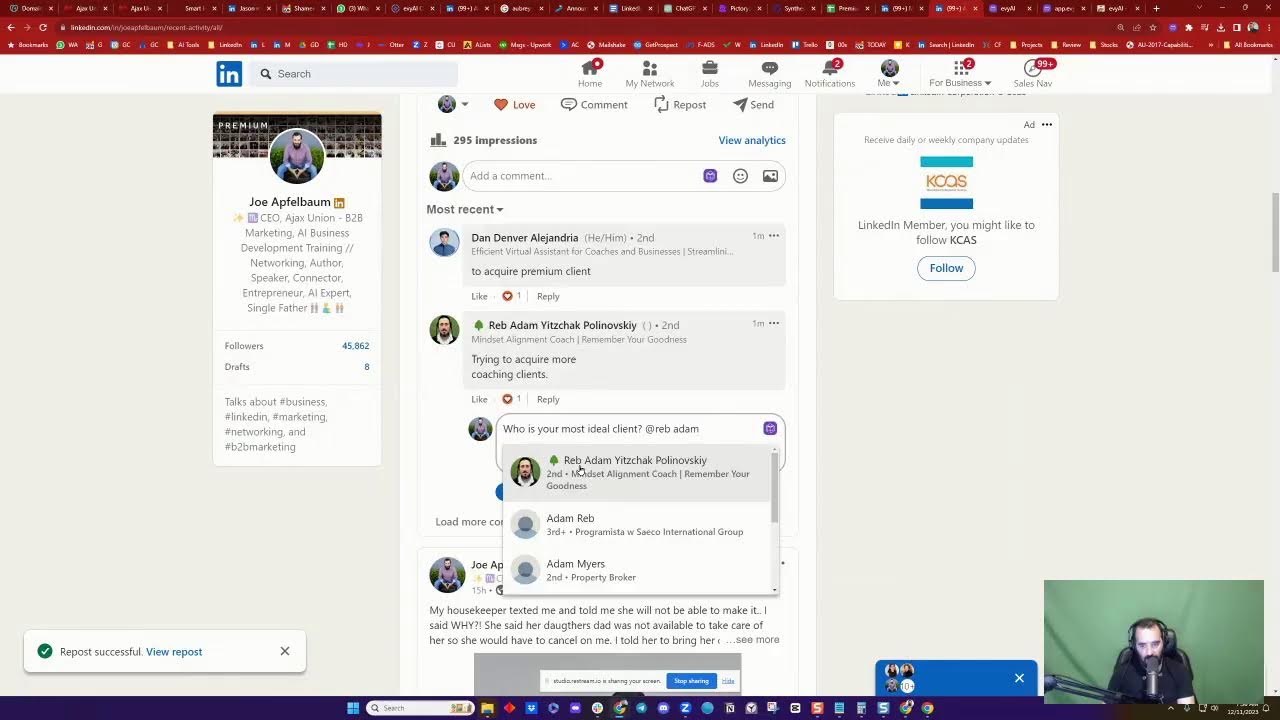
And just like that, now that I replied to her, She's going to get a notification. I click on her post and then I press connect, add a note, and then I can just see because she's active and she's commenting actively, she'll— she's an active person. Okay. I observed your work in digital marketing and personal development. I think we can benefit. I'm going to press send. And now I just sent her a connection request to connect with me. Now I'm going to find this post from a month ago that she posted. She hasn't posted in a month. I'm going to go ahead and drop a comment here. This post probably died 24 hours after she created it, but I'm reviving it by dropping a quick little comment on her post to build a relationship. Olga, you've hit the nail on the head. The importance of a robust referral system. It's like having a well-oiled machine. Okay, that's good. That is true. I agree with that 100%. So you see that I replied to her comment on Gary Vaynerchuk's post. I sent her a custom connection request and I left her a comment all within a minute using artificial intelligence. If you don't believe that that is cool, then You— I can't do anything for you. Tell me what you do for a living. The name of this app that I'm using is called Evy AI. Evy AI, Audrey. Evy AI. You just go to evyai.com and you press Get Started, register for a quick account, download the Google Chrome extension. We have a lot of really positive reviews about this tool. This tool makes keeping updates on my prospects effortlessly, and more importantly, it allows me to connect with the Folks three times faster. So this is a game-changing tool for those of you that really want to be able to leverage LinkedIn properly. It writes summaries. You see the way it wrote up this whole summary about Jacob? I'm going to copy this. I'm going to send him this, and I'm going to say, "What do you think? What do you think about the summary?" My LinkedIn AI just created about you. Okay, so it's a way for me to engage this person because I want to build a relationship with this person that allows me to do business with his company. Now, I don't know if you know this company, ADP, but do you have any idea how many employees ADP has? They have over 10,000 employees on LinkedIn. If I can do business with ADP and get them to use my business or my LinkedIn training or something like that, that would be extremely beneficial to me. But in order for me to get in the door, I need to build relationships with the people that already work there. So that's why I connect with those people on LinkedIn to build a relationship with them and get to know them. Now, although it says that there are 10,000 followers there, there are 98,000 people that say they work at ADP. I know for a fact, based on insider information, that they have 12,000 employees that are in the sales team, 12,000 sales reps. Imagine if they bought Evvy AI for their 12,000 people. Imagine what that would do for my software business. That would be extremely beneficial for me, especially if they also paid me to train their salespeople on how to leverage AI with LinkedIn. That would be very beneficial for me. So that's why I'm building a relationship with the people at those companies, and I'm using LinkedIn to do it. So if you're not leveraging LinkedIn today to get new business, you're really missing out. So let me know what you do for a living. In the comments, and let's talk about a way for us to be able to support you in your role. So Audrey— Aubrey is downloading Evie AI. Now I hope that Aubrey invests in the premium version of Evie AI. And in order for me to help him out, what I'm going to do is I'm going to open up a new ChatGPT window here, and I'm going to create a training on his behalf. How am I going to do that? Well, the first thing I'm going to do is I'm going to have my AI write up a summary about Aubrey. Okay, so I'm going to go here, I'm going to pull up his profile real quick, I'm going to click on Save Profile, I'm going to click the dropdown, Include Summarized Profile. Now my AI is going to read everything about his profile, including his About section, His history, all of his information that's available on his profile. You see that? And it's gonna gimme information. He holds a postgraduate degree from Duke University, demonstrated expertise in property management. I'm gonna copy that information right from here and I'm gonna paste it into my AI software. And now I'm also going to grab a little more information here about his skills and his experience. He's a team leader, managing director, amazing human. We actually had lunch not too long ago. I think it was at a place called Bad Roman. Was it Bad Roman? I think it was Bad Roman. Okay, he has licensing, he has floor planning skills, and so on. Now I don't have a ton of information about him right now. for his AI training. So I'm just gonna Google him, see what comes up. Look at that, vice president with over 15 years experience. Okay, it looks like that is the company he's working for. So I'm just gonna drop that into here as well to give a little more context about him. Now the AI, based on this particular prompt that I gave it, And by the way, we have a class, a mastermind. So write mastermind in the chat, AI mastermind, if you want to join us on Monday. We have a class that walks you through on how to create this type of training specifically for all the different AI that you need in order to grow your business development. It's called the Business Development Circle. So now what I'm going to do is I'm going to send this training data over to Aubrey. You see that? I just created training data about him so that the AI knows who he is, and hopefully he'll want to invest in LinkedIn Premium. I'm gonna click on message Aubrey. I'm gonna send him a message using LinkedIn Sales Navigator. I'm gonna do— call it AI training data about you for persona in Evvy AI. Okay, I'm gonna press send, and I just sent him a message. Hopefully he'll respond to that message that has all his training data, so his name, his industry, his title, his company name, his keywords, professional interests, achievements, all this stuff. Now I also have other information that I can send him. Hopefully he'll accept my connection request. And I'll be able to send them other information. Like for example, I have ideas for posts. You see that? Share tips on implementing green initiatives. So if you log into Evvy AI, on the left side we have a post writer. So with this post writer, I could just write, share tips on how to implement green initiatives today. I could press generate and in under a minute what the AI will do is write a post that is compatible with LinkedIn. This is a very, very powerful feature. Not only am I using Evvy AI to drop comments, create connection notes, reply to direct messages, but I'm also using it to create content that is extremely useful for LinkedIn. So this is very, very beneficial for all of those that want to be able to use LinkedIn properly. LinkedIn's an extremely powerful platform and there are 1 billion people that are currently on this platform. And most people have no idea how it works. So I would encourage you to learn how it works, start using technology, and start getting more clients. Okay, so when you're ready to upgrade to the next level, I'm going to open up Steve's profile as well. Steve, I'm not sure if you're using Evvy AI, but I highly recommend you use it. I see you have 300 followers, 380 followers. That's awesome. I see you commented on a post, but you haven't really posted in the past. So I'm going to save your profile. I'm going to summarize it in just a few seconds. Now, do you see this post that I created for Aubrey? Ever wonder how to turn real estate green portfolio green while saving on costs? Look at that. It explains how to do it in 3 steps. And then it gives you a call to action just like that. Boom. So now what I'm gonna do is I'm gonna copy that. I'm gonna go into, and this is Steve's profile summary, but I'm gonna go back into that post here and I'm gonna leave it as a comment here. And you see it's too long. So I'm gonna drop here. I'm gonna remove this, Ctrl+X. I'm gonna post this as a comment. And then I'm going to post a comment to the comment with a, like, call to action. So now you have it in 2 sections, Aubrey. If you want to grab it, you can go back here and grab it and see the quality of this post. All right, now this is extremely beneficial. Now the training data that I created for Aubrey's profile, that training data is based off prompts, just a simple prompt that I created. And if you want these posting ideas, Aubrey, here are the rest of the posting ideas. I'll post it as a comment as well so you can grab these ideas. Again, this information is all available inside the chat. I'm curious to know what you guys do for a living in the chat. Put it in there. Let me know what city you're dialing in from. If you're dialing in live or if you're watching the replay, let me know in the chat. I'd love to have a conversation with you. This is not just the Joe Show. This is me supporting you and helping you be able to take your business to the next level using LinkedIn. So I would encourage you to join evyai.com, evyai.com. This tutorial over here on my featured section on my website does explain how this works. So I highly recommend you check that out. Now let's see what Steve says. Steve said, appreciate the birthday wishes. Thank you, Steve. Okay, I'm answering this DM on LinkedIn Live, by the way. Okay, as you can see, I go through this and I can see what's going on. So Aubrey just connected with me. I'm going to say thanks for connecting on LinkedIn. Okay, just like that. All right, so as you can see, I'm building relationships with people inside the DM. That's part of what I do. Part of what I do is build relationships. And now if I want to send a connection request to Steve, I just press add a note. You see that? I can choose 3.5 or 4. I like 4. It's a little bit smarter, but it's a little bit slower. I admire your financial expertise as a fellow entrepreneur. Let's share insights. Okay, so I just sent him a connection request. If I want to see all my recent connections, I click on my network. And on the left side, I'm just going to ignore this for now. On the left side, you see it says connections. I have 29,004 connections. Now, MD Namul Islam sent me this thing. It says, I am an SEO expert. Well, that doesn't really help me. So I'm going to ignore that. Just saying that I'm an SEO expert doesn't give me a reason to connect with you. You got to give people a good reason, and the AI is really good at giving people reasons to connect. If someone didn't give me a reason, then I take a look and say, okay, is this person a potential customer for me? Is this person a potential client? I don't know. I would message them. I like messaging people and try to identify why they connected with me. Now, The problem is this is gonna take a credit, and I don't wanna use a credit to message George. So instead, what I'm gonna do is I'm gonna show you guys a little hack. If you click on My Network, and then you click on See All on the top right corner of the invitations, a little message button appears here. And now I can message him for free. Thanks for the connection note. What made you decide to hit the connect button? Okay, now I press send. So now I sent the CEO of this company a little message over here, and I didn't even have to use a credit in order to do that. And I can literally do that to all these people that are waiting to connect with me on LinkedIn. You see that? All these people are waiting to connect with me on LinkedIn. And I can easily send them a little message, right, by clicking on this message button to kind of get to know them and start seeing if they're actually a person that's active on LinkedIn. All right, so I click on send a message. Do you use LinkedIn often? Can you see that? Do you use LinkedIn often? I'm going to press that. I'm going to press accept because I know that guy. And I can send messages to people just like that. Again, these little hacks, these little ways of using LinkedIn can be very beneficial for those of you that want to grow. If somebody, if I see somebody like Helena Baker post something like this, really nice, I just press generate comment. Again, if I had to think about what to write, it would take me a long time, but the AI knows what to write. Hey, Helena, totally agree. I totally get the hesitation when it comes to video marketing. I used to, I totally used to, but it's worth it. I found that being authentic. Okay, I'm going to delete over this. All right, just like that. Boom. Just delete half the comment. Now, Aubrey, what credit are you referring to? He asked. When I send a message on Sales Navigator, I click on messaging on Sales Navigator. You'll see you wrote, this is great, thank you. I use the credit in order to send this message. But once we're connected, you don't need to use a credit. Or even if we're not connected, if you want to be able to message someone that you're not connected to, You can do that if they sent you a connection request using the method that I shared. Aubrey, we should talk about getting you trained on how to leverage this amazing platform. It's a very, very powerful platform. We actually have a training coming up very, very soon. If you go to evergreen.com, evergreen.com, we have a few trainings coming up. We have a LinkedIn training. It's called the One Day Accelerator Program. This LinkedIn training will give you a course and will also give you lots of different things. It'll teach you how to create a strategy, branding, like optimizing your profile, dashboards, everything. It's one full day and it's happening on in March. It's a complete A to Z LinkedIn program that will help you be able to take your business to the next level. So I'll copy the link to that and drop it in the comments for you guys. If you want it, just go to the comments of this video and then you can grab it right there. Now for those of you that are EvAI Premium members, we do offer a special deal on that. Sometimes LinkedIn will fail to post a comment. That's okay. You got to find another way to do it. So in this case, I'm going to go to see all activity here. View all posts. I'm going to scroll down past my LinkedIn Influencer Summit post. I'm going to click here and I'm going to paste it right in there. I'm going to click on more relevant. I'm going to click on more recent. I would like to, boom. I'm going to say thank you so much. So tell me what your goals are with LinkedIn in the chat. Tell me what you're trying to accomplish so I can help you guys actually go ahead and accomplish it. Also, click on the little heart button here. If you guys are watching this live, if you haven't clicked on the heart button yet, click on that heart button. And if you see a button that says repost, click on that repost button as well. Highly recommend reposting things. For example, I'm gonna go to Evie AI as Evie AI. I'm gonna hit the repost button, and now my company page just reposted this particular LinkedIn Live. You see that? That was just reposted. If I want to give myself a round of applause, I just click on round of applause because I can be a company page. You see that? I'm going to give myself a little light bulb. I'm going to give myself a little— so if you want to add a lot of likes quickly, you can do that. You can just do that with your company pages. If you have a bunch of different company pages and you want to quickly get to 10 likes, you see, now I'm at 10 likes. I just liked myself to get to 10 likes. A lot of people don't know that you can do that. A lot of people have no idea that you can like your own posts from different company pages and then increase the amount of likes that you have. So if you have 20 company pages and you want 20 likes, you could just switch to all your different company pages and give yourself a bunch of likes. That is extremely powerful little hack to get to your like goal. Of course, you want to get other users to like your posts, but that's really, really powerful. Tell me what your goals are in the comments. Would love to hear your goals. It looks like Reb Adam Yitzchak Polavinsky says he's trying to acquire more coaching clients. So who's an ideal client for you? Okay, let me switch off to Joe Apfelbaum here, and I'm going to ask him a question. I'm going to be like, who is your ideal client? I'm going to go here, I'm going to go to more recent, more relevant, more recent. I'm going to ask him that question. Who is your most ideal client? Okay, I'm going to press reply. I'm going to tag him, Adam. Okay, I'm going to press reply. Now me and Adam are not connected on LinkedIn yet. You see that he's in Yerushalayim. We're not connected on LinkedIn, but he did send me a connection request. So I'm actually going to go ahead and accept that connection request because Adam could really benefit from my tool. My Evvy AI tool. One of the most important things that you can do is post regularly on LinkedIn and leave comments on other people's posts strategically. This way you're top of mind with them. I would recommend editing your URL here, removing these numbers and removing the tree from your URL. Those are things that are kind of like best practices for LinkedIn. I'm going to actually send you this little direct message here. Just like that, I just sent you a nice direct message that says, I want all my connections to know about an AI that I created called Evvy AI. It helps craft personalized comments on posts, it creates posts for you on any topic. And it optimizes the post for LinkedIn. Now what I'm going to do is I'm going to copy this and I'm going to put it in here and I'm going to say, Rabid, would you mind giving me, letting me know what you think? If you think it's valuable, you see the way I did that? I said that I'd be it. So I changed it from Adam to Rabid so that he knows that I actually wrote that. And when you send a DM with a link and then the link kind of appears here as a preview, it's worth it for you to write it just like, like that. Like just to put another line after at the end to make it— because the person is not necessarily going to read everything that's here, they're going to see the link and then they're going to see what's after it. So that's why I like just copying and pasting the last line over under it. You get it? That makes it just a lot better. All right, let me know What you want to accomplish with LinkedIn. So the first step is knowing who your ideal clients are. If you go to my profile and you scroll down to the section called documents, you'll notice that I posted a networking one-sheet. On my networking one-sheet, I tell you who I want to meet. So who do you want to meet? You see that I posted? Who I wanna meet right over here. Who do you wanna meet? How do you want me to introduce you? What are your skills? What are your current projects? What are you trying to accomplish? This is a powerful little sheet. Now, if you give a sheet, then create a sheet like that. If you need my help creating this sheet, I can create this sheet for you in a matter of minutes using artificial intelligence. Look at that. Look at all these different posts that I posted on LinkedIn. Really, really powerful tools. Now there's one in particular that I want to show you, which is these 3 steps to success on LinkedIn. Look at this. This is what we teach in our 1-day program. We teach you how to create your plan, target the right people, come up with the right promise, the right messaging. Develop your story. These are the things that we teach people how to do. So if you guys want to learn how to do this, say, I want to learn how to use LinkedIn, I'll be more than happy to guide you through the process of using LinkedIn. Anyway, if you can't see the live, no worries, go back and watch the replay. Thank you very much for watching this. Remember, you can always go to evviai.com/upgrade. If you want to be able to get the special deal, we do have a promotion going on right now where it's half price if you prepay for the year. So it's less than 50 cents a day to get unlimited comments, posts, summarizations, direct messages. For just 50 cents a day, you can have an assistant, an AI assistant specifically designed for LinkedIn. So I highly recommend you grab the deal while it's still available today at evyai.com/upgrade. That's E-V-Y-A-I. Thank you very much for being here.
More from Joe


How to Beat the Algorithm: Remove Hidden Watermarks & Scale Content with evyAI









AEO & GEO: SEO's Future Explained! Master Answer & Generative Engines! #shorts