How to use LinkedIn Live to grow your business - 165 LinkedIn Live - Joe Apfelbaum
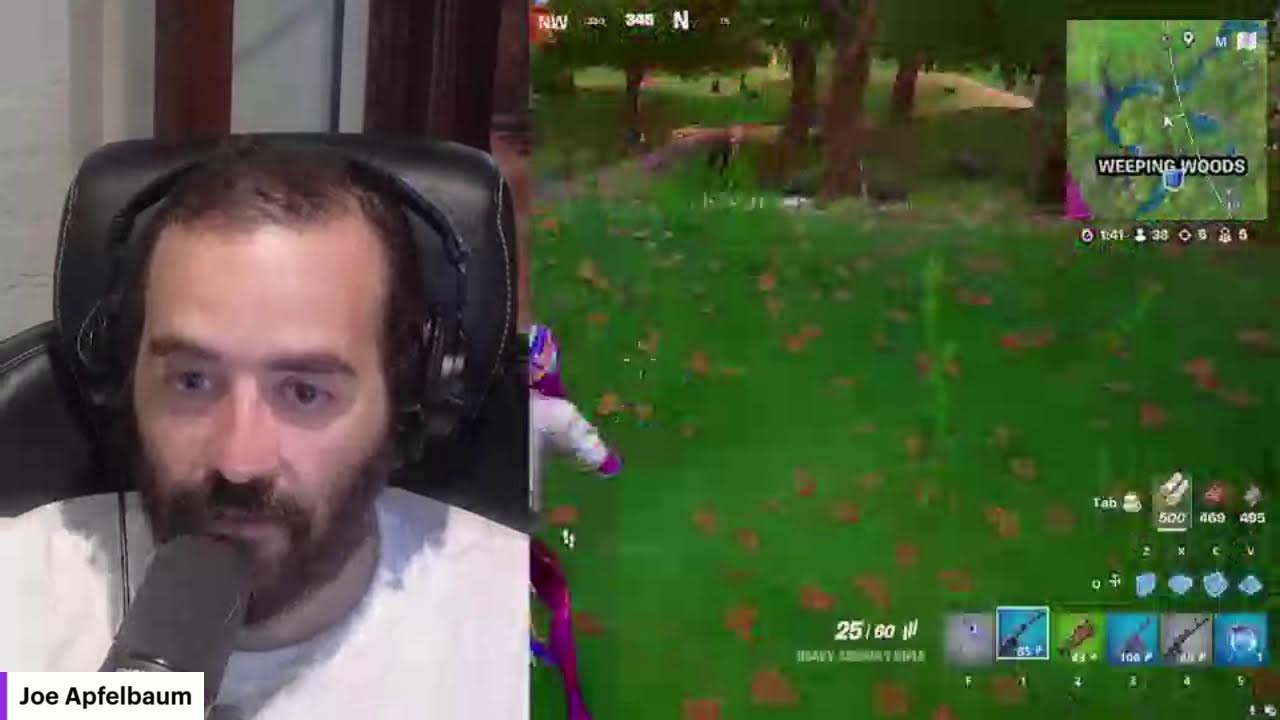
Joe Apfelbaum walks through Evie AI, a platform with tools for prospecting, writing posts, and managing templates. He shows how to save LinkedIn profiles, send personalized DMs using Clipflow, a Chrome extension, and host a LinkedIn Posting Party event to drive engagement.
Chapters
This is the fastest way to get clients from LinkedIn, and most people have no idea.
If you want to check this out, go to evyai.com, click on login.
When you're there, you're going to notice on the left side, you're going to see save profiles, post writer, idea generator, templates, profile optimizer, Personas, Learning Hub, Community, and Demo.
When you click on Community on the left side, and then you click on Discover Our Community, it's gonna open up our school community.
We have 607 members in our community.
We have lots of people that are waiting to enter our community, over 100 in fact, but we're only gonna let people who are very serious about using Evie AI.
And who are serious about growing their business to join the community. For example, Devorah, Mike O'Neill.
These are people who are actually serious about growing their business.
So I'm going to pull up Devorah's profile here on LinkedIn just to kind of show you her profile.
She showed up to our networking event just now.
I'm going to click message and I'm going to send her a message. Thank you so much for joining our posting party today. So nice to meet you. Looking forward to having you at the next one. Okay, I'm gonna press send.
Now what I'm gonna do is I'm gonna save this template into Clipflow, which is a new template tool that I just created.
I'm gonna call it Posting Party Thanks, category DM, paste, paste the text. Let me Double-click on this, copy, paste the text, hit Add Template, and I just added the template right here, Posting Party Thanks. You see it's right here on the bottom. What I want to do is I want to modify this tool to allow me to drag, to drag the templates up and down. So let me Um, let me tell Claude to help me do that. So here's a Chrome extension. I'm gonna say, can you help me add a feature that allows me to drag the cards with the templates up Up, um, up and down to organize them based on priority or based on any way I want to organize. Let's see what it does. All right, look at that. It's adding the function to the side panel, modify the render templates, and boom, add a CSS file. So it gave me all the details on how to do it. So add to CSS head. Okay. Add script to CSS head, and then add to side panel, and then modify render drag handle.
Wow.
Okay, I'm gonna have to do this. Oh, it looks like Jen is saying that Dharma is joining my Zoom. So let me go ahead and pop open Zoom, put on my headphones, and join Dharma on Zoom.
Hey, Dharma.
Let me see.
Hey, Dharma.
Okay. I'm actually going to share my screen so Dharma can see what I'm doing. All right, so I created this little template extension here on the right, this template tool extension that allows me to— I created this template tool extension on the right here That allows me to be able to create templates and add them to the side of my browser. I call it Clip Flow because it's a feature I want to add to Evie AI. So before I add any feature to Evie AI, I need to make sure that that feature is available and it works the way that I want it. And so I keep improving it right now. And so what I'm going to do now is I am going to click on desktop. Uh, actually I'm going to click on documents. Hey Dharma, what's cooking? Final Chrome extensions. Thank you for joining me here today in my coworking hour. Appreciate it. I'm actually on LinkedIn Live right now as well, just so you know. Yeah. Um, I'm going to click on Clipflow, right-click on it. I'm gonna hit compress to zip file. And this way I have a version of Clipflow right over here, which I'm gonna upload to our school community. So where in our school community am I gonna upload it to? So if you go to the top and you click on classroom, you scroll down to Joe Apfelbaum's Beta LinkedIn Extensions. And then I'm gonna click on these 3 dots here and I'm gonna do add a page. And I'm gonna say, Clip Flow, Clip Flow Template Google Chrome Extension. And I'm going to go in here, I'm going to drop this here. Actually, it's not allowing me to drop it. I'm going to first say, here is the Clip Flow Google Chrome Extension for your pleasure. Add a resource file. It's going to say, where is it? It's in Documents, Apple's Creations, Final Chrome Extensions, Clipflow.zip. I'm going to say Clipflow Extension for templates. I'm going to hit add and I'm going to hit save. And now I just saved it here. So if anybody wants this extension, you can go and grab the extension. Now what I'm going to do is I'm going to export all my templates. Export. I just exported my templates and I'm going to add my templates that you can import yourself in. So I'm going to say, add a link, add a resource file. I'm going to go to my downloads and just add this JSON file. Example templates to import. Boom. So now you can have all my templates that I have over here and you can import them and then edit them and make them your own. Pretty cool, right? Promo templates, all categories. So these are promo templates. These are DM templates. Okay. And you can have as many categories as you want. So like, for example, if somebody's saying, Joe, I came to your posting party or whatever it is. Oh, let me go here. Let me add Deborah to Evie AI. I'm gonna hit save profile and I'm gonna add her to the posting party. So now Deborah is in my posting party group. Inside Evie AI, makes my life much easier. Tanisha Jackson. And I'm going to say, thank you for joining our posting party. So she commented on this post over here. She says, it was a really nice event. Thanks for the invite. You gave me a great tip for real estate agents in the room. I'm going to share it with my audience. I'm going to reply and I'm going to say, thank you so much. It was great to meet you. Hopefully see you at the next one. That was very fast. Very, very fast. Okay, so we're gonna, we're gonna have a sidebar here for Evie AI that allows you just to click on anything that you want and then grab it. Um, and then we'll have AI generations also on the side. So I'm kind of testing that out myself, kind of like a beta. So if you want access to this Clip Flow, just say, Joe, I want access, and I'll make sure to give you access. Now I'm also gonna add Tanisha to a list. So I'm gonna click on Tanisha's name here. And as you can see, we're already first-degree connections. I'm gonna hit Save Profile. And then what I'm gonna do is I'm gonna click on the little dropdown, and I'm gonna click Posting Party, just like that. And now she's inside the Posting Party event. That was easy, right? Same thing with Christian. Christian came to the Posting Party. I'm going to send him a quick message. That was the last link I sent him. I'm going to say thanks for coming to the posting party. I'm going to hit save profile. I'm going to save him to that particular list, posting party. And note to self, I want to add a new feature to Evie AI, so I'm going to email the Evie AI team now.
Hello.
I'm going to say last list, last list saved should— saved to should be on top. When I save a profile in the extension to a list, if I'm in a workflow Hello, I need to keep searching for that list. For example, right now I am saving people into a list called Posting Party because I have 20 people I want to save to that list. Every single time I save a person, I have to click on the dropdown, search for that particular list, and then add them to the list. Instead, I want our tool to remember the last list that I saved somebody to So that I could just click on it and it's on top of the list, not that I have to search for it every single time. That's such a pain. Okay, so I'm asking for a feature request just to make my workflow better. Let's see what David Schnurman had to say. David Schnurman. Said, always, I'm not sure if you notice, but I know you don't look at your LinkedIn feed as much, but it would be much worse on the computer versus iPhone. The computer is filled with ads, not so relevant posts, but on iPhone it is on point. I'm gonna say thanks. I strategically go to people's posts that I save inside our technology, which makes me be able to prioritize commenting on the right people instead of randomly commenting on people on the feed.
Okay.
Let's see what Edwin said. Edwin says, I can do this depending on your offer. Please email me. Let's see. Let's see what Edwin said. Edwin is from the Netherlands. Amazing. LinkedIn Accelerator training replay. We have compiled a list of 52 LinkedIn hacks and Strategies. Let's see what this is.
Oh, look at that.
People are liking my templates. So I have a list of templates that I have on the side over here that I included. Now let me just see if anybody's watching me live right now, except I know Dharma's watching me on both on Zoom and maybe even not on Zoom, but let me just see if anybody's here. Guys, if you're watching this live, go ahead and give it a like so that I know you're here. So far I didn't have any likes. So I'm assuming nobody's watching. I'm going to click on someone else's profile, for example, Tammy, and then I'm going to give it a like with a heart from Tammy's profile. I'm also going to hit that repost button. Actually, I'm going to hit the repost button, discard. I'm going to hit the repost button in a different way by going to Joe's profile, clicking on show all posts. Then I'm just going to hit repost without my thoughts. You see that? And this way Tammy can repost it. Love these lives. Well done, Joe. Okay, so now I just shared it from Tammy's profile. Let's see, looks like Dharma also gave it a like. Thank you, Dharma. I'm going to go here to notification. Dharma, if you have any questions, you could also speak your questions. Bob said, great information, I must set one up soon. Okay, so now what I'm going to do is I'm going to go ahead and share with you guys how to create an event. And so this time I'm going to create an event on Tammy's account. Or actually, you know what, I'll do it on the Evie AI company page. Let's try that. Let's try it on the Evie AI company page. So how do you do that? You go to the pages, you go to the company page, and then you go to events. And this is the end of year webinar. Oh, look at that, end of year webinar strategy. So I'm going to go to create, create an event, and it's going to say upload your cover image. I'm going to look for the posting party image. Posting party live. Let's see what that is. Your number exceeds 8 megabytes.
Okay.
Let's see, a posting party. That looks good. I'm going to press apply. So that looks like a posting party. It's gonna say event format. We're gonna say external link. Event name, LinkedIn Posting Party 005. We're gonna say the date is the 25th at 10:00 AM. 10:00 AM, the 25th at 10:00 AM. At 11 a.m. it ends. So it starts at 10, finishes at 11. External link, http://www.highenergyzoom.com. User registration link, http://www.abiai.com/privacy.
Description.
Join us for another amazing posting party. Our goal is to connect with engaged LinkedIn users and for everyone to support each other, build relationships, and grow their business. Speakers. So let's see who the speakers are. The speakers are going to be Tina Larson. It's going to be Dharma. Dharma, are you not liking the page? Do you not like the page?
Yes, just go to— yeah, go to, go to linkedin.com/company/evai.
Joe Apfelbaum.
Tammy.
Let's see who else was at the comp. Who else is going to be there? Probably Ganesh. He didn't like it either. Let's see, Jane, Jane Lehman, Rhonda, Rhonda Scher. Let's see if there's anybody else. Um, Chris Sachs. Let's see if I can add him. Nope, can't add him. Uh, Mike O'Neill. Mike O'Neill. Let's see who else. Who else was at the party?
Was that the part?
Christy Slack. Christy, are you following it? Oh, that's so weird that I can't find you. Let me, let me see if I can find you. I'll go to your— maybe I misspelled your name. Let me see.
Look up.
Let me go to my recent post and find you on my recent post. You do have a unique name, but it it might be hard to maybe hard to remember how to spell it. Let me just see if I can find you here. As a person who commented. I don't think you should change your name. Your name is your name. DH, let me see. Let me go here. Some reason LinkedIn's not showing you up when I, when I try to—
Uh, yeah, I'm not sure.
I'm not sure.
Maybe you're not connected to Tammy.
That's why it's not letting you do it. So I'm just gonna— because Tammy's creating it from her profile. So I'll change that. I'll change that and I'll maybe that's the issue, but I'll fix that.
I'm going to go next.
Now I'm going to write a link from the Evie AI company page, and I'm going to say the same thing here. Want to join a posting party? It's a powerful and exciting networking event. It's going to be boring, but posting parties are exciting. Tell me what you're up to. Are you in for a party? I'm going to say, are you in for Are you in for a party? Want to join on November 25th at 10 AM EST? We are going to have so much fun. Okay, all right, now I'm going to press post. Let's see what happens.
Okay, not now.
I'm going to go to events. Great, LinkedIn posting party. I'm going to copy this URL. I'm going to open it from Joe's account. I'm going to hit accept. I've been invited to speak.
Not now.
I'm going to hit repost. And I'm going to hit really excited to host this amazing event. Event with you guys. Hosting parties are the best. I'm gonna tag you. Okay, I just tagged you in the comments over here. Now I'm gonna go to details, manage, edit event. I'm gonna add you as a speaker, Dharma. There you go. Okay, I just, I just added you as a speaker so you'll see the invite. I'm gonna add Christian, I'll add Deborah, I'll add Dr. Amin. Uh, let's see who else. Yes, you can ask the question now if you'd like. Is there, is there a copay? Uh-huh.
I think that if you want to be able to close deals, you need to have conversations with people.
And conversations will allow you to simply be able to know if what you want to do is ideal or not ideal. That's, that's, that's the thought process. So right now there's no way for me to tell you if it's a good idea or a bad idea because I don't know if people are going to be interested or not, you know. You get what I'm saying?
It's possible. Yeah, it's possible. I mean, I wouldn't, I wouldn't even lose my mind about it. I wouldn't even think it through so much. Just start having conversations with people.
Literally just start getting on the phone with people and telling them what you're looking to do and then seeing where they're at.
Make sense? I wouldn't even overthink it. Like literally your goal is just to have conversations.
Most people are just overthinking, overthinking, overthinking, and they don't end up doing what they need to do to get results.
So instead of, instead of overthinking, let's just start taking action.
Yeah.
Exactly.
Yeah.
Wow, wow, that's very impressive.
Yeah, that's very, very nice.
Congratulations. That's a huge, that's a huge, it's a huge accomplishment to be able to, you know, a lot of people, they don't have the resources, they don't have the tools, they don't have the knowledge, and you are taking it seriously and you're going to be very successful if you learn how to use these tools. And there's very few people teaching this. There's very— and some people teach it, but they don't do it themselves. Right? Like, you're seeing me actually doing the work myself. I don't just, I don't just teach people how to do things. I actually sit down and do it and know how hard it is to be consistent and to do it myself. Like, I know how hard, I know how much time everything takes. And I know, and I, yeah, working people and then having conversations and then being in, in a sales role. Like, I'm in it just like everybody else. You know, I'm not just, you know, hoping that something will happen. I'm actually, I'm actually having conversations with people and building relationships and getting to know people and working in the community and bringing people together in that way. So a lot of the people that are out there that are gurus or that are teaching, they're not actually the ones You know, they're like too big. They're like too big to come down to the level of actually doing it themselves. You know, they're advertising and they're making a bunch of promises and they're like, oh, meet with my team. Meanwhile, they don't make themselves available to speak on the phone with people.
And I'm doing that because I think that's the right way to do it, you know?
A different species? They don't have a right. They don't, they don't have a real business. If you, if you, if you want to sell, if you want to sell a product to somebody, If you want someone to buy your product or buy your service, then you need to talk to them first and have a conversation with them to identify if what you're selling has value. Regardless if it's insurance or not insurance, you need to know if it has value, what you're selling, what you're offering. And most people are just not, they're not doing any of that. I don't know about if you speak to 100 people, should you get 7 or 8 closing? It depends on your offer as well, but you'll know what your closing is. It's not automatic. If you speak to 100 people and you just make noise in their ear, I don't know that those— no one's going to close. But if you speak to 100 qualified people and you have a good offer, then a percentage of them will close. And the better your offer, the more likely it is that more percentage will close. Oh, it's my pleasure. Yeah, next, next week we'll definitely have one. Um, but if there's something specific that you want to learn how to do, I can teach you how to do it. Let's say you say, Joe, can you show me how to do X, Y, and Z? Whatever it is X, Y, and Z is, anything that you feel like, okay, you want to learn how to do, I can sit down and help you build it or teach you how to do it or show you how to do it. You know, like I'll walk you through step by step how to do it.
If you, if there's something you want to learn how to do.
Can you tell, Yeah, anything, like literally anything.
Any—
it doesn't have to be related to LinkedIn even. If you say, Joe, can you show me how to update Twitter? I can show you. If you say, Joe, you show me how to use a Facebook page, can you show me how to send a message on LinkedIn? Whatever it is that you want to do, I can teach you how to do it.
Like literally anything.
Yeah, I can teach you how to find a young woman. Like what age? Literally for anything. Are you married? Well, that's a mindset. That's a mindset. You never, you never expire. You never expire. You're not too old for a woman. You're never too old for a woman. Do you want me to? If you're really looking for a woman, there are 90-year-olds that are dating. It's all mindset. You're not—you're not too old. You're a young guy. Look at you. You're—you're a young guy. You're not too old. There are women that would be very, very interested in your attention. You're funny. You're smart. You know what I mean? Like, think about it. Like, if you had to paint the perfect picture for the woman that you would want to marry or that you would want to be a girl. Boyfriend, girlfriend with? What, what would her age be? Realistic. If you, if you sat down, if you sat down and you made a list and you say, okay, what is the age of the woman that I want to be with? That would be the number one that I would, I would tell you to write down. Number 2 is, what, what does she look like? No, because if you don't know what she looks like when she comes in front of you, you're not gonna know who she is. Number three, after you after you know what she looks like, what is her personality like? You know what I mean? Like what what is their exact personality of the person that you want to meet? If you're not sure what the personality is, then what are the chances are that they're going to want to build a relationship with you? You know, so if you if you're not sure. then you're not sure. But if you're sure, then you're sure. Like if you know, you know. The same thing with a client, it works the same way. Like building relationships with the opposite sex, whether you're a man or a woman, whatever you're looking for, building a relationship with someone that you wanna be with is the same way as getting a client. It's very, very similar. People do business with other people that they know, they like, and they trust, right? So who wants to do business with you? What type of business do you want to do with them? Maybe you want to hold their hand. Maybe you want to go to the movies. Maybe you want to go take them shopping or whatever you want to do. You know, people that are older, you think, oh, I'm older. People that are older have more experience and more wisdom. And so if you have more experience and more wisdom, there are people that are even younger that would want to spend time with you. Think about that. Okay, my pleasure, my pleasure. We'll talk again soon, Dharma. Bye. He had to go, he had to go. I'm in for posting party, Sammy said.
I'm in logistics.
Sammy's in for posting parties, la la la la la. Please come to our next.
Dun dun dun dun dun dun dun dun dun. Let's see who else commented here. Let's see, Bob, Sylvain, Stephanie, Lisa, Stephanie, Laura. Do you see the way I'm in the comments here?
Oh, Goliath 1986 invited me to join his party. Should we do a game?
Let's see, let me join his party, see what happens.
I'll let it load in the background.
Let's see, opportunity to get seen. Mark Taylor.
Ray. How do you know that these are all males? That's funny. That is a funny, funny comment. Thank you for joining. Hope to see you at the next one.
All right, ladies and gentlemen, we're gonna play some Fortnite now. You want to watch? Let me see. All right, so we commented on everybody. Let me close this.
Tanisha is saved.
I'm gonna copy this one.
Bob.
It's crazy. It's crazy how people are just so into posting parties.
I think I just found the, like, the king, the, like, the way, you know? I found the path.
I found something special that people are excited about.
Wow.
What'd she say? She said, hope you had an amazing birthday. Amazing.
Let me put on the music for you guys so you can hear what I'm doing.
Fire in the sky, oh, so high. Cruising all around out of Gary's night.
I need to add this to this, but also the edit button and the save doesn't work, so I'm gonna have to—
you know what, let me just email it to the team and have them to have them do this. Um, let's see if Ron Tommy's here. Tommy, can you look at this sidebar extension and make me change this?
That's where I want to be.
Documents. I'm sending the, uh, the Chrome extension to a developer to just get them on update.
Oh.
Okay, so this is our posting party. I'm gonna Click share, invite, and I'm going to invite— I can invite people from EOS that I'm connected to, or actually that Tammy's connected to. She just invited 37 people from EOS. I click share, invite, current company Vistage. You can invite all these people from Vistage as well. Oh, let's look at this. Oh wow, let's play a game.
Let's see if my live is even gonna work now while I'm playing.
I don't even know if it'll work. It might crash the whole thing. Okay, so we got this done. That's out of the way, which is fantastic. Let me close this Clipflow because I don't need it open. Boom, that's closed. And let's check how many Let's check how many people look at this. Good morning.
Would I completely ruin your Wednesday morning if I mentioned this is a cold call? Why do you—
why start with that? Who taught you to start your cold calls with, would you ruin my call if I told you this was a cold call? Where did you learn that?
I came up with that myself.
What would you tell me?
I wouldn't believe you because I don't think there's been a human for the last 500 years that's had an independent thought. You've seen it on Instagram or LinkedIn somewhere.
What?
It doesn't work, mate.
So why are you still talking to me if it doesn't work?
It doesn't work. I've been doing this for 25 years.
If I told you that I use this every day and it works like 80% of the time.
What works 80% of the time? What's the goal that you get? What do you get 80% of the time?
I get him to listen to me and treat me like a human being. Isn't that the start of a cold call?
I'm confused of why it works. You've taken nearly 7 minutes of my time. I'm going to go now.
No worries, mate. Have a good day. Oh, wow.
That guy was really not nice.
Let's see what Lisa said. It was really nice to see you at the event today. It was really nice that you came to the event today. Thank you for joining us.
Thank you.
All right, let's see.
Whoa! We are going down, ladies and gentlemen.
Somebody wanted to connect with me or whatever here, so I just said yes. And now I'm in the middle of a game. All right, let's go. Let's rock. Fighting. Oh, we have a LinkedIn Live starting in like just a few minutes. See if I can make it. There's 51. If I could find some people to finish off before my next live.
There you go.
I definitely have people here. All right, let's get— let's rock and roll. Nice. People are fighting. Where is this guy? Crazy.
All right, let's see. I'm going to take a break.
I'll be back. You will be on LinkedIn at 1:15. Great. Sorry, I'm on live now. All right, let's see what's going on over here.
Clip Flow, turn off Clip Flow.
Ah, you know what I should do? I should really call it Evie AI Clip Flow, not just Clip Flow. You know, I gotta be credit, Joe, you're a networker extraordinaire. Thank you for saying that, but tell me why you say that.
All right.
Wow, this already got 1,400 views in what, 3 hours? That's not bad. Okay, I'm gonna tell him to be on LinkedIn Live. 1:15. I'm gonna take a break now. Yes, I replied. I saw that. Hi team. Create a persona for every AI that replies to comments. It replies to the post, not to comments. Do you have an example of a comment persona I can share? I was going to tell you we don't support comment replies. Thoughts? Every AI can reply to a primary comment, but not a secondary comment. For example, yes. Thank you for replying. Um, okay, let's just see what else I got over here. My email address is— no, your email address is nothing. Let me send you the Posting Party, Posting Party promo templates DM. Boom, boom. You can join right there. Your posting party was a lot of fun. That's awesome. Okay, it's 11. What's going on here?
Oh no, somebody killed me.
Ah, this is what happens when you don't pay attention. All right, is what it is.
Either somebody killed me or the—
I'm in order to prepare for the next LinkedIn Live. So where am I still on LinkedIn Live? I think I am. If I am still on LinkedIn Live, where is my LinkedIn Live? Where's the live coming from? I'm still— I might not even be on live. Let me just see if I can find it.
Let me see where my live is, where my live is, where my live—
oh, there it is. It's on the way bottom. All right, ladies and gentlemen, thank you for watching.
Luke says, what subscription allows live streaming?
Um, any subscription level allows you for live streaming on LinkedIn. You just have to know how to do it. And if you watch my previous live, I walk you through step by step. Or Luke, on my LinkedIn Um, I have a— let me go to my YouTube channel real quick and I'll show you. youtube.com, you go to my channel. Let me just close this. You go to Joe's channel, you go here, YouTube Studio, view your channel. You go to videos, LinkedIn Live tutorial, 3 days ago. Okay, sure. Let me, let me Let's see if I could open up a recent— okay, then I'm going to go to my recent events. Where's my recent events? Profile? No, that's not the right thing. My recent posts. I'll go to this LinkedIn Live. And I will reply to you, Luke. You can see how to do it in that video.
Boom.
More from Joe


How to Beat the Algorithm: Remove Hidden Watermarks & Scale Content with evyAI









AEO & GEO: SEO's Future Explained! Master Answer & Generative Engines! #shorts