How to use LinkedIn with AI to gain more Exposure - SCORE WORKSHOP
Joe Apfelbaum, CEO of Ajax Union, shows how to use AI tools like ChatGPT and Evvy AI to automate LinkedIn activity. He demonstrates auto-generating comments with a Chrome extension, creating AI personas from your profile, and earning LinkedIn's Top Voice badge through AI-crafted contributions to collaborative articles.
Chapters
Well, good afternoon, everyone. My name is Leola Carter, and I am your host for today's webinar. I am a SCORE mentor in the Minnesota division where we have over 90 volunteers serving both Manatee and Sarasota counties. I am also on the education committee and excited to bring to you today's presentation on how to leverage LinkedIn with artificial intelligence. But before that, just a little bit more about us here at SCORE. We are a nationwide nonprofit that is a part of the Small Business Administration. What SCORE can do for you: we can provide free mentoring and educational services such as this webinar, and we can help you in all stages of your business, right from that first initial thought All the way up through when it is time to sell. To find us, you can visit our website at score.org/minnesota, where you can find all of these services. And today would not be possible if it weren't for our sponsors and community partners that we have listed here. Thank you to those organizations. And now it is time to introduce Joe Applebaum, CEO and founder of Ajax Union. Joe is a LinkedIn expert and certified Google trainer. I am going to stop sharing my screen and let Joe begin. He did mention just a minute ago, if you do have questions as he's presenting, go ahead and Type those into the chat box, and he likes interactions, so chances are we can get those questions answered as we are presenting.
Hello, everybody. Thank you, Leola. Really appreciate it. Hello, everybody. Welcome, welcome. So excited that you guys are here today. Let me know where in the world you're dialing in from. It looks like we have dozens of people that are here live right now, so let us know where in the world you're coming in from. And I absolutely love helping people out, making a difference for people. So just go ahead and let me know where in the world you are coming in from. And I'm gonna share my screen. I'm gonna share LinkedIn. We're gonna get right into it. If you guys have a LinkedIn URL that you wanna share inside the chat, um, don't share that in the Q&A. The Q&A is for questions. Share it in the chat. There's a difference between Q&A and chat. Um, so go ahead and share it in the chat. Um, I see people are dialing in from Tampa, from Florida, from Maryland, from all over the place. So welcome, welcome. If you do wanna share your LinkedIn URL, feel free to share. This is, this presentation is called How to Leverage LinkedIn with AI to Gain More Exposure and Clients in 2024. So hopefully you guys are on LinkedIn. A lot of people aren't yet. There's only a billion people on LinkedIn. That means most of the 8 billion people in the world are not on LinkedIn yet. But LinkedIn's goal is to get 3 billion people to be on LinkedIn. And right now there's only a billion. 60 million people log into LinkedIn every day for more than 17 minutes a day. That's very powerful. So close your distractions, drink some water because a 5% drop in hydration is a 30% drop in energy. Engage with me in the chat. Let me know what your LinkedIn URL is. I'll pull up some people's URLs and take some notes with the action items that you're going to be doing today. And if you stay till the end, we do have a special gift. I'm going to show you, I'm going to dive right into LinkedIn right now and just kind of show you how LinkedIn works. So first of all, this is called the LinkedIn feed. When you log into LinkedIn, there's called the LinkedIn feed. I'm not sure if you guys are familiar with the feed or how the feed works, but essentially the feed just shows LinkedIn posts. Now, one of the things that you can do is leave comments on people's posts on the feed, which will give you exposure to them. So as action item number 1, I recommend leaving at least 5 comments a day. If you leave 5 comments a day, you're going to get 5 times more exposure than you have right now. Now, many people don't know how to leave comments or what to write. That's why you can use AI to help you leave a comment. We're— we use a tool called Evy AI, which you can sign up for free at evyai.com. And then you press generate if you have the Chrome extension installed and it'll generate a comment for you. And then you could just insert the comment and press post. And now you have a well thought out, well written comment that Evvy AI produced for you, which makes life so much easier. So I'm gonna drop 5 comments just to show you how quickly I'm able to drop comments. Now I can train AI to drop different types of comments. So because I have different personas in my AI, so for example, for Tracy, I might wanna drop a comment related to my book, High Energy Networking. And so I'll tell the AI, use this persona, which will promote my book in the comments of her post and will actually link to my book on Amazon, which is pretty cool. How many people here have written a book or have a book that they'd like to promote? Let me know in the chat if you've ever done anything like that. I have networking events that I can promote. I have my, my Evvy AI demo that I can promote. I have an Evvy AI webinar that I could promote. I have many different things that I can promote. And because of that, AI can tie things in very, very quickly and allow me to stay top of mind with these people's posts. Now, many people are not using AI because they're afraid that artificial intelligence is not gonna sound like them. Well, I'm here to tell you that AI is not going to sound like you if you don't train it to sound like you. Eureka! If you don't train the AI to sound like you, there's no way it's going to sound like you. Just like if you don't train an employee to understand your business, your employee is not going to understand your business. You hired somebody, they don't know what to do. How are they going to, how are they going to help you? You have to train them. You also have to train the AI. People have an expectation that the AI just knows what to do. So let me teach you how to use ChatGPT to train the AI. Do you guys wanna learn that? Oh, so Paul said, can you repeat the AI website? I'm gonna show you the AI website right now. The one I just use is called Evy AI, evyai.com. And you can just click on the get started and get started for free. But let's get into ChatGPT. How many of you have used ChatGPT? Write, I've used it or I've heard of it.
Okay.
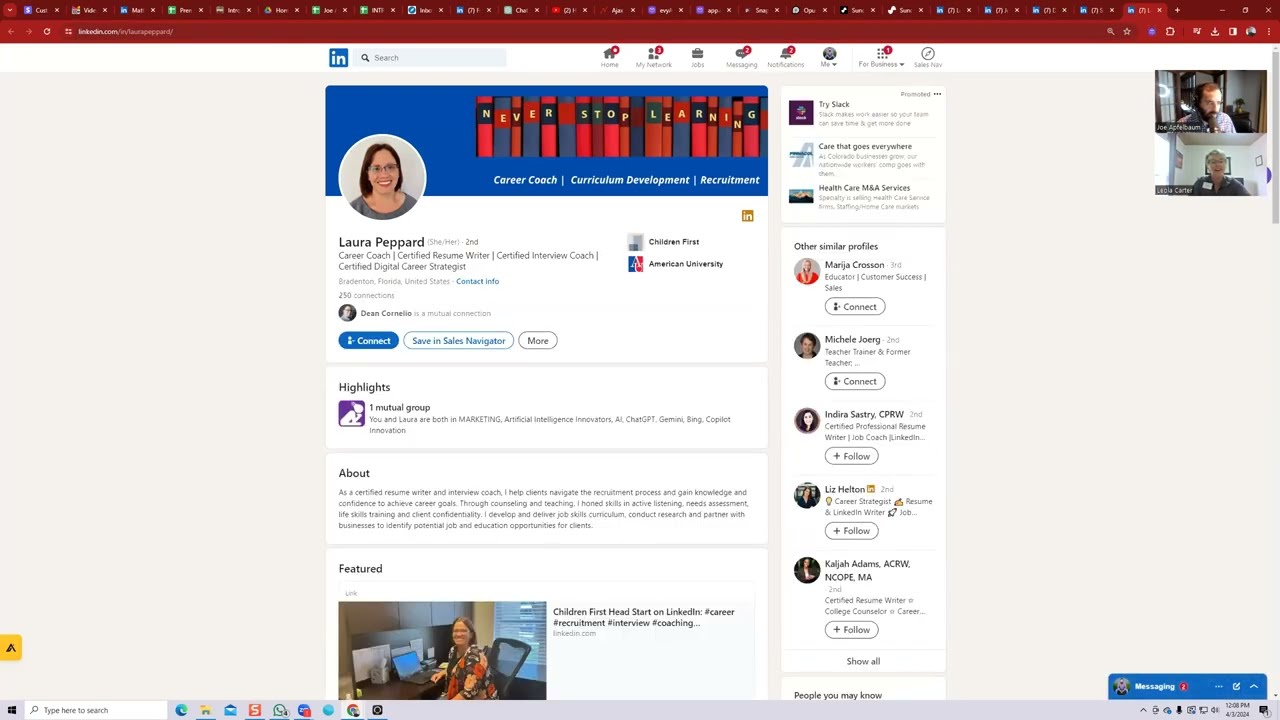
Yes, me. Just write in the chat, I've used it or I've heard of it. Yes, I've used it. I've heard of it. Now, when it comes to using ChatGPT, you need to write something called prompts. Okay. Heard of it. Heard of it. Heard of it. Used it. Used it. Used it. I use it part-time. I use it enthusiastically. Diane said, amazing. So the first thing you wanna do is you wanna get a really good prompt. So what would you write as a prompt to help train the AI on who you are? Well, the first thing I'm gonna do is I'm gonna pull up Lou's profile here. This is Lou. Okay, and I want to train, um, and I'm going to pull up Joshua's profile. I'm going to pick a nice profile. So look at that, Joshua already has 11,000 followers. That's impressive, Joshua. Well done, well done, Joshua. Let me see who else over here, uh, shared their profile. I'm going to pull up a couple more profiles. I have Donald's profile loading over here. Donald is in Tampa Bay. It looks like he has a premium account. He has 5,000 followers. Very nice. I'm going to pull up Carson's profile over here. Carson shared a company page, so I'm going to close that because that's not really what I asked you guys to share. Sally, I'm going to pull up Sally's profile over here just to kind of see what's going on. St. Petersburg, Florida, 500+ connections. She has 5,000 followers as well. Very nice, Sally. Well done. And then Laura, let's see Laura's profile over here. Laura has, um, never stopped learning. Okay, 250 connections. Laura, you got work to do. And then Diane, uh, Diane from Venice, Florida has, uh, 5,000 followers as well. And then Kim, let's pull up Kim's profile real quick. Kim's profile is not working for some reason. That link didn't work. Kim, sorry about that. And then Jennifer's profile, pulling it up right now. And then Michael's profile, I'm pulling it up right now. Okay. So thank you guys for sharing your profiles. It looks like Jennifer has 1,000 and then Michael has 4,000. So let me, let me pick, let me pick one of these profiles. I'll pick Joshua simply because he has the most followers. I'm going to copy his information from here. You see that? I'm going to copy some information from his profile. You see the way I copied some information? I'm gonna paste his information into ChatGPT, but first I'm gonna write a prompt. Okay? I'm gonna write, create a persona for AI based on the information on LinkedIn below. Use this framework. So I included this framework. I said also come up with 5 topic ideas and also tell me his best target market with geographic demographic and blah, blah, blah. So here is, I want name, industry, title, company, keywords, professional interests, achievements, skills, communication style, tone, preferred phrases, taboos, all these things, right? This is how you train the AI properly. So now I'm gonna paste some information about Joshua. I'm gonna copy information from the about section as well of his LinkedIn to train the AI to understand who he is. I'm also gonna take some information from his experience so the AI knows like, you know, the type of person that he is based on his experience. The AI can know. I'm also gonna grab some information about education and credentials to understand him even a little bit more. And then I'm gonna press go. And then what the AI's gonna do is it's gonna start typing up the whole framework for me. Now, if you guys want a copy of this framework, I'm gonna give it to all of you as a gift at the end of this webinar. So stay tuned, stay tuned till the end of the webinar and you're gonna get a gift. You guys want the gift? You guys want the gift? I'm not sure if anybody wants the gift. Yes, heck yes. I'll give you guys this prompt as a gift, as my little gift to you. Okay, no extra charge, ladies and gentlemen, no extra charge. Okay, now I'm also, if you guys like rap, we can also come up, we have AI come up with a rap about score, right? Or a rap about how, let's see.
What's the score?
You know what? We can even come up with a rap about SCORE right now. We're gonna ask ChatGPT, create a rap about SCORE and the webinar we are doing about how to leverage AI and LinkedIn for SCORE, the Small Business Training Center. Okay, let me see.
I'm just hoping I'm not gonna be required to have to sing this at the next meeting.
Well, hopefully not. Hopefully not.
Okay.
But check, but you're not gonna have to sing it. We'll have AI sing it. Would you like to see how AI sings it?
That I probably would like to see.
You guys wanna see it? And Dean says Joe raps are the best. All right, so let's see if AI can do this. I'm gonna, I'm gonna have it make it a 60-second. Make the song 60 seconds. Make the song 60 seconds. And make it more gangster. Okay, because we gotta, we gotta like make it a little more gangster. All right, the beat drops, verse 1. Yo, it's Score hitting the scene, keeping it lean. Oh, I like that. Okay, let's see how it goes. Let's see how it goes. All right, so we're knocking it down from a 90-second song down to a 60. Tick tock, clock's ticking. Oh, beat fades. Okay, I like that. Okay, so we're gonna take this and we're going to just put it into an AI, a song maker. I'm gonna press create. I'm gonna log into my Google account right here with the song maker, and then I'm gonna do custom mode. I'm gonna paste the song in. I'm gonna say gangster rap, and I'm gonna do Score rap, score LinkedIn webinar rap. Okay, that's what I'm going to call the song. I'm going to press create, and then we're going to wait for the song to be created. All right, now while the song is getting created, let's take a look at some more profiles. Said gangster rap, funny, great approach. Let's hear it. We're going to hear it in about 2 minutes once the thing gets done. But what I want to let you guys know that a lot of you have LinkedIn profiles, but you haven't really optimized your LinkedIn profiles properly. There's a lot that you could be doing on your LinkedIn profile to optimize your LinkedIn profile. Some of you have done a great job and some of you maybe haven't done such a great job optimizing your profile. For example, Laura, you don't have a really well-written about section on your profile. So you can either use ChatGPT, write a prompt about it, or you can use Evvy AI, click on the profile optimizer, paste in information about yourself, hit generate, and it'll just generate a very well-written in any tone. So for example, you want to do educational, so we'll pick, um, we'll pick your profile over here. We'll just copy some information about your profile, put it into Evvy AI's writer over here. And then what will end up happening is I'm gonna press generate. What'll end up happening is it'll take information from your profile like this and then write an about section and a headline for you so that you don't have to do it yourself. And you can have up to 4,000 characters. But you know, in this case over here, and this is, again, you get free access to this. If you want to upgrade, there is a premium option that will give you unlimited, unfettered access to this. Um, right now it, it, it just gave me a bunch of squares here, so that didn't work. So instead I'm going to choose GPT-4, which is a bit smarter because GPT-3 failed. I'm going to press regenerate with GPT-4 and see what it does. Sometimes GPT-3 has a heart attack. Um, I would also include some experience. I would also include some education. In this case, I didn't include any of it. Let's see what it does. Okay. It wrote a headline, background information, what we do. I specialize in active listening, needs assessment, life skill training, maintaining client confidentiality. I develop and deliver skills curriculum, blah, blah, blah. How we do it. Your next step. Call to action. Look at that. Isn't this great, guys? I don't know, Laura, does this sound like it would be good for your profile to improve it in this way?
Okay.
Let's go here and see if the wrap is ready. Let's see. Score LinkedIn webinar. Let's listen to.
This is school hitting the scene. Keep it lean. Teach businesses to grow. Get that grain. Webinar unlock. Leverage AI LinkedIn supreme. Small biz train and send a we the dream team. Score we more than hardcore. Educate and elevate. Opening new doors. AI LinkedIn our tools not folklore. Webinars the key. Got knowledge in store. Listen up. Dropping wisdom. No cap, small bit success, putting it on the map.
Not bad, not bad. Let's play another one.
There's much more.
Yo, ladies and gentlemen, let's do this. Can I get a boom in the Zoom? Let's go, we about to hit this.
Yeah. Openin' the doors, AI and LinkedIn, all tools I will flow. Wherever goes the key, got knowledge in store. Listen up, we're droppin' wisdom, no cap. Small biz success, puttin' it on the map. Teacher Russell.
Isn't that great how AI can do all this stuff for you? Like write the song, write the lyrics for you, put the whole thing together and actually rap it as well. Like, oh my God, like I don't have to rap it. I could rap it. But I don't have to rap it. If I wanted to do it to the beat of 50 Cent, I would just pull up a 50 Cent beat and just go for it. But you know, like it's, it's just incredible what you can do with these tools that allow you to be able to grow your business. Now there's a concept called a top voice badge. Have you guys ever heard of the top voice badge on LinkedIn? Like if you go to my LinkedIn profile, you will see I have a top Voice badge. What is a Top Voice badge? A Top Voice badge is a badge that will indicate to LinkedIn that you are special. I am special. I am a special person. I have special— I don't have special needs, but I'm a special person. Some people might think that I do, but I'm a special person. Okay, I'm going to show you how you can be special too. How do I get that? This is what you do. I could even rap how to get that, but I'm not going to rap. All right, so let's go. Let's go to linkedin.com/advice. linkedin.com/advice. Okay, so I went to linkedin.com/advice. Now what I would do is I would pick a category that I would want a badge for. So for example, if you go to my profile, you'll see I have a top voice badge for digital marketing. You see it under my name, it says top Digital Marketing Voice. You see that in gold? Yes. Okay. So which, which category do you want a Top Voice badge for? I also wanted one for sales prospecting. So I got a second one for sales prospecting. If I want one for, let's say, social selling, I would go down to sales, click on sales, and then I would go to social selling right here. And then in social selling, I would pick some articles here that I can leave my perspective on. Now, these articles are written by AI, so what I would do is I would write my response with AI. Does that make sense? You don't have to, you can write a manual response, but I would rather write an AI-written response, which will save me time. So what I'm gonna do is I'm gonna select my persona. I'm gonna press generate using Evi AI. I can also copy and paste it into ChatGPT and write a whole prompt, but this is much faster. You see that? It just wrote a whole response to this, so that's one. I'm going to write a second response. You got to leave at least 3 responses per article in order to get the badge, and it takes about 2 weeks for them to give you the badge, and it lasts for about 60 days. Okay, so now I'm going to leave a third one right over here, and I'm going to press Add, and it's done. Do you see that? I, I left 3 of them. Now, if you want to get a top voice badge, often what you need to do is copy the 3 dots and then hit copy link to contribution, and then you can share it with people. And if a lot of people like it, then you'll get the badge faster. But if you, if you leave comments, you're gonna get the badge. Okay? Leave comments in the same category. If you're just randomly moving around from category to category, randomly leaving collaborative notes, Then it's not gonna work. Leola, you had a question?
Um, well, I had somebody that, uh, wanted to know, they said, well, 3 comments on the same article, is that spamming?
It's not because they want you to share your perspectives in different parts of the article. So you're not spamming the article. They actually want you to leave your perspective on the parts that are relevant to you. So that's definitely not spamming because they separated out in this way. Make sense?
Perfect. Thank you.
And it's called a collaborative article, so people can collaborate on that article together. Very powerful. If you want to leave a comment on people's posts, I recommend using our Chrome extension. It just makes life so much easier. I just click generate and boom. If I want to connect with someone, let's say I want to connect with someone on LinkedIn. Let's say for example, I want to take, um, one of these profiles over here. Let's see, I'm going to find somebody's profile that I want to connect with. Let me go back into ChatGPT. Let me go back to the top over here. Let me hit refresh. What happened to this? Write a wrapper about score. Real estate poll trends. Melanie's persona. What happened to the persona I just wrote? That's Melanie's persona. Didn't I just show you guys how I wrote her persona? Where did that persona go? Okay, it's not here. All right, I'll show you. I'll, I'll create another persona for somebody else. Who else? Who wants a pers— who wants me to create their persona? Let me see if anybody wants me to create their persona. Me. Okay. Lynn. Okay. Alex. All right. There's so many of you want me to create your persona. Let me see. Alexander. So Alexander posted his thing over here. Let me just quickly create it for Alexander. I can't create it for all of you, but I can give you guys a script at the end of this. I'll give you guys a script on how to do this yourself. All right. So the first thing I'm gonna do is I'm gonna get the prompt. I'm gonna put the prompt in, then I'm gonna paste information from his profile. Now what I can do is I can save his profile in with my extension. I can save the profile with Evvy AI. I can save the profile and then I can click the dropdown and click create summary and it'll summarize this profile for me, which will turn his profile into bullet points, which I love. It'll have AI turn it into bullet points. This is an AI webinar. This is LinkedIn and AI. That's what, that's why we're talking so much about AI. Do you see it says Alexander's a seasoned realtor? From eXp Realty. By the way, I love eXp Realty. I love eXp Realty, Alexander. It's like I didn't even know that you were a realtor at eXp Realty by looking at your profile, but the AI just told me that you are, which is amazing. And I want to get in with eXp Realtors, which is incredible. I want to get more eXp Realtors to use Evvy AI and to use some of my programs. So it's just insane. And you happen to have worked for Exit. Which, um, I'm very familiar with. So I'm gonna paste in some information here. It's crazy that I'm creating one for an eXp realtor when I'm like looking to work with eXp realtors. It's just insane. It was just so random. Like, I, I feel like God puts you in the right place at the right time with the right people. It's just like so crazy. Like out of everyone, it's just like he happened to have put his thing over there and I just clicked on it and he happened to be like, how many other eXp realtors are there? He's like, contact me. I'm gonna save your phone number. I'll save your phone number. I'll pop it in for my assistant to look at, to look at it after. Okay, but check this out, guys. Check this out, Alexander. And I'm also gonna save him into my CRM right now and I'll create an AI automation to him. Check this out. I'm gonna go into my CRM. I'm gonna click on contacts. This CRM is called Unlimited Digital Marketing. It gives you unlimited access to this digital marketing. I'm gonna paste his information right over here. I'm going to go back into ChatGPT and I'm going to go into LinkedIn just to kind of see if he put his email here. I'm going to use another tool to pull his email. Let's just see if this tool will pull his email here. This tool's called Apollo. It'll find his email. If it can't find his email, usually what I'll do is I'll just Google the person. If it's a realtor, his email's usually readily available on the internet. Not now. Let's see. EXP Realtor. I think this is him. Alex Tsai. This might not be him. Jacksonville, Florida. SWFL Realtor. Oh, that is you. Is that you? Let me see. I love Googling people and looking them up to find their information. Oh, he just dropped his email in the chat. Thanks. Okay, so instead of me looking for it, he just gave it to me. Amazing. I'm going to save it here. I'm also going to grab his phone number and save his phone number here. As well. I'm going to press save. Now I'm going to tag him under the tags eXp, eXp Realty, and then I'm going to tag him Real Estate Series. So he's going to start getting a few emails from me. You see that? Glad we connected on LinkedIn, Alexander, blah, blah, blah. Now I'm going to send him a connection request on LinkedIn. I'm going to press the connect button. I'm going to press add a note. Then I'm going to have Evvy AI draft a connection note for me. I don't have to actually draft the note. You see, Alexander is a fellow speaker and coach passionate about growth. I believe we can share valuable insight. Let's connect. You see that? So I just sent Alexander a connection request and AI wrote the note for me. Did you guys see the way AI wrote the note for me? That's powerful. So, um, I also have, I also have an AI webcam, by the way. Did you guys know that I have an AI webcam? You're like, what is an AI webcam, Joe? I'll show you guys. So when I'm on LinkedIn, let's say I'm doing a LinkedIn Live. Okay. Have you ever guys heard of LinkedIn Live? I was just on LinkedIn Live and I want the AI to kind of like follow me around. You see, I, my hands are right here. I'm not moving anything. The webcam will follow me around because it's artificial intelligence. Isn't that cool? So if I'm on this side or on the other side or whatever, it'll follow me around. If I want to zoom in, I could just tell the AI to zoom in, or I can tell the AI to zoom out just by doing hand gestures. Um, and if you want the webcam, I have a link on Amazon to the webcam. Uh, the AI mic is next. Um, the, the— you can get the The link to the webcam through my AI assistant. My AI assistant can send you the link via text message. Do you guys want the phone number to text my AI assistant for the webcam link? Okay. So the number's in the chat. It's 84— it's, uh, 973-841-8868. It's in the chat. 973-841— you just text the word webcam to my assistant. And my AI assistant will text you. an Amazon link with my affiliate code. My Amazon link. Isn't that crazy that you can have like a robot send you a text back from my CRM? Like from that CRM, Unlimited Digital Marketing, it has AI, conversational AI built into it. Uh, the number is 973. Somebody said, what's the number again?
973- 841-8868.
Somebody says, why is there somebody— so much 8s in your phone number? I just, I liked a lot of 8s. I picked the number with 4 8s. 973-841-8868. Just text the word webcam to my assistant, and my assistant is programmed to send you back a link to the Amazon so you can check out the AI webcam for later. Yeah, the word webcam. Thank you, Paula. You're the best. Okay, what else? What are we talking about here? Oh, we were talking about, um, so check this out. So Alex, this is your training for your AI. So you see Alex, real estate, realtor, eXp Realty, superstar performance, keywords, professional interests, achievements, skills, communication style, tone, preferred phrases, taboos, personal interests, hobbies. Educational background, goals, networking content, personal info, general emotion, language, question frequency, formality level. You see, when you're training the AI, you want to train it in a very particular way so that it really knows who you are to a very deep degree. So if I wanted to now take this LinkedIn post topic idea, I can just copy and paste this into Evvy AI. And it'll write a post for me. And I have all these posts. So his geographic target is real estate professionals and aspiring leaders within the United States, specifically aiming to enter Florida and Las Vegas markets. You see that? So I'm happy to connect him with all the real estate brokers I know all over New York, New Jersey, Connecticut, and everywhere else, which is great. How to find this persona: networking events within the real estate and coaching industries and LinkedIn groups focused on real estate and personal development. That's cool. Very, very cool. Isn't that great to be able to have this type of technology? Now, if I wanted to introduce him, what I would do is I would write another prompt to introduce him. What would the prompt be? Let's see. I'm going to do networking intro. Networking intro. Here we go. See above. Now it's gonna write an intro that I can use to introduce him to other realtors, to other real estate agents. So Alex, in the chat, tell me, do you wanna meet other real estate agents? Did the, did the, uh, did the AI get it correctly? He said yes, enthusiastically. Yes. Look at, look at that enthusiasm. I love that. So what I'm going to do is I'm going to go into my AI right here. I'm going to first save it as a note. So check this out, guys. I'm going to save it as a note. So I have like his meeting, like how to meet him. And now I'm going to click on the email and I'm going to draft an email to another realtor. So I'm going to go here and I'm going to pick introduction by Joe Apfelbaum, use template. And I'm going to say, Alex, meet Julia, and I'm going to introduce him to Julia Hoagland. Julia Hoagland. Okay, and I'm going to do Alex meet Julia. She is a friend and real estate broker in New York City. And now I'm going to go here, paste that in. Meet Alex, a distinguished realtor. He wants to meet, he wants to meet brokers all over. I know you do too. Okay, I'm gonna press send. And now I did an email introduction between Alex and Julia. Was that fast?
Super fast.
Super fast. Um, you can ask information about the mic to the AI. I haven't programmed it to respond about the mic, but ask all those questions to the AI as well in that text, and then we'll answer you. And also drop your email if you want more information. Paulette said, do we get a video of this session sent to us after? You can if you want to, you can get a video. I think we're recording it and SCORE is recording it as well, am I right?
Yes, I just typed that in that everybody participating today, even if you can't stay for the whole thing, you will get a copy of this video presentation. So that you can go back and check on things.
And Alex, you wrote webcam please. Just write webcam. Don't write webcam please. Because if you just write webcam please, it's not going to give it to you. You just have to write the word webcam. So you see Alex texted the number and it came up in the CRM. Pretty cool. Okay. Oh, you see, he wrote webcam and it responded with the Amazon link. Oh, I love this. I love technology. I love technology. I love when it works. It works so well. It works so well. Okay, so posting. How do you post on LinkedIn with AI? What do you do? So I'm gonna take a topic for Alex. Okay, so the AI gave him a bunch of topics. So I'm gonna do the power of DISC in sales, leadership in the field. I like this one, maximizing real estate investments in uncertain times. I'm gonna go to Evvy AI. I'm gonna click on Post Writer and I'm gonna paste. A post. I'm just gonna say don't use any persona here, normal, and I'm gonna hit generate and it's gonna write a post that's informational with a hook, with main points, with a call to action, and with hashtags. How cool is that? And it does it all in about 10 seconds. So what I love about Evie AI is the speed at which it does things. Do you see? Navigating the real estate market during uncertain times can feel like a sail through a storm without a compass. But what if I told you that there are the right strategies? You can not only weather the storm, but you could also thrive. The current market is rife with volatility, making investors undoubtedly cautious. However, history has shown that it's not market conditions, but how we respond to them that defines our success. Here are some actionable tips to maximize real estate investments during uncertain times. Dude, this is epic. This is epic. If you guys are not posting on LinkedIn, you're missing out. Here, let me stop sharing my screen for a second because I want to, I want to encourage all of you. I want to let you know the following. I want to let you know the following. Let me just zoom out just a little bit. Okay, here we go. I want to let you guys know the following. LinkedIn is a powerful social network because it's a professional social network. It's a place like a networking event. There's no sliding in DMs like with Instagram. Like people are sliding in my DM on Instagram because they know I'm single. So they're like sliding in my DM on Instagram. They're like, yo, Joe, you're looking for a date? I'm like, no, I'm focused on business. People are sliding on Instagram, but on LinkedIn people are like, do you want to network? Do you want to build a relationship? Do you want to do business? Now, first name, last name, company name, education. Mutual connections. That's all the information you get on LinkedIn. You don't see that on TikTok. TikTok is just a screen name, right? You don't see it on Twitter. On LinkedIn, you get a lot of info, and a lot of the times it's verified because LinkedIn allows you to verify with your government ID. If you go to linkedin.com/verify, you can verify your profile for free. And I recommend everybody get that verification badge on their profile because then scammers won't be able to steal your account. So linkedin.com/verify allows you to do that. And so first name, last name, company name, where you work, where you worked before, your, your employment history, what you do for a living. This is powerful stuff. And also it's like a trade show. It's like a networking event. There are more millionaires on LinkedIn than any other platform. Did you know that? LinkedIn has more CEOs, more decision makers. I know a lot of business owners that are on LinkedIn but are not on Instagram. They're not on Facebook. 'Cause they're like, Facebook and Instagram is for people who are broke. I was like, I don't know about that. There's a lot of wealthy people on Instagram because there's a lot of wealthy people, period. But LinkedIn is where people come with the context of thinking business. Now, the main reason to use LinkedIn is because LinkedIn, every connection that you add becomes a follower of yours. You can add up to 30,000 connections on LinkedIn. Think about that for a minute. Can you do that on Instagram? You can follow 30,000 people, but they're not gonna follow you back. On TikTok, you could follow 30,000 people. They're not gonna follow you back. On Facebook, you could only have 500— 5,000 friends. Who has 5,000 friends? I don't know. People have a lot of friends. On LinkedIn, you can have 30,000 connections. And usually you can find people's first name, last name, company name, where they work, their cell phone number, their email, and all that. Can you have— Suzanne asked a question. She said, can you have a personal and company profile using the same email? Yes, you can, because a company profile always has to be tied to a personal profile. So I— you can have as many company pages as you want with the same login. I have 10 company pages. Do you guys want to see how I leave a comment on someone's post with a company page? Did you guys know that you can do that? I'm gonna show you. Do you guys wanna see that? Would that be interesting? Okay, I do have a Barbie, just FYI, so I'm gonna use my Barbie page. But the first thing I'm gonna do is I'm gonna convert myself into a Barbie. Hello everybody, my name is Barbie Joe. I know this is weird. I know this is weird, but handle it. Handle it for just a minute. So Lindsay, for example, works for this logistics company. I'm gonna switch to Barbie Jo right here, Jo Barbie, which is a company page. I'm gonna press save, and now I'm gonna have Barbie Jo leave a comment for Lindsay cuz I have a Barbie Jo persona. Barbie Jo, generate. And now Barbie Jo's gonna leave a post, a comment on Lindsay's profile. Lindsay, you're speaking my language. Adapting workspaces for Gen Z is like choosing the perfect outfit for a gala. It needs to be just right. As my company, we're mixing fun with function, creating spaces that scream innovation and scream let's collaborate louder than my pink wardrobe. Okay, now I'm going to press Insert. I'm gonna press post. And now Joe Barbie just left a comment on Lindsay's post from a company page. But Evie AI, because we trained it, let me switch back to me because I know you guys are freaking out right now. There we go. Is it back to me yet or is it still Barbie? Let me see. What's the name of the program you used to rap?
Uh, Suno.
There's another one called Boomy. There's a few. I thought I heard LinkedIn frowns upon having more than one profile. Yes, they frown by having more than one profile, but you could have as many company pages as you want. If you own 17 companies, you can have 17 company pages. The thing is they don't verify if you own a company. You can make any company page for anything. You can make a company page about a book. You make a company page about your dog. I have a company page for my dog. Do you want to see? I'll show you in a second. Then he said, yes. If you already have a business page and you leave a comment, does it use your name or your business name in the comments? It'll use your business name. If you're using the, if you're commenting with the business name, it'll be a business name. How do I add the Evvy AI Chrome extension to LinkedIn? It's very easy to do. Very easy to do. I'll show you real quick. Somebody asked that in the chat. If you go to evviai.com and you scroll down, you click on add Evvy AI to Chrome. You see that in the center here? You click on that, it takes you to the Google Chrome Store. In the Google Chrome Store, you go over here, it says remove from Chrome, but it'll say add to Chrome if you already— if you don't have it yet. I'll drop a link to it so you guys can grab it. You have to have Google Chrome for it to work. I just pressed— I put the link for Suzanne in the chat. And once you install it, then you want to click on this little icon here and you want to pin it. You see it says pin. There's a little pin button. You wanna click on the puzzle sign and then you wanna pin it. And once you pin it and you log in, it'll work inside LinkedIn. Simple as that. Not rocket science, ladies and gentlemen. This is not rocket science, although it does take some effort. It does take some effort to do this stuff. It looks like Alexander connected with me, so I'm gonna click on message and I'm going to send him an Evvy AI message. Not from Barbie, but from Joe. I'm going to say, thanks for connecting. Looking forward to our call soon. I'm going to press generate and the AI is going to generate a well-written response to him. Look at that. Alexander, thrive to have you in my network. Looking forward to deep diving. Can't wait to do a call. Okay. Do you see the way it wrote it for me? So English is not my first language. So this is really helpful for people who are not, don't have good grammar or not sure what to say or overthinking things. There are many things you can do with this AI, and I'm not gonna be able to cover all the things. So if you want the demonstration video, just send the word demo, D-E-M-O, to that phone number I gave you earlier, 973-841-8868, and my AI will send you a demonstration video. For free, okay? Pretty freaking cool. Pretty freaking cool. We have 7,000 people using the AI from 34 countries around the world, including Uganda. We have a paid client in Uganda. Repeat the number again, please. Too fast. 973-841- 8, 8, 6, 8. Maybe I should have an instrumental song created. Let's do an instrumental song. We're going to go back to custom mode. We're going to do instrumental, and we're going to do a rap for, uh, an old school rap. I'm going to do an old school rap instrumental. So instrumental means that there's no words to it. So I just want an instrumental beat that it can create. So I used to pay $300 for a producer to produce a beat for me, a special beat for me. But now I don't have to pay $300 because I pay $8 and I can create 250 songs with lyrics and everything. That's with the help of artificial intelligence. And now I can use these songs to create LinkedIn videos. So for example, this song over here. Yo, it's Joe and it's for webinar. Let me show you how to sing. Let me show you how to create that bling on LinkedIn. Got you thinking with the AI. Let me show you how to ride with the right strategy. 1, 2, 3, J-O-E-E. Let me show you what to do on LinkedIn. Give me a like, subscribe. Come on, baby.
Let me see, let me see.
Do you guys see what I just did? Now you can do that on LinkedIn if it tickles your fancy.
Uh, can you—
what do you say? Can you have Looking make 60-second animated videos for my company?
Yes.
You can create 60-second animated videos for your company using AI. Joe, you're so cool. Amazing. I love it. Amazing. Awesome. Yes, yes, yes. Okay. There's a lot more that I can teach you about LinkedIn, but I wanna leave some time for Q&A. I wanna leave some time for questions. Somebody said, Joe, do I have to pay for LinkedIn to use Evie AI? No. Do you have to pay for LinkedIn to use ChatGPT? No. Do you have to pay for LinkedIn to post? No, posting is free. Um, any other questions that you guys have? Joe, how much does LinkedIn cost? It's free. There's a paid version too. The paid version is about $60 a month for premium, and Sales Navigator is about $80 to $100 a month. And they have an advanced version, which is $150 a month. When it comes to tone, what do you recommend? I recommend identifying your own tone that you have. So maybe you're very strict. You're a very angry person, so be angry. Maybe you're a little drunk. Maybe you drank too much. Maybe you're an alcoholic. Okay, act like an alcoholic. Tell the AI to be an alcoholic. Maybe you're very friendly. Maybe you're very assertive. Maybe you're very analytical. Choose your tone based on who you are and based how you want to come off. Do you have an AI video editor? Yes, CapCut. C-A-P-C-U-T. And by the way, every month I get together. with a group of clients and we spent 3 hours in our AI circle reviewing a bunch of AI tools. It's called the AI Business Development Circle. Um, Emily said video AI recommendations, looking for a good one. Okay, so there's another one that I have called Opus, um, which edits my videos for me also. Like it turns it into like little clips. So I'll, I'll share with you a video. Let me go into LinkedIn real quick and just share you, Share with you a video that I just posted on LinkedIn that you guys can comment on. So this video right over here, I'm gonna copy a link. I'm gonna copy this link and put it in the chat over here. I just put a link in the chat for you guys. So it says, so Evie AI wrote this post and the AI edited this video. So I didn't actually edit this video. Let's let's play it. Today we're going to talk about personal brands with. LinkedIn. So as you can see, my goal is to help people be able to grow their business with LinkedIn. One of the things that you need to do in order to grow your business with LinkedIn is you need to have a proper personal brand. Now, a lot of people don't have a pop— proper personal brand, and so I always tell people, if you want to grow your business, you got to grow yourself. You can only grow your business as much as you grow yourself. So So I walked people through the concept of the brand words exercise. And over here, the call to action is, would you like to learn more about building your personal brand on LinkedIn? Feel free to share your insights and thoughts below. Let's discuss. If you found this helpful, please consider reposting or spreading the word. Okay? So if you want to learn about my brand words video, just leave a comment on this post right over here, and I will share my 5-minute video on how to build your brand words exercise. So if anybody wants it on this call, Just drop a comment and then I'll reply with my video. So let's see if anybody wants it. Just drop it. Do you have best practices and learnings from the AI Biz Dev Circle? Yes. So leave a comment on the video. Here's the video. Um, leave a comment on this video and I'll send you guys the LinkedIn Live that this video came from. So where did this LinkedIn Live come from? I actually went on YouTube, so I have it here on YouTube over here. You see this YouTube video? This is my LinkedIn Live. So I sent it to YouTube, Facebook, and LinkedIn at the same time. And as you can see, this is just a 5-minute video, 5 minutes and 50 seconds. But then I had this artificial intelligence tool take it and tell me which ones are most likely to be the best clips for TikTok. And then I use Unlimited Digital Marketing to schedule it into TikTok. So if I go to marketing over here, I could schedule posts. into Twitter, TikTok, and everywhere else. So this is the TikTok video. And today we're going to talk about personal brands with— you see that? I just dropped it into TikTok. So just comment on that post, comment on the post on LinkedIn, and then I'll go ahead and send you the replay, the 5-minute replay of the brand words exercise, just so that you're, you know, A, you get exposure, um, and B, I'll see that you really want it. So you see all these people left a comment over here, please send the video. So now what I'm gonna do is I'm gonna grab the video from my profile. I'm gonna go here, I'm gonna click on posts and activity. Something broke. Posts and activity. Oh, it's not loading. This is, this is what happens when you do things in real time. I want to press the 3 dots here. Press copy link to post. Now I'm going to go back here, I'm going to click on comments, and I'm going to reply. I'm going to say, here is the link to the video. Okay, I'm going to go here to the video replay. I'm going to copy this, I'm going to press Reply, and I'm just going to reply to each one of you here in the comments just like this. And then later you can go back and watch the 5-minute video. You guys see how easy that is? So that's what you want to do with your network. You want to build those relationships, tell people to comment on your post, and then send them the resources that they asked for, and then build relationships with them and get to know them. You know, leaving comments on LinkedIn gets me a ton of exposure. I'm going to show you exactly how much exposure I got just in the past few days, just from posting on LinkedIn using artificial intelligence. Do you see how easy it is to do this? And I go on LinkedIn Live almost every day, and I use a tool called Restream.io. I spend a minimum of 15 minutes a day being proactive on LinkedIn. I'll leave about 5 comments initially in the morning just to get my day rolling. And then I'll send out 10 connection requests, but I'm almost all out of connection requests. So if you click on my network, you'll notice, okay, so Shawna just said, I loved your SCORE workshop. I want to connect on LinkedIn. I'm going to press accept. But look at this. I have 1,500 requests here, but I can only add up to 30,000 connections. Look how many connections I have. I have 29,935. So that means I can only add another 65 connections. But I have over 1,000 people waiting to connect with me on LinkedIn. So I'm going to accept some of you, but I can't accept all of you because it won't allow me. Like there's a technical, um, a technical thing. I am impressed by your great work and would love to connect with you. Now I click on people's profiles just to kind of see who they are. This person's in the Philippines. No, I have a lot of people working for me in the Philippines. But if this person doesn't have any recommendations, in this case she does have recommendations, the chances are I'm not going to accept the person. I'm also creating space on my LinkedIn for people that are premium users of Evvy AI, just FYI. Just, that's my strategy. I want 30,000 premium users of Evvy AI. And so what I'm doing is I'm removing connections that are not premium users or they're not that active on LinkedIn. And then I'm, Just moving them to my CRM and saying, hey, I removed you, no offense, I'm making room for my clients. And then I'm adding my clients. Um, Teresa sent a very good question. And by the way, I'm sorry if I missed some of your questions. If I did miss some questions, I apologize in advance. Sometimes people take it personal and they're like, you purposely didn't answer me because you hate me. I don't hate you. I love you. I think you're wonderful. I think you're a great person. But, you know, if I missed your question, ask it again. Okay. All right. Um, uh, so Teresa said, how do you encourage recommendations? So one of the things that I'll do to get a recommendation from— so first of all, you need to be a connection with someone to get a recommendation from them. You can't get a recommendation from a random person. You have to already be technically connected to them. So that's a technical thing. Um, Jennifer said there's a lot of questions under Q&A. I'm going to go there and check in a second.
Okay.
Please answer the— please question— please ask questions here in the chat. Okay, good. I'm going to try to go through everything quickly, but Theresa, really quick, what I always tell people is I say, if you, if you want to get a recommendation from a connection, ask them what they love about you. And when they tell you what they love about you, ask them if they're willing to leave that as a LinkedIn recommendation. And when they say, they say yes, then you have to go to their profile, click on more, click on request recommendation. And then tell them what you want to be, what they said basically to help them write the recommendation. Do you guys get that? So there's a technical part and then you have to accept it once they send it to you. So there's something technical about that that you have to do, Teresa. Now, Evvy AI helps you write recommendations as well. So if you go to my profile, if we're connected on LinkedIn and you want to leave me recommendations and you have Evvy AI installed, You can go to my profile, you can click on more if we're connected, then you can click recommend, and then you can write up a recommendation, have Evvy AI optimize it, and it'll write a very nice, long, juicy recommendation for you. Pretty cool. And we have videos on YouTube that explain how to do all this anyway. All right, let's see what else we have over here. Um, Diane says, I want, I write blogs and articles. How do you feel we should add AI? Is it, Uh, to AI collaboration disclaimer. If you modify it, it becomes yours. So it's not really AI didn't— AI drafted it. You don't have to tell. I mean, again, it depends on your, your own feelings and what you wanna say. You can assume that almost all content is drafted with AI when you— okay, let me explain something to you. When you write something in a Word doc and the word autocorrects, you mean your Word doc autocorrects? That autocorrect is AI autocorrecting. So you're gonna tell people, I use AI to autocorrect. Like, to what limit are you gonna do it? If it was completely written by AI and you copied and pasted, I understand. But if you modified it and it helped you draft and it was your idea just written and drafted by AI, I don't know that you need to tell the world that you did that. But again, it's up to you. That's what I would say. You know, like each person their own. And you also seek legal advice from a lawyer. I'm not a lawyer. That's another disclaimer. Do you encourage recommendation? Da da da da. Is there reply to all or manually reply? There are tools that will help you to reply to all. But I would recommend manually replying to each person. How do we save the chat? You click on the 3 dots and you press save chat. If it's not allowed, you can always email the, the people in charge and they will send it to you. Or you can email me because I just saved the chat. Okay, so anonymous attendee says, is there a feed or articles or is the advice or in the advice? It's answer live. linkedin.com/advice. That's where you would go to get the collaborative articles. Is Evvy AI an extension? There is a web platform and there's an extension, both. So you can go to evyai.com, press login, you can write posts and do a lot of things in the web platform. And then there's the extension, which allows you to write comments, reply to DMs, and send recommendations and connection notes. Um, Suzanne said an extension. Yes, it's an extension. Is Evvy AI versus ChatGPT? Yes, Evy AI is meant for LinkedIn. ChatGPT is meant for everything. So you can use ChatGPT to help you with everything, but if you don't want to do prompt engineering and you want it to be integrated into LinkedIn, use Evy AI. Uh, how do you like Copilot versus ChatGPT versus Bard? There's different— it's a little bit too long for me to answer that question right now, but there are different purposes for each AI depending on what you want to do. For example, if you want to do keyword research, use Google Gemini. If you want to do something creative like write a song, use ChatGPT. If you want to do research, use Copilot. Okay? So there's, there's different things. Um, says, I use ChatGPT-4 every time I copy and paste AI writes. Is there a box around it? I don't know how to get rid of that. Can you help? Send me a screenshot in a LinkedIn DM or in an email and I'll tell you how to get rid of the box. Thank you. Um, because I don't know what you're talking about. Anonymous Authenticity says, what are the 3 ways to use LinkedIn to grow your business to get prospects? Number 1, posting. Number 2, engaging. Number 3, messaging. Those are the 3 ways to use LinkedIn to get prospects. Anonymous Attendee says, can you buy connections? Don't buy connections. You can buy followers. You can buy them, but why would you want to buy connections? Instead of buying connections, make connections, build relationships. These are real people. These are not random people. You want real people. You don't want random people. The worst thing that you want to do is buy connections. or followers. Don't do that. It'll ruin your social media. Um, anonymous attendee says, how do raps have any impact on your LinkedIn business? They get me attention. Attention equals money, period. Anything that you can do to get positive attention, that's how it works. And now everyone has to decide for themselves what their brand— what you want to associate your brand to. I want to associate my brand with rap because I believe that rap is very close to the heart for me and the people that love me. And the people that are allergic to rap are probably gonna be allergic to me and my sense of comedy and all that. Okay. Do you have an AI video editor program recommendation? Yes. capcut.com or opus.pro. Anonymous attendee says blah, blah, blah, blah, blah, blah. I already answered that. Donna says, I have a LinkedIn profile, but I haven't utilized for my business. What do I need to do to post online classes? I teach an online guided meditation. I would recommend getting Unlimited Digital Marketing or a software like that that will help create email automations and text automation and memberships and things like that. Because on LinkedIn, you're not going to be able to have all those features. Do you still use Facebook? Yes, I still use Facebook, but I don't use Facebook for business. I use Facebook to post pictures of my salad. Dean says, I heard good things about Claude. Are you a fan? Anthropic Claude is a competitor. to ChatGPT. I think it's great. It depends on what you need it for. It does work really well. Um, when you leave comments on your business page, does it show your business name or your personal name? It shows your business name. When you leave comments with a company page, it'll show your business name. Is premium LinkedIn worth it? Yes. People that pay, pay attention. I recommend paying for LinkedIn Premium, and I even have a bootcamp that teaches you how to use Sales Navigator. It's called the Sales Nav Bootcamp. You can go to salesnavbootcamp.com to get a replay of it. If you'd like to purchase it, what is the name of the CRM tool? Is it go from GoHighLevel? We are a reseller, a white labeler of HighLevel, but it's very complicated to use HighLevel. So we have office hours twice a month, and we help you with templates, and we import all your LinkedIn connections into it. It's called unlimiteddigitalmarketing.com. Unlimited with a D, digital marketing with a D. So there's two Ds, and then unlimiteddigitalmarketing.com. Okay? And you can sign up there for free to try it out. If you want it, you like it, you pay for it. Moving on. Next. All right, we got through all the questions. Ay, ay, ay, ay, ay, ay, ay, da, da, da, da. Okay. Theresa says, is there an accessible AI to stay top of the trends in your industry? Um, I'm not sure what accessible— when you're talking about accessible AI, um, trends in your industry, there's lots, lots of websites that help you with trends in your industry. You can use Google Alerts, google.com/alerts. And it'll notify you with different trends. You can go to Google Trends and put in your industry. It'll give you trends in your industry. Um, perplexity is really cool. Nicely said about the rap. So many fake followers, blah, blah, blah. Okay, great. Oh, we got through all the questions. So now how'd we do on a scale of 1 to 5? 1, we sucked. 5, we did amazing. What did you love most about this webinar? Put it in the chat right now. We got a 20.
That's great.
We got a 6. We got a 10, 5 plus. Amazing. Your energy, Christina says, listen, I am so passionate about helping people. I watched my mother struggle on the Lower East Side to try to build her business, and the number one thing that she struggled with was having a strategy. Eventually, after 10 years of trying, she went out of business and she never hit the million-dollar mark. I was fortunate enough to build one of the largest, one of the fastest-growing companies in America, and I did that very, very quickly. So I'm very, very grateful that I have the strategy and I can teach the strategy to other people. I feel like I've already made it and I'm coming back to help other people get across the river too. So I'm excited to help people out and that's why I'm doing what I'm doing. Somebody said, finally a presentation with no sales pitch. I have nothing. I literally have nothing to sell you. I just wanna let you know I have nothing to sell you. Evvy AI is free. LinkedIn is free. ChatGPT is free. Are there premium versions of everything? Yes. Do I recommend paying for things? Yes, but I literally don't have anything to sell you. So if you want to buy something, go buy from somebody else. Um, but if you want to use free products and services and then upgrade, if you like it, then go ahead. True entrepreneurs pay it forward. I am so happy to pay it forward. I actually wrote a book called High Energy Networking, which is, by the way, free on Kindle Unlimited. If you have Kindle Unlimited, you get it for free. Um, and This book teaches you how to network, and I have a networking event today at 4:00 PM. So if you want to join the networking event, it's free. It's a virtual networking event. You guys are, are, um, welcome to join. It's going to be on highenergyzoom.com at 4:00 PM. So you're welcome to join. Um, I can send you guys a link to it as well. Um, I can send you guys in the chat a link. Okay. Uh, Leona, if you want to wrap up, you can wrap up.
Sure. Yes, I would just like to thank everybody for attending our video presentation today. We will send you a survey so that you can let us know what we can do to improve or what other topics that you may be interested in. Joe, thank you so much. What a great way to spend my afternoon. I was completely entertained, taking notes. Fantastic. Really appreciate it.
By the way, if you guys want the event, I put the link to the event in the chat. That is the LinkedIn event For the networking event that's happening today at 4:00 PM Eastern. So if you guys want to join, it's happening in 3 hours and I'm going to be moderating it and we're going to put people into breakout rooms and help them network and connect. And I listen, I love making a difference for people. So I'm glad that you guys allowed me to make a difference for you today. So I really appreciate it, Leona. Thank you for hosting. Thank you for moderating. And thank you everybody for engaging in the chat. You guys were awesome. Thank you. Give yourselves a round of applause for being incredible.
Woohoo!
Have a great day, and just a reminder, you will receive a copy of this entire video presentation in your email in just a few days. So if there's anything you missed or need to revisit, it will be there for you. And once again, thank you so much for attending.
Thank you, guys. Bye.
More from Joe


How to Beat the Algorithm: Remove Hidden Watermarks & Scale Content with evyAI









AEO & GEO: SEO's Future Explained! Master Answer & Generative Engines! #shorts