How to write CODE with AI that can help your business.
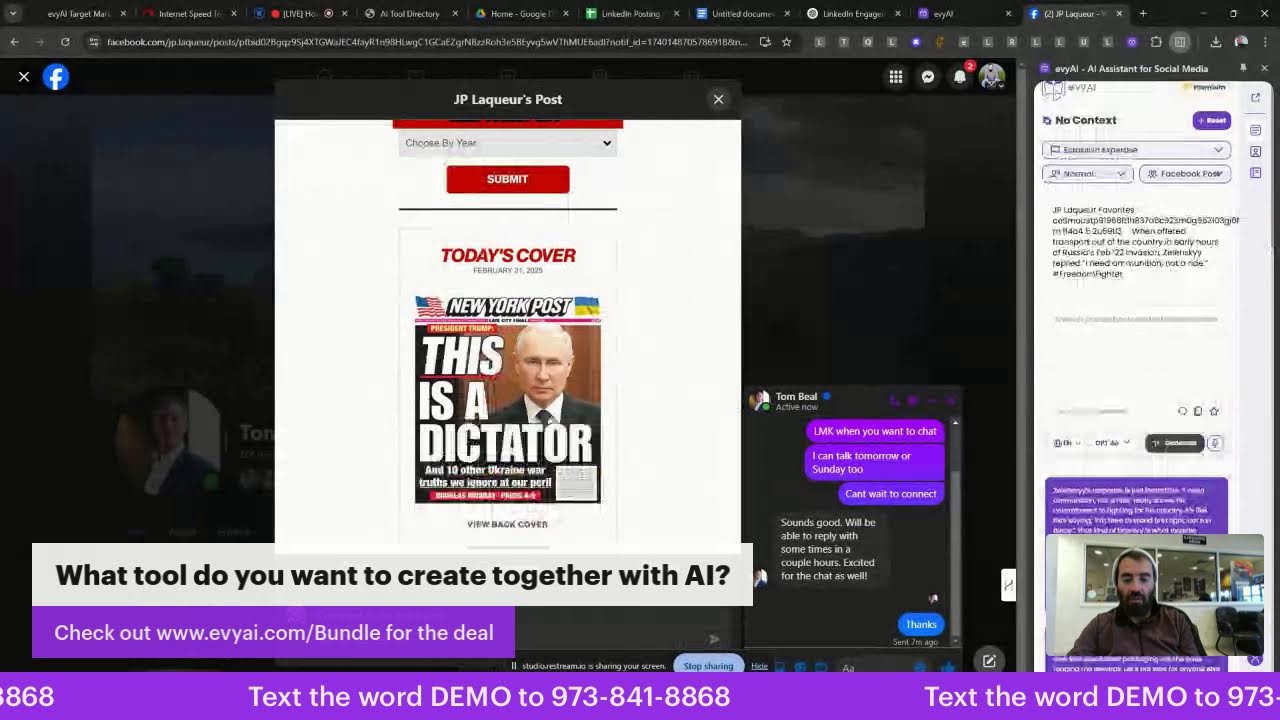
Joe Apfelbaum builds LinkedIn automation tools live using Claude and his Evie AI platform, generating HTML code and CSV lists without coding knowledge. He demonstrates sending 80 personalized messages in five minutes and automating comments, birthday wishes, and follow-ups across the network.
Chapters
Wow, I'm at an Acura dealership right now. Look at that. I'm sitting here at a desk and I have time to go on live. Check out my website, heavyai.com. You know what, I should really modify it and show you my bundle. Would you like to see my bundle? Let me show you my bundle. I'm going to click on captions, and then I'm gonna add one called www.evyai.com/bundle. Oh, that's cool. And I also have a ticker. Text the word demo to 973-841-8868. Check this out, guys. Text the word demo to 973-841-8868. And then see what happens. I created an automation that will automatically text you back using our technology, just like that. Check this out. What's one app or tool you couldn't work without? Or if you're visiting a city. For the first time, what local dish would you recommend I try? Or here's another one. Yep, please reconnect your video input devices. What tool do you want to create? Let me edit this. What tool do you want to create? I spelled create wrong. Oh, oh, we're able to create all these cool Cool little things there. Isn't that awesome? All right, welcome, welcome, welcome to the LinkedIn Live. If you're watching this live, let me know in the comments below that you're watching this live, and I will feature some comments. If you guys have questions about artificial intelligence, about how to use AI to be able to grow your business, today I'm going to show you a tool I created. Let me share my screen real quick, and I'm going to share a tool I'm gonna do entire screen. Boom, boom. So I just said make me this tool right here. Check this out. I'll modify the HTML to include the new features. I'll add categories, make them collapsible, and drag and drop one. Actually, here are some example tools. So I'm going to hit download this right over here, download tool. And now that I downloaded the tool, I'm going to open up the tool manager and just See, add a new tool, search tools. So I'm gonna click add a new tool. Tool manager. I clicked on add a new tool. Nothing happens. Let me hit refresh. When I press add a tool, nothing happens. When I hit add a new tool, nothing happens. Please fix it and add example tools from the CSV you created and call it tool. AI tool directory. All right, let's just see what it does. Oh, it's probably because the CSS wasn't included. Okay, I'll have to make some modifications to the, to the CSS. But here's the tool manager I created. I created this tool manager here. Do you see this? I created this tool manager. And it automatically added all these tools. So we have Claude, Midjourney, Copy.ai, Jasper, Synthesia, Grammarly, Stable Diffusion, Runway ML, Hugging Face, ElevenLabs, AutoGPT. It has Notion, DALL-E, Otter, GitHub Copilot, Descript, Beautiful.ai, Lensa, Compose.ai, LangChain, Assembly.ai. AI Hub, DeepL, Replicate. It has Scale AI, Anthropic, Nova AI, Dub AI, Einstein GPT, and then Vista AI. And there are many, many, many others that I'm going to start putting together and creating a directory for myself. But I had AI build the entire tool manager for me just in a few seconds using this tool right over here, Claude. So this is the AI tool directory. I'm going to go ahead and download this right now just to kind of see if it fixed it. Um, and I'm going to open it up and it fixed it. However, it did not add all the, uh, all the HTML that I wanted. So what I'm going to do is I'm going to go in here and say downloads Right-click on this Tool Manager, then I'm going to say Open with Visual Studio Code just to see what this is, Visual Studio Code. Let's just see what happens. Open with Visual Studio Code. Now this allows me to take a look at the code and see what's going on in the code. You see over here it says Use Previous CSS. Use rest of the CSS. Use previous content. I'm going to say give me the— I'm going to say give me the full— I'm going to say give me the full file. So it didn't give me the full file. Give me the full HTML file so it's usable. I don't want to edit. All right, let's see. I'll provide you the full complete usable HTML file, all the styles functionality included. You can save directly the email file and use it. All right, let's see what it does. You see the way it's writing all the code for me? Could you imagine if I had to have a human do this? How long? A, how long it would take them to to write all this. That would be number one. Number 2 is how crazy is it that I can literally have AI write code for me? Just write crazy in the chat if you think this is crazy. Now let me take a look at my, um, my LinkedIn real quick while this is happening in the background. And look at this, uh, Ellie mentioned me in a post over here, so I got a notification that he mentioned me. And he said, let's start by thanking Hashem for the successful week. I'm grateful, blah blah blah. LinkedIn Influencer Summit. I'm gonna go ahead and leave a like here, and I'm gonna pull up Evie AI's assistant here on the right, and I'm going to leave a thoughtful comment. I'm gonna hit generate just like that, and then I'm going to say, all right, I like this comment. I'm going to insert it. Sounds like you had an amazing week, Ellie. I'm going to tag him and then I'm going to hit comment just like that. Do you see how quickly I was able to comment? It just took me a few seconds to comment. I'm going to go back into my network here. So I left him a comment here. This person over here said, I have an AI agent copilot, someone in San Diego, and would love to explore partnership, collaborate with you. Uh, I'm gonna say, are you looking for paid speakers? So I'm gonna reply to him and I'm gonna say, are you looking for paid speakers for your conference? I am a professional speaker. Let me know if you have a budget. Okay, I'm gonna press send. So this guy reached out to me, he wants to talk to me about a conference. And I just want to be very, very clear that I am a professional speaker. So if I'm going to go down to San Diego, In March 17 to 19, he needs to pay for my flights. He needs to pay for my my accommodations, and he also needs to pay for for me to speak. So let's just see what he does, what he says. I appreciate it. Will definitely be attending. I want to say excellent, Antonio. See Antonio. Hey, it's been a while. What's going on with you? Now I can tell him what's going on with me by using a template. So if somebody says, hey Joe, what's going on with you? I can give him my notes for whatever it is that I wanna give him. And so if somebody says, what are you up to? You can create a what are you up to template, like a quick response template. So I'm gonna go here and click on new template and I'm gonna say, what are you up to? Joe is up to. And I'm going to go in here and I'm going to make this a quick response template so I don't have to deal with it often. So I'm going to hit quick response. Thank you for asking me what I am up to. I actually created a sales assistant. Called Heavy AI. We have 18K users in 37 countries around the world, and I love speaking to groups of people who want to learn how to use AI with LinkedIn. Our assistant writes posts in your voice in seconds. It helps create replies to comments, and it helps with messages. We also have templates, personas, Save profiles to lists, and much more. Do you have any ideas for workshops or engagements where I can show people how to leverage AI with? Let me know. Okay, so now I'm gonna hit, what is Joe up to? I'm gonna hit Save Changes. And now I'm gonna go to the quick response templates over here. I'm just gonna say Quick Response, press Save. So these are my 2 quick response templates, my contact info and my what is Joe up to. So I'm gonna press Copy This Template. I'm going to paste it right here. Thank you for asking me what I'm up to. I actually created a sales assistant called Evie AI. We have 18,000 users in 37 countries around the world and would love to speak to groups of people who want to learn how to use AI with LinkedIn. Our assistant writes comments, writes posts in your voice in seconds. It helps create message comments and it helps with messages. We also have templates, personas, save profiles to lists, and much more. Do you have any ideas for workshops or engagements where I can show people How to leverage AI with LinkedIn? Let me know. Do you see how quickly I was able to respond to him? And if anybody else asked me this question, I have the template ready to go right here as a quick response template. So think about that for a second. Now what I'm going to do is— oh, let's just see what Brent said. I saw Millie yesterday and she sends regards. Be careful driving backwards today. I'm going to say hello. I'm on LinkedIn Live. Okay, so I'm telling him that I'm on LinkedIn Live right now. You see that? Now let's go check to see who's watching my live now. If you're watching my live, say, Joe, I'm watching your live right now. Rick says, this is unbelievable, Joe. I love the topic and study. Thanks for being a guide. Good morning from Nashville, Tennessee. Guys, let me know where you're dialing in from if you're live right now. And also give this post a heart or a light bulb if you're on here right now. Give it a heart or a light bulb. Those templates are the bomb. Every— I just transform productivity. Dude, you need to see, you need to see my template generator. So check this out. I'm going to go here and I'm going to send you my template generator right here. And if you want the template generator, say I want the template generator. So check this out. Bulk link opener, um, template generator. I'm going to press copy the template generator right over here. I'm going to go to your profile and I'm going to send you the template generator. I'll send it to you privately, but if anybody else wants it, just say I want the template generator and I'll give it to you as a gift to try it out. This is usually for Evie AI Pro members only, but I'm going to give it to you as a gift from me. To you. So I'm gonna go ahead and send it to you right here. Do you see how quickly I was able to send in the template generator? So I create this landing page I created using Claude, using this tool right over here. So check this out. I'm gonna hit download. I'm going to download this file. I'm going to open it up. I'm going to hit Add New Tool. Uh, what's going on here? Did it not do it? Code. Let's look at the code real quick. Oh, it didn't, it didn't finish the— Claude's response was limited, has hit the length allowed at this time. I'm gonna say finish the HTML. Left off, and I'll put it together. Okay. Okay, it didn't finish the full HTML file, so. Now you can combine the previous and this. Okay, so I'm going to combine the file. I'm going to go this, I'm going to go here. Oh, look at this! Look how nice this is. This is the group of people. These are the people that I, that I was networking with. Look out, look how nice this little thing is here. Let's see if I can just copy this here. And paste this into LinkedIn, into the feed. Let me go in here. Uh, we have a posting party coming up. Let's see if I could paste this in the comments. I wonder if I could just paste a— I know I could paste it into a DM, but I wonder if I can paste an image into Comments. Let's see. Paste. That didn't work. Let's see in the DM if I can do it. Paste. Oh, look at that! That worked. Hit send. What are the offers that other LinkedIn Summit presenters made? And was that in your relay message from yesterday's article? The offers are coming soon. We are waiting for Esty to compile them. Okay, so yeah, so pasting works here, but it doesn't work in the feed. Interesting. All right, let's go here. Um, it says I could not log on yesterday, but I would love a playback. Playback is available on demand right now. Playback is available on demand for all Evi AI Pro annual users. Get the bundle right now at www.evi.ai/bundle, and you will also get $10K worth of bonuses. Okay, so I'm gonna go in here, hit reply. Okay, I just replied to Sarah. So Sarah left me this 3 minutes ago and I already replied. You see that? Now I'm gonna go to my posts. I'm gonna go to my posts and I'm gonna scroll down. I'm gonna scroll down over here. To my recent activity. And then I'm going to click on Show All Posts. And it's going to show you all my posts, you see that? Then I'm going to click on Comment. And then I'm going to click on instead of Most Relevant, I'm going to click on most recent. And let's see what we have here. I'm going to leave some comments on this post now. So how do I leave comments on this post? Check this out. I'm going to first put our target email finder. And I'll show you how that works. That's insane, Rick. This is a target email finder. This is for Evie AI Pro users, but I put in here for you guys to kind of test out. I'm also going to put in our webinar replay, our last webinar replay in here. I'm also going to put that in here. But guys, think about the speed of how long it takes for things to happen when you just literally click buttons. I'm also going to put in our upcoming live webinar. We have an upcoming live webinar. Oh, and I also— we have a live coming up. I want to create a live for the Influencer Summit recap. So I'm going to go here, I'm going to go to, um, instead of Evie AI, I'm going to put in the Influencer Summit related things here. So it says Influencer Summit, introduce yourself, the notes, um, the WhatsApp group. So I'm going to go in here, I'm going to hit new template, and I'm going to say Summit recap LinkedIn Live, and I'm going to put the tag Influencer Summit, and I'm going to say join me live on LinkedIn on Monday, February 24th at 10:30 AM EST. To review all the tips that the LinkedIn influencers left one by one. The class— what, the summit— had amazing pearls of wisdom by each of the nine. LinkedIn influencers, and it lasted 4.5 hours including the Q&A. 1,000 people were there, and we connected and built relationships over the 4.5 hours. hours. I will do a recap on the LinkedIn Live and you are invited. Here is the link. Okay, so now I'm going to grab the link. So the link is right here. You see that? I'm going to press the 3 dots. I'm going to press copy link to post. And I'm going to paste the link in here. I'm going to remove the UTM tags. And then I'm going to hit save changes. Okay. So now if I go in here and I click on Influencer Summit, it's right here. Recap. Now, if I just click on this little copy button here on the bottom right, copies it. Then I can scroll in here and then paste it right here. You see that? And now you can access it from anywhere, but I can, I could literally put it in any post. So I don't only have to put it in this post, I could put it in any post. So I'm going to scroll down. Let me see if the link is here, actually. Yeah, the link is right here. Make sure it's clickable. Yeah, it's clickable. So I'm going to scroll down and I'm going to go here to the, to the recap post right here. Over 1,000 people came together this year. 35 people commented on this. I'm going to go ahead And click on comment. And then what I'm going to do is hit comment. I'm going to hit post, paste, and then I'm going to hit comment. You see that? I just commented with— now I can go back and also comment on this here, and all the people that were mentioned on the post will get notified as well. See that? This is the complete votes, 2,000 people. I've seen it, but many more people will see it now. We're also going to email it to 50,000 people. And over here it's like, if you are on the Influencer Summit today, please take a moment, introduce yourself. 200 people introduced themselves. You see that? Oh my God, my battery saver is on right now. I gotta plug in. Let me see if I can find a plug somewhere. Is there a plug? Oh, there's a plug over there. Let me go in here and paste this. Okay, I just commented on that. Let me stop sharing my screen for a second, um, and I'm going to show you how I combine the tool directory here. Let me stop sharing my screen for a second. Hey guys. I'm looking for a plug. I'm looking for a plug. Oh, you know what? Can I plug my computer in here? It'll charge my computer from my— no, it's not. It's not gonna work. I've tried that in the past. So now it's your turn. In the comments below, let me know what type of tools do you want to create. Did you guys see the target market finder I put in there? Take a moment and check out the target market finder. It helps you be able to find your ideal target market. On any platform and everyone's email address as well. Oh my God. I'm also going to generate— I'm also going to create a reverse search tool where you put in anybody's email address and it will search for anyone's first name, last name, company name, and it'll find you their LinkedIn URL. Put in their email address, it'll find you their LinkedIn URL in seconds. How cool is— how cool would that be to have a tool like that? It just shows you everyone's LinkedIn. You just click a button and boom, you have their LinkedIn. Hmm, what do we find it, Joe? What, what's where? What's the site or where do we find it, Joe? Those templates are the bomb. Every year transformed my LinkedIn experience. What site are you talking about? Rick, can you explain? I'm not sure what site you're talking about, but I'm gonna plug in my laptop here. I found the plug, I found the plug here, so I'm just gonna plug in. Okay, I found the plug. Officially plugged in, baby. I'm gonna sit right over here. Ah, I love this. What's better than being able to sit in a beautiful office with great music, a great vibe? And relax and enjoy. What's going on, guys? Where do we find it, Joe? What are you talking about, Rick? What do we find? What? We have a little itch right here. You ever get a little itch on the side of your nose just like that? Let's go into Facebook and see what's going on on Facebook. Do you guys want to go with me to Facebook? Um, he said good morning, Joe. It's unbelievable, the 4.5 hours. One of the many benefits of every year as a pro membership, not to mention the offers many make. Uh, your newsletter article with a summary created by AI, it's amazing. I was able to compare my notes and fill in all the gaps. Says those 4.5 hours literally flew by. I didn't want to leave my seat the entire time. I had to go to the bathroom and I didn't want to leave my seat either the whole entire time. It's Crazy. I'm gonna add my recap notes as well into— I'm gonna go ahead and click on share screen again. So you guys can see what I'm doing. I'm gonna do share entire screen. And boom, I just shared my entire screen. So let's go back to Claude. And ask— and by the way, if you want to learn how to do this, we have a class on Monday at 2 PM. It's called the AI Circle, and I teach how to step by step how to do this. So if you want to join me, feel free to join me. Okay, so let's do this. Let's go in here and then let's open up this little tool manager here. Um, let's see what this is going on over here. Tool, copy AI. Script const exampleTools. Okay, so we're just— we're gonna Ctrl+A, Ctrl+V, um, and then we're gonna go in here and we're gonna close this out and then grab— copy this and then paste from here till the end. Okay, that should— that should fix it. And then we're going to hit save, Ctrl+S. I'm going to right-click here, reveal in File Explorer, um, and then we're going to open this up. Oh, look at that, it worked! And it has all the files in it already. So add a new tool. Oh, look at that, it can add a new tool. Oh my goodness, this works. Now let's just remove all the tools. Remove, clear all, clear all. Okay, remove all the tools. Now let's refresh. Now it has categories: AI Assistant, all categories. Add new tool. Okay, so let's see with the latest tool, with the latest version. I'm not sure you gave me access to have example. Did you? If not, just give me— just tell me what to change. Looking at the code I provided, the example tools are already included in the JavaScript section example tools array. They are loaded when your page initializes. Okay, let tools example tools. Okay, so let's look for the word example tools. Control F example. Oh, look at that! It does have example tools. Control S. Let's go here. Tool Manager. Close page. Reopen page. Let's look at this again. All right, let's hit Add New Tool. Import. And then let's do AI tools. It imported one tool. Clear all. Cleared out the tool. Okay, so now this tool directory works. Wow, wow, it works! That's crazy. So now what I'm going to do is I'm going to go back to Claude and I'm going to say, find me all the tools, create a list of 10 AI assistants for me to import as a CSV. Including Brock, ChatGPT, Meta AI, Claude, Pi AI, Copilot, Gemini, Perplexity. You.com and anything else you like. Give a clear description for each one. All right, let's see what it does. So now I can build up my entire directory in seconds. Look at that, it's doing it for me. Category all set as that. All right, so let's download this CSV file. Let's go to my downloads just to see if it's here. It's here. I'm just going to modify the .txt to .csv. .csv. It says, do you want to rename this? Yes, I want to rename it. I'm going to go back to the tools directory, hit add new tool, import list, and I'm going to import this list of tools. Look at that, they're all here. Oh my goodness. So now if I want to send somebody, I could— what I can do is I can have AI do the research And find me every single tool on the internet related to every category I want, and then go ahead and build out the full directory for me. You see that? Wow, wow, wow, wow! And then I could even put it in as something that just loads on its own and tell people, okay, any type of set of tools that you want, I can allow you to be able to import that. Now, if you press copy, let's say I want to copy Claude. Which is a tool I'm using right now. I can literally just press Copy Claude and I can move this around. Look, it allows you to move it around because I told it, tell me, let it allow me to move it around. I'm going to press Copy Claude. I'm going to go into LinkedIn and now I can, or I can import it into Evie AI as templates for all the different links. But I'm going to have a whole tool directory inside Evie AI, but I'm building it out In real time using artificial intelligence. This is a tool that I use called Claude. So if you want to learn how to do this, just write in the chat, I want to learn how to do this, and I will teach you how to do this. This is not rocket science. Learning how to do this is not rocket science. But, um, once you learn this skill, then you can build an MVP for yourself of any tool you want, anywhere, anytime. So I'm curious to know— I just stopped sharing my screen for a second. I'm curious to know, if you can build any MVP in the whole wide world for any tool that you want, what tool would you want to build? Literally any tool, anything you want to build right now. You don't need to be a coder. I don't know. I don't understand code. I'm not a coder. I'm not a developer. I just say, write me the whole thing, and it writes me the whole thing. So I know how to, how to change a file type. That doesn't make me a coder, knowing how to turn a text file into a CSV on my computer. You know what I mean? That doesn't make me some big genius that I know how to unzip a file, or I understand what a CSV is, a comma-separated values file, like an Excel sheet. Like, everyone should have this basic knowledge. Like, you need to understand what is an HTML file, what is a text file, what is a CSV file. That doesn't make you a coder to know how to use a basic computer, okay? I just want you to know that you don't need to be a coder to understand basic computer language, you know, like basically basic, like, oh, zip file, like know where your downloads are. Some people like don't even know that. Look at this cute little puppy. Cute puppy. Cute puppy. Anyway, that's the idea. Let me let me put that in the comments for you. Let me put a link in the comments. I'm trying to put a link in the comments, and I'm having a hard time right now. I'm gonna go to save files. So guys, in the comments, let me know, do you want to learn this? Do you want to learn on Monday at 2 PM for 3 hours, sit with me and kind of go over how to use artificial intelligence? Is that something that you would want to do? Trying to comment on my post over here, and it's having a heart attack. And I don't know if you guys could even see me now. Is this working? Is this not working? The internet's pretty fast. I checked my internet. If you want to check your internet right now, open up a tab in a browser and go to fast. .com, fast.com. You could literally check your internet upload speed and download speed in just a few seconds. That's a cool tool, right? But you can have whatever tools you want available at your fingertips. All you got to do is ask artificial intelligence to put all the tools together for you. Kind of like what I did. I'm gonna go in the comments. I'm not sure if you guys are here live, but if you are live, let me know that you're live with me. And okay, yeah, I think it's working. I just turned it on. Oh, I'm gonna go back to my recent activity. So look at the URL that you're at right now. You guys know what a URL is? Take the URL that you're— that you have right now, copy the URL, paste it in the comments. I'd love to know what URL you're at right now. My whole LinkedIn is crashing. I told it to wait, but let me see. Trying to comment with you guys, but my computer's having a heart attack right now, so I'm gonna close a few windows and see if it'll work faster. I wanna get a faster laptop. Do you guys use a desktop, a laptop, or a mobile phone? Let me know how you're accessing LinkedIn. I'm gonna click on comments again. I'm gonna close my Google Photos. I'm gonna close my secondary LinkedIn link. I'm gonna say wait. I'm also gonna close my Snagit editor because dude, Um, yeah, LinkedIn's having a connection. I'm gonna close LinkedIn out. I'm also gonna close Claude. Um, I'm also gonna close— this is trying to load. That's not loading. I'm gonna close everything here. Yeah, I don't know what's going on my browser. I would close my entire browser. That's how I'm going live. So I'm gonna try to reopen LinkedIn after I just close it and see what if it works. Now it's loading. Okay, there we go, it loaded. All right, I see 17 comments. I'm gonna click on comments to try to load the comments because I want to see what you guys are saying. Rick says, I use a laptop with an external monitor, that's a MacBook Pro. Pro and also have a desktop PC that's heavy duty for like Excel sheets. You're coming in loud and clear. Your audio and video is fuzzy, but I'm interested in the content. I'm more interested in the content than the audio, audio info. I can see you. Okay, awesome. Thank you, Rick. I appreciate that. Okay, it's just completely crashing. I'm gonna press more relevant. Yeah, I guess I can go live when I get back home. My car should be ready in a few minutes. They said it'll take an hour and I got here 45 minutes ago, and I'm probably gonna restart my computer. Let's see. Let's see what I got here. Yeah, no, it's not working. Anyway, I just want to let you know, thank you so much. The video comes in, but it goes, but it's adequate, Joe. The audio is great. Okay, so because my LinkedIn is not working, I can't— I could see your comments coming in on Restream on the side of my Restream. But I'm curious to know, what tool do you wanna create? So I'll give you— I'll tell you what the process is for creating tools. First, you need to know what problem you need to solve. So write this down. I need a list of problems that I want to solve. So these are problems that are maybe productivity problems. What are some productivity problems that you wanna solve? Things that you're repeating over and over and over, things that you want your clients to do. So that you get their contact information, like the template generator, Rick. That's something that I want my clients or my potential clients to put in their name, their company name, their email address, like all their personal information to create personal templates. But that helps me get all their info, like their cell phone number or whatever. Do you guys get— do you get that what I'm saying? Ian said you're the G, Joe. How about a tool, Joe, to create a list of people on LinkedIn that we should be engaging with commenting that are ICPs, competitors, peers, and industry influencers? Good idea. I love that tool. People that you should be engaging with. Oh my God, amazing idea. Like, you know the way you have saved profiles in Evy AI? You're saying instead of just saved profiles in Heavy.ai, also show me a recommended list of profiles based on your ICP. So you say, I'm a recruiter, tell me who I should be commenting on. Is that what you're saying? Give me a list, give me a directory of people that I should be commenting on. Because I already created something called a LinkedIn Connections dashboard. Rick, did I make you a dashboard yet? Let me know if I made you a dashboard. Say I have a dashboard or say I need a dashboard in the chat because I'll make you a dashboard with artificial intelligence in seconds. Seconds. Takes seconds to make dashboards with AI, and then I'll teach you how to use the dashboard. And we can do it together. This tool would make a list of people that I can then put into saved profiles in Heavy AI. Okay. And how many people would you like to have? Like thousands of people or like hundreds of people? Are these people that are already posting on LinkedIn? He said yeah, but it's not enriched. And it's a little old, so let's make you a new one. Do you want a new one? Say, I want a new one. Let's see, target market finder. I'm going to make a template right now, so I'll show you how I make a template, and I'll send you the template for the new one. And if anybody else wants a dashboard, say, I want a dashboard in the chat. I'm going to share my screen again so you can see what I'm doing. Rick, let me know if you can see my screen. Hit entire screen and hit share. People who are active on LinkedIn. Okay, good. So that's what I'll do. I'll make a directory of active LinkedIn users that people can contribute to. And then, hmm, let's think about this for a second. Make a list of active people on LinkedIn. Engage— should we make a list of engaged LinkedIn users? So when you say active, what does active mean? Think about that for a second. Like, are they posting, engaging, and messaging? Are they responding to DMs? Are they real people? Are they committed to networking? Are they just plain influencers that ignore you? Do they reply to comments? Are they comment repliers? Oh my God, oh, that's good. So get down, let's break it down. I'm going to open up a Google Doc, drive.google.com. I'm going to click on new. I'm just going to open up a regular Google Doc to kind of document this. So we're going to call this list of people who are engaged on LinkedIn so we can comment on their posts. Okay, so let's, let's brainstorm. Let's click on Tools and Brainstorm. I would like, I would like to create an application that allows me to be able to write who I want to engage with, and it will allow me to be able to find people that I can engage with on LinkedIn and automatically save them into my software that allows me to track who's posting on LinkedIn to make it easier for me to leave comments on their posts. One of the key issues I have is that I have a lot of Connections on LinkedIn, but have active connections aren't actually posting, and I want to be able to network and post with people. So I'm thinking about brainstorming criteria that allows me to be be able to have a directable can contribute those users to that directory, and then when you contribute user. You tell us, is this a person who is posting regularly? Are they a regular poster that replies to comments? Are they likely to reply to a comment? Is this person the type of person that replies to direct messages? Do you have a personal relationship with this person? Like, do you know that they're real? Are they a person who is into networking? Or are they just an influencer online? Is this a person who gets a lot of engagement or typically doesn't get a lot of engagement, but they're very active on LinkedIn? Is it to a particular target market? And what else would we do here? What else would we put on here? Let's think about ways that we can Help people find other people that they— so there are people that— oh, what is their expertise? In your opinion, what is this person's expertise? What are they good at? What are they willing to give? Are they a giver? Are they a giver? And what do they typically give? What do they have access to? Why is it important for us to comment on this person's posts? And Who is this person in general? Like, what's their background? What are some things that are not on their profile that people should know about before they engage with this person? This is gonna be like an exclusive directory that will allow you to find people in a unique way that are your target market, but that you can also support via comments on LinkedIn. I like this. All right, so let's break this down. I want to create a system. ChatGPT. Go to ChatGPT. I want to create a system that helps you find people that engage on other people's profiles. Or that are active that I can please write out my raw thoughts and about this. Okay. Let's see what it does. Raw thoughts brainstorming. Build an application to help users find active LinkedIn members to engage with. Specifically focus on those commenting and posting regularly that can handle core problems. Many LinkedIn connections are inactive and need to identify the key individuals desired. By the way, Rick, am I, am I going in the right place? Is this like what— is this the right— is this what we're talking about here? Is this the right thing? Let me see what he wrote here. This is a great brainstorming idea. So the idea of many people I may or may not be connected with currently, but want to be. So strategies to engage, comment on their content prior to sending them a professional connection. You got it. The idea is to get exposure from their audience. So if they're EA or AA posts for them, but their audience seems my comment is good. Yes, awesome. I love a new dashboard. People who are active on LinkedIn. Okay, good. So if you want a new dashboard, let me write up the dashboard template. Want me to create a LinkedIn connections dashboard? Follow the— on this page, http://strategy.hevyai.com/dashboard. Export your connections, drag them, drag the zip. File to that page and then enter your ID. Okay, here we go. Here. So check it, check this out. If you go to app.evi.ai.com, and you log in, you'll see that I— the template I just saved in the Chrome extension is now here. You see that? And this also works in mobile, so this will save me a ton of time. I'm going to click on Save Profiles. I'm going to click on Select List. I'm going to search EANYC Active. Hit apply. Now I have a list of all my EANYC active people. You see, I'm gonna do one by one. I could open them up, it'll load up all the recent activity of that person, and then using Evie AI, I could easily comment on their post. You see that? This will save me a ton of time. Now, if there's no context, you just click into the box here, once the box loads, and then it starts giving you context. Good morning. Now sometimes Apollo screws things up for me, like it, it doesn't allow me to properly do things. I'm going to click on this, I'm going to click on Extensions, Manage Extensions, and I'm going to turn off Apollo. Turn it off. Yeah, turned it off. I'm gonna refresh. I'm gonna close this. I'm gonna go back to Tina, load it again. Let's see if Apollo was the problem. Click on comment. Definitely loaded faster. Okay, it found me the context. Apollo was definitely the problem. You see how fast it loads after I remove the Apollo extension? I completely agree, Tina. Asking for help opens up many opportunities. I found the best ideas come from conversations with others. Right now I'm on LinkedIn Live talking to Rick and we are brainstorming. So Rick, one of the things that we're going to do is we're going to have something called shared lists in Evvii AI where you can share your connections with other connections. So let's say, for example, I've made a list of active connections. I'll be able to share this list with you as my connection, and you'll be able to just import them all into Evvii AI with a click of a button. That's something we're working on for Evie AI Pro users. This will save you a ton of time. Okay, so I opened up Cass. Cass doesn't have anything new. I'm gonna open up Anthony just to see if Anthony has anything new here. Yeah, from 2 months ago was the last time he posted. Oh, what a shame. I'm gonna call him up. All right, man. I'm gonna click on Jesse Berlin, see what the last time he posted on LinkedIn. A day ago. I'm gonna leave a comment, but this is from Safety Facility Services, not his profile. He hasn't posted in 2 weeks. So I'm just gonna close this out. I'm gonna click on George Jensen, see if George posted recently. With my computer at home, this is like 10,000 times faster. I know I need to restart. I haven't restarted in a while, so that's why things are slow. And plus I have like Edge open over here for no reason, and I have all these other apps that are running over here. I'm gonna close this out too. I don't need this open now. And then I'm gonna close this out. Okay. Oh, I already commented on his last post. Yeah. Um, Matt Schwartzberg. Click like. This is from a week ago. Uh, I did give it to— I can't argue which one. Um, he said, love the shared list idea. Yes, you taught me to close extensions I'm not using to speed things up. It's a great brainstorming idea. Yeah. All right, let's just see what ChatGPT said. Frequency of posts, background information, engagement style, application features, search for profiles based on keywords, industries, and specific engagement behaviors. Automatic tracking, real-time tracking of users' posts and engagement activity. Notifications when a tracked user posts something. Allow users to contribute to a profile's details. Voting systems, provide statistics on engagement, insights on overall trends in your network's engagement, privacy handling, ensure the data collection complies with LinkedIn's API terms, easy-to-use interface, a dashboard summarizing your target network activity, combining automated data extraction with manual user inputs, integrated with LinkedIn if allowed to pull engagement data automatically. Structured outline of the application. Create a platform to help users identify and engage in active users' profile. Key components: profile directory, pull a list of attributes related to posting and engagement behavior. User contribution model, form where users can add insights to verify engagement quality. That's cool. That is cool. So I'm part of a LinkedIn posting party. Check this out, guys. I want to show you something cool. I'm part of this LinkedIn posting party that allows me to be able to see everybody's posts here. You see all these people have posts. We have 36 people that are here, but not everybody posted. We only have 1, 2, 3, 4. I'm gonna go here to my messages. First of all, I want to leave a comment here, so I'm just going to quickly leave a comment for Matt before I leave. It's great to see Jonathan and you connecting. Jonathan Smith. Conversations about project management was really good, sparking ideas. Remember we discussed similar topics with Jonathan? It was great having lunch yesterday. Morning. Okay, so I'm gonna click on that. Jonathan is super smart and knows how to take companies to the next level. Okay, let me go into messages. I'm gonna say looking forward. So, What's this? Was this your post, Rick? Let's see. Oh, this is Deanna's post. Yeah, so I can go through this entire list here. These are the most active members of the Executives Association, and then I can leave a comment on all their posts just by clicking on See Recent Activity. So I did Jesse, George, Matt, John Rafferty. I just quickly open it up and just kind of see, did he post? Did he not post? If he posted, boom, I can easily look at— oh, I don't know if I sent Rick the, um, this dashboard. So I'm going to quickly send this to Rick if I didn't send it to Rick yet. I'm going to click on messages and then I'm going to click on Rick right here. Rick said okay. I'm gonna paste it, hit send. Let's see what people have been posting here. Bruce said leveraging AI, blah blah blah. Rick said Joe sends a reminder to a good contact on LinkedIn. They're just done posting a few days and laughed and thanked me for the reminder. Stay top of mind. Yeah, that's a good one. Reminding people to post is really important. By the way, if you guys are watching this live, how often do you guys post on LinkedIn? What's your frequency? Let me know in the comments. What is your frequency for posting on LinkedIn or even posting on Facebook? Now with Evie AI, you can post on Facebook too. You can reply on Facebook. So check this out. So 41 minutes ago, Tom commented. So what I'm gonna do is I'm gonna go here, I'm gonna right-click on this, I'm gonna say send to sidebar. And then I'm going to select Facebook post response and hit generate, and it's going to generate a response that I could use right here in the comments. You see? Wow, Tom. Go here and see. Wow, Tom. It's awesome to see hanging out with Chef Julian. This guy's total legend. Love that he's using his skills to help you in the Virgin Islands. Like winning a life and winning it back. I can't wait to check out the bakery next time in St. Thomas. That event on March first sounds like it was great to have a cigar when I was just there in January. More. Maybe Rick can join me. Okay. So you see the way I commented? That was fast. Last comment gets $200. Must have the last comment in the last 7 days. I'm gonna go here, I'm gonna hit reset, and I'm gonna drag this into here. So that's another way to do it, is you can just drag, hit reply, and then I'm gonna hit comment. Reply. Looks like you're stirring up some fun in the comment challenge. I love the energy you bring to this. It's a little competition. Just imagine the excitement. I'm gonna put— I'm gonna press @Larry. This is from 2023. Go watch how Dubai— you can leave comments on LinkedIn, on thing really quick. So check this out. I take this from Robin Hatcher. I'm gonna go here, I'm gonna hit repo reset, and I'm gonna just drag it. Or if I don't want to drag it, I could just right-click on it, hit send to sidebar, and then hit generate. And then I can click on comment and then copy. Wow, congrats on your huge recognition of top dynamic people. I know how you— I love how you mentioned Dr. Well and your inspiration. It's so cool to see you. Now you can tell us how your keynote is making a difference. Let's catch up soon. See you at an event or call me. Very, very, very, very cool. This is me on Facebook, guys. Heavy AI works on Facebook. It's insane. Oh my God, exciting news. I'm honored to be featured in the Shadow HTX. Okay, so I'm gonna go here, drag this, hit generate. And then I'm gonna just take this just like this. Wow, Mo, so awesome to be featured. A shout out. I love the article that dives into your journey. Shout out to Dark Wolf Fitness. Can't wait to read the article. I'm gonna say I tagged her and everything. Oh my God, Ivan, man, time flies, doesn't it? I'm gonna say yes. Missed you at EAYC yesterday. Jenny Erickson said, um, today marks the 21st year of our marriage. So check this out, I'm gonna go here. She wrote this long-ass post. I'm gonna select the whole post, right-click on it, send to sidebar, generate response. I'm gonna go here and I'm gonna take the response. Wow, Jenny, 25 years. Twenty thirty-two years is amazing. It sounds like you and your husband have really figured out the secret sauce to a happy marriage. I love that you mentioned the little things. Shared a cup of tea, blah blah blah. It's cool how you both still hold hands in the ice cream. It's just pure joy. Keep those beautiful moments. It was nice hanging with you on Zoom. Talk soon. Oh man, look at the level of response. Now you don't need to include everything. You could just include the first sentence if you want. But if you want to take it to a whole new level, look at this. I got a heart from him. Now I'm going to message him. And I could use AI to message him as well. And I'm gonna say, let me know when you want to chat. I can talk tomorrow or Sunday. Okay, let's just see what happens there. It's after I left him a solid comment. And you see very few people leave these level of comments. Very, very few people. And everything gets saved in my recent activity. You see that? If I go to my recent activity— wow, Jenny, wow, Mo, wow, Robin— you see all that stuff gets saved here. So if you want to see all your activity inside Evie AI, you can see everything you've ever You can see I wanna see 32 cards per page and boom, I see everything. Everything I've done is saved right here. All my saved profiles, my activity, any posts, any ideas that I generate, all my templates that I created, my profile optimizer, my personas, everything is right here saved and organized nicely for me. We even have a learning hub here that allows you to be able to see everybody's birthdays. So check this out. I'm gonna click on birthdays. This is Julia's birthday here, so I'm gonna wish her happy birthday. Okay, I'm gonna press send. I'm gonna hit here. Wishing you happy birthday. Failed to get contacts. I'm gonna go here. Let's see what the birthday greeting thing is here. Let me see what it's called. I called it something. Happy birthday. Today is 2/21. Okay, so let's see. Wow, that's crazy. These are people that I actually know. I'm gonna call them up on their birthday. Then I have a happy belated birthday template. See that? No, I got a phone call this morning, uh, internet, and the guy gave me the stock number. The price on the car is, uh, $44,921, and we own it for $54,000. Another big crowd. I miss Michael Winehouse. Let's see what he said. Now over here, I'm going to change this to the 18th. Oh, you showed up today. I want a nice big night. I'll do 17th. This is a very powerful way for you to stay top of mind with people very quickly. That's it, I can't send it. Sending too many at once. I'm gonna have a cool-off period after this. So I can go back all the way. February 12th, February 11th, February 9th, February 8th. I could start from February 8th if I want to. See, you want to go back to the previous people. And make sure that you notice their birthday. I'm gonna put 9th there. It makes a huge, huge difference. I'm gonna go to 10. And we'll do the 11th later. But I just wanted to show you 2 different ways to do this. Yeah. We'll do 11, 12, 13, 14, 15. 16 later. 11, 12, 13, 14, 15, 16 later. Let me go to messages. Let's just see how many messages I was able to send out just now. Look at how many messages I was able to quickly send out. So we have 1, 2, 3, 4, 5, 6, 7, 8, 9, 10, 11, 12, 13, 14, 15, 16, 17, 18, 19, 20, 21, 22, 23, 24, 25, 26, 27, 28, 29, 30, 31, 32, 33, 34, 35, 36, 37, 38, 39, 40, 41, 42, 43, 44, 45, 46, 47, 48, 49, 50, 51, 52, 53, 54, 55, 56, 57, 58, 59, 60, 61, 62, 63, 64, 65, 66, 80 messages. You saw how quickly I sent 80 messages, and that— I didn't even get to the anniversaries and job birthdays. But let's see how long it took me. 9:34 to 5 minutes. I sent 80 messages in 5 minutes just now. 5 minutes, ladies and gentlemen. I just spent 5 minutes doing 80 messages. How crazy is that? Let's see what Shay has to say. Boom, changed my persona to, uh, let's see, influencer comment. I love influencer comments. It's a massive strategy that I have as well. You know, I'm gonna do $100 million comment. While you're waiting for your car getting done, you sent almost 100. Uh, conversations in a real authentic way. Yeah, it's crazy. Hey, Rich. Looks like my car is done. All right, I'm gonna head back home. Thank you so much for watching this, guys. Oh, let's see what JP says. Oh, let me, let me reply to JP. We go to Facebook. I'm gonna right-click, send to sidebar. Generate comment. This hopefully will help me close a very big deal with a very big company. All right, guys, I gotta go pick up my car. Thank you so much for being here with me. I'm gonna stop sharing my screen. Appreciate you guys so much. Thank you, thank you. 90 minutes chilling here, working while they're doing my oil change and doing my car wash and doing all my stuff, and you guys are watching the background. I'll see you on the next one. Boom.
More from Joe


How to Beat the Algorithm: Remove Hidden Watermarks & Scale Content with evyAI









AEO & GEO: SEO's Future Explained! Master Answer & Generative Engines! #shorts