LinkedIn Brainsorming with AI - 106 LinkedIn Live 2024 with Joe Apfelbaum
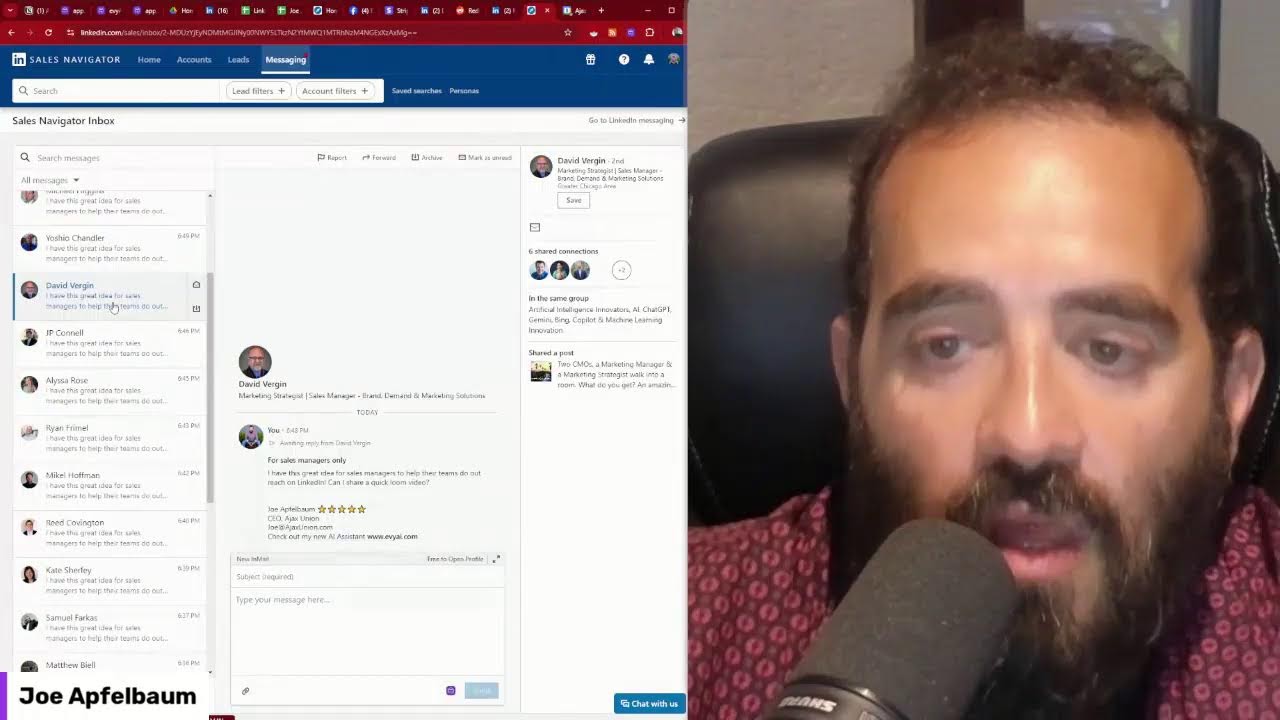
Joe Apfelbaum demos Evvy AI, his platform for generating LinkedIn posts with hooks and CTAs, then shows how to automate influencer research with Make.com, scrape posts into Google Sheets, and build outreach workflows. He covers profile summaries, CRM building, and a strategy to earn the Top Voice badge by posting consistently in one category.
Chapters
Ever wonder how to brainstorm with artificial intelligence? My name is Joe Apfelbaum, CEO of Evvy AI, and I have this AI for LinkedIn that allows you to brainstorm with AI, write content, helps you be able to engage with your LinkedIn connections effectively, save profiles into lists. It does so much for you for pennies. It is an incredible AI. And I'm going to show you how it works. The first thing you do is log into your account. Just click login, top right corner. Then what you can do is, you see over here, post idea? I'm going to click on, oop, I'm going to click on see all my different things here. So these are my post ideas. And what I did was I came up with several post ideas and these ideas came directly from AI. So, You can put a topic in and the AI will then generate ideas. So over here it said the impact of rising interest rates in New York City. I just wrote real estate in New York. That came up, this came up, this came up, this came up. And what I can do is I can click on generate post on any of these and it'll automatically generate a post. So I can show you it in real time. So when you go to Engage, you click on idea generator and under idea generator you can pick any topics. Over here I'm going to Pick my Joe Apfelbaum persona, and I'm going to say networking with your clients. Okay, I'm going to hit generate ideas. This is going to go do some research and pick up ideas. Now you can use websites like answerthepublic.com, this website over here. You can put in any topics. So for example, Sales Navigator, Gay Navi. Navigator. See that Sales Navigator? I press search. It's going to search Sales Navigator. It's going to ask questions, propositions, comparisons, alphabeticals, whatever. So I'm going to grab that. I'm also going to do Socrates. Socrates answers. Let's see if this works. The other day it was down. Let's see if it's working now. Hopefully this works. Look at this. Socrates Sales Navigator. What is Sales Navigator? How much does it cost? What does Sales Navigator allow you to do? And what's the difference between LinkedIn and Sales Navigator? All these are really, really big topics. Really big topics. And so we have Answer the Public, we have Answer Socrates, we have Evvy AI, networking with clients, the art of listening, how to listen to clients, build trust. Okay, so this is what I'm going to do here. I'm just going to type in Sales Navigator, Sales Navigator, and see what type of topics it comes up related to Sales Navigator. Now I'm also going to go to ChatGPT and I'm going to say brainstorm. Here's a brainstorming prompt. I'm going to say act as a brainstorming. Here's some background information from LinkedIn. Make the content related to Sales Navigator. And then I'm going to put in my thing, Joe Apfelbaum persona. I'm going to pull up my persona. All right, and I'm going to press go. All right, so I just have this whole persona over here. So now it's going to come up with ideas. You see the way it's coming up with ideas? So we can compare the ideas you get from AnswerSocrates to the idea that you get from AnswerThePublic to the ideas that you get from Evy AI. So when you're getting ideas from Evy AI, all you have to do is click and then generate the post. That's all you have to do. So over here, the role of AI in modern marketing. I'm going to press generate idea, generate post, and within five seconds you'll have a hook, main points, call to action, and hashtags. This is what I love about Evie AI and the ability to quickly come up with topics. This is a topic I can just post on LinkedIn right now: Boost your marketing strategy, discover the power of Evie AI. Are you tired of spending countless hours on your manner? First and foremost, you can you see that? Look how beautiful this is. Now you might be wondering, how do you get the most out of the AI for the— no, no, no. Remember, embrace the AI, blah, blah, blah. Are you ready to take your marketing to the next level? Now what I'm going to do is I'm going to take this and I'm going to use Claude to optimize this. So how am I going to do that? I'm going to use a very specific LinkedIn prompt that I have. Create a LinkedIn bio? No. CRM helper? No. Brainstorming? No. Tweet generator, no. Training data, no. I'm going to say LinkedIn post. Let's see what we have here. Advanced LinkedIn command post. Let's try that. All right, so I'm going to try this right over here. I'm going to press go and let's see what it writes. Here's the original LinkedIn post you provided. And look the way it's using Unicode text over here. All right, tools like Evie AI. All right, so let's see what happens. I'm going to take this. It kind of made it better for me. So now I'm going to go into LinkedIn just to kind of see how it comes out when I paste it in LinkedIn, see if the Unicode stays. And look at that, the Unicode stayed. So now I have bold things in my post. That is pretty darn cool. Drop a comment with your biggest marketing challenge. Let's explore it together. Is marketing strategy ready? Is your marketing strategy ready for the AI evolution? Are you using Sales Navigator with AI? If you're not, you're missing out the game. Here's why. Data-driven insights, enhanced personalizations, and automation. Tools like AI. As the market has embraced AI, I've seen firsthand the transformation. Exceptional. Being able to make market-driven decisions can be a game changer. Okay, staying in and out. Let's discuss how you can use Power Strategy. Drop a comment below. And I'm going to say, by the way, PS, Check out these questions that people are asking about Sales Navigator. Okay, so let's break it down. Let's get the questions from, from here. All right, let's copy that. This is coming from Google Trends. So this is a trending topic. Let's see, we're going to find where, where did we just post that? Oh, right here, the last one. Let's get to a couple more questions. Actually going to go here and I'm going to ask Claude, come up with 30 questions related to Sales Navigator for prospecting. For new clients. I'll get you started with Google Trends questions. And what I'm going to do is I'm just going to copy and paste everything that's here. Um, Ctrl+A, Ctrl+C. I'm just going to pick everything from the page. You see I'm copying everything that's here. Put it into Claude just like that. Boom. I just pasted all that stuff. Here is also other things I got from Socrates. All right, let's see what I got. Let's see what it builds out for me. So I basically copied the whole thing. Okay, what is Sales Navigator? How much does it cost? What is the difference between LinkedIn and Sales Navigator? What are the key features of Sales Navigator for finding potential clients? How do you use Sales Navigator advanced search filters? Can Sales Navigator help me identify decision makers or companies? What are the InMail features of Sales Navigator? What about saved searches? How does it work? Oh my God, these are great. So let me take these 30 here and I'm going to copy them here. I'm going to paste them into the post and see if this works. I'm not going to— I don't know if it'll work. Oh, I exceeded the limit. Look at that. I exceeded the limit by 880. OK, so now I'm going to see— I'm going to say the following. I'm going to say, I will be posting 30 comments with questions related to sales Please like the ones that you want answers to, and I will make sure to answer them. Boom. Okay, now I'm gonna put an image. What image should I use? I like using images of myself, so I have face photos over here. Um, let's see, I guess I could use this one over here. This one's cool. Next. Boom. Is your marketing strategy ready for an AI evolution? I'm going to take off this thing over here. I'll paste it in here. And I'm also going to take off this rocket from here. And I'm going to go put it down at the bottom here. Now what I'm going to do is I'm not just going to simply do this. I'm going to go find some hooks, hooks, viral hooks, Joe Apfelbaum. Okay. So let's find some viral hooks, viral hooks. Look at this. Look at all these viral hooks. I have tons of viral hooks here. So I'm going to take these viral hooks. Here are 30 hooks and I'm going to give it to Claude. And I'm going to say, make me the best 5 hooks from this article for the, for the post about Sales Nav. Here is the post. And I'm going to take the post from LinkedIn that I'm about to publish. Ctrl+A, Ctrl+C. And I'm going to put here, and instead of saying make me, I'm going to say customize. Customize the best 5 hooks from this article. Let's just see what it does. Okay. It's going to read all the 30 hooks and it's going to give me 5 hooks about Sales Navigator. How to supercharge your prospecting with Sales Navigator in an eye— in a way. A five-year-old can understand it. Here's a sales navigator secret: stop over overcomplicating your B2B strategy. Sales navigator plus AI is a game changer you've been waiting for. Oh, I like that one. Sales professionals all over the world are losing their minds over sales navigator and AI combo. The shortcut to double your qualified leads on LinkedIn is here. Are you ready for only? Okay, so I like stop overcomplicating your B2B strategy. I'm going to do that one. Okay. I'm going to copy that. All right, that's it. Now we got the image, we got the really good hook, and I'm going to hit post. Boom, I just posted on LinkedIn. Now let's go to my posts. By the way, if you guys are enjoying this, say wow in the chat. I'm curious to know who's enjoying this. Also give this a like so I can see that you guys are watching this. I don't know if people are watching this or they're not watching it. I just got home from a networking event. I had so much fun at this networking event. It was such a great time. And now what I'm gonna do is I'm gonna follow up with all the people that I met at the networking event. And you might be like, Joe, how are you following up with these people? It's simple. What I'm doing is I'm writing up an entire thing, a follow-up of who the people are that I'm going to be following up with. I have a document and I'm going on LinkedIn and looking up their information. Like Andy Sommer, you see, he's one of the people that I want to follow up with. He only has 483 connections. I'm going to make him a whole video explaining to him what he's missing out on his profile. And then I'm going to send him the video and I'm going to say like, dude, let me, let me make your profile nice. Let me give you a nice banner. And so I'm using Loom as a tool. First of all, I'm going to endorse him for logistics here, but I'm going to use Loom as a tool to kind of guide him and walk through doing a screen share. I'm actually going to save his profile over here because for whatever reason, this profile is not saved. So I'm going to save the profile. It's going to save it into Evi AI, and then I'm going to put him as an EANYC member. See? EANYC. And that's the dealio. That is the dealio. So I got the viral hooks, put them in there. Let's see what else I have. I posted on LinkedIn just now. I'm gonna grab this post. Let's see, grab the copy of link to the post. I'm going to share the link to the post in my school community for my group so that they see it. So I'm gonna go to school. .com/engage-thought-leaders, and I'm going to paste it in here like this. I'm going to write Sales Nav with AI. I'm going to go here, I'm going to do Social Booster. I'm going to put a GIF navigator. I'm going to click on this, I'm going to press post, and now I just posted this link for my community. And now I'm going to go in here and I'm going to see what people did over here. Going big for small business. I'm going to give this a like. This is just 3 hours ago. People usually do this in the morning, so if you're late, you're not going to get a ton of traction. But I make sure to log in a few times a day to allow me to engage with people's posts and help them out and support them. And then when I do, I just simply write done. Boom. Just like that. All right, Gina said please like this poll 10 hours ago. I'm going to say boom. And I'm going to go ahead and click on this post. And I'm going to say limiting beliefs. I'm going to click on like. And I'm going to drop a quick little comment here. All right, I'm going to comment. I just left a nice little comment on her post. All right, what else do we have going on over here? If you guys haven't joined this Live right here. I highly recommend you join it. What else do we have going on? AI, martech. Oh, I'm going to take this and put it into the comments, into messages. So let's see what messages I've been getting. Hey Joe, I just started a new role about 4 months ago. It's been going fantastic. I'm managing SEO for Eternal Luxury Builder here in Florida. My team is wonderful. Do you guys have sales reps? Okay, all things good. Yes. Only good things. Let's see what else we have here. We have this, we have this. I'm gonna say you're welcome. Let's see, boom, boom. All right, we got a sprint booster. So over here, as people are posting link posts, the links, I'm just gonna go ahead and share whatever there. Let's see what else we got going on here. Let's see what else. Oh, look at that. I'm gonna say Right here, people are sharing stuff. I gotta call Barry. This reminds me, I gotta call him. So I'm gonna open him up in a new window so I can give him a buzz. I'm actually gonna go to his posts right now and just to see if he has any new posts. It looks like he posted 51 minutes ago. I'm gonna give it a like and I'm gonna drop a comment for him. So this is me dropping a comment for Barry Shore. Yes, yes, yes, yes. You see, I dropped the comment for Barry Shore. He likes to sing. He likes to sing. Joe, I remember part of that 15 years ago with a colleague. At any rate, I'm currently on the board of WBE. We're scheduled a session with you in December. We'd love to connect and reconnect. Oh, awesome. Hi Joe, find your profile inspiring. Let's connect. Okay, I don't know about that. Hey, I come across your profile. Let's connect. I'm interested in expanding my professional network. Okay, so this is what I'm gonna do. I'm gonna hit see all. And then I would say, would you be so kind? Would you be so kind to comment on my posts? Control A, control C. And I'm going to go like that. And let's see if these people. are willing to comment on my posts. Now these are all people waiting to connect with me on LinkedIn. You see that? They have not commented on my posts, they just sent me a connection request. So the people that actually comment on my posts are gonna be the people that I accept. You see, these people are not commenting on my posts. So this is today. They're reaching out to me. I don't have to do anything. I actually know Jonathan. I'm gonna hit yes. I don't have to accept them until they comment on my post. So that'll be the litmus test to see if they're willing to comment on my post, if they're real. They might respond, yeah, done, or they might just ignore me. And in that case, I'm just gonna ignore their connection request. But if somebody's consistently liking and commenting on my posts, of course I would wanna be connected to them because I want to connect with engaged LinkedIn users. Messaging you live. Haha, thanks. Are you watching this now? OMG, let's check out Chaim. Okay, we're gonna check him out in a minute. Let's see, I'm literally sending these people messages here. People literally are not commenting on my stuff and they're asking me to connect. So this is a great strategy to get comments on my posts and also to test these people out. And this is from yesterday, look at this. These are all your content is really great. If my content was so great, why you not commenting on my stuff? Huh? Huh? Huh? Let's see. Amazing session today. Should I put single father in my headline? Let's see. Ignore, ignore. Innovative change leader. Of course, of course, John from 2 days ago. Let's see, Mrs. Garcia, Steven DeAngelis, Gil Mammon. Oh, Gil Mammon, he was on the call with me. Let's see. Oliver Duffy. Pretty incredible. So let's take a look at how many comments I left. Look at this. 1, 2, 3, 4, 5, 6, 7, 8, 9, 10, 11, 12, 13, not 13, 13, 14. You really need smarter automation. Why? Okay, let's see. Oh my God, so many. Hi, Joe. Hi, Michael. I'm going to reply to him. I'm going to see what Evie AI generates as a reply to this. I appreciate reaching out, Mike. It's interesting. Yeah, looking forward to our session. What specific topics are you hoping to go? That's good. This is a good one. A good one. Wow, that's a good response. All right, let's see what happens over here. Hey, Cynthia. Okay, let's just see. You have a sales guy. Sony Lusabagi said, just me for now. And by the way, I'm looking for a LinkedIn page for a colleague who knows you. They're chatting tomorrow morning. Amazing. Okay, let's see. Thanks for the best wishes. Can you like my post? Prima Donna said, absolutely. And I'm going to say, can you like my post? Hey, thanks, Joe. All right. See. Okay. Thanks again, Joe. And I was able to use your tool every day for a long time and never got a top voice. Oh, that's interesting. Um, let's see. Well, look at— is there a certain way you share comments and links back to your connections? Let's see. Got my 3rd top voice. Let's just see what, what we're talking about here. Oh, that's because he hasn't been part of it. All right, so let's get a top voice badge here. I need a top voice badge. Let's go in here. Say, okay, let's do a 2-week challenge to get a top voice. I put instructions in that post. Okay, so if you guys want to join the challenge, just write top voice in the comments of this live, of this live, if you want to get a top voice badge. And what I'll do is I'll share with you this link over here. So this is the situation here. Hi, are we doing this every day? Yes, daily. All right, so let me do mine today. So I'm going to go here and click on this. This is what you do. Step number 1, if you want a Top Voice badge, step number 1 is you got to get Evie AI. This is what you do. All right, you ready? This is how you get a Top Voice badge on LinkedIn. My name is Joe Apfelbaum and I'm about to show you how to do this. Step number Step number 1 is find a category under linkedin.com/advice. I found sales prospecting. In sales prospecting, find a post that you want to post on. So in this case, I want to post on this one here. All right. Now find ones that have no comments. I'm going to click on this. I'm going to click generate. And now what you're going to do is you're just going to insert the perspective into the collaborative article. That's 1. Step number 2, Pick another one, generate one, and then press insert and then add. And step number 3, pick another one. I'm going to pick this one over here, adjust strategies, generate. You can pick your goal, your tone, your persona, hit generate, insert, and then add. And now I have 3. Now what you're going to do is you're going to press these 3 dots and you're going to copy it. You're going to copy the link to the contribution. You're gonna go back into the school community and you're gonna let everybody know that you did it. That's one. I'm gonna press edit this. Control home, shift enter, enter, enter. We're gonna grab the first link, this one right here. Say category. Let's say category. And then we're gonna do a comment one. Copy. This is comment 1. Over here it's going to be comment 2, comment 3. You see? Comment 2, comment 3. And I'm basically sharing these with my network, with the people that will like these perspectives to my collaborative articles. And if I do this daily and I get likes on them, even if you don't get likes on them, you should get the Top Voice badge. But if you get likes on them, you're certainly going to get that Top Voice badge because you'll have the top voice in that one category. That's the key that a lot of people don't realize. You need to do it within one category if you want a Top Voice badge. And I'm going to say 8-8-2024. I'm doing this. And let's see who's going to be held accountable. We're going to do— who needs accountability? Donna. Who else? Arnie. Who else? Imran. Let's see who else. Therese. Therese. Okay, these are the people that are doing it. Hit save. And now I'm getting accountability for getting a Top Voice badge. And you'll see my badge appear on my profile just like that. I made sure to lose my badge in order for me to get the badge back in order for me to show you how the badge works. Now let's see who's pending membership. All these people are pending membership. I'm gonna find who they are. Rebecca. Let's see who this Rebecca is. Copy, paste. Yep, I'm going to let her in. I know who she is. We got Jalal Ruaz. Let's see who Jalal is. Page doesn't exist, so the answer is decline. If your page doesn't exist, you're not real to me, and if you're not real, you get declined. Okay, this person's real, Ruit. I press approve. Jalal, let's see if you're real. Jalal looks real. He's in Pakistan. I love it. Approve. All right, let's go number four. See who else is here. We got Name Cone. Oh, Gina Malkone. I'll let him in. Let Melissa in. Kevin Roach. I don't have a photo of you here. Let's see who you are. Who you are, who you be at. Ooh, Acme Solutions. Ooh, that's a big one. National sales. Oh, hell yeah, I'm letting you in. Uh, Naeem Cohen, let's see who you are. I don't know who you are, so I'm gonna make sure that I check. Babyface Credit. Okay, not bad. You need work, dude. You need to do them work. Yeah, man. He's based in New York. All right. We'll let him in. Let's just see. Let me just see what his profile looks like. I let you in. Oh, it looks like he's part of all these other companies. That's cool. All right. What else is cooking? Category. Yeah, baby. Yeah, baby. Done. As did it. Let's see who's on the leaderboard today. Oh, it looks like Michael's on the leaderboard. Arnie's on the leaderboard. Kevin William is. Tina, Theresa, Dr. Rao. Awesome. Awesome, awesome sauce. All right, so we're going to close this out over here. So we did this. Now we're going to go back to LinkedIn and we're going to just double-check to see if we got any new messages. It looks like we got some. I'm watching you from the app. I'm going to say, nice. Can you share the text you're using in messages that you're sending? Yeah, the text is this. I'm going to share the text. Would you mind liking this? Boom. I just sent it to you. You're welcome, Chaim. Let's see, Borzu said, Borzu is happy to give you to you, Joe. Genuine curiosity about your reply. Hope you connect and learn more. Boom. All right, so he's the founder of this company. Oh, he wants to connect. All right, well, he replied to me. He's a real person. United Effects. What do they do for a living? I wonder what they do for a living and how many employees they have. Oh, look at this. They have 2 to 10 employees. They are business consulting. You see, business consulting. That's good. That's very good. You see, this is him over here. He's the founder and CEO of this company. I'm gonna save his profile. With Evvy AI, you can save a profile, and then what you do is you kick the little dropdown over here, and then you click on summarize the profile. And when you click on summarize the profile, what happens is that LinkedIn sends it to the internet, and all of a sudden I have bullet points of everything the person does for a living. That's the key. You wanna know everything the guy does for a living? Building relationships. You hit the summarize button and it'll do it for you. If I want to see all of his activities, I click on see recent activities. Check this out. I see that he's not really posting much, but he posted 6 days ago over here. Found out today that if you don't upgrade your blah blah blah, you're 6 times the price. I'm gonna hit go reply and let's see what the reply is. Let's see what the reply— it's alarming to see how costs can really escalate. It's alarming. It's so alarming. Let's see. Comment. If you're not using Evie AI, you're majorly missing out. Why? Because Evie AI is king. King. How often do you post? Okay, now I'm going to also give Chaim the demo. If you can watch the demo. Let me know. Now what we're going to do is we're going to create a Sales Navigator Miro board. Oh, look at this. Here's his information. Summarize profile. You see all this information? Boop, boop, boop, boop, boop, boop, boop, boop, boop. This is his information. Look how cool this is. All this was written with Evie AI. Evie AI is so cool. It's so cool. It's so cool. It's so cool. You can do so many cool things. Yes, makes me so happy. So happy. I am so happy today. I am happy. I'm so happy. So happy. So so so so happy. Let's see what Jessica Abo said. I'm gonna write. Oh, I already wrote boom. So that's done. Teaser post for today. Two days ago. Did I boom her? I didn't boom her on this. Let's see what she wrote over here. I probably commented on this already, but just in case. Oy, I didn't. Oy, oy, oy. I got to comment on this. Here we go. All right, moving on. Comment. All right, let's see what else we got going on over here. We got this. I'm going to close this. This is all the stuff. The five hooks. These are all my Sales Navigator topics. I'm going to copy these topics right here. And I'm going to open up myro.com. I'm going to go into my dashboard. I'm going to take my LinkedIn map and I'm going to zoom out, zoom in. I'll paste it right here. And let's see if I can convert this. Let's see if I can convert this into something. Is it convertible? Can you convert this? Let's see. Click on this. Create more objects. Document, document brief. More objects. Write a prompt to select. Write a prompt or select for an example. Flowchart. Generate diagram. Let's see what it does. Oh my God. That is insane. I'm using artificial intelligence to generate a diagram. All right, let's see what it did. Wow. Using Sales Navigator, understanding key features is a CRM integrated. Use advanced search filters, identify decision makers, engage with prospects, measure ROI, optimize your profile. And wow, did we just build this? Did we just build an entire diagram of how to use Sales Navigator in seconds using artificial intelligence? Wow. Okay, we'll look at that later. I'm going to close this. We're going to close this. We're going to close this. I'd love to keep this open here. I'm going to go message him and see like, how often do you check LinkedIn? Probably not often. Lol. All right. His birthday was March 19th. We connected in 2008. 2018. I'll have to message him later. Okay. So this is my ChatGPT thing. Here are all the tips. The Sales Navigator, common challenges. How do I avoid them? Highlighting pitfalls. Okay. We're going to look at this content later. It all gets saved, so that's fine. Here's my one-on-one strategy. Here's this. Here's a bunch of domains that I own. Here's this. Here's Andy Summers stuff. Um, all right, so this is my— this is the recap that I send people. I save it in Notion. This is the recap that I send people for, um, After a conversation. So we have a table discussion and then I share kind of this recap of the table discussion when I'm networking. What I'm going to do now is I'm going to finish this because this is something that I— it's on my to-do list, but I want you to see how I network. And I'm going to use Evie AI to really help me with this. I don't know if you know what Evie AI is, but it's really, really powerful to— NYC guests. And I'm going to show you the crazy thing, the crazy, crazy thing. Let's see. Yeah, I see guests. Is this even valuable to you? Let me find out the guest that was at the table with me. His name was none other than Jerry. That was his name, Jerry. Here he is. And I'm going to— I'm actually going to use Perplexity now. Perplexity.ai, give me 10 facts about— let's see. He's a CEO and co-founder and chief executive of Whitecap Search, a recruitment firm based in New York City. Was founded in 2017. He has certain certifications, blah, blah, blah. Perfect. Now what I'm going to do is I'm going to use ChatGPT to create a CRM helper, and I'm going to grab his information from here. Let's see, I'm going to grab his information from here, paste it in there, then I'm also going to grab his information from LinkedIn. Which is available here. Paste it here. I'm going to open this up here. I'm going to open this up here. Grab all this, copy, copy it all till the recommendations, paste it into ChatGPT. Then I'm going to grab what I sent to Perplexity before, paste it in there, and then press go. And let's see what it does. Let's see what it does. Wow. That's pretty impressive. It died. It died. It died. It died. Let's see if he's here. Jerry. Where is Jerry? I have Sony. I have Jerry. Let's see. Jerry. Let me find him in my CRM real quick because ChatGPT is having a little bit of a heart attack right now. I know that he sent me a message. He sent me demo. Let's see, when did he do it? He did it August 8th. August 8th. Jesse. Oh, Jesse called me, or I called Jesse? All right, did I call Jesse? Outbound call. I called Jesse. And then 1:14, and then 2 PM, and then 2:10 PM. Okay, so it's probably 1:14. This is probably him because he also said he grew up in Westchester, so I'm going to assume this is him. I'm going to open up the contact details. I'm going to add a note. I'm going to paste his information. I'm also going to do a reverse lookup on this number real quick just to see if it's him. I'm going to go to Ben to do a reverse lookup on him. I may have the ability to do a reverse lookup on strategy.joeapfelbaum.com/reversedatapage. Let's just see if I can do phone number. I didn't put phone number here. I did first name, last name, company name, email, title, LinkedIn URL, domain. I should really do phone number too. I'm going to do that. I'm going to do a 2-step reverse lookup with a phone number and then the ability for me to send it to a CRM. Yeah, so it's definitely Jerry. I see him coming up over here. I have his home address. I have all this stuff. Okay, good. So now that I have it, I'm going to populate the rest of this stuff here. All right, now I'm going to put his LinkedIn URL from LinkedIn right here. Copy, paste it in here. I'm going to press save on the bottom so I don't lose it. Now I'm going to go into here. ChatGPT is having a heart attack. I'm going to press stop and I'm going to say redo it. All right, here we go. And then I'm going to give him his cell phone number and whatnot. Search person. All right, he's 35 years old, it looks like. Let's pull him up. Let me see, let me give you some more information about him. Let me give you some more info about him. That's his LinkedIn URL. That's his phone. Number. I'm going to close this. I'm going to say here's his phone number. So, and then I'm going to say he's 35 years old, born in February. All right, 35 years old, born February. Let's see. He— big data is telling me this is his home address. So we'll say that's his home address. He did say he lives in Gramercy, which makes Makes sense. Um, he is engaged to be married to his younger sister's best friend. He is passionate about helping people and connecting them. Please update The info. All right, let's see if it'll, it'll update the information here based on this. Boom, we got an address. I didn't put an email in there. Oh, I gotta redo this. Engaged to be married. Beautiful. Oh, he loves baseball. I had no idea about that. All right, so I'm going to go in here. I'm going to grab all his information from here. Copy, paste it in here with along with his email. See what we got here. That's all we got. Oh, I didn't copy everything. Oy, oy, oy, oy. Copy, paste. And then I'm going to grab his email from here. Ctrl+X, Ctrl+V. And then I'm going to name the ChatGPT chat. I'm going to save this. I'm going to name the ChatGPT chat his name. Okay. And now if I need to look it up, I could always look it up. So now we have this. He's a CEO. I think he's a CEO. Is he CEO? Let's see what it says here. He's a co-founder and CEO. Yeah. Co-founder and CEO of Whitecap. Whitecap Search. Whitecap Search. Let's see the address of the company. This is what you do. You click on Whitecap Search here. You click on About and you can grab the address of the company. It's usually here somewhere. It's not. All right, well, let's find out the address. Here it is, 50— 52 Vanderbilt Avenue. Put his zip code, grab his website, city, state, New York, country, United States. United States of America. All right, now I'm going to put in some other personalized notes, but what I'm going to do now is I'm going to say Make me some notes about him. So how am I going to do that? So let me find out where that Notion template is. This is— is this the meeting? August 8th. Is today August 8th? Yeah. So I'm going to say copy. I'm going to say copy these notes, copy the format of these notes, and create an overview. Of Jerry for the networking recap. Let's see what it does. It's not doing anything. Control A, control X. All right, it's not working. I'm going to refresh the page. I'm going to click on Jerry. I'm going to paste this. I'm going to hit go. Look at that. It's building a beautiful, nice little recap. I love that. Now I'm going to copy this. I'm going to paste it right into the Notion template here. Okay, so we have me, Zach, Andy, and Jerry. Okay, I have the guests at the companies, I have the overview of all the guests, and I have the meetings. Now what I'm going to do is I'm going to delete this because I don't need this. I'm going to delete this, just taking up space. And I'm going to copy all of this and send the new email. A new email. This is how I do it. This is how I do it. I'm going to Ctrl+Z, Ctrl+Shift+V. Let's see if that came out right. No, that didn't come out right. Ctrl+Z, Ctrl+Z. So I'm going to have to copy and paste it into chunks, paste it in chunks. So step number 1 is just grab the regular text like this, Ctrl+C, and then paste the regular text in there. So that looks good. Copy the subject line. And then paste the subject line in. So I got the subject line, I got the body, everything's here. Um, now what I'm going to do is I'm going to paste in the guests. Where are the guests? Here. Boom, boom. I'm going to send them the guests. Here are the guests. And I don't have to send them the rest of the stuff. I'm just going to send this like this. I'll send it to Zach. I'll send it to Andy, Andy Summer, and Jerry B. And I'll send it to scheduling as well and hit send. And now I went ahead And send an email, a recap, just like that. And this is what it looks like. Boom. This is the recap. Isn't that cool? Nice and cute, nice and clean. Moving on. Now I can write a post about this. I can pull up my photos of the event. I'm going to upload them from my phone. So let me put my Wi-Fi on, on my phone. Let me go to my Wi-Fi, turn my phone on, and it's uploading. All the photos are uploading now. They're going to be in my Google Photos in a second, and then I'll write a post about the event and I'll post the post on LinkedIn. Cool, right? All right, let's see what's going on here. Who's this guy, Tom Hunt? Ooh, is he a— does he have viral posts? Oh, look at his posts. He has a lot of likes. Let's analyze his posts. Okay. Let's do that. Let's go to analyze his posts. How are we going to do that? We're going to go to make.com. We're going to do login. We're going to select Make. We're going to analyze all of his posts now in a spreadsheet. So how are we going to do that? You know what I should really do is I should add a section here that looks for— Oh my goodness. Oh my goodness. Oh my goodness. Let me go pull up that post URL. I'm gonna, I'm gonna make this better. Post, post scraper. I'll just make it easier right now. I'm doing a post scraper, but I'm doing it slowly. So I'm gonna make a list called, um, post to scrape. That's easy. Scrape list. So I'm going to say list to— I'm going to call it influencers. I'll call it influencers, right? So we have a list of influencers. What is going to be the list? So this is going to be first name, last name. I'm going to do first name, no space. Last name, LinkedIn URL, LinkedIn username. That's what I need. That's his LinkedIn username. So we're going to scrape this list. I'm going to say Scrape, collect posts. I'm going to say yes, collect posts. Okay, and then we're going to grab his LinkedIn URL, which is this. We're also going to write how many followers he has. Why not? Is this it? No, that's a YBO list. We're going to grab this. We're going to grab— I'm going to put this right here. Tom Hunt, 13605. All right, delete. 130 followers, 130-605. Not dash. So many followers. Yeah, so we're gonna do collect posts. Yes. And last collected date. Okay, last collected date. Boom. So we do last collected date, collect posts. Yes. I won't put the date in here. Any other info that we need on this person? I'm gonna say connected to Joe. No, we're not. We don't— I don't care about that. Do we care about that or do we not care about that? I don't know. All right, let's just see what happens. Let's just see what else. So we got Tom Hunt, um, 130,000 followers. Let's go scrape this puppy. So how are we going to do this? Well, first thing we're going to do is we're going to pull up a scenario, fetch posts from LinkedIn URL, Quora scraper. We're going to do a post scraper, so we're going to do search. Click on scenarios, and we're going to find the post scraper. The post scraper starts with a, with a wrenchy thing. Are you ready to go? Mm-hmm. All right, let me finish this and then let me do this automation and then we'll go. Okay. LinkedIn post scraper. I found it. So I'm going to improve this LinkedIn post scraper right now. So this is what we're going to do. We're going to do add a module. We're going to do a search rows module. Search rows module. And then we're going to do— prior to configuring a module, you need to connect this scenario below. Connect automatically. Okay, so now we're going to do Google Sheets connection with Joe at Ajax Union. That's fine. We're going to do my sheet. We're going to select from all. We're going to do sheet ID. Sheet ID is going to be this sheet ID here. I don't give a sheet about this sheet ID. Okay. So that's a sheet ID. And then we're going to do sheet name is going to be influencers. And then we're going to say if collects posts equals yes, then run and then return 1. Okay. Let's just return 1. All right, let's just run this one only. Okay, we got Tom Hunt and we got all his information. So now what we're going to do is we're going to take this, grab this, put this here. We're going to unlink this. We're going to put this here. Okay, good. Now we're going to link this to this. Now this goes to here and that goes to there. And we're going to pull this from the username, LinkedIn URL, LinkedIn username. We're going to press OK. That's it. That's what we're going to do. And then we're just going to go here. It's going to iterate. It's going to pull it. And then at the end, we're going to update a row, update a row. Oh, I want to only do this once. I have to go back to the other one to figure out if I learned my lesson from all. We're going to pull this ID again. Ctrl+C. Paste. I'm going to do sheet name will be the same sheet name as this one here. Search rows will be row 2. It'll be— no, that's sheet name. Sheet name will be Sheet Influencers. Row number, row 2. And then here we're going to say collected posts, yes, which is 2 before H. So this one's G. G. Last collected will be here, and then F is collected, and then G will be the date. Okay, so we're going to put in the date, which is a timestamp, which is now, and we're just going to format it. We're going to format the date as— We're going to format the date as Let's see, we'll format it as month month slash day day slash year year year. Okay, so we'll do that. And then we got to tell this— I'm going to rename this. I'm going to say mark as done. Mark as done. Mark as done. Press okay. And this one I was looking at here, it's going to say post. So it says mark as done, but rename to update row, create rows, put row, put posts in sheet. Okay, put posts in sheet, mark as done. I don't want it to mark as done every single time. I only want it to mark as done once. So I'm going to say something like, if the bundle number— that's what it was. If it's like, if this bundle number is greater than whatever, is less than whatever, if the total number of bundles is equal to the order of position, is the total number of bundles Is equal to the order of position, then go or something like that, then mark it. That's basically— it gets to the end, otherwise it's not going to go. That's cool. All right, let's go for it. Should we run it? Should we run this automation? Oh shit, did I hit run? Oh my God, I did. I hit run. All right, it's taking the JSON, putting it in a Google Drive folder. Then it's iterating. Oh, look, it's doing it. It's doing it. Boom, boom, boom, boom. 12, 13. Let's watch it in real time. Is it happening? Is it happening? Yes, it's happening. Tom. Tom Hunt. Tom Hunt. Tom Hunt. Tom Hunt from 3 months ago. Wow. He hasn't been posting a lot at all. All right. Did we done? No, we don't. Mr. Tom Hunt. Let me see if we got 50 posts out of him. Yeah, we got 50 posts. Let's see if it said, let's go back to influencers collected and the date. We got the date. We got the date. And now we update. So now all I gotta do is put in a person's first name, last name, LinkedIn URL, his LinkedIn username, how many followers he has. Just write yes to collect posts, run this automation, and boom, there it goes. Now I can run this automation at regular intervals. Like I could run it every day, every week. I'm going to run it once a week. Every week. Every week on demand. Every day. Let's see. Every day. Days of the week. We'll do it every Friday. We'll do it every Monday at 7 AM. That's, let's say, 6. 6 AM. 6 AM. Here we go. All right, we did it. Now we have this running. I'm going to turn it on. I'm going to save it. Now this is going to run every Monday at 6 AM, and it's going to check for posts for one person. So my goal is to scrape one and analyze one every Monday, and it'll go run forever as long as I have credits. That's cool. All right, so I saved it. I'm done. I just improved. I took this automation to the next level. So who's it going to do next? I don't know. We'll find out. Let's go to the post scraper. Let's find another influencer that we want to copy. Um, let's see. Let's see what comes up on my feed. Let's see who comes up on my feed. The next influencer that has thousands of posts that comes up on my feed that's viral. We'll do that. Let's see, let's see if we can find someone that's a little viral over here. Are we finding anything viral? Ooh, look at this, it was very viral. Daniel Guzman. So we'll do this to Daniel Guzman right here. I like that, this is a pretty viral post. So I'm going to go here, I'm going to copy this, I'm going to write yes, and then I don't need her followers here, but We may as well put her followers in. We may as well put her followers in. She has 16,562 followers. Keep track of that puppy. Danielle Guzman. All right, so we're going to come back here on Monday at 6 AM and it's going to be done. I don't have to do it now. I could do it Monday, or if I want, I could do it now. You want to see me do it now? No, we'll do it on Monday. And I'll keep adding to this, and then every week I'll have something to look at. I could even get an email when it's done. Oh my God, that would be cool. New posts collected for about— ah, that's cool. All right, anyway, that's, that's what we got going. Save. All right, let's see what else we got over here. Okay, so I emailed him. I checked out his website. Love his website. I'm gonna check out his IG, see what he has going on here. He has 300 posts over here, 300 followers on his IG. That's cool. Let me look at his LinkedIn page and see if he's been updating. Oh, it's broken. It is broken. I just found a bug. I just found a bug. I just found a bug. Let's make a Loom video. Let's make a Loom video for him. This is how you make a Loom video. You click on this. We're gonna turn my camera off. That's fine. We're going to pick instead of full screen, we're gonna pick a specific window. Nope, we're not gonna pick a specific window. We're gonna pick a specific, let's see, custom size. Ooh. Screen 1, custom size. Let's do this. That's good. I've never done a custom size thing. Let's do that. That's fine. I don't know what is going on here. All right, let's do that. All right, so now we have that. We're going to make a start a video. Ready? Start the recording. 3, 2, 1. Hey, this is Joe Apfelbaum. I just wanted to quickly drop a note and let you know that there's a part of your website that is broken. So if I click on this little LinkedIn thing here, it says server hangup, and it's because the LinkedIn URL is incorrect. So I recommend that you fix it. Just wanted to make a little video to kind of show it to you. Awesome. Anyway, thank you for watching this. Talk to you soon. Boom. So I just made a little video and now I'm going to send him this video. See, it comes out like this. I just copy link to the video. Website issue, it types the whole thing up for me. I love that. Now I'm going to send it to him. Let's see how I'm going to send it to him. Let's see, I'll send it to him via DM if we're connected. If we're not connected, I'll send it to him via email. So we're not connected. Let's see if he replied to my message here. I already messaged him today, but he didn't reply to me. He's obviously not replying to me. I don't know why he didn't reply. So I'll just email him, or I'll message him, or whatever. You know what, I'll email him. So how am I going to email him? I'm going to click on his name here. I'm going to go click on email. I'm going to say, broken link on website. Check out the video. Let me know if you want. More tips. Send. I just sent them an email, broken link on website. Boom, just like that. Sent a little Loom video. All right, there you go. There you have it, ladies and gentlemen. Hopefully you learned something today, coworking with me on LinkedIn Live, coming up with ideas, working things out. If you enjoyed this, give it a like. Let me know what you thought about it, and I'll see you on the next video. You know what? Let me check if anybody left a comment for me. If you didn't, if you left a comment, maybe I should answer your comments. Maybe I shouldn't ignore you. Let's see what people are saying. Oh, look at that! People are saying stuff. Let's see what people are saying over here. Comments. Ellie. Hey, Joff. I'm really enjoying your insights and latest marketing trends. It's always great to see how these trends are now. It's amazing every day the value of AI. Hello, I'm here to learn. I'm here curious. Yes. Awesome. Thank you guys, you're so sweet. If you guys ever have any questions or need anything or are wondering about how to do stuff with LinkedIn, I'm always happy to show you how to do things. I'm always happy to guide you through the process and show you exactly what I'm up to and how I'm doing it. Check out my latest post here when you get a chance and drop a comment on the post. I'm gonna give myself a like. See that? I'm going to reply. We have a new reply feature in Evie AI that allows you to generate a reply with a click of a button. See that? It just generated this reply. And I press reply just like that. Maybe I can help you analyze profiles against the ideal profile. Thanks for sharing. I'm going to reply this. Click on this. Hit generate. And I'm gonna insert it and I'm gonna hit reply. Just like that. I'm gonna click on messages. Let's see what people are saying. I'll let you know. Thank you. More importantly, I just never expect you to personally engage with me with a message. Seems so disconnected in how you interact. I understand. Goal is to improve. Do you like to improve? All right, let's see. Clay, I see he sent me this. I'm gonna say, hi, Mark. Thank you. Let's see. Interestingly, sure I will. Interesting, a small percentage, a small medical imaging company. I would love to learn more about your solution. I can even set up a presentation for our sales team. That would be amazing. How many salespeople do you have? Boom! Let's check my sales navigator real quick. I haven't checked my sales navigator in a little bit. Let me just see what's cooking in my messaging. All right, I have a great idea. I have a great idea. Oh, look at this! It's messaging it now as we're doing on LinkedIn Live. It's just messaging. Who's doing this? Who is sending these messages? One, two, three, four, five, six, seven, six forty, six thirty-seven, eight, nine, ten, eleven, twelve, thirteen, fourteen, fifteen, sixteen, seventeen, eighteen, nineteen, twenty-two, twenty-three, twenty-four. 24, 25, 26. Oh, I even got blocked by someone. Look at that. I wonder who blocked me. 26, 27, 28, 29, 30, 31, 32, 33, 34, 35, 36, 37, 38, 39, 40, 41, 42, 43, 44, 45, 46, 47, 48, 49, 50, 51, 52, 53, 54, 55, 56, 57, 58, 59, 60, 61, 62, 63. I'm not interested. Why are you not interested? Why are you not interested? What's wrong? What's wrong with my product? All right, here we go. Oh, thanks. Thanks for reaching out. I'd like to hear more. Okay. All right. So I'd like to hear more. Can we do the happy dance? We got a lead. We got a lead. We got a lead. We got a lead. We got a lead. We got a lead. I love it. Oh, look, we got more leads and more leads. Oh, some people say you're not interested. Some people say they are interested. So let's send her the Loom video. Let's go get the Loom video. Go to loom.com. We just got a lead, ladies and gentlemen. This is the problem with most of you. You're not sending out enough messages. If you send out enough messages, you're going to get rejection and you're going to get leads. I'm going to copy this one. I'm going to copy that one. I'm going to send it to— who am I sending it to? Sales Navigator, the inbox. I'll send it to her right here. I'd like to learn more. I'm going to use Evy AI. I'm going to paste this thing here. I'm going to hit generate. Let's see what it does. I noticed your impressive background in marketing. I'm curious about your approach to personal development. No, thank you. No, thank you. We're not going to say that. I'm going to say, here is the link to review. Avi AI for Teams. Okay, now I probably should save this as a template inside Avi AI, but let me just see how it does first. Happy birthday, Jennifer. No. Oh, because it says birthday wishes. I did not know I wrote learning more about their services. Network expand services offer, uh, friendly. Okay, let's try this again. Generate. Let's do it like a degenerate. I wanted to share a link with you. It's a tool. I don't know. Okay, good. That's a good one. Insert. Send. All right, let's see this one over here. I'd like to learn more. Oh, what's this? Need help with LinkedIn. This was from May 6th. Wow, he's responding to May 6th. I'd like to learn more. Here's a link over here for Teams. And then I'm going to send them another message. I'm going to say, want to hop on a call? What is your cell? I'll just give them a call on a cell. Not interested. Okay, goodbye. Not interested. Okay, goodbye. Sure. All right, here's the link. I sent him the link. Oh, look at this. I appreciate reaching out, but I'm not interested at this time. Okay, good to know. If you know someone that is, can you send them this? I can tell you that really works. I can tell you that really, really works. Let me tell you what works. When you tell somebody, hey, I understand you're not interested, but can you send this to somebody that is interested? What ends up happening is they forward it to their friend, to their competitor. I had somebody I invited to a networking event. I had somebody invited to a seminar. I had somebody that I invited to come join me at events, and he forwards them to his competitors. He forwards them to other people, and that person became a client of mine, generated millions of dollars in revenue over Over the course of many years with all the referrals and all the business that he sent me. Now he's also a dear friend of mine, all because I had the courage to ask his competitor to forward it to somebody else. This stuff works. I highly recommend it. By the way, his name is Larry. You probably know who I'm talking about. Anyway, I appreciate you guys very much, and I'll see you on the next video. Thank you.
More from Joe


How to Beat the Algorithm: Remove Hidden Watermarks & Scale Content with evyAI









AEO & GEO: SEO's Future Explained! Master Answer & Generative Engines! #shorts