LinkedIn Influencer Recap LinkedIn 005 - Joe Apfelbaum
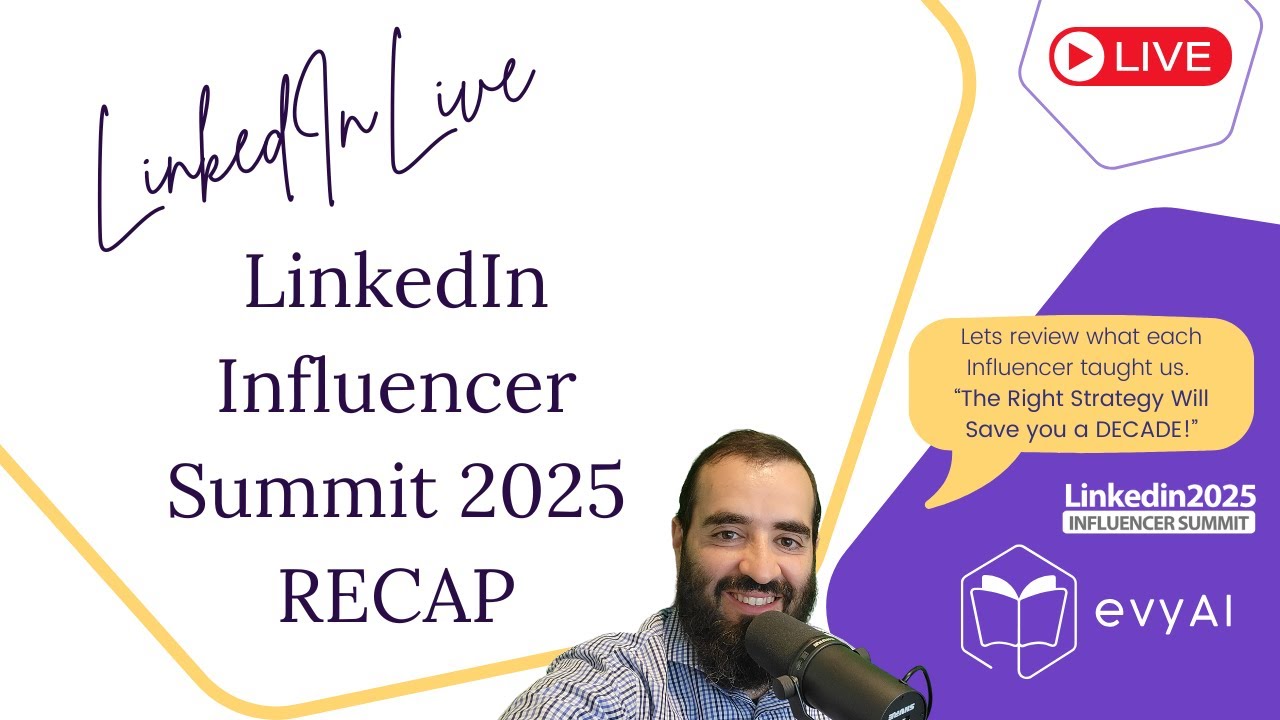
Joe Apfelbaum recaps the LinkedIn Influencer Summit and demos Evvy AI's tools for growing on the platform. He covers the three-line hook rule, daily commenting, and how to end posts with a TED-talk style conclusion. Evvy AI automates hooks, newsletters, bulk messaging, and LinkedIn Live integration.
Chapters
Cheers.
Welcome to the LinkedIn Influencer Recap. So excited that you're here. My name is Joe Apfelbaum. I'm the CEO of Evvy AI. And we had an influencer summit not too long ago called the LinkedIn Influencer Summit. And we had the top LinkedIn influencers come and share all their insights, all the tips, All the strategies. And we went through them one by one, and they shared all their incredible insights. And this is our recap. We're going to sit together today and recap the event to share with you some of the strategies. We did the first initial recap. Let me know in the chat where you're dialing in from. Curious to hear from you guys. We have a really great group of people that are here today. To share the insights that we shared. We talked about the algorithm, we talked about consistency, we talked about posting, we talked about engaging, we talked about when to engage, how to engage. We got pretty nerdy. So let me know if you actually watched the summit in the chat, or if you did not watch the summit and you would love the replay, let me know. It's 4.5 hours of just tips and sharing and information. I see Rick is here. Hey, Rick, good to see you. Hey, Joe. Hey Christy, hey Carlos. Carlos, thanks for calling me before. Hey Chaya from New York City. Hey Rick from Alberta. Hey Arnella from Slovenia. If you guys want to hit that repost button, feel free to share. My main computer is doing a restart and it says it it's doing updates now. So I pulled up my laptop quickly and I was like, okay, I'm gonna share the insights from my laptop instead of sharing my screen. So if you watched it, Christy says she watched all 4 hours. Watched the summit replay, huge. Watched most of it, Joe said. It was really incredible. So in the chat, let me know what were your highlights from the summit? Who was your favorite speaker? What were some things that you took out of it? I'm gonna go through each speaker and I'm gonna start with the last one first, 'cause last time we started with the first one. And we kind of missed out on some of the insights from the last speaker, Jasmine. So if you go to LinkedIn, or if you, even if you just search on Google, if you just search on Google and you search LinkedIn Influencer Summit 2025, LinkedIn Influencer Summit 2025 notes, let's just see what comes up on the first page of Google. You're gonna see an article from last week that came up on the first page of Google for me. So you'll see that coming up on the first page of Google. I'm gonna actually share my screen so you guys could see what I'm looking at right now. I'm gonna hit share screen. Insights about the algorithm, very good, yes. I'm gonna share my entire screen so you can see what I see. There you go, share entire screen. So now you should see my entire screen here. So these are the notes from the recap that I took, and I sent it out to 15,000 people. So we're gonna go all the way to the bottom of the notes, and we're gonna kind of review this together now. And let me know what you guys took out of all this stuff. So there's a lot of notes that I went through here, but let's talk about Jasmine's notes. So number one, he said he said the three-line rule crafting. Realize that whenever you post on LinkedIn, really people just see the first going on the feed, and I'll pull up the feed for you guys so you can see what I'm talking about. I'm just going to go on the feed right now just to show you what I'm talking about. If I'm on the feed. You only see the first 3 lines. So this is line 1, this is spaces line 2, and this is line 3. So you only see the first 3 lines. He said the 3-line rule is that most previews show only the first 3 lines, including spaces. If these lines don't grab attention, the rest of the content may never be read. So he said, optimize your hook. Ensure that the opening 3 lines clearly address the pain point or offer a bold statement that compels readers to click the see See More button and use preview tools to help you be able to see exactly what the post looks like before publishing to fine-tune your hook. He also said a concept called signposting, proving your expertise. And I think about this now when I write my posts, thinking about how I can demonstrate my authority to people. He said signposting involves embedding clues, cues in your content that demonstrate your knowledge and expertise, it reassures your audience that you are a trusted expert. He said the actionable items are integrate evidence, include specific metrics, client successes, or personal anecdotes to show how you've achieved results. Weave subtle reminders of your expertise throughout your post without sounding salesy. For example, mention your notable accomplishments where relevant. Use clear formatting. Content into digestible segments that reinforce authority. This could include bullet points or short one-liners, including highlighting your credentials. And then he said, finally, number 3 is your TED Talk moment, ending with an impact. Instead of ending with a bland summary, finish your post with a power statement that the final memorable moment of a TED Talk. He said people only remember the last thing, last thing that they read. So that's super interesting. So let's take a look at Frank's post, for example. I see, ever caught yourself wondering why you're putting so hard? And then he has tons and tons of hashtags here. So this post is, is not that much of a compelling post, I would say. So although it's a, it's a decent post, it's not like an, oh my God, I have to, I have to like have this You know, compelling post. But nevertheless, I'm going to go ahead and leave a comment for him. I'm going to use my Joe Apfelbaum friendly persona. I'm going to hit generate. And then what I'm going to do is I'm going to press insert and just insert the comment right here, just like this. Okay, so I'm curious to know— I'm going to stop sharing my screen for just a moment. Stop sharing. And I'm curious to know, from Jasmine's presentation, what did you learn? Did you learn about the first 3 lines? Did you learn about signposting, or did you learn about the TED Talk moment? I'm curious to know which one you're going to be implementing in your strategy. Each presenter got better and better and better. The last one, Jasmine, had some really great tips on posting. Missed the summit, please send replay, Ivan said. Signposting. I don't know if you guys know this, but we are giving away $10,000 worth of training with our bundle. So if you're interested in the bundle, write bundle in the chat. Where can I find those notes? I'll put the notes, um, in the chat for you. Actually, I have an Evie AI template. I have lots of different templates that I put together, and I have a template with the notes that I'll be able to just copy and paste. Your screen is pretty blurry, Joe, hard to read it. My updates are up to 89%, so hopefully I'll be able to tune in from my computer and my screen will be better than before, um, in just a few minutes, Michael. So yeah, so the TED Talk moment is like the, the end of the post where, you know, but the beginning he says if you don't have your top 3 lines good, your first 3 lines, you're not going to attract anybody. So do you guys know how to build hooks? You guys know how to, how to, how to build out hooks? And by the way, you can download all of somebody's posts If you go to— Bonnie, if you go to evviai.com/bundle, you can see the information about the bundle. So what, what is a hook? A hook is the, the, the thing that draws people in. So you can download all of somebody's posts on LinkedIn, and then what you can do is you can analyze all their hooks. So I can take the hooks of any creator. If you give me a creator, I can download all of their posts and then have AI analyze all of their hooks and identify what's good about those hooks. Now, there is a concept called viral hooks. Have you ever guys heard of viral hooks? If you want my list of viral hooks, say I want your list of viral hooks, Joe, there's actually a list of viral hooks that we make available for Evie AI Pro users, um, and we have a hook creation tool as well that will create hooks for you. If you guys like hooks, let me know. Say I like hooks. Understanding how to hook people in is the key. It's like a headline generator. It's like you want to— I don't want to call it a headline for LinkedIn because headlines on LinkedIn, like headline on a newspaper, fine, but headline is interchangeable with your title, the thing that says under your name, so it's a little weird. But for Evie AI Pro members, we do have a list of hooks that we can make available to anybody that wants the list of hooks. Just let me know that you want the list of hooks. Is this chat labeled comments? Is the chat— it's labeled comments. Yes, chat is comments. Go ahead in the comments and let me know if you want the hooks or don't want the hooks. Carlos said he wants the hooks. My computer is still starting. I want the list of hooks. So how do you build out a hook? What does a hook mean anyway? Like, if you think about a hook, the concept of a hook, what does it mean to draw somebody in? Well, it really depends. A hook is different for each person. It really depends who your target market is.
So in the chat, tell me, who is your target market?
Who are the people that are most interested in doing business with you, or the people that you're the most interested in doing business with them?
Let me know.
I'm going to try to Get into my computer now so my computer is less blurry. I'm going to open up Restream. So I'm using this tool called restream.io. I'm going to see what happens if I try to log into Restream from my computer while I'm logged into Restream from my laptop. Let's see, I'm going to enter studio and let's see what happens. Now it says putting everything together. I'm also going to open up OBS.
Do you guys know what OBS is?
OBS stands for the Open Broadcasting System. Start virtual camera. Perfect. So I just started OBS. I'm gonna enter studio. Let's see if you guys could see it.
Oh, look at that.
I'm in 2 places at the same time. I'm gonna enable— I don't know which one I'm enabling.
I guess I'm enabling this one.
Boom!
We did it. LinkedIn. Okay, ladies and gentlemen, can you still hear me? Let me know if you can hear me or not. I am curious to know if you can hear me. If you can hear me. Oh, look at that. Ooh, let's move this to the right. And let's just drive this like that. Okay, perfect. Wow, we did it. You can really dance. You can really dance. Let's just see what's going on over here. Okay, chat. All right, we did it. Fantastic. We are in. I'm going to close the LinkedIn app and then I'm going to open up this here so I can see what's going on here on my WhatsApp. All right, perfect. And I'm going to pop open WhatsApp behind my screen here so I could see what's going on. Perfect. And I got the overlay here. Yeah, we can hear you. Okay, good. So now I can close out this one here. I don't need this open to leave. Okay, so I left from that window and you should be able to hear me and see me now. Your volume is a bit low now. Ooh, it's lower than before. My volume's low. Let me see if I can increase my microphone volume.
Let's see, mixer.
You know what, um, my volume's set on the highest. Let me try this volume here. Right-click, microphone privacy. Let's see what this is here. Yeah, microphone access. No, that's something else. It's right here. Open mixer settings, sound settings. Let me click on sound settings, microphone. Okay, so let me increase my microphone down to like 87%. Is that a little bit better? Let me know if it's a little bit better. Guys, check this out. The only way to be able to see who's on your LinkedIn Live is if you go to your own profile and if you scroll down to where it says show all posts, you see that? And then you scroll down and you can see who's actually on your LinkedIn Live and you click on comment and then you can actually reply to the comments. You see that? I'm gonna press load more comments and I can actually see what's going on here. Okay, we hear you. It just got lower. It's adequate, Joe Apfelbaum. Your volume is fine by my side. Better, better, better. Okay, good. Okay guys, let's keep going through the notes. So how do you find the notes? So what I like to do is I like to Go into, um, my templates in Evie AI, and then I have literally templates for everything. So I have the, the LinkedIn influencer note article, so I can copy that and paste that right in here and hit send. And now I have the article right here. Do you see I have a sidebar with all my, um, with all my stuff? So I'm gonna go in here, I'm gonna open up the notes again, and then we're gonna go through the next person. Okay, so we went through one person today. And by the way, for those of you that get the bundle, we're gonna meet for 2 hours. To talk about advanced LinkedIn strategies on Wednesday at 10:00 AM.
Okay.
So let's talk about Derek. Derek's presentation was him reviewing the top 250 people that have over 100,000 followers. By the way, in the chat, tell me right now, how many followers do you have? Let me know. How many followers do you have right now? I'm curious to know how many followers you have. Let me know in the chat. How many followers do you see? He said consistency is the foundation. Okay. So he says, uh, weekly, daily engagement. I always say leave 5 comments every single day minimum. He says he leaves some days 500 comments. Like he goes crazy. He said, learn from successes and failure. He says the importance of figuring out what works and learning from your failures. He's like, analyze content, review your post performance with LinkedIn Analytics. So if you go to evviai.com, and you click on login, on the left side we have something called the Learning Hub. Inside the Learning Hub, we have something called the LinkedIn Dashboard. In the LinkedIn Dashboard, you can see your post performance for the past 7 days. You see that? Past 7 days, I see some posted well and some posts did not do well. And you could see my best performance post was my Advanced LinkedIn Tips newsletter. So check out my newsletter. That's my best performing My best performing post of, of the week, of the past 7 days is this one right here. So what I'm going to do is I'm going to create a new edition of my newsletter. So if you want to see me do this live while I'm on the call right now, say, I want to see you do it live. And I'll show you live how I compile a brand new edition of my newsletter, because I have to do it. I said I would do it on Mondays and today's Monday. So I was going to do it later today. But I can just do it now. And then I can email the thousands of people that are already subscribed to my newsletter. So you see, I, I published this last Monday and I already have 4,891 subscribers. You see that? So if you wanna see me create a new edition, say, um, I wanna see you do it and I'll do it in the chat. Um, or I'll just keep going through the notes. Okay. So he said, uh, learn from your, from your failure. And then he said, embrace the influencer best practices. He said he spent years analyzing profiles to determine what elevates someone to influencer status. And he recommends studying and learning from top performers like Jesse. He said, uh, regularly review, uh, influencers' profiles. So I'll, I'll give you a list of influencers that I'm regularly reviewing their profiles. So I have lots of influencers here in my saved profiles inside Evie AI. So you see I have a list of influencers. So if I search influencers, I have viral influencers, UCG influencers, and I have regular influencers. So if I show me the regular influencers, These are just people with sometimes millions of followers. So I'm going to go here. I'm going to start off with Alex Hormozi. Alex Hormozi has 658,000 followers on LinkedIn. And so what I'll do is I'll review what he puts. So this is his hook here. B2C founder. We did $7.2 million in revenue, $2 million in profit. We want to grow. Why can't we do more of blah, blah, blah? And then there's the more button. So now what I'm going to do is I'm going to go ahead and choose my influencer persona. I have an influencer common persona, and I'll show you what that looks like if you guys want to see, and I hit generate and it's going to generate a comment that says, a hook, why chase new avenues when your current path is thriving? Alex Insights reminds us of doubling down on what works yields greater return. At Evy AI, we help businesses optimize their digital marketing strategies, ensuring every dollar spent on ads is maximized. I'm going to delete that. Before venturing into B2B, consider refining your customers. And I'm gonna say evviai.com. And for some reason there's an S that's put into my keyboard every single time I press something. So I'm gonna have to buy a new keyboard. But in the meantime, you see, I just put a little thing of my business here and boom, I just did this. Okay, so Rick wants to see this live. By the way, do you have a newsletter or do you need a newsletter? I'm gonna show you how a newsletter works right now because we learned to be able to check all the latest things that worked. And for me, what worked really well Was my newsletter. So because it works so well, I'm gonna go ahead and post another one. But first I'm gonna give Sarah a little like here. I'm gonna change my persona to Joe Apfelbaum friendly. I'm gonna hit reset, pull the context from here, hit generate. And then what I'm gonna do is I'm gonna press insert and I'm gonna insert a comment for Sarah. Wow, those numbers are impressive, Sarah. Okay, Sarah's a client of mine. I just shared that comment just like that. Okay, so Rick says, I need one. It's starting this week. I need a newsletter. Christy said, let me know if you need one or you have one. So to write a newsletter, essentially you have to write an article. That's the way it works. So instead of writing a post, you write an article. See, it says write an article. So you click on write an article and now it wants you to upload an image. So where am I gonna get the image from? I'm actually gonna get it from Twitter. I'm gonna go to Twitter. I'm gonna click on this artificial intelligence called Grok, and I'm gonna say, make me a, Newsletter, um, a newsletter article. Actually, you know what? I'm gonna talk inside Evie AI. Hit reset. Make me a cover image for my newsletter article because I wanna create a newsletter article for LinkedIn and I want a perfect cover image for my LinkedIn Tips newsletter. Make sure that it's dynamic and it looks great. And my LinkedIn tip is gonna be to make sure to focus on the hook. And we're gonna talk a little bit about hooks when it comes to writing posts, because only the first 3 lines matter. Okay, so now I'm gonna copy all this. I'm gonna drag it right into here. I'm gonna paste it right into here and I'm gonna press go. And let's see if Grok will make me an image that I can use for my LinkedIn newsletter just like that. Rick, so Joe says, I have a newsletter, not consistent enough to post regularly. Okay, so let's see what it does. It's giving me images of people. Make the image less about people and more about posting on LinkedIn. Okay, now I'm gonna put this in here and let's just see what happens. Let's see if it gives me a better image. Okay, so now it shows me a picture of a computer. It's not showing LinkedIn's logo. It kind of is showing LinkedIn's logo on the side. So that's good enough for me. I'm gonna take this, I'm gonna download the picture of the computer, go into LinkedIn, into the LinkedIn newsletter, and I'm just gonna drag this image right here and I'm gonna press next. And now I have a little image of a computer over here. So now what I'm gonna do is I'm going to hit reset and I have lots of different personas that I could use here for whatever it is that I want to create. So if I want to create hooks or I want to create anything that I want to create with Evie AI, I can create a persona for it. So if I was going to create a persona for an article, for creating an article about something, the first thing I would do is I would use Claude to help me build a persona. Here's Claude. Claude is really good at building prompts. And I would say something like, can you please create a detailed prompt to help me create a LinkedIn newsletter that has a beginning, an introduction, main points fleshed out like an article, and then a finishing that is solid? Make sure that it has all the details about what would make a really good LinkedIn newsletter work really well. Okay, so now I'm gonna make a prompt, create a detailed prompt. Let's see what it does. I'll create you a prompt to help you craft an effective LinkedIn newsletter. You see that? Okay, create a compelling title that includes 175 characters, relevant searchability, example, the future of work, main content, engagement elements, Visual support, conclusion, signature elements, formatting best practices, technical specifications. Okay, so let's copy all this over here. Let's go into Evie AI. Let's click on personas. Let's go here to add a persona. I'm gonna paste this in here just like this. You see, I'm gonna delete where it says creation prompt. I'm gonna put that as a persona name, LinkedIn newsletter creation prompt. I'm just going to do LinkedIn newsletter creation. I'm going to say person. And then I'm going to choose a tone as informational, informative. Create a compelling title. I'm going to say, you are a newsletter creator. I'm going to say creator. You be creator. You are a news— a new— a LinkedIn newsletter creator. Okay, now it's going to say introduction, main content, core content, engagement elements, visual support. Personal stories, key points. We're not going to do describing text for accessibility. We're not going to do that either. Expert quotes. And then I'm just going to say, hang on, let's just see if there's anything else here. Engagement elements, main content. Okay, then I'm going to say you are Joe Apfelbaum. You are Joe Apfelbaum. OK, so that's what we're doing. You're Joe Apfelbaum, and you are writing— I don't want to delete that. Okay, let's just, let's just try this out and see what happens. We are 2,000 characters. I'm gonna press save persona. I'm just gonna reload this frame here. Oh, I don't know what I did over here, but I reached limit of personas. Okay, good. I'm gonna right-click over here. I'm gonna hit reload frame. And then I'm gonna say, let's see if we have it over here, LinkedIn. We call it, we called it article, right? Let's see what we called it. LinkedIn newsletter creation. That's what we called it. And then I'm just gonna say create a LinkedIn. I'm just gonna talk into it because it's, my typing is messed up. Create a LinkedIn newsletter about the benefits of using hooks on posts that people don't really read after the first 3 posts. You wanna get people to click on show more. And you want to make sure that the first 3 lines are key. Give some example hooks and talk all about hooks and the value of hooks and how to come up with hooks and create almost like a masterpiece on hooks. Okay. So I'm going to hit create a LinkedIn. And I'm going to say this is specifically for the newsletter called Advanced LinkedIn Tips by Joe. All right, I'm going to press generate. I'll make it educational, provide resources. That's the goal. I'm going to hit generate and let's just see if it actually produces something of value. So I showed you guys how to create a persona specifically for newsletters. Wow, look at this beautiful, beautiful newsletter that we just created. I'm going to press copy. I'm going to go into LinkedIn. I'm gonna paste it and look how tight this is. Mastering Hooks to Captivate Your Audience. I'm gonna drag this right here. Actually, it didn't let me drag it, so I'm gonna cut it. I'm gonna paste it right here. Mastering Hooks to Captivate Your Audience. Okay. In the vast landscape of LinkedIn, where attention spans are fleeting, the first few lines are intense. Did you know that most readers, whether they engage with your content for the first time, this represents both a challenge and an opportunity. As a as a LinkedIn newsletter creator, I understand the importance as a LinkedIn trainer. I'm going to say trainer because it thinks I'm a LinkedIn newsletter creator. I understand the importance of crafting and planning to encourage them to show more. In this edition, we'll explore the art of creating effective hooks. By the end, you'll have a toolkit that will teach you all the important things about hooks. Now I'm going to turn this into a little bit of an H1. It's called a heading. The importance of hooks. Do you guys see what I'm doing here? This also makes it rank really, really well. Hooks are the initial line that captures attention. They serve as a gateway to the message as a well-crafted hook. So examples of effective hooks. So we're going to go here and we're going to do an H2, which is a subheading. So you can see what I'm doing here. Now I can, what if I told you 70% of professionals miss out on opportunities? Surprising statistics. Okay, how to create compelling hooks. So I'm going to go in here and make this a subheading. And then know your audience, be concise, use emotion, experiment with formats. And then over here it's engage your readers. I'm going to go here, do a subheading. To further enhance engagement, consider expert quotes, practical examples, and life scenarios. Conclusion, creating effective hooks is essential for anyone looking to enhance their LinkedIn presence. By focusing on the first few lines of your post, you can significantly increase the engagement and foster deeper connections with your audience. As you embark on your journey mastering hooks, remember that I analyze your results, blah, blah, blah. Okay? So now I'm almost ready to go. By the way, was this fast? Write fast in the chat if this was fast. Write slow if this was slow. Okay? I'm going to write hooks here. And now what I'm going to do is I'm going to go write fast in the chat if this was fast. And you like what I just did, or if you think it was total trash and you don't think this has any value at all. Now, what I'm going to do is I'm going to personalize this just a little bit more. I'm going to go to this newsletter over here, and I'm just going to add this little bit here, which is warm regards by Joe Apfelbaum. I'm just going to add that here. Okay. Just like that. All right, Ruthie. Ruthie, welcome. Good to see you here. Chaya, good to see you. Rick, good to see you. Christy, good to see you. Reena Eisen, good to see you. Um, this is the benefit of using Evie AI Pro with the side panel where you can create literally anything you want. So now that I'm done here, what I'm actually gonna do is I'm gonna go back and I'm gonna find the notes of the recap just like this. And I'm gonna scroll down to the bottom of the notes of the recap and see if I can't snag something from what he said. Right over here. Now you see final thoughts, Jasmine's approach. I'm going to add Jasmine's approach here. So I'm going to say the following here. I'm going to copy this, the 3-line perfect hook. I'm going to copy this. Actually, I'm trying to copy it and it's not— when I right-click, it kind of goes away. Copy. Okay, so it didn't let me copy. Now I'm going to go in here and I'm going to copy here and I'm going to paste. Oh, actually, you know what I'm going to do is I'm going to change this from here and I'm going to, um, I'm actually not going to give it a persona and I'm going to hit Ctrl+A. I'm going to actually hit reset. I'm going to paste this in and I'm going to say, explain This Relook Perfect hook from the LinkedIn Influencer Summit. Okay, I'm gonna press generate. Let's just see what it does. Oh wow, look at the way it did it. I'm gonna press copy. I'm going to say bonus tip. I'm going to paste it. The 3-line hook is crucial. To optimize your hook, address the see more button. Want more? And now I'm going to add my call to action from the other article. Where's my call to action from the other article? It's right at the bottom here, remember? I added this right over here. I'm gonna copy this and I'm gonna paste it right in here. Okay, and now I'm gonna hit next. And now I could tell my network what all this was about. You see that? And I can actually write something related to this. So I'm gonna press Ctrl+A. I'm just gonna hit reset. I'm gonna click in here and I'm gonna hit generate. Let's just see what it does for me. Please provide the original post. It wants me to provide the original post. So I'm going to grab the original post here. Copy. I'm going to paste the original post here. I'm going to hit generate. Let's just see what it does. Okay, now it wrote me a post about the original post. You see that? Mastering the art of compelling hooks is essential for anyone to elevate their LinkedIn presence. As I learned through my own practices, the first few lines of your post can really make a difference. Consider experimenting. And then I'm gonna say, what do you do for a living? What do you do for a living? Okay. Now the reason I say, what do you do for a living is because when I hit publish this, 5,000 people are gonna get this email. I'm gonna hit publish right now. 5,000 people just got the email. I'm gonna post it on X as well. So this is how you post it on X. I click on this. Now it's gonna go to X. I'm just promoting it on, um, on X as well. I'm gonna go ahead and promote this on Facebook as well. See that? I just clicked on Facebook and now I can literally just take this same thing from here, click on share on Facebook, and then literally just paste it right in here. I don't know what's going on here. Paste it right here and hit share. So I'm sharing this on Facebook as well with the same content I created for LinkedIn. So all these people just got an email and now you guys can go ahead, find this in the feed. And the way that you would find it, you click on view posts, have it right here in the feed, and then you guys can comment on it if you want. I'm going to press copy. I'm going to go to my own post and then I'll share with you guys and you'll see that it's right here under this. You see, I have 2 editions now. I have this edition and that edition, and you saw the full process of how I went ahead and did that. How cool is that? Now I'm going to go into the WhatsApp group and I'm going to post it in the WhatsApp group. So if you guys are in the WhatsApp group, um, then great. If you're not in the WhatsApp group, say I want to join the WhatsApp group in the chat and I'll send you the WhatsApp group. Is there a prompt to post on another platform as part of LinkedIn or another app? Yeah. So I have prompts for Facebook. I have prompts for everything. So if you go to facebook.com and you want to create a post on facebook.com, let's see, I'm just going to go to facebook.com/joeapfelbaum. You see, it's right over here. What does 2 editions mean? That means that you can have editions. So a newsletter means you have articles attached to it. So you could have multiple editions to your newsletter. So you see Carmen just posted this. I'm gonna go click reset. I'm gonna change this to Facebook just to kind of show you how to do this with Facebook. I'm gonna select this whole thing. I'm gonna right-click, send to Evie AI sidebar, hit generate. And because this persona says I'm on Facebook, it knows I'm on Facebook. Now I press copy, I press paste. Wow, 55 years of friendship is incredible. It's amazing how you two started in kindergarten. Now I'm going to press go, and I just commented on my client Carmen's post. You see how quickly I was able to comment on her post? You see that? In seconds, I was able to comment right on her post. Now that's me commenting on this post over here. If I want to comment on another post, I can comment on another post like this one over here. I could select it, right-click, send it, or I can just drag it in if I want, just like that. That makes it really, really cool. Ruthie said, I want to join the WhatsApp groups, please send it to me. So this is how I send people to a WhatsApp group. I click on templates, I go straight over here, and I'm going to click Influencer Summit, Influencer Summit, and it's going to show me all the templates related to the Influencer Summit.
You see this?
I'm going to press copy Influencer Summit WhatsApp group. I press copy and then I go onto LinkedIn or wherever I want to send it. And then I can easily just send it right there to whoever I want. So Ruthie asked for it. I'm going to go here, show all posts. I'm going to go to, I'm going to refresh. I'm going to click in here. I'm going to say, show me the most recent posts. And then I'm going to click on review and then hit send. And I just sent it to Ruthie as a reply to the comment. Do you see that? And I'm gonna do the same thing with Christy. I just sent it to Christy as a reply to the comment. So I just sent it to you guys, but it came from my, um, I went in on WhatsApp. Gary said, Carla said, I want WhatsApp. Do you see how easy it is for me to, to, for me to reply to everybody like this? You see that? It makes it really, really easy for me to reply. And Catherine said there's no sound. Do you guys have a hard time hearing what I'm saying, or can you guys actually hear me? Let me know in the chat if you can actually hear me, because some people are saying that there's no sound. I'm not sure if you guys can hear me. Mic check, 1, 2. Can you hear me? I'm gonna click on my messages. By the way, here's another strategy that I use in the DM all the time, is where I message people and I say I say things like, um, I'm cleaning up my connections and focusing on those people that are here to network and use LinkedIn. So I'm just, I just ask, are you, are you actually using LinkedIn or not? And so I sent a lot of people messages. For example, this guy Michael, I sent him a message. I said, do you use LinkedIn? I'm cleaning up my connection. He said, absolutely. I'd love to set up a call with you. And I said, what's your cell? And then he sent me his cell phone number just like that. Isn't that incredible? How quickly I'm able to connect with people. And I send it to many, many, many Matthews. You see that? Tons and tons of Matthews got my message today. Um, and the way that I, I quickly send messages is using, um, this, my, the, I have a specific hack that I use to be able to send many messages to people very, very quickly. So I'll go through here. And I'll just open up all these people. Like for example, Matthew, you see, this is a little hack that I teach my students. And now you have all these Matthews that loaded here, and now you can open up all these Matthews relatively quickly and send every single Matthew a message. So if I wanna open up these Matthews, I can quickly message every single one of these Matthews. Oh, look at that. It's opening up here. Before it was not opening up here at all. Before it was opening up in a new page. That's so weird. They changed it back. Oh my God. Let's see, partner and what's it called? And Jaffe. Let's just see. I can go back through every single Matthew that I have here and connect with them and build. So load up LinkedIn, notify me that you have a new role. So what I would do is I would use Evvy AI. I would use Evvy AI like over here. I would go to the, the generator and Evvy AI can quickly write me a message. So I'm gonna say the following. Matthew, I'm curious to know if you're still using LinkedIn. I'm looking to clean up my connections and I wanna focus my connections on people that actually use LinkedIn to make room for other people that wanna connect with me because I'm at my limit. Let me know if you're still using LinkedIn or not. Okay. You see that? Now I'm gonna press the up arrow. And do you see the way I quickly was able to just create this message for Matthew using Evie AI? Okay. So if you can see yourself doing this, say, I can see myself doing this. Now I'm gonna send a message to all the Matthews. You see that? How do I do this to all the Matthews? Look at this. I'm literally just going through each Matthew and sending every single Matthew a message. You see, I haven't communicated with some of these Matthews in a while, but I don't have to open up their profiles to send them this message because I'm using Evie AI to be able to do this very quickly. Type it up. It's exactly what I said. You see that? It's exactly what I said. And I can have Evie AI injected into each one by literally just clicking the insert button. Or by me just pasting it in if I want to, whichever one I prefer. Some people like pasting it in. Some people like using the inject button. And so I can send out 10 messages in literally just half a minute, very, very quickly. And most people are not doing this at all. They're not sending out 100 messages a day or even 10 messages a day for that matter. I'm very passionate about connecting with people, building relationships. You see, I already sent it to this Matthew, so I'm not gonna send it to another one. This is the problem with automation. This guy's name is Matt over here, so I'm not going to send it to him. This guy here, Matthew Montgomery, he said thanks. He just has a dot as his headline. That's weird. Okay. This guy's from RCS Logistics. So as you can see, I go through each one because I want to be able to see the conversation that I've been having with each people, with each person anyway. Wouldn't you want to see the conversation? That you're having with each person anyway. Rick said, is there a way to increase the fidelity of the video screen you're showing us? It's a little fuzzy, or is it just me? I'm not really sure if it's fuzzy or not, but I can definitely zoom in if you'd like. I can close Evie AI. I can zoom in. Is this better? Rick, tell me if this is better now. I just zoomed in a little bit.
Matthew Tomato.
Matthew Doyle. Do you see the way I'm messaging each person? Matthew Frappier. And I'm trying to figure out, are these people actually using LinkedIn or not? Matthew Hertz. Not fuzzy for me. David said, Rick, +1. It's fuzzy, Sue said. Huh. Well, if I— that's why I do my webinars on Zoom and not on LinkedIn Live. Because LinkedIn Live somehow makes the screen a little fuzzy sometimes. I don't know why it makes it fuzzy, but we're going to be doing a webinar tomorrow. So if you go to eviai.com/webinar, /webinar, eviai.com/webinar, it says webitser, webinar. Let's just see what happens. Tuesday, March 4th at 12 PM Eastern. So if you want to join me, say, I want to join you, Joe, in the chat. Let me know if you want to join. And by the way, I'm going to invite with you very, very quickly. Say, I want to join the webinar. Do you see a Matthew Garrett? Do I see a Matthew Garrett? I'm not sure, but I can search for Matthew Garrett. Let me go up to the top. Matthew G. A Matthew, Matthew Garcelle, Matthew Gardner, and Matthew David Gardner. So that's, those are the 3 Matthew GAs that I have. That's all I have, Ruthie. Somebody said, Joe, how do you have an AI agent do research for you? So we're building AI agents into Evie AI that does research, a research agent. So if you want a research agent, say I want a research agent in the chat. So check it out. If I open up my LinkedIn connections dashboard, I'm going to quickly open up my Joe Apfelbaum LinkedIn connections dashboard. This is my connections dashboard. And if you want to join the webinar, I'll talk more about agents in the webinar, but check this out. I can take any person that's here. For example, let me see if I'm connected to Ruthie. Ruth, Ruthie. Let's see. It found Ruthie. There's, I have a couple of Ruthies I'm connected to. So this is a Ruthie. It's not you, but I'm just gonna do research on this Ruthie right now. So I click one button and it automatically starts doing research on this Ruthie right here. You see that? So we're gonna be building this into Evvy AI that it does tons and tons of research on a person with just a click of a button telling me the potential business opportunities, notable achievements, conversation starters. It does a full search all over the internet, and then you can follow up. With multiple searches. So if you want a little AI agent to do research on all of your connections for you with just a click of a button if you want, or it can do it automatically if you want, but that would cost you a lot of credits if you have, excuse me, a lot of connections. I would recommend just doing, unleashing the agent when you need it for AI research. Let me know if you want a dashboard because many people don't have dashboards.
Yeah.
Um, and I'm on a mission to help people recognize, strategize, and prioritize all their connections in a proper way to help them be able to do what they need to do. So let me, let me show you how to get the webinar so you guys can come to the webinar tomorrow. If you go to evviai.com/webinar, you can register for free. The webinar is tomorrow. And as you can see, I have a lot of templates over here. You see, so I'm just going through my templates to show you all the different templates that you have. So I have LinkedIn Live replays. I have my YouTube channel, I have my webinar replay, and I have my upcoming live webinar. So if I press copy, I can easily go here for anyone that said they want to come to the webinar. I could easily invite you. You see that? I can easily invite you. So I'm just going to lower the view on this, and then I'm going to go. So if I just go here to the comments, it opens up the full video thing and I can't see anything. What I need to do is I need to go to my recent posts and activity, X out of this, and then in the comments over here of my post, I can drop the thing here. You see that? I can drop this one. And so I'm going to go ahead and drop it right here for you guys. And I can sort it by most recent. So I'm going to click on most relevant, most recent. I want to join the Tuesday webinar at noon. So I'm going to say, please join our webinar. Maybe under Matt. Let me see if anybody else said they want to join. Rick said he wants to join. You see how quickly I'm able to, I'm able to do this. Now Sue said, I want to join the webinar. I'm going to go ahead and add that. Okay. Let's go back to what we were reviewing before. So remember we were reviewing the, um, the LinkedIn Tips newsletter, and then I kind of produced this already. Now people are starting to get this. People are starting to get this newsletter here. So if you guys want to tell us what you do for a living, go ahead. And in the comments of this post that I just posted over here, remember the one you saw me create? Put in what you do for a living, like who you help and how you help them. And this way we can help you be able to stand out. So if you can't find the post, I just posted a link to the post on the bottom over here. So you guys can access it. I just posted a link to the post over here. Um, Sue said, I want to join your webinar. I'm going to go here and click on— check this out, guys. I can switch to become Evie AI's company page by clicking on that button. And then I can comment as Evie AI. So you'll be able to see a comment as me, and you'll also be able to see a comment as Evie AI. I don't know about you, but I think that is fascinating that you can do that. That you can leave a comment as a company page and you can like yourself as a company page. For me, I'm fascinated. Write fascinated if you've been fascinated. Okay, so Scuba said, oh, me want. Let me go here and click on more. Let's pull up Sue's profile here. Okay, so Sue is an entrepreneur, financial, blah, blah, blah. If I want to save So I see, Sue, I see you haven't posted in several months here, but if I wanna save you to Evie AI, I just click on the save button on the top right corner here. You see it says save profile, and I can add you to a particular list. That makes it really, really easy for me to start commenting on your posts regularly if I wanna comment on your posts regularly. Looks like Sabina, she just left me a comment. I can pull her post up. I can see what she's up to. I can leave a comment on a post that she posted several minutes ago. Today I guided students through critical thinking. You see that? I go into creation mode, then I click in here. I select the right persona. In this case, I'm gonna select a persona called a friendly comment, hit generate. And if I like it, I could just press insert and it'll insert this comment right here about gen— about, uh, critical thinking in just seconds. How cool is that? Okay, so Sarah said, wow, Sarah Town. Okay, so she saw me here. She liked my comment. And then she liked my post. Isn't that interesting how when you leave a comment on someone's post, people automatically start connecting the dots for you just like that, and they start finding you and then following your content because you liked— because you left a comment on someone else's post? I think that's fantastic. When you start doing this more effectively, you're going to see your whole World change. Now, I also posted something called a LinkedIn poll, a LinkedIn poll that says, do you want an AI agent working for you or do you not want AI in your life? So I highly recommend you guys go ahead and vote on that poll and also leave a comment if you would want something, an AI agent on your team. So where am I gonna post this post? I'm gonna go back here. I'm gonna click on post an activity, then I'm gonna go back here into the live and I'm gonna click on comment and I'm gonna remove all the extra stuff here and then I'm gonna press comment just like that. You see that? I just left a comment and when I click on this, it'll just load the poll. Now the great thing about polls is you see it says #MojoPolls. When you see hashtag Mojo Polls, I can send that hashtag literally to anybody. And if I send somebody the hashtag, what ends up happening is they end up seeing the poll like in the DM. So check this out. I'm gonna go to my messages. I'm gonna go to my messages and you can see all my messages here. And I'm going to click on here and I'm gonna say hashtag Mojo polls. You see that? Beautiful. You see the way it did that? Hashtag Mojo polls. Now if somebody clicks on hashtag Mojo polls, it'll load all of my Mojo polls that I posted. You see every Mojo poll I've ever posted. So if you want to see all of my Mojo polls— and what is this guy posting over here? This guy posted something related to Mojo polls here too. I guess people are starting to use my thing. No, he didn't use it, and it's still— this stuff is still coming up for that. It's so weird. It's so weird that this is coming up for that even though Yeah, let's go back. Let me click on Mojo Polls again. Past week. This is how it should come up. I don't know why it's showing those random posts in there. Let me click on that. Yeah, it's showing these random posts when you click on Mojo Polls. Yeah, so weird. I'm gonna zoom in so you can see what I'm saying. This is a poll I created, a survey, and when I click on who voted, I can see who actually voted on the survey. You see that? And then I can reach out to those people. That's, that's what we're talking about there. So I'm looking at the predictive index. Okay, so let's go back to my posts. So I have something called articles. So if you click on articles, you're going to see my articles, but then if you click more and you click on newsletter, you're going to see my newsletter articles. You see that? And if you want to see all my newsletters, you click on see all newsletters and you'll be able to see, I have newsletter 1, newsletter 2, And then Newsletter 3. This is my latest newsletter. So Newsletter 1 has 15,000 subscribers. Newsletter 2 has 6,500 subscribers. And Newsletter 3 has 4,898 subscribers. I came up with this newsletter a week ago. And you guys saw the way I added an edition, and I'm gonna add a new edition every single week. He didn't mention my hashtag, Arnella. I just checked and it wasn't there. I don't know why it's coming up. It's kind of broken. Rick says, when I do that, it gets fuzzy. Okay, so now I'm gonna go here and then I'm gonna click on the Influencer Summit notes. And that's in my first newsletter, the one with 15,000 followers. You see that? And if I scroll down, we're gonna look at some of the other influencers and what they shared. So right before, right before, What's his name shared? Let's see. Okay, Derek shared. We had right before Derek shared, we had Jesse. Now, Jesse for me was really special. What Jesse shared, he's the co-founder of Authority Figures and is a recognized lead gen expert. He focused on transforming content. Now, what I love about Jesse is that he has some really, really good graphics. So he says attention grabbing hooks. A lead magnet and conversion, create a demand, offer valuable insights or resources that compel your audiences to reach out. You see that? And he says, develop a hand raiser post formula, craft a compelling hook, create valuable lead magnet, and end with a single clear call to action. And then he said, implement a DM strategy. When someone shows interest, avoid pitching immediately. Instead, deliver value, qualify them with a simple question, and outline the next step in the conversation. So this is what he shared. So let's review, let's look at his actual profile because I wanna show you something on his profile that I think would be especially helpful for you guys. And as you can see, there's a lot of content to digest. So if you want me to do another recap, say do another recap in the chat, and then I'll go ahead and schedule a next recap and invite all you guys to join me. So let's see right over here. Let me go to, uh, so this is recap number 2, by the way. You should go check out recap number 1. Let me go here and find. Let me know if you want another recap, and I'll do another recap. I'm going to find Jesse's profile. So I just opened up Jesse's profile. This is Jesse's profile here. By the way, the way I got through to Jesse was through the DM. That's how I got through to him. Pretty popular guy. He has tens of thousands of followers. His post here got 734 comments. So let's take a look at it. Let's take a look at this thing here. He said, "95% of your success on LinkedIn." is your hook. I turned 49 viral hooks into templates. Steal these. You see that? This is how top creators craft their winning hooks. Stops the scroll. Show them what's possible. Position yourself as the go-to expert. Turn curiosity into engagement. Speak directly to people that you want to reach. Flip the script and start a conversation fast. Make people stop and take notice instantly. Inside this vault, you'll find 49 viral hooks, everything you need to go viral for your next post. Want this? Comment hooks and I'll download you how to download it. So I'm going to go here, put in hooks just to get the hooks for you guys. Then he says hook with surprise. Want these 49? Tell— comment hooks to get it. Then he says in the inside his vault, you get 49 of the most popular LinkedIn hooks. You see that?
Yeah.
I saw my name there. You're one kind of a hook. And you see Jasmine is kind of going back and forth with him. Robert Kennedy said hooks and hooks. And then this guy said applications are closing soon. He's spamming in the DM. And now I'm gonna wait for the hooks to come. So I'm gonna go into my DM and see if he sent me a DM. I'm gonna go here, message. And I'm going to say hooks. I'm going to send him a message with the word hooks. See if he sends it to me. Interesting, right? He was pumped to be part of your LinkedIn Influencer Summit. He posted about how proud he was to be invited. Amazing. Another recap. Okay. It seems like people want another recap. I'm going to click on my— here, over here, it says MD Tahan says, I came across your profile and would love to connect. I'm always looking to expand my network. Guys, do you think this is a good Connection note. Do you think this is a good connection? Or do you think I'm going to remove somebody here from my 29,999 and add this guy here? Or do you think this is a meh connection hook? Good or meh? A good connection request has the 3 C's. And if you guys want to learn about the 3 C's, come tomorrow to the webinar. I'm going to be discussing it because we're out of time now. And my assistant is telling me that I have a call coming up. I'm gonna ignore this, ignore this. But if you want really, really good ones, this guy says, I'm an AI transformation specialist, blah, blah, blah. I post about this. Who cares? Honestly, who cares? Thank you for your talk today. This is better. This is better. Much, much better. This guy said, thank you. He just wrote thank you and sent me a connection request. Thank you for inviting me to subscribe to your advanced LinkedIn tips. I would love to also connect with you. That's good. You see, because he got an invite to connect with me and he's a recruitment director for life sciences, which is perfect. So I'm going to accept that and he'll be my 30,000th connection. Now I have to remove some people from my connections. A fast way to remove people from your connections. And by the way, look at Rich Cohen. Rich Cohen just liked this. He's not even connected to me on LinkedIn, and he already liked this post. I'm going to click here, and I'm going to engage with him over here. He declined my email. I sent him a message, and he declined it. Oy vey! So just because he declined this here, it doesn't mean I can't go into Sales Navigator, view him in Sales Navigator, pull up Evie AI. Send him a message inside Sales Navigator with a proper subject line. I'm going to say, thanks, TY. And I'm going to say, Rich, I really appreciate that you liked my post today. Let me know if there are hooks that you're interested in getting. Okay. So I'm going to take this Ctrl+C. I'm going to insert it right here. I could have inserted it with this little up arrow too, by the way. I press rich like that. I press Shift+R. I don't know why it's not doing rich here like that. I'm just going to hit generate. Let's see what the AI, if the AI does a better job. Let's see what the AI will produce as a message. I'm glad. All right. I'm glad you liked my post today. If there's anything specific you're curious about, let me know. I'm happy to share more insights. Hit send. Okay. A little more professional. Max said we're doing this. And now I was still able to get through to this guy, even though he didn't respond to me because I have Sales Navigator and it's free because he has an open profile. So I can send up to 800 messages like this. By the way, if you guys want to learn Sales Navigator, say I want to learn Sales Navigator. I have 6 hours of training on how to leverage Sales Navigator. So we're going to do another one and I'll share with you guys some more insights. If you want to learn Sales Navigator, say I want to learn Sales Navigator. I appreciate you guys for being here. Don't forget to get the bundle by going to evviai.com/bundle. I'd love to see you in our community. I'd love to see you on March 5th. I'd love to see you tomorrow at noon. We're having a webinar, evviai.com/webinar, and I'll see you guys very, very soon. Thank you for being in my life. Somebody says, what happens if I send the word demo to 973-841-8868? Check this out. It goes into my CRM. This is my CRM right over here. If I press conversations, you can see all the people that sent me the word demo. You see that? March 3rd at 3, uh, at 2:57. I got a person message me. Chaya messaged me. She wanted the demo for some reason. It looks like she already messaged me that she wanted the demo in the past, so she'll not, she won't get the demo again. Um, this person here asked me for the demo. This person here asked me for the bundle. You see that at 1:25 PM. So if you need automation, if you want automation, say I want automation in the chat, I'll send you some more information about this automation platform. It's amazing. It saves me so much time. Every time I'm on a webinar or anywhere else, I get people to reach out to me. And then if I want to call the person, I just press the call button here and I could just call them. Just unbelievable. Anyway, thank you very much for being in my life. I appreciate it.
More from Joe


How to Beat the Algorithm: Remove Hidden Watermarks & Scale Content with evyAI









AEO & GEO: SEO's Future Explained! Master Answer & Generative Engines! #shorts