LinkedIn Lessons by Joe Apfelbaum // evyAI.com Tutorial
Joe Apfelbaum, CEO of Ajax Union, shows how to use Evy AI to boost your LinkedIn strategy. He walks through editing profile topics, generating comments with AI, checking who viewed your profile, and drafting personalized outreach while keeping your own voice.
Chapters
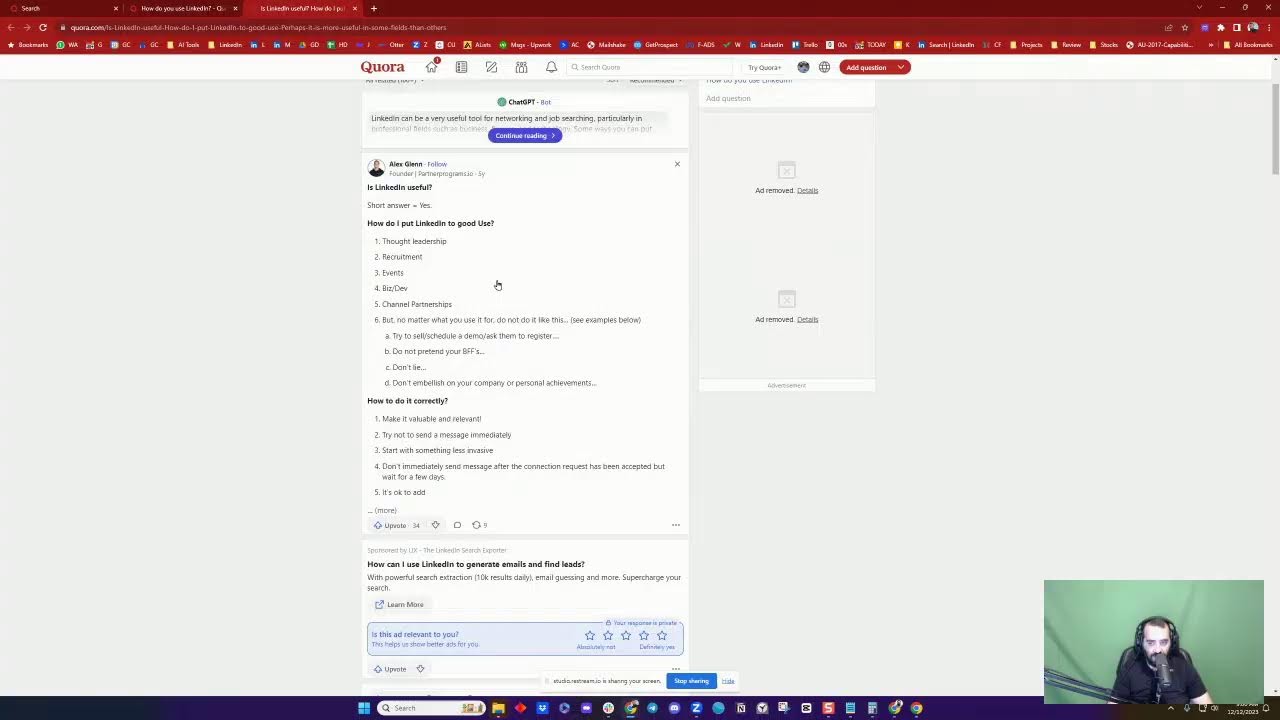
LinkedIn lesson live. Join LinkedIn for a quick LinkedIn lesson on how to leverage LinkedIn with artificial intelligence. We're going to talk about posting quality content. We're going to talk about engaging in a meaningful way. We're going to talk about adding new connections, building real relationships, and also getting exposure on LinkedIn. If you're dialing in live on LinkedIn, Right now, say hello in the chat. Let me know where you're dialing in from. Also, let me know what you do for a living. I'd love to know what you do for a living inside the chat. So go ahead and put in what you do for a living and let me know where you're dialing in from so I can see you, mention you, comment on you, and so on. The reason why I go on LinkedIn Live is so that I can build relationships in real time and show you how to use this platform and get A lot of the times people post questions on LinkedIn and then they have to wait for an answer. But here in the morning, you can just dial in whether you're driving to work, whether you're on a train somewhere or just waiting around, and you can watch a lesson that can be helpful in your business. So that's kind of like why I'm doing it. I'm going to stop sharing my screen for just a minute and introduce myself. Hi, Joe. Hello, I'm Joe Apfelbaum. I'm the CEO of Ajax Union, a B2B digital marketing agency, and I've been training business owners, coaches, consultants, and entrepreneurs on how to use LinkedIn for the past decade. Over the past 3 years alone, I've trained over 1,000 clients on how to use LinkedIn. I'm also a professional speaker, a member of the National Speakers Association, and I love educating, training, guiding, and helping people be able to have a better experience With LinkedIn. All right, so if you want to learn how to use LinkedIn, just write LinkedIn in the chat. This is my LinkedIn profile right here. When I go live on my LinkedIn profile, my banner becomes a video, which is actually a pretty cool thing. If you scroll down, you'll see my name, you'll see my headline, you'll see my top digital voice badge, my top voice badge, you'll see what I talk about. You'll see the location that I'm at. I'm actually gonna change what I talk about over here, 'cause I do talk about artificial intelligence. So I'm gonna scroll down here to this section and I'm gonna look and I'm gonna be like, well, how do you edit what you talk about? Well, most people don't know this, but you can't edit it there. What you need to actually do is you need to go into your dashboard. So if you go to linkedin.com— This is a reminder. /dashboard, you go to linkedin.com/dashboard. I'm gonna do that right now. Okay, I'm going into linkedin.com/dashboard, and then you scroll down where it says Creator Mode or Profile Topics. And these are the profile topics that you can change, and you can only select 5 at a time. So I definitely talk about business, definitely talk about LinkedIn, definitely talk about marketing and networking. I'm gonna change B2B marketing, and I'm gonna add a topic called artificial intelligence. Intelligence. Okay, artificial intelligence, just like that. I'm going to put a capital A, see if that helps. Press plus, artificial intelligence. Okay, I'm going to press save. And now if you go back to my profile, all right, let's just see if it changed. Look at that. And artificial intelligence. Okay. So that is how you update the section on your profile. You gotta go to linkedin.com/dashboard. If you're logging in live, let me know where in the world you're dialing in from. I'm curious to hear from you. Also, give this a like. There are different ways that you can give a post a like. There's the thumbs up like. There's a heart like. I'm gonna give myself a round of applause, a celebration like. Now I showed you guys yesterday how you can do this. You can actually give yourself multiple likes from different company pages. So you see that I'm building out my little likes over here and having a nice little color palette. It's almost like I'm, I'm doing art here. You see that? I added a heart. I added a round of applause. I added a chair. I'm gonna go in here. I'm gonna add another one over here. I'm going to add a light bulb. I'm also gonna go into Heavy AI and I'm gonna give it a regular like with the Heavy AI icon. I'm gonna scroll down to Basil. Basil always gives a smiley face, so we're gonna give it a little smiley, laughy, funny face here. I'm also gonna leave a comment. Using artificial intelligence. And I'm going to leave a comment as Basil the Samoyed. So you see that? Basil the Samoyed. I'm going to hit generate. Bark bark, Joe Apfelbaum knows his stuff. Okay, so I just did that, and Basil the Samoyed just left a comment, as you can see. So if you guys give it a like, that'd be awesome. Would love to see your likes. And also, if you leave a comment letting me know where in the world you're dialing in from and what you do for a living, I would love to engage with you this morning. Now, I posted something this morning over here by Adam Grant, and as you can see, I got 100 people to kind of see that. I posted about imposter syndrome. I said that overcoming imposter syndrome, especially as a business leader or entrepreneur, involves a mix of self-reflection, practical strategies, and mindset shifts. Do you guys ever deal with imposter syndrome, especially when you go live and you have a bunch of people watching, but maybe people aren't leaving comments. Maybe people aren't engaging, maybe they're not liking, and they're just kind of like watching. I do that a lot. I'll go somewhere, and I'll just watch, and I might not engage. And then you just engage with yourself. You see the way that I just engage with myself? Totally okay. You have those thoughts. They go into your head and they're like, oh, people are not engaging. Sometimes people are not engaging, but then sometimes you'll go in and you'll get tons of engagement. Look at this. Look at this one that I did last night at 10 o'clock in the morning, in the evening. Actually, it was 9 o'clock in the evening. I did it from 9 to 10 and it was totally impromptu. And look how much activity there was. Okay. And we can review that activity by clicking on the comments. And you can see all the people that have been involved in this conversation over here. Very, very powerful, very engaged conversation, as you can see. So you're not always going to win big with LinkedIn Live, but you know, there's also, there's also a replay that people can watch after. So not people can't always engage, you know, they're watching, they're listening, but they can't always engage. And then There's a replay as well. So if you're going to watch a replay, just hit replay in the chat. I'd love to hear from you. I'm also on Facebook as well. I don't know if you guys are on Facebook, but if you're on Facebook, put in your Facebook URL. This is my Facebook URL, facebook.com/joeapelbaum. And I also am live on Facebook. As you can see, I'm going both live on LinkedIn and also live on Facebook. You see that? I'm going to give myself a little heart on Facebook. And I'm gonna write boom in my own comments on Facebook. And I know it's a little delayed. And when Facebook does it, it puts it in like this so that only your friends can see it when you're posting on Facebook. You see this little friends thing? Only my friends can see it on Facebook. So not the whole world can see it. And you see there's a little circle over my profile that says live. So it's a little bit different on Facebook than it is on LinkedIn. All right, I closed out Facebook. I'm back on LinkedIn. If I want to see who comments on my po— on my LinkedIn Live, all I got to do is click on the comment box in my recent activity. Instead of more relevant, you can click on more recent and you could see if anybody's commenting. And in this case, nobody has commented on this, which is totally, totally fine with me. I want to encourage you guys to give it a like, leave a comment, let me know that you're watching me, say good morning and so on. All right, so what are the things that I do on LinkedIn? Well, first of all, I wish people a happy holidays. Same to you, even though I'm not sure if you're actually responding to Joe anymore. You can see on LinkedIn Live that it's me. I'm on video responding to this now. Well, okay. You can see that it's on LinkedIn Live that it's me. I'm on video responding to this now. Lol. Would love to catch up soon. All right. So that's the idea. So building relationships with people is really, really key. So one of the things that I do each day on LinkedIn is I check who looked at my profile. Okay. And when I look and see, oh my God, look at this. James Borg, the global head of sales, looked at my profile. And I see that we are not connected on LinkedIn. I may want to connect with this people on this person on LinkedIn. But the first thing I'm going to do is I'm going to drop a comment on his most recent post over here just to kind of stay top of mind with him. And I'm going to use this tool called Evvy AI to help me draft the comment. That doesn't mean it's not me. It's me drafting the comment, but I drafted the comment as Basil by accident. I'm going to change the persona. To Joe, the CEO of Ajax Union. I'm going to hit regenerate. So instead of it saying bark bark, your podcast is a fetching— is like fetching a good stick, it's going to say incredible, or how you're evolving in the property management, and it's a testament to the power of innovation with the right strategy. Okay, so I just left a comment here for the head of sales. You see that? Now, if I wanna view him inside Sales Navigator, I just click on View in Sales Navigator, and then I can message him. Now, it will take up one of my credits if I message him. So I don't feel like I need to message him right now, but if I did wanna message him, I can absolutely message him using Sales Navigator, or I could send him a connection request. I have many different options for what I can do. Okay. And, uh, and building a relationship with this person just by leaving a comment. From— for now, that's enough. Okay, so the next thing is I click on my profile viewers. I check out the next profile viewers, Bobby. Now Bobby sent me a message. LOL, that's funny. I'm always down to catch up. I'm gonna say, boom, I'll WhatsApp you. I'll WhatsApp you after the live. Okay, now I'm gonna go down. I see, okay, I see Annette. Annette checked me out. I'm gonna wish her happy holidays. Happy holidays and happy Hanukkah. You see that? I checked out Annette. I'm gonna check out Annette's profile now just to see what she's up to. So again, people come, they look at my profile, and then I go ahead and check out their profile and see what they're up to. I see she has 10,000 followers. She has something called the Event Planner Society, which I'm going to click on just to kind of check out what that is. I see it's like one of these things over here. Um, I don't see the event plan. Oh, join the Facebook group. She has a Facebook group called the Event Planner Society. That's cool. I'm going to join her little Facebook group over here. She has 3,000 members. You must answer all the questions. How did you find us? LinkedIn. All right. What are you looking for? Are you looking to start an event business? No. What is the email? joe@ajaxunion.com. I agree to the group support. Okay. So I just submitted, I put in my email and all that information. And now let's see if she accepts me into her group. Now let's check out Annette's profile over here. So 2 hours ago, she said, join me live on LinkedIn on Thursday at 1:00 PM. As she interviews Natalie. Okay, cool. So she's going to be interviewing Natalie. I'm going to give it a heart and then I'm also going to leave a comment using artificial intelligence to help me draft this comment pretty quickly. By the way, if you're watching this live, let me know where you're dialing in from. Looking forward to this insightful session with Natalie Gray. Her approach to lead magnets is transformative. And I'm gonna say, Annette, Naif's insights on event planning has always resonated with me. I'm eager to see how they align with Natalie's strategies. Remember, the right strategy can save you a decade. Now, this is something I always say. The AI knows that I say this because I train the AI with a persona. So if you wanna learn how to train your AI to speak like you, then write AI training in the chat and I'll show you how to do that. Now there are people that are also leaving posts inside group messages here, which I'm going to comment on as well. You see that? I'm going to comment on as well. Audrey posted this. I want to stay top of mind with my client, Audrey. Audrey's a client on several businesses of mine. Very sweet person. She lives in Florida. She's a lawyer. Okay. All right, make sure to read it, make sure it makes sense, and then you post it. Okay, so this totally makes sense based on what she asked for. I just left a comment, and I'm the only one that commented in the past 45 minutes. I'm the only one that commented, so I am supporting this client, this lawyer, this abogada. You see that? I am supporting this lawyer. And if you're not doing things like that, then you're not supporting your network. And if you don't have time to do it, you want to use a tool like Evy AI, evyai.com. If you want to be able to see your own posts, I do recommend checking out your own posts and seeing what people are doing. Hello, my friend. Thank you for being in my life. Okay, I'm going to say thank you for being in my life. I'm going to go here. I really need a LinkedIn strategy in place. I've been saying it for years. Your Evy AI tool is great. I'm going to say thank you. Let me help. You create a strategy ASAP, Annette. Naive. You have 10K users already following you. Let's leverage that big time. Okay, so now I'm building a relationship with Annette. Now remember, Annette looked at my profile. I'm the one that engaged with her. First, right? I'm the one that sent her a message. I'm the one that checked out her Event Planner Society. Why? Because I got a signal about that. And then I'm the one that also left a comment on her post. Now I can read her entire profile and I can really get to know her, but in that— and I can endorse her, of course, and I will endorse her. I can also check out her 37 recommendations that she received over here. Really great recommendations. You see all these people leaving her recommendations. And as a matter of fact, I'm gonna leave her a recommendation myself, 'cause I see, I'm noticing that I've never left her a recommendation. So I'm gonna go ahead and drop her a recommendation. But first, let me see what recommendations she's given. Oh, look at that. She gave me one in April of 2021. All right, so I'm gonna recommend her right now. Now I don't know, so I'm gonna say, um, she was a client of mine and I'm gonna say @NaifProductions. Okay. And I'm gonna open up Evie AI and I'm gonna say, Annette is a great event planner and organizer. She planned events where I spoke and she did a great job. She is an overall great person and I highly recommend Her services and her trainings for event planners. Okay, now I'm going to have ChatGPT-4 produce, produce a version of this that is a little more flowery and a little more friendly. See, I chose a friendly tone and aligns with the Joe Apfelbaum Ajax Union CEO persona. Okay, it's my pleasure to recommend Annette, an exceptional event producer and creative director. I had the privilege of being a client of hers and she was thoroughly impressed by her skills. Not only is Annette a top-notch event planner, but she's also a wonderful person. She has positive energy. I highly recommend her services. Okay, so now I'm gonna press Insert. And do you see the way I wrote? I turned that little one sentence into 3 beautiful paragraphs. And now I sent her this recommendation, okay? Now Annette probably needs my LinkedIn Authority Blueprint. She probably needs that blueprint. I have a blueprint. So if you go to ajaxunion.com/buyblueprint, this is the blueprint that she probably needs, but I need to have a conversation with her to make sure it makes sense for her because right now she doesn't necessarily have a content calendar with 90 days worth of ideas. She doesn't necessarily have 2 weeks worth of pre-written content with custom graphics. She probably doesn't have a networking one sheet created in Canva and provided to her as a PDF. She probably doesn't have a networking dashboard, a connections dashboard. So these are the things that we do with our LinkedIn Authority Blueprint. So if this is something that you want, just write blueprint in the chat and I'll have a conversation with you about this blueprint. We're only doing a handful of blueprints in 2024 and we're already booked out for 2025. 3 blueprints. So if you want to be able to have us help you be able to create your blueprint for you, which also includes AI training, by the way, this is something that could be very useful for your business. Let me know, just write blueprint in the chat and I'll reach out to you with information about our LinkedIn Authority Blueprint. Okay. Let's go back into the chat over here and let's see who has been chatting with me. I have a sales call starting in just a few minutes, but I wanted to make sure that I Build a relationship with you guys on LinkedIn and see what you guys have to say here, because LinkedIn is a very powerful platform. Okay. So Giacomo said blueprint. No problem. I will send you information. Thank you. Will send info and have a call with you to discuss. Okay. I read that. I just downloaded your one sheet. Making my one sheet is now on my to-do list. I'll make it for you. I'll make it for you after we do our blueprint. Okay? And this way you don't have to do it yourself. I'll just basically make it for you. Okay? So that's the idea. So building relationships on LinkedIn is really important. Let me show you a couple more things that you can do. So profile viewers, obviously super important. As you can see what I'm doing right now with the profile viewers. And now James Borg sent me a connection request. So Remember, I commented on his post and he reached out to me. Okay, he reached out to me. So of course, I'm going to accept his connection request now. Okay, so now he reached out to me. I'm going to say thank you for connecting on LinkedIn. Thank you for connecting on LinkedIn. And now I'm going to say, what made you decide to reach out? What made you decide to reach out? Did you check out eviai.com? Okay. Curious to know what you think. All right. So did you check out eviai.com? Curious to know what you think. Now, the reason why I added curious to know what you think after that, and I'm gonna put a little round of applause under it, is because I want people to actually see the content after the link. 'Cause sometimes they'll just see the link and they won't even see the question. What made you decide to reach out? So I'll just ask the question again in case he didn't see it. You see, what made you decide to reach out? And now he's in real time talking to me. That's extremely powerful when people are talking to you in real time. Okay, I'm gonna look at that later. Let me look at my notifications too to see what happened there. I reposted your one sheet to my feed. Check it out. Okay, well, let me check out his feed over here. He said he reposted. By the way, if you guys haven't reposted this little video here, Repost this video, especially if you find it helpful. Go ahead and repost that video. I'm just traveling. We'll take a look at this week. Keen to learn more about increasing engagement. Yes, would love to support your goals. Are you in London? Okay, I just sent him that message. Would love to support your goals. Are you in London? Okay, now I'm building relationships with people. Look at that, Brendan, he's a center of influence and referral partner. He posted this video here, but nobody left a comment. So I'm gonna drop a comment on Brendan's post right now. I'm gonna hit generate. And this generate button takes between 3 to 6 seconds to read the entire post and drop a really thoughtful comment. Now I'm going to make some changes. I'm going to tag him. I'm going to read it. Also using your innovative tools like Q&A sessions. I'm going to say boom and happy holidays to you, my friend. Okay. I'm going to press post. And now I left a very thoughtful comment. Now I'm the only one that left a thoughtful comment on his post. He posted this 22 hours ago. Nobody on his network acknowledged him. Let's take a look at this for a second. He has 11,000 followers. No one acknowledged him except for me. Let me ask you a question. I'm going to stop sharing my screen for just a moment. If you walked into a conference and there were 11,000 people there and you had a booth and only one person walked over to your booth and took the time to look at your material, took the time to acknowledge you, took the time To give you the time of the day. Wouldn't you respect that person? Wouldn't you honor that person? Wouldn't you be appreciative to that person? I believe leaving a comment on LinkedIn is the equivalent of stopping and acknowledging somebody that has put some piece of art out there, that has put their business out there, that has put their soul out there. And if you leave a meaningful, thoughtful comment that's in your voice that you edited, That you modified, that you improved, the likely of that person respecting you, honoring you, and wanting to connect with you and engage with you is much, much higher. You can see I left a comment on this guy's post and then he reached out to me and this happened during this call. So I want to encourage you to leverage artificial intelligence to leave comments, but first train it with your voice. And then once you train it with your voice, Edit that comment. Don't just post it, edit that comment so that it looks and sounds like you wrote it. You don't have to write the whole thing. You can draft it. I have an assistant drafting emails for me that go out to clients, but she drafts it for me. I then read it, edit it, and send it, which saves me a ton of time. With AI, for less than 50 cents a day, you can have the AI do this for you. That's why I'm so invested in getting more people to start using artificial intelligence like this. If this makes sense, put a dollar sign inside the chat. I'm curious to know who this makes sense for, who this makes sense to. Now I have a sales call starting in just 4 minutes. And so I'm probably going to have to hop off this, but I want to encourage you to drop a comment with your LinkedIn questions. What LinkedIn questions do you have? I want to compile a list of comprehensive LinkedIn questions. Now, Giacomo said that he reposted my one sheet over here. Look at that. He reposted this 30 minutes ago and he wrote, absolutely thrilled to share a remarkable encounter here on LinkedIn. They say success leaves clues. Yes, I heard Tony Robbins say that and I love Tony Robbins. Oh my God, so nice that you wrote all that. So now what I'm going to do is I'm going to give this a heart and I'm going to leave a comment. Just like this. It's going to read his reshare and draft a comment for me. Again, making my life so much easier. Giacomo, your words are humbling and inspiring. As we navigate the digital landscape, remember to keep your strategy focused and adaptable. Success is the journey, not destination. Looking forward to doing your blueprint. Boom. Okay. And now that was so customized based on our conversation. There's no way AI could have known that I'm looking forward to doing his blueprint, but AI did know that his words were humbling and inspiring. And so I essentially had it write the first part and then I just added a line to make it so me. It's so me. This whole thing is so me. It's what I would say if I had 3 minutes to come up with a comment. Instead, I did it in 3 seconds, and you guys saw me do this live just now. So that's very, very powerful. Okay, so if you guys are not leveraging these tools, if you're not using these tools, I encourage you to go to evyai.com. That's the website, evyai.com. Click on Add Evy AI to Chrome. You can leave comments, you can write posts, you can drop recommendations. You saw the way I recommended Annette today. I wrote a recommendation on her profile. You can write posts, you can send messages, you can optimize your profile. You can even send out connection notes to people when you want to connect with them. It'll draft it for you. Again, this doesn't automate anything, so it complies with LinkedIn terms, but it's extremely beneficial. Now there is a website I want you guys to know about called Quora. Have you guys heard of Quora? Quora is a very, very cool website where people put questions. So this website allows you to find questions on any topic, which I think is actually a pretty cool thing to do, to find questions that you can answer in your business and compile them. So these are all different types of questions. You see that related to LinkedIn. So if you have questions, if you want questions, you can go into Quora and find questions that you can then answer to your target market. Like for example, how do you use LinkedIn? You see that somebody asked this question, how do you use LinkedIn? And all these people are answering this question over here, you see. And then there are sponsored ads as well. Related questions: is LinkedIn really useful? How do I put LinkedIn to good use? Perhaps. Let's see. And I'm not sure if these questions were created by artificial intelligence. You see that? I'm not sure if AI wrote this, but ChatGPT definitely answers, can answer the question right over here. You see that? The bot answered the question. But then other people, the short answer is yes, like Alex Glenn. Now I'll find Alex Glenn here and then I'll connect with him on LinkedIn. You see? So I'm going to go to LinkedIn now. I'm gonna find Alex Glenn right over here. I'm gonna click on his profile. Let me see if I can go straight to his LinkedIn from here. I don't see his ability to go to his LinkedIn here. Partner programs, consulting tactics. Oh, listen to his podcast. I'm gonna give him a follow here. He only has 300 followers, but I'm gonna search him here. Alex Glenn. All right, I think this is him. Alex Glenn in Chicago. Is he in Chicago? Uh, I'm not sure if he's in Chicago. It's probably him. And looks like we're already connected. I'm gonna say, hey, do you use Cura? I think I followed you there today. Now this guy's a pretty popular guy. Oh, he wrote happy birthday to me. I wrote happy birthday to him. He's a pretty popular guy. Now what I can also do is I can click on contact info and I can email him. You see that? So if he doesn't answer, if he doesn't answer me here, I'll email him. And what I could also do is I can also drop a comment to kind of stay in front of him. You see that? I'm gonna click on GPT-4. I'm gonna draft a comment for him. So I find people all over the internet, like for example, on Instagram and TikTok and other places. And then I bring that conversation into LinkedIn. Okay. Excited to see the kickoff and the topic partnership strategy, timing, and viability. So I cut the comment in half and I just dropped it right there. Very, very cool. All right. Well, hopefully you got value from this. If you did get value from this, write value in the chat so that I know you got value. And I'm looking forward to seeing you guys on the next LinkedIn Live. Let me know what topics you want me to cover. Let me know what questions you have related to LinkedIn. I'm always happy to add value. I'm always happy to share tips. I'm always happy to see what you guys are up to. Annette, I'm going to call you and Giacomo. I'm definitely going to give you a buzz. All right. Talk to you guys soon. Have a great day. I got to hop on my sales call.
More from Joe


How to Beat the Algorithm: Remove Hidden Watermarks & Scale Content with evyAI









AEO & GEO: SEO's Future Explained! Master Answer & Generative Engines! #shorts