LinkedIn Posting Party with Friends
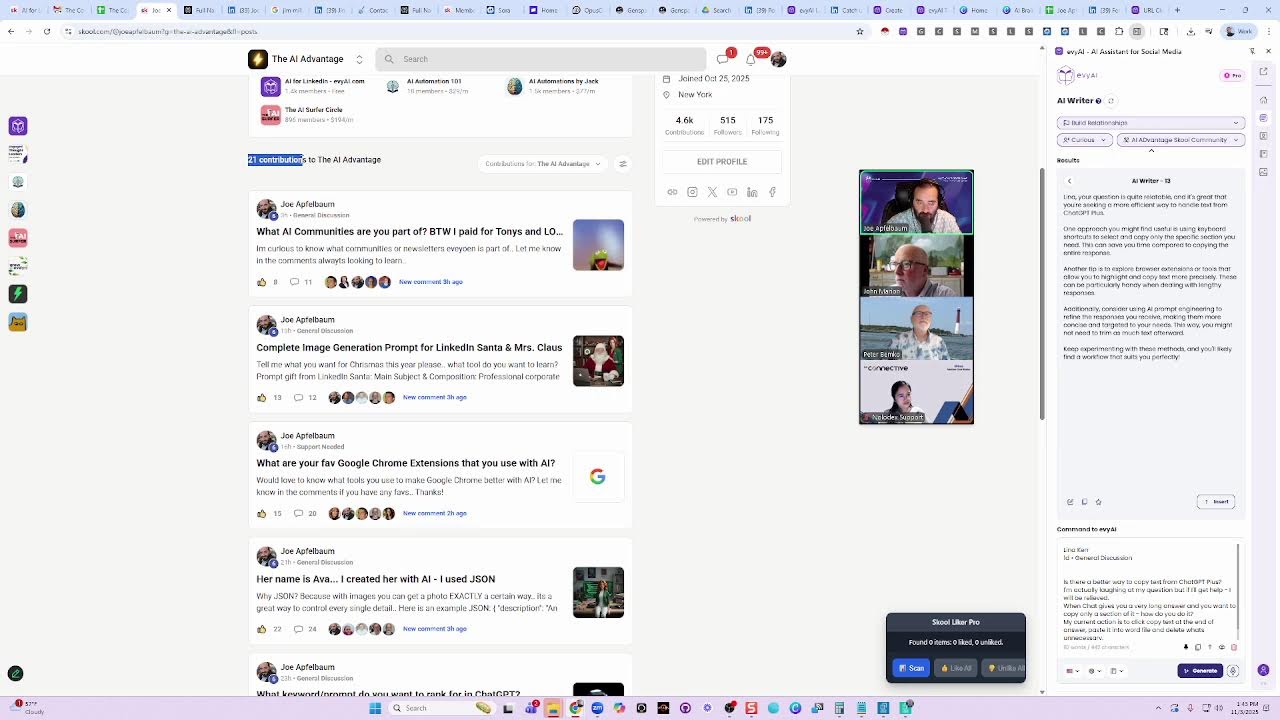
Joe Apfelbaum walks through a hands-on workflow for scaling LinkedIn lead generation using AI tools like Evie AI and Otter.ai, CRM integration, and keyboard shortcuts. He shows how to automate comments, schedule posts, and use a community leaderboard in a 30,000-member group linked to Tony Robbins to generate leads while staying within platform rules.
Chapters
If you want to be successful on a LinkedIn posting party, the most important thing that you need to do is to realize that a posting party is not just for people who want to get engagement on their content. A posting party is for people who actually want to be successful networking and building relationships. So I'm going to show you a real posting party and how it works in real time. The way it works is step number 1 is you got to get your right technology. So for example, I have a comment generator here on the side called Evie AI. I'm going to select my goal, my tone, and my persona. And the persona I'm going to leave a comment with is going to be my Joe Apfelbaum persona. Which is the LinkedIn comment persona. And let's kind of test that out over here. Let's go to a random guy's post over here. Let's go to this guy over here and let's click like. And the way it works is you just press a keyboard shortcut and you're able to leave a comment. Great point. It's fascinating how blah, blah, blah. So I'm going to click on his profile over here. I'm also going to go ahead and send him a message. And in this message, I'm actually going to close these so you can see the message. In the message, I'm going to say something. I'm going to use my extension here on the side, and I'm going to say, thank you so much for coming to the posting party today. What did you think about it? I'm going to press up. I'm going to press send. So I just sent him a little message just like that. Thank you so much for coming to the posting party today. What did you think about it? I also saved him as posting party person. Right over here. I'm going to press save. And the other thing I'm going to do is I'm going to click on contact info and see if I can find some contact info about him. Now sometimes you have to go to their website to get their contact info because they don't put it on their LinkedIn profile. Some people make it really hard. I'm going to click on contact us here, see if his information is publicly available anywhere. I see he makes it really hard to get contact info. I do see a phone number here. You see there's a phone number right here. I'm going to take this phone number, I'm going to save it as phone number here on the side, and I do see an email address right here. So I'm going to right-click on this email. I'm just going to select it. Look how hard it is to select this email here because he makes it clickable. So I'm going to copy the whole thing, paste the whole thing, and delete everything else besides his email, uh, .com. Okay, and I'm going to press save. So now I have his email, I have a cell phone number, and I'm going to send it to my CRM called GoHighLevel. Boom, I just sent it to my CRM just like that. Now I do have something called the Connective, which is a group of people, and today is 11/3, so I'm going to do 11/3. I'm going to say Connective 11-3-25, press enter. And what I'm going to do is whenever I find someone that's coming to the Connective, like for example, I have a list of people that are going to be coming to the Connective. This is our little posting party sheet, like this guy here. I'm actually going to open up his profile just like this, and then I'm going to save it right in here just like that and press enter. And I'm going to save his profile. So now this guy came on this particular date. You see, I have his stuff here, and what I'm going to do is I'm going to click on contact info. I'm going to see if he has any information available on his website. Sometimes people do, sometimes people don't. Get started, schedule a call with us. Now he doesn't look like he has much information available on his website. I'm just going to inspect his LinkedIn profile just to kind of see what he has available here. And I also see he doesn't really have much information available on his LinkedIn profile. So I'm going to do AI research on the guy by clicking on this right here and see what the AI research can find about him. I'm going to press Ctrl+0 so you see everything. So he's a podcast architect known for creating high-impact podcasts that deliver tangible business results. He's recognized top 10 podcast hosts, blah blah blah blah blah blah. Look at this, that's his Instagram, notable achievements, conversation starters. I love that. I'm going to go ahead and save this as a note. Making my life very easy so that I have this. I'm also going to use some templates here to— I'm going to use a research prompt to be able to find all his profiles. So find all public profiles with this person's name. Boom, boom, boom. It's going to find everything. He has 13,000 on LinkedIn. He's on Twitter, Instagram. He has 1,100. Here's his podcast, books, contact information. I'm going to press copy. And then I'm going to go ahead and save his information right here as a note with his links to his Instagram and all that stuff. Now I want his email address. I'm going to use a Chrome extension to just pull his email real quick. Go ahead, view email. I see I have his email right over here. I'm also going to find his phone number. Phone number not available. Okay, that's great. His phone number is not available there. I'm going to save his email right here. You see that? I have his email. I'm going to ask him for his phone number when I talk to him. Okay, he's coming to the posting party. That's great. The other thing I can do is I can ask this tool to help me find his phone number. I have to log into this one over here. I'm going to press login. I'll log in from another screen so I don't bother you guys with this, but that's the idea. And the tool that I'm using actually is called Evvy AI. This is the technology that I'm using. With this technology, I'm able to really connect with people and build deep, meaningful relationships and really get to know them.
Why?
Why do I want to get to know people? Because that's how I get business. I get business from getting to know people, not by flying by the seat of my pants. You know what I mean? Most people don't— most people don't take the time to actually build meaningful relationships with other people. So if you're not going to take the time to do that, you're majorly going to be missing out. Majorly. So I want you to take the time, build those relationships, get to know people, and start connecting in a deeper way. Don't just connect on the surface, but really get to know people just a little bit more. I'm going to go ahead and minimize this here so you get— you don't have to see that. And my question to you is, what technologies are— do you need in your life To be able to find the right contact information for the right people at the right time. Because most people, they don't have the right contact information for the right people at the right time. And so now I was able to pull his phone number right here, and now I'm going to go ahead and call him and ask him if he's available to come to the posting party in 2 minutes. I'm going to put on my headphones just like this, and I'm going to see if he's available. I'm going to go to my CRM because I already sent the information to my CRM, right? I pushed like that. It goes into my CRM. See, now it's in my CRM. Now that it lands nicely in my CRM, I just open up my CRM button and then I just press call. Simple as that. Okay, I just press call and it's ringing. I don't know if you guys could hear it ringing, but it is ringing right now. I'm also going to open up my calendar just to see where the next meeting is going to be. Hopefully you can hear me now. All right, I'm opening it up. I'm gonna hit join if he doesn't answer.
Your call has been forwarded to voicemail.
Looks like it went to voicemail. Hello?
Hello?
Hi, just wanted to make sure that you got into the posting party and you got everything you needed, Jeff. It's Joe Apfelbaum.
Oh, I did. I'm in.
All right, I'll see you then right now. I'm gonna jump and join. I just wanted to make sure you were taken care of because I know you had some issues, so.
Oh, yep. I just got, I got my stuff updated in the spreadsheet, so I think I'm good to go.
So I'll see you on Zoom right now.
All right. Thanks.
Bye. Thank you. Okay. Now I strategically did that so that he has my phone number saved in his phone. And now when I call him next, he'll know exactly who I am. All right. Hello? Hello? Hello? What do we have here? The wonderful Janet. Hi, how are you?
Nice to see you.
I'm doing fabulous. How are you? It's my first post party. It's your first posting party. La la la la la. It's your first posting party. La la la. I'm so excited that it's your first. Oh man, are you excited to be here?
So much.
I'm also excited to be here. This is going to be a fantastic event. Hello, John. Good to see you. This is not your first time here, John.
Yeah. Hey, Joe. Yep. Uh, yeah, this is, I think this is my third time. I really like these meetings.
Oh, they're so good. Posting parties are just the best. One of the reasons I love posting parties so much is because I get to just connect with people and build relationships with them and get to know them. We're not selling anything to each other. We're just supporting each other's content on LinkedIn. So yeah. Yeah, absolutely.
You have experience doing this. It sounds like you— this is kind of your thing.
Yes. I just ran a posting party this morning. We had 30 amazing folks there from our community. And every single week we host posting parties inside our community. And what happens is, is that most people are not going to like and comment on your content unless they know who you are. That's the reality. Most people are simply not going to like and comment on your content unless they know who you are. Um, and you make it really easy for them. You know, if you're like on the LinkedIn feed, most of the time you're not even going to see like what's going on over there. You know what I mean? You're not even going to see anything.
Right.
You're like, you see a bunch of random people on the feed, but if you do this correctly, you'll be able to completely change the name of the game. Um, does the administrator want me to record this? Noladex Support. I'm not sure who's there. Under Noladeck support, because I think you're the host. If you want to make me co-host, I'll record it in case somebody needs a recording. If not, I can send in my note-taker because some people like that. Should I send in my Otter? Hang on a second, let me look for my Otter. otter.ai. Let me send them in. Let me send in my, my automatic note-taker. I'm going to press copy.
Hi Joe, I've already made you co-host so you can record.
Oh, wonderful. I'm also gonna send my otter there. Okay, sent.
Thanks, Grace.
Thank you, Grace. Okay, so I'm gonna hit record. I'm gonna hit record, record on this computer. Recording in progress. Hello everybody, welcome to the posting party. I'm so excited that we're here today. Um, just so that you guys know, there is a spreadsheet where you can go to, to be able to pull all the information with everybody's links. And our goal is to kind of get to know each other, talk about the challenges of LinkedIn and, you know, the issues that sometimes people have with LinkedIn and hopefully be able to get on the same page and make sure that we don't make big mistakes that stop the algorithm from allowing our posts to even rank to begin with. You know what I mean? Like a lot of people, they post the wrong way and then they wonder why, they wonder why it's not working. So I highly recommend that you guys do things the right way. So I'm going to share my screen and show you the spreadsheet so you guys can see it. This is what the spreadsheet looks like. Um, just add your name here. If you're not on here, I will add you. It looks like everyone should have access to this. So for those of you that are here for the first time, welcome. Janet, welcome. Janet, you just add your name here, like on 32 or 33.
Okay.
And then put your LinkedIn URL to the post right next to it.
Got it.
Now sometimes people include, like Adrian included, a really, really long URL. We want to try to keep the URLs pretty short, as short as possible. That's because we don't want LinkedIn to know that this was something that you shared in this particular way from this particular desktop and this particular, you know what I mean? It gets weird. So we have something called a URL cleaner. And you can paste your URL in here. You press clean and then you get 3 options. You get URL with UTM, without UTM, and feed URL. I recommend sharing the feed URL whenever possible because LinkedIn doesn't know where it came from in that case. And it's a much cleaner way of sharing your URL. So in the chat, go ahead.
Do you want Fernando to be here?
No, he does not need to be here.
Okay, perfect.
So, um, so that's the idea. The idea is pasting your LinkedIn in here, hitting clean URL and getting the feed URL from right here. Okay. That makes life easier. By the way, I'm curious to know, how often do you guys post on LinkedIn right now? How often do you post? You can either answer in the chat or you could unmute yourself. You could say once a day, once a day. Once a week? Once a month? Never? First time I ever posted in my life today?
I do 1 to 3 times a week. Not, not a lot, but that's about average for me. I'm 1 or 2 a week.
1 or 2 a week. Okay.
Probably 2 a week, but I think about it every day. Does that count for anything?
Yeah, it counts that you think about it. I mean, it's nice to think about it. It's nice to think about your presence. Just so you know, a post usually expires after 24 hours. So if you're posting once a week, your post does great for that day. But after that, you'll look at your impressions and you'll notice that the impressions don't go up after a day. Just FYI, I want you guys to look at this and don't just take my word for it. If you go to linkedin.com/dashboard, you'll be able to see the impressions of all your posts. And you could even download a spreadsheet from there. Do you guys want me to show you how?
Yeah.
So watch, I'm going to press share. I'm going to press share just like this. I'm going to go to linkedin.com/dashboard, linkedin.com/dashboard. And you guys all have access to this. And when I click on linkedin.com/dashboard, do you see on top of that says post impressions? I'm going to click on it and then I can select the date range. So in this case, I'm just going to select the past 90 days. I'm going to press show results and it's going to show me my top posts from the past 90 days. You see that? I got 387,000 impressions. Now there's an export button on the top right. I can press export and it's going to give me a CSV file. I don't know if you guys know what a CSV or an XLS file.
Mm-hmm.
And if you want to see what's inside that file, you just have to go to sheets.new. And then what you do is you just hit file, import, upload, and then browse. And then you grab that file and just dump it into the spreadsheet. You know what I mean? And then I'm gonna press Replace Spreadsheet, and it's gonna replace that Sheets.new thing with a regular spreadsheet. And then I'm just gonna click on, I'm gonna type, I'm gonna call it Joe Apfelbaum Past 90 Days Posts. And then I'm gonna take the post, the top post, I'm gonna make it the first tab. And I'm gonna give this to you, I'm gonna actually share it with the whole world. I'm gonna say share with anyone with a link. So anyone can access this. And I'm going to press done and I'm going to copy it so that you guys can see this for yourself. I'll put it in the Zoom chat for you. I just pasted it in the Zoom chat. Hopefully you can see this. And this shows all the different posts and how many engagements I got and how many impressions I got. So for example, this post over here that I did got, this video post over here got 53,000 impressions. You see that? This is a little video of my business. This is from 3 months ago. And this is one of the videos that I featured on my profile. So if I go to view profile, I feature a video on my profile. I recommend all of you do that as a best practice. Make a 15-minute video or 14-minute video of your business, of you talking about your business and feature it. And then make sure every person watches that and engages with it. You get what I'm saying? Why do you do that? I'll tell you why. If you're part of a networking group, say The Connective or whatever networking group you're part of, the key is for you to get everyone to know who you are, right? So let's say there's 500 members in the group. How many of those members are you going to have a time to do a one-on-one with in the next 90 days? Maybe, I don't know, 30, 40, 50, right? But you can certainly message every single one asking them for consent to send them a 15-minute video if they can watch it. And you'll be the only one that does it, by the way, because most people are not going to do it. So look at— look, we're in a room. We're only like, you know, 8 people here or whatever, 9 people here. I mean, between the— I mean, there's 6 of you, you know what I mean? Like, what are we talking about? So if the 6 of you make a 15-minute video, and do you know the tool I use to make the video? It's called Loom, L-O-O-M. Okay. So I just record my screen. I have my face in a little tiny circle and I talk about my business for 15 minutes. I do 14 minutes because 15 is the limit. And sometimes I'll go a minute over. It's a pain in the ass. With the Loom, if you have the free version, you can only do a 5-minute video, but even a 5-minute video, it's 5 minutes of you talking about your business. So you can message anyone in your networking group and say, I made a 5-minute video describing my business. Do you mind watching it so you fully understand what I do for a living? And if you know somebody that can use my business, I'm happy to pay you commission if you send this video to them and they sign up to my service. Just CC me when you're sending them the video so that I can keep track of who you sent it to. So when they book a meeting with me, I'll know that you sent them and I'll pay you the 20%. You get what I'm saying?
Mm-hmm.
You'll also download that video and put it as a featured post. And you'll come to one of these posting parties and you tell everyone, hey, can you comment on my video. So now you have a promotional video talking about your business, preferably about the problems you solve for your clients, displaying your stuff, and that is powerful, right?
Mm-hmm.
So, so that is my most popular post. I sent you my last 50 posts so you can learn from my posts. You guys got that spreadsheet with my last 50 posts with how much impressions I got on each one, right? So you can go through that, go through them and leave comments on all of them if you want, have fun. But from each post that I posted, you can learn something that you can do either on a daily or weekly basis. My recommendation is if you can do a daily post, because again, remember what I said earlier, a post expires after 24 hours typically. So if it expires every 24 hours, why not show up every day for the people that are logging into LinkedIn? Only 40% of people are logging in regularly, but if those 40% are not seeing you, who are they seeing? Some other connection.
Joe, what do you mean expires? Disappears from the feed?
It stops promoting that post on the feed. It'll show up sometimes for some people, but if you look at the vast majority of the impressions, let's say your average post gets 100 impressions, okay? Look at it day 2 and see if it goes from 0 to 100 to 200, or does it go from 100 to 101? You'll notice from the first 24 hours, it'll go from 0 to 100. But in the next 24 hours, it'll go from 100 to 102. Go, go look at that, and then you'll be like, oh, I'll post once a week. That means you're, you're only, you're only getting seen once a week, once a day of the week. You get what I'm saying? Unless you're promoting it, which means you're sending it in the DM to people, and then you keep commenting and replying to comments and all that stuff, right? So that's, that's, that's why I post every day, just FYI.
Thank you. Go ahead. Sorry, Jeff. Go. Thanks, Joe. Thanks, Peter. Um, I was, I was getting, grabbing my address for my post to put into the, um, spreadsheet. So I didn't see how you cut down the, the— Oh yeah.
Yeah. I'll show you how I do it. So I go to this website called Evy AI, evyai.com, and I go to /urlcleaner. You see /urlcleaner.
Yep.
/url-cleaner. And then you just paste the post into this box over here, and then you press clean URL, and then you're gonna get 3 versions of that URL in different length, different, um, different ways of cleaning it. And I would do the feed URL. That's the one that I would do.
Okay. Thank you. Yep.
Yep. No problem. It's my pleasure. The reason I created that is because I didn't want LinkedIn to track when I send somebody a link for them to comment on, I didn't want LinkedIn to know, hey, I was using my computer and I copied it on this date and this time from this account and sent it to that account. I don't want them to keep track of any of that. So if I just send them a clean version, there's no tracking code and LinkedIn can't track back to know what I did. Okay. And it's not going to necessarily hurt you if you do that, but it's just, it's just being cleaner. You know what I mean? I want you guys to be just a little bit cleaner. Okay. Peter, you had a question? Go ahead.
Spell evyai.com?
Oh, spell evyai.com? It's evyai.com. And I also put it into the Zoom chat. So it's evyai.com/url-cleaner. Okay. /url-cleaner. Go ahead, Peter.
Yeah, it's in the chat. So Joe, when you mentioned that Everything kind of shuts, slows down after that 24-hour level point. Would you then recommend that we actually wait a little while before responding to comments onto our posts in order to extend that time?
The influencers that attended the LinkedIn Influencer Summit, and I do this every year because I don't have all the answers, I'm not sitting there, I'm busy dealing with clients, I don't always have time to look at all the algorithms and do all the tests and everything, but the top LinkedIn influencers They are the ones that I interview once a year. And what they said is the best thing that you can do is go 30 minutes before your post and start commenting on other people's posts. So LinkedIn kind of warms you up and then you post and now you're warmed up. So LinkedIn will start sending it to people. And then they said after that, as soon as somebody posts a comment, then reply to that comment as soon as possible because LinkedIn will see within the first hour that you're active on the post and it'll send it even further. That's what they said. I'm not doing that all the time because I'm just busy living my life and I'm not going to sit there micromanaging. I'm not looking to go viral either. I don't want to be famous. I already got COVID. I don't need to go famous. I don't need to go viral. My goal is for the right 1,000 people to see me 1,000 times a year. People like Melanie Fox, who happily introduces me clients and I pay her 20% commission. That's the idea. So here's the idea. I'm going to show you exactly how I reply to comments very quickly. So if I go into a post, you don't have to reply a whole thoughtful comment when somebody, um, when somebody comments on your post, you could just thank them. So the way it works is I'm going to go here and I see 20 people commented on this post telling people to join my posting party, right? So I'm going to go in here and I'm going to reply to Marlene. Now I'm going to use a keyboard shortcut to reply. 'Cause I don't need to use AI. I could just use a keyboard shortcut and use a template because I'm using a technology called Evvy AI that allows you to have templates. You see, I have many, many, many templates about different things, and I can set keyboard shortcuts to particular templates. So for example, I know that all these people just need a thank you from me. And so instead of me overthinking what I'm gonna say, I set one template and I could set up to 10 different templates and 10 keyboard shortcuts and kind of mix it up. But these are people that know me, like me, and trust me anyway. They know who I am. And so I'm just going to reply to all of them very quickly using the same keyboard, same comment. Basically says, appreciate it. Thanks for leaving a thoughtful, engaging, blah, blah, blah. And this saves me a lot of time. Now sometimes I'll see, the reason I'm doing this manually is because sometimes I'll see a comment of somebody that says they want to do business with me or something like that, or they're trying to get through to me. So in that case, I'll kind of change it up. So I'm actually reading each comment and realizing I just need to thank them. You see this? I couldn't be on the live in the school community, but thank you. Okay, good. Thanks for engaging. Strong idea. Collaboration is blah, blah, blah. You see that? So I'm going to reply to every single person and it took me less than a minute. Do you guys see? It took me less than a minute. Boom is right. That's the kind of energy we need on LinkedIn. And then this guy said, I must attend for sure. Okay, boom. So now all of a sudden I left comments on every single person and now I went up from 20 comments to 40 comments. You see that? Because I replied to every single one, but I used the keyboard shortcut within Evie AI. This saves me a lot of time. If you click on the templates over here, you'll notice you can have lots of templates and you can assign keyboard shortcuts to each template. You see that? So I'm going to show you the, the Alt+2 is the comment reply one. It says, appreciated. Thanks for leaving a thoughtful comment on this post. You see that? But I have other ones. I have ones promoting my post, my webinar. I have ones that are the happy birthday one. You see this happy birthday message? So for example, I have a template for sending people happy birthday. Today's November, what, 3rd? So I'm going to do 11/3, and then I could just go and wish everybody a happy birthday with the 11/3 thing, which means just go to people's birthdays. And the way that I do that— do you guys wish people happy birthday on LinkedIn?
Not as often as I need to.
So if you had a keyboard shortcut to do it, it would be very, very fast, Peter. So I just click here like this. And then I double-click there and do, I think it was, what did I set it to? Alt+3 or Alt+4? I don't remember what I set it to, but, um, I forgot what I set it to. Let me go back.
It's my birthday and I got 4 or 5 messages.
It's your birthday?
Oh, really? It's my birthday, Jeff. Yes.
Congratulations. That's huge.
I was not bragging. I was sharing for information. I got more on Instagram.
Oh, you got more on Instagram? I also do, I also do Facebook, uh, birthdays as well. I don't just do LinkedIn birthdays. I do Facebook birthdays as well, cuz I found that people are more responsive on Facebook for their birthday messages. I mean, it works on both, but so let's say for example, this guy Leonard, I wanna send him a birthday message. I just push this button here and now I wished him a happy birthday. You see that?
Yep.
So instead of me thinking about what to say and procrastinating it, I can literally just push the up arrow here on these templates. and they go flying in. And if I was doing it on Facebook, I could do the same thing on Facebook. I can go here, switch it to 03, 11/03. And I actually put the date there so in case they disconnect from me in the future and I look through the message, I can see when their birthday was. You know what I mean? That's kind of like why I leave it there. And so this just saves a lot of time. And that's the idea. Okay. Stopping to share my screen, but thanks for asking about the replies. That's kind of like how we got into that rabbit hole, Peter.
Yeah. Well, it's, it's a ma— it's still a matter of, you know, how do we make most efficient use of this, Joe? Because that's the thing where we're all just trying to do this as easily as possible with as little friction.
So what I would say is if you have, let's say 50 posts, okay, let's just call it 50. 'Cause I sent you my, my 50 posts, my 50 posts that did the best. Okay. So if you go and export your 50 posts from the next, from the past year or from the past 90 days, if you didn't, if you did it every week, it's going to be a year. So you can select, you know, the way I selected 90 days, you can select a year. And if you need me to show you again, I could show you again. But anyway, you select a year and you download your last 50 posts as a spreadsheet. You go to sheets.new, you import it, you look at it. And you'll notice out of those 50 posts, at least half of them you can post again in 2026. So you can actually, Peter, you can actually schedule those out on LinkedIn natively.
Yeah.
And I can show you guys how I schedule a post if you wanna see, if you're curious, I can show you. But you can natively schedule a post on LinkedIn very, very fast. And it doesn't have to take a lot of time to schedule a post on LinkedIn. But if you post once a week and then you schedule once a week, you're gonna get much more, you're gonna get double or, you know, Whatever. But if you guys wanna see how I schedule a post, I can show you how I write a post, how I create an image with AI with the, for the post, and then how I post the post. If you guys wanna see how I do that, I can show you how I do that. Would that be helpful, Mark?
Write it down.
Yeah.
Okay.
So I'll show you what I'm gonna first come up with a topic for the post, cuz a lot of times I don't know what to write. So what I do is I go here to the idea generator and you could use any LLM for this, but I'm using Evie AI for this. And I just tell it, you know, networking, networking, and I spell networking wrong. I just press generate ideas about networking because I do talk about networking. I talk about prospecting. Okay, so it says over here, have you ever wondered how a simple coffee chat can lead to unexpected opportunities? Or in a digital world, how do you maintain genuine connections with your network? Um, I kind of like this one, but I do— I think follow-up is the most important thing. So I'm just going to do follow-up and I do generate post. Okay, so it gave me 4 topics. I picked one, Mark, and And then I just click generate on the bottom right here. I click generate. Now I have a post that's ready to go. I kind of like this post. It says, ever wonder why some connections just flourish and some fizzle out? It all comes to follow-up, right? So I'm going to press copy. I'm going to copy this. I'm going to go to LinkedIn and then I'm going to just go to the homepage of LinkedIn. That's where you write a post. I'm going to go to the top and I'm going to press start a post and I'm going to paste this in. But now I need to create an image. How do I create an image for this? So I'm going to use the image generator built into this technology over here. Let me go find the image generator here. Okay. Um, here's my image generator right here. By accident, I just shoved another post in here. Um, here's my image generator. And what I'm going to do is I'm going to take this post right over here. You see this? And instead of me having me and Ava that says join our posting party, I'm actually not going to use Ava for this one. I'm just going to have me and I'm going to find another post that I like and I'm just going to repurpose it. And I kind of like this. I kind of like this one right over here. You see this one? So I'm going to hit regenerate post and I'm going to say over here, the text will be the fortune is in the follow-up. Okay. So I'm gonna say the fortune is in the follow-up. Okay. Joe Apfelbaum, Heavy AI prompt engineer. I'm gonna press generate. It's gonna take my photo together with this entire prompt that I used in the past. And the only thing that changed was the words from the right strategy will save you a decade to the fortune is in the follow-up. And the image will appear here in about 5 seconds. And once I have this image ready, I'm gonna read it to make sure it says the right thing, cuz sometimes AI will write whatever it wants to write. The fortune is in the follow-up. Joe Apfelbaum, Prompt Engineer, with the LinkedIn logo on my photo there perfectly. I'm gonna press copy. I'm gonna press paste. You see, I pasted this, but I'm not posting it now, team. I'm posting this when? I'm gonna post this on, I'm gonna post this, let's call it Friday. Okay. Friday the 7th. At 1, uh, at 11:00 AM. Okay. I'll put it at 10:45, 'cause I have a posting party at 11. So I want it at 10:45, it'll go live, then I'll share it in the posting party. Get it? So now I'm going to press next and now I'm going to read it one more time, make sure it makes sense. I'd love to hear your thoughts. Okay. And I press schedule. Did that take me a long time to do? I'm going to stop sharing my screen. Now, if I spent 30 minutes doing this, I'd probably be able to schedule, Peter, I kid you not, at least 5 posts for the week in 20 minutes. At least 5, maybe 6.
Now, now that was a prompt that you already had pre-made, right? So you've got a series of prompts like that that are ready to go.
And all those, you have, Peter, because you're our client, you have the Bundle Plus, you have access to at least 100 of those prompts. And anyone that wants our prompts, I'm happy to give it to you whether you're a client or not. I'm happy to give it to you. But if you become a client, you get access to our community and we have hundreds of these prompts already built out for you. We also have a prompt generator that we give all our clients where you just push a button and it generates a prompt and you can select, do you want a big picture, a small picture, a circle, not a circle, whatever? And we have that whole thing and it's all in our community. If you click on library, Peter, and then you click on links on the left side and you go to link, I think 55 or 56, that's the quote card prompt generator that will create that specific prompt for that type of image.
Okay.
Get it, Peter? And if any—
I will.
Yeah. And if anybody wants to speak to Peter about his experience with Evie AI, then definitely set up a call with him because we have a great affiliate program. So Peter might as well send you his affiliate link so he makes a commission. But that's the idea.
Okay.
Any other questions, concerns, comments? But you saw the way I scheduled it, right? You saw I scheduled it for Friday?
Mm-hmm.
Right next to the post button, there was a little circle that I clicked on, and that's kind of like how I did it. Now the key is for us to go off and just comment on each other's posts. And it's not hard to comment on posts. I can show you how I comment on all of your posts within like 2 minutes. Would you like me to show you how I do it very quickly? 'Cause it might take you a lot of time, but I do it very quickly. So I'll show you how I do it very quickly. Watch this. I'm going to open up the spreadsheet. You see there's a spreadsheet here. This has all of your posts right here. So I'm just going to copy all of your posts and press Ctrl+C. Ctrl+C just copies it to my clipboard. You got it? Now what I'm going to do is I'm going to go to strategy. Eveai.com/bulklinkopener4. Okay, this is called the Bulk Link Opener 4. You guys have access to this, I emailed it to you. If you need access, just say I need access and I'll give it to you. And what this does is I'm going to press clear all URLs, and then I'm going to paste into here all the URLs I just copied and press process URLs, and I have them all down over here. You see that? I have all 11 URLs here. Now I can say every 10 seconds open up another post, Or, and I would just press start timed opening and every 10 seconds it'll open up a post. But in this case, I'm just going to, I put up a keyboard shortcut called Alt+W, where if I just press Alt+W, it opens it up. So Peter, I see that yours is here. I'm going to give it a like, and then I'm going to press Alt+G and Alt+G is going to write a comment and then I'm going to press comment. Okay. So it wrote a comment. I like how we could be old friends and I suggested a book that I really like. All right, moving on. Now I'm gonna press Alt+W again, and I'm gonna read Jeff's post. I really like Jeff's post. Jeff, you're very cool post. And by the way, Jeff, I did research on you. You're a major podcaster, top 10. That's really incredible. I did tons and tons of research on you. Um, and that's how I kind of got your phone number and everything. And that's why I called you and make sure you got everything. But I said, while I'm at it, I might as well learn everything about him. And boom, I just commented on your post and then I go ahead and close it. And then I press LW, it goes to the next one. And this is Mark's. Mark, you see, I left you a comment. You already replied. I'm going to give you a like on the reply. I'm also going to click on your name and just kind of look at you a little bit, Mark. And it looks like you're waiting to connect with me. I apologize I didn't connect with you yet. I'm going to press accept. And that's going to accept our connection request. Now I'm also going to save you into a list that you were at this meeting. You see, I saved you into a list called Connective 11/3. You saw that? And now that I saved you into the list, I'm also going to deploy an agent to kind of research you a little bit, just so that I know what you're up to, Mark. I need to know what you're up to. So as you can see, you're the founder and franchise connector of 30 years experience in corporate America, 16 years senior MasterCard. Oh, that's pretty damn good. I got your phone number here. You see that? I'm going to take your phone number. I'm going to save it into here.
Press save.
And then I'm going to take your email address and I'm going to save your email address into here. I'm also going to add your quick link and then I'm going to send you into my GoHighLevel. You see that? I press send to GoHighLevel. This will take your first name, last name, company name, your LinkedIn URL, your email and your mobile phone number and push it into my CRM so that I can call you if I want to. You get what I'm saying? And store it and organize it. And the other thing is I'm going to copy all this information with conversation starters, potential business opportunities and everything. And I'm going to put it into networking and press add note. Save it, and now I have a note with all your information. I'll look you up later again. Okay? So everything's already saved in here, Mark. Wasn't that nice? Now I'm going to go in here and I'm going to say, love it, and press go. Okay, now we're connected. Now I'm going to go ahead and close it and go to the next person. But do you see that I didn't just comment on the post? I went a little bit deeper. Do you guys get what I'm saying? I got to know the person a little bit and got to know him. And that's really important when you're networking with people. It's important for you to kind of get to know people a little bit. Now I'm— I have 2 keyboard shortcuts that I use when I'm opening up with the Bulk Link Opener 4. I use Alt+W to open up the next one. I use Alt+G to leave a comment, and then I press Ctrl+W, which closes it. So now I'm doing it in high speed. You get what I'm saying? I did it slow so you guys can see what I'm doing. But now I'm doing it a little bit in high speed because I can move a lot faster now. Do you see what I'm saying? So Alt+W opens up the next one. Alt+G leaves a comment. See, reads the post and leaves a comment. Ctrl+W closes any Chrome tab and Alt+W opens up the next one. Do you get it? Why are you laughing, Peter? What happened? Did I do something wrong?
Because you're, you're, you're, you're a machine, Joe. You're a machine.
You know, it's, it's the— My goal is just to be efficient with my time because I have 5 children. I have to go have dinner with them after this. We're doing a, we're teaching 100 of our clients how to use Sora. You know, guys, you know what Sora is? You guys don't know what Sora is? Oh my God.
I can't believe it. I do, but you, but, um, I'll be in the class, Joe.
Oh, you'll be in the class.
Okay.
So for 4 hours we're covering how do you, how to create AI videos with prompts. So we're just gonna— that's basically what we're gonna be doing. We're gonna be walking people through step by step how to create 30 videos for free for your business every single day. So you can use it on TikTok, Facebook, Instagram, Twitter, LinkedIn, YouTube Shorts, everywhere. And so we're gonna be covering all the ways to be able to do that today for 4 hours. And we have 100 of our clients that are coming. It's very, very exciting. So I don't have the bandwidth to do this later. I just have to either do it now or never do it at all.
Yeah.
You get what I'm saying? So because my time is very limited, I don't have the time to do all this. And so I go through this. Mansago is already a client. Great guy. Very nice person. Are you here, Mansago? I don't even see you here. Okay. But he filled it out, but he's not here. Okay. Um, but that's the idea.
Okay. So, so Joe, those, those, uh, keyboard shortcuts, you know, are they all, they Evie AI and Chrome-based, or do they go back and forth? Some are.
So, so Alt+W— I mean, Ctrl+W is Chrome-based. Okay, so every, every Chrome has Ctrl+W. When you press Ctrl+W, it automatically closes the window. Let me stop sharing my screen. Okay, when you press Ctrl+W on— I think a Mac, it's different. I don't know if you guys use Mac, but whatever. You could look up Chrome keyboard shortcuts. When you press Control W on a Windows machine and you have a tab open, the tab closes. It doesn't close the whole Chrome. It just closes that particular tab.
Okay.
On the Bulk Link Opener 4, right? The thing I put a link to in the chat, the Bulk Link Opener 4 technology, I set that Alt W opens up the next link.
Okay.
Alt G is related to our Chrome extension. If you have the Chrome extension open, Alt G will execute and write a comment and insert the comment automatically, Peter. That's what Alt+G does.
Gotcha.
In Mac, it's Option+G and whatever. But bottom line is, I, my goal is just to make things more seamless. So I added keyboard shortcuts for templates and I added keyboard shortcuts for generations. That's why I called it Alt+G, Alt+Generate. And the reason I chose Alt+W to open up the next window is because Control+W closes it. So Alt+W opens it. That's kind of like my thought process behind it. And I tried to do Ctrl+Shift+W, whatever, something else had it. And I, that was the only shortcut that was available. I had to do a lot of research and figure out what shortcuts are actually available. Um, yeah.
Nice. Thank you for, for that explanation. I really appreciate it.
It's my pleasure. It's my pleasure. Are you guys curious to see some Sora 2 videos so that you understand what Sora 2 is a little bit? Who's curious to see that? Okay. Jeff is curious. John is curious. Grace is curious with that heart. Look at that heart. You have such a beautiful heart.
She's, she's a real help to all of us. We couldn't do this without Grace, Joe. We really couldn't do this without her.
Wow. Can we all say thank you to Grace in the chat, please?
Peter, this is Mikey. Mikey. Sorry, Mikey. Sorry. My, my bad. My bad, Mikey.
Could we still say thank you to Grace anyway? I'm kidding.
Thank you, Grace and Mikey.
Thank you, Graze and Mikey, and thank you, Mikey. Okay, so I'm gonna go ahead and hit share, and I'll just quickly show you what I'm talking about. So if you go to sora.com, it takes you straight to sora.chatgpt.com, and these are videos. I'm gonna go ahead and show you my videos. These are my videos here. I think I could share my screen so you guys could see what I'm talking about, so you get an idea. I'm gonna hit Okay, share computer audio. So this is me talking to Sam Altman.
Joe, everyone talks about your belt, but tell me how you earned the belt as the top LinkedIn trainer in the world.
So I'm eating tacos with Sam Altman, the CEO of OpenAI. This is me being held by hands. Shapes the outcome. When you give clear intent, you unlock smarter answers. Whether it's humans or AI, specificity invites brilliance. So spend time crafting them and watch what happens. This is me walking down the street with George Washington. Is the seed of pretty amazing to be walking these streets with you. They are older than both of us, my friend, and they remind us commerce has deep roots here. And those roots can feed small businesses if people focus on building relationships.
Precisely.
Development genuine outreach creates trust.
Wow!
Unbelievable. So you can see I have so many, so many videos of different people: Dale Carnegie. Jim Rohn. Can't just wish it, you have to get in the class.
The boot camp is where the change happens.
You want to learn Sora, this new tool everyone's talking about? Make the decision. Come on over, invest a few days, change your whole future. This is, this is, uh, me. Look at this, Fifth Avenue belongs to us. Step onto this pink parade, watch the city stop and stay. We're building something bright And now, could you imagine how much more expensive it would be to make that production myself or to fly it out? It isn't just a resume vault anymore. It's where relationships take off. I made a song for my— I had some clients in my agency that were being very difficult, so I made a song called Clients from Hell.
Playing your games, we had the idea.
And I also mix it up with other people in my network. So I have my clients giving me testimonials. I have Mark Cuban talking about my business. I have promoting, you know, all different types of very, very, very interesting things. Me rapping. So I've created hundreds of videos very, very quickly of me doing different things that look exactly like me. Me being the President of the United States, me dancing on the train. Me talking to Marilyn Monroe, me having, you know, like all these types of stuff that I'm doing, even having Samoyeds. Clients on LinkedIn, I post, I comment, and still nothing sticks. Maybe it's time to focus. So if you think about it, this is a very, very powerful way to be able to create videos for your business, whether you wanna do a TED Talk about yourself or you want a Santa Claus to whatever, or you want a chicken to like talk about your business or whatever it is. With just a prompt and we give you all the 400 different prompts and whatever. So right now, Sora, if you wanna pay for it, it's either $200 a month to get access or it's $1 per second to make video. But we figured out a way to get 30 videos for free every day. So just FYI for Jeff and John that are still here. Looks like we lost the rest of you, but that's fine. Um, but yeah, but that's, that's what we got. Um, any other questions, comments, concerns, anything else related to the posting party? Was this fun? Did you guys enjoy? Yeah, it's always good, uh, Joe.
It's like drinking, um, from a fire hose when, uh, when you're sharing, uh, what you know.
It's very good. I mean, I could share a lot less, but No, it's good.
I like your style.
Oh, thank you. I'm from Brooklyn, so I move a little fast. Mikey, did you get value today?
Yes, I did.
What did you— what did you get?
I would— although I'm attending all of the posting parties, so I know how valuable, like, being able to use AVEI in your LinkedIn posting. So we try to post every now and then just to make sure we applied what you're, uh, all of the things that you're teaching us.
Are you posting on behalf of Adrian and Joe?
Yes.
Cool. Yeah, if they get you— do— if they get you a copy of Evie AI and you come to all of our training sessions, I'm not sure if they got you one yet, but if they get you one, you can ask them for it. They'll be happy to get you one, and then you can post for both of them from the same one from the same account and make images of them, and I can teach you how to do everything. We meet with our clients every day, and then you'll be able to post every day on their behalf, and it would make them look so good and they'd be so happy, but it would also get them new clients into the connective. So I definitely think you should speak to Joe about it, and he'll be more than happy to get you an account that includes tons and tons of training. So our next training session we have is Wednesday at 10:00 AM for 2 hours. So if you enjoyed this like 30-minute rendition of me just going, whatever. Could you imagine if it was organized and it was 2 hours every month? I think you would get a lot of benefit from that possibly. So it's something for you to talk to Joe about. And I could also send him a message or whatever, but I think that if you got access to it, it would really help you. Awesome.
So, uh, so Joe, you said that you can do multiple profiles from Evy AI?
You can do unlimited profiles. So Evy AI doesn't connect to your LinkedIn account. It actually works on every website. It just sits on the side of your browser. So we don't care what LinkedIn account you're logged into. We just care about what persona you're using. And with Evvy AI Bundle Plus, you can get unlimited personas.
Got it.
So, um, okay.
That makes sense.
Yeah. You get unlimited personas. You can add as many as you want. So I have a persona for like, did you hear about Tony Robbins's new community?
I did not.
So Tony Robbins just launched an AI training. They, they're not teaching anything. It's just basically marketing. Yeah. Um, and he got 30,000 people to join a school community, and then 13,000 of those people paid a dollar to join his premium community that costs a couple hundred dollars a year or whatever. And then from there, he's gonna get people to whatever, he's gonna upsell, upsell, upsell to try to make $100 million off it. Mm-hmm. Um, so I just joined the community and I'm playing with it and I'm like, and I'm responding to people's posts using Evie AI. So I'll show you.
Yeah. In the school community.
In school. Yeah. So if I go to school.com, Oh, I'm sorry. If I go to school.com like this and I log in, so this is his community, right? He has 33,000 members. And then I set my persona here. I'm going to set my, I'm going to reset this. I'm going to set my persona to school. So I have one that I created called the AI Advantage School Community Persona, right? So now all I have to do is I have to go into any of these over here, Fake It Till You Make It. I just select this text, right-click on it, send it to the side panel, hit generate. It's going to read this post. And then what I can do is I can take the content that it creates as a result of it, and I could just insert it here and I could respond to Don. So do you see I said, Don, your enthusiasm to diving in AI becoming the best decision as you embark on your journey. Explore prompt engineering. It's a fascinating area. Another tip is to familiarize yourself with AI agents. So I press comment and now I just notified Dawn, who could be a prospective customer of mine.
Mm-hmm.
And I'm the only one that ever responded and the only one that will ever respond because I took the time to do it using AI. Do you get what I'm saying? So I can do it for—
I do.
For any of these people who are potential clients of mine. So I'm gonna go here, select this, and I have a keyboard shortcut called Ctrl+Alt+Shift+G, which any highlighted content gets sent to the side panel. And if I do Alt+Shift+G, I can select anything, do Alt+Shift+G, it'll send it in here. And then if I go in here, I could just press the insert button here, or I can, I can go in there and press Alt+G and it'll automatically do it. But that's the idea. I just mentioned Kimberly and, and, and did it for Kimberly as well. So that's kind of like the idea and what, what I'm, what I'm kind of doing here. Alt+Shift+G, go to the comment, Alt+G in the comment, and it starts producing the comment. Then it automatically inserts it, and then I read it, make sure it makes sense, tag the person, and move on. You see? Your question is a relatable question. You're seeking to be more efficient in how to handle tags in ChatGPT Plus. One approach you might do is using a keyboard shortcut to select copy. Da da da. You see that? So I'm actually giving a really thoughtful response here. But Peter, I have my assistant writing it up instead of me. And that helps me stay top of mind with these people, and it helps me, you know, create a lot of exposure. So that's constantly— yeah.
Awesome. Thank you. So much to catch up on, Joe. So much to catch up on. You've got a, you've got a head start on a lot of us, but, you know, the information that you provide is, is fantastic. Thank you. Okay.
So this guy over here, they just warned me. They said, Joe, I see. Although your intentions are maybe pure, we have to be careful not to open doors of more nefarious actors coming in and start saying and polluting the group. I'll refrain from self-promo. I'll say I'll share only things that don't talk about heavy AI, etc. 'Cause they just deleted a whole, they deleted a whole massive valuable post that I did. And I was wondering why he did that. And now I realize because somebody complained that I was promoting my business.
Hmm.
But that's okay. It's not the end of the world. So if I go in here and I could just search myself, Joe Apfelbaum, I'm gonna click on members. I'm gonna click on my own name. And then I'm gonna click on these 3 dots and hit just posts. You're gonna see, Um, I have 21 contributions. I probably had like 30 contributions, but they deleted a bunch of them because I'm, I'm strategically sharing things. And sometimes the examples that I share talk about Evie AI. You get it, Peter?
Right. I do.
I do. And so some people were complaining that, what the flip?
Yeah.
Um, and so now you meant you noticed all these people over here? I am replying to all these people because these are the people that are in our community. Ian, Marlene, Rick, B. Randall, Penny, Mark, Catherine. So these are the people that are in our community now promoting me within the community, and then I'm liking all their posts to help them get into the leaderboard.
Right.
And my goal, my goal is to get everyone in our community that's interested into this leaderboard here. You see, I'm number 2 on the leaderboard here. I want to get everyone to be number 1. I want to be number 1, and then I want to have everyone else to kind of take over the whole leaderboard. That'd be really cool if we did that. And that'll get us exposure in front of these 30,000 people.
Right, in front of Tony Robbins' community. That's slick.
That's the idea. If there's 30,000 people and he's paying millions of dollars to bring these people in, and they're high-end people, why not, why not get our clients to— why not get everyone to kind of support each other there? And then try to find leads.
I love it. I love it. Smart. Smart.
That's the thought process behind it.
Cool. Cool.
All right. Well, thank you so much guys for being here. Appreciate it. I'll see you in the bootcamp in 20 minutes, in 15 minutes, uh, Peter, and we'll spend the next 4 hours together.
Excellent. Thank you, Joe. Appreciate it.
All right. Talk to you guys soon. Bye.
More from Joe


How to Beat the Algorithm: Remove Hidden Watermarks & Scale Content with evyAI









AEO & GEO: SEO's Future Explained! Master Answer & Generative Engines! #shorts