LinkedIn Topic Ideas - 105 LinkedIn Live 2024 with Joe Apfelbaum
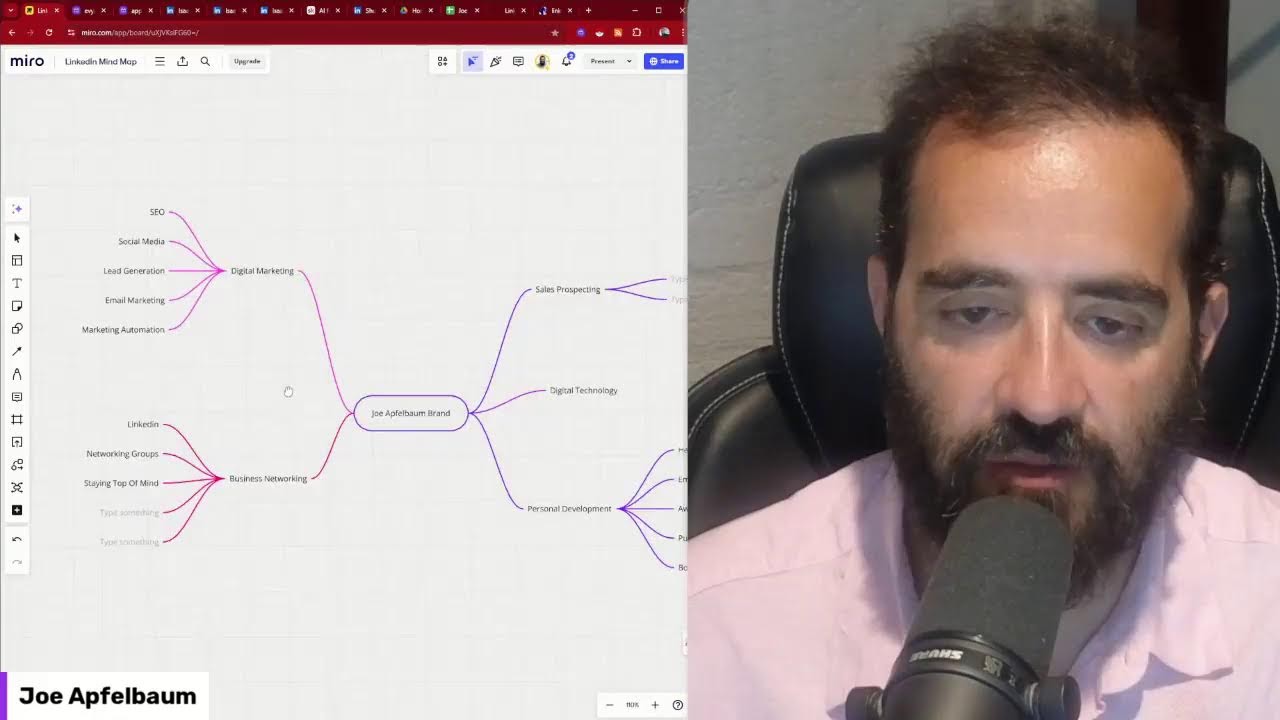
Joe Apfelbaum walks through a mind-map system for generating LinkedIn content, prospecting strategies, and automation workflows. He demonstrates pulling questions from Quora and Reddit into Claude or OpenAI, storing answers in Google Sheets, then emailing them as content. He also showcases Evvy AI, his tool that generates comments and posts to keep you top-of-mind with key contacts.
Chapters
Welcome to my new LinkedIn Live. My name is Joe Apfelbaum. This is episode number 105. That means I went on LinkedIn Live over 100 times this year. And I'm excited about what I'm going to be showing you. This is called a mind map. And today we're going to be talking about LinkedIn topic ideas. So these are all the different ideas in my mind map. And if you want a copy of this, just type in mind map in the comments of this video. So I'm going to be sharing with you what all these different things are. And we're gonna be building them out even further to identify new opportunities for content. So quick briefing, I have a bootcamp that teaches you Sales Navigator. It's a 6-hour replay of the Sales Navigator bootcamp. I have a LinkedIn Authority Blueprint. If you need a LinkedIn strategy, we sit down with you and we create a comprehensive LinkedIn strategy over 2 weeks. We have a LinkedIn AI assistant called Evvy AI. We have LinkedIn courses, including our 6-hour accelerator course. That includes a 9-module course with tons of frameworks, checklists, cheat sheets, scripts, and much, much more. And this should be like that. I shouldn't be blocking this, but anyway, um, then we have lots of other stuff going on over here. So let's, let's break this down. Oh, and then we also have our LinkedIn AI Automation Community where we teach you LinkedIn automation and AI automation. So let's, let's get into all these different things that we're doing here, um, and show you how to come across. But before we do that, I want to show you 2 other websites for ideas. And if you like ideas, write ideas in the comments. Let's go into my own post. Let's just see if this is actually working here. Yep. It looks like it's working. Um, let's see if anybody's actually live watching this right now. If you guys are live, give this a like. I'm going to give myself a like over here. And I'm also going to leave a comment and I'm going to say, I love ideas. Do you like ideas? I'm going to press comment just like this. And hopefully you are watching this right now with me live as I'm doing it. If not, hopefully you're watching the replay. And if you do watch the replay, definitely write replay in the chat so that I know that you watched the replay of this original video. Now, one of the things that I do when I'm creating video content is I have my video guy then later go through this and he takes out the best clips. So I like to create hooks along the video so he can get it. This is how you can create an unlimited amount of ideas using a mind map. My name is Joe Apfelbaum, and today I'm going to show you this incredible LinkedIn mind map that talks about engaging, LinkedIn messaging, LinkedIn strategy, LinkedIn posting, Your LinkedIn profile, your LinkedIn newsletter, articles, dashboard, a whole recommendation strategy, LinkedIn automation, LinkedIn Live, LinkedIn credibility, LinkedIn search services, connection strategy, advertising, LinkedIn courses, company pages, the connection dashboard, an entire Sales Navigator strategy here, which includes InMail automation, prospecting lists, strategy alerts. And so much more. And so if you want to be able to get this mind map, just click on mind map, type in mind map in the chat, and I'll be more than happy to send you this entire mind map as my gift to you. My name is Joe Apfelbaum. I'm the CEO of Ajax Union, a business-to-business digital marketing agency. We create marketing strategies for people. I'm also the founder of Evergreen. It's a course creation company that has tons of courses and educational content. And I started a company this year called Evvy AI. We have 13,000 people from 35 countries around the world that are using this incredible assistant for LinkedIn. It's an AI assistant that generates comments, posts, and much more for you on LinkedIn. We have a web app and we have a Google Chrome extension. And on the web app, you can easily see who you are saved as a profile here. And then you can click a few buttons and see all their recent posts and leave comments on their profile. Which will help you be able to stay top of mind with those people with just a couple clicks of a button. This is a phenomenal way for you to build relationships with people, get to know them, and be able to grow your business. If you're not doing this right now, you're majorly missing out. So I highly recommend you consider using the tools that are available to help you stay top of mind, whether it's generating ideas, writing posts, leaving comments, using templates, optimizing your LinkedIn profile, or even joining our community. We have a great community called the AI for LinkedIn Community. Once you sign into Evy AI, you click on community and then you can go right into the community. We also have a demonstration video and we have a Google Chrome extension where we have thousands of people using this right now. Um, and we have people saying really nice things about our extension here. People are loving it. We have dozens and dozens and dozens of 5-star reviews. So thank you so much for watching this. Let's get into idea generation. So a mind map is your ability to be able to get all your thoughts out of your head. Okay. You see, I'm getting all my thoughts out of my head in this mind map. And if I'm going to zoom out, you're going to see I have this LinkedIn mind map over here with all these different branches that come out of the mind map. The main part of the mind map is called LinkedIn networking, marketing, and prospecting. And then off that, you're able to create a variety of other things over here. So if I want to click templates over here, I can pick many different types of templates. I can click a mind map template. I can click a customer journey template, a concept map template. So if I want to create a concept map, I'm going to say use template to structure an idea and it'll break down a concept map over here. So what's the first concept I want to talk about is let's talk about LinkedIn automation. So we're going to talk about LinkedIn automation. I'm gonna select the text here. I'm gonna change the color of the text, make it white. So this is where, this is that. So off LinkedIn automation, what type of LinkedIn automation are you gonna use? So we can use posting automation. I'm gonna go here, posting automation. We can do outreach. Okay, so these are the 2 automations. I want to delete this like thing that says verb here. Okay, so this is LinkedIn automation, posting automation, and outreach automation. So when it comes to thinking about ideas, you can visualize the ideas that you have, and this will allow you to be able to do a variety of things. By adding different visuals here and typing up different ways to be able to do this. And then I also want enriching automation. So this is outreach automation. I'm gonna want another one here. So let's see how I can create another headline. I'm not really sure how to even use this. thing here. Let's see, these are all locked up. That means that they want money to be able to use these. That's ridiculous. Do they have any free shapes? Callouts, AWS. I'm going to close that. UML, Azure, Salesforce, Deal Flow, Data Flow, Google Cloud. Let's see. I think you can use the free ones. To use all these little icons, they want you to pay. Cisco ERD, KunaBytes, Manage Shapes. Oh, look at all these different shapes that they have here that you can manage. Google Cloud. Oh, connectors. That's cool. You have all these connectors. So these are locked. You got the basic shapes, you got the workflow, the flowchart shapes. You got the connector shapes and the callout shapes. And explains to you what each one of these do. This, this helps me. Oh, look at this. They have a Venn diagram. Let me see if I can add a Venn diagram. Use template. Oh, look at this. You can make a Venn diagram. All right, well, let's look at A. A would be posting. B would be Engaging. And C would be messaging. Okay, so let's see, posting, engaging, and messaging. So what is the connection between posting and engaging, the connection between posting and messaging, and the connection between engaging and messaging? So when you post, you want engagement. And you want messages. So I would say, let's see, over here would be call to action or CTA. Over here, I'm going to think this through a little bit more before I kind of go through this. So the crux is ROI. Okay. All right. So what am I thinking about here? I'm thinking about different ways to be able to visualize my ideas, whether it's a mind map like this, whether it's some type of idea diagram here. Breaking it down, or I have other ones that I did on other charts where I have a brainwriting AI, where I have all the different services of the things that I'm doing related to AI, and then I'm going to be building out more stuff related to my community. So what you really want to do here when you're doing this is you want to pull everything out of your head. So for example, I had an idea for a JSON brainstorming analysis automation, and what I did was I first said, okay, I'm going to first plan the automation. Then I'm going to create code using Claude. Then I'm going to test the code using Replit. Then I'm going to create a mega prompt with the AI. Then I'm going to create a landing page on unlimiteddigitalmarketing.com. Then I'm going to use make.com to create a webhook, use OpenAI with an LLM on make.com, and then I'm going to send the webhook response to the landing page. And then I'm going to export email copy, whatever, and then promote. The whole information over there. So that's me creating that. So I'm building out a Quora questions AI automation. So number one is check Quora for specific keywords. Then the next step would be is send questions to ChatGPT or to OpenAI, to LLM. Okay, so we can send it to multiple LLMs. And then the next step is send email, send email with answers. Now I might want to also put them in a spreadsheet first before I send them in an email so I can analyze them later, right? So now I'm going to go here and I just thought of that, Ctrl+C, Ctrl+V, and I'm going to say send Questions and answers. Send questions and answers to spreadsheet. Okay, so it's sending the questions and the answers to the spreadsheet, sending an email, and then after that it's going to send an email. Look at that. And I can connect these with a little connector. So when I click here, I can go like that. And then I can click here, I can go like that. When I click here, I can go like that. So now you see I'm building out a little automation over here. See, it checks Quora for a specific keyword daily, sends it to an LLM, which is OpenAI. I'm going to go grab the OpenAI logo from here. Ctrl+C, Ctrl+V, bring it right here. Sending it to OpenAI. From OpenAI, it's going to send it to a spreadsheet, which is a Google Sheets. So I'm going to find the Google Sheets logo. Google Sheets logo images. I have a little Google Sheets here. Copy, copy link to image, copy image. I'm going to go back here, paste this right here just like this. Make it a little smaller. Put this like this. I guess I'll put it like this next to it. Nice and cute. And then send answers to email. So we're going to do the Gmail logo. Gmail logo. Okay. We're going to use— is this the new one? I think this is the new one. Copy image. Paste this right here. This helps me visualize what I want to create. And then I can go off and create it, or at least I can present about it. Now what else would I want to do with this? Well, I would want to then create a blog post with the questions or create topic ideas. So besides having it over here, after that I can also start a new automation that analyzes these questions and creates other questions, other answers, other blog posts as a result of this automation here. So I can move this here like this. You see? I move this here. And now what I can do is I can add— I'll say Control-V. I can add something here that connects to this like this. You see that? And I can say, get questions to create post. Topic ideas. Get questions to create post topic ideas. And I can create complete blog posts out of this because I'm pulling it all from Quora. Now I can also pull from Reddit and I can create a whole separate automation from Reddit. I can pull from Google Trends and Google Answers. I can pull from Socrates. Have you heard of Socrates? Check this out. So for example, I'm going to type in LinkedIn just like this. Hello, my dear. You ready for me to pick you up in 10 minutes? Oh, it's connecting. Still, let me call her back. Give me a second, everybody. Welcome to another edition of LinkedIn Live. This— hey, do you want me to pick you up in 10 minutes? Yeah, please. All right, I'm gonna end my live and come get you. Love you, bye. All right, I gotta pick up my daughter, so I'm gonna have to end this live. But one, the idea is come up with— I think it's 100. A visual representation. Or something, but I'm past the 100 mark. What you're doing in your business. Makes me very happy. Whether— The reason why I'm happy that I'm past the 100 mark topics. I mean, I set a goal to go live on LinkedIn or whatever it is. 204. I'm curious to know, what is your topic? That's a lot of LinkedIn. What's the thing that you— That's a lot you wanna write about. And what I'll do is I'll— I'll ask you a joke and you show me how to leverage a platform. Show me how to leverage a platform. And I'll go pick up my daughter. Can you teach me what I need to know in order to be successful with LinkedIn? And I say, yes, 100%. I can teach you what's going on. I'm gonna go here to the side. I can teach you how to network. I can teach you how to build relationships. I can teach you all the things that you need to know in order for you to be successful on LinkedIn. So I'm gonna go to my LinkedIn template. The first step, okay, I want you to have an assistant for LinkedIn. So this is gonna be Joe Apfelbaum brand. What is an assistant for LinkedIn? It's a sidekick, someone to help you be able to leave comments. Okay? So you have to write posts, to be able to send messages. Digital marketing. You have to save profiles into lists. And the reason why you want this is because if you don't have an assistant, well then you are an assistant. And so why not have the artificial intelligence assistance for LinkedIn? Sales prospect. That can support you with your daily activities. Most people are spraying and praying. They don't actually have a strategy. And with this assistant, you will have a solid strategy for LinkedIn. AI technology. Evvy AI will help you create more engaging and optimized content. It'll optimize your profile and it'll boost your credibility on this platform. So I'm gonna show you today how I go through the different activities that I need to do. But first, I want to tell you about my community. I have a community called the Evy AI AI for LinkedIn Community. It's completely free. Then we're going to do personal. You can join when you register to Evy AI. Let's say we're having 2 words right now. You see, you log in once you register. On the left side, there's a button that says Community. So go ahead and click that button, and that'll take you right into our community. If you want to see a demonstration video of Evy AI, just click on Demo. Digital technology. Watch the demo. If you want our Learning Hub, if you have Evy AI Premium, we have courses, and we have resources available for you To learn how to leverage LinkedIn. What I'll do is I'll go ahead and— One of the activities that I like doing every day on LinkedIn is making sure that I'm properly commenting on people's posts on LinkedIn. And with each one of these, I have a list of people in different organizations that are part of different organizations where I click on see recent activity and it just loads all their recent posts. And if I see that they posted recently, I leave a comment. If they haven't posted recently, I move on to the next person. And so I like to load their posts because when I load their posts, they get notified that I looked at their posts. So in this case, Joanne Ballady posted 3 hours ago. So I'm gonna go ahead and drop a comment on her— All the things related to purpose. Posts, just like that. Okay, I'm gonna close it once I'm done. I'm gonna go to the next person. I'm gonna check out Mark Solomon. Um, did Mark Solomon post on LinkedIn? Chances are he did not. Now I'm gonna go to the next one, Alexis Axelrod. Did she post on LinkedIn? And if I see she posted, I'll definitely drop a comment. I see she posted on LinkedIn. Don't wanna miss that. That certainly didn't come up on my feed and it didn't come up on my feed, not because I don't like her, not because I don't engage with her. It's because simply, okay, so LinkedIn doesn't show you everything on the feed. Different topics. It only shows you things that are relevant to you. But I know what's relevant to me. 5 topics in digital marketing. I know who I wanna network with. 5 topics in digital marketing. I know who I wanna build relationships with. So I suggest that you leave comments on the people that matter's posts by making sure that you have a list of people that matter on your posts. So 6 hours ago, Derek posted. I didn't know that Derek posted 6 hours ago because 6 hours ago I was doing a webinar about how to use Evy AI. But now I can be one of the first people that posts on his profile. And you can see nobody else from our association posted except for me because I saved him to Evy AI. And I was able to see all of his recent posts. This helps me stay top of mind with my most important connections, my most important relationships. And it allows me to be able to build connections with people like never before. And so check out what I'm doing for these people. Check out the relationships that I'm building. And I'm doing all this in just minutes, not hours. I could do lead generation. For some people, in order for them to be able to drop this many comments and load this many posts, It would take them several hours, but I'm here for 4 minutes and 23 seconds, and I'm just getting started. I can kind of change it. So if you're not taking the right actions, reviewing people's posts, seeing what they're doing on a regular basis, building those relationships, networking events, liking those posts. You see, a year ago he posted here and poor guy, nobody left a comment for him. So I'm going to go ahead and leave a comment on his post just like this. And LinkedIn just changed their user experience. And I don't mind that they change your user experience because we're on top of the game. Some of the other tools out there, they completely lost access, but not us. We still have access. And you kind of break it down. You get yourself 5 topics. I'm going to go to the next line. I'm going to check out— I'm going to go ahead and build this whole thing out. I'm going to go pick up my daughter now, but let me know what you think about this mind map solution. I already commented on this one. Building this out together. Check on Howie Schwartz.
More from Joe


How to Beat the Algorithm: Remove Hidden Watermarks & Scale Content with evyAI









AEO & GEO: SEO's Future Explained! Master Answer & Generative Engines! #shorts