LinkedIn Topic Ideas - 105 LinkedIn Live 2024 with Joe Apfelbaum
Joe Apfelbaum shows how to build a five-category mind map for LinkedIn content, then use his AI assistant Evy AI to turn those ideas into posts, comments, and messages. He walks through scraping 30,000 LinkedIn posts for data, building a connections dashboard in Google Sheets, and automating outreach workflows.
Chapters
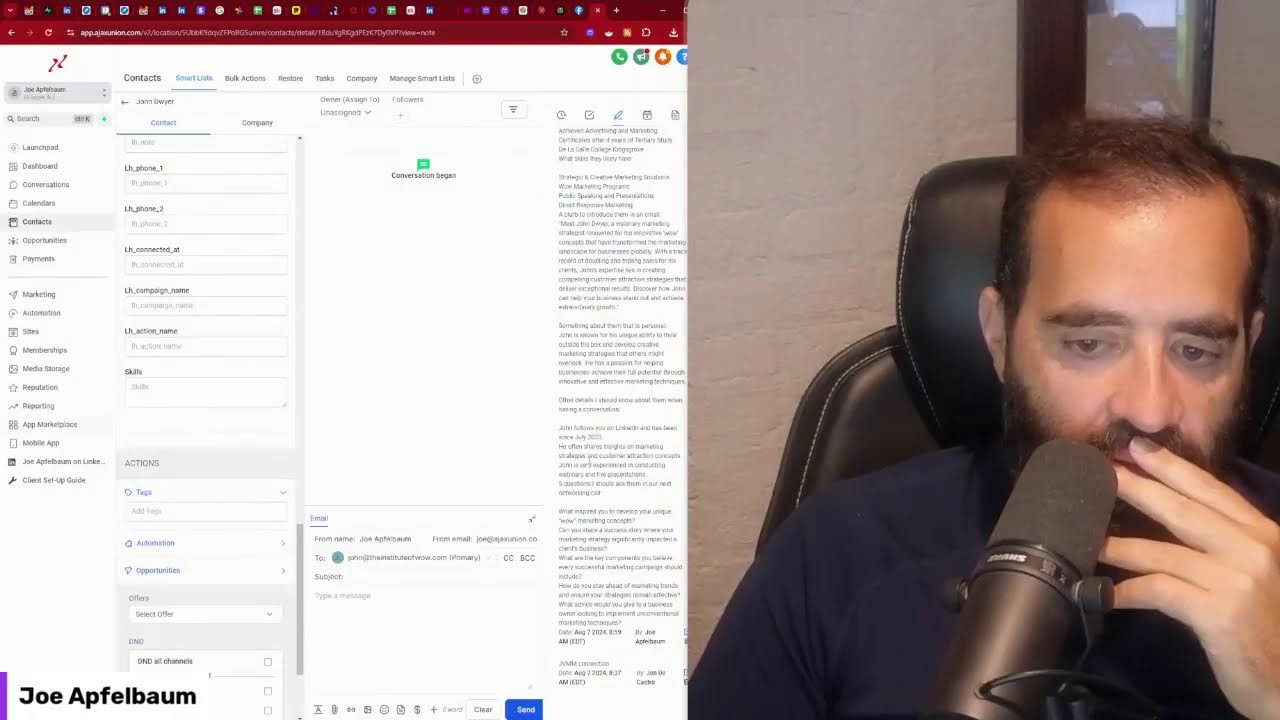
I gotta redo the video from yesterday because someone told me yesterday, Joe, you sounded way, way, way too tired. You actually sounded very exhausted yesterday. So I'm gonna redo the video from yesterday. This is a redo of yesterday's video. So if you watched the video yesterday, just totally ignore it. All right, so what's this? This is a mind map. If you ever wondered what it looks like to brainstorm ideas for your business, for topics, This is a great way for you to be able to pull ideas outta your head. So I'm gonna, I'm gonna get into a raw one that I just created over here. Um, actually, I'm gonna get into one that has nothing in it. So first thing I want you to do is if you're watching this, type in mind map in the chat so that I can send you this template that you can use. And if you need instructions, I'll send you instructions. Just write mind map instructions and I'll send you a, a Loom video that I created with some instructions, but essentially is you put your first name, your last name, and the word content at the end, and then you put in 5 key ideas. There are 5 key ideas that you're going to want to focus on, and within each one of those 5 ideas related to your personal brand, you're going to have 5 subtopics for each one. If you do that, you're going to have an enormous way for you to be able to start doing what you're doing. So let me just break this down over here for you in this way. So I got the Joe Apfelbaum content, and then I break it down into 5 categories. One is marketing strategy. Within marketing strategy, we have SEO, social media marketing, lead generation, marketing funnels, and marketing automation. Then we have business networking, which is personal branding, LinkedIn networking, networking groups, staying top of mind and getting referrals. Then we move on over here to AI automation where we have prompt engineering, New AI tools, automation ideas, AI voice calling, and exploring trends. And then we have sales prospecting where we have Sales Navigator, list building, email prospecting, following up, pipeline management. And then we have personal development, which includes entrepreneurship, fatherhood awareness, purpose, and health. And so I break this down in a way that allows me to be able to think of topics for each one of these categories using something called a mind map. Now I built one out for LinkedIn here, and I'm gonna keep building out mind maps as I have ideas. I'm gonna keep building out these mind maps using this Miro board. So if you want instructions, just type in mind map and in the chat, and I'll be more than happy to send you more details about this. And if you want to be able to leverage AI with LinkedIn, you should definitely be using Evy AI. So if you go to evyai.com, This is the tool that you want to be using to be able to leave comments on LinkedIn on a daily basis. I'll quickly show you how this works. So if I'm on LinkedIn right now, let me go to LinkedIn right now. If I'm on the LinkedIn homepage right now, which takes me to the feed, and I want to leave a comment on someone's post, all I got to do is click on this little purple button over here, click generate, and it'll generate a comment right here. Your journey is a testament to the power of strategic delegation of personal blah blah blah. Okay, so I just left a comment here. Now I'm going to go here, find another person within the comments that I want to leave a comment for, and I see this person over here said my personal brand went from blah blah blah to blah blah blah. Okay, great. I'm going to leave a comment over here. I'm going to hit generate, and now I'm able to just quickly click a button and just Leave a comment. And LinkedIn changes user— LinkedIn changed the way that it does its user experience, as you can see. It kind of changed it around a little bit, which I'm okay with. Not so terrible. Okay, I'm going to minimize these messages here. So it looks like Daniel wants information about the mind map. That's awesome. So what I'm going to do is I'm going to say— I'm going to pull up the strategy.joeapplebaum.com/linkedin. Mind map page. I'm going to copy this, which has a video that explains the breakdown of the mind map and more information on it. And I'm going to create a template inside Evie AI. So I'm going to go to Evie AI because I see somebody wants the mind map. I'm going to go to the web platform. So anytime anybody wants something, if I want to send it to them, I go into the templates. So I never have to do this again. I do this one time. I have to do this a million times over and over and over. So I go to the templates, and in the templates on the top right corner it says new template. I'm going to go here. I'm going to say LinkedIn mind map. Okay, and I'm going to put in the tags, and I'm going to do message, and I'm going to say, thank you for the interest in my LinkedIn mind map. Here is the link where you can check it out. Okay, so now I put the LinkedIn mind map over here. I'm gonna hit save, and now I have the mind map on my website where I can send people to with a Loom video. I can build a whole funnel there if I want with forms for people to fill out if they want more information or whatever. So if I want to send this to him now, I have it built into Evvy AI. That means I can go straight to LinkedIn, click on message. It'll open up a new message on the bottom here. Let me just close all this stuff so you can see the message. I'm gonna make it big. Oop, I'm gonna make it big. Now I'm gonna click on this little, uh, Evvy AI logo on the bottom. I'm gonna click on templates here. I'm gonna click on LinkedIn mind map, and now I could just insert it straight, or I can hit generate. Let's see what happens when you hit generate. When you hit generate, it'll read the stuff here. Hey, thank you for your interest in LinkedIn mind map. Here's a link. I'm looking forward to hearing your thoughts on it. Okay. Um, I just sent Daniel the link via direct message right over here. Okay. So if you want to be able to do things like that, then definitely use Evie AI. Um, and if you want a demo of Evie AI, just write demo in the chat and I'll be more than happy to send you a demo. Also, if you're watching this and you're watching the replay of this live, just hit replay in the chat. So this way I can see that you're watching the replay. And if you're watching on YouTube, just write YouTube in the chat so that I see that you're watching it on YouTube. All right, so let's get back into content ideas. Okay, so what do you do once you have all these ideas? Okay, so let's go back to the content ideas over here. Let's see, you have all these ideas, what do you do? What do you do? Okay, so this is what we— what I would do. Okay, so prompt engineering, if I'm going to do prompt engineering structure of a prompt, I'm going to go here to structure of a prompt. Actually, I'm going to pull this down over here so we can see this clearer. Okay, prompt engineering, structure of a prompt. Now I'm going to come up with ideas related to structure of a prompt. So where do you go to get ideas? You go to the idea generator right here. Structure of a prompt. I'm going to do Joe Apfelbaum right over here. I'm going to hit generate ideas. And Evie AI, the power of personal branding, how to leverage your unique story opportunities, blah blah blah. Yeah, I don't love this. This is this needs to be adjusted here. Regenerate. Let's see what it let's see what it gives me now. Don't love these ideas. Okay, and then power of a prompt. Power of a prompt. The structure of a prompt and prompt engineering. Let's see what it gives me here. I'm going to select any persona. Harnessing how artificial intelligence can improve interactions, navigating the future of how brands can communicate. All right, so let's, let's not use this here for ideas right now. For some reason, I'm not getting the ideas that I want. Let's try to use this tool for ideas. This tool's called answersocrates.com. Let's see. I wrote prompt engineering here to get ideas related to prompt engineering. And I could also use Answer the Public. And then I could also use Quora. So I'm gonna use Quora here. Search prompt engineering. So what are good resources for prompt engineering? What is prompt engineering? What is prompt engineering in AI? What is prompt engineering in AI? You see that? How do I master GPT prompt engineering? So I'm getting tons of Quora questions over here. This is great. This is really, really good. Let's see what I got here. Here, nothing happened. Nothing loaded here. I'm gonna hit search again. Looks like nothing loaded. I'm just gonna Google the word prompt engineering and look at this. People also ask, look how many details. What do prompt engineers do? What is the salary prompt engineering? I'm gonna say prompt engineering structure. What is the structure of a prompt? What are the 4 Ps principle in prompt engineering? Simplicity, specificity, sensitivity, and structure. What are the 4 components of a good prompt? Role, task, requirement, and instruction. So you can see I get all— I'm getting all the questions. What are the pillars of prompt engineering? What are the 5 lean principles? What is prompt hierarchy? What is a prompt framework? What is a prompt format? What are you master prompt engineering? What is an example of prompt engineering? You see that? What are the 4 C's of prompting? 4 stages of prompting? And then I'm getting just more and more and more and more questions. I don't know why this— I'm a little annoyed that this tool is not working here because I really wanted to show you. There's nothing here. Okay, prompts. AI prompts. Let's see what comes up for AI prompts. Because for prompt engineering, nothing comes up. They might be down. Who knows? It looks like all the tools that I'm trying to use are not giving me what I want today. Sometimes that happens and that's okay too. All right, well, let's just see structure of prompt engineering. Let's go right into the PostWriter and let's do, uh, an informational one. Let's give it an inspirational tone and let's generate. See what it, see what it gives me here. In today's digital landscape, the ability to communicate effectively is crucial. Context, instruction, specificity. By mastering these 3 elements, great. This is good. This is a good post. So you see, Evie AI created a solid post around prompt engineering. So what am I going to do is I'm going to go to the Miro board and I'm going to go in here and I'm going to paste this. Right here. You see that? This is an example of a post that I can use right now. You see that? There's an example of a post, and it's in my Miro board right here as one example. So I'm gonna tighten this up and just delete the extra meat here. I'm mastering these elements. Remember prompt engineering. Okay, good. All right, so I just tightened this up a little bit, but I have an idea for a post right over here. So now I can do this for each one of them. Okay, the best chatbots. So here's, here's the best chatbots. I'm going to go back into Evie AI and I'm going to generate another post. So I'm going to click new post. I'm going to say compare the best chatbots, OpenAI, ChatGPT, Gemini by Google, Claude by Anthropic, Grok, Meta AI, Perplexity, Pi AI. And Copilot. All right, so let's copy this as well and let's go to Claude and let's see if Claude can also do this. And then let's see if Perplexity can do this. Perplexity.ai. All right. All right. So Grok, Meta, Perplexity, Pi. Okay. So this is good. I'm going to copy this here. I like this. Oh, look at this. He also did a great job. Oh, wow. He did a much better job here. Oh my God, Evie AI did so much of a better job than Claude did at preparing a LinkedIn post. It's insane. And Perplexity did a pretty good job, but eh, well, they're all good, but do you see the way I took my ideas and I brought it to life right here? I used Evie AI here. Let's take a closer look at some of the top. Um, are you curious about the chatbots today? Okay, this is good. This is very good. All right, so now I have, I have one post over here, I have another post over here, and then I'm going to create a post about saving and organizing prompts. I'm going to say, give me, uh, give me tips about saving and organizing AI prompts. Okay, and I'm going to do the same thing in Evy AI. I'm going to click on new post. I'm going to paste this here. I'm going to do provide value, normal, and generate. I'm not even going to give it a persona. I just want a general post about saving and organizing AI prompts. I'm also going to do the same thing here at the bottom. Uh, for Perplexity, just to kind of see. Saving and organizing. Use a tool or application like Notion or Reflect. Structure. Utilize templates. Incorporate context and specificity. Limit open-ended queries. Back up your prompts. These are great ideas. Let's see what, let's see how Evie AI did. Categorize. Use descriptive titles. Incorporate tags. Leverage cloud storage. Review regularly. Review. Create a prompt journal. Ooh, this is good. This is very good. And let's see what Claude said. Claude said, categorize, use a consistent naming convention, include meta, version your prompts, create prompt templates, use tags regularly, review, back up your prompts. Evie AI did a much better job. You can't, this is not a LinkedIn post here. All right, so let's go back into here and then just grab this post and paste it here. The Evie AI thing. So as you can see, I can create posts just using Evvy AI for each one of these categories here. And I can have an indefinite amount of content because each one of these posts can be spun into 20 different posts. I have this one post over here where I can add questions to it and I can add answers to each one of these things. So as you can see, me brainstorming, again, this is just one category, prompt engineering within AI automation. I can now create, um, an indefinite amount of content with each one of these things. I don't have to focus on all of them right now. I could focus on this and then I can create videos around it. I can create images. I can create an indefinite amount of, uh, content just literally from this little mind map over here. So I'd love to do this exercise with you where you prepare a mind map. If you want a copy of this mind map, just click on mind, type in mind map in the chat. And I already have a template within Evvy AI. That will give you this, this mind map over here as my little gift to you for showing up to this live today. Um, but this is, this is the key. The key to being able to have like unlimited content is to be able to use tools like Evvy AI to help you be able to write posts and then use other tools like Miro to be able to organize your thoughts within a mind map. I wonder if we could implement mind mapping software. Within Evie AI, so let's ask Claude that. I want to create a simple mind map software where that in CSS and JavaScript for an HTML website. Can you do that as a pro? Let's see what it does. Yeah, I can help you create a simple mind map prototyping software. This prototype will allow you to create nodes and connect them with lines. Let's build it step by step. What? Am I building my own mind mapping software right now with Claude? What are we doing? No, no. Add a node. Okay, let's just see. Joe. Okay, let me add another node. How do you connect them? How do you connect the nodes? Oh my goodness, how do you edit it? Oh, you can connect it. You double-click and a line gets created. All right, let's read the instructions. HTML structure includes a long— add a node. CSS styles allow you to create an appearance of the node and lines. Dragging the nodes and connecting the nodes with lines. Update the line positioning. Use the prototype— use this prototype. Click on add a node button. Drag the nodes and reposition them. Double-click on the node to connect them random to another node. And double-click a node to connect it to a random other node. Nodes are draggable and can be repositioned freely. Lines automatically update their position. When connected nodes are moved, the mind map is responsive and works in a given container. Uh, hello? Hello? What did I just create here? Okay, let's just— oh my God. Oh man, what did I just do here? Double-click. Oh, it does it when I just do another node. Okay, so add a node, add a node, add a node. Okay, so I'm gonna say Prototype gives you a basic foundation of mind map. You could expand it by adding feature editing node text, deleting nodes and connections, choosing which node to connect, and then styling the options. Can you add those 5 features, please? Let's see. Certainly, I'll enhance the mind map prototype and add the 5 features you mentioned in editing node text, deleting nodes, choosing which nodes to connect, styling options, saving and loading mind maps, which will significantly improve the functionality of the mind mapping tool. I just built a mind mapping tool. What are we doing here? What are we doing? What are we doing? How are we doing this? This is like crazy. I don't know. I don't know. I don't know. I don't know how we're doing this, but we're doing it. I don't know. We're doing it. All right, let's go leave some comments on LinkedIn right now because I just, I don't know, like I've been building software. I've been building all different types of software myself just to kind of see what's possible. I mean, it's nice to have this going on over here, like add a node and then being able to edit this node and say Joe Apfelbaum. This is insane. This is insane. Joe Apfelbaum content. Okay. Oh, can you— so Joe Apfelbaum. Okay, so I'll just call it Joe Apfelbaum because it doesn't let me expand the size of the node. That's fine. All right, so I'm going to add another node. I'm going to call it— what are the, what are the, um, what are the ones that I did over here? I did prompt engine. I did AI automation. So AI automation, marketing strategy, blah, blah, blah. So let's see what that looks like. AI automation. AI automation. We're going to add a new node and call it marketing strategy. Okay. All right. Now let's see if we can connect these together. Connect nodes. Cancel connect. Delete nodes. Save mind map. Load mind map. Oh, wow. You can connect a node. Cancel connecting. Oh my God, it connected it. I just built mind mapping software that connected nodes together. My mind is just right now hurting too much. My mind is hurting too much right now. Connect nodes. Boom, boom. Boom. Let's see, line color. Oh, you can pick any line color you want. I'm going to pick this. Cancel connecting. Connect node. Oh, it's going to give me instructions. Maybe I should read instructions. It's not intuitive. But damn, son. Oh, I don't even know what I just did. I just did something. I clicked away and somehow it connected the node. Cancel connecting. Add a node. All right, let's see. What's the— this node is called, um, this node is called Business Networking. Oh, can I download the node? Can you add functionality to download the file as a CSV and also add functionality to be able to have a text box where you enter The ideas and input fields, and it shows it as a mind map. So it's faster, and if the text is bigger than the box, the box expands. All right, let's just see what it does. Wow. I don't even know how we get— this is like so ADD friendly. So crazy. Check out all these videos that I've been, I've been creating so many videos. I have an insane amount of videos that I've been creating. Check it out. These are all the videos that I have that are ready to go that I created with my, um, from my LinkedIn Lives. So I'm, I'm doing these LinkedIn Lives. And then I'm creating all these different videos. And then if you go to, say if you go to unlimiteddigitalmarketing.com, this is a website, unlimiteddigitalmarketing.com, and you just simply log in. So this is how you log in. Let's see, we're going to go into, say, this location over here. Let's see if I'm able to just log in. I'm gonna go to marketing, and as you can see, I can schedule out all these, all these posts. So I'm gonna go in here and I'm just gonna find a— I'm gonna add a new post. Actually, you know what, I want to go into my media storage and click on Viral Shorts. And these are all the different viral shorts. And it looks like I have the ability to do it like this. Okay. Enrich Automation Reel. I wonder if I can watch this, get a link. Let's see. This new feature. So I'm going to go here and I'm going to do rename. I'm going to call it Meta New Feature. I'm going to hit Save. And also keep this so that I know what it is. I'm going to copy this link, get a link. Follow-up Frequency, let's call this. I'm going to edit this file, rename. I'm going to call it Follow-up. Follow-up frequency. Okay, so let's say I want to post follow-up frequency. What do I do? How do I post it? Well, it's very simple. You would go to marketing, then on the top you would click on new post, create a new post. I select my social account, in this case I'm going to click Twitter. Now I'm going to select a video. So I'm going to click on videos. I'm going to click on viral shorts. I'm going to go to follow-up frequency. And how often should one be following up with prospects? The fortune is in the follow-up. Do not show up and throw up. Show up and follow up. Agree. Okay, and I'm gonna hit post, post now, and it's gonna go ahead and take this post and post it on Twitter with this little tweet. Now if I wanna take this and clone it and post it on, say, TikTok, I just click clone, and instead of Twitter, I switch from Twitter to TikTok. Did a video to Twitter, to TikTok. Now I'm going to post the same video. Uncheck TikTok. I check off YouTube. I add a title. How often should one be following up with prospects? And I'm going to say on LinkedIn. Okay, I'm going to make it a short. How often should one be following? Let's see. How often should one be following up on LinkedIn? And I'm going to press short, YouTube, advanced options. I can select a category, networking, LinkedIn, create a new tag. Okay, I'm gonna press post, post now. I could post it into the future, but I'm just gonna post it now. And it's in progress. So let's see what it looks like on TikTok. So it posted to TikTok. Let's see what it looks like on TikTok. It says published. Oh, you can't see it. And it says the preview link is not available yet. Okay, so let's click on this. This is the Twitter version of this. It's crazy. It's crazy, crazy, crazy. I just posted on Twitter. I posted 1 minute ago and I just posted again. Look at this. My My tweets are not really getting a lot of views, but I haven't really been consistent, and now I'm gonna be consistent because I have all these videos that I can publish. Now I can put everything into a spreadsheet, upload it all at once, and be done with it. And that's what I'm gonna do. I'm gonna take all 21 videos, put it into a spreadsheet so I can add a CSV file, add the dates in the spreadsheet, and then just upload it. And the way that I upload it is here where I said new post, I just do upload CSV file. You see that? And then I could have AI rewrite the tweet. The caption, the short title, all the different things that I had to do manually here, I'm going to have AI do automatically for me in a spreadsheet. As a matter of fact, I am right now scraping all of the top influencers' posts and identifying the ones that are the most popular. So for example, this one here had 6,900 reactions. So if I want to check it out, I just click this button. For any person. And by the way, tag an influencer in the comments if you want to be able to tag an influencer. I would love to see what the, what the, what, what influencers you want me to scrape. But check this out, 6,900 likes. You see that for this person over here from 3 weeks ago? 6,948 likes. So I found this list of 30,000 viral LinkedIn posts with an analysis of it. I have it available right over here. 30,000 LinkedIn posts. If you want those 30,000 posts, then just write 30,000 in the chat and I'm more than happy to send you a— I'm more than happy to send you those 30,000 posts in a spreadsheet. I have the spreadsheet available, so I don't— it's available freely on the internet. So I can send it to you. Just write 30,000 posts. And then I was able to analyze those 30,000 posts and I identified a bunch of influencers that are in that 30,000 posts. So the top 70 influencers, and not all of them are active, but I found some that were active in there. And I'm having, I'm doing a full analysis on all 70 people now. And this is one of the people that were active over there. So I'm going to reach out to her now and I'm going to say, would you like to present? Your profile's impressive. This was March 30th. I sent her a message. So now what I'm gonna do is I'm gonna find some content that she posted that maybe is not very popular, and I'm gonna say, I would love to have you present at a summit. I'm gonna say, I'm gonna see if I can find her because she hasn't been responding to me. So, Let's see if I could find a post that didn't have— so now I can do it like this and look for a post that has a low amount of comments here. I could do this manually or I can just go into the spreadsheet. You see this? I can quickly find the post that has 77 comments here. This one has 66 comments. Let's see, I want to see if there's a post that's kind of like has no comments on it. Okay, so I don't see a post with no comments. The post that she did From a month ago, it only has 66 comments. Let's see if it's accurate on LinkedIn. Yep, it looks like it only has 66. Oh, this is the newsletter one. Okay, cool. So I'm going to say, Hannah, I would love to have you speak at a conference with 1,000 engaged LinkedIn users. It's virtual, and I love what you are doing here on your profile, here on LinkedIn. Let me know if you would be open to present. This is our 7th year doing this LinkedIn Influencer Summit. Let me know if you, if you are interested. By the way, out of your last 50 posts, this one had the fewest comments. So I decided to comment on this one. To get your attention because not sure if you see the DMs. Okay, I'm gonna press comment and see if I could get her attention over here. So now what I'm also gonna do is I'm gonna copy this, I'm gonna go to her profile, I'm gonna go here, and I'm gonna do view in Sales Navigator, and I'm gonna click on message in Sales Navigator, and I see this opened, free to open, message. I would love to have you speak. Want to talk. I would love to have you speak at a conference with over 1,000 engaged LinkedIn users. It's virtual and we'd love to have what you're doing here. Let me know if you'd be open to present. This is our 7th year doing the Influencer Summit. Let me know if you're interested. Okay. I'm going to delete this. And I'm going to say, Hannah. All right, I just sent her this message with Sales Navigator. Now I'm going to send her an email as well. So I'm going to go here, and I'm going to look up her email. So I'm going to click on Contact Info, see if her email's here. Oh, look at her birthday is February 4th. Nice. That's cool. All right, so right here it is, an email. Reach out to me via my website and my email's right here. You see that? So now I'm gonna go and send her a quick email as well. So let me open up Gmail. Gmail.com, new message. I'm going to grab this email, drop it into the new message, copy and paste the same thing that I did before. I'm going to say, want to present to 1,000 engaged LinkedIn users. I'm going to hit send. I just sent her an email. But some people don't even go as far as just looking up the person like here. You know, most people don't even go this far. Now I'm going to save her profile, and once I save her profile, I'm actually going to add her to a new list. So I'm going to go in here, I'm going to click on Manage Lists, and these are my, these are my, um, my Evie AI lists that I have. I'm going to click on New List, and over here I'm going to say Influencer Summit 2025, save. So now I have Influencer Summit 2025, which is a new list that I created. I'm going to refresh her page so that that list shows up, and I'm going to add her to Influencer Summit 2025 here. So this is where I'm going to add all the people that I want to present at the summit. And what I'm also gonna do is I'm going to prepare a template. Remember I showed you how to do a template inside Evvii AI? Let's go back to templates. I'm gonna add a template. I'm gonna save this template. I'm gonna delete the person's first name here 'cause I want it to be generic. I'd love to have you speak on engaged LinkedIn users. It's virtual. We love what you're doing here on LinkedIn. Let me know if you would be open to present. It's our 7th year doing the LinkedIn Influencer Summit. Let me know if you're interested. Um, it's going to be in Jan 2025, but we are getting the landing page ready now. Open to discussing more. Okay. I'm gonna hit Ctrl+C. I'm gonna go in here. I'm gonna type in template name, Influencer Summit. Speaker. I'm gonna click on message. I'm gonna hit save. And so now I have a message saved to be able to go find other influencers from this list. You see this is a list of influencers that I'm preparing. So Hannah's just added to the list over here. But I have other people like Justin Trudeau, and I have, you know, these people, some people have 1 million, 4 million, 5 million. You see this is a list of all the influencers I'm kind of going after here. Neil Patel, let's see if he would want to talk at the Influencer Summit. So I'm going to message him here. You know Neil? So how do I message him? Just like that, like this. And see if he's interested. Insert, I would love to have you speak to a conference with 1,000 engaged LinkedIn users. It's virtual and we love what you're doing here on LinkedIn. And in general, I'm a big fan. All the things you do, especially answer the public. Okay, I'm gonna say Neil. Do you want to talk to 1,000 engaged LinkedIn users? Let me know if you're interested. Okay, so I'm gonna hit send, and I just sent Neil Patel a message. You see that? Okay. Moving on, moving on. So what else is going on with you guys? Would like to know how to find them. How to find who? Can you be more specific? I'm not sure what you're talking about here. I'm gonna give myself a little, a little, a little light bulb here. I'm gonna go here, give him a light bulb, and I'm gonna drop a comment. Look how I drop a comment. This is how I comment on LinkedIn. If you're not commenting on LinkedIn, highly recommend you start commenting on LinkedIn. Perry, your insights on leveraging LinkedIn for lead generation are spot on. The ability to identify leads based on product and usage is a game changer. I'm going to hit comment, and I just left a solid comment for him. All right, let's go to my profile and see if anything was posted on my profile recently. And look at this, look at this. A post was scheduled this morning at 12 minutes ago. So look at this. So 12 minutes ago I got a post. I'm going to give myself a light bulb. Sounds like you're making great progress. I'm going to say thank you for the kind words, and I'm going to hit reply. Now what I'm going to do is I'm going to copy the link to this post. I'm going to go in here to the messaging, and I'm going to put it into these groups here. There are groups where people kind of post their links here. Um, so what I can do is I can just search group, and it's— or I can search support group just like that and see how many support groups. So we have the JVMM support group here, we have the 2024 support group, we have the NSA speakers group, we have the LinkedIn Influencer, the Accelerator group, the Sales Navigator group. We have the Engaged People Over 10,000 Connections group. Let's see who else we have. The Sprint Booster Top 10. We have the May 2021 LinkedIn Engagement group. We have the Content Pod. We have this Evergreen Networking Group over here. We have the Thought Leader Circle Support Group. We have the Joe Apfelbaum Connection Group connected to Joe Apfelbaum Group. Let's see what we have over here. We have the LinkedIn Support Group here. We have the Atlantic Advanced Group here. Are you guys posting? Let's see. Group with Entrepreneurs. Another accelerator group. The Beltman Sales Training Group. Are you guys posting? Let's see what else we have here. We have the OMA Clearwater group. How often are you guys posting? Okay, let's see what else we have here. Any other groups? Okay, we have a LinkedIn Influencer Summit 2022 group. We have the LinkedIn Engagement Group 1A. We have the Sales Navigator Bootcamp 2 Group. We have the OMA LinkedIn Support Group. We have the 2024 LinkedIn Support Group. We have the OMA Arizona Group. Over here I'm just going to say, how you guys doing? Let me see, we have the LinkedIn Webinar Group from March 7th. We have the JK Residential Inside Sales Group. Let's say you guys posting. Let's see what other groups we have over here. We have the TribeUp LinkedIn Support Group. We have the Joe Apfelbaum Connections Group 1 2020. We have the G Parenty Content Support Group. Do you see, do you see all these incredible groups that we kind of built here together? Really incredible. To see the details. Now I'm going to go to Nat Berman's post over here and just to see what's cooking. It says not enough memory. Let's try again. Let me close some things. Let me close some things here. Close a couple things. All right, let's see. Let's refresh the page. Let's go to Nat Berman's profile. See what he's up to. What is Nat Berman up to? All right. One hour ago he posted. I'm going to drop a comment on his post. You make it quite a sell. Unity and experimentation is key. Let's embrace, keep pushing the boundaries. That comment. All right. Let's see what else we got going on. So look at this. Oh my God, Joe, breathe. Okay. So now Barbara sent me her connections. Do you know Barbara? Barbara's awesome. Barbara sent me her connections. She's a JVMM member. She has 6,000 followers, 16,000 followers. All her contact information's right here. I can call her, whatever. So let's build her a connections dashboard right now. So how do I do that? How do I build a connections dashboard? And by the way, if you want a connections dashboard, write dashboard in the chat. So let's do Barbara, download of my connections. This is on my list of things to do. I may as well do it in front of you. Um, so the first thing I'm gonna do is I'm gonna take her connections that she sent me. So these are the connections that she sent me. Can you guys see? I'm gonna do open with. Onto Google Sheets. And I'm gonna show you some things that I'm gonna do here. Can you guys see this? Hopefully you can see this. I'm not sure if you can or you can't. I'm gonna delete the first 3 rows. I'm going to freeze the first column. Let's see, freeze. All right, the first row. Okay, so now when I scroll down, I still see everything. Okay, good. And now what I'm going to do is I'm going to go find my connections dashboard. This is my connections dashboard here. And I'm going to just copy some of the details right here. Copy some of these details. Okay. So which is a bunch of columns from the top. So I can have those columns ready. Okay, good. Now I'm gonna add the Google search button. So this way I can just click a button and say Google search. So I'm gonna add that. I'm also gonna fix this to be a proper date format. Now we're gonna get into the date right here, date. Okay, good. Now I'm gonna select this, Control+C, Control+Shift+Down, Control+V. And so this way I can filter by year. Okay, good. And now what I'm gonna do is I'm going to copy her name and put it to the top here. So I'm gonna go here, I'm gonna say LinkedIn connections. I'm gonna say Barbara. I think that's her name. Let me double-check. Yep, that's her name. Okay, and now what I'm going to do is I'm going to share it with her. Okay, so I'm going to pull her email right from her LinkedIn. It's right here. And I'm just going to share this with her. This is how I share it. I just go here, share, share. Are you sure? Yeah, she's external. I'm going to say share. Okay, so I just shared this with her. So now she has this connection dashboard. So I'm just going to change the bottom here to connections. And now what I can do is I can integrate this with artificial intelligence and to be able to do all types of interesting things. So if I clicked on Data and I clicked on Column Stats, and I, for example, clicked on, let's say, this, I can see that in 2009 she connected to 4,200 people. In 2019, let me pull this here. So here are the column stats. In 2019, She connected with 2,700 people in 2010. So you see she hasn't really been connecting with people lately. You could do the least. The least was 2024. She only connected with 12 people in 2024. So these are some really great insights to make, to see that, hey, she's not really using LinkedIn. She was using LinkedIn at some point, but she's not really using LinkedIn right now. So this is really awesome. If you want a dashboard like this for yourself, I mean, these are incredible insights. Like I can see the people that she has the most positions for. You see that? I can see what company she's connected to, Hylian, right here, the Jackson family, whatever, the Precision Systems and stuff. I can see, you know, like how many people are female versus male by doing an analysis of first names. I could say she's predominantly male connected to, but I can do a female-male analysis based on, you know, having the AI identify female and male names. I can also tell you ethnicities. based on a last name analysis and identifying the last name. I could tell you how many people have disconnected from her. These blank lines means that people disconnected or they canceled their accounts. Um, really powerful. I can, I can do a lot of analysis. And so I'm gonna be building this into Evie AI in the very near future. It's called Evie AI Pro, and you're gonna be able to do a full analysis. But I'm, I'm, I'm doing this for a series of people. So if you're interested in me doing this for you, just— Write dashboard in the chat. I'll send you some details about how to get your own connections dashboard. And also hit repost on this video if you're getting value from it. I'm always interested to see who's, who's actually getting value from this. Um, and who's not getting value from it. Okay, so let's go to the comments. Daniel said mind map. I sent him the mind map. Haha, I'm here with you in real time. Thank you. Are you enjoying? Okay, I'm going to press comment. 30,000 posts, so he wants the 30,000 posts. I'm going to send it to him. He wants the dashboard. I'm going to send him the link to upload the dashboard right now. strategy.joeapfelbaum.com/unzip. Connections. Daniel, all you got to do is follow this video here, grab your connections, drop them into here, put in your first, last, and email, and hit send to webhook, and it'll send it to me just like that. So Daniel, I'm going to send this to you right now so that you have it. This is the connections dashboard instructions. Okay, so upload your LinkedIn connections to there when you get a chance. That's that. And also the 30,000, the 30,000 people. Let me see if I can get that to you. First, let me put this into 2024 move. Okay. Let me grab the, I'm going to grab the, um, where, where did I even put those LinkedIn viral things? I'm looking for, I have the Quora LinkedIn questions. Oh my God. So I have been scraping Quora. Let me see how many times I did this. Okay, so not that many, 205 times. I have 205 questions and answers. I wonder if I can automatically take these, put it into Claude, and I'm going to say, give me a table with the top 30 questions and answers from this list. And add a— the table should have question, answer, keywords, and suggested article title. Let's see what it does. Let's see what it does. Oh my goodness. What is a LinkedIn post generator? Wow. This is insane. It's analyzing the list of Quora questions, giving me the top 30. This is insane. Giving me the answer and giving me the keywords and the suggested article title. This is insanity that it's able to do this just like this. Imagine how much content I'm able to produce. Let's download this file. It downloaded a table. I'm gonna hit copy. Let's see if I can paste it into the spreadsheet here. Oh man, I can't paste it into the spreadsheet. Because of the way that it's doing it. Let me see if I can copy the contents and paste. Oh, look at that, it did it. I was able to copy the contents, and over here I'm going to say split by data, data cleanup, split columns. The delimiter should be detect automatically. Custom. We should make it a pipe. Let me grab this. I'll make it by pipe, right? So I'm going to do data, split the columns, custom, enter. Okay, so kind of split it by pipe. Question, answer, keyword suggested. Okay. I don't really love the way it did this. Question. Let's see. Answer. No, it didn't do that. It did not do that. Okay. So, can you please give it to me in a CSV and number The lines, number each row for me, and also add a topic, a theme to each one. Let's just see if we take it to the next level. Can you give it to me as a CSV, number each row, and add a theme to each one? Let's see if it does it. Oh, look at that, it's doing it. Oh my God, I love this. Love, love, love, love. Okay, anywho, um, it's 8:30. Oh, look at this, Ivana posted here. Let me give her a like. Let me give her a comment. Engaging quality is Crucial. Focus on genuine interactions. Beautiful. I have found 1,000 tweets. 1,000 tweets to analyze. And I'm gonna be using a tool to analyze all those tweets. Should I ask Claude what is the best tool to do that? We'll deal with this prototype later. Oh, did it do a new prototype for me? Ooh, enter node. Enter ideas here, one per line. Click add nodes and create them as a mind map. All right, well, let's see if it'll do that. Let's do— oh my God, so now I'll be able to take this, download the CSV file, upload it into here. I'm going to do find, import, upload, browse, grab the CSV. Put it into replace spreadsheet, replace current sheet, import data. Oh, look at that, it did it. Now I'm going to take in suggested article title. Oh, look at that, themes. I'm going to take these themes, paste it into the Mind map and hit add node. Add nodes. I don't know what happened over here. Did it— oh, add nodes. Add nodes. Oh my goodness, look at all these nodes. Oh my goodness, this is crazy. This is a ridiculous amount of nodes. Oh, and then you can connect nodes together. I don't know how the connection thing works, but this is— oh my, this is so good. Cancel connect. This is so, so good. I can then host this on Unlimited Digital Marketing. Let's just see if I can copy the code, copy contents, and see if I could host this on my website right now. Let's try it. This will be fun. Um, let's go into Unlimited Digital Marketing. Let's create a quick landing page and we'll host this, and you guys can kind of test this out yourself. If you want to test it out, feel free. I'm going to build this out right now. I'm going to go to Sites. I'm going to go to Twitter Tools, and I'll build it under Twitter Tools as a new step. Name of the page, the page is going to be Mind Map, not, Yeah, mind map. Mind map. Mind map. Create. And now I'm going to use— I'm going to create from blank. I'm going to add a full-width section. I'm going to add a full-width column. I'm going to add some code. I'm going to open up the code editor, paste in what Claude sent me, and then I'm going to just delete some of this. Oh, I'm going to take the style and put it in the header. It's just the beginning part, that's just the style. I'll delete some extra tags here that I don't like. I'm going to press save. I'm going to add this to the header. That's just the CSS. I'm going to hit save. And then I'm gonna hit publish. Now I could have just pasted the whole thing in, it probably would've worked, but I wanted to just organize, separate the header and the footer. So let's just see how that looks. Oh wow. So I'm just gonna put in a few of these from the spreadsheet, right? So I'm just gonna do networking, advertising, blah, blah, blah. Add nodes. Oh wow, this works. This works. This works. Oh my goodness, I'm so excited right now. So what happens if I hit Save Mind Map? Your mind map has been saved. Where? Export as a CSV. Oh my God, so if you want to brainstorm, you could just use this to brainstorm. Wow. Wow. This is insane what I built. I built this little mind map tool here. Oh my goodness. Enter ideas one per line, and then you can kind of manipulate the ideas and move them around. And you can change the color. Oh, you can change the color of all of them. You can't change the color of one individually. All right. All right. It is what it is. I need to give it instructions and say, just change it from Or just one individually. I can make it better. I'll put it on my list of features of things to do, but I'm just, I have, I built my own mind mapping tool. Wow. I'm very impressed. I'm very impressed that I just built this, this little mind mapping tool. What I'm gonna do is I'm gonna automatically map it out based on a— I'm gonna have AI automatically map it out. That'll be cool. Um, so this is a little project, a little mind map project I just built. Oh my goodness. Oh my goodness. Oh my goodness. And then when you click on this, it'll click the questions and the answers and the keywords based on the mind map. Wow. Wow. Based on real-time Quora information. Oh my God. Can you see why this is exciting me so much? Yeah. Like, we built this on this video. You guys saw the way that I did this, and it's live on the internet. It's live right now. The URL is right here. My goodness, that's nuts. I just— I can't. I can't anymore. This is so exciting. It's so exciting that I could build these little prototypes. of softwares. That makes me very happy. Anyway, hope you're enjoying this. Hope you enjoy watching me work and watching me brainstorm and do stuff. And I hope that you're using Evie AI. LinkedIn crashed, it looks like. Let me go back to LinkedIn. Let's see, Brian Sergey. Let me leave my comment here. A simple morning ritual can indeed be a powerful tone for the day. Powerful. That's great. So what else do you want to learn how to do? What are the things that you want to learn how to do? I'm curious to know. For me personally, there's a lot of things that I want to be able to do. I'm gonna close this out, close this out. I'm gonna close these even though like I feel like I want to keep all this stuff. I'm just going to close it out. I don't know if you know this, but whenever you do an activity on Evie AI, it saves it to recent activities. So you'll be able to see all your recent activities in one quick place. So if you're generating posts, generating ideas, generating templates, profile optimizer, personas, anything that you do You could easily, um, save those things into Evie AI here. You see, everything gets saved. So here are the post ideas, messages, comments, replies, everything gets saved. And so if you ever do anything, don't worry, it all gets saved here. We also have a community that I want you to be part of. So if you click on Discover Our Community under Community, you're gonna see we have 361 members in our community right now. And we're always posting new tips and new strategies for being successful. So highly recommend you kind of check this out. I'm going to say here, LinkedIn Live today, watch replay. I went on LinkedIn Live today. And shared some insights. Let me know if you are, if you are able to watch it. Here is the link. All right, so I'm going to go in here. I'm going to grab my LinkedIn Live link, what you're watching right now. I'm going to go to it here, show all posts. And I'm gonna scroll down, I'm gonna click on the 3 dots on the top right corner. I'm gonna click on copy link to post, I just copied it. And I'm gonna go into school, I'm gonna paste it here. I'm gonna say live in the, here. I went on LinkedIn Live today and shared some insights. Let me know if you're able to watch it. Here's the link, feel free to repost. What insights did you get from the live category? LinkedIn tips. Share. Okay, so I just shared LinkedIn Live replay. Let's see what else. Planting seeds for opportunities. Oh, it looks like Rick posted 35 minutes ago. I'm gonna go in here. He posted his link. Hit generate. All right, I just posted that. Now we have a great community of engaged thought leaders. Really, really great. Really incredible. Hard yes. Every time AJ drops a comment, my post blows up. He's a 10x influencer. Amazing. I'm gonna hit save. I'm gonna hit add him to the LinkedIn Influencer Summit potential people as an influencer. You see that? I'm gonna go back. I'm going to reach out to him separately. I'm going to click here. And let's see, he does LinkedIn ads. 30-minute discovery call. All right. I'm going to send Ivan a message. Just like that. Let's see, Kwame liked the post just now, that's cool. Let's see what else is going on over here. So what are the activities that I do on a daily basis? I'm posting, engaging, and messaging. I'm using Sales Navigator to do prospecting. So let's go into Sales Navigator and see if I got any accepted InMails recently. Okay, so this guy said, for sales managers only, I have a great idea for sales managers. He said sure, and then we went back and forth. I sent him the video. Christina, I sent her also this message. She said, sure, I'll watch your Loom. I sent her the Loom. Did you watch the Loom? Okay. I appreciate your patience. So this is for sales managers only. Watching video now. The speed you're talking is a bit fast. Did you see the slower video? Okay, Amanda. Hi Joe, thanks. I'd like to learn more. I would love to hear your thoughts about the video I shared. Kevin said share it. Thank you so much. Let me know if you saw it. I saw it. Okay, and then Michael said, no thank you. Thanks for letting me know. Um, best of luck to you. Thanks. Unfortunately, I'm not part of a sales team. Okay. Uh, I have a great idea for sales managers. I'd like to learn more. Let me know if you checked it out. Okay. Ryan said, yes, I'm interested. But do you see, you see how many people are saying, yes, I'm interested? Yeah. Let me know if you looked at the loan. Now, who are these people? Who are these people that are saying they're interested, they're interested, they're interested? Like, who are they? So let's go look. So this guy here is an OTR sales manager for Commercial Tire Comp. So let's look at the company that he is part of. Grow off-road business, stock items, survey off-road equipment. Negotiations, OTR's network. So what is OTR Tire? I don't know. He works for OTR. Let's click on OTR. And let's just see, OTR's tire supply network. What is it? OTR Tire Supplier, drivers at OTR Tires, mining exploration and earth-moving industries. Oh, that's cool. Yeah, these people definitely need LinkedIn. I don't even know what OTR even means. On the road, maybe on the road. That's cool. Has he been posting recently? I see 3 weeks ago he engaged on LinkedIn. All right, that's cool. All right, let's see who else we have over here. Damien said yes. He said no thank you. Um, best of luck to you. What did you think? Van said, I'm looking for a role now. All right, you see the demo? This guy said, sure, as a CRO you might benefit for this. Let me know if you want to chat more about it. Would love to know if you post posts on LinkedIn and see value. Okay, let me look at his profile. Father, husband, servant leader, investor, revenue accelerator. Okay, let's just check out his business a little more. Fractional Chief Revenue Officer. All right, well, let's look at his, let's look at his actual LinkedIn profile. I'm gonna hit these 3 dots. It's not working. LinkedIn is broken. I'm gonna hit save profile here. Now when you save a profile in Sales Navigator, um, you have the ability to then go into Evvy AI, click on save profiles, and now I saved him in Sales Navigator. Now the way that I know that I saved him in Sales Navigator is by clicking on these 3 dots, and now I have his Sales Navigator URL and I also have his profile URL. So I'm going to click on copy profile URL. I'm going to paste it. And now I see him on LinkedIn organic. I see he hasn't really been posting. Um, I'm going to send him a message through here. I'll be like, I see you have so many followers, but you have not been posting. Happy to help you write some posts. There is no charge for my support. Okay, now what I want him to do is I want to get him to get me into the companies that he's doing coaching for. Do you get it? He's a sales trainer, so this will be perfect for me, for him, for me to get him. And he used to work at Yahoo. Look at that, he worked at Yahoo for 3 years. He was an account executive there. He went to Harvard. You see? Harvard. So this guy's not some little guy. He's a bigwig. Try again, try again, refresh page. It looks like Jeff posted 43 minutes ago. LinkedIn's having a heart attack right now. Let's see if I could find Jeff in my saved profiles because officially we We launched an update to Evvy AI. So this is what I love about going off LinkedIn and doing things off LinkedIn because when you're doing things on LinkedIn, LinkedIn has the ability to crash. When you're doing things off LinkedIn, LinkedIn can't crash. There's no crashability because who cares if LinkedIn crashes? Okay, let's just do see all. Okay, maybe I didn't save Jeff Goldberg here. Let me find Jeff Goldberg here again. Jeff Goldberg. Did I not save his profile? I did save his profile. Okay, this is his summary back from March. This is his recent activities. Let's look at his recent activities. I'm using Evie AI to look up Jeff's recent activities. I see that he posted 45 minutes ago. No one liked on his post. Check out the podcasting with Meredith Grande. She is great. Meredith. Okay, now I tagged Meredith. So not only did I stay top of mind with Jeff just now, I also stayed top of mind with Meredith right here. You see that? I did, I did top of mind with both of them. Let's see what people are saying here. If you want my mind map, just write mind map in the chat. I have this incredible mind map that I created here, um, with all my content ideas about LinkedIn. So if you want to learn Sales Navigator, we do have a bootcamp, a 6-hour bootcamp. You can catch a replay right here at salesnavbootcamp.com. If you want a blueprint, if you want me to help you with your LinkedIn strategy, then go ahead and go to ajaxunion.com/blueprint. We create strategies for people on LinkedIn. If you want the LinkedIn AI assistant, just go to Evvy AI. If you want to be able to get the LinkedIn Accelerator training course, we have a training course. Evergreen, evergreen.com. And I am always happy to connect people, help them, and support them. So if you need support with any of this stuff, please feel free to let me know. We do have a 2-hour training session today at 10:00 AM. So if you want to be part of that training session as my guest, just write training in the chat. Um, and I'm going to let 1 or 2 people into that training session to give them some custom strategy. It's 2 hours from 10:00 AM to 12:00 PM. So if you want to be my guest, let me know. Just write training in the chat and I will send you some details about it if I can do it before. I'm going to go for a run. I do have a call starting in just a few minutes, but I want to let you know that if you want to be more successful at LinkedIn, at networking, marketing, and prospecting, you definitely want to check out this mind map over here that I built so you can learn exactly what to do. And I'm going to create videos for each individual one of these things here. Each one of these things needs a video. So I'm gonna be further building this out on LinkedIn Live to be able to help you take things to the next level right here. I wonder if I can close a window. Let me see, if I click on this, can I close this? Let's see, link to. More, copy style, lock, show, don't show, create a frame, save a template, none. Oh, look at that, you can do that too. You can have little, little dots. Okay, none, we're gonna do none. But I'm curious to know if you can Close this little window. Highlight text, text color, Miro AI, expand with questions, expand with ideas, expand with topics. Let's just see. Generating results. Let's see what it does. Holy Moses. Look what it did. Oh my God, I just hit the mother lode. I just hit the mother lode. I just figured something out that is going to blow. It's just gonna blow. This is just gonna blow. Wow. Wow. Wow. Wow. Wow. Wow. Wow. Oh my God. I don't know what to do with myself anymore. What did we just do? What did we just do? And then I can take each one of these and create a separate post about this. Okay, I'm definitely going to be paying for Myro. It's my new AI tool. It's my new favorite AI tool. Oh. My goodness. Oh my goodness. Oh, let's try it. Let's try it again. Should we try it again? Let's go in here. Let's click on this. Let's click on Miro AI, expand with questions. Let's just do expand with topics. Uh-oh. Uh-oh. I'm like afraid. I'm like afraid what's about to happen. I'm afraid what I can do with the power of Evie AI. And mind mapping software. Like, I'm legitimately— oh, oh my God, look what just happened! Look what I just built! Wow. And each one of these can turn into questions. Oh my goodness. Let's see if I can grab all this together like this and just drag it a little more this way so I could read it. Okay, let's zoom in. Oh my goodness. How chatbots can enhance customer service, the role of chatbots in research, the importance of impact on chatbots. Oh my goodness. Oh, let's try this one over here. Let's Click on this and let's choose— so I did topics, let's do ideas. Just a few more seconds, it says. Oh man, oh man, oh man. All right, let's look at some of these ideas. Okay, don't love these ideas. Okay. Oh man. Okay, so let's read this. Provide a brief overview of the topic. State clearly what you want the AI to do. Include details to narrow down your focus. Explain the importance of prompt engineering and utilizing AI tools. Instruction, ask the AI to provide a few examples of how prompt engineering can enhance interaction tools. Specify, request specific case studies or stories where prompt engineering has led to improved results. Encourage experimentation, iteration of prompt engineering. Oh my God. Oh my God. Okay. I'm so excited about this month's Business Development Circle. When's it happening? It's happening on Monday, August 19th. Oops. Monday, August 19th. Okay. So here we go. We are going to blow. And this is the free account. I'm using a free account. This is free, ladies and gentlemen. I don't know. I'm so glad. I'm so glad that I found this, and I'm so glad I'm experimenting with you guys in real time, and I'm finding out these new tools in real time right now. I'm going to send Alex a video and say, are you finding Are you finding that your videos are getting more traction these days? One of my Shorts just got 60K views in an hour out of the blue. Okay, I'm saying, are you finding that your videos are getting more traction these days? One of my Shorts just got 60K views in an hour out of the blue. Okay, I'm gonna hit post. Let's look up— I'm gonna put him in the influencers. Influencers. Okay, so I just tagged him as an influencer. I'm gonna summarize his profile. Love that. Okay. This is insane. This isn't so like I am. My mind is. I'm still. My mind is still buzzing. It's still buzzing. Wow! Wow! Wow! Wow! My mind is buzzing. I just. I don't know what to do with myself. You know, I know what to do with myself. I gotta get on a call. My call starting exactly five minutes. And I want to be running while I'm calling, but let's look up this person that I'm going to be talking to. Who am I talking to? I'm talking to John, the Institute of WOW. Let's look him up real quick. Let's look up John. So this is what I like to do before I speak to somebody is I like to look them up. All right, let's just see what he's up to. Okay. It looks like he is following me on LinkedIn. He's an out-of-the-box thinker. I'm gonna save him. I'm going to click on conversation here, 'cause I'm having a conversation with him. So I'm gonna tag him as a conversation. I'm gonna summarize his profile to get a little summary about what he does. He has 18,000 followers, that's huge. He's an innovative marketing expert, okay cool. I'm gonna look at his, it looks like he has webinars going on here. I'm going to drop a comment to show my support before our call. You are sharing such value. You're sharing such value in the webinar that you're promoting that I'm the only person that will ever comment on it because you included a link here. When you include a link, You know, that's basically what happens. No one will ever see it. These are not— this is not— it's not a joke. You know, like you could do things wrong on LinkedIn. You do things the wrong way on LinkedIn, you know, and all of a sudden you don't get any exposure because you did things the wrong way. That's not the way. You have to learn how to properly leverage LinkedIn, how to do things in a way where you, where you don't get stuck. You know, you wanna do things the right way. So he invited me. He said, hi Joe, I'm a newbie to Dope's JVMM community and I'm slowly getting to see the wonderful JV opportunity. So he's a JVMM member. So what I'm going to do is I'm actually going to save his information into my database. And I'm going to do it like this. I'm going to hit copy. I'm going to go to ChatGPT. I'm going to use my CRM helper prompt right here. And it's going to gimme an overview of who he is just like this. His email, his cell phone number, his LinkedIn URL, his contact information. You see that? His about his company. I'll do the same thing in Claude just to kind of show you the comparison. So I'm just going to go like this, enter, and I'll do the same thing also in Perplexity. And I'll do the same thing also in Meta. Continue with Facebook. What's going on here? Are you not letting me in? Oh yeah. Oh yeah. Okay. About where they went to school. 5 questions. Let's see. ChatGPT was able to pick up everything here. ChatGPT, I think, did the best job here. So I'm going to put him in my CRM, make sure he's in my CRM. I'm going to go to my CRM. I have it bookmarked right now. So what I did was I built some CRM data. I could just push it directly to my CRM publicly, but I'm just going to— D-R-D-W-Y-E-R. It looks like he's here already. I'm gonna click on Notes, add a note. Boom, save. So now I have all his information here. Now what I'm gonna do is I'm gonna probably segment this out on about him, about his company. Let me see if I can, 'cause I wanna do this automatically. Skills. So where are his skills? Something about him personal. Fun facts about him. This is cool. Um, did it give me his skills? Skills he likely has. I'm going to pop those skills into skills and hit save. So now I have the skills he likely has. Right. Right here. That's really cool. And I'm going to be asking about his challenges and all that stuff. Let's look at his company, the Institute of Wow. I'm going to paste his company name in here. That's what I'm going to do. I'm going to have the AI build out a JSON so that I don't have to do all this, and I could just have the AI automatically fill it into my CRM properly. And I'm not gonna have to do any of this stuff. I'm gonna hit JVMM. That's where we connected, the Joint Venture Mastermind Group. All right, ladies and gentlemen, I gotta hop on that meeting. I don't want to be late, so I'll see you guys soon.
More from Joe


How to Beat the Algorithm: Remove Hidden Watermarks & Scale Content with evyAI









AEO & GEO: SEO's Future Explained! Master Answer & Generative Engines! #shorts