LinkedIn Training with Joe Apfelbaum 2025
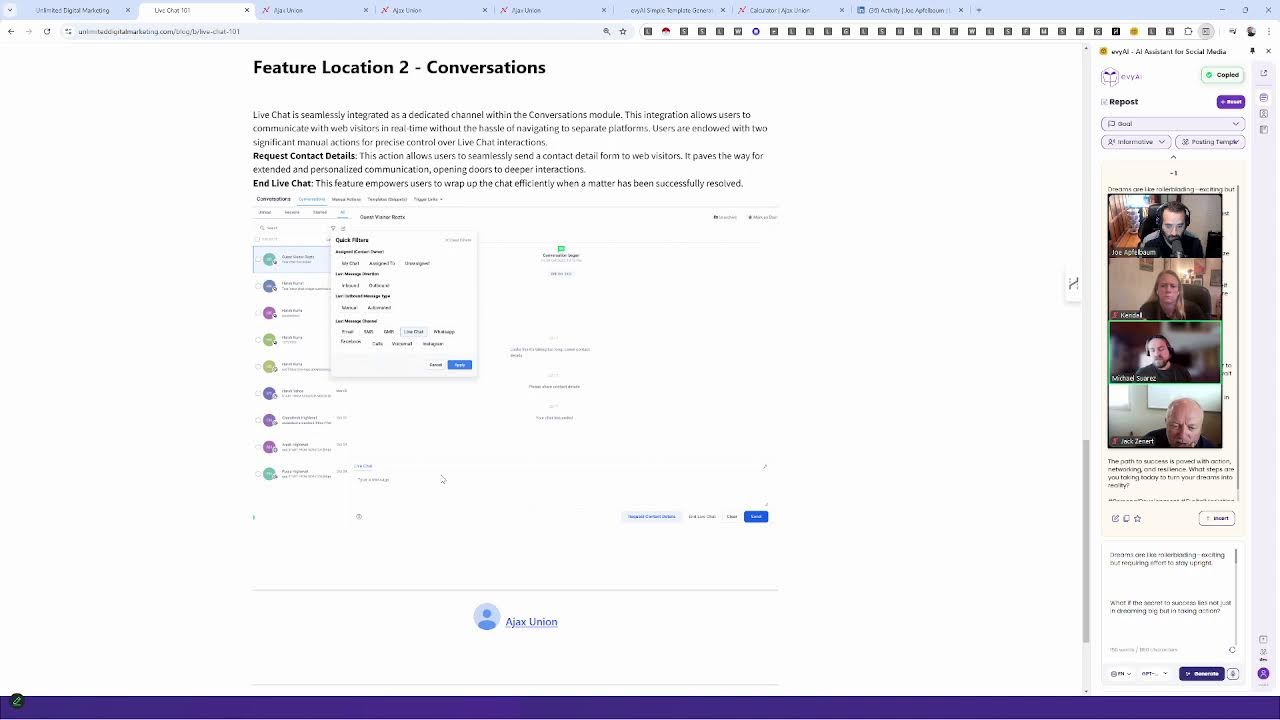
Joe Apfelbaum and Michael demo a white-labeled GoHighLevel platform that bundles CRM, email, SMS, social scheduling, and AI content for $250/month. They show real examples: SMS keyword triggers, cloning TikTok posts to LinkedIn, multi-stage pipelines, and call tracking with attribution.
Chapters
If you're intermediate marketing automation user, put 3 to 7. If you're advanced, put 7 to 10. So where are you on the ladder of marketing automation? I want to know if we should be going advanced, advanced, or we should be going very entry-level. We started a new website, unlimiteddigitalmarketing.com, that gives you unlimited digital marketing support, CRM integration, and a limitless funnel resource.
That's right.
Reach With Funnel. One of the things that people don't realize is that you can pay separately for all the things related to marketing technology. Like for example, social media scheduling, CRM and pipeline management, automated follow-ups, custom chatbots, multichannel marketing. Like for example, if you send the word demo to 973-841-8868, you'll get a demonstration video. Of our AI. That's sending the word demo to 973-841-8868, and it'll automatically go there. And it'll automatically start sending you a link to the demonstration video. So if you want more automation in your business, you need to understand first, what is the strategy for your business? What are you trying to achieve? And then realize to get people in the door, you need to take people through a process. also called a marketing funnel. Now, are you familiar with the funnel? Write familiar. And if you're unfamiliar with the funnel, write unfamiliar. So I know if you guys know what the funnel is or don't know what the funnel is. But essentially it's driving people through a path to helping them be able to go from cold to close. At the top of the funnel, the people that are on the top of the funnel, they don't really know you very well. So if you try to sell people that don't know you well, you're going to get a lot of resistance. But if you start educating people through a process, through a marketing automation process, you can take them through the funnel, take them through different steps and allow them to be successful. You use landing pages to do that. You use multi-level, multi-channel marketing to do that.
Hello.
And so on. There's a lot of, I'm just gonna mute everyone, but welcome, welcome. So glad that you guys are here. And there's a lot more that you can do when you're able to attach integrations like make.com, and Zapier, and then have an analytics dashboard and then have a learning management system and a membership system built into it and be able to nurture funnels. So we're going to dig right in and show you guys how some of this stuff works, but just know that even our website, unlimiteddigitalmarketing.com, is hosted on this technology that we're talking about. So I'm going to walk you through some of the features that this technology has so that you guys know how it works. I know that Michael, you put a, a link to the calculator in the chat. So Michael, you wanna tell us what this calculator's about? And unmute yourself if you can, cuz I muted you by accident. Not by accident. I muted everyone.
You muted me on purpose. Okay. So the, okay. The, the link we shared, the system we created is a culmination of all of these tools, um, more or less. So many people switch over to Unlimited Digital Marketing and they're able to get rid of all of the systems, uh, that we have listed on this landing page. So the system that we're going to be showing you combines pipeline management, CRM, creating funnels. You can host your website, create surveys, email marketing, et cetera, everything on this list. Um, and the pricing for the system is $250 a month. So we created this calculator just so you can see what—
So I, I know somebody, I know somebody that's paying $700 a month for HubSpot. and they're paying $300 a month for ClickFunnels, and they're paying $50 a month for their, their website, and they're paying $29 a month for surveys, and they're paying $79 a month for Mailchimp, and they're paying $199 for Kajabi, and they're paying $59 for whatever, right? So if you take all the different prices for all the different things that you're paying for, you might be paying $1,000 or $2,000 a month for all these technologies. And we give you the whole thing for $250 a month with support, which is a very, very affordable way to be able to have everything in one place and be able to get something that really, really works well. And we're going to dig into what all this stuff is. So let me go right into the backend over here so you guys can see what we're doing. So if I click on conversations over here on the left, you're going to see that I'm able to have text message conversations. You see, sounds good. We can do Saturday evening or Sunday brunch. Let me know what works best. And I can literally chat with this guy over here, or I can actually call him on his phone by just simply clicking on the little call button on the top right corner here. And I could just literally just call this guy. If somebody, I can text people back and forth. I could click on opportunities here and track my pipeline of opportunities. So I have different stages in the pipeline. So this is an Evvy AI thing, an example, thing. And so I could move people. Let's say this guy went from prospecting to demo. I would just drag him from prospecting all the way to demo. You see that? And now he moves to demo. And so you want to take people through different opportunity stages and then go take them from one stage to another. And we have many different pipelines here that I'm tracking for EvAI Pro, for speaking engagements, for our Sales Navigator Bootcamp, for even podcasts, networking, marketing cruise friends, JV partners. I have a lot of pipelines and you could have unlimited pipelines here for all the different things that you need to keep track of. One of the things that I really like about this is the unlimited social scheduling. So could you imagine if you wanted to schedule to Facebook, Instagram, Twitter, you wanted to schedule to TikTok, to YouTube Shorts, and you wanted to be able to do it quickly and with a click of a button and be able to schedule as much content as you want to all the different places? How cool would it be for you to be able to just start scheduling stuff out from what, even, either from one place to another. So we have the ability to upload a CSV file. You see, it says upload to CSV. So we can give you a CSV file where we put all of your media into that CSV, whether it's images or videos, and then you could just upload it with the dates for when you want it to go live. And you can see my TikTok and my YouTube is being updated. So if I want to then push it to say LinkedIn or somewhere else, So for example, if I have it here, dreams don't work unless you take a shot, make it real. So I have this on TikTok. So I click on the 3 dots, I click on preview just to kind of show you. To have an amazing life, you got to be amazing. You first have to be in that vibration because if you're in a crazy amazing— So do you see that? Do you see the way that this TikTok is playing over here and it's on my TikTok? I want to take this TikTok and send it to LinkedIn, but I don't want to have to sit here and download it from TikTok and go to LinkedIn. So what I would do is within the marketing automation system, is I would literally take the 3 dots here and I would hit clone. You guys see the way I cloned it? I just pressed clone and now I can change. Instead of posting to TikTok, I could literally switch to YouTube or to even LinkedIn. So check this out. I'm gonna go to LinkedIn. I'm gonna say LinkedIn, and now I can write a post about this. I can use Evie AI to help me write a post about this. So I might use the side panel of Evie AI to help me write a post about this, or I can use any other, AI writer that's available out there. But this just makes my life so much easier to be able to have this as a side panel here, which saves a ton of time. And then I go in here, I paste this right over here. I can choose what prompt, what, let's say my posting template, which is the posting template I shared earlier. I hit generate and it'll consider who I am and it'll quickly write a solid post for me that I can then post just like this. I'm gonna press copy and I'm just gonna paste this right here. And do you see it even included Unicode? You know, guys know what Unicode is, where everything is bold. I said bald, I meant bold. And then I press post now and I just took something from TikTok and I posted it to LinkedIn just like that. Published, done. So imagine you had all your media storage. This is just one example. There's like 20 or 30 different things and we meet you twice a month to kind of discuss all this. But imagine you had a list of all your media storage. For example, you uploaded, you know, 20 or 30 videos into here. You see, I clicked on Evvii AI Shorts. This is a folder called Evvii AI Shorts. So these are all the different Evvii AI Shorts that I have. So let's say I took one big LinkedIn Live and I turned it into 30 different videos. You can use Opus Pro to do that. And then you drag all the videos into here. Then you can use a custom Chrome extension That will allow you to be able to, with a click of a button, run the link builder and it'll automatically be able to build you a list of all the different things inside a CSV file that you can then quickly just upload into AI, into, into, you know, where I showed you over here where it says marketing. It'll take that whole entire folder, organize it all, create a CSV file, And then when you click new post and upload to CSV, you'll be able to upload that CSV directly there, which should save you a ton of time. So think about this. You want a social scheduler, you want automation tools, which are workflows. For example, if somebody wants my bundle, you send the word bundle to 973-841-8868, and then it'll send back a text that says, here's a link to our bundle. Then it'll wait a minute and then it'll say, um, here's a, what's your LinkedIn URL? It asks them, then it waits a day. If they don't respond, it says, what did you think? And then it adds a tag saying interested in bundle. Do you see that? So in the CRM, it'll tag them. And when something gets tagged, you can have a whole nother automation of what happens when the person gets tagged.
Right now, also what you can do and what I like doing, if somebody replies to one of your texts or if somebody replies to one of your emails, you can create an automation to then filter those people into another automation. So then you're, you can further engage people based off of how they're responding to your content, right? So you have your outbound and then you can guide them down different automation paths based off of the action they take with your communications.
So for example, Jasmine, she sent the word demo. We sent her this back and then she sent an email and then it shows all the different emails that we had back and forth with her. And then it shows the phone call that I made. You see that where I made the phone call to her? So you can, you can kind of track everything that all your users are using. So this is not just one user. This is literally for all your users. So you could have 5 sales reps, 10 sales reps, 50 sales reps, all included in the price. It's not an additional fee. If you ever use Pipedrive or one of those tools, you pay $49 a month per user just for the pipeline management tool. Here you get unlimited contacts, unlimited calendars, unlimited everything. Now you do have to pay every time you send a text message. There's like a 2 cents fee or whatever, you know? So you have to pay for that or you have to pay to host a phone number. But if you want, let's say websites here, I have unlimited funnels, unlimited websites, unlimited landing pages. So all the stuff that you see me create, for example, the Evie AI reverse lookup thing, it's all built into here. My JSON to CSV converter. They're all They're all little funnels.
You know what I think would be great to show? If you just go back to the main screen where you can make a funnel and just show them the template library real quick. So if you go to sites and then click create funnel, I think the template library is a really cool feature. If you click new funnel there. Yeah. If you click from template and then click create. So there is a whole library for both sending for emails, for website landing pages, funnels that you can take these templates and just recolor them for your brand or add your logo. logo, redo the text. So there's a ton of templates in these libraries ready for you. So a lot of people don't work with a developer, right? Or you want to get things done internally. Maybe you're doing this all yourself or you don't have coding experience. It doesn't matter with the system. You're able to use these prebuilt templates for all of your brand communications and your landing pages.
By the way, this helpful so far? Put helpful in the chat if you're getting ideas for things that you can do in your business. So I love creating landing pages to get people into my system. I love creating landing pages and sending landing pages to people. So for example, if I want to send somebody into my system, what I would do is I would send them to one of these landing pages here. For example, maybe I'll send them to my multi-step template generator. And this was, I can edit this. I can edit the text. I can edit the images. Anyone can do it. I'm not a developer and I could just, you know, make this image in Canva and just drag it in. And you could add whatever text you want here, but I'm just going to show you what this looks like on the front end. It looks like this. There's a thing where you press next, next, next, next, next, next, next, next, next. You fill out all the information and once you press submit, press next, you press generate templates, it's going to go ahead and generate tons of templates for me. So this is just a landing page that's hosted here. You can host it anywhere and pay for hosting, or you can have an unlimited amount of landing pages that you can host here. And do you see the way that it's doing this? It's counting up and it's going to generate a bunch of templates. And I just sent you guys the link so you guys can fill it out for yourself and test it out. But all this is built into the landing page software, into the CRM slash digital marketing automation software. And do you see the way it developed everything? And it has all my templates all ready to go here. So this is a great way for you to be able to do this. Michael, let's talk about the email campaigns, to be able to send email campaigns to people.
Yeah. So if you go back and then go to the marketing section, so there's a couple of different ways you could send emails here. You could create automation workflows to send out drip campaigns, but you could also send out email campaigns directly. So if you click campaigns here, so this is very similar to what you'll probably have with Klaviyo, Mailchimp, ActiveCampaign. You can create new emails here very easily. So if you click New there, the blue, click Email Marketing Templates. So once again, I think I just wanted to show you guys the library of templates here. So much like you have for creating landing pages, you can also have all of these starting points for your emails. So by using this and another easy tool like Canva, you once again, you don't need to code out your emails. All of these are drag-and-drop editor. So all you do is click into one and you can apply it. If you click Continue on the top right, just to show them. This is a very simple template. Once you have that in here, it's a drag-and-drop editor, so it's super user-friendly. Anybody could pick this up, but we also have tutorials for it. So sending out emails is super easy in the system as well. Getting set up, you just need to link your domain for sending, and then there is a built-in system for sending out the emails. And the drag-and-drop editor is super simple. So I think that's another, that's another one of the features of the system that I see people using the most. And they're able to consolidate, right? They, they can drop their Mailchimp subscription and just use this and, and it's super comparable there. Yeah.
So you just upload your image. You can create an image using artificial intelligence. You can upload image from the media library. So I can put any of these images here. So for example, if I want to be able to promote this, I just put that image in here and then I can change whatever images I want. I can have variables that pull from my database here. So I have a database of all my LinkedIn users. So if I want to email all my LinkedIn connections, I can create something that emails all my LinkedIn connections and then I could hit send or schedule and it'll go ahead and send an email to all of my LinkedIn connections in just seconds, just like that. Really powerful. Let's let Don Davis in the room. Okay, cool. So yeah, so sending out emails, really powerful, really simple to do. You can send out, you could also send out individual templates to people so you can put in something called snippets, which are templates. So for example, if I want to invite people to the Executives Association event here, I could edit this snippet and now I can send this to anybody I want, any of my contacts. I can quickly send them a list of all the upcoming events that are happening. So if somebody says, hey, I want to come to the event, I have a template that's ready to go. And so I can pull up any of the contacts. So for example, let's say Joe wants me to, wants to tell me, wants me to tell him about the event. So I just put up Joe. And I open up Joe Leo over here, and then I can just pull one of these templates right from the bottom over here. It says insert snippet, and I can send him one of these templates. You see that? I have tons of templates here.
Yeah.
And I think this is also super helpful if you look at it from a customer service lens. So Joe showed you the conversations tab. You have all these incoming messages, right? So you can link your Meta Suite, you can link your phone, your email. So you might have incoming questions. So having all of your typical responses. If you're getting the same questions all the time, you could save those as snippets. And then when you're getting those questions, all you have to do is load that snippet in and you're, you know, you're one step ahead that way. So I've found people using that a ton as well. So for sharing information, but also customer service as well.
So let's see if that LinkedIn post actually went live. I'm gonna go to LinkedIn. I'm gonna look at my recent LinkedIn activity just to share with you guys. Okay, so it looks like the LinkedIn post did go live. I'm gonna go click on these three dots here, and I'm gonna share the link to the post so that you guys can actually see the actual link to the post here. You see this entire thing that's here? I'm gonna actually edit this post because did you? Looks like I pasted it in twice.
The text twice.
Yeah. Looks like I pasted it in twice by accident. Um, I'm gonna delete that. Dreams are like rollerblading. Save. It's a good thing nobody saw it yet. It just went live about 2 seconds ago. Um, but yeah, I just sent you guys the link to this post, so check it out. And I'm curious to know if you guys wanna share your website in the chat. I would love to check out your websites, um, and see what you're up to because this is fully integratable with any website. So you can send people from your website into this funnel and then capture people's information properly. One of the biggest problems that people have is that they have a website and they don't have a way to capture people's information. So I like to create something that like drives people in either to an event or to downloading some type of lead magnet. And then from there, creating some type of automation that drives them in from your website all the way through the funnel and collecting all the information. Now I also have a question for you guys. Do you guys have a CRM right now where you manage all your contacts or do you need a CRM? If you have a CRM and you're paying for it, I'm curious to know which CRM you're using. Dagmar says she's using Kartra. I think Kartra is a landing page software, is an all-in-one marketing automation platform it looks like. Let me look at their pricing. And it starts at $89 a month and it goes up to $549 a month. Amazing.
Okay.
GHL as well. So yeah, so we're white labeling GHL, just so you know. It's not software that we built ourselves. We're actually white labeling another solution. But a lot of people that get GHL, what ends up happening is they're not really sure how to use it. They don't get the support.
Mm-hmm.
And so we have unlimited support. And we have office hours twice a month that helps you set everything up.
Yeah. So we do, yeah, every other Tuesday we hold office hours and then you can send us Loom videos, questions, and we can help you through technical and strategic, like one and the same, right? So if you have a question on how to use something, we can help. If you have a question, if you need advice as well, we could go over that during our office hours. So the value add is the support you receive.
So tomorrow there's office hours happening and Kendall asks, do we need Zapier to connect Squarespace to Ajax Union? It depends how you're gonna be connecting it.
Yeah.
You can have a widget. Go ahead, Michael.
Um, if you're connecting, so Zapier is a great tool to link the two. I know there's a, there's a Zap set up and, and you don't even need premium Zapier with, uh, linking your Squarespace forms. into the system. So if you mean linking by linking your form entries, yeah, you'd use Zapier, but I don't think it's a premium Zap. But Zapier has a ton of integrations with this system. So it's super easy. And also, right, if you have a question like that, that's an example of something I could show you, you know, what solution works best if you're trying to make it.
And in real time, I mean, like sometimes People pay several hundred dollars an hour to get an expert that has 20 years experience in marketing to help them with their funnel, and we're giving it to you unlimited, all included. So it's almost like you have an advisor supporting you with your marketing along the way, whether it's building landing pages, setting up workflow automations, email campaigns, whether it's setting up your pipelines within our CRM so that you know what stages you need to take people through, what type of strategic pipelines you need. Whether it's setting up SMS campaigns or calling campaigns or maybe your social scheduling or even reputation management, like managing your reviews on Google. All those things are included, whether it's call tracking, if you're using advertisements and integrating your advertising reporting into this. Are you guys advertising? Just write yes or no in the chat if you're advertising. I wish LinkedIn was more tightly integrated with GHL. I believe HubSpot integrates better with LinkedIn without any automation tools. We are going to be integrating LinkedIn better through Evy AI Pro. We're gonna create a way to be able to integrate better. However, just know that make.com integrates really well with GHL and so does Zapier. And so you, anything that you can Zap or you can Make, you could connect. I have a Chrome extension, for example, that will allow me to be able to pull information from LinkedIn and throw it into both GHL. And also throw it into a spreadsheet and also throw it into my Google Contacts and then syncing the two together. Really powerful. So there's a lot of things that you can do with automation these days, but what I want you to know is that taking your customers through a journey is going to be the key. The whole concept of marketing automation is to make things more seamless, both from a marketing and sales standpoint and also from an operations standpoint. So sometimes onboarding customers and then upselling customers and then creating customer support and all that type of stuff, you can do all with this system. And having the right system is key. And having the right support with the system will actually help you implement the system. A lot of people buy tools. Have you ever bought a tool and then didn't use the tool? I've done that so many times. And it's because I didn't have the support, the ongoing support. And, um, to be able to use the tool. I had questions. I didn't have anybody to ask because a lot of times they want agencies to do it for you. So if you, if you're not technical enough to do it yourself, you have to pay an agency a few thousand dollars a month to support you. So with this, we're kind of supporting you along the way and helping you out. That's what we're doing with this. And so having a CRM is key.
Mm-hmm.
And if you, I could search literally anyone from LinkedIn inside Um, my technology in here and it'll find that person with all their information because I was able to integrate, you know, export everything from LinkedIn and import it into here relatively quickly. So it's just an import that you can do. We also have a mobile app. So if you want, you can download the mobile app. Um, both on Apple and on Google. And I use this all the time. Um, to make—
You can manage your conversations, right?
I manage my conversations. I make phone calls from there. There's a lot. I take notes. There's a lot that I do in here. Here, tasks. There's a task manager as well where you can put in tasks.
I think one of the features I see the most value in as well, um, the conversations tab is pretty amazing. So if you, if you log into Instagram and then you log into Facebook and then you log into your email and then you have your phone system with your text messaging, right? That's a lot of different logins. I think especially for small teams, I guess large teams too, right? Because it keeps all your brand communications together. Having that app with just all your stuff coming into one tab or one app is super convenient. I did just post a link in the chat. We do a free trial for 7 days, so if you are interested in testing it out, you can sign up there. Once you sign up, you'll be emailed your login and you can test the system out. We'll add you to our office hours so you can see if you like the system.
So Michael, do you— I want to show people how easy it is to call a contact. You see, this contact asked for the demonstration video back on February 24th, and now I'm calling the contact directly from the system. This call will be recorded for quality purposes. Hello, this is Joe Apfelbaum. Can you hear me?
Hello?
Hi, you requested a demo on February 24th, and I was just curious to know if you were able to watch it or not. This is Joe Apfelbaum from Evvii. Remember?
Right, right.
Did you watch it yet?
No, I haven't seen it yet.
Oh, okay, cool. It's in your text. Did you get the text message? I'm just curious. Maybe my texts are not coming through to you.
Um, can you send it again?
Yeah, of course. I'm happy to send it to you again.
Um, are you— Usually, yeah, usually I watch on the, uh, on the computer.
Okay.
I don't 'Cause my phone, I mean, I have enough problems.
I totally get it. I totally get it. What I can do is I can actually send you an email with all the information as well, if you'd prefer. Would you prefer I shoot you off an email?
Yes.
Do you want to reply to the text message with your email so I can add it to your record?
Okay, let me find the text message.
See if you can find it just to make it easy.
Okay.
And this will make both our lives easier, unless you want to just tell me the email and I'll just put it in.
Yeah, it's, uh, mysolutionnow.
2 N's?
Yeah, yeah, M-Y-S-O-L-U-T-I-O-N-N-O-W. N-O-W.
Yep.
The number 1.
Yep.
@gmail.com.
All right, cool. I'm gonna send you— I'll send you an email right now with the information, and I really appreciate you hopping on the phone with me, and I'll call you back just to make sure you got it, okay?
Okay, thank you.
All right, all the best. Do you guys see what I just did? Now if I want to send him the demonstration video, All I need to do is use a template because I don't have to sit down and like worry, oh, did he get the demo? Did he not get the demo? I just click over here, email, and then I click templates, insert snippet, and I could do Evvii renewal. Do you see that? I have all the different things that I need built in right over here.
Love it.
So I could send him a tip. I could send him whatever I want. Let me just see if, where did that conversation go with that person? The 323 number that I just had, 'cause I refreshed and I lost that. But I can go to all my calls, and then I can pull up all the information related to every single call that I made, and be able to pull everything just like that. So you can go to call report, and you can see the phone calls that I made.
Oh, and there's a— you can turn on call recording as well, so that's helpful, so you can review your calls.
Awesome, so you can see if the call recording worked for this person? You guys want to see the call recording? So listen to this. Oh, did the call recording work for this or was the call recording—
Um, inbound, inbound, you'll get the recordings.
No, but I do the outbound.
Oh, you have outbound recording on.
Good. This call will be recorded for quality purposes.
This is Joe Apfelbaum. Can you hear me? Could you guys hear that, by the way?
Yeah.
Hi, you requested a demo on February 23rd. So could you imagine if all your sales reps were using this and then you were able to To just send, send stuff to them. All snippets. Do you see that? AI and LinkedIn demo video, Evie AI demo video.
Really quick, Joe, could you look, uh, the reporting that you were just on, I think also worth showing for those that do run marketing campaigns. Um, you can integrate your Google and Facebook here. So if you're integrated, all of your data will come in here. So. Why is that helpful? Typically you're going to those websites as well to see how your campaigns are doing and looking at those. You can do that all here as well. That's all for them.
Did you guys notice? Okay, so what did you guys notice about what just happened? Like how seamless it is when people are in a funnel and you're like, they're in a stage, you push a button, you call, they ask, you put in their cell, you put in their email, use a template. Would this make your life easier if you had like a system like this And with support to set everything up and then tagging people and then them automatically getting reminders in the future. And like, could you imagine you were keeping track of 1,000 people in your head? You'd go out of your mind. So for me, it's so much easier for me to have like a system like this that I can put people into and then I get reminded and then I go through my funnel and then I know who are my hottest prospects and I actually get through. By email, by phone, by SMS, by social media. It integrates with your Instagram DMs as well. So I don't know, I just think that people are missing out if they're not using this solution. And they're probably already— most people are already paying for such a solution, but they're just not getting the big, the whole picture. So yes, support is the most critical part, Jim, because if you're not If you don't get the support, there's no way you're going to get all this set up. How are you going to get the domain set up? How are you going to get the automation set up? How are you going to get like literally all that stuff that needs to get set up? When a client comes to us and he wants us to set up their entire funnel, we charge $15,000 to do it for them. But for you guys, it's just $249 a month and you get unlimited support and that's it. So it's, it's a lot more cost-effective. Yes. If you needed our team to do it, we would charge thousands of dollars to set it up because we have a bunch of people that we have to pay to get it all done. But if you're doing it yourself and you're coming to the office hours and we're kind of helping you, this is kind of like the guerrilla marketing way to be able to bootstrap it and get it done in a very affordable way. And you just pay for the technology. You're not paying extra for the support. If you do need one-on-one support, we do offer it at an affordable rate where we do offer one-on-one support for people. And we have quite a few clients that we do one-on-one support for.
Yeah, Jim, typically we do Tuesday mornings at 10 for the office hours, but we, as soon as you sign up, we add you to that event. And if, you know, if that time changes—
Now somebody asked, what if I have my own instance of GoHighLevel? Could I sign up at Unlimited Digital Marketing, not use yours, but use mine? Would you support it? And the answer is yes.
Yeah, if you have a subscription through us, we'll provide you support. Alternatively, You can save your current install as a snapshot and load it into ours. So, but yeah, we're flexible that way.
We'll support you no matter what system that you have, as long as it's a similar system to ours, we'll support you and answer questions related to that. And we do it in a group setting so that when you come to the, to the group, you hear the problems that other people are having and you're getting ideas for what to do. Oh, what templates are they setting up? Oh, what campaigns did they set up? And so it's like a learning environment.
There, yeah, there's definitely a lot of inspiration being shared between people who join. And yeah, ideas, absolutely.
One of the things that I realized about this whole text message thing is sometimes I'm on a podcast and they say, Joe, how do people get in touch with you? And there are people that are listening in on the podcast. And I say, send the word demo to 973-841-8868. And then they send the word demo because they're in the middle of whatever. They're just chilling in the bathtub or whatever on their phone or in the bathroom. They're not by a computer. They send the word demo and all of a sudden I get their information into my CRM. Or they say, send the word bundle to 973-841-8868 if you want information about our Evvii bundle. And now I could be in a room with 10,000 people listening and I don't have to worry about people going to a webpage and filling out a form. They literally send a text message and their cell phone number Goes into my CRM in a way where I can click a button and call them. That's powerful. Even that just little, that piece that ties it into everything, for me, that is a game changer. I was in a sauna talking to a pastor. We were just having a conversation in New Jersey in a sauna. And he's like, so we were talking about his family and this and that. And then he told me, he's like, so what do you do? I said, I have an AI for LinkedIn. He's like, oh, I want an AI for LinkedIn. How do I get it? I saw he had his phone in his hand. I said, open up the text message, send the word demo to 973-841-8868. The guy sent the word demo and I saw it pop up on my phone. Bloop, popped up. And I saw that he sent it and now I had his cell phone number. He's like, do you want me to give you my phone number so this way you can call me? I was like, no, I have it already. It's in my CRM. It's already tagged. He's like, that's crazy. You gotta show me how to do that stuff. I was like, happily, happily do it. Happy to help you, Pastor. He's like, how much is a technology like that? It's probably thousands of dollars a month. I said, typically people pay thousands of dollars a month for this type of technology to put everything together, but we are only charging $249 a month for it. All right, guys, any questions that you have about this or about anything else? Will this work for my business? Somebody said. Well, if you have a business where you have customers that you need to onboard and you have a sales process and a marketing process that you need to follow, Then this is the marketing automation tool that will help you with that, those systems and processes to help organize things and make things seamless. A lot of people are working on spreadsheets.
Yeah, it would work for, I mean, it can work for any sort of business is how you put it to use, right? So this is the, these are the tools, right? And then how you use them will depend on your business model.
So what do you guys, what did you guys notice about this system just now? Like, what did you notice? Kendall has her hand raised. So Kendall, feel free to unmute yourself and share. By the way, Kendall, I love when you come to events and I love seeing you here. So thank you for being here.
Thanks. Well, you said you open for questions, so I just wanted to clarify, um, because like on my website and everywhere I advertise one number, right? Which is my cell phone number. But just wondering, so if I start to use this for outbound or inbound, you're saying that I, there's no way to put this number, connect this number to Um, that, right? I need to— it would be a new number.
Yeah, well, it would be the— it would be the—
I'll tell you how I do it. I'll tell you how I do it. There's a separate phone number that my CRM has that people can text that won't come to my cell phone necessarily. I have an app, but if somebody calls that phone number, my cell phone also rings. If somebody calls 973-841-8868, it'll ring on my cell phone, and then I have the option to answer it Like when I pick it up, it says, you're getting a call to 973-848-1000. Would you like to answer it? Press 1 to answer. And this way I'll know it's coming from my business. It's not just someone calling my cell.
Right.
And this way that call also gets recorded. That's key. Because I want to know where that call came from. So let's say, for example, I'm advertising on Facebook and I want to know which ad campaign that call came from. When somebody calls my phone number that's on that ad, I will know what ad campaign that came from in order for them to call me. So I'll know which ad is actually working. That is, that's a whole nother level of like attribution and understanding where things are coming from because this way, if you're spending $1,000 a month on advertising, you know how to optimize that spend to know which ad is working and which ad is not working. And I'll know if it's like a, if someone's calling me, if a random number calls me and I'm about to pick up, I know that it's coming from my marketing system and I know I'll be like, Joe Apfelbaum, Ajax Union, how can I help you? Versus if someone just calls me, I'll be like, hey, what's going on? You know, like if somebody presses, you know, so there's a lot of power in that. And also you can have multiple people pick up the phone if you want. There's like, you know, different ways to be able to add additional people as well.
Mm-hmm.
And you can also have multiple phone numbers. For example, I have a phone number that's a New Jersey phone number that starts with 973, but I also have a Long Island phone number for when I call people in Long Island. So I can actually change the outbound number If I'm calling somebody, to have a different caller ID depending on what location I'm targeting. So maybe I want to start targeting people in California. So instead of using a New York number and calling California, I could use a 323 number in California, and this way people will be like, oh, there's a 323 number. It might be somebody related to what I'm doing or a babysitter or something. But if they're calling from New York, they'll be like, I don't want to pick up a guy from New York. You can have multiple phone numbers and you can text with multiple phone numbers and you can call with multiple phone numbers in the same system, right, Michael?
Correct. Yes, correct.
And I'll show you how that works. It's really simple. So I'm going to go to Conversations over here, pull up this conversation here. Let's say, for example, with this phone number here, this person about the bundle. So this person's a 631 number. I'm just going to open up the contact in a tag. over here just to kind of show you, opening up the actual contact itself. And when I want to make a phone call, I can just press this phone number and make the phone call. Or what I can do is I can copy this phone number here, and if I want to make a call to this phone number not using my default number— let me see what's going on over here, my computer's freezing. Um, I don't know why my browser is freezing. Michael, can you still hear me?
I can hear you.
Yeah.
Yeah.
I can also—
Oh, here we go. Now it opened up. So you see, I can switch the phone number that it's calling from over here. You see, I can switch to another number so I could have as many numbers as I want here. I'm going to switch to a 516 number. Now I'm going to call this person and just kind of see if they pick up or not. And I may not know who they are. It's a random person that texted me about my bundle. Michael, you don't want us to see his chart?
No, I don't know if I want to hear it.
Why? I want to close a deal. Close the deal right here. How cool would it be if the person picks up and then they sign up right now? We just take their credit card right now over the phone.
I don't—
well, not—
Of course not.
We're not going to do that. Hello? Okay, they didn't pick up. Okay, so I'm going to hang up, but you guys get the point. The point was just call from there, and then I could, I could also change it down over here. You see that last used default and so on? I can change it here. So you can do it in multiple places, and you can also text them from multiple places, and you can integrate WhatsApp. You can integrate Linked Helper. There's a lot of different integrations that you can integrate. Um, there are actually hundreds of technologies that you can integrate into this. It's really powerful.
And we just buy one on the Ajax Union website.
Yeah, so there's, um, if you go to settings, phone numbers, you could buy a phone number.
Yeah.
Yeah.
Any other calls that you guys have? Anything you're wondering about? Michael, I know you had some questions.
Oh yeah. So we got asked about, um, comparing it to, so we got asked about the HubSpot comparison. Um, so a lot of people use HubSpot. Um, I love HubSpot. I think it's a great system. The main difference, the pricing difference is huge. I am HubSpot certified and I like worked on helping people set up HubSpot for years. It is super user-friendly and sleek. The price difference is hundreds and hundreds of dollars a month, and I found this system to be absolutely comparable. So that, that is a question we get a lot of people coming from HubSpot. Now, if you're just using it for CRM, There is a free CRM through HubSpot, which I think is great. But if you're doing anything beyond just using the free CRM tool, I think switching over makes sense.
Somebody asked, why are you guys charging so little for this? You can easily charge $1,000 a month for something like this. And the answer is, is because what ends up happening is as your business grows, you're going to need a marketing agency to do things for you, like set up landing pages, like help you with ideas and strategies and campaigns, and we have a full-service digital marketing agency. So this is really a loss leader for us. We're not looking to make profit off this. We're looking for this to be the way that we get in the door with many companies and giving people a service where they don't have to pay a lot of money to get in the door and get really, really good support that would cost $1,000 a month, but they only get it for a few hundred dollars. And once they're in the door and their business becomes more successful, They'll want to spend a few thousand dollars a month with our agency. That's the idea behind this.
Yes.
And this has happened multiple times for us already with clients that have walked in, spent a few hundred dollars with us, and then turned into a client that spends $5,000, $6,000 a month. So that's the idea.
Right. I think a lot of times people see the opportunity with what they can do once they start using it. And then the, like, actualizing everything they see they can do, they then want us to be more hands-on with it. Many clients just like having support, but yeah, we do see a lot of times that people want to build things out bigger and scale once they see things are working and that's where we can provide services. Yeah.
Let's say you need somebody to run your LinkedIn ads, your Facebook ads, your Google ads. You need somebody to set up multiple email campaigns per week. You want someone to help you launch your course or help you be able to set up a massive funnel and set up tons of integrations For internal stuff that you have in your business or set up some AI automations. Those are all things that we're capable of doing.
Also, we, and we didn't touch on that actually. There's a, you can set up just like in Kajabi or another course host. Um, you could set up a community where you can host, you know, video courses and charge people to access. You can actually, you can sell your product and course through the system as well.
Um, connect your Stripe and take payments from within.
Yeah. You can take Stripe payments. Uh, I got asked, what are the key features of marketing automation technology I should look for? So if you're looking for CRM, right, to be able to segment, to be able to manage your pipeline, to be able to automate communications, which the system can do. So you can create workflows for every stage of the customer journey. So whether that's in your pipeline or people engaging with your content, you can automate what to do. with that person. Analytics and reporting, I think, is important to consider. But once when you're choosing a system, I think first think— first consider what your goals are, right? So what do I want to be doing? And then work backwards. So a system like this, I think, is pretty all-encompassing. Maybe you don't have a need for something like this at the moment, But if you're looking to grow what you're doing marketing-wise, um, we definitely suggest, uh, uh, automation technology such as this one to use for growing your business.
And we do have lots of, uh, tools and tips and how-to guides that we keep posting. Like for example, you might say, how do I set up a pipeline? And so we'll walk you through step by step with screenshots and videos and support on exactly how to do each individual small thing in your business. And this could be a massive thing. Like keeping track of your pipeline is really important. Who are the people that was the initial meeting, the presentation, the closing meeting? And so we kind of walk you through step by step each individual thing that you need to do, sending emails. Um, we have little videos that explain everything to you. We have Google Calendar linking your Google Calendar. So if you want to link your Google Calendar and your Google email to the system, you can do that. And we have a how-to guide that walks you through exactly step by step how to do that with a video, with a Loom video.
Yeah.
And what, what I'll do too is, um, we do have a lot of blogs you can read, but as situations arise or like different use cases arise, or if somebody asks me a question that isn't up there, we'll turn that into a blog or how-to. So we keep building the library. Um, so if there's something specific you need help with that isn't on one of our resources, you just ask us. And then if it's something I see happening frequently, we, we turn that into something like a larger article to post on the website.
All right. Um, what did you guys like about this so far? What did you hear that you were like, oh my God, I really like this? Was there a feature that you like or something? Dagmar said, this is an amazing tool. Christy said, thank you. I have to run to another meeting. We're about to wrap up in just 2 minutes, but if you guys have anything that you want to share or any questions that you have or something that you liked about this, let us know in the chat what you liked about this. Um, if you want to get a trial, just go to unlimited. Digitalmarketing.com. That's 2 D's in Unlimited Digital Marketing. All right guys, thank you
More from Joe


How to Beat the Algorithm: Remove Hidden Watermarks & Scale Content with evyAI









AEO & GEO: SEO's Future Explained! Master Answer & Generative Engines! #shorts