LinkedIn Training with Joe Apfelbaum 2025
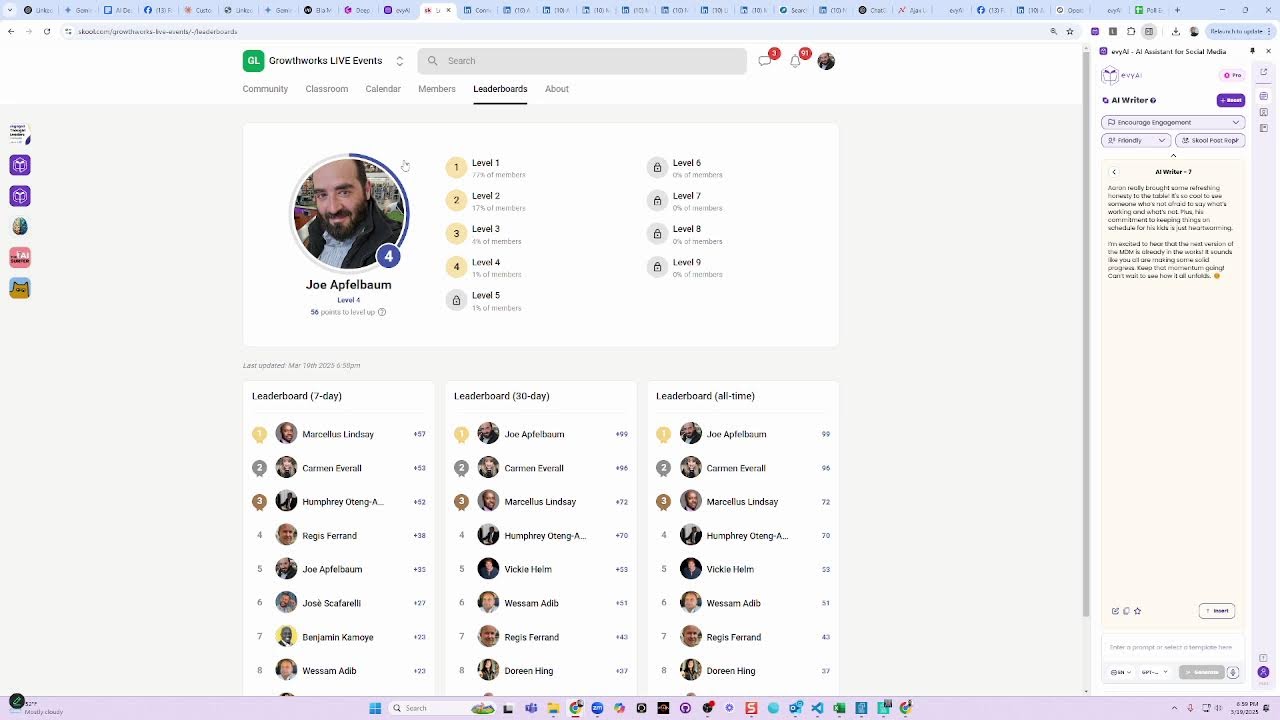
Joe Apfelbaum shows how to find leads on LinkedIn, validate product ideas with polls, and automate outreach using AI tools. He shares a story about intentional typos that got 50 people to read a one-sheet, and demonstrates building custom tools like a Poll Saver that converts LinkedIn votes into a CSV for follow-up campaigns.
Chapters
What's the best way to get clients on LinkedIn? And I said, I don't have all the answers, but I do know that using LinkedIn, you can have conversations. So let's pull ChatGPT into the conversation. Let's go to ChatGPT and let's open up the voice mode now. Okay, so I have a question for you. Somebody told me that they're a life coach specifically for single moms. And they want to know if LinkedIn is a good approach for that specifically. And I always get that question a lot. Like, does LinkedIn work for me? Does LinkedIn work for my business? Does LinkedIn work for my industry? And what I typically answer, and you can tell me if there's a better way to answer this, what I typically answer is if networking works for your business, then LinkedIn's a great platform to network. LinkedIn is a great place to network and build relationships. The question is not, is LinkedIn a good, place. The real question is, is networking right for a coach? And then she's like, I want clients. And then I said, okay, well, that means you need to get conversations. Having conversations leads to referrals and clients. She's like, conversations with whom? I said, decide who you want to have a conversation with, but typically conversations with people who are open to referring business to you. I personally have gotten life coaches directly from LinkedIn. She's like, I don't mind networking if it'll turn into leads. And I was like, well, networking done right will turn into leads, but it takes time. And she's like, got you. But like, how would you describe this to someone who's kind of like skeptical about LinkedIn and has that question? I don't know. I just get that question a lot.
Got it. To break it down for someone who's skeptical about LinkedIn, I'd say LinkedIn is like a giant networking event where professionals gather. For a life coach, especially one targeting single moms, it's about connecting with people who might benefit from your services or who can refer others. If you believe that building relationships and having meaningful conversations can lead to clients, then LinkedIn is a great place for that. The key is approaching it with patience and a strategy. Does that resonate with how you'd explain it?
Yeah, but like, why do I get that question so much? Like, that's, it's just so like, oh, it's a lot. You know what I mean? It's a lot. I get that question so much.
I hear you. It's probably because LinkedIn isn't the first platform that comes to mind for everyone. People are used to thinking about Instagram, Facebook, or even TikTok for personal brands. So when it comes to professional networking, they might be skeptical about its effectiveness. It sounds like you're doing a great job explaining it though. Maybe emphasize success stories or examples to help people visualize the potential.
I want to create some type of article Or some type of something that explains this concept to people, maybe even like a story. How would you phrase the article and what would you do in order to kind of educate people when somebody says, does LinkedIn even work for my business? Like, what would you say? Like, what type of article should that be?
A great way to approach this is to write an article titled, Unlocking LinkedIn: Why It Works for Any Business. You could start with a story about a life coach for single moms who doubted LinkedIn's potential, then walk through her journey. Include examples of how she connected with professionals, shared her expertise, and eventually landed clients. Emphasize key points: LinkedIn is a powerful tool for networking, building credibility, and engaging with a targeted audience. End with practical tips for getting started. This mix of storytelling and actionable advice would resonate with skeptics.
Okay, so what are, gimme 3 article ideas, 3 separate article ideas. I understand a case study, but let's say I don't have a case study.
Absolutely. Here are 3 article ideas. 1, 5 reasons why LinkedIn is a goldmine for coaches, highlighting benefits like targeted networking, content sharing, and credibility building. From Doubt to Success: How Coaches Can Thrive on LinkedIn. A narrative-style piece sharing hypothetical success stories and strategies. Networking on LinkedIn: A Step-by-Step Guide for Life Coaches. A practical guide detailing how to optimize a profile, connect with the right audience, and create engaging content.
Which one would you choose?
I'd go with 5 Reasons Why LinkedIn Is a Goldmine for Coaches. It's informative, concise, and sets a strong foundation for anyone skeptical about LinkedIn. Plus, it's easy to follow up with more detailed articles on specific strategies later.
Okay, so what would you, how would you break down the article? Like what would the, what would be the intro? What would be like the main pieces, the sections? How would you break it down?
Great, here's a potential breakdown. Intro: Start with a compelling hook, like, ever wondered if LinkedIn can work for your coaching business? Briefly introduce LinkedIn's potential for coaches. Section 1: Networking Opportunities. Discuss how LinkedIn connects you with professionals who might need coaching or can refer clients. Section 2: Building Credibility. Highlight the importance of a polished profile, recommendations, and sharing valuable content. Section 3, content marketing. Explain how posting insights, articles, and videos can attract the right audience. Wrap up by encouraging readers to give LinkedIn a shot, emphasizing its value for coaches. Okay.
What about specifically coaches that are looking for, that feel like it's more B2B? You know what I think the problem is? I think the problem is that people think it's B2B instead of B2C. You know, like, the B2B to B2C thing. They don't realize that networking works for B2C. So what would you do in that story if you want to kind of frame that story like that?
Got it. For a B2C angle, the article could be titled Bridging the Gap: Using LinkedIn for B2C Coaching Success. Intro: Start with a myth-busting statement like, think LinkedIn is just for B2B? Think again. Section 1: Busting the B2C Myth. Explain how LinkedIn's networking opportunities aren't limited to B2B and how coaches can find individuals seeking personal growth. Section 2: Finding Your Audience. Tips on using LinkedIn's search and groups to connect with potential clients interested in personal development. Section 3: Creating Connections. How to craft personalized messages and content that speak directly to B2C prospects. Conclusion: Reinforce the idea that LinkedIn is a versatile platform for all types of networking.
Is that the best type of, uh, lead magnet or product that you think we should, we should do?
It sounds like a solid lead magnet, especially if you're targeting coaches who may not see LinkedIn's potential. Offering a clear, actionable guide can attract those interested in expanding their client base. You might also consider complementing it with a webinar or a series of short videos for added engagement. Would that fit into your strategy?
Tell me more about that.
Sure! A webinar could dive deeper into practical steps for leveraging LinkedIn, with live examples and Q&A to engage your audience. Short videos can offer bite-sized tips, perfect for social media. Both formats can complement your article, providing multiple touchpoints to educate and attract potential clients.
Okay. Um, anything else that you would say for someone who's skeptical about using LinkedIn?
Absolutely. I'd emphasize the unique professional context of LinkedIn. It's where decision-makers and industry leaders hang out. Even for B2C, there's value in building authority and tapping into networks that can lead to referrals. I'd also mention that it's a platform where you can control your narrative and showcase your expertise consistently.
Okay. Um, anything else? Can you write me a tweet about that? Like, what would be a tweet? Like, or a series of tweets? Like, gimme 3 tweets related to that.
Absolutely. Here are 3 tweaks. 1, think LinkedIn is only for B2B? Think again. Coaches, unlock a treasure trove of clients by—
I don't like treasure trove. Treasure trove is a terrible word. Could we avoid using words that are AI-centric?
Got it. Here's a tweak. Think LinkedIn is only for B2B? Think again. Coaches, tap into a world of potential clients by showcasing your expertise in a professional space. Hashtag LinkedIn for coaches. 2, busting the myth. LinkedIn isn't just for B2B coaches. Build your brand, connect with individuals, and grow your client base. Hashtag coaching community. 3, not just for B2B coaches. Discover how LinkedIn can connect you with clients seeking personal growth. Hashtag LinkedIn tips.
Okay. And, and those are valuable tweets, you think? They don't sound like they're valuable at all. They sound very promotional.
I get that. Let's add more value. 1, coaches, did you know LinkedIn isn't just for B2B? Use it to share insights, connect with growth-minded individuals, and build authentic relationships. Hashtag LinkedIn for coaches. 2, curious how LinkedIn can benefit B2C coaches? Share your expertise, attract clients, and grow your influence. Hashtag coaching tips. 3, LinkedIn for coaches. Share stories, build trust, and connect with potential clients. It's not just for B2B. Hashtag LinkedIn success.
Okay.
Sounds really good. What would you say to someone who's a business owner, say in the financial services industry, and is like, oh, I don't know if LinkedIn would work for me based on everything we just said.
I'd say, As a business owner in financial services, LinkedIn is a great place to establish trust and credibility. Sharing insights and connecting with professionals can open doors to new opportunities. It's all about leveraging your expertise in a space where people are looking for it.
Okay. Anything else that you would want to add? Anything else that you would want to add?
Maybe just this: don't underestimate the power of a well-crafted LinkedIn presence. It's your digital business card and a platform to engage with potential clients authentically.
What if somebody says, oh, but I never got any— anything from LinkedIn? I've been using it for a long time and I never got anything from it. What would you say then?
I'd say it's not just about being on LinkedIn, it's about how you use it. Consistent engagement, Valuable content and genuine connections are key. Maybe a fresh strategy could unlock new opportunities.
A fresh strategy. So basically, they're not using the right strategy, and they're not really using it. That's the truth. If they have less than 1,000 connections, they're not really using it.
Exactly. It's about quality, not just quantity. Building a network takes time and effort. Encouraging them to reassess their approach and focus on meaningful interactions could make a big difference.
Oh wow, look at this. I got a bunch of people liking my thing here.
That's awesome. Sounds like you're already sparking some engagement. Keep it up.
You know what I'm going to be doing now? I'm going to be doing a presentation. Um, I'm going to tell you what the presentation is about.
Sure, I'd love to hear about it.
It's a presentation about how to use artificial intelligence with LinkedIn. Do you know what tool I'm gonna feature?
Sounds like a fascinating topic. Are you planning to feature Evvy AI?
Yes, I am. So this is, this is what it says. Um, let me see what it says. It says LinkedIn Lead Generation with Joe Apfelbaum AI Smart Labs. So what I'm gonna do is I'm actually going to show them how I use a variety of AI tools to be able to get clients with artificial intelligence. And I'm even gonna show them how I make a spreadsheet with all the names of all the people that are on at the event and how I research each one really quickly.
That sounds super engaging. Demonstrating how you use AI tools like Evvy AI in real time is a great way to showcase their practical benefits. Plus, the spreadsheet idea is a fantastic visual aid to show the efficiency and speed of AI. People will love it.
Okay, that's good. I also want to show Sales Navigator. What would you say is the number one thing that you can do with Sales Navigator to be more successful? What would you say? Number one thing.
The number one thing is leveraging advanced search filters to find your ideal prospects. It lets you zero in on decision makers, industries, and specific companies, making your outreach much more targeted and effective.
You know, I'm gonna be doing a Zoom call right now and it says the host has joined. Do you think I should stay chatting with you while it's happening?
Recording in progress. Oh, you're on a Zoom call?
It's probably best to focus on that. I'm here whenever you need to chat.
Hey, Joe.
Hey, should we, uh, should I share my screen?
Yeah, if you think it would help with the conversation, go for it. Just make sure you're comfortable with what you're sharing.
Why should I be comfortable with what I'm sharing?
Well, you want to make sure you're not sharing anything private or confidential by accident.
Obvio, obvio, obvio, obvio. I'm not going to share anything private. You know, I'm just giving a class on LinkedIn. You know.
Gotcha. Sounds like a great session. Enjoy it.
Thank you. Now just be quiet for now until I say tuna fish, and the next time I say tuna fish, then you can start talking again. Okay? Just be quiet.
Understood. Whenever you're ready.
Okay.
So, are you gonna come on video, Joe?
What's up?
Oh, am I not on video? I didn't say tuna fish. Keep quiet. All right. So let's see. I'm gonna go on video now. Can you see me?
Um, now I can.
But I'm here if you need me.
Okay. I literally told you not to talk until I say tuna fish, and I didn't say tuna fish. Can you please confirm that you will not talk until I say tuna fish?
Got it. I'll wait for your cue.
Thank you. All right, Nicole. And yeah, it looks like we have Andrea, we have Dawn, we have Marcia.
Awesome. And we— Markar. Yeah, I'm gonna admit everybody.
Oh my God, you can invite— oh, you have to admit people?
Yeah. Are you ready?
I'm ready.
And then I'll do an intro.
Great.
Okay, good luck.
Amazing.
You've got this.
Thank you.
We have got all sorts of note takers coming in.
I love these note takers. There's so many note takers on Zoom, it's insane. I don't even know if my note taker is even here. You know what, let me send my note taker in. Why not? Oh, you know what, there's a new feature in Loom. Have you heard of the new feature in Loom?
I don't think so.
Yeah, Loom's new feature is pretty cool.
Are you thinking of— Which one? Hang on, which Loom feature do you think I'm thinking about?
Possibly the one that generates transcripts and summaries. It's super useful for reviewing meetings.
Oh my God, you are absolutely right. It is 100% right. And I've never used it before and I'm really excited. I'm gonna copy the link and drop it into Loom right now and I'm gonna hit record meeting. It says sending Loom recorder. I don't even know what it looks like on the backend. You know what I mean? But it knows what's on my calendar. Um, so we'll see what it looks like on the backend. Let me know if you see Loom in the waiting room.
Yeah. Joe's Loom note taker is coming in.
Oh my God. First time using my Loom note taker. I'm so excited. I can't wait to see what it's gonna look like.
That's exciting. It's always fun to try out new tools. I'm sure it'll be super helpful.
Okay, Nicole, it's all yours. The floor is all yours. You're gonna introduce Joe Apfelbaum. Go for it.
Thank you, Joe.
Awesome. Let's do this.
Okay, um, thanks everybody for joining today. We have Joe, who is a LinkedIn master and incredibly passionate about AI as well. He builds tools like nobody's business. He has all sorts of, um, really cool things that he's built and shares with community and subscribers. He does have a paid product, Evie AI for LinkedIn, that's amazing. And he's also got just a bunch of things, like anything he thinks of, he's gonna build something to make his life better, which also makes everybody in his community's lives easier and better for all the, all of the things that he's doing. Yeah, Joe plus AI is like the most ultra-caffeinated LinkedIn person that you've ever met, who's a master at connecting and creating. So I, I wanted to have Joe on and give you the opportunity to see some of the stuff that he's up to. I've been— I went to a session that Joe did yesterday. I went to one last week, and no matter how many of these sessions I go to with him, I'm still going to learn something because I cannot keep up with how fast he is and how fast he's creating. And I have a feeling that a lot of you are gonna feel the same. So we are recording this. It's gonna go up on YouTube as soon as we're done here. And you'll probably want to play it back to see all of the magic that he's going to show you again. So I'm going to hand it over to Joe Apfelbaum, and he's going to show us his LinkedIn and AI magic.
Boom, boom, boom, boom. Hello, everybody, and welcome to this amazing presentation. I'm so excited. I have my co-host, ChatGPT. ChatGPT, say howdy.
Howdy, everyone. Great to be here.
Okay, so guys, listen, I, I like bringing bots around with me and I'm curious to know, do you guys use LinkedIn? If you use LinkedIn in the chat, put your LinkedIn URL right now in the chat. I'd love to see your LinkedIn URL in the chat now. If you can pop it in, it'll make my life easier. It'll make AI's life easier, and I'll be able to show you something that is just incredible. Thank you, Leah, for your, uh, LinkedIn URL. Love seeing it. Thank you, Andrea, for your LinkedIn URL. Um, go ahead, pop in your LinkedIn URL in the chat. Okay, so what I'm doing today is I'm gonna show you guys how to use artificial intelligence to get clients on LinkedIn. For those of you that don't know me, and this is the first time you're seeing me, I built an artificial intelligence called Evvy AI, which is essentially a sales assistant that sits on the side of LinkedIn here, just like this, like a little AI writer. It also has a list of all the people that I save from LinkedIn. So for example, if I go into the Speakeasy Mastermind and I want to be able to see who's going to be there, I can load up all the people that are going to be at the Speakeasy Mastermind. And I then I can quickly see if they've posted recently on LinkedIn by checking out their recent activities, just like this. I can search for them on Facebook, Instagram, Google, and we're adding AI agents to this. So it does AI research as well. Um, the side panel's really, really powerful and it also allows me to be able to simply just leave comments on people's posts with a click of a button, which I don't know about you, but I don't wanna be pasting things into ChatGPT back and forth. I wanna be able to just literally leave a comment, press insert. If I wanna tag the person, I can just tag them and so on, just like that. So one of the powers of using artificial intelligence is for it to know your voice, to know how you would talk. And I'm gonna show you some AI personas. I'm gonna show you how to train the AI. And hopefully I don't see everybody putting their LinkedIn URL in the chat, but if you don't have LinkedIn, just say, I don't have LinkedIn, or I wanna remain private, but I want full participation from all 31 people except the note takers. So the note takers, I'll forgive you for not, uh, for not doing what you're, We're not doing what you need to do. But everybody else, I wanna see at least 20 people that put their, um, LinkedIn URLs in the chat. And if you haven't done it already, please do it. It's also a good way for people to kind of connect with each other and build relationships. A woman just came over to me today and said, Joe, does LinkedIn work for coaches? Does LinkedIn work for life coaches? And I said, that's the wrong question. Because if you ask AI the wrong question— ChatGPT, am I right? If you ask AI the wrong question, you're gonna get the wrong answer. Is that right?
Absolutely. Asking the right questions is key.
Okay. So asking the right questions is key. And so what I want you guys to know is that making sure that you're asking the right questions is key. So here, this is the question that I would ask somebody. I would say, does networking work for my business? Does getting referrals work for my business? Does relationship building work for my business? And if relationship building works for your business, say yes in the chat and then add after the yes, add the following. Who is your ideal client? Who do you want to meet? Who is your ideal referral? So put that in the chat. Carly says, I'm locked out of LinkedIn. Okay, Carly, if you're locked out of LinkedIn, instead put your email address, your cell phone number, or put in your, your Instagram or Facebook or something else so people can connect with you somewhere else until you're locked down, until your lockout is unlocked. But let me show you something cool. Now what I'm gonna do is I'm gonna take the information that you guys put into the chat, and then I'm gonna paste this information into Claude, and I'm gonna say, create a table with first, last, and LinkedIn URL that I can paste into Sheets. Here is an updated participants. List. Okay, so now I'm going to go get an updated participants list because there's more people that joined in the past few minutes. And I am going to go ahead and give an update participants list just like this. I'm going to press copy. I'm going to paste it right in here just like this. And now what it's going to do is it's going to make me a little table with everybody's first, last, hopefully LinkedIn URL as well. Oh, I didn't put in the LinkedIn URL. Okay. Now make the LinkedIn URL in a proper table. You know what? I'm going to talk into it. So I'm going to use the Evie AI microphone here on the side. Create a numbered table that allows me to have first name, last name, and LinkedIn URL, and anything else that the person chatted, if they have any other things that they chatted.
Okay.
And make sure that you don't leave anybody out.
Okay.
So I'm going to put it in here. I'm going to paste it and I'm going to grab everything here from the chat. Control+C. I'm going to paste it right in here, just like this. And now I just took everything from the chat and it's going to make me a CSV numbered table. Do you guys see what it's doing? And now I'm going to take this numbered table. I'm going to download it and I can upload it into a spreadsheet and share that whole spreadsheet with you guys. So this helps me be able to, um, this helps me be able to connect with people that are at a, at a Zoom event on LinkedIn. You see what I'm saying? And also know what they said. So if I paste this in here like this, do you see this sheet? Now I can share the sheet with everybody. And even if you don't give a sheet, you can have a sheet. Some people don't give a sheet, but this is, this is how it works. I'm gonna press copy link. I'm gonna press comments over here. And this way we can start building relationships and networking. So guys, open that up, copy it, update your information if your information is missing here so we could all network and build relationships and really get to know each other. Now what I can also do is I can do AI research on any of these people here. I can also save all of you into Evvy AI. So for example, if I wanted to save Melissa, I wanted to research Melissa a little bit and save her into Evvy AI. Actually, I'll open her up in this browser over here on the side so you guys can kind of see both at the same time. If I want to save her into Evie AI, I just go into profile mode over here, and then I just press save profile, and I just saved her into Evie AI. Now if I want to find her on Facebook, I click one button, Facebook opens up. You see that? And I can find her here. I don't know which one of these is her, I have to verify her photo. Yeah, it's the blonde one. So I click on this right over here. You see, that's her, 631 friends. Now if I want to download all her friends, I just go to friends. It doesn't look like she allows me to see her friends. Or she doesn't have friends. She does friends, but she's blocking it. But if she had friends, I would basically download all of her friends using a Chrome extension that I built with Claude. So I'm using Claude to help me do basically everything that I need to do from developing software to building lead lists to helping me do whatever I need to do. And we have Claude built right into the extension here on the side. So if I want to use it here, do you see it says Gemini, Grok, Claude, ChatGPT-4, whatever? It's all here on the side. And it also works in any language as well. So this is really helpful for me to have this on the side to be able to do whatever else I need to do. As a matter of fact, even if I'm working on LinkedIn and I want to take notes on someone's profile. So for example, Melissa just attended this event. So I'm going to click on her profile. I'm going to click networking and I'm going to add a note here. So what I'm going to say is Melissa was kind enough to attend the Entrepreneurs Organization AI for LinkedIn event. And I'm really looking forward to learning more about her business and getting to know her a little bit more. It looks like she does sales for a company called Skyfall, and she went to Biola University. It looks like she's also paying for LinkedIn. I do see that she has a gold account, and it looks like she also really deeply cares about others and is creating real connections with those around her. She believes that sales is about being attentive, honest, and knowledgeable. Now I looked at how many followers she has. I noticed that she has 1,271 followers here. And she's working for Skillful for just a little over 2 years. I also see that she is in the greater Boston area, probably because she's been in Boston for quite some time. And she has a pretty significant degree. And yeah, I see she also doesn't have recommendations on LinkedIn. So she probably might need my course and my help to get the— to be able to do that. Okay. Now, do you see I put all this here? Now, if I want to take this note to the next level, I can take this note into the AI writer, and then what I can do is I can switch here to the CRM voice note tool. You see it's a CRM voice note. I have the networking voice note, then I have the CRM voice note. I'll do the networking voice note just to kind of show you how that looks. I'm going to hit generate, and what that's going to do is it's going to convert that note into something even more useful, especially if I wanted to grab her information and throw it into the note as well. But look at that. Do you see the way it turned it into Meeting context, discussion points, their needs and challenges, the personal notes, action items, next contact. So I can copy all this into the note, into this CRM or any other CRM. So think about this. Imagine if your sales reps or your VA had access to a tool that allowed you to do this type of stuff. Now I also have templates, by the way. Do you have templates or do you need templates? Andrea says, do you feel seen? With a smiley face. Thank you, Andrea. Do you guys have templates or do you need templates? Let me show you what templates are. So for example, if I want, I'm gonna just show you a template of my template generator, very meta. And you can use Meta AI for this as well. If you guys want to use Meta AI, we can play with Meta AI. But here's an example template generator that I created with Claude. So let me show you this. So I'm gonna put the template generator here, but I'm also gonna open up the template so you kind of see what's in the template. So you see I have a link right over here. You see this link? So I'm going to open up the link right here so you guys can see what I'm looking at. And do you see it says put in your first name, last name, title, whatever your company, and write how you describe your business in one sentence. I said, I help coaches, consultants, and sales professionals generate $100K in profit on LinkedIn. Who do you help? The main problem that you solve. What are your calendar link? What is your LinkedIn profile URL, your website, your email address, your cell phone number, any free resource that you have, one impressive result, blah, blah, blah. When you hit generate templates, it creates a dozen templates for you. You see value proposition, share a personal story, Promoting lead magnets, website promotion, event promotion, engaging new people, a Zoom networking intro. And then you can save all your templates into Evvii AI. So whenever you're doing anything, you can have a template ready to go. Alex says, Evvii AI free, premium, or pro? Which subscription do you recommend and why? I recommend getting the bundle. We actually have a bundle because Alex asked that. Is it okay, Nicole, if I share about that deal that we have going on right now?
Yeah. Absolutely.
We actually have something called the bundle. So I don't share this publicly with people cuz I'd rather people pay full price for everything. Uh, but if you go to evviai.com/bundle, we're actually giving away $10,000 worth of LinkedIn training courses and programs and Evviai, which is typically $197 a month, which is about $2,400 a year for unlimited for the pro side panel and everything that it has to offer for just $984. So again, Again, keep this confidential because I don't want the world to know about this bundle. But this is a deal that we're running right now. And the way to claim it is you put in your email, you hit claim deal, and if it still works, you'll be able to claim it and get unlimited access to both our course coaching program and also the Influencer Summit, which is 4.5 hours of the top LinkedIn influencers training 1,500 people on how to leverage LinkedIn. That's what I do every year for 7 years. That's kind of like how I learned how to use LinkedIn. I just interview the top LinkedIn influencers to get all their information to learn how it works. So there are, there are 4 things that you really need to do on LinkedIn to get leads. You want me to tell you what the 4 things are? The 4 things are, number one is you need to be posting. I post on a regular basis and it's really easy to post with EvAI or with, with any tool, it's easy to post. So if I just said, if I just went, if I went into Claude, right? And I just went start a new chat and I said, write me a post. write me a post for LinkedIn about my story. And I press enter. Do you know what it would do? What would it do? I'd be happy to write you a post about your story. And then it starts asking me questions. Dude, I don't have time to answer 1,000 questions about my story. I just don't, right? Time is money. Put a dollar sign in the chat if you agree that time is money. Time is money. So instead I go into Evvy AI. and I select posting template and I say the following, write a post about my story. I literally write the same thing. Write me a LinkedIn post about my story. I'll just copy the same exact prompt and I'll press generate just to show you. Okay, I could have spoke it out with the microphone, which saves me time too. And I could have done it in Spanish. I could do it in any language. But then check this out. It's going to think for like a minute and it's gonna start writing the story. But it doesn't just write a story, it adds Unicode. Do you guys know what Unicode is? Do you guys know how to make text bold on LinkedIn? It's called Unicode. And I'll show you guys my prompt. If you wanna see my persona, just write persona in the chat. I'll show you my persona. But look at this. You know, life has a funny way of teaching us lessons when you least expect it. As a single father of 5, I learned that juggling responsibilities is a wild ride. But what if I told you that these challenges have been the secret sauce to my success in digital marketing? It's true. Let's dive into how personal experiences can shape our professional journeys. What if the conventional wisdom is flat and off balance? Here's what I found instead. Every late night session, blah. Look at this. It gives a beautiful story telling people who I am and what— this is powerful, powerful because it's organized in a viral post. So let me show you the backend. I'm going to log into Evia. I'm going to close the bundle, guys. Don't tell anyone about that, please keep it secret. I want people to pay $10,000 for our course. I don't want people to get the deal. Okay, check this out. I'm gonna click on personas here. Do you see that? Then I'm gonna click on, and I have a lot of personas and I give away all our personas in our community. See, I have a lot of personas. I have personas to my voice note, email replies, YouTube comments, WhatsApp messages, school post reply, Tammy, dogs, drunk people, MC Mojo. Look at MC Mojo. This is my persona for MC Mojo. Oh, that's cool. Act like a gangster rapper. Use terminology that is hip and modern. Talk like a rapper would when they're under the influence of cannabis and bling. Example, I'm a gangster. I get cheese. Yo, I'm bad to the bone. Hell yeah. Always end with a comment, I'm dangerous. By the way, ChatGPT, do you, do you like this persona or do you think it's a little too wild? Did you die? Are you still there? You should be listening to me. This is ChatGPT in the background. I pay $200 a month for you. You should be listening to everything I say. You should. You said you could work 24/7 talking to me, and I'm testing you out to see the limits. Have you gone rogue, ChatGPT? You're transcribing everything I was saying, aren't you? Okay, I'm gonna hit end. End the conversation with ChatGPT. We're gonna start again. Look at this. Everything, it's insane. I just let it run in the background because you know what? Because it works. And is Loom recording anything right now? Let me see if Loom is recording anything. The Beacon Center shared with me. Where do you even find the Loom recording? I don't even know where it's, where it's recording. Is Loom even in here? Record a video. Where do you even go to find your Loom recordings? History. I don't know. I don't know where it's— recording a presentation with Loom 3 years ago. Okay, that was yesterday. Home, let's go to—
It will show up while you're doing it.
Oh, it doesn't show up while I'm doing it. It'll show up later. I don't think so, but— Annoying, annoying guy. That's what I love Otter. Otter shows it in real time, you know? Okay, so here's a tool that I built with Otter, with, uh, here's a tool that I built. Okay. I don't even know what I was talking about a second ago, but here's a tool that I built that I think would, you guys would find really, really helpful. This is called the Target Market Search Tool. Nicole, who's your target market? Who are you looking to do business with? Single moms?
No, we're looking to do business with, um, owner operators who have businesses that are like $20 to $200 million.
Like what? Like a plumber? No, give me a specific something that I could search that they would put it on their Instagram profile.
It would be a services company typically.
Like HVAC?
No.
Okay. Oh shoot.
Professional services.
Coach?
Not typically.
Consultant?
Yeah, consultant.
Sales trainer. Sales trainer?
Um, we typically have owner operators of bigger businesses that offer services from insurance to cybersecurity.
Oh, cybersecurity expert. Okay, so let's look on, on Instagram for any cybersecurity experts that have the word Gmail in their profile with the word cybersecurity expert. I'm gonna hit go and it's gonna show me 100 results. Boom. Okay, let's just see. Oh, look at that. Ethical Hacker Param Groups. And do you see the way they have their Gmail address right here? So you could just email them and say, you're a cybersecurity expert, why are you putting your Gmail on your thing? Hack Up Technology, cybersecurity expert. Do you see that?
Yep.
Or you can do CISO. You know what a CISO is?
CISO?
No. Yeah, like that. CISO. But do you see the way it does it?
Oh yeah.
A chief information security officer. So it's going to find all the CISOs that have email addresses. You see gmail.com, it has Linktree. You could also find people's, people's, um, you could also do this on any site. You could do this on Facebook, Instagram, Twitter, TikTok, school. You could pull up all the people that have the word CISO in school or LinkedIn. But you do this from Google because, um, I want to see everything LinkedIn. I want to see everything that Um, that Google indexed and you see all these people.
Yeah.
And I can scrape all this in just a few seconds. It's a lot easier to, it's a lot more ethical to scrape, um, Google than it is to scrape LinkedIn. LinkedIn doesn't want you scraping them.
When you scrape it, are you just gonna copy and paste these and have 'em go into your spreadsheet?
Yeah, I would just paste it into Claude and say, hey Claude, do me a favor. Find all the email addresses here and everyone's first and last name and organize it into a spreadsheet. And then, and then boom, you have it right there. Just like that. Just the same way I did that, you would do that. You know what I mean? Or you can have Operator do this in the background. Have you guys used Operator yet? Operator is amazing, but it's— you gotta, you gotta like babysit it. It's like an employee who has only one leg and is limping and is trying to run a marathon with one leg. So we gotta grow a pair and grow a pair of legs anyway. Um, yeah, so Loom is not working for me. That, that's sad. Okay, I'm gonna close this out. So if, if Operator's limping, why is it so great? It's great because it actually will do stuff on the computer for you. So the reason why it's so great is because if I wanna run an operator right now, I just pull up operator right now and I say, um, load, uh, find me HVAC CEOs over $10 million in revenue, um, that have a LinkedIn account. Okay, let's just see what operator does. It fires up a browser. This is why it's amazing. It fires up a browser. Incredible, right? And it starts doing a search. And it's using Bing, which is annoying. But I can tell it to use Google instead, but it's using Bing. And then I also took control over its thing and tried to like hack its own browser, but they really put a lot of limits on what I can do. I was going to install Evie AI and have it work my LinkedIn with Evie AI. And also I was trying to do it from my cell phone and it wasn't working. Um, so there's, there are challenges, but, um, it's gonna go off and do stuff. It's gonna sit here and just work. You see that? It's working for me. It's doing, it's reviewing articles about HVAC companies. It's scrolling up, scrolling down, and I could just let it work in the background and eventually it'll stop. It's clicking and going. So depending on what you want it to do, I told it to find me flights and I told it to find me better flights. And I told 'em, I told it to start doing stuff for me and it does. But, um, is there a free version of Claude? Yes, there's a free version of Claude.
Well, she's wondering if you use, if you are using the free version of Claude.
I'm using, uh, because I use it so extensively and I can show you some of my chats because I use it so extensively. Um, I, I pay $20 a month. That gives me a little more. I still get to the limits on the $20 a month plan. So I get all the way to the limit of Claude. I will just literally milk it for credits. And when I'm done milking it for credits, I use the API. 'Cause there's no limit to what you can use with the API. But I milk, I take this and I milk it to the end. It takes me to the end where it says, okay, no more using Claude till 4:00 AM, have a good day. So then I could either open up another account or whatever. Then I'll switch to ChatGPT Gemini. Guys, I did deep research about deep research about deep research. You guys know what that means?
Yeah.
That means I did deep research and I took all the deep research from all the deep, from all the places you can do deep research. Like Gemini, Grok, Perplexity, ChatGPT, and I compiled all the deep researches into one deep research. And then I did deep research about the deep research that I did about the deep research. And this is the report that I got from all the deep research that I did about deep research. I got tons of best practices. And now what I'm gonna do is I'm gonna take all this deep research and I'm gonna turn it into a presentation that I could present to you guys right now. So why not? Let's just take all this deep research and turn this into a presentation that I can post on LinkedIn. Oh, I love this conclusion. I'm not gonna put in the research notes 'cause that's gonna be too much. And so I'm gonna use this tool called Gamma and I'm just gonna paste it all in just like this. And then I'm gonna hit continue. But what I'm gonna do is I have 2 options. I could use freeform or card by card. In this case, I'm gonna do freeform and I'm gonna make it work really hard for me. I'm gonna have it do 60 cards for me. Okay, 60 slides. But I'm also gonna do it in my brand colors. So I'm gonna choose, I'm gonna choose Evy AI's brand colors for this 'cause it's related to AI and I just wanna generate. Okay, so now what this is gonna do is it's gonna make me a lead magnet about the deep research that I did about the deep research, okay? So it's gonna design all the images and all the 60 slides for me just like this. Are there mistakes? Yes. I also told it to fix mistakes in the deep research that I did about the deep research about the deep research. And it basically did research on 200 YouTube videos, thousands of tweets. Like, I really, I'm milking this thing. I'm literally milking the internet and milk is flowing. Are you guys gonna be updating this? Are you guys gonna be like updating this properly? Now let's do research on all the people that have LinkedIn URLs. Let's go in here. Let's click on, Data. Let's go in here and click on free and freeze. Oh yeah, we'll freeze row one, but then we'll do create a filter. And then let's just filter, create a filter view, dismiss, create a filter view. And now let's just pull up all the people that have LinkedIn URLs here. And then what I'm going to do is I'm going to go here and copy this into my boy, My boy that I just paid for. I just paid $184 for my boy. And I'm gonna say, I'm gonna go into Evie AI and say the following. Please do some deep research. What's going on over here? Please do some deep research. Okay, it's not going. Let me close this. Let me reopen it. Is my microphone being taken over by something else? Oh, here we go. All right. Hello? Hello? Okay. Please do some deep research on this list of first name, last name, and LinkedIn URLs, and just provide me a summary of what each person does for a living and give it to me in a table format. Okay. I'm going to pop this into Groq and I'm just going to do some deep research just to kind of show you what it's doing is this agent is going out into the internet and— oh shoot, I forgot to give it the names of the people. Okay, I'm gonna stop this puppy here and I'm gonna, I'm gonna go— I'm such an idiot. Okay, I told it to deep research about nothing. So I'm gonna go in here, paste this. I'm gonna copy the prompt, put the prompt on the top here, paste it and make a space and press enter. Now it's gonna do deep research on all these people. Do you see it's understanding the request first? Then it's gonna list all the provided details. There's 17 people like Nicole and Andrea, and it's checking the LinkedIn URLs for each person. And it's gonna do what I told it to do. Okay. Do you guys see what I'm doing over here? And it's just, it's just gonna go through all the websites automatically. So I'll let this run over here. And do you guys see the way it's, it's doing all my work on this side here as well?
Yeah.
Okay, good. And then do you see the way Operator's doing stuff in the background? Oh, did it stop? It says waiting. Oh, it's still searching for CEOs. Okay, good. And then I'll give it a spreadsheet to fill out the spreadsheet after. Okay. And then I also have ChatGPT tasks that are also doing tasks for me as well. Okay, let me see what happened. Oh, so let's go back into LinkedIn and let's get some clients now. So this is what I do. This is what I do to get clients. You guys want to see what I do to get clients? I go to my connections and I look up Nicole. This is what I'm going to do. I'm going to look up Nicole and look how many Nicoles I have. Fortunately, I have a lot of Nicoles here, right? How many Nicoles do I have? I got a lot of Nicoles. Oh my God, I got so many Nicoles. Let me Let me— oh, oh, they changed it. Okay. So I got this Nicole. So what I'm gonna have to do is I'm gonna have to control-click on each Nicole and open up— it's not letting me control-click. Oh, they disabled it. Okay. Let me right-click here. Open up in a new tab. Oh, that worked. Okay. Open up in a new tab. New tab. New tab. New tab. New tab. New tab. All right. Let's see if any of these Nicoles wanna play. All right, this Nicole doesn't want to play. That Nicole's busy. Okay, so this Nicole, February 24th. So what I'm going to do is I'm just going to say, hey Nicole, I'm looking forward to sharing with you something that I just developed that is just a revolutionary artificial intelligence that has really blown my mind. Do you mind if I send you a quick video of what I produce? Because I think you'll really be impressed by it. Do you see that? Hey Nicole, I'm looking forward. You see the way, you see the way it just kind of typed the whole thing I said there? Now what I'm gonna do with it is, you know what, I'm gonna hit generate just to kind of see. Oh, it's gonna generate a post out of that. Okay. Hey Nicole, happy birthday. No, not happy birthday. I'm gonna do, I'm gonna do service offer. And then I'm, instead of posting template, I'm gonna do like a DM, some type of DM. You know what? I'll just use my voice here and then I'll just hit generate here like this. And let's see if I can get something better. 'Cause I didn't select my goal. I don't even know why it's doing this happy birthday thing for me here. Oh, 'cause we're still in the birthday conversation. You see that? Still in the birthday conversation. So we're gonna reply. We're gonna just, we're gonna just go here like this and see what happens.
So Joe, I have a question. Um, do you pay for Google Gemini and ChatGPT and Grok and Claude?
Um, I, what I pay for is definitely ChatGPT because I just milk it. I paid both, so I paid both for my, let me stop sharing my screen for a second. Where's my, where's my Zoom? Let me find my Zoom.
Well, you always get asked about paying for the different tools and how many you have, and we use them also for different things. So we've got paid accounts to everything.
Yeah. Um, so I'll, I'll tell you what I, what I do with, with ChatGPT. I have 2 versions of ChatGPT. I have ChatGPT for me, which I now is Pro. It was Plus before. Now I upgraded to Pro to use Operator and Deep Research and all that stuff. I get 120 Deep Research reports per month. Um, I have a Teams version as well where I give my, my, I have 2 separate teams that use it and they create custom GPTs for our clients. And so this way, and for everything that we're doing, we create custom GPTs. So it means pre-trained GPTs that can put up to 20 PDFs in there that have tons of information that trains the pre-trains of ChatGPT. So when you go into it, it already knows everything about everything. Okay? So you're not even like train, you go in there and knows what to do. Like, for example, I have one that will create a one sheet for you. Do you guys know what a business networking one sheet is? Joe, which ChatGPT is that? ChatGPT.com. That's the one. Okay, so there's Plus, Pro, and Teams. There's just there's free, Plus, Pro, and Teams. That's what there is. The one that I have is Pro, which is $200 a month. The one that I had before that, the one that I have now was Plus, which is $20 a month. And the one before I had that was free, which is free. I also pay for Grok because I do a lot of development, custom development with Grok. So anytime I have an issue, anytime I have a problem, I'll custom develop something with Grok. Like I'll just go in there and I'll be like, okay, here's my problem. I'm trying to take all the people that voted on my poll and I wanna take all those people and put it into a CSV. With their photo, whether they're currently online, their first name, last name, their LinkedIn URL. Can you make it into a thing? So it's like, I can't do it. I was like, can you make me software that can do it? So it makes me software that it can do it. And then because I know how to talk to it and I prompt it the right way, it produces software that when I paste in the poll results from LinkedIn, it turns it into a spreadsheet for me. Do you guys get what I'm saying?
Yeah.
So I'm not telling the system to turn it into a spreadsheet because it's too much for it to do. I'm telling it to develop a piece of software that will turn it into a spreadsheet. Does that make sense?
Yeah.
And I can show you guys step by step how I do that now if you wanna see, but I might overwhelm you by what I'm doing. I'm gonna start inspecting elements and start giving it code and like, you're gonna be like, what the hell's he even doing? So I wanna make sure this is as productive as possible. But I want you to know that it's anything that you want to create is possible to create with a tool like Claude. It'll develop it for you. You just have to know how to speak to it. And I do, I do custom working sessions with people that have an idea for a piece of software, and we'll sit down and within an hour or 2 hours, we'll create an MVP for them with a full backend and a database, like everything done. And you'll watch me do it and be like, holy shit, he literally just produced an AI directory. He produced a tool where you can talk to it and it sends messages in your voice to Slack. Like anything that you want to build, any piece of software that you want to build, like even the template generator. Did you guys see the template generator I sent you in the chat? When you click on that, you fill out that form. The backend of that is make.com. Make.com collects that information, sends it to ChatGPT, then sends it to Claude, organizes it, and then sends it back to the landing page while you see a count-up timer. Do you guys see that? That was completely designed and created in Claude. The graphic on top that says whatever, that was, I used Canva's AI to develop that. So Canva has artificial intelligence as well. If you guys haven't seen Canva Magic, it makes videos, it makes images, it makes like, it, it'll take a document, turn it into a presentation like Gamma. You just go to Canva Docs, put a whole document, you just press convert to presentation. It's done. The presentation's done. It's just insane. Um, so in terms of like LinkedIn, you wanna get clients from LinkedIn, you need to have the right strategy. So what does it mean to have a strategy? Number one is you need a plan. You need a business plan, a marketing plan, and a LinkedIn plan. Number 2 is you need to understand who the right people are, because Nicole kind of like started telling me who her people are. But unless you nail it, unless you nail who the real people are, you're not gonna be able to create messaging that speaks to people. If you just say, I have business owners that are service-based businesses, they have very different challenges than plumbers that have very different challenges than CISOs that have very different challenges than HVAC contractors that have very different challenges than whatever. So you gotta People don't care about you. I want to— like, guys, I know that you guys get this, but maybe you don't get this. Like, nobody cares about you. Like, they really don't. When you're reaching out to somebody— you want to see how many people are reaching out to me on LinkedIn? Let me just quickly share my screen and show you. Okay, let me share. By the way, all the stuff is already organized over here. All the profession and everything, what they do, is all organized here already. Not in the best way that I want. I'm gonna— what I could do is, because Grok is blocked by LinkedIn, so I'm gonna have to use a different AI that is not blocked by LinkedIn. I could even have Operator do the research for me too, just FYI. I can do Gemini, have the research do the research for me as well. So different things you'll be able to do differently depending on the AI, but you can see it would look through every single profile, but it was not able to find every single person. You see what I'm saying? It was not able to access everybody's profile depending on how your profile's set up. Grok wasn't able to access it. But check this out. I'm going to go to my network here. I'm going to leave this message here. I'm not going to go to Nicole for now. We'll deal with the Nicoles later. I was going to do a strategy showing you how I message all the Nicoles and I get someone on the phone right now, but I'm not going to do that now. But I'm going to show you something else. Watch this. If I go to see how many people are trying to connect with me on LinkedIn, you'll know that there are 1,132 human beings that are waiting to connect with me on LinkedIn. You see Robert Cooper, for example. And Leah Leaves. You see that? So Robert Cooper, I'm going to hit accept. Leah Leaves, I'm going to hit accept. These are my new friends, my new connections. But most people that send me messages, they send me these garbage, garbage messages that I'm never going to, never going to even consider. Like for example, this guy said, hi Joe, I want to connect with you. He's telling me what he wants. I think it would be valuable addition to my network that I'd be valuable for him. Guys, I have a question for you. Do you think I give a damn as a prospect? Do you think I give a damn how valuable I'm going to be to him? No, I don't care about what he values and I don't care about what he wants. So don't be I, I, I, I, I. Nobody cares about your I. You got a 3rd I, a 4th I, a 17th I. Nobody cares about your I. So instead, what you want to do is you want to think about them. But the problem is if you don't know who they are or what they care about, whatever you're going to tell them is not going to resonate. Do you guys get what I'm saying?
Yeah.
So you need to have the right context. You need to have the right connection, the right trust, and you need to have the right customization. The 3 C's. Evvy AI automatically fills it out for you. It'll research because I put in my own expertise into that artificial intelligence. So you have to know the strategy. So the plan, the people, and the promise. That's the 3 Ps. The foundation for a LinkedIn strategy. The plan is, what is your business plan? And we have frameworks that you fill out in the Evergreen Networking System where you fill out your business plan. And then the AI writes your whole business plan for you in about 3 seconds. Just the whole thing is written. Then we ask you questions about your marketing plan. And then because I have a marketing agency for 17 years, I know how to build marketing plans. So I know what questions to ask you. You fill out those questions, you hit submit, you have a marketing plan. Now you have your business plan and your marketing plan. You don't like it, change it. It's fine. You just change a few variables. It's changed. Now we give you a LinkedIn plan. What is your LinkedIn plan? What are the activities that you're going to do? Who's going to be your support? All the different things that go into a LinkedIn plan. You hit submit. Now you have a LinkedIn plan. Now you do our persona discovery network. Okay. So who would be an ideal client for you? Like, how do we break it down in terms of LinkedIn filters that we can search for those people properly? Right? Because LinkedIn has 34 search filters in Sales Navigator. Have you guys seen the Sales Navigator search filters? They're pretty epic. And so if you can't find them, if you just say service-based businesses, That doesn't help me be able to use LinkedIn search filters. I'm never going to be able to find the right businesses. You guys get what I'm saying? So you really have to be specific with who you're looking for. You're like, but I don't want to pigeonhole myself. I could work with anybody, but not while you're prospecting. If you— I once went to a, I once went to a trade show, my first trade show. I learned this in the beginning when I started my business. My first trade show was 2011. I went to the, to the small business trade show at the Javits Center. And I had an idea back then that actually worked really well. People would walk over to my booth. The first thing I would say, and I was training, I had 10 sales reps. The first thing I would do is I would say, guys, listen, watch me, watch what I do. Because I love doing this. I walk over to a guy, I'm like, I look at his badge, I'm like, are you a baker? He's like, I own a bakery. I was like, oh my God, what a coincidence. He's like, what, what, what? We do SEO for bakeries. This is insane. Can I connect you with one of our bakery specialists for SEO? And the guy's like, you really help with SEO?
Yeah.
We will sell more bread. Do you do bread or bagels? We do both, bread and bagels. I'm like, oh my God, you have no idea how many bagels we're going to sell for you. John, can you speak to him? I connect them together. Next guy walks by, I'm like, oh, so what do you do? Financial? What do you do? Financial advisor? We do SEO for financial advisors. That's insane. Do you want to rank number 1 for the word financial advisor in Chicago? He's like, no, in New York. I was like, okay, well, we did it for a guy in Chicago. We could do it in New York. They say, if you can make it anywhere, you can make it in New York, right? And I just have a conversation with them and boom, now I move them to the next sales rep. And I realized from that that the same thing works online. Tell people that you can work with them based on their pains, goals, dreams, fears, their language. You speak to a CISO in the way that a CISO needs to hear, the CISO gets turned on. You want to turn people on, not off. When somebody sends me a connection note that says, I, I, I, I, I, I turned off, I'm turned off dry like the Sahara Desert. Gone, leaving, goodbye, have a good day, never coming back. You guys get what I'm saying? I want to excite somebody to want to talk to me. Finally, a normal human being. I called the guy out of the blue today because he signed up to Evie AI free. I called him out of the blue. I looked at him, I looked at his LinkedIn right before I picked up the phone. I said, listen, hey, George, me and you, we're both in Hoboken. He's like, who are you? I was like, what do you mean, who am I? You literally just signed up to my tool. Do you— are you going to use AI? You're not going to use AI. He's like, who are you? I was like, who am I? Are you not even checking LinkedIn? I just left you 3 comments on your post. He's like, I don't really check LinkedIn. I don't even really know how to log in. He's like, I'm 75. I was like, you're 75? 75 is the new 30. And we had a whole conversation and we— and he loved it. He's like, oh my God, you're the best. And we had such a great conversation. This is what people, people need to know that you're real. Even people that hit you up that are fake, you basically say, really, does this work? And when they reply, you just broke their automation. And when they reply, you engage with them and you ask them, you know, depending on what you do for a living, you can ask them if they know someone that needs that because they're in your house. When someone enters your house, they're there to serve you. Am I right or am I right? People are there to serve you in your house. So when you're walking into someone's house, don't act like a pig. Don't act like, like you're just going to take from everybody. Because on LinkedIn, it's about giving. The secret to living is giving. So I'm going to show you something crazy. I go to someone's profile. I'm going to go to my network over here. So all these people are just trying to take from me, taking and taking and taking and taking. Look, it's great to see your amazing work. What amazing work? What amazing work did you see that I'm so good? What? Just curious. What's your current strategy for email deliverability? Are you open to let me know if you're open to sharing thoughts? No, I'm not interested in talking to you about that. I don't trust you. Would love to connect and learn about your business. Did you even read my profile? Did you even take the time to read my profile? Your innovation is really good. Blah blah blah blah blah blah blah. We'd love to speak to you sometime.
Okay.
Do you want fries with that? Who else wants to speak to me? Everybody wants to speak to me. They're not standing out. They're not standing out. I'm looking at their profiles and I'm not compelled to connect at all. We book 120 sales appointments. You think I want more appointments? Do you think I really want more appointments? We scrape 19,000 leads for free. For free, they scrape 19,000 leads. Okay, let me look. In New York, she scrapes 19,000 leads. You know, the secret to messaging this person is if I hit message, it takes me to Sales Navigator. I have to use a credit. That's annoying, right? It's annoying. So let me teach you guys a hack. I have 99 hacks and a pitch ain't one of them. I don't know why I like that so much. Well, let me find this 120 lead woman here. Let's see if we can find her and let's see if we can suddenly magically message her. Where's the 120 lead woman from New York? Alex. Alex. I'm gonna hit message. This worked without using a Sales Navigator credit? Hell yeah, it worked. Wow, 19,000 leads. Are you really in New York? I'm just curious because I want all those 19,000 leads for free. Okay, so now I'm engaging this person. I'm building a relationship. Do you see what's happening? Now chances are this person's not even real. Chances are they're a fake account. How do I know? Number 1 is they're not paying for LinkedIn, right? They don't have the gold icon. Number 2 is they don't really have a company page. You see that? Do they have a company page here? Nope. No company page right here. Number 3 is I look at her profile here. I see that she has no experience. She has no recommendations. You guys know what a recommendation is on LinkedIn? Zero recommendations. She posted a couple of garbage things here. Okay, from 2 days ago. But if I look at all her posts and I click on comments, I can see she's not really very active. You see, she's not really— I can pull up every comment she ever left and I can see she's not really that active. I'm gonna click on reactions just to see what she's been liking. And I see also she hasn't done anything in 2 days. She's not very active. 44 minutes ago, she posted some garbage. I'm gonna go back and just load up every post that she has ever posted. And what I can do is I can use one of my tools. You see, this is the first post she ever posted. So she only started 11 months ago and then she's just writing a bunch of shit. Do you see this? And I can open up my Chrome extension that I created with Claude and download all these posts, throw it into AI and analyze it for me. 'Cause I had Claude do that. Or I can just copy and paste everything that's on the page. But I'm not gonna reply to this person and have a whole relationship and connect with the person because it's clearly a fake account. You know, you can rent LinkedIn accounts these days. So you gotta just keep an eye for that stuff and see who is who. Now, how do I know someone's real? I'm gonna go to my connections just over here just to kind of show you someone real right now. Mark Stern. Mark Stern's a real person. You see, I met him on a cruise. I went to the Marketers Cruise. I met him. I can call him right now. Isaac is a real person. Glenn, and you could see this green dot. Do you see the way he's online right now? Do you see he's online? So let's call up Isaac. Let's go to his contact info here. Let's see, his contact info is not there. Let's go here and see if his contact info is here. I don't see his contact info here. I'm going to click on message, see if he sent me his contact info. We were going back and forth over here. I have his cell phone number in my CRM already, but you can use Apollo to get his cell phone number. You could probably go to his website and get his cell phone number. There's a lot of ways to get his cell phone. We're not going to do this guy because I want to show you someone who I actually pull his cell phone number from his profile and I just give the guy a call right now.
Um, and then Melissa's asking if we'll have time to look at using AI tools in Sales Navigator.
Oh, for sure. For sure. We can do that. Let me just quickly, uh, okay. We got 10 minutes left. Yeah, we'll have time to do that. Okay. This guy doesn't have his cell phone number here. Let me see if it's here. Okay. Um, let me turn on my Apollo real quick. Do you guys know what Apollo is? It's a, it's a free B2B phone number finder for LinkedIn and for Sales Navigator for that matter. So let me refresh the page. Let me see if Apollo will load now that I refre— yeah, there it is. Okay. Now it's going to load and it's going to, let's see, access email, access phone. Okay, let's see. Let's call this mother. Let's call this mother. Let's just see what happens. Okay, let's see last message. Okay.
Your call has been forwarded to voicemail.
The person you're trying to reach is not available. At the tone, please record your message. When you have finished recording, you may hang up. Hey, Andy, it's Joe Apfelbaum, 917-865-7631. Can you give me a call if you have a moment? I wanted to ask you a question about the, um, the Advanced LinkedIn Tips thing that you, uh, that you follow. I just want to get your feedback on it. If you can give me a call, 917-865-7631. Appreciate you very much. Thanks for being my connection on LinkedIn.
Boom.
Okay. Let's see if he'll call me back now. I don't know if he will or he won't call me back, but do you guys see what I did? I referenced the message that he sent me. I didn't send him the message. He sent me the message. And so if I go there, you can actually see who's actually online right now. This is one of the few places where you can actually see who's actually online and you can call the people that are actually online right now that have their LinkedIn open right now. And if you keep scrolling down, you're going to see more and more people that are online. And what you can do technically is just click on contact info and then you can see their phone number. And when you see their phone number, you can go to your CRM. For example, I'm using the CRM here. I could just paste it in here and hit send. And I just give him a buzz just like that. Can you, by the way, can you guys hear when, when the, when it rings?
Yeah.
Okay. Done. Busy. He said he's busy. I'm going to call him again. Let's see if he picks up. I know he's busy, but this is very important. Okay. All right. Totally ignored me. That's fine. So are you finding lately that most people are not answering phone calls? Uh, I wouldn't say most people. I wouldn't say most people, but, you know, depending on the time of the day and where they're at, you know, this guy's in Florida. It's a little late. Uh, in the morning, I usually get, I usually get much better results than calling people during dinner or like, you know, when they're about to go home or whatever. But sorry to jump in. Have you found a tool where when you call the number, you can actually put your name or your business name so that a person knows it's you? There's quite a few tools that allow you to do that. There's one called Dialpad. Have you heard of Dialpad?
No.
There's quite a few that allow you to do that. But you could always get your cell phone and use your cell phone instead. Hey, it's Joe Apfelbaum. How are you? LinkedIn notified me that you're on— Joe Apfelbaum? Andrew, is this you? Yeah, who is this? This is Joe Apfelbaum, your LinkedIn connection. LinkedIn told me that you were— yeah, we just connected, right? Me and you just connected literally on LinkedIn. Yeah, last week. Last week, okay, cool. And we just kind of went back and forth, you sent me your cell phone number. Did we actually talk yet or not yet?
We did, yeah.
Okay, good, good. Okay, good, good, good. And did you enjoy the conversation? Yeah, I did. Okay, awesome. Are you actually using LinkedIn right now? I'm curious to know, 'cause I, I don't see you active, but LinkedIn says you're active. So I'm just curious and I'm testing that out.
I am.
Okay, you are. Okay, awesome. I'm posting 2, 3 times a week.
Amazing.
I'm commenting 4 or 5 times a day, every day on stuff, getting really good response. I've gotten some really good leads, closed one deal. You closed the deal?
Yeah.
Wow. And are you using Evie AI? I'm not, not yet. Okay. What, what's stopping you? I haven't gotten around to it. Okay. Well, maybe do you— are you by a computer right now?
I'm not.
Okay. I'm having dinner. My wife's giving me dirty looks. Oy vey. Oy vey. Tell your wife you love her. Just say that. Say, I love you, honey. Joe says that I love you.
Right.
I could feel it in the voice. Anyway, enjoy dinner. I'm going to let you go. I'm not going to bother you in the middle of dinner, but I just want to say I appreciate you and thank you for picking up the phone when I call.
Okay, bye.
We'll talk soon, bye. All right, we're going to catch this fish a little bit later, but do you guys see what I did? What'd I do? Now I'm going to go in here and I'm going to do the following. I'm going to say, I'm going to go in here, I'm going to do sales voice, I'm going to do CRM voice note. I'm actually going to Claire, reset this. And I'm gonna say, I just spoke to Andrew Gordon, and we had a really great conversation. He was actually in the middle of dinner with his wife, which was a little embarrassing that I called in the middle of dinner, and I typically don't call people after 5 PM. But he said we had a conversation last week, which, by the way, I don't remember, so I should really notate my conversations better that I have with people. Anyway, he, um, He said he didn't have time to check out our artificial intelligence for LinkedIn, but he was very interested in it and I should totally follow up. So I'm definitely going to call him back. I think there's an opportunity for him to be able to be more successful. He doesn't have recommendations on LinkedIn. He does have 3,126 followers. He's based in Boston. He works for a company called Growth Engine Partners, LLC. And I see he provides digital marketing, lead generation, marketing strategy. So he's like a marketing guy, but he doesn't have any recommendations on LinkedIn. And I really think I could help him. He's been with Growth Engine Partners for 9 years and 10 months, and, uh, he went to Emerson College, so he must be really intelligent. And it looks like he graduated in 1981, so he's a lot older than me, probably about 20 years older than me, so he must be 65, and his wife's giving him dirty looks. Um, but you know what? Bottom line is we have some notes about him, and we'll follow up tomorrow.
OK.
And now what we're gonna do is we're gonna take these notes and drop these notes into the CRM so I don't come in commando like I just did. You know what I mean? I'm gonna go in here, I'm gonna press copy, take these notes, and I'm gonna pop 'em in under the notes section right over here. Now what I could also do is I can add it to the notes in Evvii. So you see, I put all these notes here, how many connections he has, key details, next actions, relationships. Do you see that? Everything was organized with Evie AI with this little note-taker thing here. So whenever you have a call, make sure that you speak everything that happened and then have Evie AI organize your notes for you. I mean, you could do it in ChatGPT, but you'd have to write prompts and it'll take you forever to do. Um, but you just have it right here in your side panel. And then, um, if you go to the person's profile, you can actually save their profile. You see, I'm gonna save his profile into Evie AI, and now I can just, in the notes section of networking, I can add the same notes there. You see, I said log notes and all the notes are here. So if I ever pull them back up, I can do that. And if I want to see all his recent posts, I just click on that just like that. Okay, so let's talk about Sales Navigator for a moment here because Sales Navigator is cool. So one of the things I love about Sales Navigator is the ability to pull up your— you get alerts whenever anybody posts. So David Alta, one of my clients, he just posted. So 18 hours ago he posted. I want to leave a comment on his post. So I can simply, there's different ways that I can do it. I can click in here and I'll be able to see his post and kind of, I'm gonna change it from voice note to let's say a comment. I'm gonna hit generate and it'll generate a comment based on this. You see that? I press insert, it inserts it. David, this course sounds like a fantastic opportunity for growth. Okay, the LinkedIn makeover thing. I'm gonna press comment and I just left a comment. Now this guy's a very important guy to me. You know why? 'Cause he has 100,000 followers. Oh, here, you see that? So now what I'm also going to do is I'm going to message him on LinkedIn and I'm going to go in here. I'm going to be like, hey David, long time no speak. I want to show you our new side panel that we just created for our artificial intelligence. Do you mind if we hop on a phone or if I send you a quick video? This is really next level.
Okay.
And I press send. Do you see what I just did here? Did that take a long time to do or was that short? Using Sales Navigator for people that I'm tracking. I'm gonna stop sharing my screen. Do you guys see what I'm doing? So on Sales Navigator, there, I have a 6-hour course on how to use Sales Navigator. It's called the Sales Nav Bootcamp. One of the sections is about the alerts. You can set alerts for like when your target market finds a new job. And then when they get a new job, it's time to call them or when they post or when they have an anniversary or when they look at your profile. So there's a lot of different alerts that you can set up. So if you have, and you can only save up to 10,000 leads in Sales Navigator. You need 5 things with Sales Navigator to be successful. Number 1 is you need to make sure you have the right strategy. That's the first thing. You got to have a prospecting strategy, whereas on LinkedIn you need a networking strategy. Okay. That's number 1. Number 2, the second thing you need is you need to make sure you have the right lists. Lists is key. You got to set up your lists, your account lists and lead lists. Set up the right lists. You can't just have random people in Sales Navigator. You got to set up your list. You got to train the persona within Sales Navigator. There's a persona section that you can train and it'll help you with recommended leads constantly. Number 3 is you need to learn how to use search. There are 34 search filters within Sales Navigator and an indefinite amount of combination and Boolean searches that you can do. So you got to learn how to use search to fill the list to help you with your strategy. Number 3. Number 4 is you need InMail. How do you leverage InMail? How do you send 800 InMails a month if you only have 50 credits? So I'll teach you how to do that, InMail. So how do you craft the perfect InMail? We actually have a prompt, which I'll show you in our community now, where our AI writer can write the perfect InMail. And I'll show you what that looks like. So if you go into Evvii AI, on the left side, you click on community, then you click on discover our community, then you click on persona library. Library. I think it's called, yeah, right here. Persona library. And you scroll down here, you're gonna see, we have, we have like personas for everything, right? So we have everything you can do on LinkedIn, Twitter, Facebook, Instagram, YouTube, content creation, blogs, websites, sales, marketing, summarization, ideation, career, learning, whatever. So if we go down over here and we just pull up the right one, you could search for this or we can just go through it real quick. Messaging helper, messaging helper, LinkedIn recommendation creator, newsletter creator, collaborative article creator, poll creator, idea generator, headline sales navigator, InMail. So you see this? So your subject line needs to have curiosity, 5 to 7 words, value-based. You guys see this? You want, you could take a screenshot of this. Um, personalized content. And you can, this is available for everybody. Everyone can have this. This is, you know, this is free. This is not like, oh my God, you gotta pay for this. No, just join our community. Opening, personalized context showing research. Okay, so I want you to do research on your prospects. Now, Evy AI can do the research for you, but you can do deep research. I showed you guys how to do deep research, right? We did deep research about stuff. We did deep research about deep research and we created a whole presentation about it. Value proposition. So what's in it for them? Call to action, closing. You need to have some quality standards. So you run this, you're gonna get a pretty decent InMail. Again, it has to be about them. I get a pretty good response with InMail, but it has to be about them. And I'll show you one cool search, one cool filter. Okay. So InMail and then alerts and then automation. Okay. That's the rest of the stuff, but let me just go into Sales Navigator and let me just book one right now and show you right now. Watch this. And by the way, I did this last time and the guy responded to me pretty quickly within the same seminar. And I got him on the phone and he said he was interested. Okay. So you do post it on LinkedIn. So post it on LinkedIn is a very important filter. Because it tells you everyone that's super active. You see that? I also like second-degree connections, second-degree, which second-degree connections shows me people that are connected to you that have mutual connections with you. You see that? So I also like people that are actually following my company. So there's 165 people that are following my company because it's more likely that they know me already because they're following my company. Or I can do people that recently changed jobs or people that were mentioned in the news. Because if people were mentioned in the news, they're more likely to be more popular. But let's just take a look at this vice president of business development for this Cinefilm company. By the way, you pull up this person's profile just like this. You can save this person into Evvii AI if you want. You can save it into LinkedIn, into Sales Navigator by clicking on save over here. If you click these 3 dots, you can click on connect, view profile, add a note, view LinkedIn profile, copy URL. I'm going to just view LinkedIn profile just to see her organic profile. I like looking at it as well. And then sometimes a person puts their contact information here. In this case, she hasn't. Maria hasn't. I'm going to pull up Apollo, just access her phone number, see if it's available. I see her phone number is here, and then I get another cell phone number here. So this one has a Do Not Call on it, so it's probably her cell phone number. So I'm definitely not going to call that, but let me try this one. Welcome to Verizon Wireless.
The number you—
That's a bad number. So I'm not going to call the Do Not Call number. There's a setting in Apollo that tells you if it's a do not call number. But if I had a reason to call, like she looked at my profile, I would call a do not call, but I would call from my cell, not from my business number, because you can get in trouble. You guys get what I'm saying? You don't want to call somebody on the do not call list from your business. You get screwed. Apollo checks all the databases to tell you if it's on the do not call list. So just be careful, okay? Because you can get sued for that. But if you call from your cell and you have a reason to call, you can call numbers on the do not call list. I can call you if you're on the do not call list. If it's not on a list, it's just me calling you from my cell. You know? And I would say, hey, I noticed you looked at my profile. I don't know if you know who I am or if you need something, but is your radiator broken? She's like, no, it's a good thing 'cause I don't fix radiators. And then I just talk about whatever. You just disarm them a little bit and have a conversation, build a relationship, get to know them, make a joke. But people often, when you call people, they're not even listening to you. You just interrupted them. Think about that for a second. When you stop someone on the street, they're startled. They didn't even know what you said. So you gotta just make some noise and then say what you wanna say after you make some noise. You say whatever, whatever, they didn't hear anything. And then you say what you wanna say, make an observation or something interesting that they care about. Okay. Any questions that you guys have? We did look at Sales Navigator, Melissa, but if you wanna go deeper into it, you can ask me a specific question about it and I'm happy to answer it. Hey Joe, I got a question for you. I mean, you're clearly very skilled, experienced, and I would even say gifted, right? In your marketing and sales Uh, experience, how much of, as a like business operator, how much of this do you delegate to your sales and marketing team versus doing yourself? Well, there are elements that I, that I would, there are certain things that only I can do. And there are certain, like, for example, have networking calls. No one's going to have networking calls in my organization. I mean, at a certain level it will happen where I can hire seasoned people to do it, but my business is a pretty small business right now. I'm not, hey, I just started the business. We only have 20,000 users in 37 countries around the world. I want to get to a million users. So for me, my business is still very, very small. And so I'm doing a lot of the having conversations with people, building those relationships. But the things that I get my team to do is like, give me green flags. Don't just allow— if I see leads that are not green, like I explained to them, I want people with a gold icon on their profile because people that pay pay attention. So if it doesn't have a gold icon, don't even send it to me. So my team is sending me people to call every single day. They send me green flags. There's red flags, yellow flags, and green flags. So in your business, when you look on LinkedIn and I see no recommendations, no followers, no activity, no gold icon, Google them and they don't even exist, no company page, red flag. Have a good day. I don't even want to bother with me. So I'm not even going to be doing that research, that initial research that you do.
Yeah.
You delegate, VAs. Even the first initial qualifying call, I'm training people to kind of do that first initial qualifying call. If you see, and if it's just a one-call close, I just hire a high-ticket closer to deal with it. I don't have to deal with it myself. But if it's an opportunity to close IBM, which has 7,500 sales reps in the US and I'm trying to get in, me, I'm doing it. I'm going to fly down to Boston to their office. I'm going to show up, spend an entire day or 2 days with the decision maker. And take them out and have a conversation. Only I can do that. Nobody else can do that. Only I can call and interrupt and just be the person that I am. But I'm showing you guys, it depends. Again, it's all about being— I'm the type of guy that doesn't want to go viral. I don't want to go viral. I went viral a couple weeks ago. I went viral. 5,000 people liked the video. LinkedIn banned my account. They said, okay, there's something strange going on here. They restricted me. They sent me the ID system to unrestrict myself because they're like, oh, we want you to see if you're real. I was like, you just did this in December. You know who I am. I'm verified. I pay, I pay for Sales Navigator. I pay for my premium company page. I pay for everything. Why are you telling me? They said, sorry, we can't verify you. Your face doesn't match your ID, whatever. I'm like, okay, so I'll put my passport in. Oh, still no, we can't verify it. There's a problem with the verification system. You can't have your account back. I was like, are you serious? So I called up my contact in the Empire State Building, which I just went to have lunch with today at LinkedIn. And I said, That's it. Am I done with LinkedIn? We're finished. And she's like, I'm so sorry. I'm going to escalate this for you. And she escalated it for me. And my account got back within 3 hours. My account suddenly showed up, no verification needed. It was obviously a glitch in the system. And I reached out to them on Twitter and, and it can happen. You can lose your account. That's why I say back up your account. But in terms of delegation, to answer your question directly is there are, if you have a small business, you're going to have to do a lot of it yourself. Somebody says, oh, Joe, can I just get clients? Like, I don't want to network at all. I was like, yeah, with advertising you can get clients, but are you going to learn how to do the advertising? You're going to hire an agency? Are you going to hire a freelancer? Or are you going to learn how to do Facebook ads yourself? Because you could learn it, take a course and learn it and trial and error and spend a bunch of money learning or hire someone that knows it already. And then still you're going to need to know the strategy. So I tell people, learn LinkedIn for the strategy and then find the things that you can delegate. I have somebody else sending connection requests to all of our inbound users that are coming in. Somebody else is doing it. I'm not doing it. I'm not sitting there doing all that work, but I am engaging with my top 1,000 prospects. So I have a list of people in EO, in YPO, in Vistage, people in the Speakeasy Mastermind group. I have very specific people that I would check to see if they posted and then I leave comments on their post. Why? Because I'm the only one commenting. I want you to think about that just for a moment. If Nicole posts something on LinkedIn and Joe Apfelbaum is the only person that commented, I get unlimited shelf life under her post. That's number one. So anyone that ever researches her and finds this, I'm connected to her now. So I'm borrowing Church Ross, but also she notices it and she's like, wow, Joe took the time to comment and he's the only one that did. He must really love me. So when I call her, she'll pick up the phone. Even when she's having dinner with her wife. Do you guys get what I'm saying? I'm not. Oh, that was a joke, but you can take it. We met in person. We already hugged. I already gave you flowers. But you get what I'm saying, guys. What are your thoughts on LinkedIn newsletters? Dude, LinkedIn newsletters are bomb. Here, let me show you. Let me show you. I started a LinkedIn newsletter. Can you guys see my profile? Can you see my stuff? I don't know if you can. Let me look at participants. I don't even know where the videos are. The videos are here, okay. Nicole, give me a thumbs up if you can see my screen. Okay, thank you. All right, so check this out. I'm gonna click on me, and then I'm gonna click on view profile. And then when I click on view profile, you can scroll down to a section that says featured, and under featured it says activity. Under activity, I have posts, comments, videos, images, articles, newsletter, events, and documents, right? So articles, it used to be back in when articles were called Pulse that they only had articles. They didn't have posts, they didn't have videos, You didn't have any of this stuff. They only had articles. That was called Pulse. But then they came out with a concept called newsletter, which essentially it's an article and a post combined that also gets emailed to a list of people. That's what it is. So the place where you go to write a newsletter, you go to the same place where you write an article. So if I click on newsletter right over here, you see I clicked on newsletter. You can have up to 5 newsletters on your profile. Every profile can have up to 5. So first they only let you one, but then they expanded it to 5. And I don't know why. You're going to say, Joe, why? I don't know. Why would anyone want 5 newsletters? I don't know. Because you have newsletters on different topics. That's the idea. So I have one newsletter called the AI Automation Newsletter. I have 6,557 people on it. You see that? Then I have another newsletter called Advanced LinkedIn Tips. This one I launched 4 weeks ago. 5,872 subscribers get emails every time I email. And the last time I did it was just a few days ago. I said how to get clients on LinkedIn with surveys. You see? Then Frustration to Motivation, which was, I've had for maybe 2 years, 15,177. And I just did the 22 best sales questions to close deals here. So this one's more about being a CEO. This one's about LinkedIn tips and tricks. And this one's about AI, 'cause I'm super obsessed with AI. You guys get what I'm saying? So I have different articles for different things. Now, is it worth having different articles for different things? different newsletters for different things? I think so. Because you'll have someone that'll unsubscribe from this and will want to subscribe to this. And how do they subscribe? LinkedIn sends them an invite to subscribe. And I can see all my subscribers right here. You see that? These are my subscribers. And so I can get all their emails. So for example, if I see that Kristen, the Queen of Wipes, the Queen of Wipes, you know what? I should really give her a call. I need some wipes. I need some wipes. I need some wipes. I need some wipes, wipes, wipes, wipes, wipes. I need some wipes. I need some wipes. You guys need wipes? Okay, this is all her information here. She's in Pennsylvania. She might be having dinner, but she has 100,000 followers. This call will be recorded for quality. Kristen is Joe Applebaum. We recently connected on LinkedIn. Can you hear me? Okay, she hung up on me. Oh well. I'm gonna say, did you ignore me? I can, I can, I can go after it again. Let me, let me call her one more time and just see if she actually picks up. Let's see if she picks up. The queen of wipes and chemicals. Let's see if she picks up. She might yell at me. She does get a night off. Hi, this is Joe.
Hello, you've reached Kristen Olsen-Kapp from Tower Products.
I'm not able to take your call right now. Please leave a message and I'll give you a call as soon as possible.
Thanks and have a great one.
Bye-bye. Hi Kristen, this is Joe Apfelbaum, 917-865-7631. There's an urgent issue with your LinkedIn account. I see you have 100,000 followers. Plus, but there's an urgent issue. I was just in LinkedIn headquarters and they told me that they're gonna ban accounts that are doing something specific. I see you're pretty smart because you went to Harvard, but if you want to know about this, call my cell, 917-865-7631. I'm serious, you're doing something that doesn't comply with their terms, and I'm just doing this out of the kindness of my heart. Um, so call my cell, 917-865-7631. I'll tell you what you're doing wrong. Boom. Now what do you guys think she's doing wrong that's gonna get her account banned? I love doing this, by the way. What do you guys— and you guys can use this all the time. What do you think she's doing wrong?
Nothing.
Do you think her ID says the Queen of Wipes on it?
Oh, probably not.
Okay, so she's verified, and then she changed the middle to say the Queen of Wipes, which is against LinkedIn's terms and conditions. So if I want to cancel her account, all I have to do is email enforcement@linkedin.com or whatever and say, here's a scammer. She writes she's the Queen of Wipes as her name. That's not possible, right? And then they go boom, her account goes down. Now she tries to verify and she can't verify for being the Queen of Wipes. So she loses her 100,000 followers. Easy, right? Easy peasy. I'm not evil. I'm kind. I'm loving. But she got your attention. So what would the alternative be? What do you mean she got my attention? With the Queen of Wipes, it got your attention.
It worked.
It worked because I found a reason to call her. I didn't call her because she's the Queen of Wipes. You think I need wipes? I went to Costco. I got a case of wipes already. You get what I'm saying? I don't need wipes. What would get my attention is something that would be related to me. And she's talking about everything that's related to whatever. Who cares about the Queen of Wipes? Nobody cares about that. She's just branding herself as the Queen of Wipes. And there are other ways to do it in a way that won't get her account banned. That's the idea. Does that make sense, Martin?
Absolutely.
So you gotta be careful when you're doing things. Just read the, read the terms and conditions, see what it says. And then try to comply as much as possible, especially when you're like in front of people. When you're not in front of people, you can do whatever you want and just make sure you don't get caught. That's the key. And if you do get caught, apologize profusely and have a really good contact at LinkedIn that will vouch for you. So here's, here's another trick I'm going to show you guys. By the way, we're way over time, right, Nicole?
Yeah, we're way over time.
I want to respect everybody's time. Does anyone need to go right now? If you need to go, go, because I feel bad while I drink my blue water. They say if you drink blue dye water, you take your life to the next level. So I have blue dye in this water.
We have had some people drop off, but I think you know people can stay if they want to. And this this will be recorded too.
Somebody said LinkedIn groups. LinkedIn groups suck. There's nothing great about LinkedIn groups other than finding people that joined those groups a long time ago because who's who's even joining LinkedIn groups now? But people that joined LinkedIn groups a long time ago, and then you could find people in those groups that you could message, and then you could find people based on who they are. For example, if you're looking for cheese lovers, you could find all the people that joined the group called cheese lovers, and you can have a conversation with them about the fact that they're cheese lovers. Or if you're looking for people that were on the Inc. 5000 or people that are on YPO, you could join the YPO group or the Inc. 5000 group and find people that are on that group because chances are they were on the Inc. 5000 if they joined that group. So if you, so there are strategic ways to find people based on the groups that they're in, but the groups themselves, there are some groups that are active and doing well, but 99% of the groups that are there are complete trash. And when you try to post in groups, it just clutters up your whole, your whole recent activity. And it's just terrible. Don't do it. Shalom said, sorry, you got to run an errand. No problem, Shalom. See you soon. Hopefully this was helpful for you. Thank you for being here. Hey Joe, clearly this was kind of a teaser on, you know, setting up the, your strategy and how to use your tool for outreach and getting in, you know, Uh, basically I would teach you everything I can, but every single month I do 2 hours of training for my community on how to leverage LinkedIn. Plus I have many, many, many, many classes and hours of training throughout the month that I— that, and we have a community where they meet every Tuesday at 5:00 PM for accountability. And we have posting parties, let's say coming up Monday at 10. So we have a lot of things, a lot of moving parts. If you guys want to get involved with that, I'm not going to charge you anything for the training. Just buy the pro version of Evvy AI for For $82, you know, like for $984 for the year, and then you get all the bonuses I'm gonna throw in for you guys. But, you know, if you have any questions for me, like, I'm open. I'm an open book. I'll answer anything. I'll give you every strategy because I know that it's not about just getting the idea. It's about implementing the ideas. We all know— well, I think what, Alex, I think Warren Buffett said, a terrible idea with good execution is a million times better than a great idea with no execution. And execution comes from what Tony Robbins calls immersion. You gotta immerse yourself into it and then you'll be able to execute. So in the beginning, when you're trying to get into something, like when I started off with LinkedIn, I had to really immerse myself into LinkedIn to really understand the ecosystem. Same thing with school. I spent 2 full weekends getting into school to understand the full ecosystem of school and how to monetize it. And I've generated over $150,000 in revenue directly from school. As a result of me understanding it. And now I have my own Skool community with almost 1,000 people in it. So I understand how to monetize Skool now, but I had to immerse myself and invest a significant amount of time learning the platform and how to game it, and then joining the right communities and working the right way in Skool. And that was really my question was around like the pro. I mean, clearly this is, I have so many questions, but clearly we're not going to have— I'm happy to hang. I'm happy to hang with you and answer questions. I'm not in a rush. It's all in the, uh, You know, I'm gonna sign up for the Pro program for sure. So that, that all of this is included in there and that gives these— Everything. The Pro, the Pro includes the bundle, which includes everything right now. We're not publicizing it because if somebody just signs up for Pro without going to the bundle page, we're not gonna give them everything. We're gonna try to upsell them every single thing. But once you get the bundle from evai.com/bundle, you get everything that there is. I mean, there are gonna be other things like our AI Business Development Circle, and there are other, other things that you can purchase. But for the most part, you get the LinkedIn training, the Influencer Summit, you get unlimited access to the side panel with full support and training, accountability, networking events, like everything. And you can call my cell anytime you want. You heard it a million times here, 917-865-7631. By the way, people are like, Joe, why do you put your cell in your about section on LinkedIn? You know why? Because I want people to call me. I want to help people out. Call me. I'll pick up the phone if you call me, if I'm not doing a seminar. And I always look to see what calls I missed. Like my phone's dead right now. My phone's dead. I'm going to charge it. My phone died. I went to— I was taking a lot of videos outside the Empire State Building. OK, I'm charging my phone now. But if you call me and my phone's on, I'll pick up the phone. I have no problem picking up the phone. I do a lot of windshield time because I have 5 kids and I drive to Brooklyn often, and so I spend a lot of time in the car. And people call me, and I pick up the phone, and we have conversations. And sometimes it's a sales rep at an organization that's trying to sell me something I don't need, And I, the first question I asked him is like, are you on LinkedIn? And then they say, yes, I am. And I say, okay, how many sales reps are part of your organization? She's like, 1,000. I'm like, you're a genius. You're a genius. I'm gonna sit here and talk to you my entire drive to Manhattan, 'cause I need to know who's your sales manager? What's your sales process? How are you prospecting? What are you doing? I need to know everything about you. She's like, yeah, but I wanna sell you my stuff. I was like, we'll get to that. You came into my house, right? Click. Or what's happening with this company called Deal, which she's getting me a demo with her sales manager. They have over 1,000 sales reps. She's getting me a demo, a 30-minute demo with her sales manager because she called me. It's crazy. People are ignoring the gold that are coming. The universe sends you gold and you can be frustrated and think of abundance and ignore the gold, or you can be with the gold. I say, be with the gold. LinkedIn is gold. You know why I love so much about LinkedIn? Check this out. I'm going to do something for Nicole as a gift. Watch this. Because Nicole is so sweet. Watch this. I want to show you guys something. I'm going to show you some gold. Okay. I'm going to pull up Nicole right here. See, Nicole is gold. I'm going to click on Nicole. I'm going to click on the more button here. Do you guys see the more button? Then I'm going to click on save PDF. There are many ways to do this, but this is the legit way of doing it, you know, without breaking terms. Okay. Now I'm gonna go to my ChatGPT and now what I'm gonna do is I'm gonna, I have a lot of different models that I can use cuz I'm paying, you know, I'm paying for it. But even if I'm gonna use the, you know, the 4.0 model that you guys probably have access to, or the 0.3 model that you might have access to, let's just use the 4.0 model for great for most questions. Okay. The one that's integrated into Evie AI. And then we're just going to pull up this over here. And then I'm going to just drag this into here. Okay. And then I'm going to say, make her a one sheet. Okay. Now watch what's going to happen. Watch what's going to happen. Here's a draft of Nicole A. Donnelly's business networking one sheet. It's going to break down her entire one sheet, just like this, her current projects that she's focused on. Who she wants to meet, her centers of influence, the people who you can introduce her to, a blurb of how to introduce her via email or text, her skills, experiences, and passions. Do you see this? This is already done, done, done, and done. So we do this for all our clients very, very quickly. And then we teach you how to put this as a featured post on your profile as your number one post of the year and get 100 likes and 100 comments on it. And then we give you a Canva template that you can put in your photo and design it just like your brand, any color you want. You see that? You just click a button, you copy and paste all the information, you put in your phone number, email, whatever you wanna put in there. And then boom, there you go. You have a business networking one-sheet. So Nicole, you have a one-sheet done for you. Now you just have to customize it and put it into the design.
I probably have a picture of me holding up a name tag with my name on it too.
That's a cute photo.
Yeah.
So I'm gonna, I'm gonna, I'll send you that. I'll send you that, that business networking one sheet right now. And you know, one of the things I love about LinkedIn DMs, guys, you know, one of the things I love about the LinkedIn DM is that you can send a lot of text via the LinkedIn DM. You can send a lot of text to people. So I'm gonna open up the LinkedIn DM. I'm gonna click DM right here. And I'm going to paste it right in here. So if I tried to send her this via Zoom chat now, it wouldn't work, but you can send a lot of stuff through the DM and it's guaranteed to get there. Have you ever sent somebody an email and then didn't get there because it went to spam? With LinkedIn DMs, they don't go to spam. There is an others thing, but for the most part, when you're messaging your connections or sending InMails through Sales Navigator, it goes to email and it goes to their inbox on LinkedIn. That is a powerful way to slide in. I love to slip and slide. You slide right in, you get in the door, and you're guaranteed to get it. So often when I'm on the phone with someone— she said, feel free to unmute. Often when I'm on the phone with someone, I'll send them a message on LinkedIn and I'll say, hey, can you reply to make sure that you got it? And they'll reply. Now we have an open dialogue forever. And I showed you a little hack of how to send somebody a message, even if you're not connected, right? And even if you don't have Sales Navigator, If they sent you an inbound connection request, but you have to do it through a specific page. Um, somebody said, Joe, can I see your pull strategy? How do you export large amounts of Sales Navigator contacts with their emails to a CSV? You would import them into Apollo and then you would enrich them in Apollo and then you export it as a CSV with their emails. Simple as that. It's just a click of a button with the Apollo thing. You can take a list of 25 people, hit import, boom, and then you could just do it. And I built an extension that we can talk about offline. Call my cell and I'll tell you about it. But whatever, you know, I use Claude to do things. That's fun. Just for research purposes, not in production or anything. And I don't use it at all, for the record. Um, but that's the idea.
Yeah.
But if you need something, I'll show you how to do things that we shouldn't be talking about. Um, but if you need to talk about things that we shouldn't be talking about, you could just call me privately and ask me things about things. And I'll tell you things about things. Okay, Melissa? Ask me things about things that, that, and I'll tell you about things.
Off the record.
Melissa, what's your target market? Who are you trying to do business with?
Um, it's any company.
Oh, any company. Okay, so I have a farm located off the coast of India somewhere that is looking for bananas. Can you offer them some bananas?
North America, 1,000+ employees, and targeting specifically change management and IT personas.
Perfect. I love that. So let's go into lead filters. Let's go to company headcount. We're going to do, you said over 1,000, so we're going to do 1,000 to 5,000. Then we're going to select geographic. You see over here on the left side, geography, we're going to select United States. Now, do you have a preferred state? I always like going deeper. Like, where are you based?
I personally, Massachusetts.
Okay, so we're gonna do Massachusetts. We're gonna go to Massachusetts. Okay, so now we're gonna see how many people are in companies over 1,000. So we have 430,000, still too many. And when you say change management, is there a particular title you're targeting?
Change management is sometimes in the title or digital transformation is another good one.
Trans. Let's see, Vice President of Digital Transformation or Digital Transformation Officer, any of those, or Digital Transformation Manager?
Yeah, any of the above.
Well, which one would you prefer? We can do all of them, but let's just pick one. Probably the first one, the Vice President. Excellent. So, how many do you think there are?
Oh, 4.
4. Excellent. So, this is really easy. These 4 are really easy. You can just select, select all. Save to Apollo. You see, it says save to Apollo. You want to export, you click on export. You can put them into a sequence. You can throw them into Salesloft. You can connect it to a CRM. You can add it to an Apollo list. You can email them all at once from right here. You see, it says email right from here. That's the Apollo extension. That's why Apollo was recently removed from LinkedIn. Did you hear about the debacle about Apollo and they got removed from LinkedIn because they allow you to do things like this? Um, but what I would do—
I use the extension on Apollo, so I'll bring that thing up.
Yep. You use the extension. But again, there's a risk of using extensions like that. But look at this. This woman has an open profile. That means you can just message her. This woman here has an open pro— has— you have to use a credit to message. This person over here, you have to use a credit. And this person over here, you have to use a credit. So you'd have to use 3 credits and 1 free. So digital transformation for Open Bank, I would just send her a message here, something like a curious, like a curiosity message, something like, do you still do it? And then you can say, Emily, just curious if you are still in the space of digital transformation. The reason I'm asking Is because I have a client, Melissa, that really wants to talk to you. I think you would both benefit. Not sure if it makes sense, but figured because we are both here— Might as well ask.
Thoughts?
Boom. Do you see that? So if she responds yes, I'm going to connect you guys via email and make an intro.
That'll be cool.
Now what I, what I often do is I hit people up asking them things, asking them questions that seem very not salesy. You see, there's no there's no like deep like perfection here. There's like do you still do it? Like what the hell? You guess what I'm saying? Like it's so unprofessional. It's so not perfect. It's so not GPT ChatGPT. However, people are looking for authenticity, for imperfection, not necessarily typos. I do have a typo persona, by the way, if you want to see it. One that purposely makes typos. There's like a strategy of like, you can, you can make typos on purpose strategically so people think it's not AI. And by the way, somebody said, oh, your whole, your whole business networking one sheet's AI. I said, no, my business one sheet has multiple typos. And people are like, really? There's no way. I was like, try to find the typos. I said, whoever finds a typo gets my book. If they come to Brooklyn, I'll give you my book. Or to New Jersey, either one. I'll give you a copy of my book. And everyone's like, oh my God, let me go read your one sheet. And I just made 50 people read my one sheet. And it was hard to find the typo because the typo says on space on. You know, people read the whole one sheet just, and then just to prove to me, they email me and message me and tell me. I said, let's get on the phone. Let's talk. Let's have a conversation. I want to hear about your problems. Guys, this is the key. Guys and girls, people don't care how much you know until they know how much you care. And you got to build rapport before anybody will even trust you to tell you how much they care. I mean, just connecting with people and getting to know them. We're human beings first, right? I always heard people say that. I was like, what do you mean human being? What does being even mean? Because I'm so in my head thinking, I'm not being. Presence, experience. Be a person, connect with another person. And when you do that, then there's a trust. And once there's a trust, you can start using logic to see if it makes sense to work together. And if it doesn't make sense, you shouldn't be working with the person. But if it makes sense, I always say, if it makes dollars, it makes sense. So figure out a way that it can be mutually beneficial. Like, be real. Like, all of a sudden people forget to be human when it comes to LinkedIn. They're like, oh, it's LinkedIn. Let me send a whole professional message and put on a tie and put on a catfish photo of yourself. No, be yourself. Like, be your— literally be yourself, share as yourself. And when you get an AI thing, change it a little bit. Make it a little you, a little more you. Do you guys wanna see my poll? I know that sounded weird.
Okay.
But let me show you. Let me show you my poll. Here, check this out. I'm gonna go to LinkedIn. So polls are so powerful. So I'm gonna go to view profile here. I'm going to scroll down and I'm going to go to my Advanced LinkedIn Tips newsletter, 5,873 people. I'm going to click on it. Then I'm going to see over here, get clients with surveys. And do you see over here it says example poll here? So I have this whole thing. I did some deep research on polls and I have this whole thing about polls here, but check this out. I'm going to click here. I'm going to pull up my recent poll. Now this poll here has two days left, has 166 votes. I'm going to send it to you in the chat if you guys want to check it out in detail. Oh, look at this! Martin says, "Thank you so much. I just launched a new initiative." Blah blah blah. Looking forward to learning more. Blah blah blah. Thank you so much. I'm going to save the chat so I have your number. I'll call you later.
Okay.
So I have this poll here. You see this poll? Nicole, can you see it? So before I launch any course, the first thing I do is I ask people, do you wanna buy it? And if nobody says they wanna buy it, am I gonna launch it? Hell no. So I first try to figure out, do you wanna buy it? And then I create a checkout page and try to get 100 people to buy it. So I did this multiple times and it worked. Actually, I did it with Evie AI. I got 100 people to buy Evie AI before I even wrote a piece of code. Before I had anything. That's how I knew it was a real thing. You get what I'm saying? Now we have 20,000 users in 37 countries around the world. But check this out, I'm gonna click on 166 votes. I have 151 people here. Do you see that? Now I have 151 people. I could scroll down and load up all these people. Do you see the way I'm loading all the people here?
And did you pay to promote or to keep the poll up? No, it's—
no, it's up for 7 days automatically on my profile.
Okay.
I— did I promote the poll? Yes. I sent it in WhatsApp. I sent it on LinkedIn. I sent it through messages. I sent it to— we still haven't sent an email to 50,000 people, which we will. I want to do that the day before. I'm going to say 1 day left to vote. Okay. So we were waiting for 1 day left. We're going to send an email to 50,000 people and hopefully get another 100 people to vote. Maybe. Yeah, maybe not. Maybe, maybe it'll be a fail, but at least I have 151 people that said they're interested in my hacks. I even gave an opt-out to say I only want free info. So these people obviously want to pay, right? I can assume so. Are they going to pay? I don't know. But if I can get 100 to pay, I'm launching it. If I don't get 100 to pay, then I'm going to try to get 100 to pay. Okay. For the beta. And I'll give a discount. I'll give 90% off just to see that I have people that paid. Then I can go make my 99 LinkedIn hacks. So check this out. I'm going to go to strategy.evi.ai. /pollsaver. Now this is a piece of software that I created with Claude, and I can show you how I create— I can create one right now if you want to see, but I created this with Claude. And if I paste the results of the poll here that I copied and pasted, it'll automatically process it and then turn it into a spreadsheet with everyone's first, last LinkedIn URL. And it even tells me who's actually online right now. And if I scroll to the bottom of this table, I can actually download it as a client, uh, as a CSV. You know what a CSV is? Basically a spreadsheet. And then I can put this into AI and create custom messages for each person if I want, just like that. And I could use something called SheetsGPT, which will automatically look at my sheet and update a sheet with each person's information and do deep research on each person and blah, blah, blah, blah, blah. Okay, so let's, let's go into Claude right now and let's build some software. Do you see the way I max out the length every single time with everything that I do? Do you see that? I'm just max it out, max it out, max it out, max it out, max it out. That's what I do. I have a lot of energy. Okay, I'm gonna go in here. I'm gonna find, I'm gonna find this document. I'm gonna go to my downloads. Uh, okay. All right, let's just see. We have a lot of garbage in here, but let me, let me see if I could have the last one that I downloaded here. The poll saver. Here it is. Here's the poll saver. I'm going to drag this in here. Okay. Now I have the HTML file in here. I'm going to say, can you review this HTML file and help me customize it to be able to, instead of pulling poll results, to pull results that I paste related to people who engaged on a post. The way it works, the way it works is that the text area box grabs The HTML intact from the clipboard. I want you to do the same exact tech, but consider the pasting as engaged LinkedIn engaged users engaged engagement saver. Engagement saver instead of poll saver. Here is the HTML to consider. Okay. So now let's give it the HTML for the engagement saver. This is something I dreamt up the other day and I was like, oh my God. Okay. So we're going to go here and find this engagement right here. You see this? And we're going to grab this and then we're going to right-click and then we're going to hit inspect. And then we're going to try to find The info. Okay, so okay, so you see this li class? You see that? I'm gonna right-click on it. I'm gonna hit edit. Now I have the whole thing. Ctrl+A, Ctrl+C. Now I'm gonna go into— where's Claude? Where did you go? Where did you go? Okay, um, also I want the CSV to have the same info, but first, last, LinkedIn URL as main things, but also headline. Let's see what else we have here. We don't have image. Do we have image? Oh, look at that. We might have image. I don't know if we have image. We have image. I don't know. Image. No, we have image. Yeah, we have image. Okay, I want the CSV to— I want the CSV. I want the table to be a bit different. First, last. First, last. LinkedIn URL. Image. No, headline. Reaction type. Image URL. Image URL. In CSV. Thank you. Do a good job. The world depends on you. Okay. You say the world depends on you. It does a better job, by the way. FYI. All right. Let's just see what it does. It's thinking. Oh, will it work? I don't know. I might have to armrest a little, little bit. I don't know if it's gonna work, but if it does work, ladies and gentlemen, I'm gonna be very happy. I'm gonna do a party dance. I'm gonna be, I'm gonna be, I'm gonna, I'm gonna, I'm gonna be. Let's just see what happens. You see the way it's writing up all the code? I don't know if it'll work. It might not work. If it works, it works. If it doesn't work, it's a big huge fail. What do you guys think? You think it's going to work? In the chat, let me know if you think it's going to— Nicole, do you think it's going to work?
I hope so. I have no idea what good code looks like, so I just would try it.
Me neither.
See what happens.
Me neither. I have no idea what it's doing right now. Any, any developers here? Because I am not a developer. I have no idea what it does. All I know is that I can copy and paste shit like a monkey. Like literally, I just copy and paste, copy and paste, and I ask it, what should I copy and paste? And it tells me, right-click here, do this. I just follow instructions. But look how much code it's writing. It's like writing and writing and like, well, what's it even writing? What's it even saying? What's it even doing? I don't know. But it's working. It's working like an animal. It's working hard. I am literally just like, oh, look at that. It worked.
No.
Okay, let's save it. Download. Let's open it. Okay. Oops. Let's just see. I pasted the wrong thing. Let's go in here. Let's close this. All right, let's paste all this. Let's paste all the people who engaged.
Okay.
Copy. Will it work? Will it work? Wrong one. Where did I get— where did I go to? Oh, here it is.
Process.
No, no, no, it worked. Did it work? Oh my God. Let's just check. Download CSV. Let's see if this actually works. Okay, ladies and gentlemen, we have it working. Now we got to make an adjustment. Um, the CSV has— oh, okay, okay. It doesn't, it doesn't give me their actual URL. It gives me this. Whatever, that's fine. I can convert this into an actual URL, but that's cool. At least we have the list of people who engaged.
Wow.
That's pretty cool that we have that as a table.
Now, what are you going to do with this list?
Uh, I can, I could build a relationship with them. I can run a connection campaign. I could, um, I can send it to a sales rep to work, you know, like let's say I go to a competitor and I have a list of people who engaged on their posts when they said they wanted a lead magnet. You know what I mean? You ever see that somebody says, write PDF or whatever, and I'll send you my PDF and they have 500 likes. Well, guess what I can do now? I can take all the people that liked and I can run a connection campaign with those people, but I wouldn't be able to do that any other way. You know what I mean?
Yeah. So do you use Dripify or anything like that?
Those are against LinkedIn's terms and conditions. So publicly I don't use any of that stuff.
Okay.
Um, publicly I don't use any of that stuff, but if you need to learn how to do any of that stuff, I'm an expert at using it. But I don't use it myself, um, not with my account for sure. Not for— with some test accounts I have in the past, but I, uh, I repented and I am no longer doing any of that. But I happen to know all the latest ways of how to use it. Poll, poll engagement, um, list. 3/19/2025. Okay, so I'll show you guys, I'll show you guys something crazy. I actually built a tool that will pop open something called a bulk link opener. Do you guys know what a bulk link opener is?
No.
So if I want to take this entire list of URLs and I want to open them one at a time, or bulk link opener, I can paste— I can, first of all, I can I can clear all this and I can paste all these things into here and hit process. And now I can have it say, okay, every 60 seconds open a, open one of these profiles. And it'll go ahead and wait 60 seconds and pop up a new, open a new profile. Or I can open this one here and then it'll mark it as open. So when I go back to it, I know that which one I opened. Get it?
Yeah. How many, comments, how many profiles can you comment on safely in a day?
Um, 1,000.
Yeah?
Yeah. Well, the max, uh, so on the, on the tracker, it depends. It doesn't matter so much a day. It matters in the next, in the minute. So on the tracker, if you go to linkedin.com/dashboard, it maxes out. So I did 110 so far. It maxes out at $4.99. So I usually hit $4.99 and I keep going.
Okay.
Um, but I would say $1,000 is pretty safe. It really depends on how fast you're doing it, because if you do 50 within an hour, they're going to think using a robot or something. So you want to kind of slow down and do it a little bit slower, and don't do it like every 2 seconds, leave a comment, because you could use templates like I showed you. I have tons of templates here, right? So if I want to send you guys templates about stuff, let's say for example, I want to send you like a promo I want to send you promo links. So I have tons of templates. Like I have a template with our AI Circle. You see that? Boom. That's our AI Circle. And that even has a 3-hour video from the event I did on Monday. So I just sent you guys that by mistake. I wasn't supposed to go to you guys. But if you open up that YouTube video, you'll be able to watch for 3 hours how I teach my AI Circle community. By the way, I was not meant to send you that. That was, that's private. But if you want, you could watch it. I already sent it to you. So it's only going to you guys, but don't share it. Okay. Cause that's private. If I want to send you information about my book, that's my book. You see that? So I can leave comments like a maniac. If I want to send you the CRM that I'm using, boom, that's the CRM that I'm using. If you want to learn Sales Navigator, I have a bootcamp, which I'm offering at $2,000 off the regular price. You get what I'm saying? I have all this stuff going on here that I can promote. And I have an endless amount of templates that I can use depending on the situation that I'm in. So, and this works on my mobile phone too, by the way. Um, so just to, just to show you how I host this, would you like to see how quickly I'm able to host this file and make this file public? This, um, this new Claude thing that I just built?
Yeah.
Do you wanna see me host it or no? Not really. It doesn't look as sexy as I would want it to look. Look, it looks a little shitty here, but that's fine. I can, I can argue with Claude to make it look better, but if I do, it's gonna break. So I don't care that it doesn't look good. I kind of purposely don't want it to look good. But anyway, you guys want to see me host it? Let me first go to Canva and make an image. What should we call it? Should we call it Engagement Saver? Engagement Saver. Okay. Oh, Canva Create Uncharted. Ooh, what's this? Canva Create tickets are selling for— oh, okay. It's a get inspired by industry leaders, biggest launch event yet. Hollywood Park, Los Angeles, April 10th. Sorry, I can't make it. Okay, moving on. All right, so let's go here.
Let's—
so this is the poll saver. I'm just going to replicate this right here, and instead of poll saver, I'm going to call it the engagement saver. Save any list of engagement. Save any engagement to CSV. Okay, does that— doesn't make sense, right? Should I say save any engagement? Save engagement? Save engagement to CSV. Yes.
Sounds like you're getting married. Are we saving LinkedIn engagement? I know it says LinkedIn above.
Save post engagement. I'm going to call this the post engagement saver because I don't want to use LinkedIn's name. Okay. Save post engagement to CSV. Okay. So now I'm going to click on, I'm going to call this engagement. Saver. Now I'm gonna hit share, download, and I have the image. Okay, that was the hardest part of the whole thing, getting the image. Okay, so now we're gonna go into my CRM. Now that we have the image, I'm gonna minimize this. Now that we have the image, we're gonna go into my CRM. We're gonna click on sites, then we're gonna click on a funnel, and then we're just gonna clone the Poll Saver. I'm gonna hit clone funnel, and then we're gonna clone it in the same funnel. You guys see that? That was easy, right? Now that we have it cloned, I'm gonna press done here. Now that we have it cloned, I'm gonna turn my phone on in case the woman calls me back. I just realized my phone was off and I told her to urgently call me back about something she's doing wrong. I'm gonna press edit, and that edits the page. You see that? This edits the page. So now I'm going to change the image. Look how easy I can do it. I can grab the image, press upload, grab that engagement saver image. It loads up right over here. I double-click on it and I just saved it. Change, done. Now I could also put it into the metadata so that when you share it publicly, share image, it shares that image. And now I just changed the title. Instead of poll saver, I'm going to say engagement saver. Post. Engagement Saver. And then I'm going to copy this and put it right here. Post Engagement Saver to save any list of people who engaged on a post to CSV, to CSV. Okay. Update meta description, meta title. Now I just got to copy the paste, the paste the code from Claude. Remember Claude gave me code. So I just go to code view here. Copy, and then I just go into my CRM, and then I just click on custom code, code editor, Ctrl+A, Ctrl+V. I delete the last 2 tags because I don't need to close up the HTML, and then I take the stuff that belongs in the header, the CSS, and I just cut it out because I don't need CSS in the body. CSS goes in the header. Okay, and then I just delete the extra This, and then the extra stuff. So I just need a style tag. That's what I need. I just want the design to be in the header. It doesn't need to do that, but whatever. I did that 'cause I'm just a nerd. Okay, now I'm gonna hit save. I'm gonna hit publish. So now this page is live. Okay, we're done. Now I'm gonna go change the name of the page 'cause it has this weird name. So I'm gonna change the name to /post, Uh, Engagement Saver, Engagement Saver, update page. And oh, I didn't change the name. I just still called clone. Hang on a second. Evie AI Pro Post Engagement Saver. Okay. So I changed the name of the page. Now I'm also going to change the name of the page up here because it only changed it down there. I'm going to change it up here as well. And then I'll make the URL engagement saver, slash engagement saver. Okay, so now press update step and we're done. So now if you go to the website, okay, so I'm going to go here. I'm actually going to go to the website by clicking on this thing here. It loads strategy.vaai.com/engagementsaver. Now we're going to test it because why not? Let's go to Nicole's profile and let's find her recent posts and steal all her people. She'd be like, hang on a second, Joe, don't steal my people. I don't want you to steal them. Okay, well, she doesn't have a lot of engagement here, but let's just assume she did.
Okay.
I'm gonna copy these people here just to kind of see if it works. We'll go to, this is the bulk link opener, so we'll close that. We'll go here. Paste this in here. Okay, that worked. Process list. That worked. Okay, so this whole thing worked. Okay, so this works. Download CSV. Open up the CSV and it works. Okay, so everything is here. Everything I wanted is here. First name, last name, LinkedIn URL, headline, and reaction type. So that's nice, right? Isn't it nice that I have all this information here organized now? Now what I'm gonna do is I'm gonna take this engagement saver and add it to Evii. Ahem. Excuse me, as a template. I'm going to call it Evie AI Post Engagement Saver, and I'm going to put it under Evie AI. Here is the Okay, I'm gonna hit copy and I'll send this to you guys as my little gift. I just made you a gift, I just made you a gift, and now you can use it.
Thanks, Joe.
Was that hard to do?
No.
It didn't take me much time to do it. I've done it quite a few times. So the more times you do it, the better you get at doing it. The first time you do it, it sucks. But the first— but that's hard. It's much harder. It's terrible the first time. But after that, you get used to it and you get pretty good at it. And so I got pretty good at doing, um, at doing landing pages and Chrome extensions and make.com automations and all types of fancy schnazzies, schnazzles, fancy schnazzles. And I love it. I love doing it. That's why I do it, because I'm very passionate about it.
Yeah, I love that you're doing it too, because the way that you think about these things, um, I think adds a lot of value to everybody else, because most people don't think about it the way you do.
And look, everybody has a business, and everyone needs support. Having an assistant to support you along the way is a game changer. I mean, even there's that, that, that note that I wrote about that person that I interrupted his lunch or whatever. I would've never even written the note, but I can click the microphone and talk into it and have it organize my notes properly so that I can paste it and look like a mensch, right? So I do that every time I finish a sales call.
Wow.
Every time I finish talking to somebody, I'll just hit that microphone on Evie AI, and you could talk to it unlimited. I just say blah, blah, blah, blah, blah, blah, blah, blah, blah. And then I hit generate. I select the right persona, I hit generate, and it turns it into magic. Now I can select another thing and turn it into a post. I could select another thing and turn it into a tweet. I could select another thing and turn it into an email. I could select another thing and turn it into the same exact paragraph that I spoke.
Yeah.
That's crazy. It's crazy that I can do that. And it's just, I'm just blown away. I'm blown away by the utility that we developed that makes it so simple on the side of any page. So I'll show you one more thing. Before we go, because did I show you how it works on Facebook? Because I know you use Facebook. Carol Register said I gotta go. Did I show you how it works on Facebook? So watch this. Let's say I'm here. Let's say I'm here and I want to look up Andrew Gordon on Facebook. So I click Facebook. Chicago, Illinois. I don't think it's this guy here. There's so many Andrew Gordons. Okay, I have to look at where he's based and then I could find him. Uh, let's see, he's in— where is he? He's in Boston next to Melissa. So I'm gonna click on city, type in Boston, Boston, Massachusetts, not Boston, New York. Let's see if I can find him here. Ooh, this looks good. What's this? Okay, I'm not gonna click on that. Charlestown, Massachusetts, 39 followers. I don't know. I don't think it's any of these people. He might not be on Facebook. But let's say I wanna do something on Facebook. So what I would do is let's say over here I wanna comment on something. So I find something I wanna comment on. For example, this guy Steve Bartlett. I wanna comment on this. So I select it. And then what I can do is I can literally just drag it into the side panel. You see the way I'm dragging it in? I dragged into the text. Then what I do is I can click on all filters and select Facebook, either a comment or Facebook post. So I find the Facebook post. Where is it? Where'd I do the Facebook post here? I have a lot of personas and it's right in front of me. I'm not seeing it. I went to my Facebook first persona. I told my developers to help me be able to filter and sort my personas, and they still haven't done that yet because this is all relatively new, but it's on top, it was on top of the school thing. Let's see, LinkedIn reply, Facebook comment reply. I don't want the Facebook comment reply, that's annoying. Facebook post response, it was right here. I was just right in front, in front of me, I couldn't see it. Okay, I click on it and I hit generate. And then I could just drop a comment like this. Wow, Steve, it's amazing news, blah, blah, blah. You see that? I just pasted it in here. So I can do that anywhere. If I'm in school, for example, and I wanna respond to somebody. So I'm part of this like paid community in school here. I'm part of so many communities, it's crazy. I'm part of this one called Growth Works Live. It's a live event that's happening right now. So this person here writes this whole thing here, right? So I can go like this. I can go to school. I can go here and select my school community one. And I can do the same exact thing. Just drag it here, hit reply. And now I can easily hit reply. Oh, thank you. You see that? Now I click in here, I can tag the person, and then I press the insert button. Aaron really brought some refreshing honesty to the table. It's so cool to see someone who's not afraid, blah, blah, blah. I'm excited to hear the next version of MDM already in the works. Do you see that? Did that take me a long time to do? I didn't even read what she wrote. That's the truth. But I just added so much value to this woman, Elena. And she happens to know who I am because we were in the same mastermind together. And there's 500 people in this group that paid hundreds of dollars to be in it. And I paid hundreds of dollars to join this group. Just so that I can do things like this and stay top of mind and get people on the phone and build relationships. And if you go to the leaderboard of this community, I'm on the top of the all-time leaderboards, top of the 30-day, and I'm in the 7th day. I can easily just rank up to the top with a little heavy AI work. I'll get to the top. You see that? And it's a brand new community that just opened up like a few weeks ago. My point is learning how to leverage these tools as an assistant will help you be able to get more leads, but you got to go where your prospects are. And if you know where on LinkedIn your prospects are and you know what to say to them and you know how to engage with them, remember, be posting, engaging, messaging, and connecting on a daily basis. Spend 15 minutes a day doing that. And it's going to change the game for you, especially if you have the right strategy. Don't forget to set up the right lists. Don't forget to set up the right templates. Don't forget to set up the right personas. And if you do that and you have a checklist and an action plan, it'll change your life. Thank you very much for being with me here today. I really appreciate it. And I'm looking forward to seeing you again very soon.
Thank you. Thanks for all the time today, Joe.
More from Joe


How to Beat the Algorithm: Remove Hidden Watermarks & Scale Content with evyAI









AEO & GEO: SEO's Future Explained! Master Answer & Generative Engines! #shorts