LinkedIn Training with Joe Apfelbaum 2025
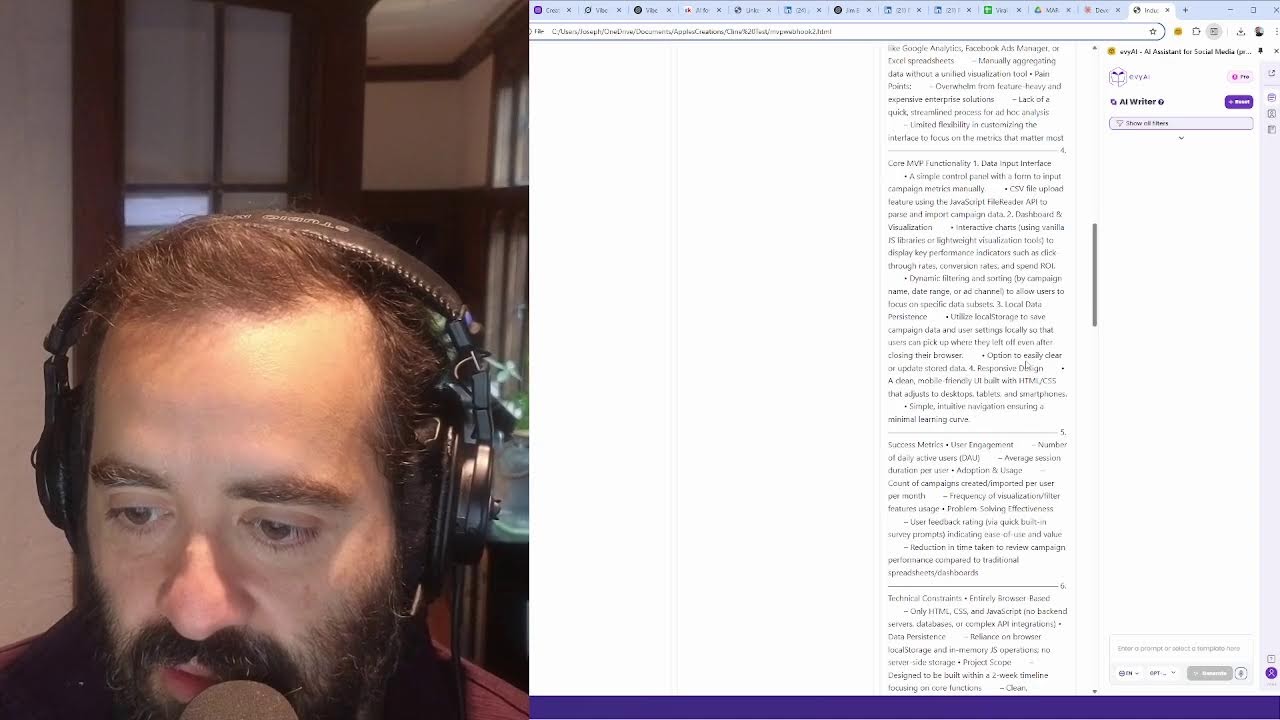
Joe Apfelbaum demonstrates vibe coding, a workflow using AI agents like Grok and Claude to build software without programming knowledge. He builds a LinkedIn Consistency Tracker and an MVP idea generator, showing how to describe a problem in plain language and have AI generate working code you can test and iterate on.
Chapters
Welcome, welcome, welcome. Today we're going to be talking about vibe coding, and you might not be familiar with the concept of vibe coding, but vibe coding is when you use artificial intelligence to help you be able to code. And one of the companies that, um, there's a lot of different AI agents that you can create, and you know, this is, uh, This is my company, Ajax Union, uh, Evie AI. Um, I also have a company called Ajax Union, and one of the things that I love doing is using artificial intelligence to help me be able to be smarter and to be able to help me do things faster. And so today we're gonna explore the concept of vibe coding and what it means and how you can use it and how you could use your, you do your vibe coding. Um, so there's, there's an app called Grok. Have you heard of Grok, Jim?
No, I have not.
So Grok is, um, is by, you know, you could do a lot of things with Grok. You can create images, you can now edit images, you can code, you can analyze things. You know, there's a lot that you can do with Grok. Um, let me click on my history over here. Let me just search if I can find Vibe. Vibe coding. Okay, it's not talking about vibe coding, so I'm going to ask it, what is vibe coding? And give it— give me all the info, info about it and how to do vibe coding for beginners. Okay, I'm going to click on deep research and I'm going to tell it to do a deep research on how vibe coding works. And this way, um, it can start. So, you know, what deep research is, is the ability to have artificial intelligence be able to send out agents to allow you to explore different concepts and topics and information. And so what I wanna do is I wanna use these techniques to allow me to be able to find opportunities.
Mm-hmm.
Um, to help people. So this video here is doing research on vibe coding and what it means and how it works. Um, this, you know, this, this technology over here. I think I already did something related to vibe coding using ChatGPT's deep research. So let me just go in here and do search. I'm gonna type in vibe coding. I'm gonna hit search just to kind of see if it searches through coding assistance, live vibe coding. Uh, this is from today. Okay. So I said I wanted to start something called like vibe coding live, where I, where I go on LinkedIn Live and I do vibe coding live. That's, that's kind of like what I wanted to do.
Yeah.
Um, tell me, I'm gonna, I'm gonna ask it to tell me, do research. Do research on vibe coding best practices to create a vibe coding course in detail. Okay. I'm gonna tell it to do deep research on this.
Okay.
So when I do deep research with, with, uh, with Groq, it basically gives me back all the deep research pretty quickly. What is vibe coding? Vibe coding is a new way to create software. Where you describe what you want in simple words and AI tools generate the code for you. This method uses advanced artificial intelligence like large language models to turn ideas into working programs without needing deep coding knowledge. It was introduced by a scientist, Andrej Karpathy. It was introduced by a computer scientist, Andrej Karpathy, on February 2025, and it was recognized as a trending term. Even listed in the Merriam-Webster dictionary by March 2025, vibe coding, and in Wikipedia. So instead of writing every line of code yourself, you guide the AI by describing the vibe or purpose of the software, and it handles the technical details. This is especially helpful for beginners or those who want to focus on the big picture than, than on the coding specifics. So how to get started. First, you wanna install a tool like Cursor.ai or, um, or Windows. I don't think you need a special tool to do vibe coding. You can do vibe coding without a special tool. So if you wanna build something, the real key is like, what problem do you wanna solve right now? Like, that's really the question. Like, what problem do you wanna solve that you need to use code to solve the problem? So I'll give you an example of some things that I, that I did vibe coding with. But first, let me answer the question is, should I share more about what you mean by vibe coding? Are you referring to a specific framework or methodology? So what I'm gonna do here is I'm gonna copy the research that this AI already did.
Uh-huh.
And then I'm gonna copy it like this, and then I'm gonna paste it into this AI so we can start the deep research. And this way, this AI can do the deep research off the deep research Um, um, you get what I'm saying? So we did initial deep research with, with this about vibe coding, and then we took this deep research and we went deeper and it's starting to research now. It's gonna spend about 15 minutes researching this topic for me so that I can create a course.
Wow.
For people that want to learn, um, learn these concepts and how it works. So back to what I was sharing before, what is vibe coding? Vibe coding is the ability to create code. So it says install this tool, but I don't think you need to install a tool to solve a problem. You can actually vibe code without installing a tool, and I'll show you how to do that today in this video, the, the very basics of it. But I'm gonna be going, I'm gonna be doing vibe coding live. I'm gonna be doing live sessions with people through our AI Automation Community.
Wow.
So we have a, we have a community in school that that this is what this is part of. So if you go to skool.com/AIautomation, all the replays are going to be in the automation. So if you go to skool.com/AIautomation, this is our Skool community for AI automation. And as you can see, we have videos on, on what we do here in the backend over here.
All right.
And then you can sign up and we can do these coworking sessions together and so on. So it's skool.com/AIautomation to be part of this. Um, and we're gonna create a whole vibe coding live section in our classroom where we do vibe coding together, cuz that's what a lot of, uh, our students and, and people are really interested in. Um, people want— I love it. People wanna learn how vibe coding works. And, um, we have 893 people and a lot of them wanna learn how vibe coding works. So I'm gonna definitely go more into detail on how this works. Um, because people wanna use vibe coding specifically for solving problems. that, you know, that they can solve for their business. So using natural language to tell the AI, I wanna create a simple to-do list app. Let's say you wanna create an app, a to-do list app, or you wanna check generated code to make sure that you can learn from it or if it works. Vibe coding suggests it's not, you don't need to fully understand the code, you just need to vibe with the code. You know, you just need to kind of like be with it.
Okay.
So I personally like using Claude. So Claude, Anthropic Claude is, is a great tool for vibe coding. And I can show you, I can show you a specific tool that I, I built many, many tools and I'm gonna show you a bunch of different tools that I use for vibe that I, that I, that I vibe code with the tool. So this is a consistency tracker. This is an example of a vibe code that I did. I said, check the code to make sure it works. And then he says, I'll review the code. And it shows that it doesn't work. that this, that this app doesn't work and it show, and it showed that I, um, that I, that it created the code. So I'm gonna say, um, explain this, explain this code in MVP format. Okay.
What's MVP, Joe?
MVP stands for minimal, minimum viable product.
Yeah. And what, uh, Yeah. In a, in a format.
So what is it?
Is it readable or is it readable by a particular piece of software?
Uh, just by a human being. By a human being.
Okay.
So, so let's say you wanna understand what this code does in a way that I understand how to make it into a minimum viable product. This is called the LinkedIn Consistency Tracker. And the MVP explanation is that the LinkedIn Consistency Tracker is a simple web application designed to help users maintain consistency with their LinkedIn posting habits. Here's a breakdown of the core functionality of the MVP. So if I want to create a new piece of software, I need to create an MVP so that people can test out and see if they want to use it. So the core problem is that many professionals know that they should post more on LinkedIn, but they struggle with accountability and developing a posting habit. Right?
Exactly.
You might be one of them. You might be a person that's like, oh, I, I, you know, I want to post more on LinkedIn, but I'm not posting regularly. What should I do? So the answer is use the LinkedIn Consistency Tracker to help you track your consistency on LinkedIn. It's a standalone web app that times how long it takes you to write a post on LinkedIn. So I'll, I'll, I'll use it right now. So I'm gonna download the LinkedIn Consistency Tracker now from Claude. I'm gonna open it up.
Okay.
So I have it open now. So the, the, the, the technology's already done. The technology's finished. I completed it. So now what I need to do is I need to use this technology to help me be able to see if this is something that would work. So step number 1 is, uh, pick accountability buddy. So I'm gonna pick, I could pick you as an accountability buddy for me if I want. So let me quickly look you up.
Cool.
Jim Baker Austin. I'm just gonna quickly look you up. So here you are. So I have—
that was me.
That is not you.
Not me.
Okay, so we're gonna close, we're gonna close this out.
James Arthur Baker. I'm James Arthur Baker at, uh, let's see, James A. Baker Coaching.
Okay, there you go. So this is, this is you. Okay, so I pick you up, I pick you up over here. So now you're here. Um, and now, now what I'm gonna do is I'm gonna make sure that you're saved inside Evie AI. So I have, uh, an artificial intelligence technology that sits on the side called Evie AI. This is the, this is the tool. This is the tool, Evvy AI. So I can kind of log in.
I just installed— I uninstalled the old one and installed the new one, uh, day before yesterday.
Okay, cool. So if I want to do research on you now, we have an AI agent that sits right on the side, and the AI agent can go off on the internet looking you up, can do research on you. You see?
Right.
You're a stress management, emotional intelligence coach and mentor. It starts looking through your website. Do you see the way this agent is looking through your whole website and pulling all the information right from here?
Yep.
So this is one of the benefits. And look, has your phone number here, your email address, your website. It has conversation starters, potential business opportunities. And I can keep chatting with this agent to keep doing research on my behalf about you.
Right.
So I built this technology using vibe coding. The exact thing that I'm telling you right now, I figured out how to do this. I figured out how to create the agent using vibe coding. coding. And so I, I just built this initial thing, this LinkedIn Consistency Tracker, just to kind of see if it works. So if I want to add you as my accountability partner, I just click on plus. Then I can grab your name from here, James Baker, right here. You see your name is right here. So I'm going to go into the LinkedIn Consistency Tracker and add you as my accountability partner right here. And then I'm going to add your LinkedIn URL from right here, just like that. I'm going to go in here and paste your LinkedIn URL. And then if I want to find your email, Your email is actually located right here because AI found your email. You see, you don't have to pay for software to find your email because you get unlimited access to an agent that will find most people's emails. So I'm going to go in here, grab your email and put it right over here and hit save partner. Now you're my partner. Now you're my accountability partner for this posting party, for this posting consistency tracker. And I could always pick you from the dropdown. I could pick myself or I could pick you. So I picked you for this particular post. And now that I have you, now I'm gonna start the timer to begin the timer for what I want to do. So I'm gonna click on here. So now it's gonna start counting down. So now it says the first thing is come up with a post idea. So consider what problem your audience is facing. So I'm gonna go into Evvy AI and I'm gonna click on idea generator to come up with an idea.
Okay.
And I'm gonna say myths related to AI agents. Okay, so I'm going to press generate ideas and it's going to come up with 4 ideas for what I can be posting about. Many people believe AI agents will replace human jobs, but data suggests that they're more likely to enhance. Okay, so I like this. I also like this. It's a misconception AI agents are only for tech companies. In reality, industries like healthcare and finance can really leverage them. Or some people think AI agents are infallible, yet studies reveal that they can penetrate biases. Or many fear AI agents will lead to a loss of privacy. Emerging trends that can actually improve data security and use it responsibly. So I kind of like the first one about replacing people. So I'm going to press copy.
Yeah.
I'm going to go to the consistency thing and I'm going to paste it in here. Okay. So that's my idea. When I'm done writing my idea for what I want to post about, I press done writing idea. It says idea saved. Now write your post content. So how am I going to write my post content? Well, I'm going to go back into Evvy AI. And I'm gonna hit generate post and Evvy AI will go ahead, ahead and generate a post with a hook, main points, um, call to action and hashtags. So I'm gonna press copy post.
Okay.
Now I have this post. It's a great post. I like it. Um, and then I'm gonna take the post and I'm going to put it into the consistency tracker to track my consistency. And now I press done writing post. And it says post complete. Now get ready to post it on LinkedIn. So all that took me about a minute and 30, a minute and 40 seconds so far, right? So then when I'm done, I hit done writing here, but I'm not done writing yet. So now we're going to go to LinkedIn. We're going to go to LinkedIn and we're going to post the post on LinkedIn. How are we going to do that? We're going to click on start a new post and then we're going to post it right here onto LinkedIn. And let's see what it says. It says, have you always been ready for AI replacing human jobs? It's a common fear, but let's take a moment to unpack the misconception. My experience as CEO and entrepreneur, I've seen firsthand how AI can be a powerful ally rather than a foe. The truth is AI is designed to boost productivity and take— not to take jobs away. We have agents that— we have agents, AI agents that can research your connections in seconds. With @EvieAIPro. Evie AI. Think about it. AI tools can do repetitive tasks, allowing us to focus on what truly matters: creativity, strategy, and building relationships. This shift can lead more of a meaningful work than job does. My company, Ajax Union, leverages AI with tools like Evie AI. We draft comments, write posts. Efficiency not only saves time, but at a deeper level, But now we have agents. Moreover, AI can provide insights that might overlook. So next time you say AI will replace job, let's embrace this technology and go work together. So I'm gonna click on add media and let me go find, I'm gonna add a video. I have a video about this, so I'm gonna click on viral short ideas. I'm gonna go here. I'm gonna grab one of these videos that my, uh, that my AI helped me create a video. So I'm gonna go in here.
Really?
Grab the, yep. I grab this video. I use a tool called Opus that automatically creates videos for me. So I'm going to press download and now I'm going to upload this video to LinkedIn. I'm going to hit upload. Let's see, downloads. Let's see where it is. Did it download yet? Cancel. I click on this again. Oh, download anyway. Okay. And I'm going to go back to LinkedIn. I'm going to press upload to my computer. I can—
Okay.
I'm gonna double-click on this video. I'm gonna press next. I'm gonna press post. Okay, so I just uploading it. It's a minute left to upload. Okay, finished uploading it. So now this is done. So I'm gonna go in here and I'm gonna say done writing post, post on LinkedIn, done writing and post on LinkedIn. So I was done.
Wow.
Now I just need to take the LinkedIn URL and paste it in here and hit complete tasks. So that took me just about under 3 minutes. You see that? 'Cause I have 2 minutes left on the clock.
Yeah.
That whole process for me to write the— come up with the idea, write the post, edit the entire post and read through the whole thing, and then download a video to use took me under 3 minutes to do. And now I already posted it on LinkedIn. Now I'm gonna grab the link by clicking on the 3 dots here, clicking on copy link to post, go to my consistency tracker, paste my post link URL here so that my accountability buddy gets notified. And now I hit complete task and now the task is completed. You see that?
Yeah.
And, and you are my accountability partner here. So now this software, this software was completely created. So I'm going to click on your stats and now it shows me every time that I did it. And it shows me that I have 3 posts and I have 100% on-time rate that I'm doing it every day. So if I make a commitment that I want to post every day and then I don't, this consistency tracker can help me track it. And then I can add templates here. I could, um, create a post. I can create new posts and so on. And so I can come back to this, um, accountability tracker, this, uh, consistency tracker, which will help me be able to keep track of, am I doing this every day or am I not doing this every day?
Got it. Okay.
I need that. But I, I build, I build this technology using artificial intelligence, using this vibe coding method. I use this technology using the vibe coding method.
That's freaking amazing.
So anytime you have a problem that you wanna solve, you can use vibe coding to solve that problem. Now let's take a look at, um, AI is still doing the research. You see it's looking at 35 sources, so it's still doing research on vibe coding.
Right.
Um, and so I can use, I can use, um, you know, AI to build anything I wanna build. So if there's a problem that you wanna solve, I can use artificial intelligence to solve that problem. For, I'll give you an example of a problem I wanted to solve. I have a, okay. I have a post. Sometimes I see my, some of my competitors, they, um, they like and comment on stuff. Like for example, this guy over here. Um, let me take a look at this right here. This guy over here, Alex Hormozi, he, um, he commented, he posted something, 4,000 people liked it. A bunch of people commented on it and see 14 people liked my comment here, right?
Okay.
So now what I want to do is I want to take, um, I want to take and identify who these people are that, that liked my comment. Do you see that? That liked my post?
Yeah.
And I want, and I want to copy it into a spreadsheet. How do I copy this into a spreadsheet? How do I copy this engagement into a spreadsheet? Or for example, I want to go to this guy's profile and I want to take his most recent post, find out everyone that liked his most recent post. Like over here.
Yeah.
And then what I want to do is I want to copy all these people into a spreadsheet. What's the fastest way to be able to do something like that? Most—
tool.
Yeah. Use a technology. Well, create a tool because there's no tool that allows you to take someone's engagement and put it into a spreadsheet. So I have to create that tool. So how do I create that tool using vibe coding? What would be the steps to create that tool?
Go to— I'm stumped. Let's run me through it.
Well, first you have to— the first step is you have to know what the idea is. What problem do you want to solve? And you have to know how to describe the problem to the artificial intelligence. Hang on just one second. Let me pick up the call. I'm doing a presentation. Is everything okay? Okay. Bye. Okay. Hang on one second.
You bet.
Hang on a second.
Okay.
Okay.
All right.
So, okay, so the first thing is you have to really understand the problem that you're trying to solve. So we have something called SRS. Let me just see. So there's a concept called SRS Creator. Let me just see where I put the SRS Creator.
That's my problem, Joe, where to keep all these great tools that I can keep organized in my mind to go find them. Maybe I need to generate a code to do that.
To keep all the tools that you find or to— well, there's something called bookmarks that you could use. You could use bookmarks on your browser to save everything.
Right. I do that.
That's one way to do it. But yeah, but you have to be able to describe the problem that you have in detail.
Right.
And sometimes chatting with an AI, you can describe the problem that you have in detail. about whatever software you want to create or whatever solution you want. So let's say, for example, I want to go in here, and this is how you would do it. You know what? I have an idea. Let's do that. Let's go ahead and build something out. Let's say I would like to create an MVP.
MVP of a product.
MVP of a product, but I need you to interview me. To ask me about the product so you can create an MVP overview for me. What questions do you have for me?
Okay. So, and, and you can do that in Claude.
You could do that anywhere. You could do that anywhere.
Okay. All right. That's fair.
So here are 10 questions that you can answer. What problem does your problem— does your product solve? Can you describe the pain point that you're addressing? Who is your target audience? Be specific as possible about your ideal customer. What are the core features and functionalities that you're, that you would put into your product? How is your solution different from alternatives in the market? Uh, what metrics would indicate success of your MVP? What resources, time, money do you currently have available for development? Do you have any technical constraints or preferences for your technology stack? What is your timeline for getting your MVP to market, and have you validated your idea with potential users? If so, what feedback have you received?
Okay. Still there?
Yep. So, so do you have Do you have a product that solves a specific problem? Do you have an idea for a product that solves a specific problem?
The product that— well, and this would be a product that I would put out into the general space that people could use at no cost, or is this one that I would contain proprietary control over and want to basically earn income from? Or both?
Yeah, well, I like to solve individual problems. That's what I like to do. I like to literally solve individual problems for people. Um, and so, and for myself, I also wanna solve problems. So sometimes I wanna solve a problem for myself. Um, I want to be able to solve, uh, a problem with the product, and I need help with my idea. What are 5 questions I need to answer at a minimum to have AI build me an MVP. Let's see what it does now, because 10 questions is a lot of questions.
It is.
What specific problem are you trying to solve? Who's your target market? What is the core functionality? How do you measure success? Or what are some, uh, restraint constraints?
Okay.
These questions are absolute essentials. Minimum viable product. Can you give me example answers for a product that you make, that you make up, that you would be able to create in one go with a simple HTML JS and CSS. Okay, let's just see.
Go ahead.
So I'm asking it to give me example answers so I know what to do. The mood board, the daily mood board tracker. Oh, look at this. Many people struggle to track their emotional well-being over time, and they don't have a simple way to visualize patterns in their mood. Traditional journaling is time-consuming, while most mood tracking apps are often complex Have too many features. Young professionals ages 25 to 35 who are interested in personal growth. And oh my God, I just thought of an idea. Why don't we create an idea generator? Why don't we create a product idea generator that will create the pro— an MVP for a product and answers all these questions?
Actually, like this MVP, because it really is parallel to what I do.
Oh, tell me more. How's it parallel to what you do?
Yeah, what I do is a couple of things. But the main thing is helping people transform their, their mindset by getting beyond the emotional limitations that they have, and recognizing limiting language beliefs that's, that are stopping them. And this particular thing that's got generated here seems extremely applicable to that. Mood is everything. In the world of creating a new set of habits, you have to have a balance between the emotional side of the idea and recognize the idea has a positive spin to it. And one of the first things is tracking mood. One of the things that I'm looking to create out of this is taking a transcript of somebody's language that we've had in a coaching conversation, run it through this and feed back to them a clear definition of those terms that they were using that point to a negative or limiting mindset and actually offer them terms to replace in that so that they can move forward in life. Does that make sense?
Yeah, it makes total sense. And so you can create You can create this type of technology that will help you be able to help people do whatever they need to do.
Exactly.
Wow. That's pretty phenomenal. That's pretty phenomenal.
It is. It's— this conversation is no accident. And the fact that we're doing, in essence, a one-on-one today is no accident either.
Wow. Wow.
Part of what I'm celebrating.
That's incredible. That's incredible.
Yeah.
And so the idea is, you know, you could, you can give it, you can tell it, you have to fill out the answers to your question like this. I'm gonna say, give me another idea. I'm gonna say, give me another idea related to prospecting for a product that uses HTML, JS, and CSS. Let's see. Let's see what it does now. Here's another prospect product idea focused on prospecting to be built with HTML, CSS, and JavaScript. Product: lead tracker. Problem I'm solving: sales professionals and small businesses struggle to track potential leads and follow up on schedule. Many use spreadsheets which lack visual organization and reminders, or expensive CRM systems that are overly complex. B2B representatives and sales professionals need to manage 20 to 100 prospects at a time are seeking for a straightforward way to organize contacts, schedule follow-ups, and track conversation history without complex enterprise CRM systems. A simple web app, users can add prospect information, categorize lead by stage, drag and drop a Kanban board to move prospects through stages, and set follow-up reminders within browser notifications. Track Basic metrics like conversion rates between stages, the number of leads to manage per user, completion rate of scheduled follow-ups, conversion rates through sales pipeline, and save time compared to previous tracking methods. Must be built with HTML, CSS, and JavaScript. Could use browser local storage to persist data. Should work only with internet connection once loaded. The concept works really well with client-side application.
Wow.
That's a great idea. Isn't that a great idea?
It is a great idea. Now, what I would need to do in my conversation with Claude or ChatGPT or whatever is I would have to describe the fact that I have limited understanding of how to use HTML, CSS, and LAMP scripts, whatever that is. I'd like to be able to go ahead and implement a tool. But I don't have the— I don't have the way to— I don't have the understanding as to how to—
Yeah, but HTML, JavaScript, and CSS, you just open it up like you open up a regular browser. I just opened this up. This is HTML, JavaScript, and CSS. It works right on my computer. Okay, so you just— it's like opening up a file. You don't have to understand it. That's what vibe coding is about. Vibe coding is not even understanding it. You just open up the file and it either works or doesn't work. I click on a button. Did it work? Did it not work?
So, so, so if I come up with that idea, it should come back and ask me what format I want that in?
Yeah. Or you can tell it when you're vibe coding, you tell it what format you want it in. I'm gonna say, make me a detailed— I'm gonna say, make me a detailed prompt that I can use to generate, to generate MVP ideas like the one you generated. I want to create an MVP idea generator. Let's see. Let's see what it does.
Okay.
Let's see what it does. Let's see what it does. Let's see what it does. Let's see what it does. Let's see what it does. I'm so excited. Okay. I need a well-structured minimum viable product idea that can be built using only HTML, CSS without requiring backend services. Please generate a complete concept and following components. Create a catchy name, solve a specific problem. Oh my goodness. Oh my goodness. Success metrics.
Okay.
Wow. This is amazing. This is incredible. So should we build an MVP idea generator? I'm going to say, what variables—
What can we do?
What simple variables can we give the AI in the prompt to create a more customized MVP? Via this generator. So we can ask maybe one question which will help inform the direction of the MVP.
One variable. All right.
Let's just see.
Yeah.
To customize the MVP generator. MVP daily. Oh, focus. Oh, wow. This simple, this simple generator. Okay. You could use, uh, at the beginning, the MVP idea for the industry. So it says the variable would allow AI to tailor MVP for the domain.
Okay.
Okay. Now, can you create a prompt that would help me create a standalone HTML, JS, and CSS landing page that would allow me to send To send, to answer, to pick my industry, to enter my industry in a text area box along with my LinkedIn URL, and then It sends it to a webhook on make.com. And then there is a count-up timer that is counting up, wait— counting up, waiting for the response from make.com. And then it displays The response in a text area box that I can copy, save as HTML. Copy, save as HTML. I'm going to say you can enter a prompt. Allows me in my industry, a text area box along with my LinkedIn URL and email. That gets saved to local storage. And then it sends it to a webhook on make.com. And then there's a count-up timer that is counting up, waiting for the response to make.com. And then it displays the response in a text area box that I can copy, save HTML. And each time I say generate— New idea, it generates a new idea, but keeps the old one to local memory. Keeps the local— old one to local memory. And you include— Debugging info, so if it doesn't work, we know why without alerts, but inline. And we have clean CSS inline without external files. What else? What else? What else? What else? What else? What else? That's it. Okay, so now I'm gonna ask it to create a prompt. So this would be vibe coding. You get what I'm saying?
Okay.
What I'm doing right here is I'm telling it to create a prompt to create a page for me that does this. So let's just see what it does.
Okay.
I told it to create a prompt and let's—
And that can be done from Claude or any other AI.
Yeah, Claude happens to be the best, the best AI for this. But let me just—
Okay, for code— for coding, better than ChatGPT for coding, correct?
Yeah, but it says over here, internal error. It's giving me an internal error. So let me just go to a new— oh, it's— wait, I'm gonna go here. I'm gonna go to Claude here. And let's just see if I can Continue this conversation in another AI, in another box, because sometimes it just starts having a heart attack. So I'm going to go ahead. Yeah, it just starts having a heart attack here.
So let's just— Joe, I absolutely— the thing that you've done for me today, and I've got a meeting I have to drive off to in about 2 minutes, I'm due at a place at noon. But what you've done for me today is opened up my mind that I can just start talking And actually do exactly what you described. Now that I've got the concept of, uh, HTML, uh, JS and J— J— CSS, I get the idea of, uh, being able to create a tool.
Yeah. And I was gonna create, I was gonna create the entire tool just now for you, but if you gotta go, you gotta go. Maybe you catch a replay inside our community.
Uh, excellent. Excellent. I'll look forward to it.
Yeah. And if you guys wanna catch a replay, you can go to skool.com/AIautomation and sign up and you can catch the whole entire replay for it.
I'm already in, you know that. So blessings to you. Have a wonderful day. Enjoy your trip.
Thank you. We'll talk soon.
Bye. Take care. Bye bye.
Hello, Robert.
Hello, Joe.
Hi, Ella. Is Robert here? I'm not sure if he's here. I see him here, but I'm not sure if he's actually here. He's on mute. Okay. That's cool. Um, there's a couple of things that I need to look into, but this is— oh, it's still designing this entire page here. It's actually doing it. It's actually executing this. Let's just see what it's doing. Overview. Create a standalone JavaScript CSS landing page. Allow users to enter their industry and LinkedIn URL. This saves it to local storage. storage, sends the data to a Make.com webhook, shows a count-up timer while waiting for Make.com response, displays the response in a text area box that can be copied, have a Generate New Idea button that generates a new idea while preserving the previous one in local storage, include inline debugging information without using alerts, use clean inline CSS without external files. Create a responsive, modern landing page with appropriate semantic HTML5 elements, include a form that inputs Look at that. Technical requirements, JavaScript functionality, CSS styling, and then implement— implementation details. Wow. So this actually has a count-up timer. It has a debug console, the local storage for past ideas, the complete implementation example. So we have a complete implementation example right here, as you can see. So we can kind of download this. And by the way, we can add our webhook right over here. You see that? Get out our webhook right over here and this should work. So should we try this? Should we try to build this right now? Should we try to activate this, Robert?
Yeah.
Yeah, he's saying yes. He's saying we should do it. All right. So how are we gonna do this? We're gonna open up a tool called— we have one called Cursor that we can do this in, or we could use Visual Studio. So we're gonna just open up a tool called Visual Studio Code. And we're going to just open, open it up. And Visual Studio Code essentially allows you to edit HTML. Okay. So that's what it is. And we have Klein that can also, that can also do so. So I'm going to go here. I'm just going to put a new file here. I'm going to call this MVP webhook, webhook.html. Okay. And then I'm going to paste in what I got from Claude. Okay, so now I just saved this as an HTML file. It's a regular HTML file, which means you could open up with any browser, but we need to create the webhook in make.com so it sends the information to make.com and then it could send it to ChatGPT and bring it back to the, to the page, right? Does that make any sense? Otherwise, how is it gonna know to, to chat with ChatGPT? So let's, let's find where the webhook is over here, where the, where we put in the webhook. So let's go to the top of the page here. So it says over here is your endpoint, your webhook URL endpoint. So let's go create that webhook in make.com. right now. So we're going to go to make.com. This is make.com. This is what make.com looks like. We're going to click on login, and then once we log in, I'll show you what to do. I'm logging from a different screen. Okay, so now I'm logged in. I'm going to, I'm going to go to my organization, then I'm going to click on new scenario on the top right corner. You see it says new scenario. Now I'm going to click on webhook right here. You see it says webhooks. I'm going to click on webhook and then I'm going to do, I have a mail hook or a webhook. I'm going to do a webhook. Okay. So I'm going to do the webhook right now. I'm going to put it in custom webhook. And now it's going to say create a new hook. So I can click on either choose an existing hook or add a new hook. So I'm going to click on add a new hook right here. I'm going to press add a new hook. And I'm going to call the hook. It asks me what is the name of the hook? You see? What's the webhook name? So I'm going to name the webhook. What should we name the webhook? MVP creator, MVP generator, MVP generator. Okay, so we did that. Now when I press save, I get the actual webhook. Okay, I press save. I got the webhook. Now I'm going to copy the webhook, and then I'm going to paste the webhook in here. Okay. I'm just gonna paste it right in here.
Oh, Joe? Yes?
Um, Robert is— Okay, that's fine.
He left.
That's fine. I'm gonna, I'm gonna paste the webhook in here. Now I have the webhook in here. Now I'm gonna hit save, Ctrl+S, um, and I'm gonna save this. So now I have the webhook here, and then I'm gonna click on this thing here, and then I'm gonna click on webhooks and then webhook response, and the response will be Here is your MVP. Okay, so now that's the response. So I'm going to right-click on this, I'm going to hit rename, and I'm going to say response. And then over here I'm going to say request from landing page. Request, uh, from landing page. Okay, so we got the request from landing page, the response. We can have ChatGPT be right in between here. So we'll right-click and add a module. We'll add ChatGPT. ChatGPT. But first we wanna see if this works. MVP idea generator. Okay, so how do we see if this works? We save this and we hit run once. There's a button here that says run once. Okay, so now it's running and we're gonna launch this right now. We're gonna right-click here. We're gonna say reveal in File Explorer, double-click on it. And here it is. Okay. So here's the debug console. It says debug initiated, form loaded. Okay, it has the email address. Debug console. I don't know what is going on over here, but it has all this information. Oh, it pulled some data from local storage about my name and all that stuff. I don't even know what that's all about. But I'm going to click industry. I'm going to say marketing. LinkedIn URL, put my LinkedIn URL. I'm going to hit generate idea. Please enter a valid LinkedIn URL. HTTPS. Unexpected H. Your MVP is not a valid JSON. Please try again later. Okay. So because it's not a valid JSON, I'm going to tell it to fix it. Debug console. So now we have to— this is part of the vibe. This is part of the vibe of the vibe coding. So what we need to do is we need to tell it, hey, unexpected error. Also, it doesn't accept my LinkedIn URL unless it's HTTPS. Can you make it take any LinkedIn URL with HTTP? No HTTP, www? No HTTP as long as it's linkedin.com/in/whatever? Also doesn't need to be JSON when receiving show row data. Okay, let's just see if it fixes this HTML. Let's see if it fixes— oh, we could also have client try to do this. Let's see if we can have Klein try to do this. All right, let's just see. Let's see if Klein will fix this. I've never used Klein on an active thing like this. So let's just see. It's redoing the whole thing here, but Let's see. First, the JSON parsing error is because the server starts with, here's your MVP, which is plain text, not JSON. The server likely is using code response that throws an error. Second, the LinkedIn URL validation is too strict. Third, the user wants to display the response. Read the MVP, see the current implementation, modify the LinkedIn URL validation, change the response handling from .json JSON to .text. And then update the display logic to show the raw response text. Ensure the error handling for both JSON and text responses. The model used in the search panel doesn't match anything in the file. Retrying. Oh my God. This is so good. And I'm not using— I'm not using an expensive model. I could be using an expensive model. Oh, look at this. It's going through all the code and Fixing it up. Oh, it's finding it. Klein wants to edit this file. I'm going to say save. Let's just see if it did it. Oh my God, that'd be crazy if it did it from with Klein instead of me. Let's just see. It says error. I'm using a free DeepSeek editor here. Instead of using like the expensive 3.7. So let's just see. Again, this is my first time. It says error unexpected API or the language model did not support the assistant messages. This may indicate an issue with the API or the model's output. Let's see what it does now.
Okay.
It's searching through the code. found the webhook log received. It wants to change— make a change. Save. So I could have it auto-approve if I want. I'm doing it manual so I can see what change it wants to make, so I could learn how this thing codes. So each change that it was making before would cost me like, you know, 5 to 10 cents. Okay. So see new changes, modify the URL validation regex, change the response handling from text to JSON, from to use text instead of JSON and fixed variable references, text consistently flow through.
Okay.
So I am going to right-click on this. I'm going to hit Reveal in File Explorer, double-click on it. Let's just see if this actually works now. I'm going to go to make.com, turn this on again, and hit Generate Idea.
Okay.
So it worked over here, but it says text is not defined. Please try again later. Text is not defined. How's text not defined? I defined it right here. Here's your MVP I wrote. Let's see what I got. So it's successfully sending the information to make.com and make.com is successfully sending back information. Here's your MVP. However, the landing page is not picking it up. Okay, now let's see what Claude gave me, a new one. So let's use Claude's new one. I'm gonna go here. I'm going to grab this new HTML that Claude gave me just now. Then I'm going to go to Visual Studio, and I'm going to create a new file here. I'm going to say Web MVP Webhook 2.html. I'm gonna paste in the new code I got from Claude. Then I'm gonna right-click. I'm gonna say reveal in File Explorer. Then I have this F5 I'm gonna do. I have this webhook 2 one, and then I'm gonna go back in here, turn this on again just so I can see what it's running. And I'm gonna hit generate idea and it says error, failed to fetch. Oh, cuz I don't have the. I didn't, I didn't give it the, uh, the actual webhook URL. So I'm going to go get the webhook URL. Let's just find it real quick. See, I have the webhook URL right here. I have to add this webhook URL to the new, to the new file I just pasted in because it doesn't make— Claude never even got my, my webhook URL. So it doesn't have any webhook URL in there, has no endpoint. So I gotta add the actual webhook URL. Save. Okay, so I saved it now. Now I need to refresh this page here. Generate idea. Yay, it worked! Hooray! So Claude's version worked, DeepSeek's version didn't work. So now we have the ability to do this. And now what we're gonna do is, do we have time for this? Let me see how much more time we have. Oh yeah, we have about 4 minutes left. All right, so now we're gonna add ChatGPT. To the middle here, the backend, and we're going to do add a module. We're going to add ChatGPT, and we're going to say message a create a completion. We're going to use we could use a four O model. That's fine. GPT and O one models. I guess we'll use O three mini. We could use O three mini for this. O three mini system. We'll just use this. We will give 10,000 tokens, a lot of tokens. And then what we're going to do is we're going to go in here and add a message, add a role. We're going to say user, and the user is going to give a text. So what text should the user give it? The text that the user gives is going to be this prompt that we got. Before we got a prompt here. So let me grab that prompt. And the prompt will be something like, create an MVP for the marketing industry for this user. LinkedIn with this email. Here are your instructions. Okay, here are your instructions. I'm going to hit— I'm going to go get the instructions from here. I'm going to go back to Claude. It says it's being unresponsive. I'm going to go back to Claude. I'm going to close— should we close this? No, we leave the webhook 2 open because that's a good one. I'm going to go back here, develop an MVP for your product. We're going to go here and we're going to pull this. I need a well-structured MVP. Boom, boom, boom. Boom, boom. And then I'm gonna go back into make.com, paste this here, hit save. And then I'm gonna go into the response and instead of saying, here's your MVP, I'm gonna delete this and I'm gonna put in the response from ChatGPT here. You see that text? Actually, is that, is it message role content? Is it message content or, or choices text? I think it's choices text. Okay, save, run, pull up the, um, this and hit generate idea. Waiting for a response. So while it waits for the response, it's doing the ChatGPT thing here. And let's just see what happens and see what happens and see and see and see what happened. We just created this specific idea. Generator a specific idea, an MVP for an idea, an idea. This is crazy. Accepted. Is that all you get? Just accepted. Maybe we need more tokens. Body, custom headers. We got nothing. What? Why did we get nothing back? Let's see what happened here. Choices, message, choices, message. Content. Oh, here's a detailed MVP. So the text, we put in the wrong thing. We put in the text. We should have put in this. Wow, this is beautiful. Annotations. Oh, reason, finish, stop. Let's see. We did choices, message. Oh, we did the message, but we didn't do the message content.
Okay.
Good. So let's, let's just fix the variable here. So instead of doing the choices text, we have to do choices message. We did choices text. We have to do choices message and then content. That's what it is. Okay. That'll fix it. Now we can just turn this on so that it'll always be on. I'm going to hit save and now it's just always going to go. And now whenever I do this, this should work. I'm going to hit generate idea now. Dun dun dun dun dun dun. Dun dun dun dun dun dun. We did it, ladies and gentlemen. We officially did it. We are rolling. And now, now we can— now we have this entire tool. Now I can remove the debug console from here because we don't need the debug console. We don't need to constantly have this console here. Uh, and all the ideas get generated below here. That's crazy. Look at this, this MVP generator, the idea generator. Amazing. So now I can tell it to give me a version that doesn't have the debug console here. But I'm going to leave the debug console on just for fun. And then I'm going to also host this online so my clients can get access to this, this generator. Below is an MVP concept for a marketing professional like Joe Apfelbaum. Here you go. Here's a tagline. I'm going to hit generate new idea here. So let me read the problem statement. Marketing managers often struggle to gauge performance on multiple campaigns without juggling between several complex, expensive tools. So over here, instead of marketing, I'm going to say networking, business networking. Generate idea. Let's just see. I wonder if you can delete an idea. No, you can't. You just keep generating idea number, idea after idea. Campaign Compass, steering gear marketing, problem solve. Managers often struggle to gauge the performance of multiple ad campaigns without juggling between target users. Core MVP functionality, success metric, technical constraints, monetization potential, future expansion possibilities, and then success. Ooh, look at, here's another one. MVP designed for the business networking industry that meets your front-end only constraints.
Wow.
A digital Rolodex that users can add to. Wow. My brain is exploding. All right, ladies and gentlemen, thank you very much for watching this. I really appreciate it. If you want to join vibe coding sessions with me, let me know. I'm going to be doing these live more often inside our community.
More from Joe


How to Beat the Algorithm: Remove Hidden Watermarks & Scale Content with evyAI









AEO & GEO: SEO's Future Explained! Master Answer & Generative Engines! #shorts