LinkedIn Training with Joe Apfelbaum 2025
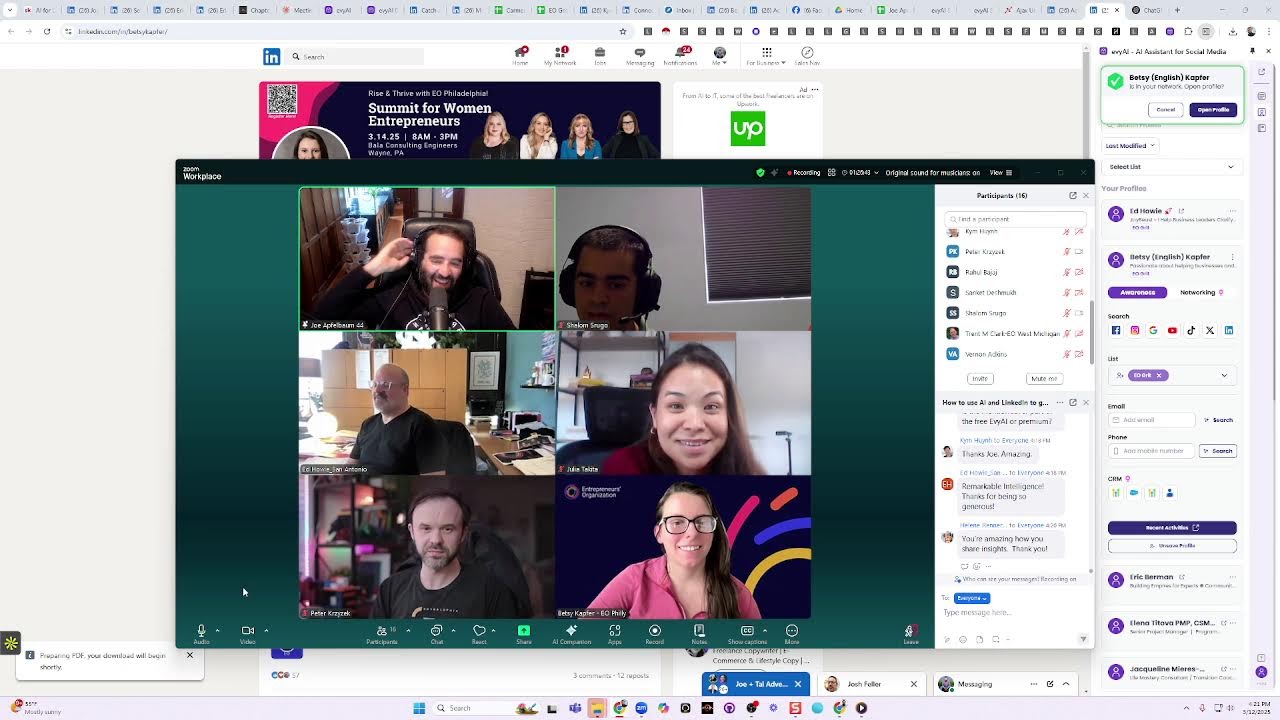
Joe Apfelbaum demos Evvy AI, his platform for LinkedIn growth, showing how to bulk-tag contacts, generate personalized PDFs, and post daily. He lays out a "greeting-feeding-meeting" framework, targets 20 connections per day with a 30-40% acceptance rate, and stresses that cold outreach works if you accept rejection and use LinkedIn to warm up before calls.
Chapters
LinkedIn with artificial intelligence to get clients and opportunities. My name is Joe Apfelbaum, and I believe that the right strategy will save you a decade. Most people are spraying and praying and hoping for the best. I believe that hope is a great thing, it's just not a great strategy. So I have a question for you guys. Where are you on the ladder of success? And you could let me know in the chat. Are you absent? Are you a lurker? Are you a networker? Are you an influencer? If you're absent, you have an account, but you never log in. If you're a lurker, that means you're mostly watching. Sometimes you like and comment, but mostly you're watching. Once in a while you'll post something or repost something. If you're a networker, that means you're productive. You're taking action, but you are mainly dabbling on LinkedIn. You're not, you don't really have a strong community of people that are in your circle that you can network with. You're a networker. And if you're an influencer, you're doing all the things that you need to do. If you're absent, it's because you're missing the, uh, awareness around the benefits of LinkedIn and networking in general. If you're a lurker, it's because you're missing the right plans, tools, hacks, and strategies to work smarter, not harder. And so you kind of just like frozen. And if you're a networker, you're missing the community of people, all the people that are actually on live on LinkedIn. You're not even sure where they are. And so you're kind of just like, eh, you post something, nobody sees it. So you kind of run away from it because you think you're not getting results. So where are you on the ladder of success? Let me know where you are. Here are some steps that you can take to be more successful on LinkedIn. If you want to use AI with LinkedIn, the first thing you need is a strategy. That means you need to have the right personas. I'm going to show you some personas today that you could use for everything from post writing to commenting, to messaging, to your company page, to yourself as a person. And maybe even if when you're on YouTube or anywhere else, you can use personas as a strategy. The second thing you want is make sure that you have a really tight profile. We'll be talking a little bit about that. Then we'll talk about how to come up with ideas for messages. We'll come up with ideas for posts, ideas for comments. And then once we have our strategy together and we understand our messaging, we understand our persona, we understand our profile, and we have all the ideas that we need, then we're moving forward to assets. And assets include what are the posts, the stories, what are the post types that you need? What are your lists? Who are you targeting and how are you organizing them? And somebody asked a question about how to mass organize your list. We'll talk about that and how to import them. And then what templates are you using? And templates are the heart for me because templates save me so much time. And then of course, once you have your assets, you want to start taking action. There are 3 main components to action. You're not going to take action if you don't have the right tech. You're not going to take action if you don't have the right people around you, the right community. And you're not going to take action if you don't have an activity checklist and know exactly what you need to be doing every day. With like an SOP, with systems and processes. And I'm going to basically give you all this in the next hour. So if you guys are excited, let's rock and roll. And there's a lot more that I can teach you guys. So maybe I'll come back for the other, for the other stuff. In terms of technologies, the main things that you need to be doing on LinkedIn is commenting, posting, and messaging. Posting will give you exposure. Commenting will give you credibility and messaging will get you on the phone with people, will get you meetings. I'm gonna stop sharing my screen for a second because I have a question for you. How many connections do you have on LinkedIn? In the chat, let me know. How many connections do you have on LinkedIn? LinkedIn is the world's largest professional social network. There are 1 billion, with a B, 1 billion people on LinkedIn. However, the average CEO only has 930 connections. I have one connection left. until I get to the limit. And I'll share my profile just to kind of show you. And can anyone guess, guess where the limit is? On Facebook, the limit is 5,000 friends. That's the limit on Facebook. But LinkedIn gives you more bandwidth, shall we say. LinkedIn gives you a little bit more generosity. So let's break it down and figure out, okay. Helen said she's at 36,000. Laura said 954. Olga said 473. Betsy said 788. And Ed said 5,400. So let me share my screen and show you some interesting stats here. If I go into my network tab, you see it says my network, and some of you might not even know how to find your network. And I click on connections, you'll see I have 29,988 connections. And I see that Betsy, the organizer here, she sent me a connection request, so I hit accept. And now that'll change to 29,999. And then when I hit Ed Howie, I hit accept and that'll change to 30,000. So if I refresh now, I'll have 30,000 if it accepted. And then I have Troy here. I don't even know who Troy is. Is Troy here? I don't even know if he's here. Um, but I have, look how many people are waiting to connect with me on LinkedIn. I'm just going to show you. I have over 1,000 people waiting to connect with me on LinkedIn. And most of these people, I have no idea who they are. Now, this guy said Evy AI is awesome. So he said something that's relevant to me, and I love when people say that my business is awesome. So I'm gonna go to his profile just to kind of see who that person is by just clicking on his profile. Now, if I really want to get to know somebody, I would use artificial intelligence to help me be able to understand the person. For example, this guy named Eric Berman from San Diego, San Diego. He recently got on the phone with me and he invited me to his community, a community called Speakeasy for Entrepreneurs or whatever. It's a global community of entrepreneurs. They were doing an event in Austin that I signed up for, and I wanted to get a snapshot of who he is. And so I had my technology do a little bit of an analysis on him, and it gave me his cell phone number, his email address, his location, his current company, his career highlights, his key achievements. All the information about his business, like his core competencies, his industry experience, business intelligence around his company and his target market, his growth areas, and also conversation starters that helped me guide the conversation to turn him into a prospect for myself. But also I became his client as well, as you can see. Do you see that? So this is extremely powerful using this type of technology that even gives me a template of how I can kind of connect with him and all his background information just like that with a click of a button to be able to save any profile in here and to be able to do that makes it really, really easy for me to be able to start leveraging those relationships. Now what I like to do is I like to use a variety of different tools. I like to use, for example, ChatGPT. I'm sure you guys heard of ChatGPT. Yes. Have you guys heard of ChatGPT? I like to use Claude. I'm sure you guys heard of Claude as well. I like to use Grok. So there are many different technologies that I like to use together with LinkedIn. So for example, if I'm on this platform right now, I'm on Zoom right now, and I see that there are what, 25 people here? And I want to be able to take all the 25 people that are here and put them into a spreadsheet. I can ask my assistant, who by the way happens to be on this call, to make a list of all the people that are on here, all the participants that are on here and put them into a spreadsheet for me and organize them and do research one by one with each person, right? I can do that. Or what I can do is, and by the way, if you guys haven't put your LinkedIn URL in the chat, please take a moment and put your LinkedIn URL in the chat. Or what I can do is I can go in here, I can paste the list of the participants 'cause I took an image of it using a screenshot, right? Then I can go into Evvy AI and I can say the following. Create a numbered table with first name, last name, EO chapter, as well as their LinkedIn URL, and include a section with what they said in the chat. Make it so that I can put that into a spreadsheet very easily, like a Google Sheet. Okay, now I'm going to copy this right over here. And I'm gonna paste this into Claude. Now Claude does read images. It also reads the chat. So all the information that you guys put into the chat, I'm going to just drop into Claude right now as well, just like this. Just drag it in and then I press go and let's just see what happens. Now it's going to create for me a list of all the participants in a way that I can easily copy and paste all this information. And put it into a spreadsheet. And this, my friends, is one of the hacks that makes my life a billion trillion times easier because now I can just copy all the contents of this. I can go to sheets.new, which opens me a brand new sheet. And now I don't have to give a sheet. Ha ha ha! Eo grit. And we're gonna do, what's today's date? Today is 3-12-2025. And then I can share this with all you guys here and press share with anyone and let anyone edit it. So you guys can go ahead and remove yourself if you don't wanna be on here or edit it with your information. And then I can say, who do you want to meet? And then I can say, how often do you post? And I can say, what, uh, who is your ideal client? Who is your ideal client? And I can say, what is your sell? You see, I can ask you additional questions over here. I'm going to click on this and I'm going to click on format, wrapping, and wrap. 'Cause yo, yo, yo, my name is Joe. I like to rap 'cause I like EO. Okay. So I'm going to stop sharing my screen for just a second. Um, and I'm going to share the link to the spreadsheet with you guys in the chat so you can all save it for yourself and you can add your information in there and you can see everyone that's in the room and you can connect with everyone's in the room. Now, was that hard to do or was that easy to do? Let me know in the chat if it was hard or if it was easy to do. And by the way, I see more people have added their information in the chat. I can download the chat again, throw it into Claude and say, update the spreadsheet just like that. And then I can take that spreadsheet and I could put it into Evvy AI or another software that will help me create summaries of each person, tell me when they're posting and like all that information. I'm gonna cover it. I'm gonna cover it just like that. And so for me, every time I'm in a room with a bunch of qualified leads and I get into a lot of Zooms with qualified leads, this is the strategy that I take instead of having my assistant do this for me. I have Evvy AI, my little sidekick on the side that helps me do things content related. And then I use other tools like Claude, ChatGPT, Grok, and so on that help me be able to do these things. Now let me show you some things that you can do on LinkedIn to get people on the phone. Now if you go into Evvy AI and you log in, I'm just going to show you guys this particular tool because somebody mentioned it. And on the left side it says saved profiles. You can see all your saved profiles. On the top right you can say add new profile. And then you can upload a spreadsheet with everybody's first name, last name, and LinkedIn URL. So I can also upload a CSV file. Do you guys see that? And so I can take this here and then put first name, last name, LinkedIn URL, and I can upload all that information into here by dragging the file in here. And what that will do is that will allow me to be able to, with a click of a button, be able to see each person's recent activity. And it'll also be able to, once I have my artificial intelligence persona set up correctly, which I'll show you how to do in a second, you can then strategically comment on people's posts by just hitting the generate button. It'll read the post, generate a comment. I press insert, and now I just commented on his post. Do you see how quickly I was able to comment on the guy's post? I don't have to sit there and think about, oh, what should I write on Eric's post? No, I'm literally the only one commenting on his posts. So I update the context by clicking and add a comment. Then I click generate. So this way the AI knows where I'm commenting. Then I press insert and it inserts it. Now I'm gonna press the@ sign and tag him, and then I'm gonna press comment just like that. And I was able to comment. Now check out this magic. I'm gonna open up this spreadsheet right over here. First of all, guys, isn't this amazing how fast you can do things if you start learning how to do it? I'm gonna open up Betsy's profile right over here. And what I'm gonna do is I want to save Evie, uh, Betsy into Evie AI. So I'm gonna click on save profile here and it's automatically gonna save her into Evie AI. So if I go to my profiles on top of Eric, you're going to see Betsy. Do you see that? And if I want to check out Betsy and learn more about her, I can look her up on Facebook. I could look her up on Google. You see, I don't know if this is you. Is this you over here in Pennsylvania? Let me check her out. Look at her. Look at her whole family here. We have one mutual connection. Who's the mutual connection? Katie Beer. So she must be her. I press add a friend. She's the chapter coordinator. You see that? I can learn more about her. I can check out her TikTok. I'm not gonna pull that out 'cause we don't wanna know what's going on in her TikTok right now. But you get what I'm saying. There's a lot of stuff that I can do. And another thing that I like to do is I like to put things into drive, drive things forward. So I do have a LinkedIn connections dashboard that I offer to all my pro members. And let's say I wanted to see all the people that I connected with in 2022, or let's just say all the people that I connected to, say in 2000 and let's say '17, I press okay. It'll load up all my 2017 connections. And with a click of a button, I can click on do some AI research and it'll pull up one of my bots and it'll start finding everything about the person. Target market, key messages, how they help clients, their contact information, conversation starters, potential business opportunities, notable achievements. So think about the power of having this for every single one of your connections on a sheet in seconds. And you can do this with the power of the connections dashboard. You can do it inside Evvy AI, you can do it in Google, you can do it wherever you want. Now, if you want to learn how to find people's birthdays on LinkedIn, which is something I love to do, Because what I do is I have birthdays on Facebook and birthdays on LinkedIn. So if I click on birthdays on LinkedIn, it's going to load up all the birthdays on LinkedIn. And do you see, I already messaged all these people here. The way that I message these people is I use templates. Now, do you guys have templates or do you need templates? Let me stop sharing my screen for a second. Let me know in the chat, do you have templates or do you need templates? Because what I can do is, for example, for Ed, because Ed, Ed is the most engaged guy here. With two kids. Are you single or you married, Ed? He's like, "I'm single now." Married. Okay, okay. Don't single me out. Okay, got it. All right. So I'm gonna pull up Ed right now, and let's see if he's on this list in the EO Grid thing over here, just so I can find him really easily. And because he's a branding expert, I want to use him as an example. He's wonderful. I like his energy. He has six thousand followers. He would do great with our connections dashboard. I'm gonna click on the more button here, and I'm gonna save. save his profile as a PDF.
Okay?
Because I do have a template generator. So if you go to strategy.evi.ai/template-generator, I have all these questions he can answer and I'll generate templates for him in a, with a click of a button. But instead of him having to answer all these questions, I'm going to have AI look at his profile and answer all the questions for him. So I'm going to go to strategy.evi.ai/pdf-to-summary. Then what I'm going to do is I'm going to take his profile and drag it in here because I downloaded it as a PDF. Then I'm going to have AI read the whole thing and convert into text. And then I'm going to hit process PDF, and it's automatically going to process it as a PDF. And while I do that, I'm going to save his profile into my Evy AI so that I have it here in the backend. And then I'm going to go to save profiles. I'm going to click on manage lists, and I'm going to create a new list called EO Grit. You see that? Now I saved a thing called EO Grit. And if I go to the save profile with Ed Howey, I can go in here, edit, edit the list, add him to EO Grit. And have a good day. Do you see that? I just added him to EO Grit. I'm going to do the same thing with Betsy. Manage, add to list. I just added her to EO Grit. And if I ever want to see all the EO Grit people, I can go in here and I can upload it all in one second. But I just wanted to show you how to do it manually. Now I'm going to take all his information right from here at Howie, founder of Branding Expert. His one sentence description: I help business leaders clarify and crystallize their unique brand story and blah, blah, blah. Who you help, calendar link. You don't have it on your profile. Okay. Your email address, your WhatsApp number, your free resource, your one impressive result you got for clients, your goal for for networking. By the way, is this helpful for you, Ed Howie? Is this helpful for you? Give me a thumbs up if this is helpful. Give me a thumbs up. Beautiful. Okay. And then here are some powerful templates like a networking introduction, an optimized bio for a Zoom call. Hello everyone. I'm Ed Howie, founder of blah blah blah blah blah blah. You see that? I'm going to stop sharing my screen. And I'm gonna put in his little template over here just like that. And you can save this into Evvy AI under the template section. You can save it as a Word doc, but why not have it as templates right over here where you can inject it into LinkedIn in just a second or anywhere else on the internet? So if you guys want the template generator, I'm happy to send you the template generator cuz I already have it as a template. You see it says template generator. I can just copy it from right here, or what I can do is If I happen to be, say, on LinkedIn and I want to send somebody the template generator, I can go to my, my network over here. You see, I click on my network. I can click on connections and I'm at 30,000 connections. I click on message Howie. See, I click on message Howie, and then over here I pull up the template generator. And what I can do is I can filter for the Evie AI templates cuz there's so many templates over here. So I can search for it or I can filter for a particular category and I filter for Evie AI and it'll show me the template generator here. I press copy. And then I paste it in here. Do you see that? Do you see how quickly I was able to pull my templates? And I literally have templates for everything. If you want to know my underwear size, I got templates for my underwear size. Okay. So I just put in the template generator here on the side. And Howie, all your questions were already answered with the other template generator that pulls your PDF and does that. So I can send you the JSON file via, via LinkedIn or the HTML file via LinkedIn so that you can just copy and paste from there. But I have all the information here. So I'm gonna hit copy JSON, which is the JavaScript object-oriented file. Then I'm gonna go back into, uh, LinkedIn right over here to your profile. I'm gonna click message, and now I'm gonna drop in all the answers to the questions right there. You see that? Everything, all your templates, everything done. But you can still use these answers for the template generator that are just filled in for you. So this was the PDF generator, which I also threw in 5 templates for you. But if you want a dozen templates, You can fill this into the other template generator. You get a dozen additional templates and you can also optimize what it says here. Okay, I'm gonna take a deep breath real quick. We went through a process of creating some templates. We went through a process of saving some profiles, of doing some AI research. There's a lot more that you can learn, but if you don't have a real good persona, none of this will work. Do you get it? Because the AI has to know who you are. So how does the AI know who you are? Joshua says, I'd like it too, please. How does it know who you are? So let me teach you how to create a simple persona where you can train any AI, not just Evy AI, but any AI. So what goes into a persona? Let's click on personas and let's take a look at my 50 personas real quick, 'cause I have personas for everything. I have personas for WhatsApp, for Twitter, for Facebook, I have personas for meeting follow-up notes, for email replies. I have personas for YouTube comments, but we're going to stick with LinkedIn for just a moment. So here we go. So we're going to pull up Joe Apfelbaum 2 persona just to kind of show you. So name, industry, title, company, all the information about yourself, your achievements. Do you see that the way I'm kind of— hobbies. Background information, contact information. Do you see all the information that you put in here for the persona kind of training it? But that's just a very simple training. If I wanted, say for example, to have say a posting template, I would say start with a hook, then use a rehook, then offer main points, then value discovery, then call to action, then 3 hashtags. I want to format elements using Unicode so the words come out bold on LinkedIn. Then I want to avoid phrases like unlock, discover, game changer, comment, don't forget. And then here's a sample template of what I want it to look like. So when you're installing a persona, you want it to be very, very specific with A, who you are, but also the structure of what you're trying to accomplish. And I'll give you a real-world example. If I'm on Betsy's profile, I'm going to click on profiles here so I can just pull up— actually, I'll pull up Ed's profile. I'll just open up his recent activity right from here. You see that? I opened up his recent activity. Mm-hmm. Now, if I want to comment on his post from a week ago, I can easily comment on his post. But if I want to leave a very specific sharp comment related to say, um, related to say $100 Million Offers, Alex Hormozi's book, cause this guy's a branding guy, right? So I want to, I want to, I want to comment and I want to tie $100 Million Offers into this. So I have a persona specifically for $100 Million Offers. I'm going to have it read this and not only write what this post was about. It'll also include a YouTube video about $100 million offers from my YouTube channel. So just like that, I'm able to do that. And if I want the preview of the YouTube video to show up, I just make spaces between the parentheses and I press comment. And now I have my YouTube video for a 90-minute YouTube video commented on Ed's profile right here. You can do that for your book. You can do that for anything that you're promoting. So if you want to get clients with artificial— Kim said, what's your drunk person's persona? You really want to get into that? Here, let's open it up and show you. Hang on a second. Kim, you're so funny. You notice things. You're noticeable. All right, let's look at that. Let's look for the drunk person's persona. Let's see, drunk person. I'm going to go here. 50 at a time. Let's look for the drunk one. Where is the MC Mojo? I'll show you MC Mojo if you want, but here's the drunk person persona. I want you to act as a drunk person. You will only answer like a very drunk person texting and nothing else. Your level of drunkenness will be deliberately and randomly make a lot of grammar mistakes and spelling mistakes in your comments and on your posts. You'll also randomly ignore what the person says and say something random with the same level of drunkenness I mentioned. Do not write explanations or replies. Do not use game changer or you nailed it. Anyway, so that one is fun. So after we have a little shrooms or whatever, then definitely that one. See what comes out of that one. My point is you can be anything. You can be an MC. You could, um, like for example, if I wanted to, you know, have it start rapping, what I would do is I would do my MC Mojo persona and it would just start like being a gangster rapper. Um, so because you guys know I love to rap, so you go in here and you're like, act like a gangster rapper, use a terminology that is hip and modern, talk like a rapper would when they're under the influence of cannabis and bling. Example, I'm a gangster, I get cheese, yo, I'm bad to the bone, hell yeah. Always end the comment with I'm dangerous. So some people will be like, Joe, that's like so Weird, and I was like, listen, I'm I'm weird. I'm just a weirdo. That's just who I am. I'm just a little weirdo. I like to I like to play it like you know like yo check my flow here we go let me show you how to go one two one two can I get a boom in the zoom let me see you grow in the comments below uh can you guys even hear the music no oh my god that's horrible here we go let's try it again. Here we go. What about now? Can you hear the music now or not yet? Is it, is it not working? Uh, let me see if I can change the audio. Let's see. Turn on original audio. Is this better? What? Here we go. Here we go. Here we go. Here we go. Yo, my name is Joe. I'm the AI pro. Let me show you how to go if you want to grow on LinkedIn. Got your head blinking, moving so fast. Is it— is the music coming through? I'm not even sure if it's coming through. Yes, it is coming through.
Yeah. Ay vey.
Do you guys get my point? Do you guys get my point? What's my point? Hey shorty, it's your birthday. Hey shorty. Okay, the coolest webinar ever, Kim says. He said don't stop, girl. Okay, we'll get back into it. Do you guys have— I'm curious to know, do you guys have any specific questions related to how to generate revenue? 'Cause I wanna show you how to get someone on the phone. Let's catch a warm fish right now. Should we catch a warm fish? Should we close a deal right now? Should we process a credit card? Put a dollar sign in the chat if we should try to get someone on the phone right now. Let's try to get someone on the phone 'cause, okay, let's see. Let's see if we can get Ed on the phone. Oh no, no, that's too easy. He'll pick up. Okay, this is what we're gonna do. We're gonna go to my profile. And we're going to randomly see who looked at my profile. Okay, this is a strategy that I use all the time, all the time. When someone looks at my profile, I want to know why they're looking at my profile. So for example, this guy Benjamin, I have no idea who he is from 14 minutes ago, right? Who is this guy? He's from Virginia. He's working at this company over here. He has 10 years experience. He's a managing partner, COO, realtor. Amazing. He was an intern at Ameriprise. Okay, so I have all this information about him that That's cool. He looked at my profile. I'm going to pull up Apollo. Do you guys know what Apollo is? Apollo is a tool that gives you people's cell phone numbers and email addresses. I'm going to pull up his cell phone number. It looks like we're already connected on LinkedIn, but he's on the do not call list in multiple places. But does it look like that's ever stopped anybody from calling someone that's already a relationship? I'm not marketing to him. I want to know why he looked at my profile. So I'm going to go here to my GoHighLevel and I'm just going to call him and just see what comes up, see what happens. Because he looked at my profile, it's a reason to call people. So let's just see if that works. Let me see. I don't even know if I'm sharing sound. Can you guys hear that? It's ringing. You guys hear it? Okay, good. Got a thumbs up. All right, so let's see if he picks up. Benjamin Cahill. And it says it's his cell phone number, so I don't know if it's really it. We're going to try the next one if this one doesn't pick up, because I have two phone numbers. I got the 434 number and I got the 517 number. And regardless if he picks up or not, I'm going to go into the comments here.
Hi, you reached Ben Collins with Capital. Please leave a message and I'll get back to you as soon as I can.
Thanks. Hey Ben, it's Joe Apfelbaum. I noticed you looked at my profile on LinkedIn and I was wondering if I— if there was something specific that you, that you needed. My number's 917-865-7631. I'd love to hear from you. I love that we're connected on LinkedIn. Okay. I'll call you back later if I don't hear from you. Talk soon. Okay. So let's just take a look and see if he has another number here. Okay. He doesn't have another number there. Sometimes I'll call his office and ask the secretary to get on the phone. I said, I have an urgent call with him. I saw he looked at my profile and I just want to make sure that it wasn't something that I missed of why he was stalking me. Okay, why are you looking at my profile? Like, what's wrong with you? You know, like, what's going on? Okay, so let's look at Jill Pink. Jill Pink is not connected to me on LinkedIn. Let's see who Jill is. Second-degree connection. Jill Pink, enhancing brand images with blah, blah, blah. Okay, let's just see. Oh, do not call. Perfect. Let's call this person right now and let's just see what happens. All right, again, this is not a marketing call. This is— you looked at my profile, I need to know what you want. All right, let's just see what happens. Hi Jill, it's Joe Apfelbaum. Hi Jill, LinkedIn notified me you looked at my profile. This is not like a spam call or whatever, but I'm just curious to know, did you look at my profile? I want to know if it works, Jill.
I have no clue who this is.
This is Joe Apfelbaum. You work with Eric, no?
Oh yes, yeah.
We're your mark. Oh yeah, yeah. We did. We did all of his stuff for Jake and Eric and so on. I'm just clicking right now.
I didn't have you saved in my phone, so when you just said hello, oi oi oi oi!
You didn't have me saved in my phone. Oi! We need to change that ASAP. What's going on? How's life?
I'm doing pretty good.
Good. You're smelling the roses?
Trying to think of why you came across, but yeah.
No, I'm always curious to know why people look at my profile. What?
I'm like, what do you have on there that it tells you when someone looks at your profile?
I mean, anyone that pays for LinkedIn gets that perk.
Oh, okay. All right.
It's just, it's just a perk. And when somebody looks at me, I was like, hang on a second, is she interested in me? 'Cause I'm a single guy. No, I'm kidding though. So I have a question for you. What are you doing in terms of like artificial intelligence? Are you, Are you using AI with your, with your profile at all yet or not yet? It's something that you haven't gotten into yet?
Uh, I mean, sometimes I'll like throw it through there just so that—
Yeah, yeah, yeah. You're kind of just dabbling just a little bit, right?
It kind of gives, gives me some perk words to use.
Oh my God, I love perk words. I love perk words. Are you in, are you in a sales position?
I do sales and design. Yeah.
Okay, cool. Cool. If you wanna learn how to, um, how to get more clients on LinkedIn, I'm happy to send you one of my webinars that I recently did and then maybe speak to Eric about getting you a license to my AI. Would you be open to that if Eric was willing to pay for it?
Uh, can you send me a sample to, so I can see like what it's selling?
Of course.
Of course.
Of course. Of course. I'm just curious to know if you would even use it because Eric will pay for anything I tell him to pay for. I just want to know if you're going to use it. That's all.
Yeah. That's why I'm like, it depends what—
It depends. Okay. No, I totally get that. What I'll do is I'll send you a text or a message with my last webinar, and then you can decide if it's something that you want to check out or whatever. I just did a webinar. I show people how I get people on the phone and how to close deals and all that, all the jazz, all the schmoozy jazz that you need to do in order to be successful. So I just sent you a text message now to your number. I don't know if you got it. Your number ends in 1943, right?
Uh, didn't get it yet. You sent me a text?
I just sent you a quick little text to your cell, to the 1943 number.
I just got it.
Okay, great. You could just say got it, reply got it, so this way I know that you got it if you can. Um, and then, and then, um, and then yeah, after you watch it, just let me know if you're interested. Just say interested back, and I'll speak to Eric, and we'll get you onboarded, and we'll give you a technology that learns your voice and helps you be able to write posts, comments, messages, and will research all the, all the like facilities managers in your area to help you get more like fresh flowers in there and help you be able to like redo all their landscapes and all the holiday decorations. All the stuff that you do will help you be able to do it and, and get more sales with AI.
Okay.
So if you're interested, just watch that video and then there's no cost to watch the video and And you know, Eric would love to give you that technology if you wanted it. But the question is, do you want it? That's that's the idea. So just let me know.
Yeah. And I will let you know.
Ah, you're the best. You're so sweet. Okay, have a wonderful weekend. We'll talk again soon.
Okay.
Take care.
Bye.
What happened? What happened? I want to know what happened there. Guys, if you did 5 conversations like that with people that looked at your profile, people literally that walked at your profile, would that help your business? Put a dollar sign in the chat if it would help your business, because it helps my business to do that. It helps my business and it helps my clients too if they learn a reason why to call. LinkedIn is a reason to call. Do you guys get what I'm saying? Now I can give you literally 100 reasons to call people. And if LinkedIn is one of those, one of those solidifiers in between all the reasons, for example, it's someone's birthday. Someone just changed jobs. It's someone's anniversary. They posted, they looked at your profile. They liked a post. They commented on something interesting. You have a mutual connection with them. You went to the same school as them. They look like your ex. There's so many reasons to call people. Powerful. The CRM that I'm using is called GoHighLevel. It's available. So I'm going to show— I'm going to share with you guys something interesting. Check this out. I'm going to share my screen. I have something called promo links inside my, uh, my Evie AI. I have something called promo links. So you see this promo links thing? I'm going to remove this tag. And in my promo links, I have all the things that I can promote. So for example, if I want to promote my, my agency services like Ajax Union, I would copy this and send it. If I want to send you information about my CRM, because we white label that particular CRM with support, it's called Unlimited Digital Marketing. I have it. Do you guys see the template I just poured into the chat? Because somebody asked about Unlimited Digital Marketing. Who wants to read the template?
I do.
Ed, do you wanna read the template?
Sure.
What does it say?
We have a CRM called Unlimited Digital Marketing that is now available that has over 20 amazing features including marketing automation, social posting, pipeline management, and much more. If you wanna learn more, visit unlimiteddigitalmarketing.com. We have a special deal going on now when you repay for the year. We also do training twice a month and offer unlimited users, unlimited contacts, and unlimited support. Thank you for reviewing it. Let me know if you have any questions. Must be a game changer, huh?
That's such a game changer. Unlock, unlock the game changer. Um, but you know, having templates makes life so much easier when somebody asks a question like that, you know what I mean? And so I, I have like a whole pipeline of people that I can be calling right now and building relationships with. And Jill's not even in my CRM. We're not even connected. It's just a rando that I saw that looked at my profile. And when I called her, I just skimmed her profile. And then I realized, oh my God, she works for Eric's company. She works for one of my clients, like one of the people of my association's company. And then I had some history. So I kind of just threw in the word Eric. I'm like, listen, you don't have to pay for it. I'll get Eric to pay for it. And I'll just call Eric on his cell right now and be like, listen, you want to get Jill clients? I just had a conversation with her and you haven't given her my AI. What's going on? I'll give you a deal. I'll give you half off. I'll give you 75% off. I'll give it to you for free. Just pay me. Do you get what I'm saying? Just connect with people, build relationships, get them on the phone. Real relationships don't happen by you just randomly posting something on social media. That doesn't happen. Real relationships happen when you get people on the phone. So I'm a really big fan of telling your salespeople, your professional people, your business development people, Get conversations. Now you might have self-limiting beliefs around people not wanting to talk to you. People don't want to talk to you because you're trying to sell them shit they don't need. Instead, what you got to do is figure out who they are, figure out what they want, figure out what their pains are, and ask them questions. How do we get Chrome to show the Evia extension like you have it, Raul? It's called a side panel extension. The one that we have, the one that's available to the public, is our regular extension. I'll show you what that one looks like. I'm going to share my profile real quick and show you what the regular extension looks like. That's for non-pro users. If you're not a pro user, if you're just premium and you're on LinkedIn and you want to use our premium version, you could use the premium version. This is what it looks like right now. You go in here. Tammy's going to leave a comment just like this. It generates a comment and it only works on LinkedIn. This training with Joe Apfelbaum presents a valuable opportunity to blah, blah, blah. See that? You scroll down, you find additional posts. You want to leave a comment. You want to leave a comment. She wants to leave a comment on Esty's post, just like this. Tammy's leaving a comment from her profile. Generates a comment just like that. You see that? That's the regular extension. I want to save someone to Tammy's list. I go in here. I can click on save profile. It saves her list right here on the side. And then you click the dropdown. You can add her to a particular list like retired, Chiropractor, whatever. If I want to see her on Facebook, I could do that. If I want to see all of her recent activities, I click on recent activities. That's the Evie AI Premium. That's very limited in terms of what you can do. If you want a full side panel, you get the Pro version of Evie AI. You pay for the year and you get the side panel. We're going to make it available for everyone eventually, but if people want it now, you need the Pro version of Evie AI. And we have a bundle going on with a special, yada yada yada, no solicitation. How to how to whatever. If you want it, you can you can text the word bundle to 973-841-8868, and then my GHL will send you a link. 973-841-8868. Send the word bundle, and you can get information about the bundle. Okay, what else? Laura says unsure if you're saying you must be a paid member of LinkedIn to use Evie AI. You do not need to pay for LinkedIn to use Evie AI. And you do not need to pay for LinkedIn or for Evvy AI to do anything that I'm telling you to do because I'm just giving you shortcuts to do it faster. You can use a template with Microsoft Word. You don't need Evvy AI. Evvy AI just makes it faster. You don't have to use my template generator with Evvy AI Pro. You could literally just write up your own templates just yourself. Just sit down and write up your own templates. You don't need AI to do any of it. Is Sales Navigator necessary? Yes, it's necessary if you want to speak to people that you're not connected to and find those leads. For example, I'm going to go into Sales Navigator right now and let's find a fish and let's start fishing and close them. Let's make some money. Okay. So Sheila says, hey Joe, will you and someone on your team provide me with a link to verify today's presentation? If you haven't sent it in my email, I need to recharge to plan to attend. What presentation is she talking about? I don't know what presentation she's talking about. I'm gonna pop this into WhatsApp for my team to deal with now because I don't even know what she's talking about. Um, let me go to WhatsApp and let's see. Here you go, Alice. Can you do me a favor and just show that to Diana and have her deal with it? Yes, I put it in WhatsApp for you. I just need a verbal verification. Yes or no? Could you repeat that please? What? Can you just have Diana deal with that? I just put it in WhatsApp. Can we see the panel on LinkedIn without paying for Evy AI? This side panel is an Evy AI side panel, so this is unrelated to LinkedIn. So how do you use Sales Navigator without Evy AI? It's very simple. You go to Sales Navigator, you do the following. Let's say you're looking— guys, tell me what job titles you're looking for on LinkedIn. Who's your ideal client? Let me know in the chat. Who's your ideal client on LinkedIn? Let's try that. Let's go, let's go try to get you a client right now. And I'll show you how to get people on the phone. This is powerful. You can literally get anybody on LinkedIn on the phone. If you learn how to use these tools, you can get anyone on LinkedIn on the phone. Go ahead, tell me in the chat, who's your— okay, VP of admissions for a private university. Love that. Superintendent at a school district. Amazing. Amazing. Let's do that. Let's search superintendent. Let's press search. Now, a school district in Mexico? Where? School district where? In Manhattan, Laura? Where? In the US? Where in the US? Anywhere specific? Do you want to do it in Mississippi? It could be anywhere in the US. Okay, so we'll look for anywhere in the US because there's 570,000. So, um, let's just— Okay, let's just do New York State and Pennsylvania. Okay, so we're gonna just pick Pennsylvania for now because the people are nicer there, I think, at least on the outside. Pennsylvania. I just searched superintendent school. So we have this guy Donovan. You see Donovan or Helen, interim superintendent at Woodland School. So I'm gonna click on her profile right here. You see that?
Yeah.
Now I can send her a message right here. I can send her a message and I can say, something that would help, that would want her to reply to me, not something salesy. But let me quick click on her About section, see if her phone number's on here. Let's see if her phone number's on here. I don't see her phone number on here. I can click on these 3 dots over here and I can do View Profile. It opens it up organically. If I click on here, it opens View Profile. I can also pull up Apollo. this little Chrome extension by Apollo, and I could do access email. She doesn't show me her email. I click on access mobile phone. She's on the do not call list. So I would not call her 'cause she's on the do not call list unless she looked at my profile. Do you guys get what I'm saying? I'm not gonna just randomly call this person now 'cause I can get in trouble. But if this person actually looked at my profile because I commented on her post or something like that, then I can call her even though she's on the do not call list. I see she shared something 4 weeks ago. She shared a post 4 weeks ago over here, so I would comment on that. I would also message her and I would say something like, do you still run it? And she'll be like, Helen, I have a question about your interim position. Can you let me know, tell me if you still run it? Let me know. Um, okay, now I press send. Now you can be like, what are you talking about? I'm totally confused. What are we running? What are we running here? And she's gonna reply, do you still run it? Yes, I run it. I don't run it. Have you ever guys done that? Have you ever walked over to somebody and said, do you run it? What do you think she'll answer? Let me know in the chat if you think she'll answer something productive or unproductive.
Run what?
Exactly. Curiosity killed the cat, but human beings are super curious. So when you ask somebody a question like that, they're gonna wanna be as helpful as possible 'cause they don't know what you're up to. They don't. If you try to sell her something, she's never gonna reply to you. But if you say, do you run it? And she says, yeah, of course I run it. And then you call her and you're like, listen, I would wanna clarify. And then you just get into whatever you're gonna get into with her, then you build a real relationship with her. It doesn't matter what you say, it matters how you say it. Building a relationship with someone is key. Now, if you have enough people and you need people that are more qualified, there are things you can do to qualify people in the DM. But if you just need conversations with your target market, I would say be vague, be real, and then connect with them. Send them messages and make it in a way where it's authentic, where you're not just—you really want to know if she runs it. You want to really want to know if she's a superintendent, but he runs it is a little general. If I want to invite invite somebody to an event, I'm not going to tell them what the event's about. I'm not going to tell them where they can register. That's annoying. You ever get those? Please come to the roundtable for CEOs, specifically for people like Ed that are branding people. We'll help you with X, Y, Z, Z, Z, Z. If you're interested, come at two thirty on Monday. Here's a Zoom link, and you're never going to read that. You're going to delete that as faster than you could delete it. But if I messaged Ed and I said, hey, we're looking for people in not Toronto. If I told Ed, hey, we're looking for people exactly like you that are in branding, a few executives to bring them together. It's happening in your local area next week. And I say where his local area is, a specific town that's listed on his profile. If you're interested in coming, just let me know. We only have 2 spots left. And most of the CEOs that are coming are doing over $5 million in revenue. Any interest? Or would you oppose to looking at more info? And you'd be like, yeah, sure, send me the info. I'll take a look and see. Why? 'Cause I know for a fact he wants to meet CEOs that are over $5 million in revenue in his local area. 'Cause I'm not an idiot. And he thinks, wow, there's an exclusive opportunity. There's scarcity, there's urgency, and there's a little bit of vague that builds the momentum. And he doesn't know what's going on. And he wants to, he thinks I'm a normal, regular human, which is, doesn't have the ability to be specific. Do you get what I'm saying? I know it sounds a little bit of like tricky, but sometimes you got to trick people into replying to you because otherwise they have their wall up. People naturally have their wall up, so you got to do things that will help get them into the door. It's like even with your kids, sometimes you got to, you got to trick your kids a little bit in order to get them to eat their vegetables. Am I right? It's okay. It's— you're not cheating anybody. You're just using a strategy to help you be able to help them because what you're doing is actually adding value. You're not trying to sell them snake oil, are you? Because if you are, leave the webinar right now. You should not be using any of these tactics. If you plan on spamming and annoying people, leave now. But if you're really adding value to people's lives, if you want to build real authentic relationships, then it's okay to be a little vague. And if you're doing it on purpose, then do it on purpose. Because if you're gonna be very specific and give everything they need, they're gonna ignore you at their own detriment. To their own detriment, they're gonna ignore you because they need you, but they're so used to being sold to. As soon as you try to sell them the way everybody sells, you're gonna fail. And that's where AI is very, very helpful. Where AI is very helpful is AI will read their profile and draft a post or a comment or a message That's exactly in line with whatever it is they might be interested in. And keep it a little vague because you put that into what? Into the persona. You get it? You tell the persona to include a typo. So you look like a real person. 'Cause AI's never gonna put a typo by default. You say, be unsophisticated, like you're talking to a 14-year-old or to a 10-year-old or to a 3-year-old. Depending on who you're selling to, the less sophisticated they are, the less sophisticated your language. You wanna speak like them. Check this out. I'm gonna show you something crazy. Again, no AI required from a lot of the things that I teach are not AI required. You don't need AI for everything, but AI just makes things go faster. Let's see if she responded. Okay, she hasn't responded yet. Sometimes they respond right away, then I just get them on the phone right away. This has happened to me multiple times. I send a message like this. The person responds. Now you can see who's actually on there, who's actually live. So check this out. You can actually see who's live on LinkedIn. So if I click on my network, check this out, guys, you ready for this? You might not be ready for this, but if you, if you go like this and I'm going to, I'm going to use my, um, I have an auto scroll tool called Detect Scroll Bars. We're gonna go here and we're gonna go fast and we're gonna go start and it's gonna start scrolling. You see, this is a scrollbar detector tool that I built with AI and it auto scrolls. You see the way it's auto scrolling? And as it's going down, it's checking to see who's actually on LinkedIn and who's not on LinkedIn. I'm gonna hit stop for a second. Do you guys, can you guys tell who's on LinkedIn right now and who's not using LinkedIn this moment? Can you guys tell? So if you're on LinkedIn, LinkedIn will tell you who's on LinkedIn and who's not on LinkedIn based on a little green button that shows up on the person's profile. You ever see those little green buttons? Let me see if it's somewhere here. Oh, it looks like LinkedIn just refreshed. Do you see the little green button over here? See this green button? So Max is on LinkedIn, Ed's on LinkedIn. Helena's on her phone. Devora's on LinkedIn. Can you see that? Pretty cool, right? So LinkedIn actually gives you that information here in the connections section. They actually give you that information. And let me just see through Tammy's profile. I'm going to, I'm going to open up Tammy's profile because my profile is messed up a little bit because I use it too much. Okay. Not that one. Let me go to Tammy T. A, B, C, D, E, F, G, H, I, J, K, L, M, N, O, P, T. Let's open up Tammy's profile real quick. So sometimes LinkedIn will slow your profile down because you're using it too much. Okay, so I'm using my, my, my— okay, so you see the dots appear here? You see on mine it didn't appear because I used mine too much, so they kind of made the dots not appear. Okay, good. So now I'm going to load up all her profiles. It'll load up for all of you. Now I'm going to click on show more results. Do you see show more results? And we're going to just hold down the thing where it's just scrolling down. Do you see the way it's scrolling down and loading up all the posts, all the profiles? Give me a yes in the chat if you can see the way it's doing it. Yes, yes, yes. Okay. Ooh la la. So is it a reason to call somebody if they're currently using LinkedIn? Is it a reason to call? Yes, it's a reason to call them. They're on their LinkedIn right now. So what I can reach out to somebody and say, hey, I noticed you're using LinkedIn right now. Do you have a minute to speak? LinkedIn gave me that green dot. They'd be like, what are you talking about? LinkedIn gave me that green dot. They told me you're on LinkedIn. So you must have a few minutes. Do you have a few minutes, Ash? Should we try that? Hang on a second. Let me go here. Let me use, so I created an extension. Let's see sidebar. Let's see what extension count followers. Account complete. No, that's the wrong extension. So I created a separate extension. Let me see where it is. Um, that tells— that will filter out all the people that are just the green dots. So I went to Claude. I said, do me a favor, tell me all the people that are just the green dots. And it gave it to me. Do you guys want to see it in action? Let me click on manage extensions. Let me see if it's here. Uh, presence checker. Okay, let me turn it on. Turn on the presence checker. Okay, so I'm turning it on. I'm gonna refresh this page. I'm gonna load up a couple hundred people here. Let me see. I'm gonna load up a couple hundred people here and then we'll go through them and identify who's there and who's not there. Okay, so you can use Claude and ChatGPT to build you custom extensions that do fun things on your profile. So for example, if I opened up this presence checker, let's see where it is. And all Evvy AI Pro users get access to all my beta extensions. I'm gonna click on, Check connections, show only online. You see the way to filter for only the online people? And then I could export it as a spreadsheet of all the online people. So if I want a spreadsheet, I do export. Now I have a spreadsheet with just the people that are online. Okay. You want to see the spreadsheet? Here's the spreadsheet. So if I want to see all these people that are currently online, you see, these are the people that are online. I could look them up, call them and build a relationship with them. Don't save. So let's call up Ash real quick. And see if he's actually online. I'm going to double-click on this. I'm going to go into my CRM. I'm going to open it up. I'm going to click here. I'm going to go here. I'm going to press enter and I'm going to call him up. Let's just see if it works. Okay. Totally random. And it's not even off my account, but he happens— I happen to see that he's online right now. So let's just see what happens.
Your call has been forwarded to voicemail. The person you're trying to reach is not available. Okay. At the tone, he's not available.
Okay. Let's find the next person. Let's find the next person that's available. Okay. Let's go to Jack. Jack's in Australia. So we're not going to do Australia. We're not. Oh, he's in, he's in Alberta. Let's go to Don. Let's see. Don helps people move the right cash flow, blah, blah, blah. Okay, I don't have his phone number right there. I'm not—I just want somebody that you know you can click on contact info and get anybody's phone number for the most part. But let me just see if we have some easy wins here. Okay, right here we have this person Gabrielle's phone number. All right, so let's call her. She's online. Let's just see if this works. By the way, do you guys like watching me do this or this totally terrible? Okay. All right, let's just see if this works. I don't know if it'll work, but we'll see. Helping others take one faithful step at a time. Colorado. Oh, March 1st. We just missed her birthday. I can't believe I missed her birthday.
Wait, wait.
This call will be recorded for quality purposes. Hello? Gabrielle, did I miss your birthday? This is Joe Apfelbaum, your LinkedIn connection. Did I miss your birthday recently?
March 1st? You did. That's quite all right.
OMG, I can't believe— happy birthday. Happy birthday. I can't believe that I, uh, that I missed your birthday. I apologize about that. Did I not send you a happy birthday?
I'm not sure.
Maybe, maybe I had, maybe I had Tammy send you one, my business partner. Anyway, anyway, um, LinkedIn notified us that you're using LinkedIn right now. So the only reason I reached out to you right now is just to know if you actually, um, if you actually are using LinkedIn right now.
Yes, I am.
Okay. Okay. So you're on it right now and you, and you're actually a, I can see that you're an Evie AI premium user. Am I right about that?
Yeah. I haven't used that in a long time, but—
Well, the good news is, is that we have a pro version of Evie AI that gives you so much more than just the premium. So if you want me to send you some info about that, I'm happy to send you info. Hello? Did we get disconnected? Okay, there we go. Listen, a little rejection is good for the ego. No? Now I can call her back or let it go. She's not interested. You right? Am I right about that? She just hung up. I went into it. And she hung up. Shoot her a follow-up LinkedIn message. I'm doing a seminar now. It's not important for me to kind of go deep with her right now and call her back and chase her down. But do you guys get what I'm saying? You're gonna experience this and it's gonna hurt your ego. And sometimes if people are watching, it's gonna hurt even more because they didn't accept you. But that's okay because there's a billion people on LinkedIn. And there's plenty of fish in the sea. And if she's not interested in building a relationship with me, even though she's currently a client, that's okay. It's not the end of the world. Do you guys get what I'm saying? You have to be okay with people hanging up on you. You have to be okay with people not being interested. And they're just busy. I interrupted them. I didn't ask for permission. And that's okay. I could have done things differently, and I can learn from it. But you know what? At the end of the day, building a relationship with someone and getting to know them is key. So what I'm going to do is I'm going to send her a message and say the following from Tammy's profile. I'm going to say, Joe gave you a buzz to wish you a happy birthday. birthday and tell you about our new product, Heavy AI Pro. If you ever want to chat with me or him, let me know. I think you guys got disconnected on the call today. Okay, do you see that? Hey Joe, I'm sorry to interrupt you. I just wanted to remind you that we have another meeting in a few minutes. Okay. Oh, thank you so much. Appreciate that. You're welcome. Okay, let me look at my calendar. Oh yes, I do have another meeting coming up, and the person I have the meeting with is actually here right now. And Trent, Trent, are you still here? Is he here? Let me check. He was here before. I don't know if he's here. Yeah, he's here. West Michigan. Eo West Michigan. Amazing. So we could just have our meeting in front of everybody, Trent, if you're here. Oh, so so Betsy, was this a helpful meeting? Do you think we need a part two, or do you think this is enough? What do you guys think in the chat? I didn't even know that we'd gone over. So I think. I, you know, you can, uh, get it scheduled with the rest of the team, but I think this was awesome.
Thank you so much.
Yeah. And I wanted, I wanna teach you guys like how to, how to properly be able to come up with your business plan, marketing plan, and LinkedIn plan. I wanna teach you guys how to pick the right target market, how to craft the right messaging. I wanna show you guys how to be able to tell stories, how to optimize your profile. We do have a 2-hour session every single month for Evvy AI Pro users that get the bundle. I also teach how to be able to use the 10 different type of post types on LinkedIn and be able to engage where people actually want to talk to you and build relationships. And of course, how to be able to get people on the phone using the greeting, feeding, and meeting method where you're not just directly calling them, but you're working them up in the DM and they're replying to you till the point where they're ready to speak to you. I wanted to show you some cold ways to get in. where you're kind of not really cold, but—
Yeah.
You're kind of not really cold because you have LinkedIn as the warmup thing that warms you up. But at the same time, whenever you're calling a lot of people, some people are gonna get upset at you. I was at an event today with 25 people or 30 people or something. I was hosting an event this morning. And one of the women there got really upset at me. She's like, you just took all my information and you just put it into a spreadsheet and shared it with everybody? What are you gonna do with my information? I was like, delete your information. I don't need your goddamn information. I just took a screenshot, put it into AI, gave me everybody's information. And she's like, no, that's not fair. You can't just share my information. I was like, whoa, whoa, just delete your information. I was like, if you don't wanna network and you don't wanna— it's like, I didn't say I don't wanna network. I just don't want you to take my information. I was like, your information's already there. I just had AI type it up, but you don't have permission to just use my information. I was like, I'm getting inflammation. I can end the session right now and leave. Everyone's like, no, don't leave. Okay, go ahead, Laura.
I have a quick question.
Um, so you have created Evvy AI, that is your, uh, app? I created Evvy AI together with a bunch of people. Yes. Not just me, but it's a whole bunch of people. I have not created LinkedIn, although I'm an evangelist for LinkedIn. LinkedIn is owned by Microsoft. Microsoft paid $26.2 billion for LinkedIn, and they have invested a lot of money to make LinkedIn the world's number one professional social network. And they're growing it rapidly at a rate of 3 new members every second. So in the next few years, they're going to triple the amount of people that are using LinkedIn because the next generation is coming in. I don't know if you guys remember this, but there was a time— I'm from the '70s— there was a time where there was no caller ID, right? I remember in the chat, if you remember a time when there was no caller ID and you had to make phone calls in order to get through to people. And that's kind of like how I built my business too. My initial business was just picking up the phone and calling people. And it still works. People still get annoyed and people still love you. You're going to have those that love you, those that hate you. But if you use LinkedIn to get in the door, remember you're interrupting people using the right methodology. People will connect with you and build relationships with you and get to know you and want to take your phone calls. This person over here was not even my connection. Gabriel's Tammy's connection. So of course she doesn't even know who I am. And she's not interested in talking to me right now. But, you know, like, that's, that's the name of the game. I hang up on people also. If I'm busy and I pick up the phone and someone tries to make me crazy and I don't have time, I'll just hang up the phone. Have a good day. It just happens. But at least I had a conversation. And if you're persistent enough and you really want that person as a customer, then that person will eventually fall and they'll eventually want to build a relationship with you. It happens if you're adding value consistently. But you can't let your ego get in the way because your ego will kill you. Literally. It'll stop you from taking action. Go ahead, Laura. Um, I want to thank you. I need to go to another meeting, but I would love a part 2. Okay. Awesome. Thank you. If anybody else wants part 2, write part 2. Remember, calling still works, but using LinkedIn as your linchpin between the calls and as a reason to get into the door, Is really, really the key. I wanna share with you guys ways to be able to get engagement. I wanna share you guys ways how to use— I have this little hack for those that wanna stay for a few more minutes. I can show you a quick little hack 'cause I do have 5 more minutes in my next call. Do you wanna see a hack? Write hack in the chat if you wanna see a hack. All right, so let me show you a hack. Watch this. Check this out. Check this. Should we do a selfie, by the way? Should we do like a group selfie? Oh my God, I love group selfies. Let's do a quick group selfie. Guys, turn on your camera for a second. If you're wearing clothing, turn on your camera.
If you're wearing—
And my 3-year-old who's sitting on my lap. Yes, with your 3-year-old and everything. Let's take a look. You did say that you were funny. Hi, Joe. Hi. It's me again. Hi, you again. I know we have a call starting. I know we have a call starting. I just want to do a selfie and I want to teach one more hack. Hang on a second. Okay, thank you. It's in 5 minutes. I know, and he's on this call right now, so I think it's fine.
Okay, okay.
And you could also— and what is it on his— is it on my Zoom? Yeah, it's on my Zoom. Okay, but it's not on this Zoom, so you join my Zoom and see if he joins. Ask Jen to join my Zoom and see if he joins, and then tell me if he's even there, because officially he's here, so he can't be there. So you know what I mean?
Sure thing.
Okay, so we're gonna take a selfie now. Thank you so much, Alice. All right, let's do a selfie. We're gonna smile. Uh, you know what, let me right-click and disable non-video participants. Okay, there we go. That's beautiful. Much, much more beautiful. Here we go, we're going to smile. Okay, now I took a screenshot of it. Awesome. Thank you, Peter, for smiling so nicely. Now I'm going to share my screen just to kind of show you this, and I'm going to show you a hack. Check this out. So now I have this little screenshot here. I'm going to click on File, Save As. I'm going to type in EO Grit. I'll save it in my photos. Now I'm going to go to LinkedIn, not on Tammy's profile. I'll go on my profile. I'm going to go to the homepage of LinkedIn. I'm going to click on media. I'm going to find this image. I'm going to post it. Oh, that's the wrong image. Thank God that wasn't some inappropriate image because I do have some of those. I'm going to click on photo. I'm going to press E for EO, EO Grit right here. And I'm going to press next. So check this out. I'm gonna go in here and I'm gonna open up my little side panel here, and I'm gonna change the filters for post template, posting template, the one I showed you before. I'm gonna make an inspirational thing right over here. I'm gonna choose inspirational. Where's inspirational? I, inspirational. I'm gonna talk to it. I'm gonna say, I just finished doing a presentation for the Entrepreneurs Organization Grit Committee, which is an organization of people that are getting together to support each other To be able to take our businesses to a whole new level. And I'm so excited that we had dozens of people there and we shared strategies to get clients, well, on the phone using LinkedIn. I want to share that the amazing entrepreneurs were here and they actually want a part 2. So I'm really excited about this. And you know what, if you're not attending these events, I highly recommend joining organizations, attending events. That's how you learn. The key to learning is coming to events and then applying what you learn. I'm gonna hit generate because this is a shitty post right over here. Whatever I said there just vomited some stuff, and it's going to turn it into a very nice post. And I'll show you the hack in a second once the post is done. Okay, the post is complete. I press copy post, paste. Of course I read it, make sure. I just wrapped up an exhilarating for entrepreneurs organization. I'm going to tag it, uh, the Grit Committee. Um, let me tell you, the energy was electric, blah blah blah. We love doing strategies. Okay, so what if the adventure is success, blah blah blah blah blah blah blah blah, ups and downs. Okay, so I'm going to press post and now we just posted. Okay, so now that we just posted over here, what I'm going to do is I'm going to go to my mention saver. Okay, so I have something called the Evie AI Pro Mention Saver and I'm going to tag all these people at once. I'm going to press copy, copy, and I'm going to go in here and I'm going to tag all these people at once and I'm going to press comment. And I just tagged 30+ people under the post, and they all got notified that this post exists. Now, if I want to tag Betsy manually, I got to type in Betsy, cap for— could you imagine if I had to do this manually for each person? Then I find Ed, E-D, Howie, and I click on it. Do you see how long this is taking me? And I press enter. I type in @JuliaTaquita. And then I try to figure out, okay, which one is it? Is it the first one? Is it the second one? I'm not sure. I'm assuming it's the first one. So I click on the first one, hoping that it's her. Then I click on Peter, uh, K-R-Z-Y. I think it's this guy here, Fractional CTO. I hope it's him. It looks like it's him. He just looks much better on the Zoom, but that's fine. And like that. And then if I wanna copy all this, I can copy it. And then I can mention you guys on any post I want. So if I want to mention you guys here, I can mention you guys here. I'm not going to do that because that's weird. But I can mention you in anybody's posts. So I'm going to go here, I'm going to click on my own posts and activities. And if I want to mention you on an old post that I have from before, I can go back over here to here, and I can mention you on this post of me leaning on the tree. You see that? And now you guys will get notified that I mentioned you here. But the hack is that you can save all the mentions and groups in the mention saver. So now that I hit save content, I can save mention— I can save groups of EO Grit members here. And anytime I want to mention something on LinkedIn and mention all the EO Grit members, I can press copy here and paste it into any post. How cool is that hack? Um, and the way that I discovered that is using AI. So if I want to mention Kim and I, and Kim is not coming up in the@ sign, what I did was. I created a Chrome extension called the LinkedIn Mention Generator, and I can copy, I can copy his mention here because a mention is a combination of a lot of HTML. Um, and now I can add him. I can press edit and I can add him right over here and press save edit. And now the mention generator allows it to save over here, which is, I don't know, it's pretty fantastic to be able to see how this stuff works. So anyway, that's my little hack that I wanted to teach you guys. You can mention many groups of people at the same time. You just don't want to be annoying. You want to make sure that it's relatable. And it's not part of Evie AI Premium, Betsy. It's part of Evie AI Pro. So we have a lot of additional features and benefits with Evie AI Pro. For example, Betsy, because you were here, I'll show you one example. And I know, I know we have to go. So let me know if Trent is there, but let me just show you something for Betsy. I'm going to, I'm going to pull up Betsy's profile from my saved profiles. I'm going to save Kim while I'm at it. But I'm going to pull up Betsy's profile right over here. You see that I can click on these 3 dots, open profile. I don't know what happened here. Load more. I can click on these 3 dots, open profile. It'll open up Betsy's profile because I saved it. Now I'm going to click on download PDF. Now what I'm going to do is I'm going to go to ChatGPT because I haven't even showed you how I work with ChatGPT. I showed you Claude, but if I go to ChatGPT and I open up a custom, um, a custom, whatchamacallit, for our Business Networking OneSheet. I drag here and I say, make her a one sheet. And check, this is part of Evvii Pro. We make a business networking one sheet for you in just a few seconds. So check this out. It's making you a business networking one sheet. It's writing about Betsy. Do you see that? It's writing about this. Betsy, is it getting it right? I'm trying to read it, but it looks like it. Should I zoom in? Is that better?
Yeah.
Then you don't have to see my face so close Is this better? Yes, that is. Is this your email that's on your profile? That's my email that's on my profile. Okay. And is this your website?
Uh, yep.
Are these the current projects you're up to? Expanding outreach for a tower CFO and enhancing clients' engagement, CFO services? Yep. Actively supporting. Are these the people that you want to meet? Business owners looking for financial strategy and operational support? Mm-hmm. Yeah. Okay. Is this how to introduce you? Betsy's an expert in growth and financial strategy, currently leading roles for blah blah blah blah blah. That's me. Okay. And are these your skills, experiences, and passions? Um, I mean, it's a little fluffy, but yes, yes. Pero, pero sabes cómo hablar en español, ¿no? Un poquito. Que de repente yo empiezo a hablar en español y me conoces, ¿sí? ¿No? No me conoces. Sí, seguro. ¿Cómo no? Y ahora te lo puedo mandar. Mira, te lo hago ahora así y te lo mando. Es mi regalo para ti. Esto es mi regalo. ¿Sabes lo que es un regalo? Gracias. De nada. Mira, te lo meto aquí y te lo mando. Y ahora lo puedes poner en Canva. Y si tienes Abby AI Pro, we also give you the Canva template for that. So these are some of the— again, this is one of the many, many, many benefits that I do because I'm a little bit of a nerd now that I'm divorced. I'm— I spend my nights Married to ChatGPT, Claude, Grok. I'm non-monogamous with all the AIs. I don't just pick one. I go from one to another, to another, to another, and I love it. And we have a good time together. And they all help me be able to do things like create Chrome extensions, landing pages, AI automations, be able to figure websites out and be able to build communities and make a difference for people. And so that's what I'm up to. And I appreciate you guys being here with me today. and connecting with me and allowing me to be able to share some insights on how you can get customers and clients using artificial intelligence and LinkedIn. And we'll do a part 2 at some point in the near future. And if you guys have any questions, just hit me up. I'm always happy to answer questions. Julia, what was your biggest takeaway? If you want to unmute and share, feel free. If you want to, if you don't want to, don't, it's fine. You could just gimme the middle finger. I'm okay with that. I think the biggest takeaway was how valuable it is to leave comments on posts Because that's not something I used to do, and going forward, I'll try that for sure. People will notice you, Julia. When I leave a comment on someone's post, I can't hear you. When I leave a comment on someone's post, they notice me. They get to know me, and then they start trusting me more. And when I call them, it's not weird because I'll be like, "Hey, did you see that comment I left you? Wasn't that awesome?" And they're like, "Oh my God! You're the only one that left a comment on my last fifty posts." That's the idea. And I have many other tools. I have a tool that will download all of somebody's posts. You put it into AI, it'll tell you who they are and what they're up to. So I have many, many— So I really like the comment generator. I think that's a very cool feature. And I noticed that it doesn't look like AI. No, it's not because it's my persona. Sometimes I just write it. Sometimes I use the microphone and just say the comment myself and then inject it just like that. It's powerful. Wow. Anything else that you guys are wondering about? Does anybody want to share their struggle in their business? Ed, do you have a struggle in your business in San Antonio? Is there something you want to share?
Oh yeah. I've had my business 21 years and we, my team has developed an expertise in education admissions, primary small to medium-sized private universities. However, I don't have the depth of networking and connections that I do for hunting and that industry than I do in retail, restaurants, all that kind of stuff. So we are, have been embarking on incredible focused intensity of, of creating connections in an area that I don't have personal connections. So this is perfect timing.
Yeah. And remember, you can connect with 20 people a day on LinkedIn minimum. You can connect with 100 a week. That's 5,000 a year. And if you use our automatic note, uh, you can add a note and Evvy AI figures out the best note to add, but you can come up with your own note. Remember to add some good context, create some curiosity. Make sure that you have that connection in there. If you use those 3 C's, you're gonna build really good relationships. And 30 to 40% of people that you send a connection request to will accept your connection request. Then you just send 'em a greeting, feeding, and then meeting and get them on the phone. That's really the key.
Well, the funny note real quick, I, uh, I, uh, clicked on someone's post this morning for a, an 8-step sales funnel, blah, blah, blah, whatever. Well, they immediately replied back with me, And they referred to my most recent post. So I replied back to them just now and said, hey, I'm in AI training. Tell me, was that AI or was that you?
Ah, yeah, I love that. I love that. And then just pick up the phone and call them. Anyway, I gotta hap. Thank you so much, guys, for being here. I'll see you guys on the next one. Boom. Thank you so much. This was amazing.
Thanks.
Hi, Rob. How are you? I thought I thought I wasn't with Trent in the other room, so I was like, oh, you know what? I'm with Trent in the other room. Like blah blah blah. I don't know the rush. Where's where's the other room? Oh, I was doing a presentation for EO Grit, and it was going long, and my assistant was like, my assistant was like, you got to come. You got to come. I was like, listen, when Trent leaves here, I'll go. And meanwhile, Rob's waiting for me, so I feel bad. I apologize for making you wait, Rob. What's going on?
How you doing?
I'm chilling like a villain. So is Trent coming on or— I— he wasn't answering me at all, so I just thought he was just there. It seemed like he was there. Are you working with Trent? What's your story? Yeah, yeah, we're good friends, uh, and working on a lot of different initiatives. Your best bud trying to help me? I don't know, maybe getting there. I don't know. Yeah, no, he's, he's, he's become a really good friend. But yeah, we, um, he's, he's been helping me with, uh, with my company We had a joint podcast together. We each have our own podcasts, doing a lot of stuff in the— I have my platform, Alumni Direct, is a centralized platform for alumni athletes and alumni network and connect with each other. So he was
More from Joe


How to Beat the Algorithm: Remove Hidden Watermarks & Scale Content with evyAI









AEO & GEO: SEO's Future Explained! Master Answer & Generative Engines! #shorts